Internal Revenue Manual § 3.11.10 - Revenue Receipts
3.11.10 Revenue Receipts
Manual Transmittal
September 17, 2025
Purpose
(1) This transmits revised IRM 3.11.10, Returns and Documents Analysis, Revenue Receipts.
Material Changes
(1) IRM 3.11.10.1.6, entitled, Terms/Definitions/Acronyms: Deleted references to "CSPC" and "Cincinnati Submission Processing Center" from the table.
(2) IRM 3.11.10.6.1, entitled, Name Control/Check Digits.
-
Added MFT 50 (Form 4720, Return of Excise Taxes on Chapters 41 and 42 of the Internal Revenue Code) to the list of MFTs which may contain either an SSN (Social Security Number) OR an EIN (Employer Identification Number).
-
Changed Paragraph (6)c) to read as follows: "BMF MFT 13, 17, 50, 51, 52, 58, 63, 76, or 78 may have an SSN."
-
We made these changes to the Revenue Receipts program as the result of a campus request for a programming change (Unified Work Request (UWR) 1000687, entitled, Revenue Receipts (CY2026) for MFT 50: Changing Error Code 151 and TIN Type Indicator (TTI) to Allow Zero ("0" ) As a TTI Option).
(3) IRM 3.11.10.6.2, entitled, Taxpayer Identification Number (TIN).
-
Changed the texts to read as follows:
-
If the BMF MFT is 13, 17, 50, 58, 63, 76, or 78, edit with TIN-Type Indicator "0" following the TIN/SSN.
Note:
MFTs 13, 17, 50, 58, 63, 76, and 78 can have an EIN or SSN.
(4) IRM 3.11.10.7.3, entitled, Form 3753, Special Handling, Manual Refund Posting Voucher.
-
Form 3753 was revised May 2025.
-
Text graphic/figures display revised Form 3753.
(5) Revised Exhibit 3.11.10-1, entitled. Valid Tax Class---BMF/IMF MFT Codes---Tax Period Table. Introduces new Form 709-NA, entitled, United States Gift (and Generation-Skipping Transfer) Tax Return of Nonresident Not a Citizen of the United States.
-
MFT is "51" .
-
Tax Class is "5" .
-
Doc Code is "08" .
-
Month is "12" after "2312" .
-
Tax Period format is "YYYYMM" .
-
Month is 12 after 2412.
(6) Revised the Internal Revenue Manual (IRM), where necessary, for the following types of editorial changes:
-
Spelling, grammar, formatting, and plain language
-
IRM references, citations, and links
-
IRM graphics and alternative text
-
Included modifications throughout the text to Verbal Descriptive Narratives (VDNs).
Effect on Other Documents
IRM 3.11.10, Revenue Receipts, dated May 7, 2025 (effective May 7, 2025), is superseded.
Audience
These instructions will be used by Document Perfection Operation, Code and Edit Department, when coding and editing revenue receipt documents in preparation for data entry. Taxpayer Services (TS) and Small Business/Self-Employed (SB/SE).
Effective Date
(01-01-2026)
Scott Wallace
Director, Submission Processing
Taxpayer Services
3.11.10.1 (05-07-2025)
Program Scope and Objectives
-
Purpose: Documents processed as “Revenue Receipts” transactions are prepared by campus Accounting employees. The Document Perfection Operations, Code & Edit Unit, receives these paper documents and reviews and edits them with specialized processing codes for use downstream.
Reminder:
Deposit tickets (DTs) and debit vouchers (DVs) are prepared by campus Accounting Function personnel and are not submitted to the Service by taxpayers. As a result, corresponding with taxpayers is not a part of Revenue Receipts processing. Documents requiring more information necessary for processing are returned to the originators for completion prior to Integrated Submissions and Remittance Processing System (ISRP) input.
-
The IRM 3.11.10 has processing information for Revenue Receipts documents and Estimated Tax Payments forms (i.e., Form 1040C, Form 1040ES).
-
Follow these general instructions for processing of all documents processed as Revenue Receipts and Estimated Tax Payments unless the procedures for a specific form includes differing instructions. In that case, the specific instructions will take precedence.
-
The purpose of Document Perfection is to code and edit (perfect) returns and other documents for input through the Integrated Submissions and Remittance Processing (ISRP) System.
-
Document Perfection forwards any other documents or attachments not related to the processing of the return to the function responsible for handling it.
-
Document Perfection is not responsible for mathematically verifying of any documents or for the checking the validity of the documents being processed, except as noted in the specific line-by-line instructions.
-
The computer (Generalized Mainline Framework (GMF)) will perform math verification and validity and consistency checks after the documents, deposit tickets, and debit vouchers are perfected (i.e., coded and edited) as directed in this Section.
-
-
Audience: Documents processed as Revenue Receipts and Estimated Tax Payments (forms and vouchers) are processed in the following Submission Processing Campuses (SPCs):
-
Austin Submission Processing Campus (AUSPC) - This SPC processes documents prepared and posted as (domestic and international) Individual Master File (IMF) documents.
-
Kansas City Submission Processing Campus (KCSPC) - This SPC processes documents prepared and posted as Individual Master File (IMF) documents.
-
Ogden Submission Processing Campus (OSPC) - This SPC processes documents prepared and posted as (domestic and international) Business Master File (BMF) documents.
-
The job titles and roles of Submission Processing Campus (SPC) personnel using this Internal Revenue Manual (IRM) are provided as follows:
-
The Supervisory Tax Examining Assistant monitors operational performance for their operation.
-
The Lead Tax Examining Technician monitors employee performance and ensures their employees have the tools to perform their duties.
-
Tax Examining Technicians follow and keep updated IRM procedures.
-
-
Policy Owner: Director, Submission Processing Division
-
Program Owner: The following internal organizations own and do the administration, procedures, and updates related to the Revenue Receipts and Estimated Tax Payments programs.
-
Accounting and Tax Payments Branch (in Submission Processing Division)
-
Accounting Control Section (in the Accounting and Tax Payments Branch)
-
Lockbox Policy and Oversight Section (in Accounting and Tax Payments Branch)
-
Accounting and Deposit Section (in Accounting and Tax Payments Branch)
-
Returns Processing Branch (in Submission Processing Division)
-
Business Master File (BMF) Code and Edit/ERS Section (in Returns Processing Branch)
-
Mail Management/Data Conversion Section (in Returns Processing Branch)
-
-
Primary Stakeholders: The following organizations are areas affected by these procedures, have input to the procedures, and or have a stake in these programs. The affects may include changes in workflow, other duties, changes in established time frames, and similar issues:
- Accounts Management (AM); Small Business/Self-Employed (SB/SE), Large Business and International (LB&I); Chief Financial Officer (CFO); Taxpayer Advocate Service (TAS); Chief Counsel; Information Technology programmers; Tax Exempt/Governmental Entities (TE/GE); and or the Office of Servicewide Penalties and Interest (i.e., Compliance or Examination)
.
3.11.10.1.1 (01-01-2021)
Background
-
Document Perfection codes and perfects (edits) deposit tickets (DTs) and debit vouchers (DVs) processed through the Automated Data Processing System (ADP) to make these documents readily adaptable to computer processing and to identify and properly dispose of accompanying attachments.
-
Document Perfection does not mathematically verify or validity check documents being processed. The computer will normally perform those functions if the documents are coded and edited as prescribed in this IRM.
Exception:
Documents processed as Non-Master File (NMF) or Automated Non-Master File (ANMF) documents may require some scrutiny by Document Perfection examiners, since they are not transcribed through the Integrated Submissions and Remittance Processing (ISRP) System nor validated through the Generalized Mainline Framework (GMF) runs.
-
The IRM 3.11.10 is the main source of document perfection (i.e., coding and editing) information for Revenue Receipts documents and or Estimated Tax Payment forms and vouchers.
-
See IRM 3.11.10.1.7, Related Resources, for a list of manuals or documents which may be used as resources.
3.11.10.1.2 (01-01-2019)
Authority
-
Authority for these procedures is found in the following sections of the Internal Revenue Code (IRC) and their corresponding Treasury regulations:
-
IRC 6081 (Extension of time for filing returns)
-
IRC 6151 (Time and place for paying tax shown on returns)
-
IRC 6302 (Mode or time of collection)
-
IRC 6311 (Payment of tax by commercially acceptable means)
-
-
Authority for these procedures may be found also in the following items and their corresponding Treasury regulations:
-
Code sections which provide the IRS with the authority to issue levies.
-
Congressional Acts which outline authorities and responsibilities like the Travel and Transportation Reform Act of 1998 or the Tax Reform Act of 1986.
-
Policy Statements which provide authority for the work being done.
Note:
The above list may not be all inclusive of the various updates to the IRC.
-
3.11.10.1.3 (01-01-2021)
Responsibilities
-
This section provides information about who is responsible for the activity(s) provided in this IRM, including employee and management responsibilities.
-
The Director, Submission Processing Office, monitors operational performance for the Submission Processing (SP) campuses.
-
The Operations Managers monitor their performances for their operations.
-
The team manager/lead monitors team performance and ensures their employees have the tools to perform their duties.
-
The team employees follow and maintain updated IRM procedures in this IRM.
3.11.10.1.4 (01-01-2021)
Program Management and Review
-
Program Goals: The program goal is to timely review and edit all deposit tickets, debit vouchers, and other documents processed as Revenue Receipts (or Estimated Tax Payment vouchers) received in Code & Edit.
-
Program Reports: The Monitoring Section under Submission Processing Program Management and or Process Assurance monitors Document Perfection and Code and Edit activity for Revenue Receipts documents (i.e., deposit tickets, debit vouchers) and the Estimated Tax Payments forms processing.
-
Program Effectiveness: The program goals are measured by the following reviews:
-
Embedded Quality Submission Processing (EQSP)
-
Balanced Measures
-
Managerial Reviews
-
-
Annual Review: We review the text and procedures in this manual annually to ensure accuracy and promote consistent tax administration.
3.11.10.1.5 (01-01-2018)
Program Controls
- The reports for the Control Data Analysis are on the Control-D/Web Access services, which has a login program control. Program criteria about, and documents processed as, Revenue Receipts and related information, are decided by our Accounting and Tax Payments Branch, Accounts Management, and Compliance counterparts.
3.11.10.1.6 (01-01-2026)
Terms/Definitions/Acronyms
-
The following table of terms and or abbreviations are used throughout this IRM Section.
Acronyms and Abbreviations
Acronyms and Abbreviations Definition AC Action Code(s) ADP Automated Data Processing AM Accounts Management APO Army Post Office BMF Business Master File C&E Code and Edit CCC Computer Condition Code CFOL Corporate Files On Line CI Criminal Investigation DLN Document Locator Number Doc Code Document Code DP Document Perfection DPC Designated Payment Code DPO Diplomatic Post Office EFTPS Electronic Federal Tax Payment System EIN Employee Identification Number EPMF Employee Plans Master File ERS Error Resolution System ES Estimated Tax etc. Et Cetera Exam Examination FLC File Location Code FPLP Federal Payment Levy Program FPO Fleet Post Office ID "Identity" or “Identification” IDRS Integrated Data Retrieval System IMF Individual Master File IRC Internal Revenue Code IRM Internal Revenue Manual IRS Internal Revenue Service ISRP Integrated Submission and Remittance Processing ITIN Individual Taxpayer Identification Number LB&I Large Business and International KCSPC Kansas City Submission Processing Campus MFT Master File Tax MMDDYY Month Month Day Day Year Year NMF Non-Master File OSPC Ogden Submission Processing Center P.O. Post Office R&C Receipt and Control RPS Remittance Processing System RRA98 Restructuring and Reform Act of 1998 SB/SE Small Business & Self-Employed SLA Service Level Agreement SP Submission Processing SSN Social Security Number TAS Taxpayer Advocate Service TBOR Taxpayer Bill of Rights TC Tax Class or Transaction Code TE Tax Examiner TE/GE Tax Exempt & Government Entities TIN Taxpayer Identification Number TS Taxpayer Services TY Tax Year U.S. United States ZIP Zone Improvement Plan
3.11.10.1.7 (01-01-2022)
Related Resources
-
If other websites, job aids, or electronic tools are needed to complete the work, these should be listed. If there are many resources (if they extend beyond a page), consider placing them in an exhibit.
-
The following manuals or documents may be used as resources:
-
IRM 3.8.44, Campus Deposit Activity
-
IRM 3.8.45, Manual Deposit
-
IRM 3.11.212, Applications for Extension of Time to File
-
IRM 2.3, IDRS Terminal Responses
-
IRM 2.4, IDRS Terminal Input
-
Document 6209, IRS Processing Codes and Information
-
Document 7071, Name Control Job Aid for Individual Master File (IMF) Taxpayers
-
Document 7071-A, BMF Name Control Job Aid - For Use Outside of the Entity Area
-
Document 7475, State and Address Abbreviations, Major City Codes (MCCs), ZIP Codes and Countries
-
3.11.10.1.8 (01-01-2025)
♦IRM Deviation Procedures♦
- Submit IRM deviations in writing following instructions from IRM 1.11.2.2.3, When Procedures Deviate from the IRM, and elevate through proper channels for executive approval.
3.11.10.2 (11-15-2016)
Taxpayer Advocate Service (TAS)
- This Section provides information pertaining to the Taxpayer Advocate Service operations.
3.11.10.2.1 (01-01-2025)
♦Taxpayer Advocate Service♦
-
The Taxpayer Advocate Service is an independent organization within the Internal Revenue Service (IRS), led by the National Taxpayer Advocate, that helps taxpayers and protects taxpayer rights. TAS offers free help to taxpayers when a tax problem is causing a financial difficulty, when they’ve tried and been unable to resolve their issue with the IRS, or when they believe an IRS system, process, or procedure just isn't working as it should. TAS strives to ensure that every taxpayer is treated fairly and knows and understands their rights under the Taxpayer Bill of Rights. TAS has at least one taxpayer advocate office located in every state, the District of Columbia, and Puerto Rico.
-
TAS uses Form 12412, Operations Assistance Request (OAR), to start the OAR process of referring a case to the Taxpayer Services (TS) Division, to affect the resolution of the taxpayer’s problem. For more information, refer to IRM 13.1.19, Taxpayer Advocate Service, Taxpayer Advocate Case Procedures, Advocating With Operations Assistance Requests (OARs).
-
Refer taxpayers to TAS when the contact meets TAS criteria or when Form 911, Request for Taxpayer Advocate Service Assistance (and Application for Taxpayer Assistance Order), is attached and steps cannot be taken to resolve the taxpayer's issue the same day. See IRM 21.1.3.18, Taxpayer Advocate Service (TAS) Guidelines.
-
The definition of “same day resolution” is within 24 hours. The following two situations meet the definition of "same day resolution." :
-
The issue can be resolved within 24 hours.
-
The IRS takes steps within 24 hours to resolve the taxpayer’s issue.
-
-
When making a TAS referral, use Form 911 and forward to TAS following your local procedures.
-
For more information, see See IRM 13.1.7, Taxpayer Advocate Service (TAS) Case Criteria, for more information, and IRM 13.1.7.4, Exceptions to Taxpayer Advocate Service Criteria, for information on cases that TAS will no longer accept.
3.11.10.2.2 (01-01-2025)
♦Taxpayer Bill of Rights (TBOR)♦
-
The Taxpayer Bill of Rights (TBOR) lists rights that already existed in the tax code, putting them in simple language and grouping them into 10 fundamental rights. Employees are responsible for being familiar with and acting in accord with taxpayer rights. See IRC 7803(a)(3), Execution of Duties in Accord with Taxpayer Rights. Taxpayers have the right to receive assistance from the Taxpayer Advocate Service (TAS) if they are experiencing financial difficulty or if the IRS has not resolved their tax issues properly and timely through normal channels. For additional information about the TBOR, see Taxpayer Bill of Rights (TBOR).
-
Per the Taxpayer Bill of Rights (TBOR), taxpayers have the right to expect a fair and just tax system which provides taxpayers with the opportunity to have their facts and circumstances considered when it might affect their underlying liabilities, ability to pay, or ability to provide information timely. Taxpayers have the right to receive assistance from the Taxpayer Advocate Service (TAS) if they are experiencing financial difficulty or if the IRS has not resolved their tax issues properly and timely through normal channels. For more information on the Taxpayer Bill of Rights, visit Taxpayer Bill of Rights (TBOR).
-
TAS uses Form 12412, Operations Assistance Request (OAR), to initiate the OAR process of referring a case to the Taxpayer Services (TS) Division, to affect the resolution of the taxpayer’s problem. For more information, refer to IRM 13.1.19, TAS Operations Assistance Request (OAR) Process.
-
Refer taxpayers to TAS when the contact meets TAS criteria or when Form 911, Request for Taxpayer Advocate Service Assistance (and Application for Taxpayer Assistance Order), is attached and steps can't be taken to resolve the taxpayer's issue the same day.
-
"Same day" includes cases that can be resolved in 24 hours, as well as cases where steps can be taken within 24 hours to begin resolving the issue. See IRM 13.1.7.4, Same Day Resolution by Operations.
-
For more information, see See IRM 13.1.7, Taxpayer Advocate Service (TAS) Case Criteria, and IRM 13.1.7.4, Exceptions to Taxpayer Advocate Criteria, for information on cases that TAS will no longer accept.
3.11.10.2.3 (01-01-2025)
♦TAS Service Level Agreements (SLA)♦
-
The National Taxpayer Advocate reached agreements with the Commissioners or Chiefs of the Taxpayer Services (TS) Division, Small Business/Self Employed (SB/SE) Division, Tax Exempt Government Entities (TEGE), Criminal Investigation (CI), Independent Office of Appeals, and Large Business and International (LB&I) that outline the procedures and responsibilities for processing Taxpayer Advocate Service (TAS) casework when either the statutory or delegated authority to complete case transactions rests outside of TAS. These agreements are known as Service Level Agreements (SLAs).
-
The SLAs are located at TAS Service Level Agreements.
3.11.10.2.4 (11-15-2016)
Operations Assistance Request (OAR)
-
The Taxpayer Advocate Service uses the OAR process to refer cases when TAS lacks either the statutory or delegated authority to resolve a taxpayer’s problem. The TAS utilizes Form 12412, Operations Assistance Request, to initiate the OAR process.
-
EXPEDITE PROCESSING
-
TAS may request and identify on the OAR, cases requiring expedite processing. The Operating Division (OD) or Function Liaison will acknowledge receipt via Form 3210, Document Transmittal, secure messaging E-mail, facsimile, or by telephone within one (1) workday of receipt of the OAR.
-
The OD/Function Liaison will provide TAS the relief determination within 3 workdays from the OAR acknowledgement date.
-
-
Non-Expedite Processing
-
If TAS does not request expedite processing, the OD/Function Liaison will acknowledge receipt and provide the name and phone number of the IRS employee assigned to work the case via Form 3210, Document Transmittal, secure messaging E-mail, facsimile, or by telephone within three (3) workdays of receipt of the OAR.
-
If necessary, the assigned employee/manager will contact the TAS employee and negotiate the completion date in resolving the OAR actions.
-
3.11.10.3 (01-01-2016)
Individual/Business Master File On-Line and Return View
-
Individual/Business/Employee Plans Master File On-Line (IMFOL/BMFOL/EMFOL) and Return View and Business/Employer Returns Transaction File On-Line (RTVUE/BRTVU/ERTVU) provide on-line research of Master File account and return data.
-
Since Master File does not carry all information available on the Integrated Data Retrieval System (IDRS) screen displays (IDRS notice status, case control information, pending transactions, etc.), it is imperative that IDRS research be initiated before accessing Master File information via IMFOL/BMFOL/EMFOL or RTVUE/BRTVU/ERTVU. Also, IDRS input command codes that will cause a change in Master File data can't be preceded by the above command codes.
-
These command codes should be used to research entity and or tax data which may be available on IDRS. In most cases, the response will appear on the screen in five seconds or less. This will negate the need for MFTRA/ESTAB requests in some cases.
-
IMFOL/BMFOL/EMFOL (Individual/Business/Employee Plans Master File On-Line) accesses IMF/BMF/EPMF (Individual/Business/Employee Plans Master File) and allows several screen displays based on an input definer code. These will include:
-
An index screen which shows whether a specific tax period is available on-line or not. The index screen also includes a "balance due" field showing if the account is in debit, credit, or zero balance. (I)
Note:
The "(I)" represents "Individual" as in "Individual Master File" , or "IMF" .
-
A summary screen which displays the information in (4)(a) plus freeze codes and tax module codes. (B)
Note:
The "(B)" represents "Business Master File" , or "BMF" .
-
A screen which shows entity type information (similar to INOLE (Individual On-Line Entity)). (I&B)
Note:
The "(I&B)" represents "Individual and Business" as in "Individual and Business Master File(s)" .
-
A screen which has specific data from the tax account (similar to TXMOD and MFTRA). (I&B)
-
An adjustment transaction screen which includes detailed information about adjustment transactions input. (I&B)
-
A vestigial or retention register screen which shows what modules have been moved to the retention register and when for a specific Taxpayer Identification Number (TIN). (I&B)
-
A posted Transaction Code (TC) 150/154 screen which displays posted data for a specific TIN/MFT and tax period. (I&B&E)
Note:
The "(I&B&E)" represents "Individual and Business" as in "Individual and Business Master File(s)" and the "E" represents "Employee Plans Master File" .
-
A status history screen which includes extension to file data. (I&B)
-
An entity Federal Tax Deposit (FTD) screen which displays FTD information for a specific TIN/MFT and tax period. (B)
-
A last period satisfied screen which displays general tax data for last period satisfied for a specific TIN. (B)
-
An exempt organization screen which displays exempt organization data for a specific TIN/MFT and period. (B)
-
A Return CAWR screen which displays Combined Annual Wage Reporting (CAWR) information for a specific TIN/MFT and tax period. (B)
-
An audit history screen which displays any previous audit information for a specific TIN/MFT and tax period. (B)
-
A help screen which displays information to assist in using IMFOL/BMFOL. (I&B)
-
-
RTVUE (Return View) accesses the Return Transaction File (RTF). It has all edited, transcribed, and error corrected data from data entry lines of Form 1040 series returns and related forms and scheduled files in the current processing year (PY) including late filed returns and two prior years. This command code requires a definer to access a particular screen and has a summary screen for each return.
-
BRTVU, with definers, is used to access data which was computer generated and or transcribed to individual line items from BMF returns and related forms/schedules.
-
ERTVU, with definers, is used to access data which was computer generated and or transcribed to individual line items from the Form 5330, Return of Excise Taxes Related to Employee Benefit Plans, TC 154 (prior to January 2001).
-
For more explanation of the screen displays and applicable definer codes, refer to IRM 2.3, IDRS Terminal Responses, and IRM 2.4, IDRS Terminal Input.
3.11.10.3.1 (01-01-2016)
CADE 2 / IMF Daily Processing
-
The Customer Account Data Engine (CADE) 2 Program Office in Headquarters is charged with the primary goal to implement a single, modernized programming solution which provides daily processing of taxpayer accounts.
Note:
The CADE Master File, as it existed from 2004 – 2011, retired at the end of 201152.
-
The CADE 2 solution is comprised of several components, to modernize the IRS to a daily processing environment with several Transition States.
Note:
This version of the IRM will only provide information related the Transition State 1, which deployed in January 2012. more information on Transition State 2 and the Target State phases will be provided in the later revisions of the IRM, when the solutions are implemented.
-
Accelerated IMF – All Individual taxpayers account transactions being processed weekly by IMF (on Thursday) with new cycle definitions and accelerated refund and notice issuance. The new cycles are:
-
Campus Cycle – Thursday – Wednesday
-
Master File Processing – Friday – Thursday
-
Notice Review Saturday – Monday (8+ days)
-
Unpostables – New available Tuesday; Closing Tuesday
Note:
New cycles are not limited to IMF sites. BMF sites will also have the new campus cycles.
-
-
IMF transactions posting timeframes are outlined as follows:
-
Daily transactions directed to a daily account are expected to post daily with daily processing. Transactions will be viewable using CFOL command codes the second day after campus input. Transactions will be viewable on IDRS command codes the third day after campus input.
-
Weekly transactions directed to a daily account are expected to post with the weekly processing run on Thursday and may result in the account type changing to Weekly.
-
Daily and Weekly transactions directed to a Weekly account are expected to post with the weekly processing on Thursday.
Note:
For items b and c, transactions will be viewable using Corporate Files On-Line (CFOL) command codes on the Saturday following the Thursday processing run. Transactions will be viewable on IDRS command codes Monday following the Thursday processing run.
-
-
BMF transaction posting timeframes are outlined as follows:
-
Transactions will be viewable using CFOL command codes on Saturday following the weekly Master File processing run on Thursday.
-
Transactions will be viewable as posted transactions using IDRS command codes on Monday following the weekly Master File processing run on Thursday.
Note:
With the acceleration of the IDRS weekly analysis being performed the weekend directly after the Master File processing on Thursday, transactions will be posted instead of in pending status on Monday.
-
-
IMF cycle posting dates will reflect a format of "YYYYCCDD" . "YYYY" will show the year. "CC" will show the posting cycle. For IMF transactions, the following values for "DD" are defined:
-
01 = Friday
-
02 = Monday
-
03 = Tuesday
-
04 = Wednesday
-
05 = Thursday
Note:
BMF cycle posting dates on BMFOL will continue to reflect YYYYCC. YYYY will show the year. CC will show the posting cycle. BMF cycle posting dates in TXMOD will reflect a format of YYYYCCDD. The DD value will be 08.
-
3.11.10.4 (01-01-2016)
Electronic Federal Tax Payment System (EFTPS) Payment Indicator
-
Some business taxpayers must make their federal tax deposits electronically. The EFTPS Payment Indicator is generated on electronic payments to prevent assessment of a 10 percent penalty.
-
Individual taxpayers can pay taxes electronically by direct debit (automatic withdrawal) or credit card. An EFTPS Indicator is also generated for these payments.
-
Enter the EFTPS Payment Indicator on any electronic payment that is being re-input or transferred on a paper document.
-
Enter "1" in the lower right corner of any revenue receipts document for a payment that was originally processed electronically. Electronic payments can be identified from the original Document Locator Number (DLN) or other information on the source document.
-
EFTPS payments are numbered with File Location Code (FLC) 81 and Document Code 19. Each EFTPS payment will include a 15-digit Electronic Federal Tax (EFT) number, or 17-digits with a leading "29" .
Note:
EFTPS payments prior to July 1, 2005, may have FLC 71 or 72.
-
Taxlink payments are numbered with file location code 65, document code 97.
-
FedTax payments are numbered with file location code 16, document code 19.
-
3.11.10.5 (01-01-2023)
General Editing Guidelines—Error Resolution System (ERS) Coding
-
The Document Perfection tax examiner will have the first opportunity to identify a document having a problem which requires correspondence, research or other action to make the return processable.
-
The tax examiner will decide the kind of action required and assign an ERS Action Code to the document. This code will show whether correspondence, research, or some other type of action is needed. See (7) for a list of ERS Action Codes.
-
Enter the ERS Action Code in the bottom left margin of the document, preceded by the letters "AC." (See Figure 3.11.10-1.)
Figure 3.11.10-1
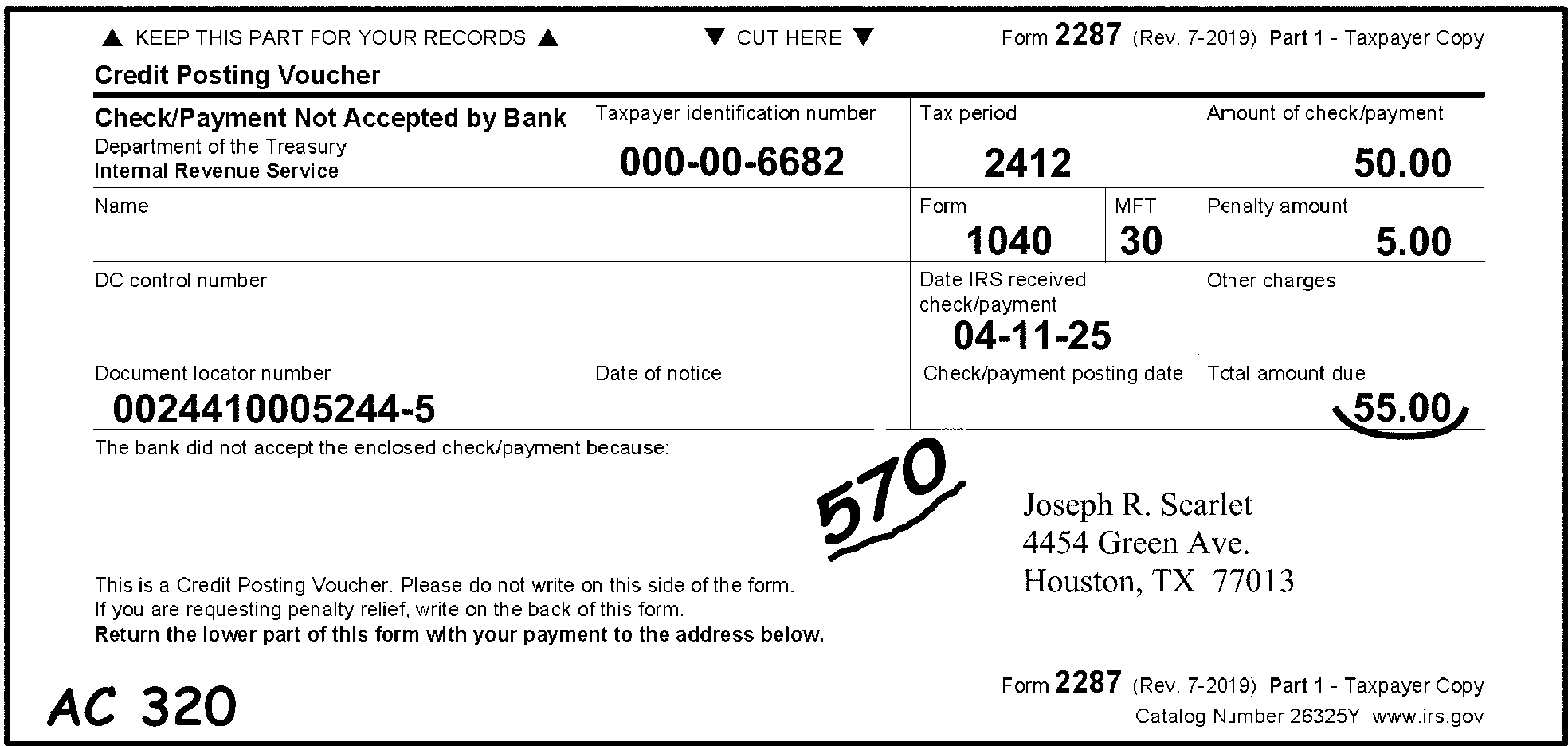
Pictured in Figure 3.11.10-1 is an example of a Form 2287, Check Not Accepted by Bank, which was sent back to the IRS with a re-payment for a dishonored check. Action Code 320 (A/C 320, Entity Control) is edited in the bottom-left margin (corner of Form 2287). This figure also shows (that) the remittance amount of $55.00 is underlined and the TC-570, meaning, Additional Liability Pending and or Credit Hold is edited in the bottom center of the form (underlined in red).OTHER INFORMATION: The top edge of the Form 2287 in Figure 1 has three captions: Keep This Part for Your Records (upward arrows straddle this caption on the left and right of this statement); Cut Here (with downward arrows on each side of the caption pointing to the dotted line beneath) and Form 2287 (Rev. 7-2019) Part 1 - Taxpayer Copy. On the line located directly beneath those captions is Credit Posting Voucher. On the line directly beneath that caption are the following four (4) boxes, left to right, as follows: The first box contains Check Not Accepted by Bank; Department of the Treasury; Internal Revenue Service. The second box is marked Taxpayer Identification Number: 000-00-6682. The third box is marked as Tax Period: 2512 . The fourth box is marked as Amount of Check/Payment: 50.00 (Fifty dollars and zero cents)., On the third line, directly beneath the previous four boxes are Name, Form, MFT and Penalty Amount. The Name box is blank (i.e., contains no name entry). The Form box contains 1040. The MFT box contains 30. The Penalty Amount box contains 5.00 (Five dollars and zero cents). On the fourth line, directly beneath the previous four boxes are DC Control Number, Date IRS Received Check/Payment, and Other Charges. The DC Control Number box is blank. The Date IRS Received Check/Payment box is 04-11-2026. The Other Charges box is blank. On the fifth line, directly beneath the previous three boxes are the following four: Document Locator Number, Date of Notice, Check/Payment Posting Date, and Total Amount Due. The Document Locator Number box contains 0024410105244-6. The Date of Notice box is blank. The Check/Payment Posting Date is blank. The Total Amount Due is 55.00 (Fifty-five dollars and zero cents) with a curved underline beneath the amount. In the space directly beneath those entries are the space for filling in the reason(s) are The bank did not accept the enclosed check/payment because, and, to its left the taxpayer’s name and address information. Beneath the space used for providing reason(s) the bank did not accept the check/payment is the following paragraph: This is a Credit Posting Voucher. Please do not write on this side of the form. If you are requesting penalty relief, write on the back of this form. Return the lower part of this form with your payment to the address below. Directly to the right of this information is the Taxpayer’s name and address: Joseph R. Scarlett; 4454 Green Avenue; Houston, TX 77013. On the bottom left corner of the Form 2287 is an edited (in red) AC 320 (Action Code 320, Entity Control). On the opposite (bottom right) corner of Form 2287 is (preprinted) Form 2287 (Rev. 7-2019); Part 1 - Taxpayer Copy, Catalog 26325Y www.irs.gov. An edited, underlined (in red) Transaction Code 570 (Additional Liability Pending and/or Credit Hold) is located beneath the fifth line items and located in the space between the above-described caption, paragraph and the taxpayer’s name and address. No more information is provided for Figure 3.11.10-1.
Please click here for the text description of the image.
-
For routing within the campus (in-house research), each action code will generally be sufficient with no further explanations. For "other research" , a note of explanation will need to be attached to the return.
-
The action code assigned by Document Perfection will be transcribed into the record of the input document. The presence of a valid action code will place the record in the suspense inventory, either workable or unworkable.
-
Only one action code may be assigned at a time to a record. The priority of the action codes will be 310, 320, 4XX, 6XX, 3XX, then 2XX.
-
The following is a complete list of ERS Action Codes. Decide the action code by the description, not by the length of the suspense period.
Note:
CE = Code & Edit, S = Suspense Correction, EC = Error Correction
Action Code Description Workday Suspense Period Function Used In 001 Input Document 0 EC 211 First Correspondence 40 CE, EC, S 212 Second Correspondence 25 CE, EC, S 213 Correspondence Other Than Taxpayer 40 CE, EC, S 215 International Correspondence (ACI) 45 CE, EC, S 216 Second Taxpayer Correspondence International 45 CE, EC, S 217 International Correspondence 45 CE, EC, S 224 ACA (Affordable Care Act) Correspondence 40 CE, EC, S 225 Signature Only - Regular Correspondence / Shared Responsibility Payment 40 CE, EC, S 226 Signature Only - International Correspondence 45 CE, EC, S 230 ID Theft 60 CE, EC, S 231 ID Theft Assistance (RICS) 80 CE, EC 232 ID Theft (Research Needed) 85 CE, EC, S 300 Exam-Fuel Tax Credit 10 CE, EC, S 310 Statute Control 10 CE, EC, S 320 Entity Control 10 CE, EC, S 331 Protest Review / Frivolous Filer Review (Exam) 3 CE, EC 332 QRDT Review / CI Review 3 CE, EC 333 Prompt Audit 10 CE, EC, S 334 Joint Committee 10 CE, EC, S 335 Protest Case / FRP Case (Exam) 10 CE, EC, S 336 QRDT Case / IVO Review 10 CE, EC, S 337 Other CID 10 CE, EC, S 341 Manual Refund 10 CE, EC, S 342 Credit Verification / Verification of Credits 10 CE, EC, S 343 Other Accounting 10 CE, EC, S 344 Manual Refund by ERS 0 EC 351 TIN Research 0 EC, S 352 Name Research 3 CE, EC, S 353 Address Research 3 CE, EC, S 354 Filing Requirements Research 3 CE, EC, S 355 Other MFTRA Research (Entity) 3 CE, EC, S 360 Other In-House Research 10 CE, EC, S 370 Examination 10 CE, EC, S 383 1040EZ Audit Code 0 CE 410 Technical Assistance / Assistance Needed 0 EC 420 Management Suspense—A 5 CE, EC, S 430 Management Suspense—B 10 CE, EC, S 440 Management Suspense—C 15 CE, EC, S 450 Management Suspense—D 20 CE, EC, S 460 Management Suspense—E 25 CE, EC, S 470 Complex Error Codes 0 EC, S 471 Miscellaneous Suspense (C&E By-Pass) 2 EC, S 480 Early Filed Return 150 CE, EC, S 490 System Problem 5 EC, S 491 ACA System Problem 10 EC, S 492 ACA System Problem 15 EC, S 493 ACA Systemic Issue 20 EC, S 494 Complex Systemic Issue 25 EC, S 495 Complex Systemic Issue 30 EC, S 496 Complex Systemic Issue 35 EC, S 497 Complex Systemic Issue 40 EC, S 498 Complex Systemic Issue 45 EC, S 499 Complex Systemic Issue 50 EC, S 510 Missing Document 0 CE 511 Missing Document 1st Suspense 25 EC, S 512 Missing Document 2nd Suspense 20 S 513 Missing Document 3rd Suspense 20 S 515 Missing Document Short Term 5 EC, S 550 Mag. Tape Attachment / Magnetic Return 0 CE 551 Mag. Tape Inconsistent Data / Magnetic Return 0 CE 610 Renumber 0 CE, EC 611 Remittance Renumber 0 S 620 NMF/Non-ADP 0 CE, EC 630 Reinput 0 EC 640 Void 0 CE, EC 650 International (Foreign) 0 CE, EC 651 International Document (AUSPC) CE, EC, S Note:
CE = Code & Edit, S = Suspense Correction, EC = Error Correction
3.11.10.6 (01-01-2016)
Document Perfection General Instructions
-
All Revenue Receipt Documents must have a Name Control, TIN, tax period, MFT Code, TC, transaction date, and transaction amount.
Note:
MFTs 46, 74, 75, 76, 84, 85, and 86 must have a plan/report number.
-
These documents may also have a secondary TC, secondary transaction amount, tertiary (third) TC, and a tertiary transaction amount.
3.11.10.6.1 (01-01-2026)
Name Control/Check Digits
-
The check digits consist of two alpha characters present on an IRS preprinted label or an IRS computer generated notice. (See Figure 3.11.10-2.)
Figure 3.11.10-2
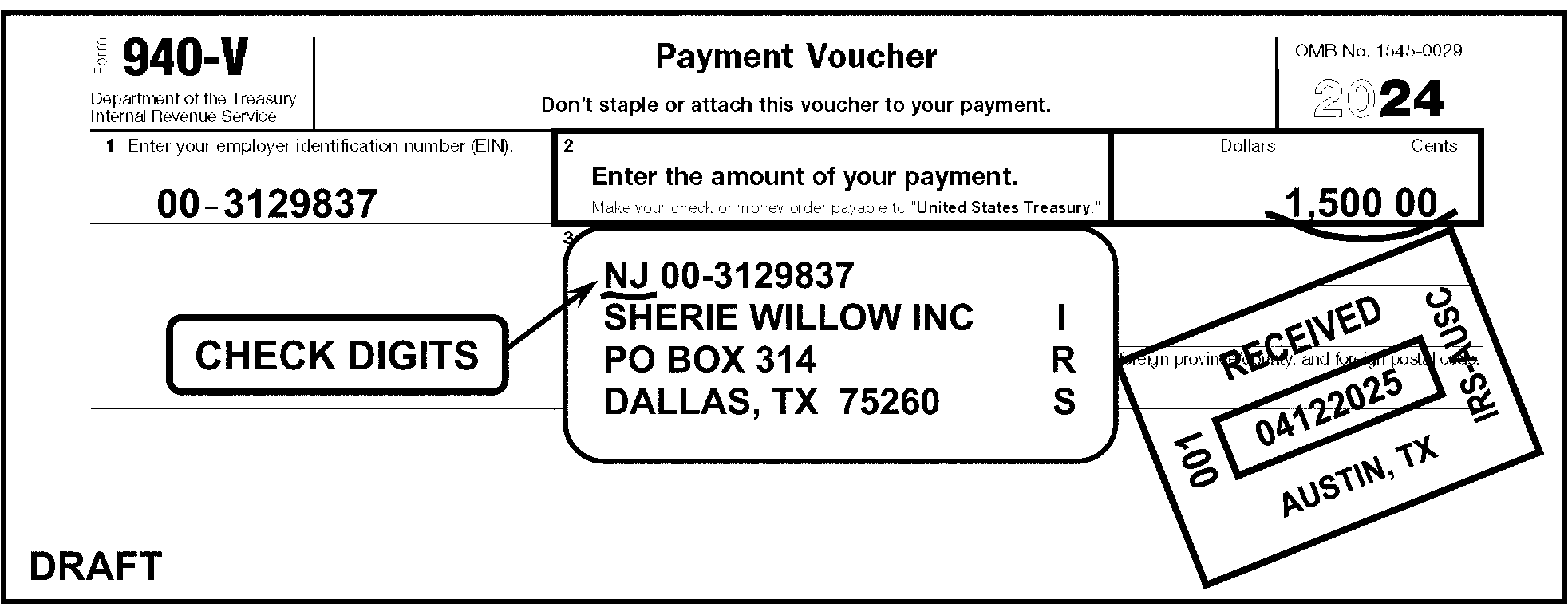
Pictured in Figure 3.11.10-2 is an example of a Form 940-V, Payment Voucher, with a preprinted label. The Check Digits NJ are to the left of the EIN on the preprinted label. The remittance amount of $1500.00 is underlined with a curved line. OTHER INFORMATION: At the top margin of the Form 940 Voucher are the following items in three boxes: First box (flushed with left margin): Form 940-V, Department of the Treasury, Internal Revenue Service (first box); Second box (top center of form): Payment Voucher Don’t staple or attach this voucher to your payment. Third box (in upper right corner (of form) and to right of form title): OMB No. 1545-0029), which is above the revision year of the form.. Third box (in upper right corner (of the form) and beneath the OMB No.); 2025 (The revision year of the form)). Beneath title line of form (first line) are Item 1, Enter Your Employer Identification Number: 00-3129837, To its right is Item 2, Enter the Amount of your payment (Make your check or money order payable to United States Treasury (with arrow point right to the amount of)): 1,500.00 (One thousand, five-hundred dollars and zero cents; underlined with a curved line). Directly beneath that are the IRS label containing four (4) lines of information: First line: NJ 00-3129837 (i.e., check digit, followed by EIN) Second line: SHERIE WILLOW INC Third line: P. O. BOX 314 Fourth line: DALLAS, TX 75260. On the right edge of the IRS label (in vertical order) are the letters, IRS. On the label’s left is a Check Digit bubble pointing to the NJ on the IRS label. On the label’s right is an IRS Received Date stamp: RECEIVED 04132026; 001; AUSTIN, TX; IRS - AUSC. No other information is on Figure 3.11.10-2.
Please click here for the text description of the image.
-
Check Digits are printed to the immediate left or right of the TIN, with the exception of the electronically-generated TDA/Taxpayer Delinquent Account form, where they appear in the general entity area. (See Figure 3.11.10-3.)
Note:
The electronically-generated TDA/Taxpayer Delinquent Account form superseded the former Form 4907, TDA/Taxpayer Delinquent Account (obsolete since December 19, 2002). This electronic document contains BMF filing requirements on TDAs.
Figure 3.11.10-3
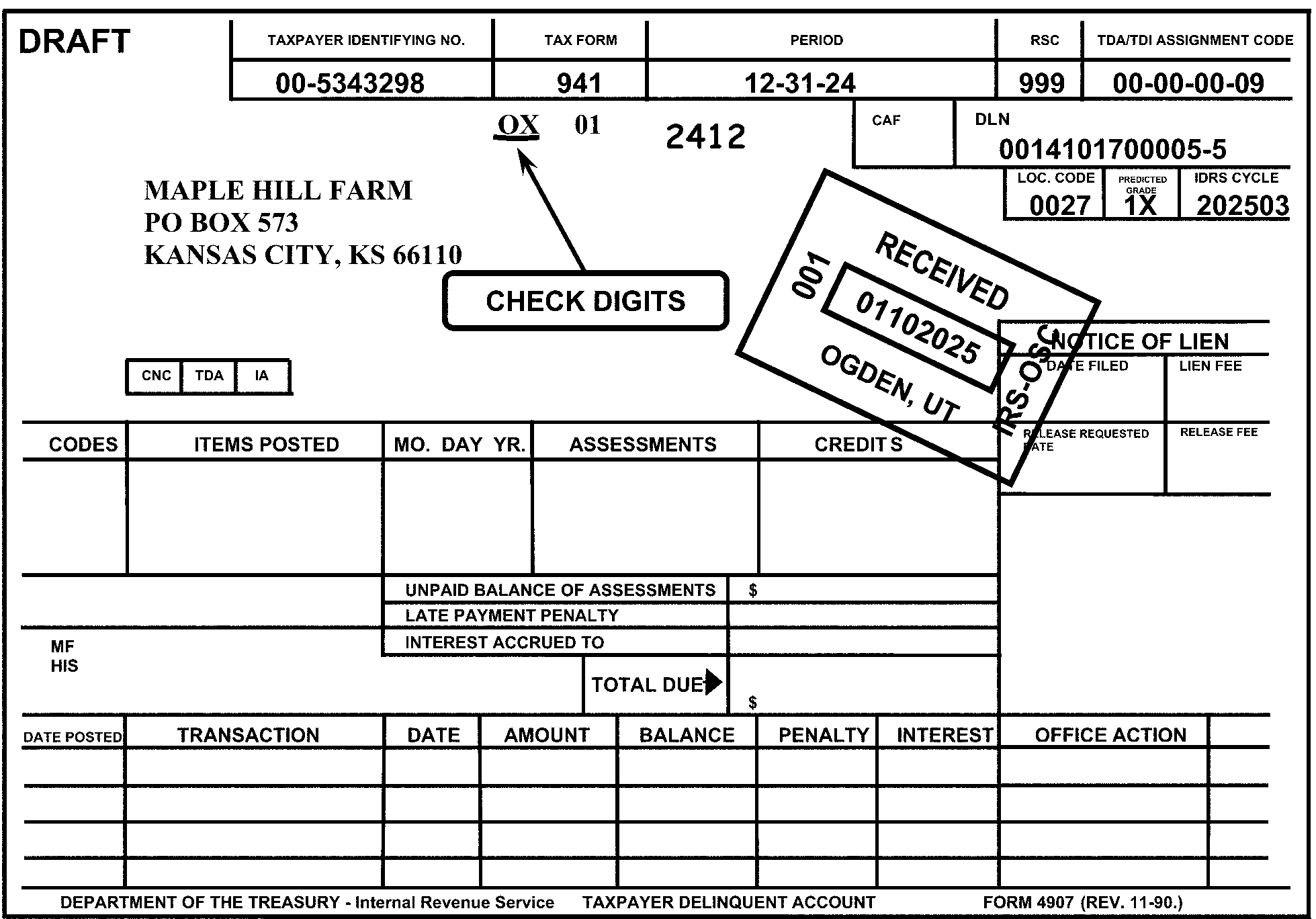
Pictured in Figure 3.11.10-3 is an example of a generated TDA/Taxpayer Delinquent Account, with preprinted information. The Check Digits OX are located in the general entity area (to the upper right of the taxpayer's name and address) and are underlined in red. The Tax Period 2512 is edited to the right of the Check Digits. OTHER INFORMATION (i.e., we’re only providing the portion containing the important fill-ins). At the top of the form are five sets of two boxes each (a header and an blank (for fill-n): Taxpayer Identifying No., Tax Form; Period; ; RSC; and TDA/TDI Assessment Code. Beneath the Taxpayer Identifying No. heading is the EIN 00-5343298. Beneath the Tax Form heading is (Form) 941. Beneath the Period heading is 12-31-25. Beneath the RSC heading is 999. Beneath the TDA/TDI Assessment Code is 00-00-00-09 Beneath the first line’s information are the following items:. The Check Digit is OX The MFT 01 (for Form 941) is beneath the MFT box. An edited Tax Period 2512 is beneath the Period box.Following the 2512 are two boxes: a blank CAF box, and a DLN box (containing 0014101700005-6. Beneath the DLN box (flushed with the (form’s) right margin. are three boxes: Loc. Code 0027; Predicted Grade: 1X, and IDRS Cycle: 202603. On the left side of the form (directly opposite the above listed boxes) are the name and address information: MAPLE HILL FARM, P O. BOX 573, KANSAS CITY, KS 66110. A Check Digit bubble points upward to the Check Digit OX. To the left of the Check Digit bubble is an IRS Received Date stamp: RECEIVED 01-10-2026; 001; OGDEN, UT; IRS - OSC No other information is on Figure 3.11.10-3.
Please click here for the text description of the image.
-
Underline the check digits if present.
Exception:
Circle out the Check Digits if the taxpayer identification number has been altered. In that case, underline the Name Control.
-
If Check Digits are not present, underline the Name Control using the following general procedures. Refer to Document 7071, Name Control Job Aid for Individual Master File (IMF) Taxpayers, or Document 7071-A, Name Control Job Aid - For Use Outside of the Entity Area, for the specific Name Control procedures.
Note:
See IRM 3.11.10.9.2, Editing of Form 1040-ES With IRS Label, for Form 1040-ES instructions.
-
-
The Name Control consists of no more than four characters and is underlined if no Check Digits are present. (See Figure 3.11.10-4.)
Figure 3.11.10-4
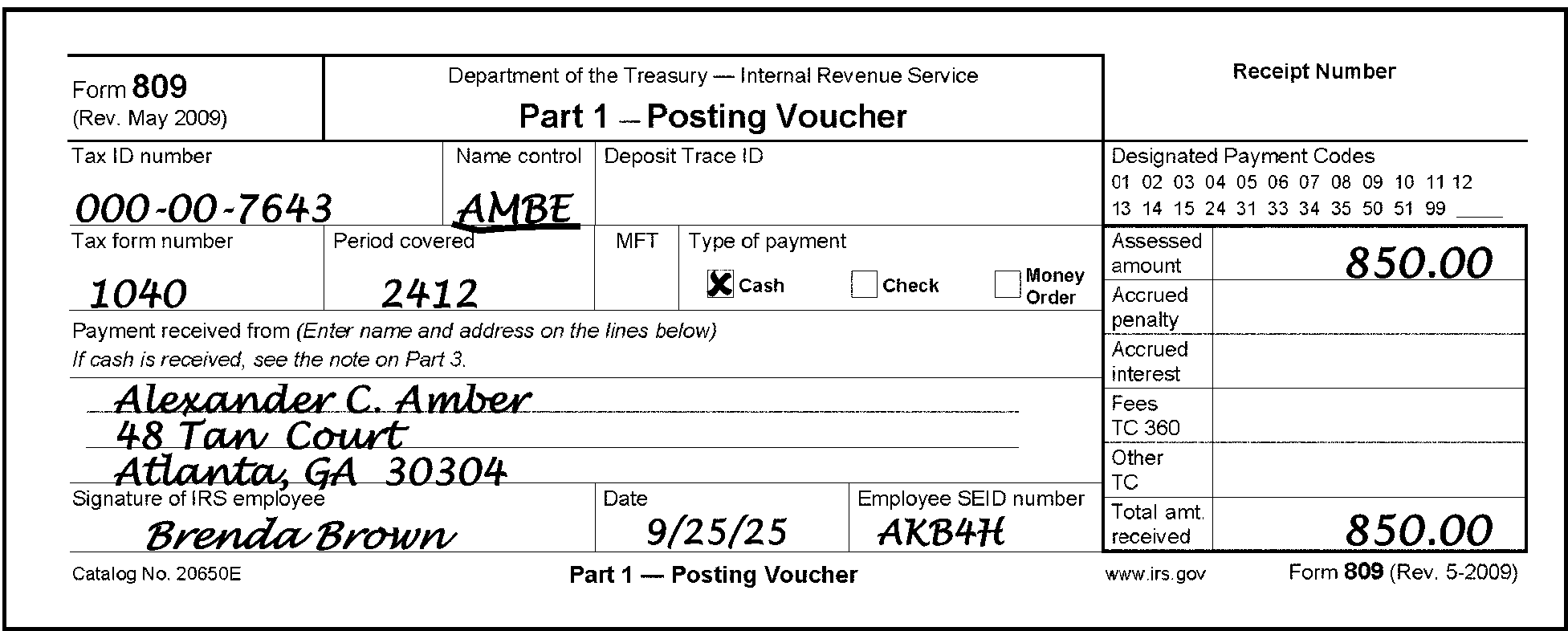
Pictured in Figure 3.11.10-4 is an example of a Form 809, Part 1 Posting Voucher (also named as Receipt for Payment of Taxes) with entity information. The Name Control AMBE is underlined in red because no Check Digits are present. OTHER INFORMATION: On the top line of the Form 809 are three boxes: The first has Form 809 (Rev. May 2009). The second reads as Department of the Treasury - Internal Revenue Service, Part 1 - Posting Voucher. The third area is marked for the Receipt Number. The first line beneath the above-listed information are four (4) boxes: Tax ID Number, Name Control, Deposit Trace ID, and Designated Payment Codes. The Tax ID Number is 000-00-7643. The Name Control (underlined in red) is AMBE. The Deposit Trace ID is blank (contains no entry). The Designated Payment Codes contains the following series of DPCs 01 through 15, 24, 31, 33, 34, 35, 50, 51, 99 and a blank underline (presumably used for writing in the appropriate DPC). The second line beneath the above-listed information contains five (5) boxes: Tax Form Number, Period Covered, MFT, Type of Payment, and an Assessment Information section (comprised of six (6) lines and two columns of data). The Tax Form Number contains an edited 1040. The Period Covered contains an edited 2512. The MFT is blank. The Type of Payment box contains three check boxes (for checking the appropriate type): Cash, Check, Money Order (here, the Cash box is x’d). The Assessment Information section contains six (6) lines (and two columns each, marked as follows: Assessment Amount, Accrued penalty, Accrued Interest, Fees TC 360, Other TC, and Total Amount Received. Of the six boxes, there is an 850.00 (eight-hundred fifty dollars and zero cents) amount in the second column for each, the Assessment Amount and Total Amount Received, respectively. On the left side of the form (opposite of the Assessment Information section, are several lines of information, described as follows: The fourth line of information (directly beneath the Tax Form Number line area is the following text paragraph: Payment received from (enter name and address on the lines below). If cash is received, see the note on Part 3. On the lines beneath the above-listed instructions, are the following taxpayer name and address: Alexander C. Amber, 48 Tan Court, Atlanta, GA 30304. Directly beneath the taxpayer’s name and address information are the following boxes/items: Signature of IRS Employee, Date, Employee SEID Number, and the bottom portion of the Assessment Information section. The Signature of IRS Employee is Brenda Brown. The Date is 9/25/2026. The Employee SEID Number is AKB4H. In the bottom margin of the Form 809 is the following information (possible tab spacing between them): Catalog Number 20650E, Part 1 - Posting Voucher, www.irs.gov, Form 809 (Rev. 5-2009). No other information is on Figure 3.11.10-4.
Please click here for the text description of the image.
-
The valid characters for the Name Control are alpha, numeric, ampersand (&), hyphen (-), and blank.
-
If the document is IMF, or BMF MFT 13, 17, 51, 52, 58, 63, 76, or 78 with a Social Security Number (SSN): (See Figure 3.11.10-5.)
-
The first character of the Name Control must be alphabetic.
-
The remaining characters may be alpha, hyphen, ampersand or blank.
-
The Name Control can have less, but no more than, four characters. Blanks may be present only at the end of the Name Control.
Figure 3.11.10-5
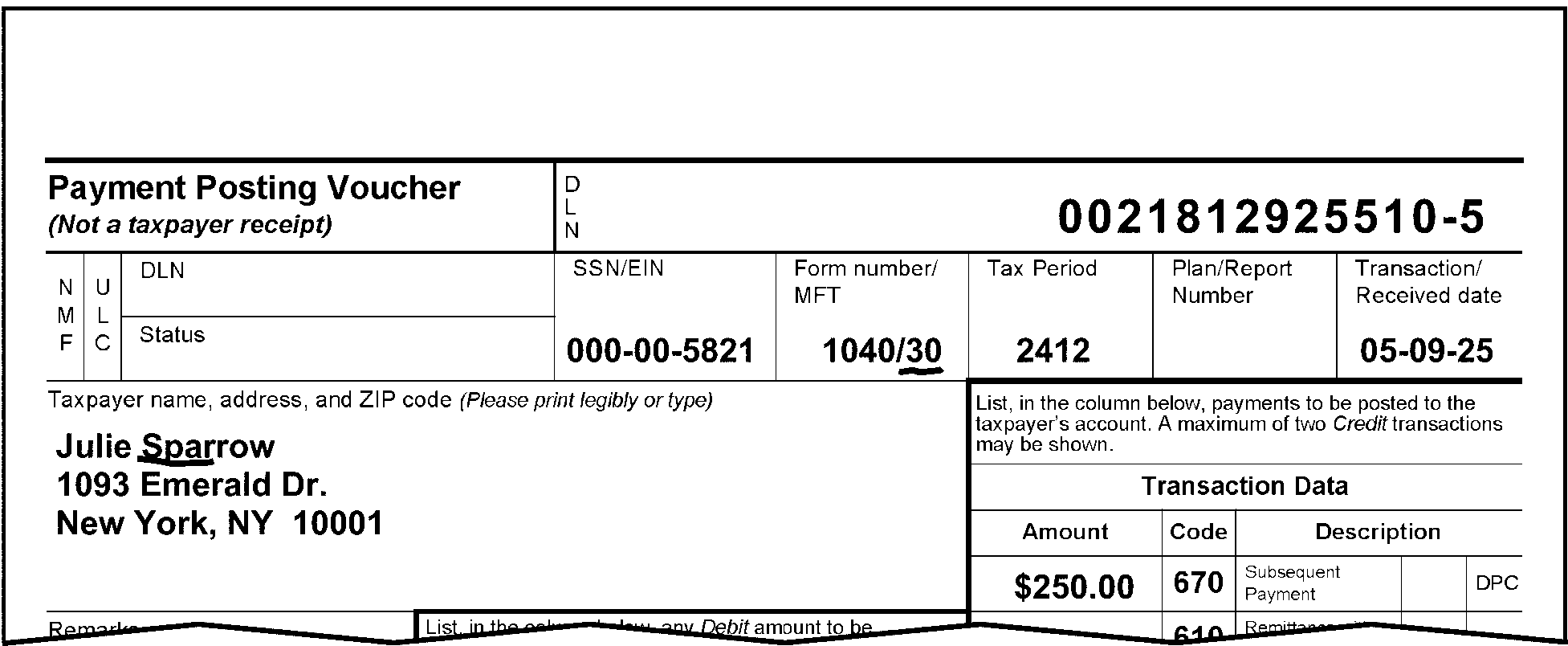
Pictured in Figure 3.11.10-5 is an example of the top part of Form 3244, Payment Posting Voucher - Examination. The name of the taxpayer is Julie Jasper. The Name Control JASP is underlined to show an individual Name Control. In the Form Number/MFT box, the MFT 30 (for Form 1040) is underlined in red. OTHER INFORMATION: The first line of Form 3244 contains two (2) block items: Payment Posting Voucher (Not a taxpayer receipt), and the DLN (Document Locator Number).The title, Payment Posting Voucher, flushed with the left margin of the form.To the right of the title is the DLN (Document Locator Number) block, flushed with the right margin of the form and contains the DLN 0021813025510-6. Directly beneath the first line of the form (second line), are twin column designations marked “NMF” (for Non Master File) and “ULC” (Universal Location Code).To the right of those two column designations are twin rows marked DLN (i.e., Document Locator Number) and Status, which are both blank. To the right of those are five (5) boxes: SSN/EIN, Form Number/MFT, Tax Period, Plan/Report Number, and Transaction Received Date. The SSN/EIN is (SSN) 000-00-5821. The Form Number/MFT are 1040/30. The Tax Period is 2512. The Plan/Report Number box is blank. The Transaction Received Date is 050826. On the line following the above-listed items (Line 3) is the space (left side of the form) for the Taxpayer name, address, and ZIP code (Please print legibly or type). The taxpayer’s name and address data are Julie Jasper, 1093 Emerald Drive, New York, NY 10001. JASP is underlined in red as the Name Control. To the right of the taxpayer’s name and address data is a portion of the Transaction Data block (i.e., consists of several line items). Above the Transaction Data title are the following instructions: “List, in the column below, payments to be posted to the taxpayer’s account. A maximum of two Credit transactions may be shown.” Beneath the Transaction Data title portion are the following column headers: Amount, Code, Description (which has two (2) sub-header titles, a blank box (for the appropriate DPC), and DPC. The Amount is 250.00 (Two-hundred fifty dollars and zero cents). The Code (Transaction Code) 670. The Description: Although the TC670’s description (Subsequent Payment) is present, both the DPC and (DPC) description boxes are blank. No other information is on Figure 3.11.10-5.
Please click here for the text description of the image.
-
-
If the document is BMF with an EIN:
-
The first character of the Name Control may be alpha or numeric.
-
The remaining characters may be alpha, numeric, hyphen, ampersand, or blank.
-
The Name Control can have less, but no more than, four characters. Blanks may be present only at the end of the Name Control. (See Figure 3.11.10-6.)
Reminder:
BMF MFT 13, 17, 50, 51, 52, 58, 63, 76, or 78 may have an SSN.
Figure 3.11.10-6
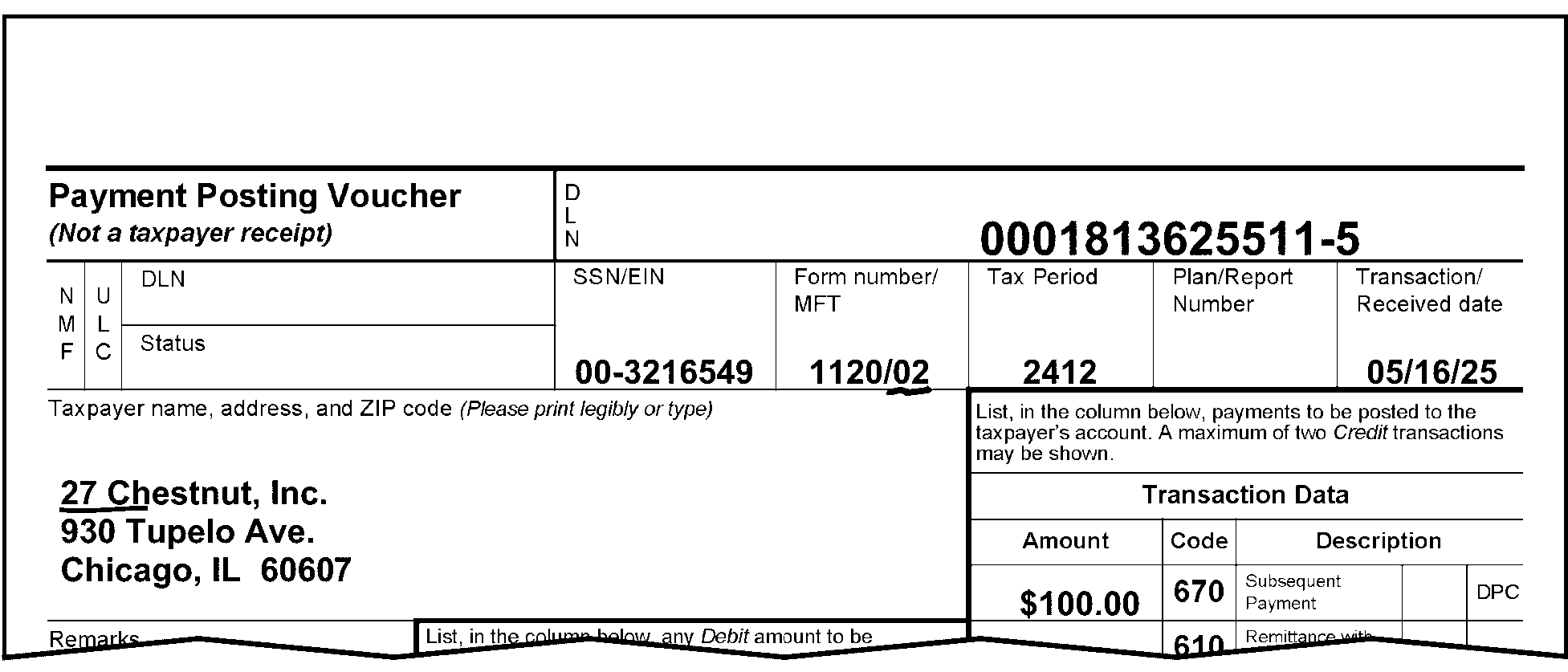
Pictured in Figure 3.11.10-6 is an example of the top part of Form 3244, Payment Posting Voucher - Examination. The name of the taxpayer is 27 Chestnut, Inc. The Name Control 27CH is underlined to show a business Name Control. The blank (between 27 and Chestnut) is not included in the Name Control. Also underlined (in red) in the Form Number/MFT box, is the MFT 02 (for Form 1120).OTHER INFORMATION: The first line of the form contains the title, Payment Posting Voucher, flushed with the left margin of the form. To the right of the title is the DLN (Document Locator Number) block: DLN is 0001813625511-6. Directly beneath the first line of the form, on the second line, are twin column designations marked “NMF” (for Non Master File) and “ULC” (Universal Location Code). To the right of those two column designations are twin rows marked DLN (Document Locator Number) and Status; both boxes are blank. To the right of the DLN and Status boxes is the SSN/EIN block, containing the EIN 00-3216549. To the right of the SSN/EIN box is Form Number/MFT Code box, containing 1120/02 (the Form number and the Tax Class; the 02 is underlined in red). To the right of the SSN/EIN box is Form Number/MFT Code box is Tax Period: 2512. To the right of the SSN/EIN box is Form Number/MFT Code box is Tax Period is Plan/Report Number box, which is blank. To the right of the Plan/Report Number box 01TDT is the Transaction Received Date box: containing 05/15/2026. Directly beneath the second line of the form are the section for the Taxpayer name, address, and Zip Code and a portion of the Transaction Data section, with columns marked “Amount”, Code (for Transaction Code) and “Description” (with spaces describing the TC), a blank for the Designated Payment Code (DPC) and a box marked DPC. The Taxpayer name and address information are as follows: 27 Chestnut, Inc.; 930 Tupelo Avenue; Chicago, IL 60607. The Transaction Data box contains 100.00 (one-hundred dollars and zero cents) in the Amount box, and 670 (Subsequent Payment) under the Code box. There is no more information in Figure 3.11.10-6.
Please click here for the text description of the image.
-
-
If a name is not present or the Name Control can't be decided, check attachments for a valid name/Name Control. If a Name Control can't be decided, edit the document with Action Code 320 (Entity Control).
3.11.10.6.2 (01-01-2026)
Taxpayer Identification Number (TIN)
-
The TIN consists of nine digits and must be present.
-
If the TIN is an Employer Identification Number (EIN):
-
It can't be all zeros (0) or all nines (9).
-
The first two digits can't be 07–09, 17–19, 28–29, 49, or 89. (See Figure 3.11.10-7.)
Figure 3.11.10-7
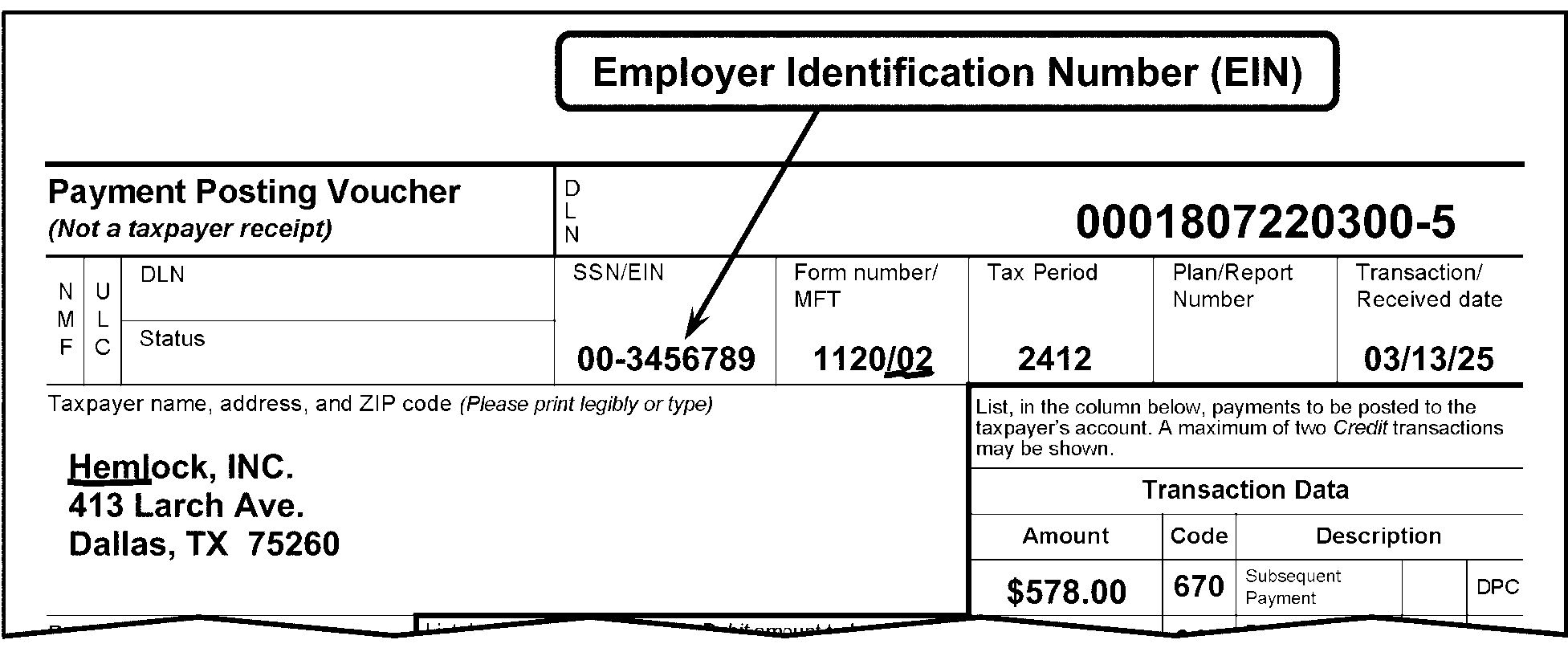
Pictured in Figure 3.11.10-7 is an example of the top part of Form 3244, Payment Posting Voucher (Not a Taxpayer Receipt). An Employer Identification Number (EIN) bubble with an arrow points to the Employer Identification Number (EIN) of 00-3456789 located in the box titled SSN/EIN. Also underlined (in red), in the Form Number/MFT box, is the MFT 02 (for Form 1120). OTHER INFORMATION: The first line of the form contains the title, Payment Posting Voucher, flushed with the left margin of the form. To the right of the title is the DLN (Document Locator Number) block: DLN is 0001807320300-6. Directly beneath the first line of the form, on the second line, are twin column designations marked “NMF” (for Non Master File) and “ULC” (Universal Location Code). To the right of those two column designations are twin rows marked DLN (Document Locator Number) and Status; both boxes are blank. To the right of the DLN and Status boxes is the SSN/EIN block, containing the EIN 00-3456789. To the right of the SSN/EIN box is Form Number/MFT Code box, containing 1120/02 (the Form number and the Tax Class; the 02 is underlined in red).To the right of the SSN/EIN box is Form Number/MFT Code box is Tax Period: 2512. To the right of the Tax Period is the Plan/Report Number box, which is blank.To the right of the Plan/Report Number box 01TDT is the Transaction Received Date box: containing 03/13/2026. Directly beneath the second line of the form are the section for the Taxpayer name, address, and Zip Code and a portion of the Transaction Data section, with columns marked Amount, Code (for Transaction Code) and Description (with spaces describing the TC, a blank for the Designated Payment Code (DPC) and a box marked DPC. The Taxpayer name and address information are as follows: Hemlock, INC.; 1413 Larch Avenue; Dallas, TX 75260. The name control HELM is underlined in red. The Transaction Data box contains 578.00 (five hundred seventy-eight dollars and zero cents) in the Amount box, and 670 (Subsequent Payment) under the Code box. There is no more information in Figure 3.11.10-7..
Please click here for the text description of the image.
-
-
If the TIN is a Social Security Number (SSN), XXX-XX-XXXX format:
-
It can't be all zeros (0), or all nines (9).
-
Valid range for the first three digits is 001–899.
-
If the primary SSN begins with a "9" (in an SSN format) this is an indication of a temporarily assigned identification number:
i. ITIN - the 4th and 5th digit for an ITIN will range between 50-65, 70-88, 90-92 or 94-99; or
ii. IRS Number (IRSN) - the 4th and 5th digit for an IRSN will be 01, 02, 03, 04, 05, 06, 07, 08, 09, 10, 17, 18, 19, 28, 29, 37, 38, 39, 49, 66, or 89, depending on the campus which issued it.Note:
For more information regarding IRSN, see IRM 3.13.5, Campus Document Services - Individual Master File (IMF) Account Numbers
.
-
If the BMF MFT is 13, 17, 50, 58, 63, 76, or 78, edit with TIN-Type Indicator "0" following the TIN/SSN.
Note:
MFTs 13, 17, 50, 58, 63, 76, and 78 can have an EIN or SSN.
-
If the TIN is missing or invalid, search the document and attachments for another TIN. If found, edit it in the proper position for transcription.
-
If there is no valid TIN present, edit Action Code 320.
-
-
Special to Secondary (or, Spouse’s) Social Security Number (SSN) Only:
-
It can't be all zeros (0), or all nines (9).
-
Valid range for the first three digits is 001–899.
-
The Secondary SSN can't have either 000 or 666 in Positions 1 through 3.
-
The Secondary SSN can't have "00" in Positions 4 through 5.
-
The Secondary SSN can't have "0000" in Positions 6 through 9.
-
-
If the TIN is missing or invalid, search the document and attachments for another TIN. If found, edit it in the proper position for transcription.
-
If there is no valid TIN present, edit Action Code 320 (Entity Control).
3.11.10.6.3 (01-01-2023)
Tax Period
-
The tax period is a four-digit element representing the year and month in which the tax period ended, in most cases.
-
When it requires editing, it is edited in YYMM format.
-
It is not necessary to edit a tax period if the document is for the current calendar year. (See Figure 3.11.10-8.)
Figure 3.11.10-8
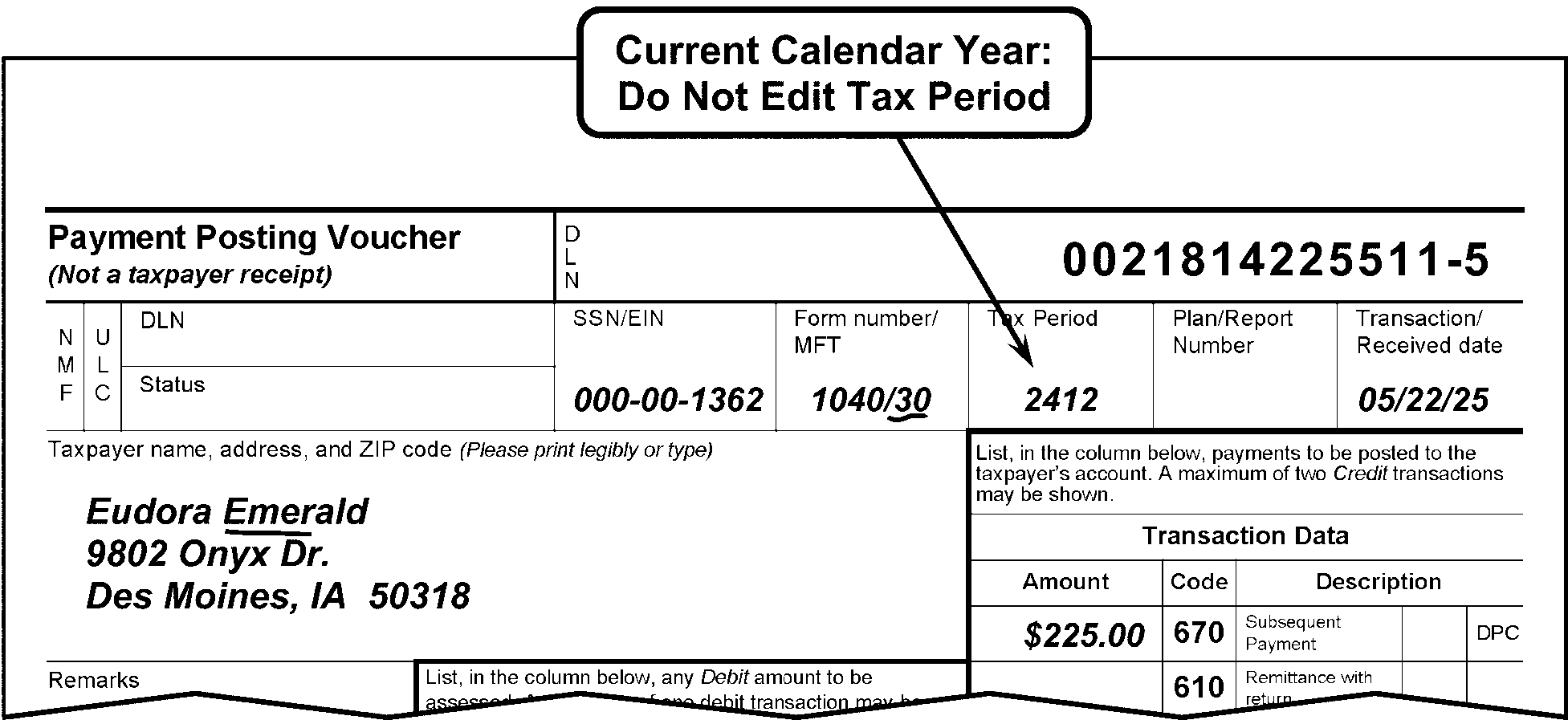
Pictured in Figure 3.11.10-8 is an example of Form 3244, Payment Posting Voucher. An arrow is pointing to the Tax Period of 2512 located in the box titled Tax Period. A Current Calendar Year: Do Not Edit Tax Period bubble with an arrow points to the 2512 in the Tax Period box, and the MFT 30 and the Name Control EMER, for Eudora Emerald are both underlined (in red). OTHER INFORMATION: The first line of the form contains the title, Payment Posting Voucher, flushed with the left margin of the form. To the right of the title is the DLN (Document Locator Number) block: DLN is 021814225511-6. Directly beneath the first line of the form, on the second line, are twin column designations marked “NMF” (for Non Master File) and “ULC” (Universal Location Code). To the right of those two column designations are twin rows marked DLN (Document Locator Number) and Status; both boxes are blank. To the right of the DLN and Status boxes is the SSN/EIN block, containing the SSN 000-00-1362. To the right of the SSN/EIN box is Form Number/MFT Code box, containing 1040/30 (the Form number and the Tax Class; the 30 is underlined in red).To the right of the Form Number/MFT Code box is Tax Period: 2512. To the right of the Tax Period is Plan/Report Number box, which is blank.To the right of the Plan/Report Number box is the Transaction Received Date box: containing the date of 05/22/2026. Directly beneath the second line of the form are the section for the Taxpayer name, address, and Zip Code (Please print legibly or type) and a portion of the Transaction Data section, with columns marked “Amount”, Code (for Transaction Code) and “Description” (with spaces describing the TC, a blank for the Designated Payment Code (DPC) and a box marked DPC. The Taxpayer name and address information are as follows: Eudora Emerald; 9802 Onyx Drive; Des Moines, IA 50318. The Transaction Data box contains 225..00 (two hundred twenty-five dollars and zero cents) in the Amount box, and 670 (Subsequent Payment) under the Code box. There is no more information in Figure 3.11.10-8.
Please click here for the text description of the image.
-
It is necessary to edit a tax period for all fiscal and prior year documents. (See Figure 3.11.10-9.)
Figure 3.11.10-9
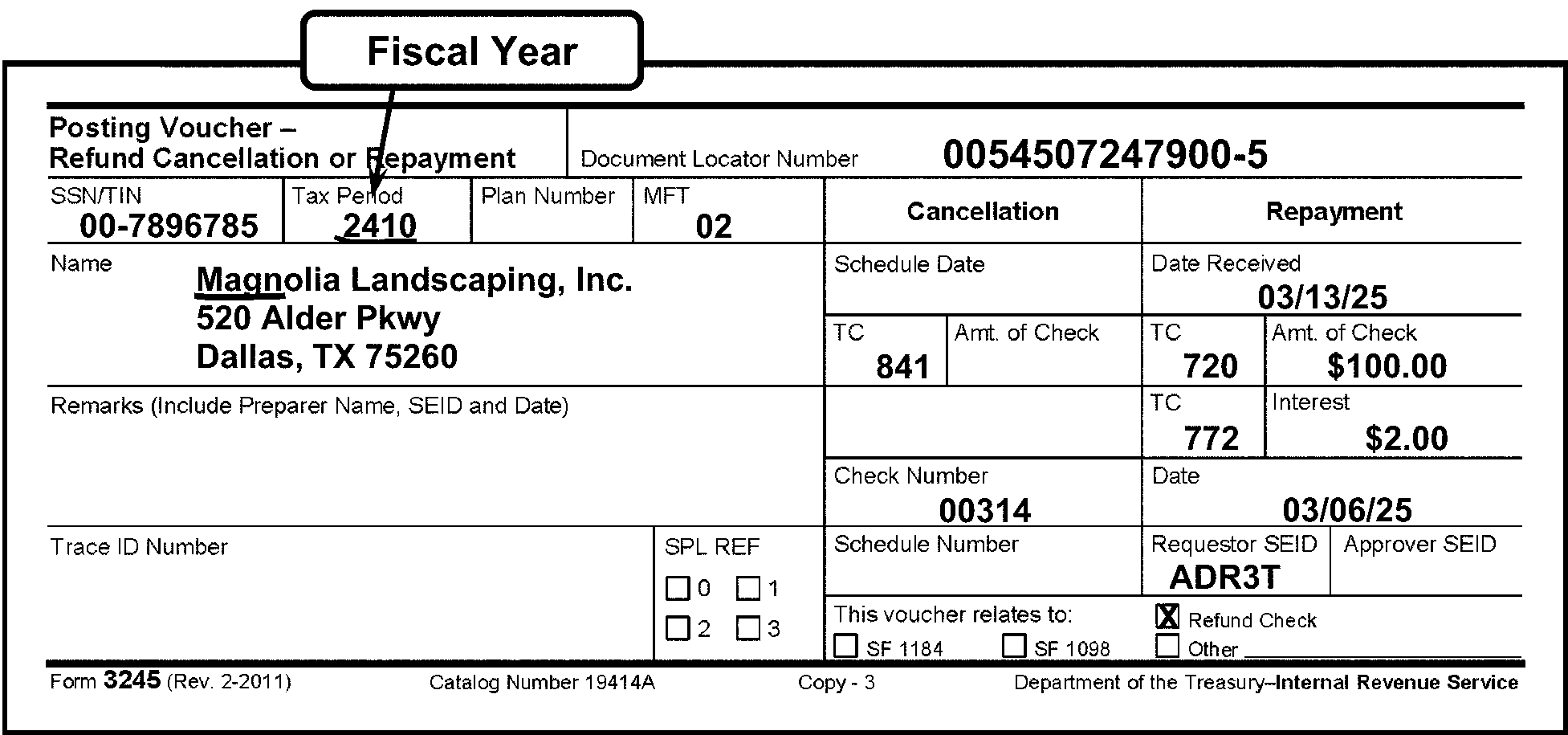
Pictured in Figure 3.11.10-9 is an example of Form 3245, Posting Voucher - Refund Cancellation or Repayment, demonstrating Fiscal Year editing. An arrow is pointing to the Fiscal Year Tax Period of 2510 located in the box titled Tax Period. The bubble box with the arrow states Fiscal Year. The Tax Period 2510 is underlined to illustrate how it is necessary to edit a tax period for all fiscal and prior-year documents. The Name Control MAGN, for Magnolia Landscaping, Inc., is underlined (in red). OTHER INFORMATION: The first line of the form contains the title, Posting Voucher - Refund Cancellation or Repayment, flushed with the left margin of the form. To the right of the title is the DLN (Document Locator Number) block: DLN is 0054507147900-6. Directly beneath the first line of the form, on the second line, are block designations marked SSN/EIN (i.e., Social Security Number/Employer Identification Number), Tax Period, Plan Number and MFT, followed by a section for two (2) column headings, Cancellation and Repayment (which are a separate section with multiple entries, which covers the ENTIRE right side of the form). (I will cover that later in this Verbal Descriptive Narrative (VDN).) The SSN/EIN contains an EIN 00-7896785. The Tax Period is 2510. The Plan Number block is blank. The MFT is 02. Beneath the second line (mostly left side of Form 3245) are sections marked as follows: Name (for taxpayer name, address and ZIP data), Remarks (include Preparer Name, SEID and Date), Trace ID Number, and SPL REF (for Split Refund Indicator, with check boxes for 0, 1, 2, and 3). The information under the Name block is as follows: Magnolia Landscaping, Inc.; 520 Alder Pkwy; Dallas, TX 75260 All of the other areas (on Form 3245 (left side)) are blank (contain no entries): Remarks (include Preparer Name, SEID and Date),Trace ID Number, and SPL REF NOW, back to the Cancellation and Repayment section of Form 3245:The Cancellation column and Repayment columns contain the following lines (listed in vertical order over 6 lines), respectively: First line: Cancellation column: Schedule Date, Repayment column: Date Received. First line (entries): Cancellation column: The Schedule Date is blank (contains no entry) First line (entries): Repayment column: Date Received is 3/13/26. Second line: Cancellation column: TC and Amt. of Check; Repayment column: TC and Amt. of Check. Second line (entries): Cancellation column: TC contains 841, but the Amt. of Check block is blank. Second line (entries): Repayment column: TC contains 720, and the Amt. of Check is $100.00 (one hundred dollars and zero cents). Third line: Cancellation column: (Shaded area); Repayment column: TC; Interest Third line: Cancellation column: (Shaded area) has no space for entries. Third line (entries): Repayment column: The TC block contains 722, and Interest block contains $2.00 (two dollars and zero cents). Fourth line: Cancellation column: Check Number; Repayment column: Date. Fourth line (entries): Cancellation column: The Check Number is 00314 Fourth line (entries): Repayment column: The Date is 3/06/26. Fifth line: Cancellation column: Schedule Number; Repayment column: Requestor SEID; and Approver SEID.Sixth line: This block straddles the space beneath the Cancellation and Repayment columns and contains the following text and check boxes: This voucher relates to (choice of 4 check boxes): Refund Check, SF1184, SF1098, and Other (with a blank line immediately following the word “Other” for identifying what Other is). Please note that the Refund Check box contains an x. On the bottom margin of the Form 3245 are the following items (apparently tabbed format): Form 3245 (Rev. 2-2011); Catalog Number 19414A; Copy - 3; Department of Treasury---Internal Revenue Service. There is no more information in Figure 3.11.10-9.
Please click here for the text description of the image.
-
In addition, the following specific topics are discussed in this section.
-
Editing a Calendar Year. See IRM 3.11.10.6.3.1 for more information.
-
Editing a Fiscal Year. See IRM 3.11.10.6.3.2 for more information.
-
Editing a Prior Year. See IRM 3.11.10.6.3.3 for more information.
-
Special Instructions (BMF). See IRM 3.11.10.6.3.4 for more information.
-
3.11.10.6.3.1 (01-01-2023)
Editing a Calendar Year
-
If the document is for other than a current calendar year, edit the year and month in YYMM format to the right of the tax year designation in the top center of the form, or in the applicable area. (See Figure 3.11.10-10.)
Figure 3.11.10-10
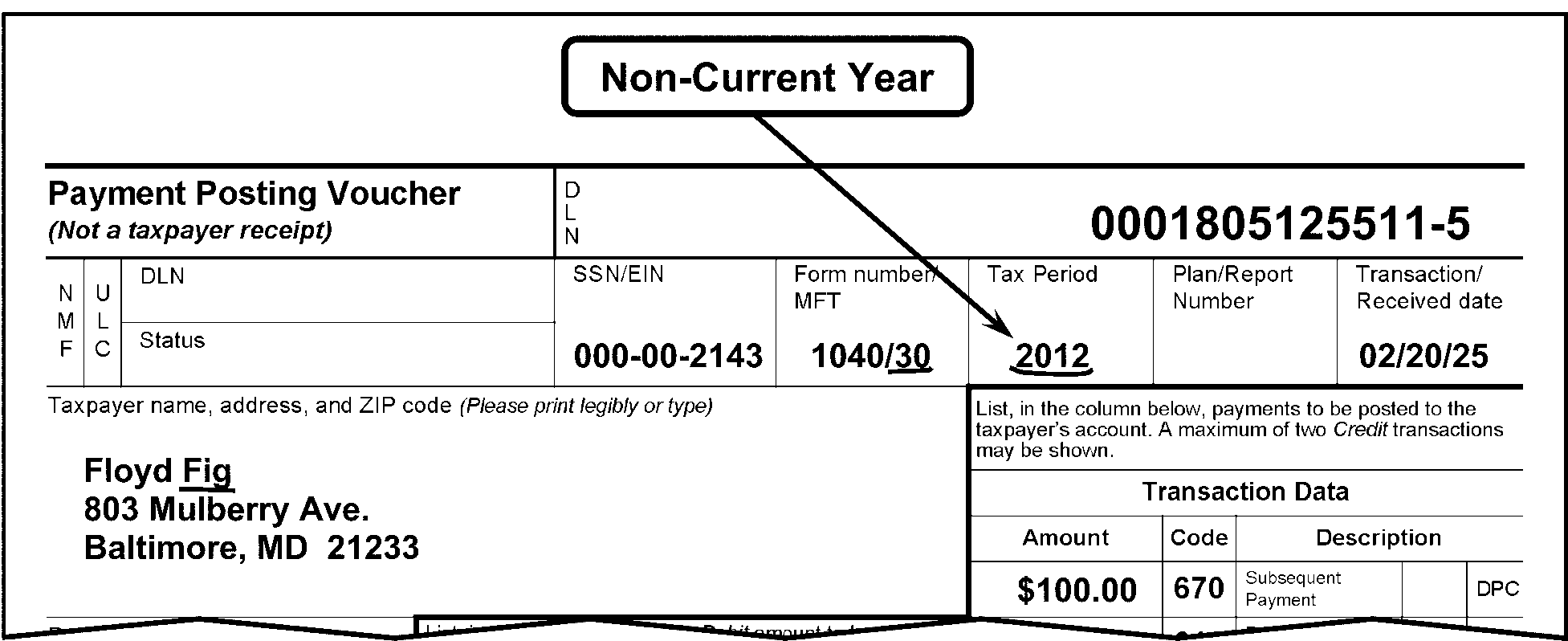
Pictured in Figure 3.11.10-10 is an example of Form 3244, Payment Posting Voucher. A Non-Current Year bubble with an arrow points to the Tax Period of 2012 located in the box titled Tax Period. . The Tax Period 2012 is underlined to illustrate how it is necessary to edit a tax period if the document is for other than a current calendar year. The Name Control FIG, for Floyd Fig, and the MFT 30 (for Form 1040) in the Form Number/MFT box, are both underlined (in red). OTHER INFORMATION: The first line of the form contains the title, Payment Posting Voucher (Not a Taxpayer Receipt), flushed with the left margin of the form. To the right of the title is the DLN (Document Locator Number) block: DLN is 0001805225511-6. Directly beneath the first line of the form, on the second line, are twin column designations marked “NMF” (for Non Master File) and “ULC” (Universal Location Code). To the right of those two column designations are twin rows marked DLN (Document Locator Number) and Status; both boxes are blank. To the right of the DLN and Status boxes is the SSN/EIN block, containing the SSN 000-00-2143. To the right of the SSN/EIN box is the Form Number/MFT Code box, containing 1040/30 (the MFT 30 and the Tax Period 2012 are both underlined in red).To the right of the Form Number/MFT Code box is Tax Period: 2012. To the right of the SSN/EIN box is Form Number/MFT Code box is Tax Period is Plan/Report Number box, which is blank.To the right of the Plan/Report Number box 01TDT is the Transaction Received Date box: containing 02/20/2026. Directly beneath the second line of the form are the section for the Taxpayer name, address, and Zip Code and a portion of the Transaction Data section, with columns marked “Amount”, Code (for Transaction Code) and “Description” (with spaces describing the TC), a blank for the Designated Payment Code (DPC) and a box marked DPC. The Taxpayer name and address information are as follows: Floyd Fig; 803 Mulberry Avenue; Baltimore, MD 21233. The Transaction Data box contains 100..00 (one hundred dollars and zero cents) in the Amount box, and 670 (Subsequent Payment) under the Code box. There is no more information in Figure 3.11.10-10.
Please click here for the text description of the image.
-
Unless it is clearly stated, all voucher forms should be considered for the current processing period.
3.11.10.6.3.2 (01-01-2023)
Editing a Fiscal Year
-
A fiscal year is 12 full months ending in the last day of any month other than December. Edit the month and year in YYMM format on all fiscal year documents.
-
Form 1041-ES, Estimated Income Tax for Estates and Trusts, payments are made on a quarterly basis for a calendar year. Therefore, do not edit this form for a month ending in 04 (due April 15), 06 (due June 15), or 09 (due September 15), the months these payments are due, unless specifically stated. (See Figure 3.11.10-11.)
Figure 3.11.10-11
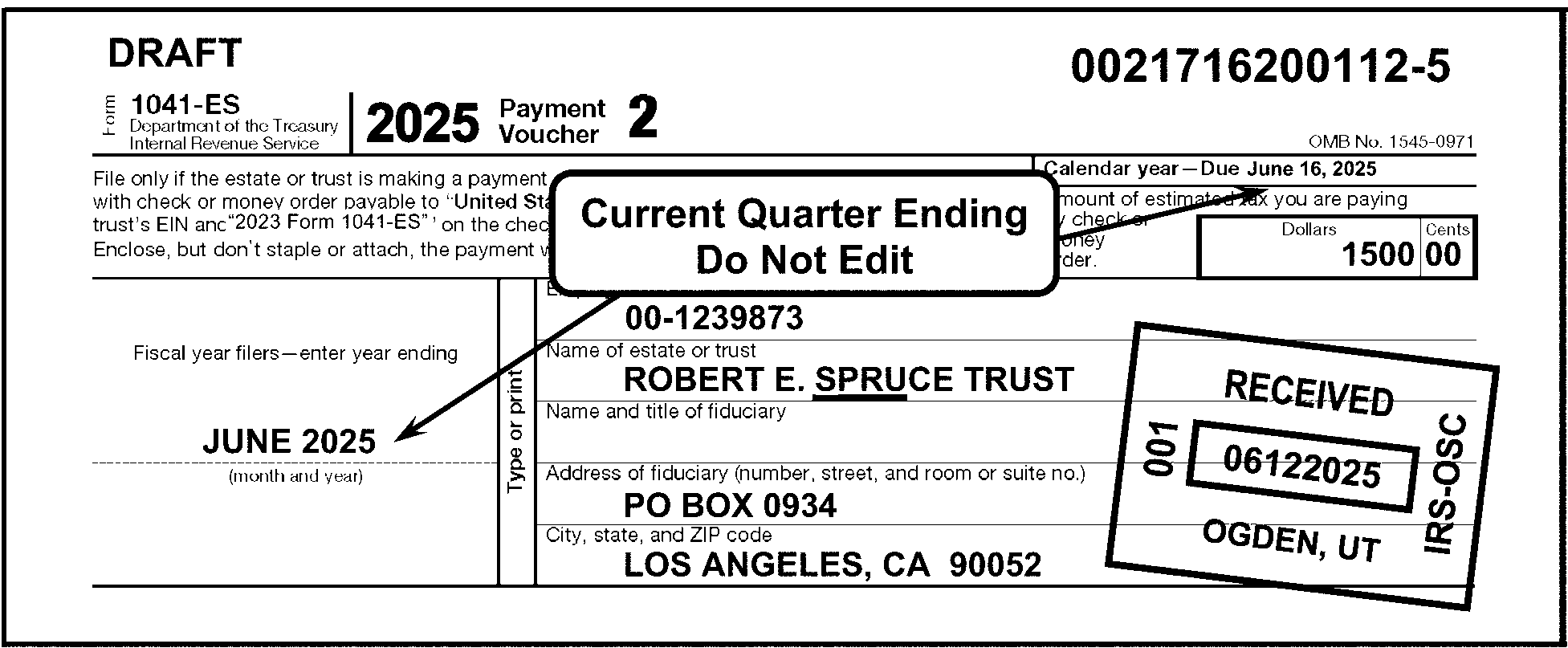
Pictured in Figure 3.11.10-11 is an example of a Form 1041-ES, Payment Voucher 2 (for Estimated Income Tax for Estates and Trusts). A Current Quarter Ending: Do Not Edit bubble box has two arrows pointing outward in opposite directions. One arrow is pointing to the preprinted Tax Period at the top right side of the form, marked, Calendar Year - Due June 15, 2025 and the second arrow is pointing to the line on the left side of the same Form 1041-ES, under the line marked Fiscal-year filers---enter year ending, to June 2025, just above the caption marked (Month and Year). The Name Control SPRU, for Robert E. Spruce Trust, is underlined (in red). The first line of the form contains the title, Form 1041-ES, Department of the Treasury, Internal Revenue Service, flushed with the left margin of the form. In the middle of the form is the caption, 2024 Payment Voucher 2, and to its right is the OMB No. 1545-0971. In the upper-right corner of the Form 1041-ES is the DLN 0021716300112-6. On the second line (beneath the title line, is the following text: “File only if the estate or trust is making a payment of tax. Return this voucher with check or money order made payable to United States Treasury. Write the estate’s or trust’s EIN and 2026 Form 1041-ES on the check or money order. Do not send cash. Enclose, but don’t staple or attach, the payment with this voucher.(This text covers two-thirds of the second line of this form. To its right are the following text: Calendar Year - Due June 15, 2026 and Amount of estimated tax you are paying by check or money order”, and a space for the amount of dollars and cents, which is, in this case, 1500.00 (one thousand, five-hundred dollars and zero cents). On the left side of the form (beneath the above-described section) are (listed in vertical order): Fiscal Year filer - enter year ending, a blank line (for the Month and Year of the fiscal year), and, immediately beneath that line, (Month and Year). In the Figure 3.11.10-11, is June 2026 on the above-described line. A Current Quarter Ending - Do Not Edit bubble has two (2) arrows extending from it, one pointing downward to the June 2025 on the Fiscal Year filer - enter year ending and the second points upward to the preprinted Calendar Year - Due June 15, 2026 in the upper-right corner of the Form 1041-ES. To the right of the Fiscal Year filer - enter year ending are the taxpayer’s information boxes/lines (listed in vertical order, respectfully): Employer Identification Number, Name of Estate or Trust, Name and Title of Fiduciary, Address of Fiduciary (Number, Street, and Room or Suite No.), and City, State and ZIP code. In the Employer Identification Number box is the EIN 00-1239873. In the Name of Estate or Trust box is the name ROBERT E. SPRUCE TRUST. The Name and Title of Fiduciary box is blank. In the Address of Fiduciary (Number, Street, and Room or Suite No.) box is P. O. BOX 0934. In the City, State and ZIP code box is LOS ANGELES, CA 90052. Immediately the right of the taxpayer’s name and address information is an IRS Received Date stamp: RECEIVED 06-12-2026; 001; OGDEN, UT; IRS - OSC There is no more information in Figure 3.11.10-11.0.
Please click here for the text description of the image.
3.11.10.6.3.3 (01-01-2023)
Editing a Prior Year
-
A document is considered a prior year if the tax period ending date falls eight months or more prior to the current date.
-
Edit the prior year tax period on a document unless it is a pre-ADP tax period which must be processed as Non-Master File (NMF). See (3) below.
-
Pre-ADP tax periods are:
-
IMF — prior to 196212.
Exception:
For MFT 29 or 55, Pre-ADP tax periods are prior to 197512.
Exception:
There are NO Pre-ADP tax periods for MFT 82 (i.e., first valid period is 201712), and, all Section 965 transactions post to Master File.
-
BMF — prior to 196112.
Exception:
MFT 08 — prior to 200412.
MFT 13 — prior to 198012.
MFT 14 — prior to 200612.
MFT 16 — prior to 199412.
MFT 17 — prior to 200512.
MFT 40 — prior to 200401.
MFT 46 — prior to 198412.
MFT 49 — prior to 200602.
MFT 74 — prior to 199101.
MFT 76 — prior to 198412.
MFT 83 — prior to 201712 (No ANMF Section 965 processing equivalent).
MFT 84 — prior to 200712.
MFT 85 — prior to 200902.
MFT 86 — prior to 200812.
-
-
If the tax period is Pre-ADP, edit Action Code 620 on the bottom left margin. (See Figure 3.11.10-12.)
Figure 3.11.10-12
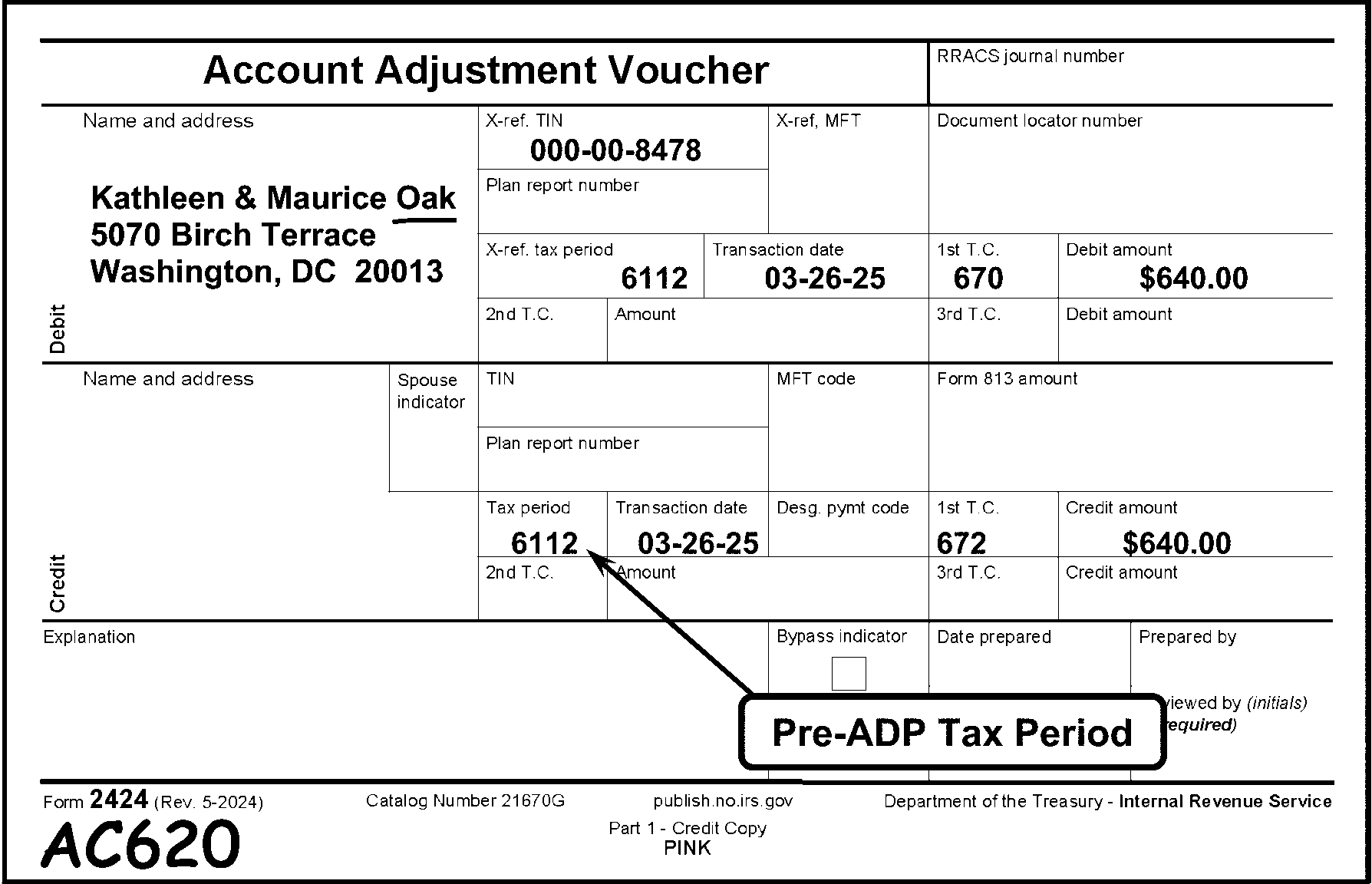
Pictured in Figure 3.11.10-12 is an example of Form 2424, Account Adjustment Voucher, displaying an Action Code 620 Edited---Pre-ADP Tax Period. A bubble box marked Pre-ADP Tax Period contains an arrow pointing to the printed Tax Period 6112 , which is entered in the Tax Period box on the form. Action Code AC620 is edited, on the bottom left margin of the Form 2424, to show that the Tax Period is Pre-ADP. The Name Control OAK, for Kathleen & Maurice Oak, is underlined (in red). At the top of the Form 2424 is the title Account Adjustment Voucher. On the Form 2424 are three sections identified as: Debit, Credit and Explanation, all located on the left side of Form 2424 (and flushed with the left margin). On the left side, the Debit and Credit sections each have a Name and Address Section for five (5) lines of the taxpayer’s name and address information. The Name and Address (Debit) field contains the following taxpayers’ information: Kathleen & Maurice Oak (Oak is underlined in red); 5070 Birch Terrace; Washington, DC 20013. The Debit section contains (on the first line of the right side of the section) are blocks marked as follows: X-ref TIN, X-ref MFT, Document Locator Number. The X-ref TIN, X-ref MFT, Document Locator Number. The X-ref TIN contains an SSN 000-00-8478. On the second line to the right of the Debit section is the Plan Report Number. On the third line to the right of the Debit section are the X-ref. Tax Period, Transaction Date, 1st T.C., Debit Amount. The X-ref. Tax Period, Transaction Date, 1st T.C., Debit Amount. The X-ref. Tax Period is 6112. The Transaction Date is 03-26-2026. The 1st T.C. is 670 (i.e., Subsequent Payment). The Debit Amount is $640.00 (Six-hundred forty dollars and zero cents). On the fourth line to the right of the Debit section are the 2nd T.C., Amount, 3rd T.C., Debit Amount. Beneath the Debit section is a similarly-structured Credit section, containing (on the first line of the form’s right side section) blocks marked as follows: Name and Address (this section is blank), Spouse Ind., TIN, MFT Code, Form 813 Amount. On the second line to the right of the Credit section is the Plan Report Number. On the third line to the right of the Credit section are the Tax Period, Transaction Date, Designated Payment Code, 1st T.C., Debit Amount. The Tax Period is 6112. A Pre-ADP Tax Period bubble with an extended arrow points upward to the 6112 in the Tax Period block in the Credit section. The Transaction Date is 03-26-2026. The Designated Payment Code block is blank. The 1st T.C. is 672 (i.e., Correction of 670 Processed in Error). The Debit Amount is $640.00 (Six-hundred forty dollars and zero cents). On the fourth line to the right of the Debit section are the 2nd T.C., Amount, 3rd T.C., Debit Amount. Directly beneath the Credit section is the Explanation section, containing three items: a check box marked as Bypass Indicator, Date Prepared and Prepared by blocks None of the items in the Explanation contain entries. In the bottom margin of the Form 2424 are the following information items (with possible tab spacing between them): Form 2424 (Rev. 05-2024), Catalog Number 21670G, Part 1 - Credit Copy - PINK, Department of the Treasury, Internal Revenue Service. In the left-hand corner (bottom edge) of Form 2424 is an edited in red AC620 (Pre-ADP Period). There is no more information in Figure 3.11.10-12.
Please click here for the text description of the image.
3.11.10.6.3.4 (01-01-2020)
Special Instructions (BMF)
-
On MFT 51 (Form 709) documents, the returns for 1971 through 1981 have a fiscal month ending of 03, 06, 09 and 12. For calendar year 1970 and prior and 1982 and later, the month is always 12.
-
On MFT 09 (Form CT–1), tax periods from 196203 through 197512 must have a fiscal month ending of 03, 06, 09, or 12. On documents for 1976 and later, the ending month must be 12.
-
On MFT 05 (Form 1041), TC 660 (Estimated Tax Payment, Form 1041-ES) requires a tax period of 198712 or later. Any other TC with MFT 05 requires a tax period of 196112 or later.
-
On MFT 08 (Form 8804 and Form 8813) the tax period can't be earlier than 200412.
-
On MFT 13 (Form 8278) the tax period can't be earlier than 198012.
-
On MFT 14 (Form 944) the tax period can't be earlier than 200612.
-
On MFT 15 (Form 8752) the tax period can't be earlier than 199012.
-
On MFT 16 (Form 945) the tax period can't be earlier than 199412.
-
On MFT 17 (Form 8288) the tax period can't be earlier than 200512.
-
On MFT 40 (Form 8849) the tax period can't be earlier than 200401.
-
On MFT 46:
-
For Form 8038 and Form 8328, the tax period can't be earlier than 198412.
-
For Form 8038-CP, the tax period can't be earlier than 200902 (specifically, 02/17/2009).
-
-
On MFT 49 (Form 8872 assessments) the tax period can't be earlier than 200602.
-
On MFT 74 (Form 5500 assessments) the tax period can't be earlier than 199101.
-
On MFT 76 (Form 5330) the tax period can't be earlier than 198412.
-
On MFT 82 (Repatriation Tax or Transfer (Section 965) - IMF) the tax period can't be earlier than 201712.
-
On MFT 83 (Repatriation Tax or Transfer (Section 965) - BMF) the tax period can't be earlier than 201712.
-
On MFT 84 (Form 8703) the tax period can't be earlier than 200712.
-
On MFT 85 (Form 8038-B assessments) the tax period can't be earlier than 200902.
-
On MFT 86 (Form 8038-TC assessments) the tax period can't be earlier than 03.
3.11.10.6.4 (01-01-2023)
Master File Tax Account Codes (MFT)
-
The MFT is a two-digit code which is normally preprinted or manually entered during the preparation of in-house documents. (See Figure 3.11.10-13.)
-
The valid MFT codes for IMF are 29, 30, 31, 35, 55, 65, and 82.
Note:
The MFT 35 and the MFT 65 are the result of the Affordable Care Act (ACA).
Note:
The MFT 82 is the result of the Tax Cuts and Jobs Act of 2017, signed by the President December 22, 2017.
-
The valid MFT codes for BMF are 01, 02, 03, 04, 05, 06, 07, 08, 09, 10, 11, 12, 13, 14, 15, 16, 17, 33, 34, 36, 37, 40, 43, 44, 46, 49, 50, 51, 52, 58, 60, 61, 62, 63, 64, 67, 74, 75, 76, 77, 78, 83, 84, 85, and 86.
Note:
MFT 43 is the result of the Affordable Care Act (ACA).
Note:
The MFT 83 is the result of the Tax Cuts and Jobs Act of 2017, signed by the President December 22, 2017.
Figure 3.11.10-13
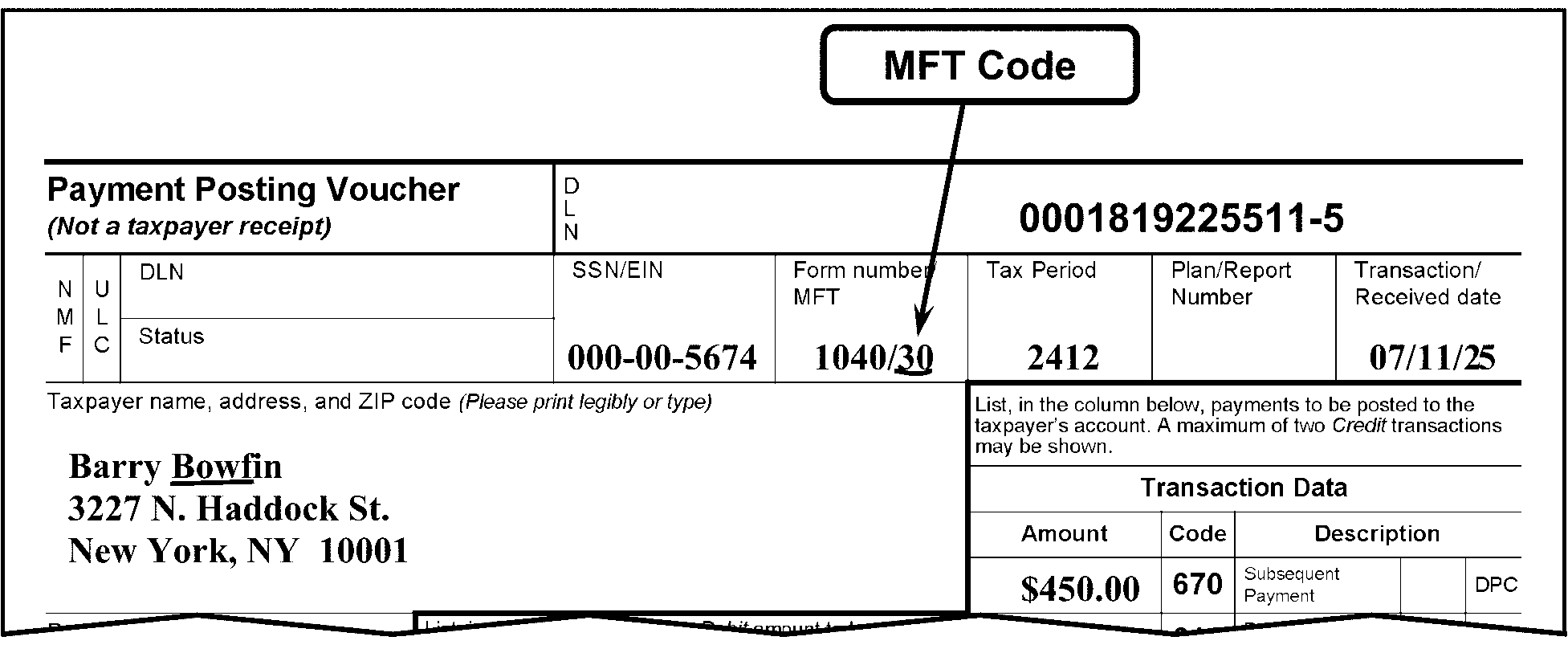
Pictured in Figure 3.11.10-13 is an example of Form 3244, Payment Posting Voucher, with a bubble box, marked as MFT CODE. The bubble box contains an arrow, pointing to the MFT Code 30 (for Form 1040), which is located in the box titled Form number/MFT. The MFT Code 30 is underlined in red. The Name Control BOWF, for Barry Bowfin, is also underlined in red. OTHER INFORMATION: The first line of Form 3244 contains two (2) block items: Payment Posting Voucher (Not a taxpayer receipt) and the DLNThe title, Payment Posting Voucher, is flushed with the left margin of the form.To the right of the title is the DLN (Document Locator Number) block, flushed with the right margin of the form and contains the DLN 0001819325511-6. Directly beneath the first line of the form (second line), are twin column designations marked “NMF” (for Non Master File) and “ULC” (Universal Location Code). To the right of those two column designations are twin rows marked DLN (i.e., Document Locator Number) and Status, which are both blank. To the right of those items are five (5) boxes: SSN/EIN, Form Number/MFT, Tax Period, Plan/Report Number, and Transaction Received Date. The SSN/EIN is (SSN) 000-00-5674. The Form Number/MFT are 1040/30. The Tax Period is 2512. The Plan/Report Number box is blank. The Transaction Received Date is 07/10/26. On the line following the above-listed items (Line 3) is the space (left side of the form) for the Taxpayer name, address, and ZIP code (Please print legibly or type). The taxpayer’s name and address data are Barry Bowfin, 3227 N. Haddock Street, New York, NY 10001. BOWF is underlined in red as the Name Control. To the right of the taxpayer’s name and address data is a portion of the Transaction Data block (i.e., consists of several line items). Above the Transaction Data title are the following instructions: List, in the column below, payments to be posted to the taxpayer’s account. A maximum of two Credit transactions may be shown. Beneath the Transaction Data title portion are the following column headers: Amount, Code, Description (which has two (2) sub-header titles, a blank box (for the appropriate DPC), and DPC. The Amount is 450.00 (Four-hundred fifty dollars and zero cents). The Code (Transaction Code) is 670. The Description: Although the TC670’s description (Subsequent Payment) is present, both the DPC and (DPC) description boxes are blank. No other information is on Figure 3.11.10-13..
Please click here for the text description of the image.
-
-
The MFT code must be compatible with the TC and the document code (from the DLN). See Exhibit 3.11.10-2, Valid Transaction Codes --- Document Codes Table, for compatible document codes and MFT codes, and Exhibit 3.11.10-3, Valid Transaction Codes (TCs) By MFT, for compatible Transaction Codes (TCs) and MFT codes.
-
Underline the correct MFT. Do not underline any NMF cross reference MFT codes.
-
If the MFT code is "05" or "06" there must be a "05" or "06" in the upper right corner of the Form 813, Document Register, date box or in the upper right corner of the Form 3893, Re-Entry Document Control.
-
MFTs 51 and 52 are valid for tax class 5, doc codes 17, 18, 19, 24, and 87.
-
If the control document has been renumbered, the MFT must be compatible to the new DLN. See Exhibit 3.11.10-3, Valid Transaction Codes (TCs) By MFT. Edit the proper MFT.
-
If the MFT code is not present on the control document, enter the MFT from the first document in the block.
3.11.10.6.5 (01-01-2023)
Plan/Report Number
-
A Plan/Report Number consists of three digits and must be present if the MFT is 46, 74, 75, 76, 84, 85, or 86. The Plan/Report Number must be edited near the MFT block. If a Plan/Report number is not present, check attachments. See Figure 3.11.10-14.
Figure 3.11.10-14
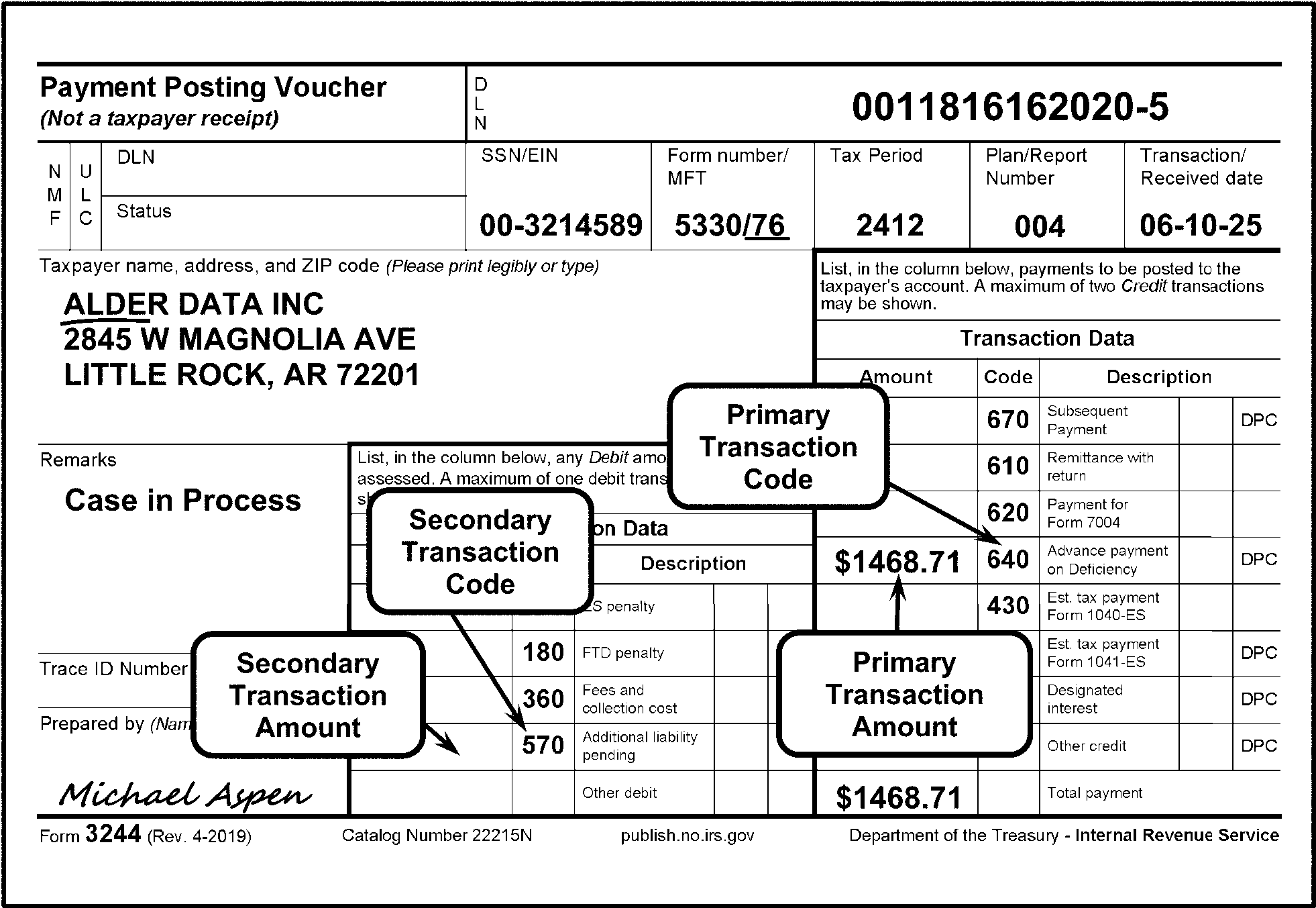
Pictured in Figure 3.11.10-14 is an example of Form 3244, Payment Posting Voucher (Not a Taxpayer Receipt), displaying a Plan/Report Number with MFT 76. The first line of Form 3244 contains two (2) block items: Payment Posting Voucher (Not a taxpayer receipt) and the DLN (Document Locator Number). The title, Payment Posting Voucher, is flushed with the left margin of the form. To the right of the title is the DLN (Document Locator Number) block, flushed with the right margin of the form and contains the DLN 0011816262020-6. Directly beneath the first line of the form (second line), are twin column designations marked “NMF” (for Non Master File) and “ULC” (Universal Location Code). To the right of those two column designations are twin rows marked DLN (i.e., Document Locator Number) and Status, both blocks are blank. To the right of those are five (5) blocks: SSN/EIN, Form Number/MFT, Tax Period, Plan/Report Number, and Transaction Received Date. The SSN/EIN is (EIN) 00-3214589. The Form Number/MFT are 5330/76. The Tax Period is 2512. The Plan/Report Number box contains an entry 004. The Transaction Received Date is 06-10-26. On Line 3, following the above-listed items, is the space (flushed with left side of the form) marked as Taxpayer name, address, and ZIP code (Please print legibly or type). The taxpayer’s name and address are ALDER DATA INC., 2845 W. MAGNOLIA AVE., LITTLE ROCK, AK 72201. The Name Control, ALDE, and the MFT, 76 (for Form 5330) in the Form Number/MFT box, are both underlined (in red).On the left side of Form 3244, beneath the Taxpayer Name, Address, and ZIP Code, are the following information blocks: Remarks, Trace ID Number, Prepared by (Name and Unit Symbol). In the Remarks block is a statement, Case in Process. Although the Trace ID Number block is blank, the Prepared by (Name and Unit Symbol) contains a signature, Michael Aspen. Form 3244 contains two (2) sets of Transaction Data tables, each containing three columns, labeled as, Amount (for Transaction amount), Code (for Transaction Code), and Description (Transaction type), respectively. Each column has rows corresponding to each of their descriptions. The table (comprising Primary Transaction Codes (or Credit information)), includes a column listing the following Transaction Codes (in vertical order): 670, 610, 620, 640, 430, 660, and 680. The table contains a Description column, listing the above-referenced Transaction Codes (TCs) descriptions: Subsequent Payment, Remittance with Return, Payment for Form 7004, Advance Payment on Deficiency, Est. Tax Payment Form 1040-ES, Est. Tax Payment Form 1041-ES, Designated Interest, Other Credit, and Total Amount (the last 2 describing the blanks following the above-referenced TCs, respectively. Of the above-referenced items, only the Amount column displays, to the left of each the (TC) 640 and Total Amount block a dollar amount of $1,468.71 (i.e., One thousand, four hundred sixty-eight dollars and seventy-one cents). The smaller table, located to left of the larger table, contains Secondary Transaction Codes (or Debit) information. It also lists columns for Amount (for Transaction amount), Code (for Transaction Code) and Description. The Amount column are all blank entries, while the Code lists the following Transaction Codes (TCs): 170, 180, 360, 570 and a blank box (for Other). The smaller table’s Description column lists corresponding types/descriptions of the above-referenced Transaction Codes (TCs) as follows: ES Penalty, FTD Penalty, Fees and Collection Costs, Additional Liability Pending and Other Debit, respectively. No entries are found in either of the smaller box columns on Figure 3.11.10-14. The following (taxpayer) information is found in the larger Transaction table: The Amount is 1,468.71 (One thousand, four-hundred sixty-eight dollars and seventy one cents). The Code (Transaction Code) is 640. The Description: Although the TC640’s description (Subsequent Payment) is present, both the DPC and (DPC) description boxes are blank. Also pictured on the 3244 are four (4) bubble boxes with arrows, pointing to the following line items, respectively. The Primary Transaction Code bubble points to TC-640 under the Credit area of the larger table. The Primary Transaction Amount bubble points to the $1468.71, located to the left of the TC 640 (larger table). The Secondary Transaction Code bubble arrow points to the TC-570; and The Secondary Transaction Amount arrow points to a blank. Both Secondaries are in the smaller table. No other information is on Figure 3.11.10-14.
Please click here for the text description of the image.
3.11.10.6.6 (01-01-2024)
Transaction (Received) Date
-
The transaction date must always be present on a Revenue Receipt document.
-
If there is no transaction date stamped or edited on the document, search the document for a postmarked envelope or any other indication of a transaction date. (See Figure 3.11.10-15.)
Note:
If both U.S. Postal Service and private meter marks are present, honor the U.S. Postal Service marks.
Figure 3.11.10-15
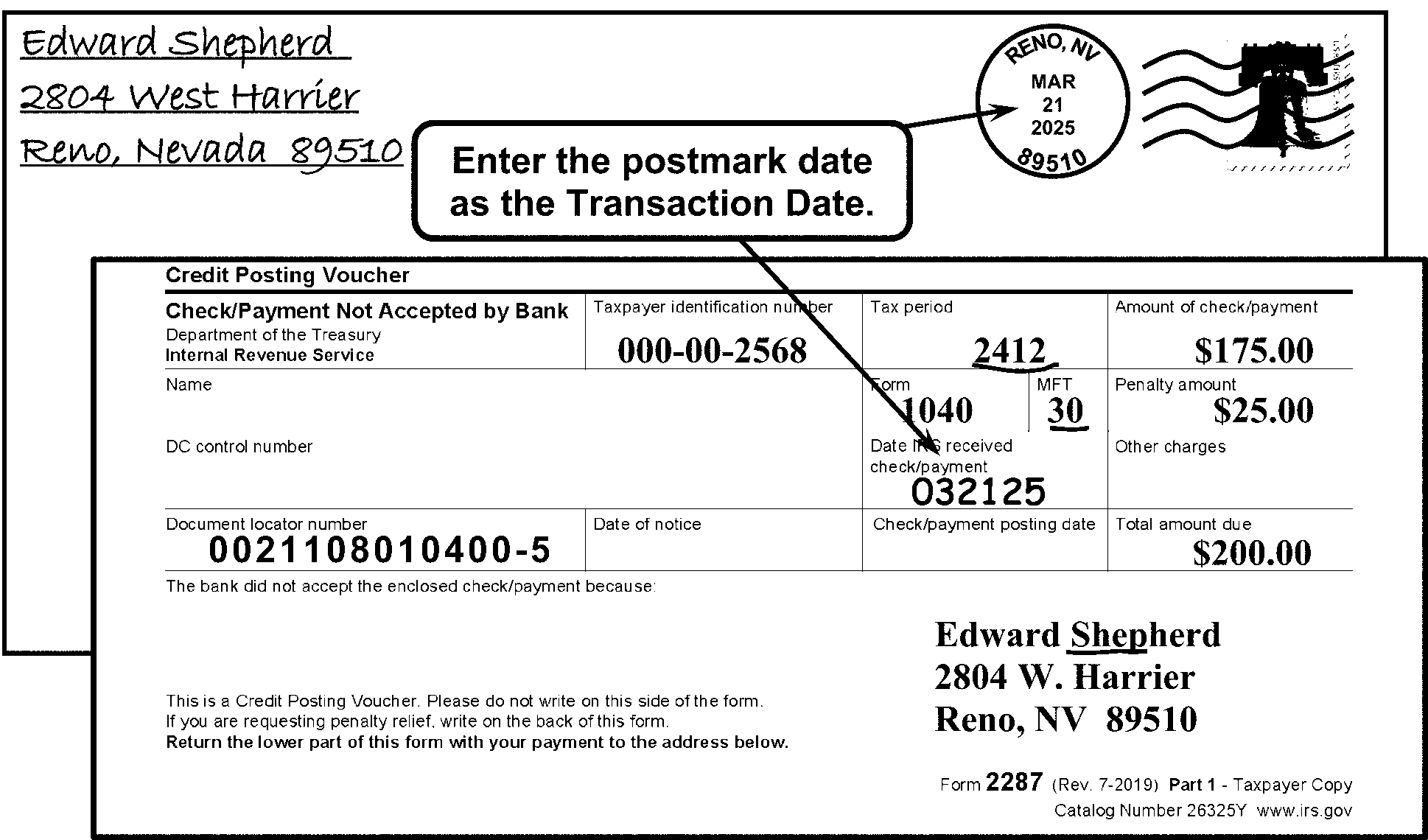
Pictured in Figure 3.11.10-15 is an example of a Form 2287, Check Not Accepted by Bank, which was sent back to the IRS with a repayment for a dishonored check. The taxpayer's envelope is displayed behind the Form 2287. The postmark date of March 21, 2026, is shown on the envelope, but the Form 2287 does not have a Transaction Date. An Enter the postmark date as the Transaction Date bubble box with two arrows extending from it points to the postmark date on the envelope and to the (previously empty) Date IRS Received Check box on the Form 2287.The date 032126 is edited (in red) in the Date IRS Received Check box on the Form 2287(CG).The Tax Period box has an underlined (in red) 032126 in the Date IRS Received Check/Payment box.Since the Postmark Date (i.e., March 21, 2026) was entered by ERS (and is now accepted as the Transaction Date), it posts to Master File (taxpayer’s account). The entered postmark date is accepted by IRS as the Transaction Date.The Name Control SHEP, for Edward Shepherd, the Tax Period of 2512, and the MFT of 30 (for Form 1040) in the Form Number/MFT box, are all underlined (in red). OTHER INFORMATION: The Figure 3.11.10-15 displays the taxpayer’s envelope behind the Form 2287. The taxpayer’s name and address are Edward Shepherd, 2804 W. Harrier; Reno, Nevada 89510. The postmark displays Reno, NV; March 21, 2026; 89510. Printed at the top margin of the Form 2287 is Credit Posting Voucher. The first line beneath the top margin contains four (4) blocks and are listed as follows (left to right): Check/Payment Not Accepted by Bank; Department of the Treasury; Internal Revenue Service; Taxpayer Identification Number; Tax Period; and Amount of Check/Payment. The Taxpayer Identification Number is SSN 000-00-2568. The Tax Period is 2512 (underlined in red). The Amount of Check/Payment is $175.00 (one hundred seventy-five dollars and zero cents). The second line contains four (4) blocks and are listed as follows (left to right): Name, Form, MFT, and Penalty Amount. The Name block is blank. The Form is 1040. The MFT is 30 (underlined in red). The Penalty Amount is $25.00 (twenty-five dollars and zero cents). The third line contains three (3) blocks, listed as follows (left to right): DC Control Number, Date IRS Received Check/Payment, and Other Charges. The DC Control Number and Other Charges are blank, but The Date IRS Received Check/Payment is the edited (in red) date of 032126. PLEASE NOTE: 032126 is the postmark date IRS accepts as the Transaction Date. The fourth line contains four (4) blocks listed as follows (left to right): Document Locator Number, Date of Notice, Check/Payment Posting Date, and Total Amount Due. The Document Locator Number is 0021108010400-6. Although the Date of Notice and Check/Payment Posting Date blocks are blank, The Total Amount Due is $200.00 (two-hundred dollars and zero cents). The bottom third of the Form 2287 contains the following items: The first caption (flushed with the left margin of Form 2287) is This bank did not accept the enclosed check/payment because (followed by a blank area used to explain reason(s) the bank did not accept the payment). Several lines down (also flushed with the left margin) is the following text: This is a Credit Posting Voucher. Please do not write on this side of the form. If you are requesting penalty relief, write on the back of this form. Return the lower part of this form with your payment to the address below. Across from these items (on the right side of Form 2287) are the taxpayer’s name and address: Edward Shepherd, 2804 W. Harrier; Reno, Nevada 89510 (same address information as on the envelope). Printed at the bottom right corner of the Form 2287 are the following: Form 2287 (Rev. 7-2019) Part 1 - Taxpayer Copy; Catalog Number 26325Y www.irs.gov. No other information is on Figure 3.11.10-15.
Please click here for the text description of the image.
-
If a valid transaction date is located on an attachment, edit in MMDDYY format onto the document.
-
If a valid transaction date can't be located, edit onto the document in MMDDYY format, the DLN Julian Date. (See Figure 3.11.10-16.) See Exhibit 3.11.10-4, Julian Date Calendar, Perpetual and Leap Year, to decide the Julian Date.
-
If a document has multiple stamped dates, the earliest stamped date is to be used.
Figure 3.11.10-16
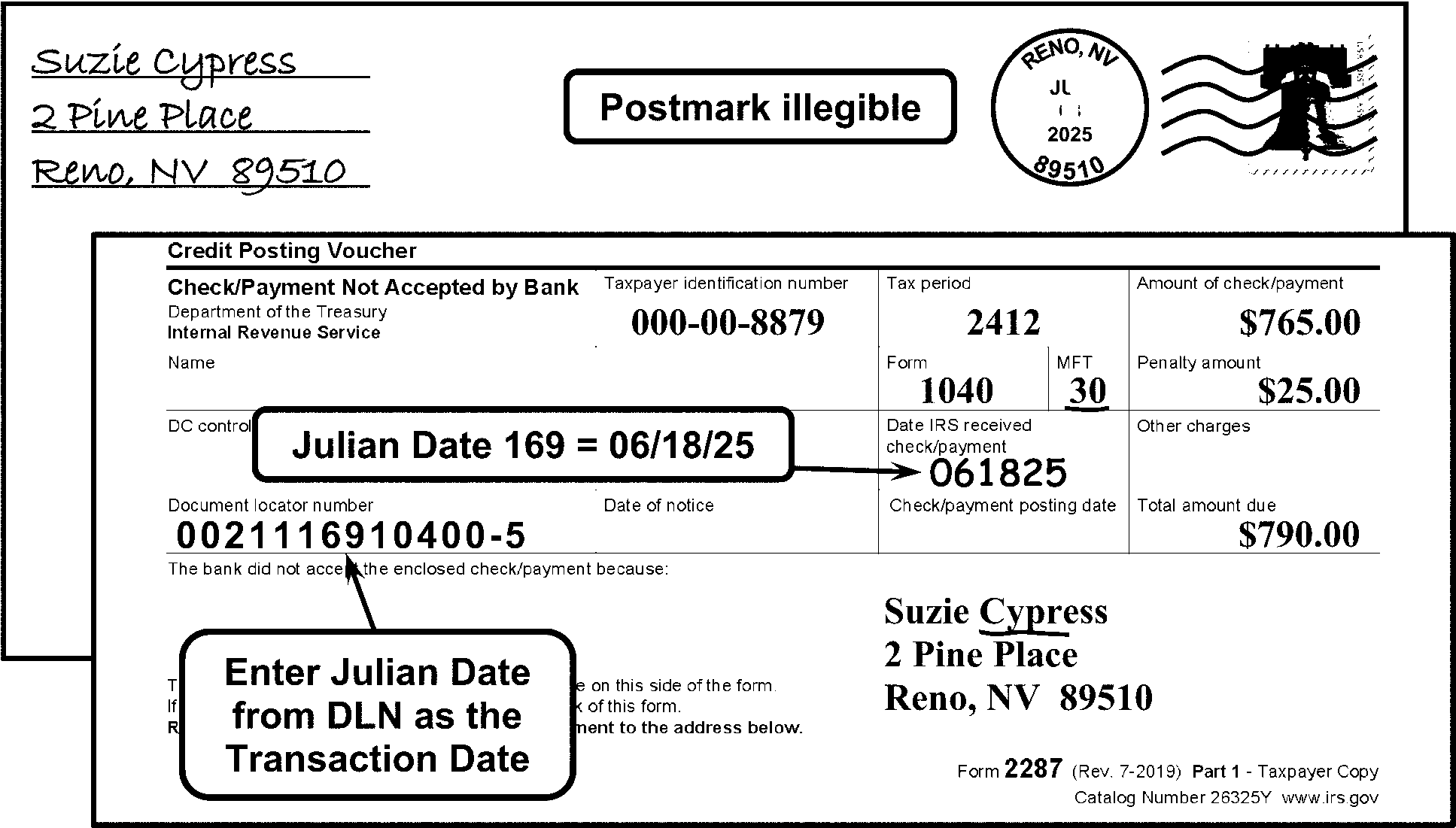
Pictured in Figure 3.11.10-16 is an example of a Form 2287, Check Not Accepted by Bank, which was sent back to the IRS with a re-payment for a dishonored check. The taxpayer's envelope is displayed behind the Form 2287. There are three bubble boxes used to illustrate these items. The first bubble box is marked Postmark illegible, (i.e., postmark date shown on the taxpayer's envelope can’t be read). This bubble is located on the envelope to the left of the illegible postmark. The second bubble box, marked as Julian Date 168 = 06/16/26, points to the (previously blank) Date IRS Received Check box, which now contains the edited (in red) date 061626, since the Form 2287 did not have a Transaction Date. An arrow extends from the third (bottom) bubble box, marked as Enter Julian Date from DLN as the Transaction Date and points to the Julian Date in the DLN (that is, the sixth, seventh, and eighth digits). The DLN Julian Date 168 is June 16, 2026. The Name Control CYPR, for Suzie Cypress, and the MFT of 30 (for Form 1040) in the MFT box, are both underlined (in red). OTHER INFORMATION: The Figure 3.11.10-16 displays the taxpayer’s envelope behind the Form 2287. The taxpayer’s name and address are Suzie Cypress, 2 Pine Place; Reno, Nevada 89510. The postmark is illegible (cannot be read or clearly). A Postmark Illegible bubble is to the left of the postmark. Printed at the top margin of the Form 2287 is Credit Posting Voucher. The first line beneath the top margin contains four (4) blocks and are listed as follows (left to right): Check/Payment Not Accepted by Bank; Department of the Treasury; Internal Revenue Service; Taxpayer Identification Number; Tax Period; and Amount of Check/Payment. The Taxpayer Identification Number is SSN 000-00-8879. The Tax Period is 2512 (underlined in red). The Amount of Check/Payment is $765.00 (Seven hundred sixty-five dollars and zero cents). The second line contains four (4) blocks and are listed as follows (left to right): Name, Form, MFT, and Penalty Amount. The Name block is blank. The Form is 1040. The MFT is 30 (underlined in red). The Penalty Amount is $25.00 (twenty-five dollars and zero cents). The third line contains three (3) blocks, listed as follows (left to right): DC Control Number, Date IRS Received Check/Payment, and Other Charges. The DC Control Number and Other Charges are blank, but A Julian Date 168 = 06/16/26 bubble points to the Date IRS Received Check/Payment now edited (in red) date of 061626. The fourth line contains four (4) blocks listed as follows (left to right): Document Locator Number, Date of Notice, Check/Payment Posting Date, and Total Amount Due. An Enter Julian Date from DLN as the Transaction Date bubble extends an arrow pointing to the Julian Date (i.e., the sixth, seventh and eighth digits in the DLN). The Document Locator Number is 00211168110400-6. Although the Date of Notice and Check/Payment Posting Date blocks are blank, The Total Amount Due is $790.00 (seven hundred ninety dollars and zero cents). The bottom third of the Form 2287 contains the following items: The first caption (flushed with the left margin of Form 2287) is This bank did not accept the enclosed check/payment because (followed by a blank area used to explain reason(s) the bank did not accept the payment). Several lines down (also flushed with the left margin) is the following text: This is a Credit Posting Voucher. Please do not write on this side of the form. If you are requesting penalty relief, write on the back of this form. Return the lower part of this form with your payment to the address below. Across from these items (on the right side of Form 2287) are the taxpayer’s name and address: Suzie Cypress, 2 Pine Place; Reno, Nevada 89510 (same address information as on the envelope). Printed at the bottom right corner of the Form 2287 are the following: Form 2287 (Rev. 7-2019) Part 1 - Taxpayer Copy; Catalog Number 26325Y www.irs.gov. No OTHER INFORMATION is on Figure 3.11.10-16.
Please click here for the text description of the image.
-
-
For International BMF tax due notice documents (AUSC only)—edit as the transaction date, the stamped received date minus one month, or the notice date, whichever is later.
Example:
If the document is stamped 5-20-2026 and the notice date is 4-15-2026, circle the 041526 date and edit 04202026. If the document has a stamped date of 05-31-2026 and the notice date is 05-16-2026, circle the 05-31-2026 date and edit 051626.
3.11.10.6.7 (01-01-2023)
Transaction Codes (TCs)
-
Most documents have only a single three-digit transaction code (TC). However, the program permits up to three transactions, with their specific codes, to be input simultaneously from the same source document.
-
The TCs are identified as the primary, secondary, or tertiary (third) TCs.
-
The primary TC is used for all single transactions and can be either a debit or a credit. (See Figure 3.11.10-17.)
Figure 3.11.10-17
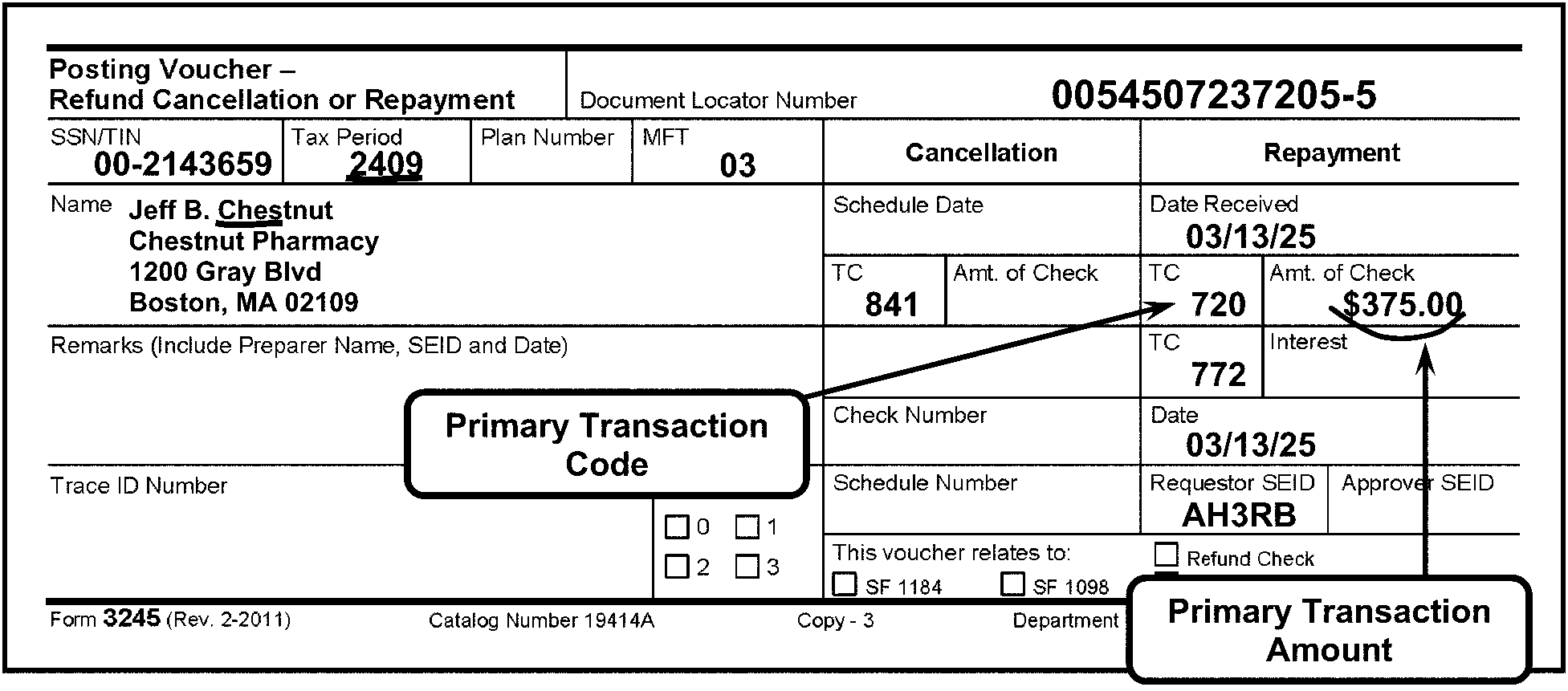
Pictured in Figure 3.11.10-17 is an example of Form 3245, Posting Voucher - Refund Cancellation or Repayment, using two (2) bubble boxes displaying the Primary Transaction Code and Primary Transaction Amount. The first, Primary Transaction Code bubble box extends an arrow pointing to the 720 in the box titled TC (i.e., Transaction Code). It is the first box, located on the third line, under the Repayment column, Form 3245. The second, Primary Transaction Amount bubble box extends an arrow pointing to the $375.00 (Three hundred, seventy-five dollars and zero cents) amount. It is the second box, located on the third line under the Repayment column, Form 3245. The Primary Transaction Amount is located (to the right of the Primary Transaction Code box, and has a curved, edited line drawn underneath the dollar amount. The Return Period 2509, in the Tax Period box (upper left corner, on first line of Form 3245 (immediately to the right of the SSN/TIN box)) is underlined to show it is necessary to edit a tax period for all fiscal and prior-year documents. The Name Control CHES, for Jeff B. Chestnut is underlined (in red). OTHER INFORMATION: The first line of the form contains the title, Posting Voucher - Refund Cancellation or Repayment, flushed with the left margin of the form. To the right of the title is the DLN (Document Locator Number) block: DLN is 0054507337205-6. Directly beneath the first line of the form, on the second line, are block designations marked SSN/EIN (i.e., Social Security Number/Employer Identification Number), Tax Period, Plan Number and MFT, followed by a section for two (2) column headings, Cancellation and Repayment (which are separate sections with multiple entries, which covers the ENTIRE right side of the form). (I will cover that later in this text.) The SSN/EIN contains an EIN 00-2143659. The Tax Period is 2509. The Plan Number block is blank. The MFT is 03. Beneath the second line (mostly left side of Form 3245 are sections marked as follows: Name (for taxpayer name, address and ZIP data), Remarks (include Preparer Name, SEID and Date), Trace ID Number, and SPL REF (for Split Refund Indicator, with check boxes for 0, 1, 2, and 3). The information under the Name block is as follows: Jeff B. Chestnut; Chestnut Pharmacy; 1200 Gray Blvd; Boston, MA 02109 All of the other items (located on the left side of the Form 3245 are blank: Remarks (include Preparer Name, SEID and Date),Trace ID Number, and SPL REF NOW, back to the Cancellation and Repayment section of Form 3245:The Cancellation column contains the following lines (listed vertically): Schedule Date, TC, Amt. of Check, (gray area), TC, Interest, Check Number, Date, Schedule Number, and block with caption This voucher relates to (choice of 4 check boxes): Refund Check, SF1184, SF1098, and Other (with a blank line immediately following the word “Other” for identifying what Other is). The Refund Check box contains an x. The Repayment column contains the following lines (listed vertically): Date Received, TC, Amt. of Interest, Date, Requester SEID, and Approver SEID. The Cancellation and Repayment section of Form 3245:The Cancellation column and Repayment columns contain the following lines (listed in vertical order over 6 lines), respectively: First line: Cancellation column: Schedule Date, Repayment column: Date Received. First line (entries): Cancellation column: The Schedule Date is blank (contains no entry) First line (entries): Repayment column: Date Received is 3/14/26. Second line: Cancellation column: TC and Amt. of Check; Repayment column: TC and Amt. of Check. Second line (entries): Cancellation column: TC contains 841, but the Amt. of Check block is blank. Second line (entries): Repayment column: TC contains 720, and the Amt. of Check is $375.00 (Three hundred seventy-five dollars and zero cents). Third line: Cancellation column: (Shaded area); Repayment column: TC; Interest Third line: Cancellation column: (Shaded area) has no space for entries. Third line (entries): Repayment column: The TC block contains 772, and Interest block is blank (i.e., contains no entry). Fourth line: Cancellation column: Check Number; Repayment column: Date. Fourth line (entries): Cancellation column: The Check Number block is blank (i.e., contains no entry). Fourth line (entries): Repayment column: The Date is 3/14/26. Fifth line: Cancellation column: Schedule Number,; Repayment column: Requestor SEID; and Approver SEID. Fifth line (entries): Repayment column: Although the other fields are blank, the Requestor’s SEID is AH3RB.Sixth line: This block straddles the space beneath the Cancellation and Repayment columns and contains the following text and check boxes: This voucher relates to (choice of 4 check boxes): Refund Check, SF1184, SF1098, and Other (with a blank line immediately following the word “Other” for identifying what Other is). Please note that the Refund Check box contains an x. On the bottom margin of the Form 3245 are the following items (apparently tabbed format): Form 3245 (Rev. 2-2011); Catalog Number 19414A; Copy - 3; Department of Treasury---Internal Revenue Service. There is no more information in Figure 3.11.10-17.
Please click here for the text description of the image.
-
The secondary TC is usually an adjustment such as penalty or interest. A secondary TC is sometimes used without a secondary transaction amount to signify a status code. (See Figure 3.11.10-18.)
Figure 3.11.10-18
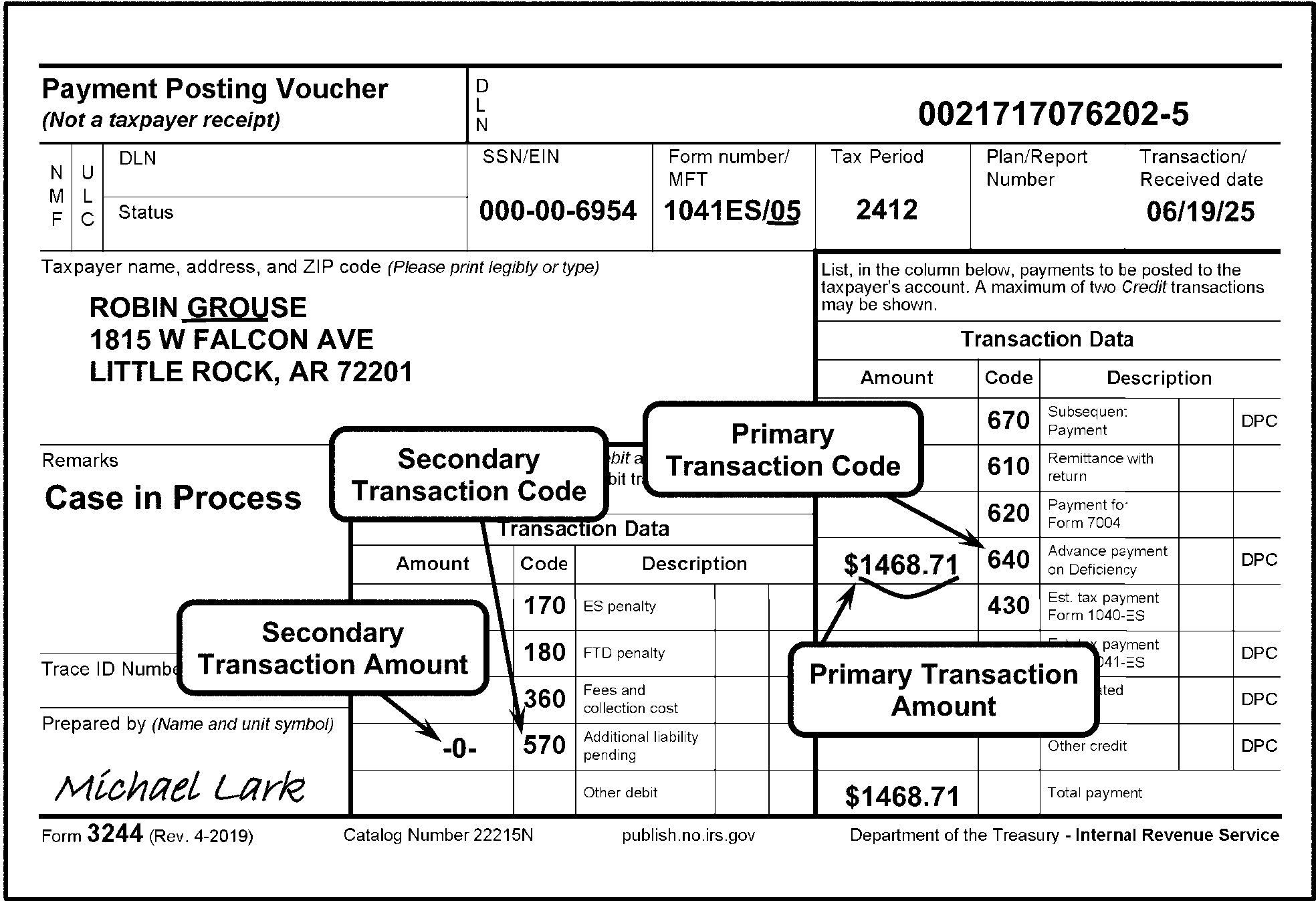
Pictured in Figure 3.11.10-18 is an example of Form 3244, Payment Posting Voucher (Not a Taxpayer Receipt), displaying a Secondary Transaction Code without a Secondary Transaction Amount.The 3244 contains two (2) sets of Transaction Data boxes, each containing three columns, labeled as, Amount (for Transaction amount), Code (for Transaction Code), and Description (Transaction type), respectively. The larger box contains the Primary Transaction Code (or Credit information), while the smaller box to its left contains Secondary Transaction (or Debit) information. Also pictured on the 3244 are four (4) bubble boxes with arrows, pointing to the following line items, respectively. The Primary Transaction Code points to TC-640 under the Credit area. The Primary Transaction Amount bubble points to $1468.71 (one thousand four hundred sixty-eight dollars and seventy-one cents), located to the left of the TC 640, and has a curved, edited line drawn underneath it. The Secondary Transaction Code bubble arrow points to the TC-570 (in the smaller table);. The Secondary Transaction Amount arrow points to a zero amount (-0-) (also in the smaller table). The Name Control GROU, for Robin Grouse, and the MFT 05 (for Form 1041ES) in the Form Number/MFT box, are both underlined (in red). OTHER INFORMATION: The first line of Form 3244 contains two (2) block items: Payment Posting Voucher (Not a taxpayer receipt) and the DLN (Document Locator Number). The title, Payment Posting Voucher, is flushed with the left margin of the form.To the right of the title is the DLN (Document Locator Number) block, flushed with the right margin of the form and contains the DLN 0021717176202-6. Directly beneath the first line of the form (second line), are twin column designations marked “NMF” (for Non Master File) and “ULC” (Universal Location Code).To the right of those two column designations are twin rows marked DLN (i.e., Document Locator Number) and Status, both blocks are blank. To the right of those are five (5) blocks: SSN/EIN, Form Number/MFT, Tax Period, Plan/Report Number, and Transaction Received Date. The SSN/EIN is (SSN) 000-00-6954. The Form Number/MFT are 1041-ES/05 (the 05 is underlined in red). The Tax Period is 2512. The Plan/Report Number box is blank. The Transaction Received Date is 06/19/26. On Line 3, following the above-listed items, is the space (flushed with left side of the form) marked as Taxpayer name, address, and ZIP code (Please print legibly or type). The taxpayer’s name and address are ROBIN GROUSE; 1815 W. FALCON AVENUE; LITTLE ROCK, AR 72201. The Name Control, GROU, and the MFT, 05 (for Form 1041ES) in the Form Number/MFT box, are both underlined (in red).On the left side of Form 3244, beneath the Taxpayer Name, Address, and ZIP Code, are the following information blocks: Remarks, Trace ID Number, Prepared by (Name and Unit Symbol). In the Remarks block is a statement, Case in Process. Although the Trace ID Number block is blank, the Prepared by (Name and Unit Symbol) contains a signature, Michael Lark. Form 3244 contains two (2) sets of Transaction Data tables, each containing three columns, labeled as, Amount (for Transaction amount), Code (for Transaction Code), and Description (Transaction type), respectively. Each column has rows corresponding to each of their descriptions. The table (comprising Primary Transaction Codes (or Credit information)), includes a column listing the following Transaction Codes (in vertical order): 670, 610, 620, 640, 430, 660, and 680. The table contains a Description column, listing the above-referenced Transaction Codes (TCs) descriptions: Subsequent Payment, Remittance with Return, Payment for Form 7004, Advance Payment on Deficiency, Est. Tax Payment Form 1040-ES, Est. Tax Payment Form 1041-ES, Designated Interest, Other Credit, and Total Amount (the last 2 describing the blanks following the above-referenced TCs, respectively. Of the above-referenced items, only the Amount column displays, to the left of each the (TC) 640 and Total Amount block is a dollar amount of $1,468.71 (i.e., One thousand, four hundred sixty-eight dollars and seventy-one cents). The smaller table, located to left of the larger table, contains Secondary Transaction Codes (or Debit) information. It also lists columns for Amount (for Transaction amount), Code (for Transaction Code) and Description. The Amount column are all blank entries, while the Code lists the following Transaction Codes (TCs): 170, 180, 360, 570 and a blank box (for Other). The smaller table’s Description column lists corresponding types/descriptions of the above-referenced Transaction Codes (TCs) as follows: ES Penalty, FTD Penalty, Fees and Collection Costs, Additional Liability Pending and Other Debit, respectively. The following (taxpayer) information is found in the larger Transaction table: The Amount is 1,468.71 (One thousand, four-hundred sixty-eight dollars and seventy one cents). The Code (Transaction Code) is 640. The Description: Although the TC640’s description (Subsequent Payment) is present, both the DPC and (DPC) description boxes are blank. Also pictured on the 3244 are four (4) bubble boxes with arrows, pointing to the following line items, respectively. The Primary Transaction Code bubble points to TC640 under the Credit area of the larger table. The Primary Transaction Amount bubble points to the $1468.71, located to the left of the TC 640 (larger table). The Secondary Transaction Code bubble arrow points to the TC570; and The Secondary Transaction Amount arrow points to a blank. Both Secondaries are in the smaller table. On the bottom margin of the Form 3244 are the following items (apparently tabbed format): Form 3244 (Rev. 4-2019); Catalog Number 19414A; Copy - 3; Department of Treasury---Internal Revenue Service. No other information is on Figure 3.11.10-18.
Please click here for the text description of the image.
-
The tertiary (third) TC is a payment, adjustment, credit transfer or reversal. (See Figure 3.11.10-19.) A zero amount in the tertiary transaction amount is not valid. The tertiary TC is not valid on the Individual Retirement Account File (IRAF).
Figure 3.11.10-19
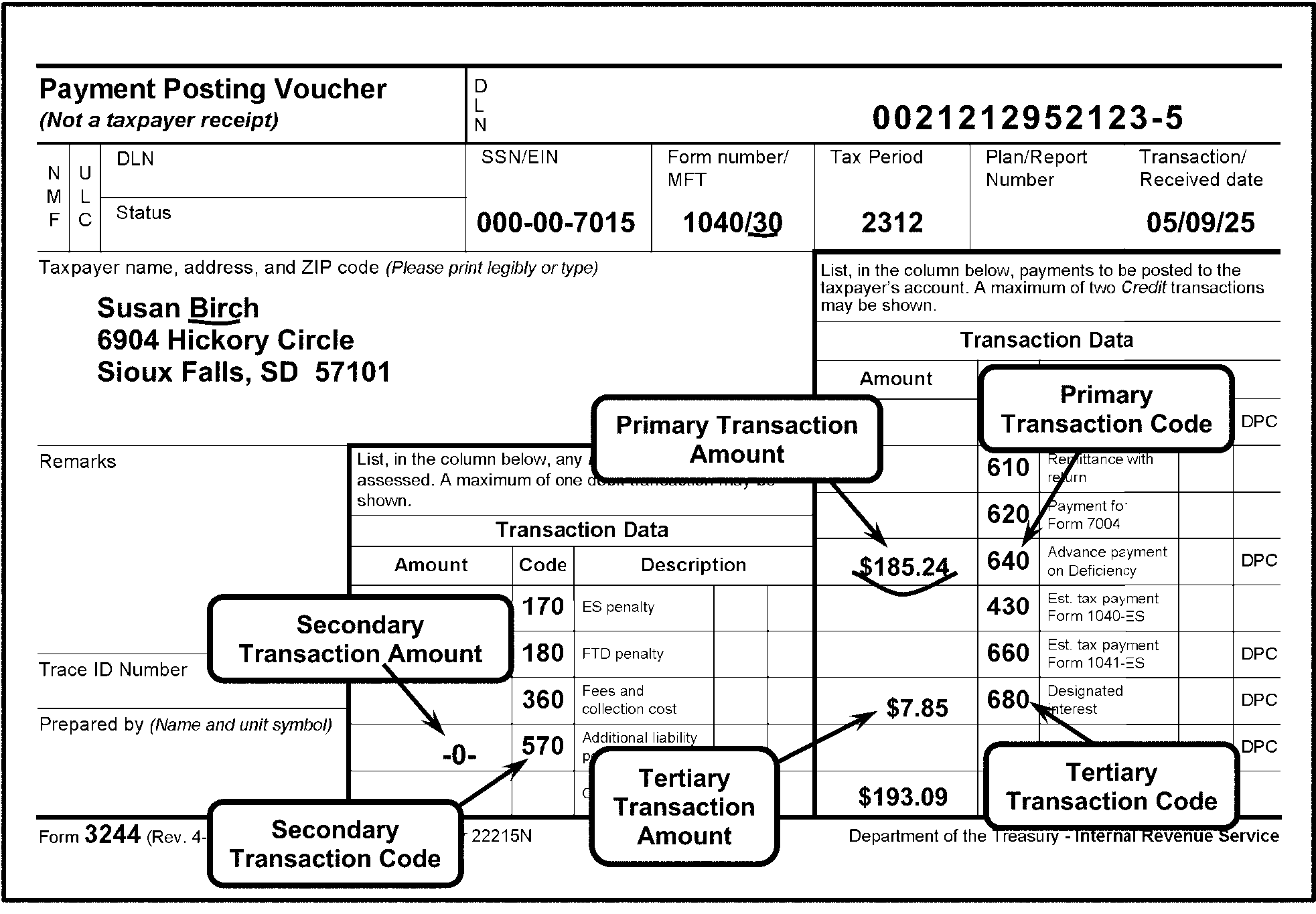
Pictured in Figure 3.11.10-19 is a Form 3244, Payment Posting Voucher (Not a Taxpayer Receipt), providing an example of a Tertiary Transaction Code with a Tertiary Transaction Amount. The 3244 contains two (2) sets of Transaction Data boxes, each containing three columns, labeled as, Amount (for Transaction amount), Code (for Transaction Code), and Description (Transaction type), respectively. The larger box contains the Primary Transaction Code (or Credit information), while the smaller box to its left contains Secondary Transaction (or Debit) information. Also pictured on the 3244 are six (6) bubble boxes with arrows, pointing to the following line items, respectively. The Primary Transaction Code points to TC 640 under the Credit area. The Primary Transaction Amount bubble points to $185.24, located to the left of the TC 640, and has a curved, edited line underneath it. The Secondary Transaction Code bubble arrow points to the TC 570; and the Secondary Transaction Amount arrow points to a zero amount (-0-), to the box left of the TC 570. Another arrow with the fifth bubble box (Tertiary Transaction Amount) is pointing to $7.85, to the left of the sixth bubble box (Tertiary Transaction Code), which is pointing to the TC 680. The Name Control BIRC, for Susan Birch, and the MFT of 30 (for Form 1040) in the MFT box, are both underlined (in red) Other information: The first line of Form 3244 contains two (2) block items: Payment Posting Voucher (Not a taxpayer receipt) and the DLN (Document Locator Number). The title, Payment Posting Voucher, is flushed with the left margin of the form.To the right of the title is the DLN (Document Locator Number) block, flushed with the right margin of the form and contains the DLN 0021213052123-6. Directly beneath the first line of the form (second line), are twin column designations marked “NMF” (for Non Master File) and “ULC” (Universal Location Code).To the right of those two column designations are twin rows marked DLN (i.e., Document Locator Number) and Status, both blocks are blank. To the right of those are five (5) blocks: SSN/EIN, Form Number/MFT, Tax Period, Plan/Report Number, and Transaction Received Date. The SSN/EIN is (SSN) 000-00-7015. The Form Number/MFT are 1040/30 (the 30 is underlined in red). The Tax Period is 2512. The Plan/Report Number box is blank. The Transaction Received Date is 05/10/26. On Line 3, following the above-listed items, is the space (flushed with left side of the form) marked as Taxpayer name, address, and ZIP code (Please print legibly or type). The taxpayer’s name and address are Susan Birch; 6904 Hickory Circle; Sioux Falls, SD 57101. The Name Control, BIRC, and the MFT, 30 (for Form 1040) in the Form Number/MFT box, are both underlined (in red).On the left side of Form 3244, beneath the Taxpayer Name, Address, and ZIP Code, are the following information blocks: Remarks, Trace ID Number, Prepared by (Name and Unit Symbol). In the Remarks block is a statement, Case in Process. The Remarks, Trace ID Number and the Prepared by (Name and Unit Symbol) blocks are all blank. Form 3244 contains two (2) sets of Transaction Data tables, each containing three columns, labeled as, Amount (for Transaction amount), Code (for Transaction Code), and Description (Transaction type), respectively. Each column has rows corresponding to each of their descriptions. The table (comprising Primary Transaction Codes (or Credit information)), includes a column listing the following Transaction Codes (in vertical order): 670, 610, 620, 640, 430, 660, and 680. The table contains a Description column, listing the above-referenced Transaction Codes (TCs) descriptions: Subsequent Payment, Remittance with Return, Payment for Form 7004, Advance Payment on Deficiency, Est. Tax Payment Form 1040-ES, Est. Tax Payment Form 1041-ES, Designated Interest, Other Credit, and Total Amount (the last 2 describing the blanks following the above-referenced TCs, respectively. Of the above-referenced items, the Amount column displays, to the left of each the (TC) 640680 and Total Amount block dollar amounts of $185.24 (One hundred eighty-five and twenty-four cents), $7.85 (Seven dollars and eighty-five cents), and $193.09 (i.e., One hundred ninety-three dollars and nine cents), respectively. The smaller table, located to left of the larger table, contains Secondary Transaction Codes (or Debit) information. It also lists columns for Amount (for Transaction amount), Code (for Transaction Code) and Description. The Amount column are all blank entries, while the Code lists the following Transaction Codes (TCs): 170, 180, 360, 570 and a blank box (for Other). The smaller table’s Description column lists corresponding types/descriptions of the above-referenced Transaction Codes (TCs) as follows: ES Penalty, FTD Penalty, Fees and Collection Costs, Additional Liability Pending and Other Debit, respectively. The following (taxpayer) information is found in the larger Transaction table: The Amount is $185.24 (One hundred eight-five dollars and sixty four cents). The Code (Transaction Code) is 640. The Amount is $7.85 (Seven dollars and eighty-five cents). The Code (Transaction Code) is 680. The Amount under Total Payment is $193.09 (One hundred ninety-three dollars and nine cents). The Description: Although the TC640’s (Subsequent Payment) TC680s (Designated Interest) are present, each of the DPC and (DPC) description boxes are blank. Also pictured on the 3244 are four (4) bubble boxes with arrows, pointing to the following line items, respectively. The Primary Transaction Code bubble points to TC-640 under the Credit area of the larger table. The Primary Transaction Amount bubble points to the $185.24, located to the left of the TC 640 (larger table). The Secondary Transaction Code bubble arrow points to the TC-570; and The Secondary Transaction Amount arrow points to a blank. Both Secondaries are in the smaller table. The Tertiary Transaction Amount bubble points to the $7.85, located to the left of the TC 680 (larger table). On the bottom margin of the Form 3244 are the following items (apparently tabbed format): Form 3244 (Rev. 4-2019); Catalog Number 19414A; Copy - 3; Department of Treasury---Internal Revenue Service. No other information is on Figure 3.11.10-19..
Please click here for the text description of the image.
-
-
Amounts in the primary and tertiary (third) fields must equal the amount listed on the Form 813 in green pencil. The secondary amount should appear on the Form 813 enclosed in brackets beside the debit or credit amount. The total of all secondary TCs should be enclosed in brackets on the total line of the Form 813. If the secondary amount total is not listed on the Form 813, you must edit it. However, do not change the block total for the primary and tertiary (third) amounts, under any circumstances.
-
The maximum number of transactions which may be coded on a single input document is two (2) credits and one (1) debit. Documents coded with more than two credit transactions and one debit transaction must be rejected from processing. Edit Action Code "360" in the bottom margin of the document, preceded by the letters "AC" . Attach Form 4227, Intra-SC Reject or Routing Slip, to the document and notate the presence of more than the number of TCs permitted.
3.11.10.6.8 (01-01-2023)
Special Conditions—Transaction Codes (TCs)
-
If the block header on the Form 813 Transaction Code Field has TC 840 (Manual Refund), all the documents in the block must have a Primary TC 840, or vice versa. (See Figure 3.11.10-20.)
Figure 3.11.10-20
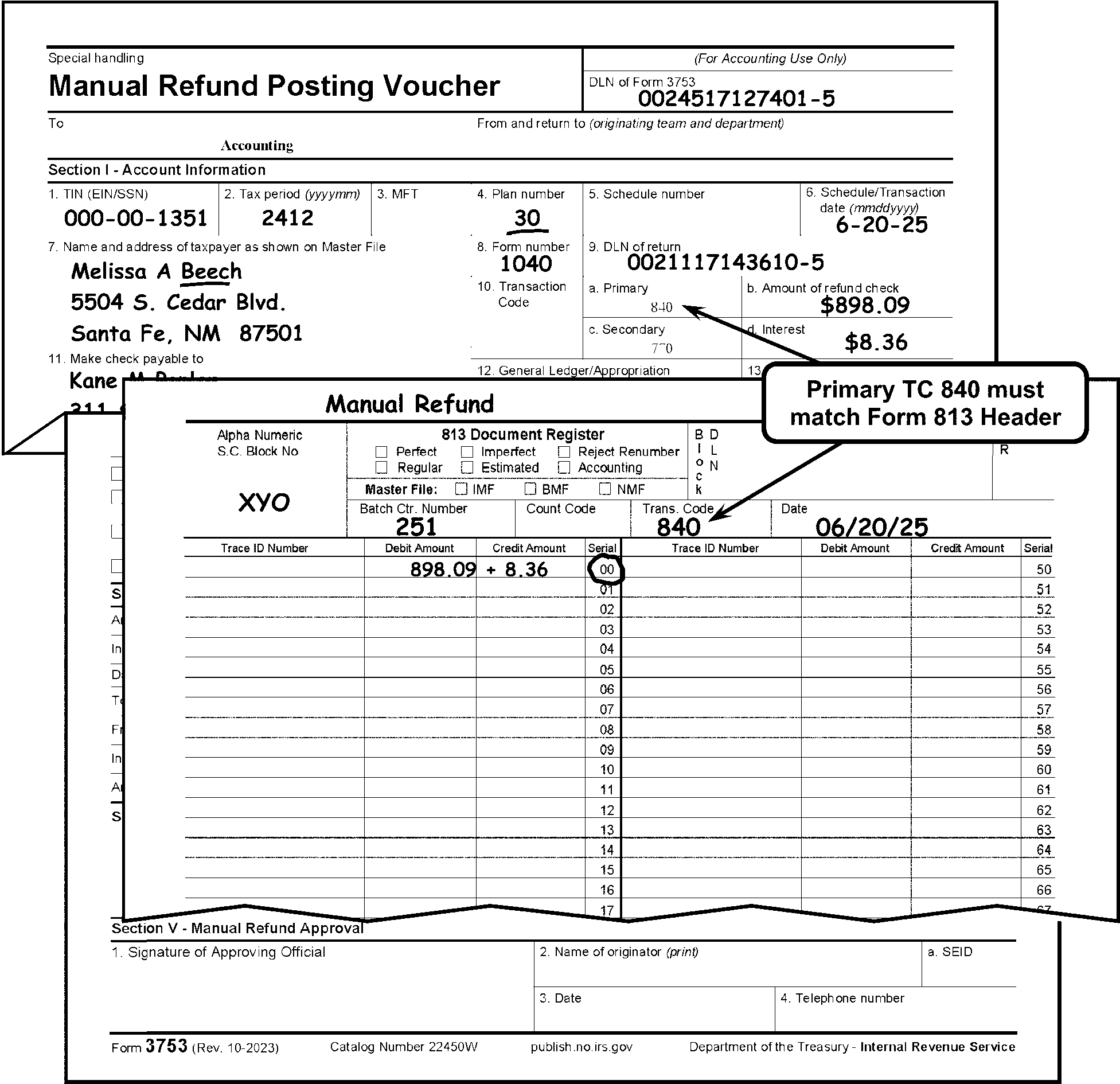
Pictured in Figure 3.11.10-20 are portions of a Form 3753, Manual Refund Posting Voucher, and Form 813, Document Register. The Form 3753 is overlaid with a part of a Form 813 to show the Primary TC 840 (Manual Refund) must match the Form 813 header TC. A Primary Transaction Code 840 must match Form 813 Header bubble box has (two) extended arrows pointing upward to the (TC)840 in the Primary box on the Form 3753, while the other points to the 840 in the Trans. Code box on the Form 813 beneath it. The Name Control BEEC, for Melissa A. Beech, and the Number 30 in the Plan Number box, are both underlined (in red). OTHER INFORMATION: FORM 3753: At the top of the Form 3753 are two blocks: The title block, Manual Refund Posting Voucher, is flushed with the right margin of the form. To its right is the block, titled, DLN of Form 3753. The Document Locator Number is 0024517227401-6. The second line has two blocks: a To and a From and Return To (Originating Team and Department). The To block lists Accounting, but the From and Return To (Originating Team and Department) block is blank. The third line has a sub-header: Section I - Accounting Information: the viewed sections are as follows: The first line beneath the sub-header contains six (6) blocks (listed in this Verbal Descriptive Narrative (VDN) as Items). : 1) TIN (EIN/SSN), 2) Tax Period (yyyymm), 3) MFT, 4) Plan Number, 5) Schedule Number and 6) Schedule/Transaction Date (mmddyyyy). Item 1: The TIN (EIN/SSN) block is SSN 000-00-1351. Item 2: The Tax Period (yyyymm) block lists 2512. Item 3: The MFT block is blank (i.e., contains no entry). Item 4. The Plan Number is 30 (underlined in red). Item 5: The Schedule Number block is blank. Item 6: The Schedule/Transaction Date (mmddyyyy) block is 06-21-26. The second line beneath the sub-header contains blocks, numbered as follows: 7) Name and address of Taxpayer as shown on Master File, 8) Form Number, 9) DLN of Return, 10) Transaction Code (including four (4) sub-items): a) Primary; b) Amount of Refund Check; c) Secondary and d) Interest. Item 7: Name and address of Taxpayer as shown on Master File: MELISSA A. BEECH; 5504 S. CEDAR BLVD.; SANTA FE, NM 87501. NOTE: The Name Control BEEC is underlined in red. Item 8: The Form Number block lists 1040. Item 9: The DLN of the return block is 0021117243610-6. Item 10. The Transaction Code block is blank. Item 10 a): The Primary block contains a preprinted (TC)840 (Manual Refund). Item 10 b): The Amount of Refund Check block has an amount of $898.09 (i.e., Eight hundred ninety-eight dollars and nine cents).. Item 10 c): The Secondary block contains a preprinted (TC)770 (Credit Interest Due Taxpayer). Item 10 d): The Interest block has an amount of $8.36 (Eight dollars and thirty-six cents). FORM 813: Beneath the portion of the Form 3753 is a portion of the Form 813, Document Register. The following items are from the top portion of the Form 813 displayed in this Figure 3.11.10-20. At the top of the Form 813 is a handwritten “MANUAL REFUND”. The first line of the Form 813 contains the following four (4) sub-title blocks: Alpha Numeric S.C. Block Number; 813 Document Register; Block DLN; and YR (Year). The Alpha Numeric S.C. Block Number block is XYO. FIRST LINE, FORM 813: Beneath the 813 Document Register block are three lines of information. The first line beneath the 813 Document Register sub-title are the following six (6) check boxes: Perfect, Imperfect, Renumber, Regular, Estimated, and Accounting. NO entries (check box or otherwise) made in the above-described section. SECOND LINE, FORM 813: Beneath the line of the above-described six (6) check boxes is a Master File block containing its types: IMF, BMF, NMF. NO entries (check box or otherwise) made in this section. THIRD LINE, FORM 813: Beneath the above-described Master File type block are the following four (4) blocks; Batch Ctr. Number, Count Code, Trans Code, Date.The Batch Ctr. Number is 251.The Count Code is blank.The Trans. Code is 840.The Date is 06/21/26. NOTE: The Primary TC840 must match Form 813 Header bubble extends arrows pointing upward to the preprinted TC 840 in Block 10a) on the Form 3753 and to the written TC 840 in the Trans. Code block on the Form 813. The Primary Transaction Code (TC) 840 Must Match Form 813 Block Header TC. Beneath that line are eight columns (2 sets each of four (4) column headings) titled as follows: Trace ID Number, Debit Amount; Credit Amount, Serial Number (00 - 49); Trace ID Number, Debit Amount; Credit Amount, Serial Number (50 - 99). The first Trace ID Number column contains no entries (i.e., it is blank). Under the first Debit Amount column is $898.09 (Eight hundred ninety-eight dollars and nine cents). Under the first Credit Amount column is +$8.36 (a plus Eight dollars and thirty-six cents). Under the first Serial column the number 00 is circled. Under the first Debit Amount column is $898.09 (Eight hundred ninety-eight dollars and nine cents). The second set of Trace ID Number, Debit Amount, Credit Amount, and Serial Number columns contain no entries. No other entries or information were made on the Figure 3.11.10-20. .
Please click here for the text description of the image.
-
Transaction Codes (TCs) 400 (Account Transfer-Out), 721 (Dishonored Refund Repayment), 840 (Manual Refund) and 843 (Check Cancellation Reversal) are valid only as Primary TCs.
-
Only TC 170, 180, 200, 270, 280, 340, 360, 460, 472, 570, 770, and 772 are valid as secondary TCs and may not be used as primary or tertiary TCs.
-
TC 770 (Credit Interest Due Taxpayer) is only valid when the primary TC is 721, 722, 832, or 840.
-
TC 772 (Correction of 770 Processed in Error or Interest Netting) is valid only with primary TC 720 (Refund Repayment).
-
A secondary TC of 280 (Bad Check Penalty) is valid only when the primary TC is 611, 621, 641, 661, 671, 681, 691, or 721.
-
A secondary TC of 340 (Restricted Interest Assessment) is only valid when the primary TC is 670 (Subsequent Payment).
-
A secondary TC of 460 (Extension of Time for Filing) is only valid when the primary TC is 670, the MFT is 51, and the tax period ends in 12.
-
-
For MFT 29, Doc Code 45 is not valid with TC 280: Doc Code 48 is not valid with TC 570.
-
Secondary TC 460 is valid only with primary TC 670 with a Doc Code of 17. The associated transaction amount must always be blank. The Area Office Code can't be 66 or 98, and the transaction date can't be later than 04–22–XX (current processing year).
3.11.10.6.9 (01-01-2016)
Special Conditions—Transaction Amounts
-
Only zero (0) transaction amount is valid for primary TC 400.
-
Secondary TC 170, 180, 270, 280, 460, 472, 550, 570 and 770 are valid with a zero transaction amount. All other secondary TCs must have a transaction amount other than zero (0).
-
If a tertiary TC is present, there must be a tertiary transaction amount. Zero is not valid as a tertiary transaction amount.
3.11.10.6.10 (01-01-2024)
Designated Payment Codes (DPCs)
-
A Designated Payment Code (DPC) is used with input of TCs 640, 670, 680, 690, 694, and 700. If these TCs are input, the DPC will be coded as follows:
-
TC 640 (Advance Payment of Determined Deficiency or Underreporter Proposal), DPC must be 00, 01, 02, 12, 29, 36, 43, or 99.
-
TC 670 (Subsequent Payment), DPC must be 00 through 11, 26, 29, 36, 64, 70, 71, 72, 73, 74, 75, or 99.
-
TC 680 (Designated Payment of Interest), DPC must be 00, 01, 03, 06, 07, 26, 36, 64, or 99.
-
TC 690 (Designated Payment of Penalty), DPC must be 00, 01, 03, 06, 07, 09, 26, 36, 64, or 99.
-
TC 694 (Designated Payment of Fees and Collection Costs), DPC must be 00, 01, 03, 06. 07, 36, or 64.
-
TC 700 (Credit Applied), DPC must be 00 or 06.
-
-
For this program, the valid DPCs are 00 through 24, 26, 29, 31, 33 through 36, 43, 50, 51, 53, 55 through 59, 63, 64, 65, 70, 71, 72, 73, 74, 75, and 99.
Note:
The Office of Collection Policy retired the following Designated Payment Codes (DPCs): 44, 45, 46, 47, 48, 49, and 52 (UWR 205333). Designated Payment Codes 50 (IA Origination) and 51 (IA Revision/Restructure) will be used on all Installment Agreements for new input ONLY.
Exception:
Continue to allow use of DPCs 44, 45, 46, 47, 48, 49 and 52 when resequencing and or adjusting previously-charged user fees.
-
DPCs 01 and 02 may only be input when MFT is 01, 03, 09, 11, 12, 16, or 55.
-
DPC 13 is valid only with MFT 30 for tax periods 199312 through 199411.
-
DPC 26 may only be input when MFT is 31 and TCs are 670, 680, or 690 and the transaction date is greater than 20100816.
-
DPC 29 may only be input when MFT is 13 or 55 and TCs are 640 or 670.
-
DPC 31 may only be input when MFT is 31.
-
DPC 36 is valid for tax periods 201412 and subsequent and may only be input when MFT is 35 or MFT is 65.
Note:
All DPCs will be allowed on input with MFT 35 or MFT 65 transactions with the exception of enforcement codes (i.e., DPC 05 through 07, 16, 18 through 23, 30, 32).
-
DPC 43 is valid for tax periods 201512 and subsequent and may only be input when MFT is 43.
-
DPCs 44, 45, 46, and 52 are valid with MFT 55 (IMF) for tax period YYYY01.
-
DPCs 49, 50 and 51 are valid with MFT 13 (BMF) for tax period YYYY12 and with MFT 55 (IMF) for tax period YYYY01.
-
DPC 63 is valid for tax periods 202112 and subsequent.
-
DPC 64 is valid for tax periods 201712 and subsequent and may be input when MFT is 02, 05, 06, 30, 34, 82 and 83.
-
DPC 65 is valid for tax periods 202112 and subsequent.
-
DPC 71 is valid for tax periods 201712 and subsequent and may be input when MFT is 02, 05, 06, 30, and 34.
-
DPC 72 is valid for tax periods 201712 and subsequent and may be input when MFT is 02, 05, 06, 30, and 34.
-
DPC 73 is valid for tax periods 201712 and subsequent and may be input when MFT is 02, 05, 06, 30, and 34.
-
DPC 74 is valid for tax periods 201712 and subsequent and may be input when MFT is 02, 05, 06, 30, and 34.
-
DPC 75 is valid for tax periods 201712 and subsequent and may be input when MFT is 02, 05, 06, 30, and 34.
-
DPC 76 is valid for tax periods 201712 and subsequent and may be input when MFT is 02, 05, 06, 30, and 34.
-
The following DPCs are valid for revenue receipt processing:
DPC MEANING 00 Designated payment indicator is not present on posting voucher. 01 Non-Trust Fund - Payment is to be applied first to the non-trust fund portion of the tax. 02 Trust Fund - Payment is to be applied first to the trust fund portion of the tax. 03 Bankruptcy, undesignated payment (undesignated bankruptcy payment). 04 Levied on state income tax refund (State Income Tax Levy Program (SITLP)) (prior to 07/22/1998). 05 Notice of levy (Other levy proceeds) used only for levy proceeds received from a third party in response to a Notice of Levy and does not include payments from the taxpayer as a result of a levy. 06 Seizure and sale. 07 Payment received expressly for full or partial payoff of the liability secured by the Notice of Federal tax lien. 08 Suits (Non-Bankruptcy). 09 Offer in compromise. 10 Installment agreement (Manually Monitored Installment Agreements). 11 Bankruptcy, designated to trust fund. 12 Cash bond credit (allowed with TC 640 only). 13 Payment in response to reminder notice, OBRA 1993. ### Note: "OBRA" is the acronym for "Omnibus Budget Reconciliation Act of 1993" . (Valid only with MFT 30 for tax periods 199312 through 199411). 14 Authorization given by taxpayer to apply payment ("CSED expired, taxpayer authorized payment" ). ### Note: CSED is the acronym for Collection Statute Expiration Date. 15 Payments caused by Form 8519 (Taxpayer’s Copy of Notice of Levy). 16 Federal EFT levy payment. ### Note: "EFT" is "Electronic Funds Transfer" . 17 Federal EFT payroll deduction installment agreement payment. 18 Federal Payment Levy Program (FPLP) payment for the Primary TIN. Payments are received electronically (via EFTPS) from Financial Management Service (FMS). ### Note: The name, Financial Management Service (changed to Bureau of the Fiscal Service (BFS). 19 FPLP payment for the Secondary TIN. Payments are received electronically (via EFTPS) from FMS. ### Note: The name, "Financial Management Service" (changed to "Bureau of the Fiscal Service (BFS)" . 20 State Income Tax Levy Program (SITLP) receipt - systemically applied. 21 SITLP receipt (used exclusively for manually applied payments). 22 Alaska Permanent Fund Dividend Levy Program (AKPFD) receipt - systemically applied. 23 Alaska Permanent Fund Dividend Levy Program (AKPFD) receipt (used exclusively for manually applied payments). 24 Payment received with an amended return. 26 Court Ordered Criminal Restitution Payments - Used to access and track restitution ordered payable to the IRS in a criminal case. 29 Return Preparer Penalties - Used as a mechanism for measuring the volume of payments received by the Return Preparer Office as opposed to subsequent collection and communication actions. 31 Exclude payment from systemic cross-reference processing to allow treatment of each spouse differently on a joint return. 33 Offer in Compromise $205.00 application fee ### Exception: For DPC 33, effective April 27, 2020, the OIC application fee is $205 unless the taxpayer qualifies for low-income certification or submits a Doubt as to Liability offer. 34 Offer in Compromise 20% lump sum/initial periodic payment. 35 Offer in Compromise subsequent payments made during the offer investigation. 36 Individual Shared Responsibility Payment (Affordable Care Act (ACA)). ### Note: Also referred to as "ACA Provision 5000A SRP voluntary payment (IMF MFT 35 and IMF MFT 65 only)" . 43 Employers Shared Responsibility Payment (Affordable Care Act (ACA)). ### Note: ACA Provision 4980H ESRP Voluntary Payment (BMF MFT 43 only). 44 OPA (On-Line Payment Agreement) Direct Debit Installment Agreement (DDIA) Origination Fee (IMF MFT 55). RETIRED BY COLLECTION 45 OPA Non-Direct Debit Installment Agreement Origination Fee (Regular (new) Fee) (IMF MFT 55). RETIRED BY COLLECTION 46 OPA Installment Agreement (IA) Reinstatement or Restructure Fee (fee intended for future use; amount to be determined) (IMF MFT 55). RETIRED BY COLLECTION 47 Installment Agreement Reduced Origination User Fee (Installment Agreement Origination Fee reduced for low income taxpayer). RETIRED BY COLLECTION 48 Direct Debit Reduced Origination User Fee (Installment Agreement Direct Debit User Fee reduced for low income taxpayer). RETIRED BY COLLECTION 49 Direct Debit Installment Agreement (DDIA) Origination User Fee. RETIRED BY COLLECTION 50 Installment Agreement (IA) Origination User Fee (IAUF). 51 Installment Agreement (IA) Revision/Reinstatement User Fee (IAUF). 52 Installment Agreement (IA) Reinstatement or Restructure Reduced User Fee- (Low-Income) (IMF MFT 55). RETIRED BY COLLECTION 53 Discharges 55 Subordinations 56 Withdrawals 57 JUD Foreclosures; NONJUD Foreclosures ### Note: Clarification provided at reviewer's request: "JUD" is "Judicial" ; "NONJUD" is "Non-judicial" . 58 Redemptions; Release of Right of Redemptions. 59 706 Liens; Decedent Estate Proof of Claim (POC). 63 Advance Child Tax Credit (ACTC) 64 Section 965 (revised by The Tax Cuts and Jobs Act, signed by the President December 22, 2017). 65 Economic Impact Payment (EIP) 70 Payment of BBA Imputed Underpayment Amount submitted with BBA Administrative Adjustment Requests (BBA AAR) filed by a partnership not related to an examination, modification or a push out elected after issuance of a notice of Final Partnership Adjustments (FPA). 71 Payment of BBA Imputed Underpayment Amount submitted by pass-through partner in Push Out elected as a result of a BBA AAR (Form 8985 will be filed by the pass-through partner with "AAR" box checked). 72 Payment of BBA Imputed Underpayment Amount by Audited Partnership. 73 Payment of Tax submitted with partner amended returns to reduce the BBA Imputed Underpayment amount via Modification. 74 Payment of BBA Imputed Underpayment Amount submitted by a pass-through partner in tiered Exam Push Out (Form 8985 will be filed by the pass-through partner with "BBA Audit" box checked). 75 Prepayments (estimated payments) by (terminal) partners before they report their portion of the BBA partnership adjustment on their next filed return. 76 Payment of BBA Imputed Underpayment Amount---Partner Payment for Proportionate Share of BBA Imputed Underpayment. 99 Miscellaneous payment other than above.
3.11.10.6.11 (01-01-2019)
Split Refund Indicator (Information Only)
-
IMPORTANT: This reference was included pursuant to campus examiners' request for a text description. The edited Split Refund Indicator (SRI) is displayed on the Form 3245 (Posting Voucher - Refund Cancellation or Payment) and Form 3809 (Miscellaneous Adjustment Voucher) shown in text Exhibits.
Note:
The Split Refund Indicator is NOT edited by Document Perfection (i.e., Code and Edit) examiners.
-
Taxpayers have the option to split their refunds in up to three separate accounts. The Split Refund Indicator (SRI) will appear on revenue receipt transactions originating at the Regional Finance Centers. This information is based upon information submitted by taxpayers on Form 8888, Direct Deposit of Refund to More Than One Account, which must be submitted with the taxpayer’s Form 1040 series return.
-
Preparers in the proper functional areas (i.e., Deposit Activity, Accounting, Accounts Management, etc.) must edit this indicator in the right margin of the following forms, next to the Primary Credit Amount:
-
Form 3245, Posting Voucher, Refund Cancellation or Repayment (See Exhibit 3.11.10-21).
-
Form 3809, Miscellaneous Adjustment Voucher (See Exhibit 3.11.10-24).
-
Form 12857, Refund Transfer Posting Voucher (See Exhibit 3.11.10-33).
Caution:
This indicator must be present when a TC-841 (Cancelled Refund Check Deposited) is present on either of the forms listed above.
-
-
The valid codes are provided as follows:
-
0---One refund; no split
-
1---First refund of a multiple split
-
2---Second refund of a multiple split
-
3---Third refund of a multiple split
-
4---Fourth refund of a multiple split
-
5---Fifth refund of a multiple split
-
6---Sixth refund of a multiple split
-
-
See Exhibit 3.11.10-21 , Form 3245, Posting Voucher—Refund Cancellation or Repayment, for information showing where to edit the Split Refund Indicator on the Form 3245 (Posting Voucher - Refund Cancellation or Payment). See Exhibit 3.11.10-24, Form 3809, Miscellaneous Adjustment Voucher, for information showing where to edit the Split Refund Indicator on the Form 3809 (Miscellaneous Adjustment Voucher). See Exhibit 3.11.10-33, Form 12857, Refund Transfer Posting Voucher, for information showing where to edit the Split Refund Indicator on the Form 12857, Refund Transfer Posting Voucher.
3.11.10.6.12 (01-01-2016)
Trace ID (Identification) Numbers - General Information Only
-
Since January 2008, all Deposit Tickets (DTs) and Debit Vouchers (DVs) must be assigned a 20-digit Trace ID Number, which is used as a tracking mechanism to identify each DT with its corresponding payments and each DV with its corresponding debits.
-
These numbers are a tool developed by the Custodial Detail Data Base (CDDB) as a means of addressing a material weakness discovered in the Service’s custodial accounting systems by the General Accountability Office (GAO). Trace ID numbers will permit systemic reconciliation of pre-posted to posted payments and pre-posted and posted payments to deposit records.
-
The CDDB, an enhancement arm to the Financial Management Information System (FMIS), was created to track all individual payments which comprise a DT. The CDDB also balances the individual transactions against the DT totals which have been entered into the Interim Revenue Accounting Control System (IRACS) general ledger. The unique Trace ID Number allows all payments to be identified and added to the CDDB.
-
All input payment systems (i.e., EFTPS, Lockbox) automatically assign a 20-digit Trace ID number to each DT.
-
For Manual DTs, The Trace ID Number is assigned by the Batch, Blocking, and Transmittal System (BBTS). The first 14 digits are the Trace ID Number (for the DT or DV) and the last six digits are the Transaction Sequence Number for the individual payment(s) comprising the DT. The Transaction Sequence Number begins with "000001" , and is sequentially assigned to payments within a DT.
-
Although most Trace ID numbers are assigned through BBTS, it is possible that some remittance documents will have handwritten numbers assigned on various remittance documents submitted for processing by some functions handling smaller volumes of manually processed forms.
-
Code and Edit examiners will not be required to edit, perfect, or assign trace ID numbers to payments or any payment documents input through the Integrated Submission and Remittance Processing (ISRP) system prior to Transcription entry.
-
For more information on Trace IDs, refer to instructions in IRM 3.12.10, Revenue Receipts.
3.11.10.7 (01-01-2016)
Examination and Editing of Specific Documents
- This section provides specific instructions on procedures for examining and editing various forms, and omitted green marked or written amounts on tax documents.
3.11.10.7.1 (01-01-2023)
Electronically-Generated TDA/Taxpayer Delinquent Account, Coded with Document Code 17 or 18 (Payment Documents from Courtesy Deposit)
-
Currently, electronically-generated TDA/Taxpayer Delinquent Account forms are issued via IDRS to the campuses, containing BMF filing requirements on TDA/Taxpayer Delinquent Accounts. Primarily these documents represent Field TDA collections deposited by area offices to the credit of the Campus Director.
Note:
This electronically-generated form replaces the (now obsolete) Form 4907(C), TDA/Taxpayer Delinquent Account.
-
If the document reflects a transaction code (TC) for the amount entered, accept the codes as shown except as follows:
-
Always enter a red "X" to the left of a TC 160, Failure to File Penalty on IMF and BMF.
Note:
The TC-160 is also referred to as the "Manually Computed Delinquency Penalty" (per Document 6209, IRS Processing Codes and Information).
-
Enter a red "X" to the left of TC 680 (IMF/BMF) Designated Payment of Interest, if present, unless the TC and or transaction amount are underlined by the collection function.
-
Enter a red "X" to the left of TC 270 (IMF/BMF) Failure to Pay Penalty, if present, unless the code and or amount is underlined in red or green per local campus procedures.
Note:
The TC-270 is also referred to as the "Manual Assessment Failure to Pay Tax Penalty" (per Document 6209, IRS Processing Codes and Information).
-
-
If the document does not reflect a TC for an amount entered, decide the correct code from the entry on the document as follows:
-
If a penalty amount other than non-underlined Failure to Pay Penalty (IMF/BMF) is shown on the form, enter the correct TC to the immediate left of the related amount and identify it as a secondary code. Use TC 360 (Manual Assessment of Fees and Collection Costs) for a collection cost or a lien fee. Use TC 180 (BMF) for an FTD (Federal Tax Deposit) penalty. This secondary TC is a debit to be assessed.
-
Do not treat a Failure to Pay Penalty as a secondary TC unless it is underlined.
-
-
After all amount entries have been coded or "X" ed, add any secondary amount, any "X" ed Failure to Pay, or "X" ed interest amount to the TC 670 amount. Be sure that the total of the TC 670 (Subsequent Payment) and any non "X" ed amount equals the green-edited (Remittance) amount. (See Figure 3.11.10-21 .)
Figure 3.11.10-21
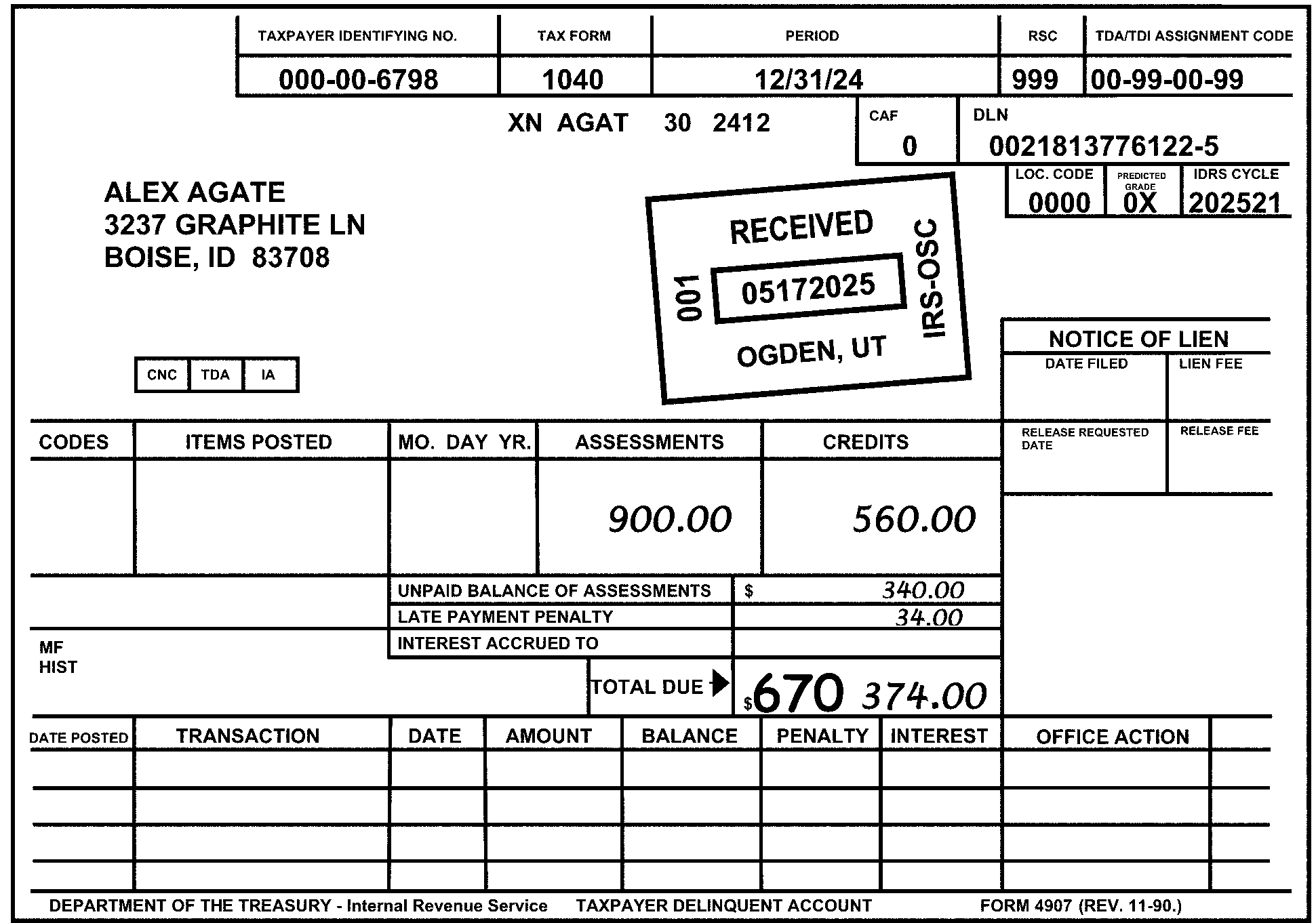
Pictured in Figure 3.11.10-21 is an example of an electronically-generated TDA/Taxpayer Delinquent Account, showing an edited TC 670 (Subsequent Payment) to the left side next to the amount on the line titled Total Due of $374.00. The edited TC 670 amount equals the Remittance amount. OTHER INFORMATION (we’re only providing the portion containing the important fill-ins). At the top of the form are five sets of two boxes each (a header and an blank (for fill-n): Taxpayer Identifying No., Tax Form; Period; RSC; and TDA/TDI Assessment Code. Beneath the Taxpayer Identifying No. heading is the SSN 000-00-6798. Beneath the Tax Form heading is (Form) 1040. Beneath the Period heading is 05182026. Beneath the RSC heading is 999. Beneath the TDA/TDI Assessment Code is 00-99-00-09 Beneath the first line’s information are the following items:. The Check Digit is XN. The Name Control is AGAT. The MFT is 1040. The Tax Period 2512 is typed beneath the Period box. Following the 2512 are two boxes: A blank CAF box containing a zero (0).A DLN box (containing the 0021815076122-6. Beneath the DLN box (flushed with the (form’s) right margin. are three boxes: The Loc. Code box contains 0000. The Predicted Grade box contains OX. The IDRS Cycle box is 202621. On the left side of the form (directly opposite the above listed boxes) are the name and address information: ALEX AGATE; 3732 GRAPHITE LN; BOISE, ID 83708. The bottom half of the form contains the following column items: NOTICE OF LIEN (Date Filed, Lien Fee), CODES, ITEMS POSTED; MO. DAY YR; ASSESSMENTS; CREDITS; RELEASE REQUESTED DATE; and RELEASE FEE. The ASSESSMENTS box shows $900.00 (Nine hundred dollars and zero cents). The CREDITS box shows $560.00 (Five hundred sixty dollars and zero cents). Also, beneath the MO. DAY YR, ASSESSMENTS, and CREDITS columns are the following four line items with entries: UNPAID BALANCE OF ASSESSMENTS: $340.00 (Three hundred forty dollars and zero cents). LATE PAYMENT PENALTY: $34.00 (Thirty-four dollars and zero cents). INTEREST ACCRUED TO: (blank; no entry made here) TOTAL DUE: $374.00 (Three hundred seventy-four dollars and zero cents). A TC 670 (SUBSEQUENT PAYMENT) is edited in red to the left of the TOTAL DUE IRS Received Date stamp reads as follows: RECEIVED 05182026; 001; OGDEN, UT; IRS - OSC No other information is on Figure 3.11.10-21.
Please click here for the text description of the image.
-
In most cases, the green edited (Remittance) amount should not be altered. Forms 3244, Payment Posting Voucher, with Doc Code 18 are specifically excluded from the above requirements.
3.11.10.7.2 (01-01-2016)
Omitted Green Marked or Written Amounts on Tax Documents
- When a document or posting voucher with the remittance not green-rockered is discovered in a block of remittance documents, compare the balance due amount on the document with the Form 813, Document Register listing. If the amounts agree, green-rocker the amount on the document. If the amounts do not agree, take no action. The error will be identified during computer processing as block out of balance, and will be corrected by the Blocks Out of Balance (BOB) function.
3.11.10.7.3 (01-01-2026)
Form 3753, Special Handling, Manual Refund Posting Voucher
-
When a manual refund is issued through IDRS, a Form 3753 (Manual Refund Posting Voucher) is prepared to update the Master File.
-
These documents are numbered with Doc Code 45. Blocking series 200–299 are used for regular manual refund and 300–399 are used for issuing refunds from Form 4466, Corporation Application for Quick Refund of Overpayment of Estimated Tax. (See Exhibit 3.11.10-26.)
-
Form 3753, Manual Refund Posting Voucher, is preprinted with primary TC 840 (Manual Refund) and secondary TC 770 (Credit Interest Due Taxpayer).
-
TC 840 must be underlined in red. It must also be present on the Form 813 which has the block.
-
If the TC 770 has been deleted ("X" ed or circled) by another function using other than red ink, repeat the editing in red. If the TC 770 has not been previously deleted, underline the transaction code.
3.11.10.7.4 (01-01-2023)
Form 2287, Check/Payment Not Accepted by Bank
-
These transactions are received on Form 2287, Check/Payment Not Accepted by Bank, from the Accounting Operations. Accept the coding and amounts as entered on the document.
-
Whenever the tax module has an original electronic payment, EFTPS Payment Indicator should be used.
-
Enter "1" for EFTPS Payment Indicator in the lower right corner of the Form 2287 (or of any revenue receipts document for a payment that was originally processed electronically). Electronic payments can be identified from the original Document Locator Number (DLN) or other information on the source document.
Note:
Currently only FLC (File Location Code) 81 is involved.
Reminder:
EFTPS payments prior to July 1, 2005, may have FLC 71 or FLC 72.
-
See Exhibit 3.11.10-16, Form 2287, Check/Payment Not Accepted by Bank, listing the data (i.e., Name, TIN, MFT, etc.) contained and codes applied on this form (along with the location(s) of this information on the form).
-
-
The Electronic Federal Tax Payment System (EFTPS), is the government’s current system for accepting federal tax payments electronically.
-
EFTPS is not limited to accepting only FTD deposits, but can accept all tax payments.
-
EFTPS was certified for operation October 18, 1996, at the Tennessee Computing Center (now Enterprise Computing Center).
-
-
IMPORTANT: Cross referenced to this form is the CP 587, Check Not Accepted by Bank (also known as Form 2287(CG), Check Not Accepted by the Bank). The purpose of the form and or the CP notice are to notify a taxpayer that a check or payment was not accepted by the bank (due to insufficient funds or being non-negotiable).
Note:
SOURCE: Servicewide Notice Information Program (SNIP) lists this computer-paragraph (CP) notice as "Active" (i.e., NOT obsolete).
3.11.10.7.5 (01-01-2024)
Form 3809 and Form 8758 Credit Transfers
-
Form 3809, Miscellaneous Adjustment Voucher, may be used to transfer payments from Excess Collection paper file into the Master File. Prepare Form 8758, Excess Collections File Addition, when a credit is located in the Excess Collection File (XSF) on IDRS.
Note:
EFTPS payments prior to July 1, 2005, may have FLC 71 or 72.
-
Whenever the tax module has an original electronic payment, EFTPS Payment Indicator should be used. Currently only FLC 81 is involved. Enter 1 for EFTPS Payment Indicator.
-
See Exhibit 3.11.10-24 for Form 3809.
-
See Exhibit 3.11.10-31 for Form 8758.
-
3.11.10.7.6 (01-01-2016)
SF 1098, Schedule of Cancelled or Undeliverable Checks
-
Most refund cancellations are processed on a Standard Form (SF) 1098, Schedule of Cancelled or Undeliverable Checks, listing received with one or more Forms 813.
-
Coding should be done by the Accounting Operations. Be sure that the two-digit return period column has been converted to four numeric digits (YYMM). If this has not been done, follow the directions below:
-
Precede the first digit with a "7" , "8" , "9" , "0" or "1" to develop an acceptable year.
-
Precede the second digit (the month code) with a zero if the month is 1–8. Convert a blank month code to "09" , an "A" to "10" , a "J" to 11, and an "S" to 12.
-
-
The preprinted amount column should be headed with TC 841.
-
Form 3245, Posting Voucher - Refund Check Cancellation or Repayment, is used to input refund payments and occasionally cancellations. It should be pre-coded.
3.11.10.7.7 (01-01-2016)
Form 514–B (Credit Transfer Voucher)----Tax Transfers Out of the Master File
- Code Form 514–B, Credit Transfer Voucher, with TC 400 (Account Transfer Out) near the transfer amount which must be zero. This is used to transfer a zero-balance account.
3.11.10.7.8 (01-01-2023)
Payment Documents from Campus Deposit Activity
-
Normally, these are computer-coded preprinted settlement notices with Doc Code 17. Other acceptable posting documents, including Form 3244A, Payment Posting Voucher-Examination, Form 3244, Payment Posting Voucher, and Form 2287(CG), Check Not Accepted by Bank, require more processing.
-
The Campus Clearing and Deposit function will route the correspondence items to the correspondence function. However, if there are attachments to posting vouchers which should be routed to correspondence, detach them and take the proper action. (See Figure 3.11.10-22.)
-
Enter secondary TC 570 (Additional Liability Pending and/or Credit Hold) on Form 2287(CG).
-
If there is no primary TC present on the document, edit TC 670 (Subsequent Payment) to the immediate left of the green-rockered remittance amount. If the document is Form 3244A, enter a primary TC 640 (Advanced Payment of Determined Deficiency or Underreporter Proposal) if the primary TC is not specified (See Figure 3.11.10-22.)
-
Code any secondary amount with the correct code unless a code is already present, e.g., TC 360 (for Fees and Collection Costs), TC 180 (for FTD Penalty), TC 270 (for underlined Failure to Pay Penalty), etc.
Figure 3.11.10-22
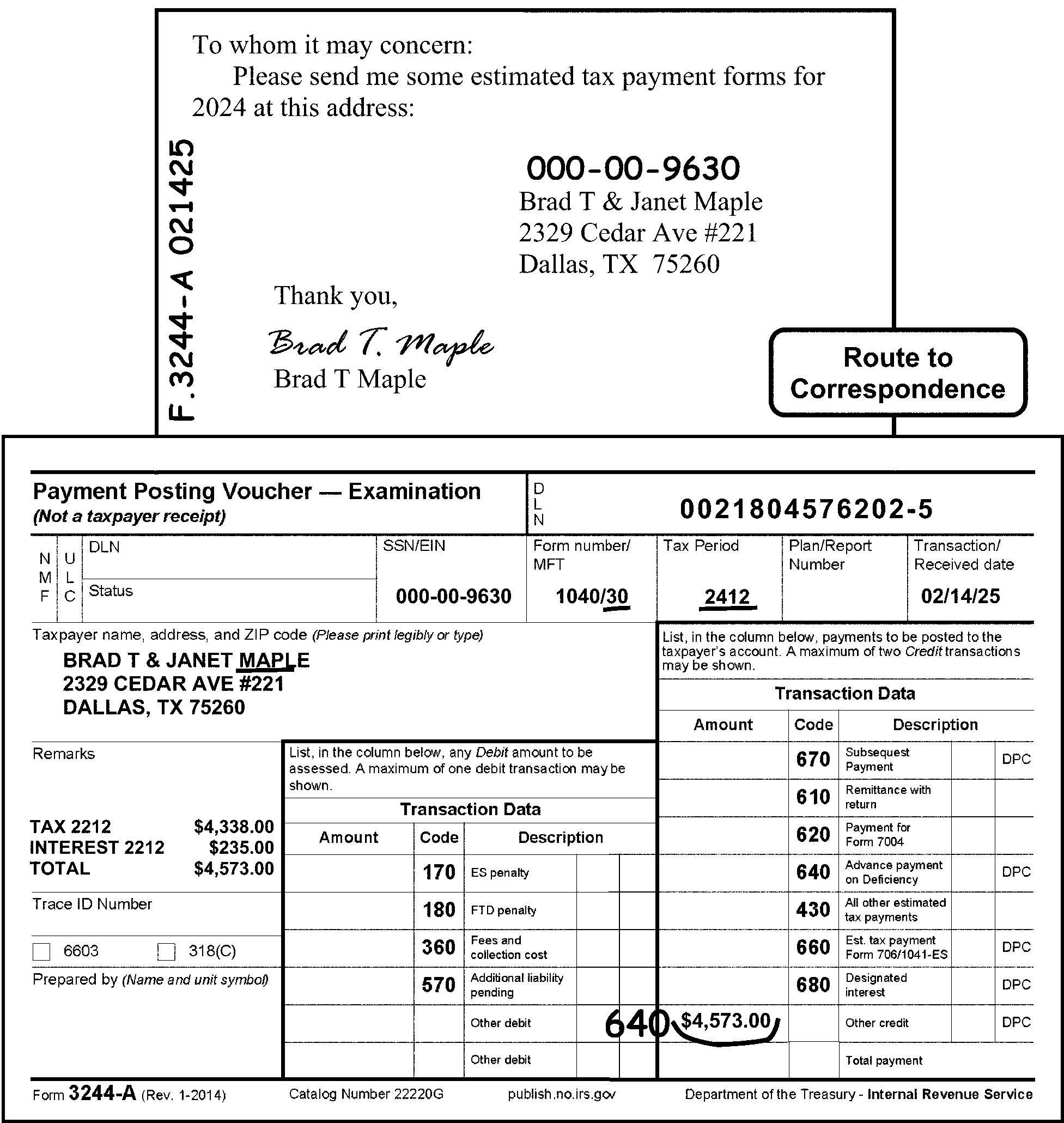
Pictured in Figure 3.11.10-22 is an example of a taxpayer letter overlaid by an example of a Form 3244A, Payment Posting Voucher - Examination, shows where to edit a Primary TC 640 (Advance Payment of Determined Deficiency or Underreporter Proposal) when the Primary TC was not specified. The taxpayer submits a short note (along with their payment), requesting estimated tax payments forms. A Route to Correspondence bubble box is on the right margin of the letter to show that the letter must be sent to Correspondence (i.e., Taxpayer Relations). The edited (red) notation (on the left margin of the taxpayer’s note), F.3244-A 021426 represents what is being sent (along with that date) to Correspondence to reply to the taxpayer’s request. An edited 9-digit number (000-00-9630) is the taxpayer’s SSN (for association with their account). On the Form 3244-A (associated with the taxpayer’s request or note, is the (edited in red) TC 640. The Name Control MAPL, for Brad T. and Janet Maple, and the MFT 30 (for Form 1040) in the Form Number/MFT box, the Tax Period 2512, and the TC 640 are all edited in OR underlined (in red). MORE (Figure 22) information: Figure 3.11.10-22 displays a Form 3244-A with a taxpayer’s letter requesting information: To Whom It May Concern: Please send me some estimated tax payment forms for 2026 at this address: Brad T & Janet Maple; 2329 Cedar Ave., #221; Dallas, TX 75260. Thank you. (signed) Brad T. Maple. Code and Edit edited (in red), vertically, along the left edge of the taxpayer’s note, the notation Form 3244-A 021426 (i.e., Form 3244-A and the date). Code and Edit edited (in red) Mr. Maple’s SSN 000-00-9630 above the taxpayer’s name and address, on the note.A Route to Correspondence bubble is on the right side of the taxpayer’s note (and above the Form 3244-A on the figure). OTHER INFORMATION: The 3244-A contains two (2) sets of Transaction Data boxes, each containing three columns, labeled as, Amount (for Transaction amount), Code (for Transaction Code), and Description (Transaction type), respectively. The larger box contains the Primary Transaction Code (or Credit information), while the smaller box to its left contains Secondary Transaction (or Debit) information. The first line of Form 3244-A contains two (2) block items: Payment Posting Voucher - Examination (Not a taxpayer receipt) and the DLN (Document Locator Number). The title, Payment Posting Voucher, is flushed with the left margin of the form.To the right of the title is the DLN (Document Locator Number) block, flushed with the right margin of the form and contains the DLN 0021804376202-6 Directly beneath the first line of the form (second line), are twin column designations marked “NMF” (for Non Master File) and “ULC” (Universal Location Code).To the right of those two column designations are twin rows marked DLN (i.e., Document Locator Number) and Status, both blocks are blank. To the right of those are five (5) blocks: SSN/EIN, Form Number/MFT, Tax Period, Plan/Report Number, and Transaction Received Date. The SSN/EIN is (SSN) 000-00-9630. The Form Number/MFT are 1040/30 (the 30 is underlined in red). The Tax Period is 2512. The Plan/Report Number box is blank. The Transaction Received Date is 02/14/26. On Line 3, following the above-listed items, is the space (flushed with left side of the form) marked as Taxpayer name, address, and ZIP code (Please print legibly or type). The taxpayer’s name and address are Brad T. & Janet Maple; 2329 Cedar Ave.; #221; Dallas, TX 75260. The Name Control, MAPL, the MFT, 30 (for Form 1040) in the Form Number/MFT box, and the Tax Period, 2512, are underlined (in red).On the left side of Form 3244, beneath the Taxpayer Name, Address, and ZIP Code, are the following information blocks: Remarks, Trace ID Number, Prepared by (Name and Unit Symbol). Under the Remarks block is the following information (listed in vertical order): Tax 2512 - $4,338.00 (Four thousand, three hundred thirty-eight dollars and zero cents). Interest 2512 - $235.00 (Two hundred thirty-five dollars and zero cents). Total - $4,573.00 (Four thousand, five hundred seventy-three dollars and zero cents). Beneath the Remarks block is Trace ID Number block, which is blank. Beneath the Trace ID Number block are two check boxes (one each for 6603 and 318(C)), which are blank. Beneath the 6603 and 318(C) check box area is the Prepared by (Name and Unit Symbol) block, which is blank (i.e., contains no entries). Form 3244-A contains two (2) sets of Transaction Data tables, each containing three columns, labeled as, Amount (for Transaction amount), Code (for Transaction Code), and Description (Transaction type), respectively. Each column has rows corresponding to each of their descriptions. The larger table is on the right of the form; the smaller table is to its left (nearer to center of form). The larger table (comprising Primary Transaction Codes (or Credit information)), includes a column listing the following Transaction Codes (in vertical order): 670, 610, 620, 640, 430, 660, 680, a blank box (for a write-in TC entry) and a shaded area). The larger table contains a Description column, listing the above-referenced Transaction Codes (TCs) descriptions: Subsequent Payment, Remittance with Return, Payment for Form 7004, Advance Payment on Deficiency, All Other Estimated Tax Payments, Est. Tax Payment Form 706/Form 1041-ES, Designated Interest, Other Credit, and Total Amount (the last 2 describing the blank and shaded block following the above-referenced TCs, respectively. Of the above-referenced items, the Amount column displays, to the left of the Other Credit block, the dollar amount of $4,573.00 (Four thousand, five hundred seventy-three dollars and zero cents). Code and Edit edits (in red) a TC 640 (Advance Payment) immediately to the left of the $4,573.00 (Four thousand, five hundred seventy-three dollars and zero cents) amount. The smaller table, located to left of the larger table, contains Secondary Transaction Codes (or Debit) information. It also lists columns for Amount (for Transaction amount), Code (for Transaction Code) and Description. The Amount column are all blank (to allow write-in) entries, while the Code lists the following Transaction Codes (TCs): 170, 180, 360, 570 and a blank box (for Other). The smaller table’s Description column lists corresponding types/descriptions of the above-referenced Transaction Codes (TCs) as follows: ES Penalty, FTD Penalty, Fees and Collection Costs, Additional Liability Pending and two Other Debit blocks, respectively. For purposes of this smaller table, all of the blocks are blank (i.e., contain no entries). On the bottom margin of the Form 3244-A are the following items (apparently in tabbed format): Form 3244-A (Rev. 1-2014); Catalog Number 22220G; publish.no.irs.gov; Department of Treasury---Internal Revenue Service. No other information is on Figure 3.11.10-22.
Please click here for the text description of the image.
3.11.10.7.9 (01-01-2016)
Form 2424 (Account Adjustment Voucher)—Special Editing Instructions
-
When TC 892 (IMF), Correction of TC 890 Processed in Error, is present on Form 2424, Account Adjustment Voucher, to transfer credit from an IRAF account to a joint IMF account, a one-digit code must be present in the upper right-hand corner. If it is not, enter a "1" if the Individual Retirement Account (IRA) account is for the primary taxpayer, or a "2" if the IRA account is for the secondary taxpayer. Enter "1" for EFTPS Payment Indicator. (See Exhibit 3.11.10-18, Form 2424, Account Adjustment Voucher, for location of payment indicator.)
Note:
Whenever the tax module has an original electronic payment, EFTPS Payment Indicator should be used. Currently only FLC 81 is involved.
Reminder:
EFTPS payments prior to July 1, 2005, may have FLC 71 or 72.
3.11.10.7.10 (01-01-2016)
Form 1041-ES, Payment Voucher
-
Form 1041-ES, Estimated Income Tax for Estates and Trusts, is processed under MFT 05, Doc Codes 17/19, and TC 660 (Estimated Tax Payment).
-
Under certain conditions, a fiduciary administering trust account may be required to make estimated payments electronically. The transaction record on the electronic payment will have a Doc Code 97, TC 660 and FLC 81.
3.11.10.7.11 (01-01-2020)
Form 1040-V, Payment Voucher
-
Form 1040-V, Payment Voucher, is processed under MFT 30, Doc Code 70/76, and TC 610 (Remittance with Return).
-
The Form 1040-V is used as follows:
-
To send in a payment when a taxpayer has a balance due on Line 37 of **Form 1040,**U. S. Individual Income Tax Return, OR
-
To send in a payment when a taxpayer has a balance due on Line 37 of **Form 1040-NR,**U. S. Nonresident Alien Income Tax Return.
-
The voucher will enable us to process the payment more accurately and efficiently.
-
-
Taxpayers can make a Form 1040 or Form 1040-NR payment electronically by direct debit or credit card. Paying electronically eliminates the need for the taxpayer to submit a paper Form 1040-V, Payment Voucher.
3.11.10.8 (01-01-2016)
Form 1040-ES and Form 1040-C
-
Form 1040-ES, Estimated Tax for Individuals, is filed by any U.S. citizen or resident who expects to owe, after subtracting withholding and credits, at least $1,000 in taxes for a subsequent tax year, and expects their withholding and credits to be less than the smaller of 90% of the tax shown on the current year tax return or 100% of the tax shown on the tax return for the preceding taxable year (110% if you are not a farmer or fisherman and the adjusted gross income shown on the return for the preceding taxable year is more than $150,000.00, or if married filing separately for the current year, more than $75,000.00).
-
Taxpayers can make a Form 1040-ES payment electronically by direct debit or credit card. Paying electronically eliminates the need for the taxpayer to submit a paper Form 1040-ES.
-
Form 1040-C, U.S. Departing Alien Income Tax Return, is used by aliens who intend to leave the United States to (1) report income received, or expected to be received, for the entire taxable year, and, (2) if required, to pay the expected tax liability on that income. Although the Form 1040-C must be filed before an alien leaves the United States, it does not count as a final return. The alien is still required to file a final return (i.e., depending upon whether they are a resident alien (Form 1040) or non-resident alien (Form 1040-NR) after their tax year ends.
3.11.10.8.1 (01-01-2016)
General Information
-
Form 1040-ES is processed under MFT 30, Document Code 20, and TC 430 (I), Estimated Tax Declaration, OR Entity Created by TC 430.
-
Document Perfection will receive any Form 1040-ES, Estimated Tax For Individuals, which has:
-
Correspondence attached;
-
A change to the Primary SSN or Name Control; or
-
Anything that makes it unacceptable for RPS/ISRP (Remittance Processing System/Integrated Submission and Remittance Processing) processing.
-
-
All Forms 1040-C, U.S. Departing Alien Income Tax Return, will be processed as long entity. Form 1040-ES, Estimated Tax For Individuals, are processed according to the type of change that is made to the entity.
3.11.10.8.2 (01-01-2016)
Transfer of Data
-
Some tax preparers are given permission by the IRS to submit returns on substitute forms and schedules. These substitutes must closely resemble the official forms in format. Above all, they must be acceptable to the transcription function. If the items to be transcribed are not readily recognizable for transcription, consult your supervisor.
-
If a schedule is not suitable for transcribing, transfer the necessary information to a dummy form.
3.11.10.9 (01-01-2016)
Editing Form 1040-ES (Estimated Tax for Individuals) and Form 1040-C (U. S. Departing Alien Income Tax Return)
- The following sections provide information on the coding and editing of Form 1040-ES, Estimated Tax for Individuals, and Form 1040-C, U.S. Departing Alien Income Tax Return
3.11.10.9.1 (01-01-2023)
Tax Period
-
The tax period is shown at the top of the form.
-
If the document or payment is for other than a current calendar year, edit the year and month, in YYMM format, to the right of the tax year designation at the top of the form. (See Figure 3.11.10-23.)
Figure 3.11.10-23
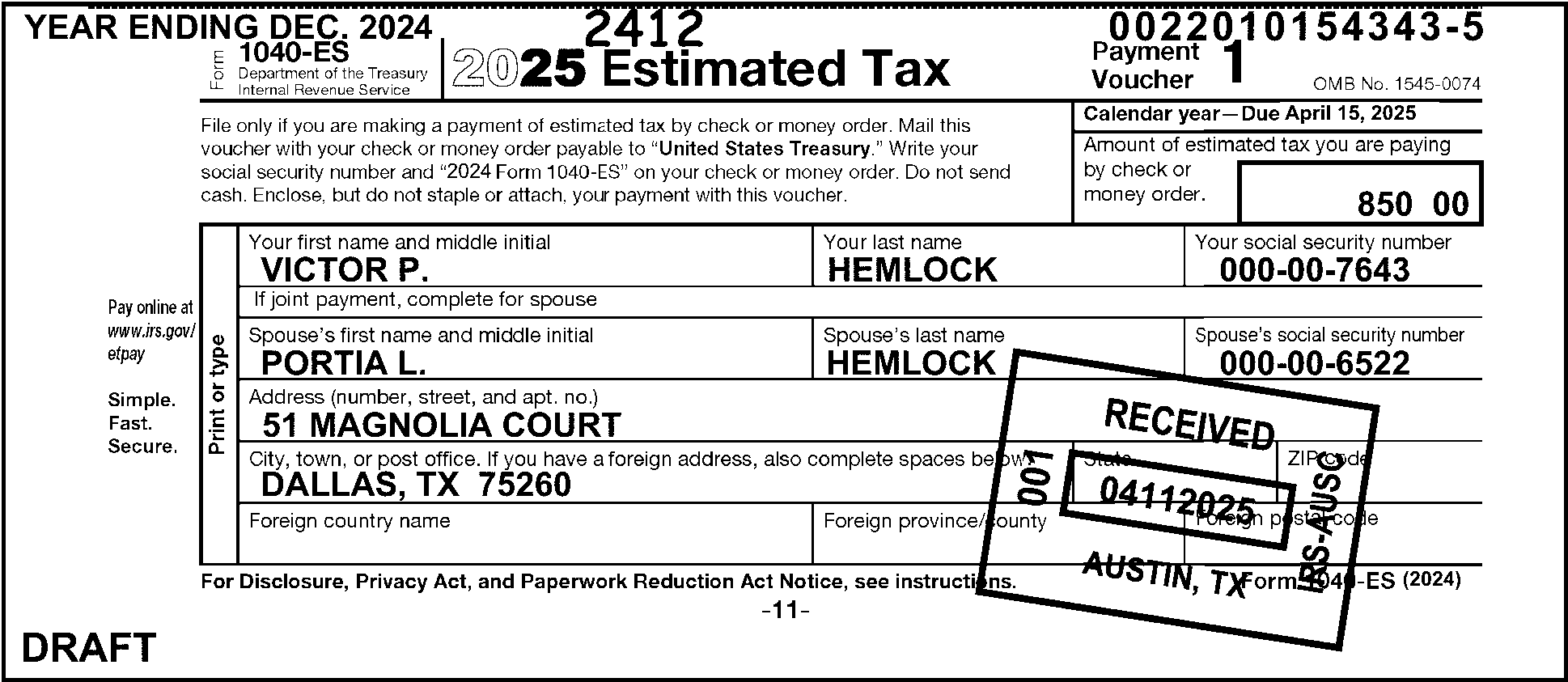
Pictured in Figure 3.11.10-23 is an example of Form 1040-ES with the edited (in red) Tax Period, 2512 (Payment Voucher 1), for a Non-Current Calendar Year (i.e., the payment is for other than a current calendar year). In the upper left corner of the Form 1040-ES is a note that this form is for the Year Ending Dec. 2025. Edit the Tax Year and month, in YYMM format, to the right of the Tax Year designation at the top of the form, if the document or payment is for other than a current calendar year.The taxpayers’ names on the 1040-ES are Victor P. and Portia L. HemlockOTHER INFORMATION: At the top of Form 1040-ES are the following four (4) information blocks: Top line; First block: Form 1040-ES; Department of the Treasury - Internal Revenue Service. Top line; Second block: 2026 Estimated Tax. Top line, Third block: Payment Voucher 1. Top line, Fourth block: OMB No. 1545-0074. Directly above the header information are the following YEAR and DLN items:YEAR ENDING DECEMBER 2025 (in typed format and located in upper-left corner of the form, directly above the form’s title line). DLN 0022010154343-6 (in typed format and located in upper-right corner of the form, directly above the form’s title line). Directly beneath the top (header) line are the following blocks of information: “File only if you are making a payment of estimated tax by check or money order. Mail this voucher with your check or money order payable to United States Treasury. Write your social security number and 2026 Form 1040-ES on your check or money order. Do not send cash. Enclose, but do not staple or attach, your payment with this voucher.”Calendar Year - Due April 18, 2026Amount of check or money order (followed by a box provided for the remittance amount). The taxpayer’s amount in the above-referenced block is $850.00 (Eight hundred fifty dollars and zero cents). Directly beneath the above-referenced lines and information is the taxpayer name and address section: Taxpayer note on left edge of taxpayer information block states to Print or type. Your first name and middle initial: Victor P. Your last name: Hemlock. Your social security number: 000-00-7643. Directly beneath these lines are If joint payment, complete for spouse. Spouse’s first name and middle initial: Portia L. Spouse’s last name: Hemlock. Spouse's social security number: 000-00-6522. Address (Number, Street, and apt. no): 51 Magnolia Court. City, Town or post office If you have a foreign address, also complete spaces below.: DALLAS, TX. ZIP code: 75260 Foreign country name: (blank) Foreign country name: (blank) Foreign country name: (blank) Last line (obviously tabbed information): For Privacy Act and Paper Reduction Act Notice, see instructions. and Form 1040-ES (2026) On the outer edge of the taxpayer information block are the following notes: Pay online at www.irs.gov/epay and Simple. Fast. Secure. IRS Received Date stamp reads as follows: RECEIVED 04-10-2026; 001; AUSTIN, TX; IRS - AUSC No other information is on Figure 3.11.10-23..
Please click here for the text description of the image.
-
Always check the upper left and right area or Line 2 for the tax year ending. (See Figure 3.11.10-24.) This could be the best indication of a fiscal year or a calendar year that is not current. However, some taxpayers enter the quarter ending rather than the current year ending. If the taxpayer has entered the quarter ending that is current, disregard the information and follow the instructions (2) above. (See Figure 3.11.10-25.)
Figure 3.11.10-24
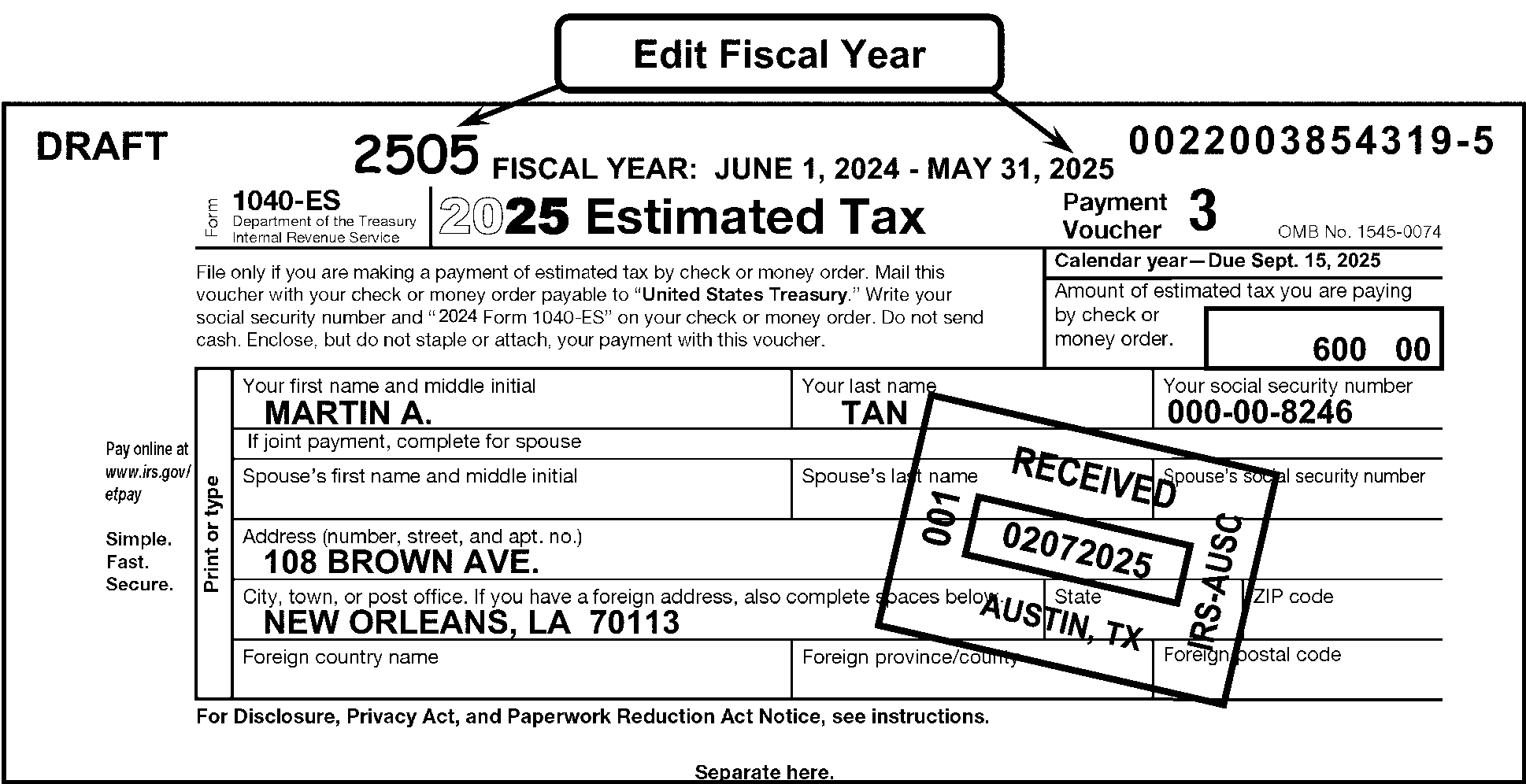
Pictured in Figure 3.11.10-24 is a Form 1040-ES displaying the best example editing a fiscal quarter tax period for a year that is not current. In the center top part of form, above the tax year, is the following notation: Fiscal Year: June 1, 2025 - May 31, 2026. Immediately above that notation is a bubble box marked as Edit Fiscal Year, with two arrows pointing to the edited 2605 and to the Fiscal Year end date of May 31, 2026. The edited (in red) 2605 (for May 2026) is to the left of the Fiscal Year: June 1, 2025 - May 31, 2026 notation. The taxpayer’s name on the 1040-ES is Martin A. Tan.OTHER INFORMATION: At the top of Form 1040-ES are the following four (4) information blocks: Top line; First block: Form 1040-ES; Department of the Treasury - Internal Revenue Service. Top line; Second block: 2026 Estimated Tax. Top line, Third block: Payment Voucher 3. Top line, Fourth block: OMB No. 1545-0074. Directly above the header information are the following YEAR and DLN items:Fiscal Year: June 1, 2025 - May 31, 2026 (in typed format and located in upper-left corner of the form, directly above the form’s title line). Immediately above that Tax Year notation is a Edit Fiscal Year bubble with two arrows extended and pointing to the edited (in red) 2605 and the Fiscal Year end date of May 31, 2026. DLN 0022003854319-6 (in typed format and located in upper-right corner of the form, directly above the form’s title line). Directly beneath the top (header) line are the following blocks of information: File only if you are making a payment of estimated tax by check or money order. Mail this voucher with your check or money order payable to United States Treasury. Write your social security number and 2026 Form 1040-ES on your check or money order. Do not send cash. Enclose, but do not staple or attach, your payment with this voucher.Calendar Year - Due September 15, 2026Amount of check or money order (followed by a box provided for the remittance amount). The taxpayer’s amount in the above-referenced block is $600.00 (Six hundred dollars and zero cents). Directly beneath the above-referenced lines and information is the taxpayer name and address section: Preprinted note on left edge of taxpayer information block states to Print or type. Your first name and middle initial: Martin A. Your last name: Tan. Your social security number: 000-00-8246. Directly beneath these lines are If joint payment, complete for spouse. Spouse’s first name and middle initial: (blank). Spouse’s last name: (blank). Spouse's social security number: (blank). Address (Number, Street, and apt. no): 108 Brown Ave. City, Town or post office If you have a foreign address, also complete spaces below.: NEW ORLEANS, LA. ZIP code: 70113 Foreign country name: (blank) Foreign country name: (blank) Foreign country name: (blank) Last line (obviously tabbed information): For Privacy Act and Paper Reduction Act Notice, see instructions. and Form 1040-ES (2026) On the outer edge of the taxpayer information block are the following notes: Pay online at www.irs.gov/epay and Simple. Fast. Secure. IRS Received Date stamp reads as follows: RECEIVED 02-07-2026; 001; AUSTIN, TX; IRS - AUSC No other information is on Figure 3.11.10-24.
Please click here for the text description of the image.
Figure 3.11.10-25
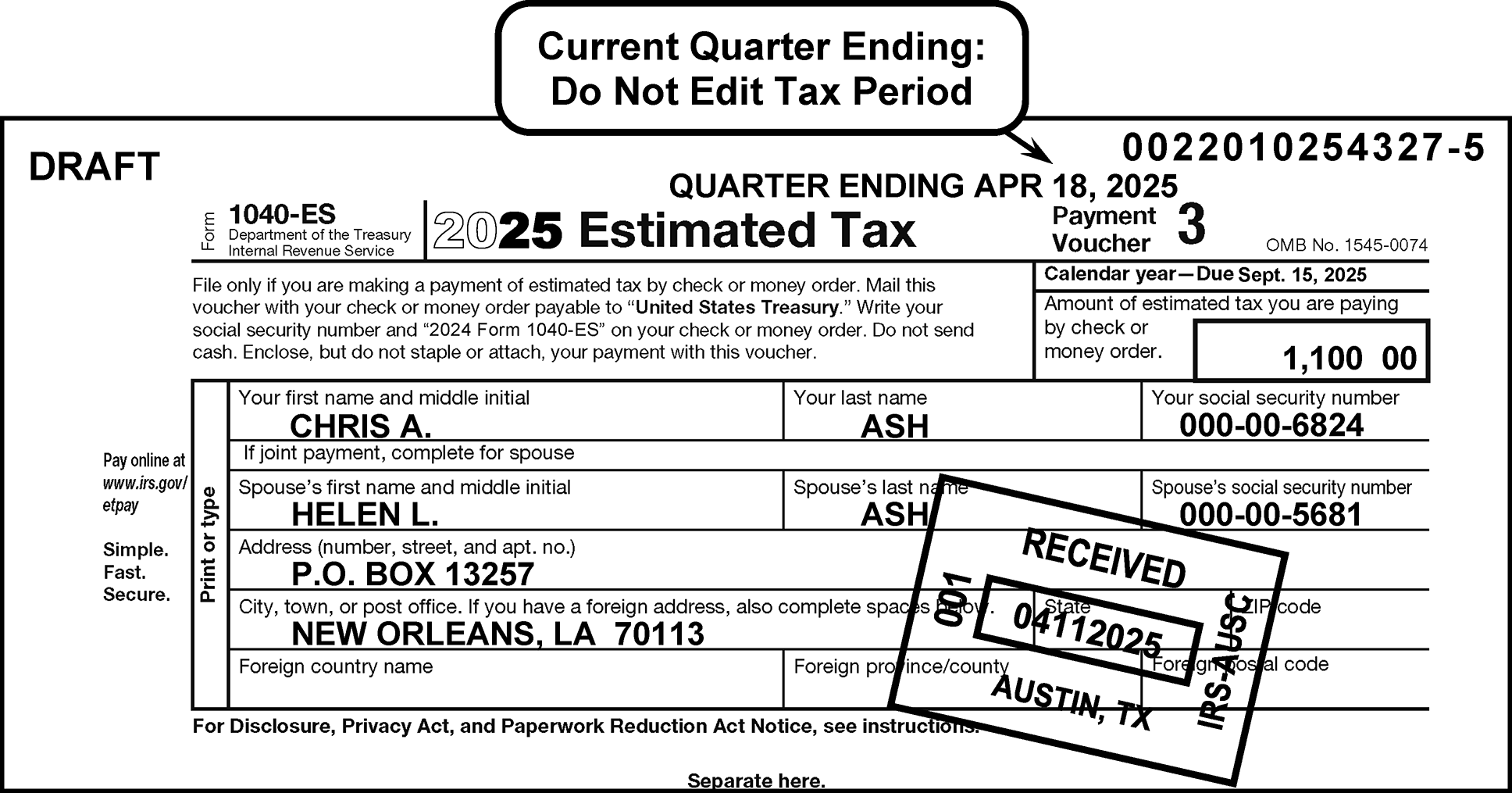
Pictured in Figure 3.11.10-25 is a Form 1040-ES which does not show an edited Tax Period. In the center top part of form, above the tax year, is the following notation: QUARTER ENDING APRIL 18, 2026. Immediately above that notation is a bubble box marked, Current Quarter Ending: Do Not Edit Tax Period. The taxpayers’ names on the 1040-ES are Chris A. and Helen L. AshOTHER INFORMATION: At the top of Form 1040-ES are the following four (4) information blocks: Top line; First block: Form 1040-ES; Department of the Treasury - Internal Revenue Service. Top line; Second block: 2026 Estimated Tax. Top line, Third block: Payment Voucher 3. Top line, Fourth block: OMB No. 1545-0074. Directly above the header information are the following YEAR and DLN items:Fiscal Year: June 1, 2025 - May 31, 2026 (in typed format and located in upper-left corner of the form, directly above the form’s title line). Immediately above that Tax Year notation is a Current Quarter Ending - Do Not Edit Tax Period bubble with an arrow extended and pointing to the typed notation Quarter Ending April 18, 2026. DLN 0022010154327-6 (in typed format and located in upper-right corner of the form, directly above the form’s title line). Directly beneath the top (header) line are the following blocks of information: File only if you are making a payment of estimated tax by check or money order. Mail this voucher with your check or money order payable to United States Treasury. Write your social security number and 2026 Form 1040-ES on your check or money order. Do not send cash. Enclose, but do not staple or attach, your payment with this voucher.Calendar Year - Due September 15, 2026 (PLEASE NOTE THE CORRECT TYPED IN PERIOD ABOVE.)Amount of check or money order (followed by a box provided for the remittance amount). The taxpayer’s amount in the above-referenced block is $1.100.00 (One thousand one-hundred dollars and zero cents). Directly beneath the above-referenced lines and information is the taxpayer name and address section: Preprinted note on left edge of taxpayer information block states to Print or type. Your first name and middle initial: CHRIS A. Your last name: ASH. Your social security number: 000-00-6824. Directly beneath these lines are If joint payment, complete for spouse. Spouse’s first name and middle initial: HELEN L. Spouse’s last name: ASH. Spouse's social security number: 000-00-5681. Address (Number, Street, and apt. no): P. O. BOX 13257. City, Town or post office If you have a foreign address, also complete spaces below.: NEW ORLEANS, LA. ZIP code: 70113 Foreign country name: (blank) Foreign country name: (blank) Foreign country name: (blank) Last line (obviously tabbed information): For Privacy Act and Paper Reduction Act Notice, see instructions. and Form 1040-ES (2026) On the outer edge of the taxpayer information block are the following notes: Pay online at www.irs.gov/epay and Simple. Fast. Secure. IRS Received Date stamp reads as follows: RECEIVED 04-10-2026; 001; AUSTIN, TX; IRS - AUSC No other information is on Figure 3.11.10-25.
Please click here for the text description of the image.
-
A document is considered a prior year if the tax period is eight (8) months or more prior to the current processing date. For example, until August 31, 2026, a 2025 Form 1040-ES is considered a current year.
-
If a prior year Form 1040-ES is discovered in the block, edit with Action Code 611 (Remittance Renumber) to have it renumbered as Document Code 17, TC 670.
3.11.10.9.2 (01-01-2016)
Editing of Form 1040-ES (Estimated Tax for Individuals) With IRS Label
-
When editing Form 1040-ES , Estimated Tax for Individuals, with an IRS label there are five types of entity which may be used. The type of entity is decided by the name, address and SSN information supplied by the taxpayer. These five types of entity are as follows:
-
Short Entity. See IRM 3.11.10.9.2.1 for more information.
-
Partial Entity. See IRM 3.11.10.9.2.2 for more information.
-
Exception Entity. See IRM 3.11.10.9.2.3 for more information.
-
Intermediate Entity. See IRM 3.11.10.9.2.4 for more information.
-
Long Entity. See IRM 3.11.10.9.2.5 for more information.
-
3.11.10.9.2.1 (01-01-2023)
Short Entity
-
A Form 1040-ES document is edited as a short entity when it has an IRS label with no changes, or a change only to the secondary SSN. No editing is needed for the Name Control. (See Figure 3.11.10-26.)
Figure 3.11.10-26
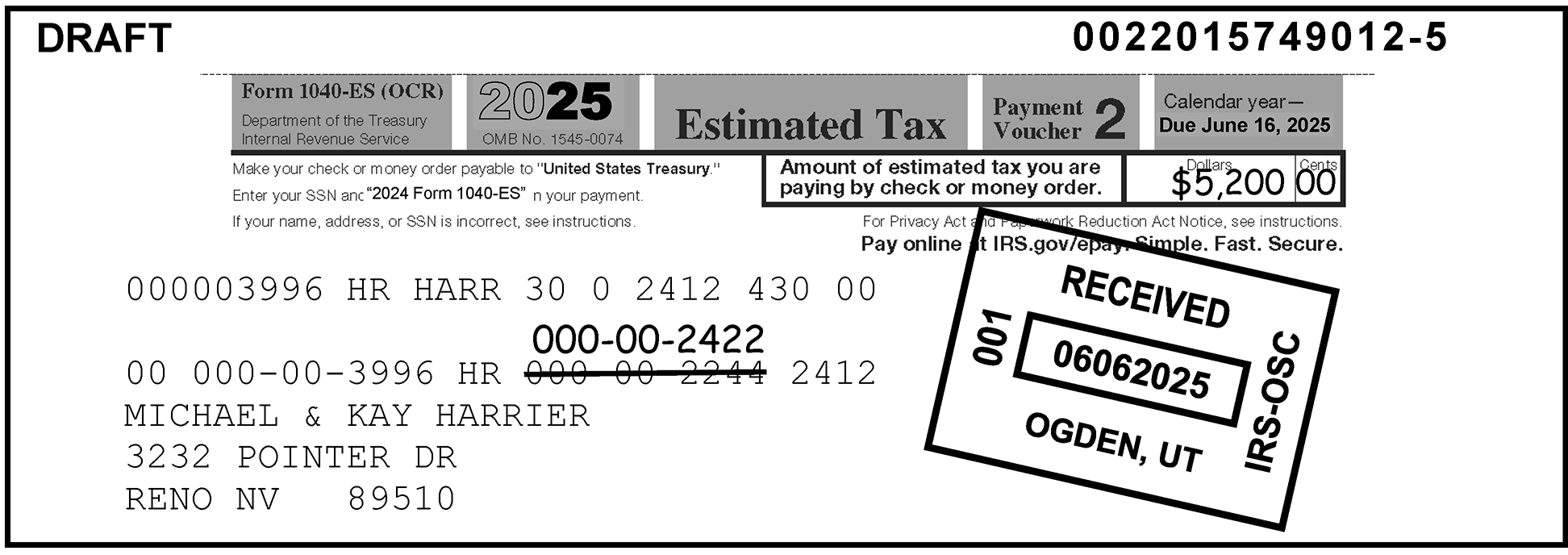
Pictured in Figure 3.11.10-26 is a Form 1040-ES (OCR) with an IRS label displaying an example of Short Entity Editing.No editing is needed for the Primary or Secondary Name Control. In this illustration, a line is drawn through the secondary SSN 000-00-2244, changing it to 000-00-2422 by editing the correct number above the old secondary SSN. The taxpayers’ names on the 1040-ES (OCR) are Michael & Kay Harrier OTHER INFORMATION: At the top of Form 1040-ES are the following five (5) information blocks: Top line; First block: Form 1040-ES (OCR); Department of the Treasury - Internal Revenue Service. Top line; Second block: 2026 OMB No. 1545-0074. Top line; Third block: Estimated Tax. Top line, Fourth block: Payment Voucher 2. Top line, Fifth block: Calendar Year --- Due June 15, 2026. Directly above the fifth block (and the upper-right corner of the form is the typed DLN 0022015749012-6. Directly beneath the top (header) line are the following bullets of information (all flushed with the left margin of the form): Make your check or money order payable to United States Treasury. Enter SSN and 2026 Form 1040-ES on your payment. If your name, address or SSN is incorrect, see instructions. Directly to the right of the form (and across from the above three bullets is the following:Amount of Estimated tax you are paying by check or money order (followed by a box for entering the payment amount). Dollars and Cents box: $5,200.00 (Five thousand two-hundred dollars and zero cents). Directly beneath the above-referenced lines and information is the following text: For Privacy and Paperwork Reduction Act Notice, see instructions. Directly beneath the above line is (in bold lettering): Pay onlne at IRS.gov/epay. Safe. Fast. Secure. The following line is the following string of alpha and numeric characters: 000003996 HR HARR 30 0 2612 430 00 Two (2) lines beneath the above-described string are the taxpayer’s information: 00 000-00-3996 HR 000-00-2244 2612 Taxpayer drew a line through 000-00-2244 and wrote the correct SSN 000-00-2422 directly above the incorrect SSN.MICHAEL & KAY HARRIER (Taxpayers’ names)3232 POINTER DRIVE (Taxpayers’ street address)RENO, NV 89510 (Taxpayers’ City, State and ZIP) IRS Received Date stamp reads as follows: RECEIVED 06052026; 001; OGDEN, UT; IRS - OSC No other information is on Figure 3.11.10-26.
Please click here for the text description of the image.
-
Edit the secondary SSN to the proper box on the document. If the taxpayer has written the secondary SSN in the proper place for transcription, underline it. (See Figure 3.11.10-27.)
Figure 3.11.10-27
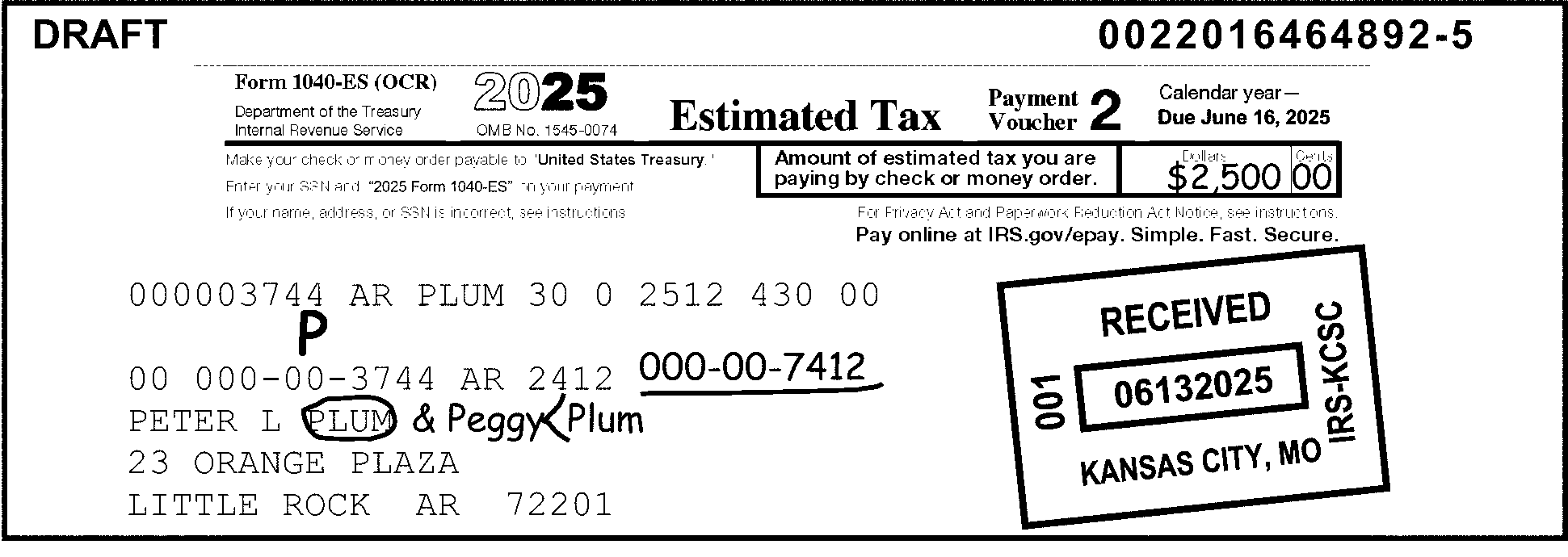
Pictured in Figure 3.11.10-27 is a Form 1040-ES (OCR) depicting examples of Partial Entity Editing of an IRS label. On the label, the taxpayer added & Peggy Plum and Peggy’s SSN 000-00-7412 after Peter L. Plum, to read as Peter L & Peggy Plum. A capital P is edited (in red) above Peter's SSN to identify him as the Primary taxpayer. The name Plum after Peter L. is circled out, a bracket or carat (<) is added between Peggy and Plum (in front of PLUM) to establish the Name Control for both taxpayers as PLUM. Peggy’s SSN, 000-00-7412 is underlined (in red as the Secondary SSN). These changes are made to the IRS label so Data Conversion will transcribe the corrections in the record. OTHER INFORMATION: At the top of Form 1040-ES are the following five (5) information blocks: Top line; First block: Form 1040-ES (OCR); Department of the Treasury - Internal Revenue Service. Top line; Second block: 2026 OMB No. 1545-0074. Top line; Third block: Estimated Tax. Top line, Fourth block: Payment Voucher 2. Top line, Fifth block: Calendar Year --- Due June 15, 2026. Directly above the fifth block (and the upper-right corner of the form is the typed DLN 0022016464892-6. Directly beneath the top (header) line are the following bullets of information (all flushed with the left margin of the form): Make your check or money order payable to United States Treasury. Enter SSN and 2026 Form 1040-ES on your payment. If your name, address or SSN is incorrect, see instructions. Directly to the right of the form (and across from the above three bullets is the following:Amount of Estimated tax you are paying by check or money order (followed by a box for entering the payment amount). Dollars and Cents box: $2,500.00 (Two thousand five-hundred dollars and zero cents). Directly beneath the above-referenced lines and information is the following text: For Privacy and Paperwork Reduction Act Notice, see instructions. Directly beneath the above line is (in bold lettering): Pay online at IRS.gov/epay. Safe. Fast. Secure. The next line is the following string of alpha and numeric characters: 000003744 AR PLUM 30 0 2612 430 00 Two (2) lines beneath the above-described string are the taxpayer’s information: 00 000-00-3744 AR 2512 Taxpayer added & PEGGY PLUM and PEGGY’S SSN 000-00-7412 after PETER L. PLUM’s name. Code and Edit: Edited a P (in red) over Peter’s SSN (to show he is the Primary taxpayer. Edited a red circle around PLUM (after Peter’s name) Underlined (in red) Peggy’s SSN 000-00-7412. Edited a red carat (<) before the PLUM after Peggy L.PETER L. PLUM (Taxpayer’s name)23 ORANGE PLAZA (Taxpayer’s street address)LITTLE ROCK, AR 72201 (Taxpayer’s City, State and ZIP) IRS Received Date stamp reads as follows: RECEIVED 06122026; 001; KANSAS CITY, MO; IRS - KCSC No other information is on Figure 3.11.10-27.
Please click here for the text description of the image.
3.11.10.9.2.2 (01-01-2016)
Partial Entity
-
A Form 1040-ES document is edited as a partial entity when it has an IRS label with a change to the first name line other than to the Name Control, or a deletion or change to the second name line, but no change to the primary SSN. (See Figure 3.11.10-27.)
-
Edit a "P" above the primary SSN and a bracket in front of the last name. Underline a second name line if present.
Note:
If the primary taxpayer has been deleted from the label, do not edit as a partial entity. Edit for long entity.
3.11.10.9.2.3 (01-01-2023)
Exception Entity
-
A Form 1040-ES document is edited as an exception entity when it has an IRS label with a change to the primary Name Control, but no change to the primary SSN.
-
Edit an "E" above the primary SSN and a bracket in front of the new Name Control. Underline a second name line if present. (See Figure 3.11.10-28.)
Figure 3.11.10-28
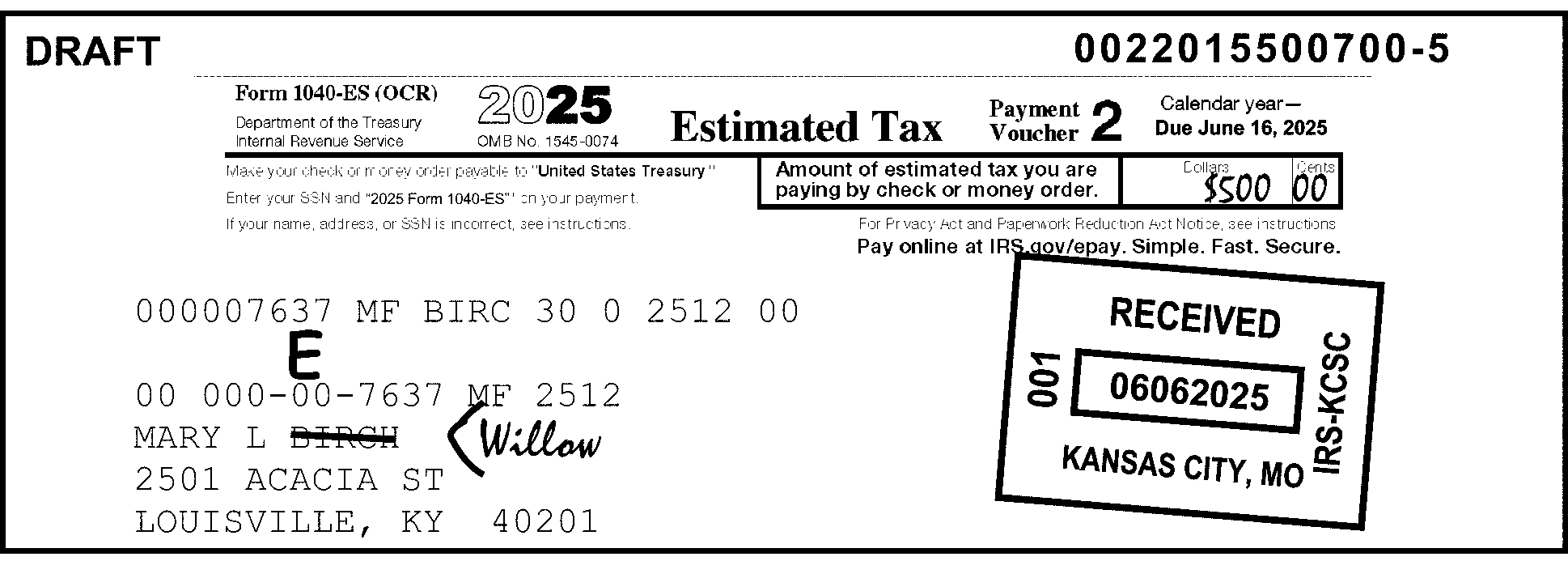
Pictured in Figure 3.11.10-28 is a Form 1040-ES (OCR) providing an example of Exception Entity Editing. The 1040-ES (OCR) is from Mary L. Birch. The taxpayer drew a line through Birch, changing her last name to Willow. An E is edited (in red, above the SSN) and the Name Control is bracketed as (also in red) before WILLOW so that Data Conversion will transcribe the record as Mary L. Willow with the same SSN. OTHER INFORMATION: At the top of Form 1040-ES (OCR) are the following five (5) information blocks: Top line; First block: Form 1040-ES (OCR); Department of the Treasury - Internal Revenue Service. Top line; Second block: 2026 OMB No. 1545-0074. Top line; Third block: Estimated Tax. Top line, Fourth block: Payment Voucher 2. Top line, Fifth block: Calendar Year --- Due June 15, 2026. Directly above the fifth block (and the upper-right corner of the form is the typed DLN 0022015500700-6. Directly beneath the top (header) line are the following bullets of information (all flushed with the left margin of the form): Make your check or money order payable to United States Treasury. Enter SSN and 2026 Form 1040-ES on your payment. If your name, address or SSN is incorrect, see instructions. Directly to the right of the form (and across from the above three bullets is the following:Amount of Estimated tax you are paying by check or money order (followed by a box for entering the payment amount). Dollars and Cents box: $500.00 (Five-hundred dollars and zero cents). Directly beneath the above-referenced lines and information is the following text: For Privacy and Paperwork Reduction Act Notice, see instructions. Directly beneath the above line is (in bold lettering): Pay online at IRS.gov/epay. Safe. Fast. Secure. The next line is the following string of alpha and numeric characters: 000007637 MF BIRC 30 0 2612 00 Two (2) lines beneath the above-described string are the taxpayer’s information: 00 000-00-7637 MF BIRC 30 0 2612 00. Taxpayer drew a line through her last name of Birch and added Willow Code and Edit: Edited an E in red above the SSN 000-00-7637. Edited a caret (<) in red before the surname WILLOW.MARY L. WILLOW (Taxpayer’s name)2501 ACACIA STREET (Taxpayer’s street address)LOUISVILLE, KY 40201 (Taxpayer’s City, State and ZIP) IRS Received Date stamp reads as follows: RECEIVED 06052026; 001; KANSAS CITY, MO; IRS - KCSC No other information is on Figure 3.11.10-28.
Please click here for the text description of the image.
3.11.10.9.2.4 (01-01-2023)
Intermediate Entity
-
A Form 1040-ES document is edited as an intermediate entity when it has an IRS label with a change only to the street address, city, state, or ZIP Code.
-
Edit a check mark above the primary SSN. (See Figure 3.11.10-29.)
Figure 3.11.10-29
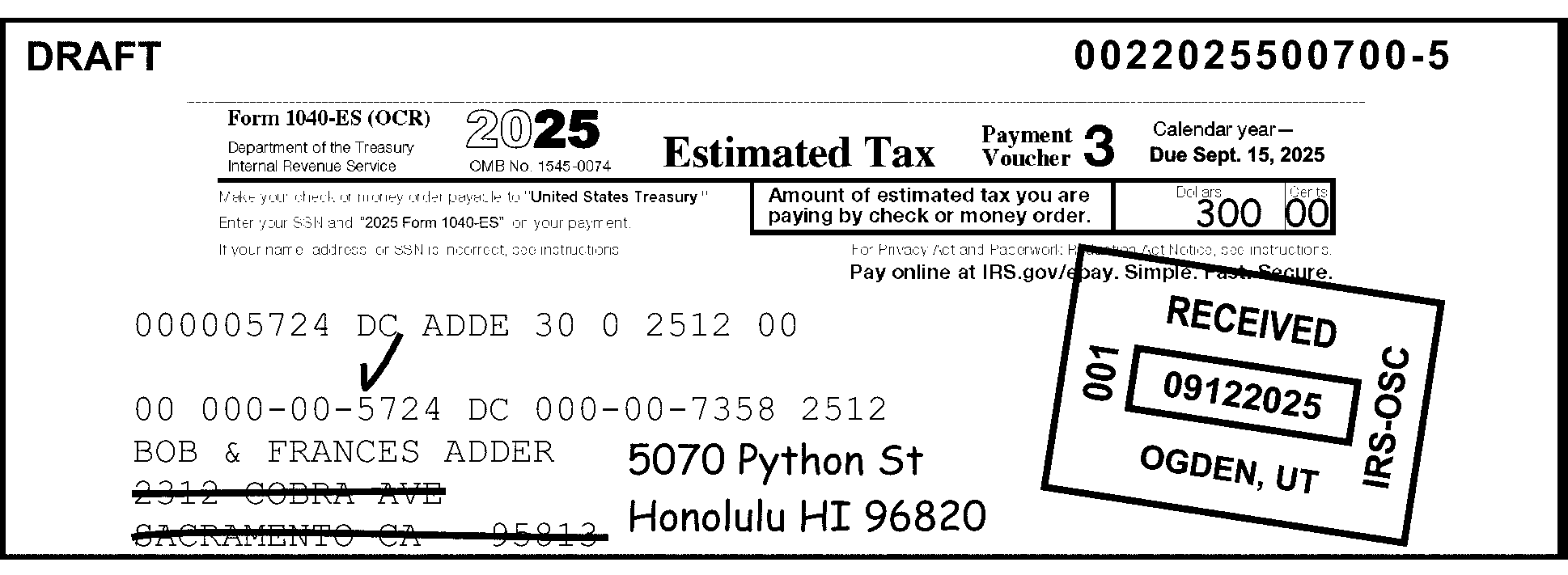
Pictured in Figure 3.11.10-29 is a Form 1040-ES (OCR) showing an example of Intermediate Entity Editing. A red check mark is edited above the primary SSN to confirm the Primary SSN is unchanged. The document is edited as an intermediate entity when it has an IRS label with a change only to the street address, city, state, or ZIP Code. In this figure: The taxpayer drew lines through the former street address, city, state, and ZIPThe former street address, city, state, and ZIP was 2312 Cobra Avenue, Sacramento, CA 95813.The new street address, city, state, and ZIP are handwritten to the right of the former address.The new street address, city, state, and ZIP is 5070 Python Street, Honolulu, HI 96820.The taxpayers’ names on the 1040-ES (OCR) are Bob & Frances Adder. Code and Edit edited a red check mark over the Primary taxpayer’s SSN (Bob Adder). OTHER INFORMATION: At the top of Form 1040-ES (OCR) are the following five (5) information blocks: Top line; First block: Form 1040-ES (OCR); Department of the Treasury - Internal Revenue Service. Top line; Second block: 2026 OMB No. 1545-0074. Top line; Third block: Estimated Tax. Top line, Fourth block: Payment Voucher 3. Top line, Fifth block: Calendar Year --- Due September 15, 2026. Directly above the fifth block (and the upper-right corner of the form is the typed DLN 0022025500700-6. Directly beneath the top (header) line are the following bullets of information (all flushed with the left margin of the form): Make your check or money order payable to United States Treasury. Enter SSN and 2026 Form 1040-ES on your payment. If your name, address or SSN is incorrect, see instructions. Directly to the right of the form (and across from the above three bullets is the following:Amount of Estimated tax you are paying by check or money order (followed by a box for entering the payment amount). Dollars and Cents box: $300.00 (Three-hundred dollars and zero cents). Directly beneath the above-referenced lines and information is the following text: For Privacy and Paperwork Reduction Act Notice, see instructions. Directly beneath the above line is (in bold lettering): Pay online at IRS.gov/epay. Safe. Fast. Secure. The next line is the following string of alpha and numeric characters: 000005724 DC ADDE 30 0 2612 00 Two (2) lines beneath the above-described string are the taxpayer’s information: 00 000-00-5724 DC 000-00-7358 2612. Code and Edit: Edited a red check above the Primary taxpayer’s SSN 000-00-5724.BOB & FRANCES ADDER (Taxpayers’ name)5070 PYTHON STREET (Taxpayers’ NEW street address)HONOLULU, HI 96820 (Taxpayers’ NEW City, State and ZIP) IRS Received Date stamp reads as follows: RECEIVED 09112026; 001; OGDEN, UT; IRS - OSC No other information is on Figure 3.11.10-29.
Please click here for the text description of the image.
3.11.10.9.2.5 (01-01-2024)
Long Entity
-
A Form 1040-ES document is edited as a long entity when it has an IRS label with a change in the primary SSN. (See Figure 3.11.10-30.)
Figure 3.11.10-30
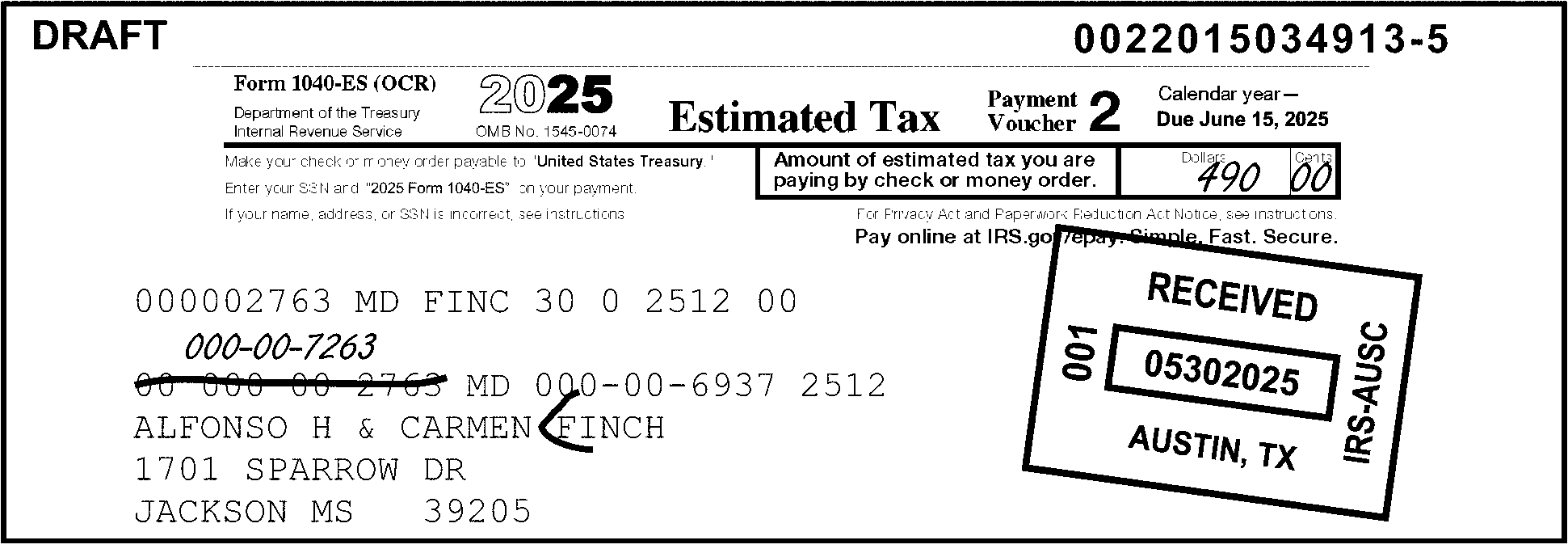
Pictured in Figure 3.11.10-30 is a Form 1040-ES (OCR) displaying an example of IRS Label - Long Entity Editing. This picture shows that the taxpayer drew a line through the incorrect SSN 000-00-2763, and wrote the correct SSN, 000-00-7263, directly above it The entity displays ALFONSO H & CARMEN FINCH, and a red (open) caret (<) is edited before the last name, Finch. OTHER INFORMATION: At the top of Form 1040-ES (OCR) are the following five (5) information blocks: Top line; First block: Form 1040-ES (OCR); Department of the Treasury - Internal Revenue Service. Top line; Second block: 2026 OMB No. 1545-0074. Top line; Third block: Estimated Tax. Top line, Fourth block: Payment Voucher 2. Top line, Fifth block: Calendar Year --- Due June 15, 2026. Directly above the fifth block (and the upper-right corner of the form is the typed DLN 0022015034913-6. Directly beneath the top (header) line are the following bullets of information (all flushed with the left margin of the form): Make your check or money order payable to United States Treasury. Enter SSN and 2026 Form 1040-ES on your payment. If your name, address or SSN is incorrect, see instructions. Directly to the right of the form (and across from the above three bullets is the following:Amount of Estimated tax you are paying by check or money order (followed by a box for entering the payment amount). Dollars and Cents box: $490.00 (Four-hundred ninety dollars and zero cents). Directly beneath the above-referenced lines and information is the following text: For Privacy and Paperwork Reduction Act Notice, see instructions. Directly beneath the above line is (in bold lettering): Pay online at IRS.gov/epay. Safe. Fast. Secure. The following line is the following string of alpha and numeric characters: 000002763 MD FINC 30 0 2612 00 Two (2) lines beneath the above-described string are the taxpayer’s information: 00 000-00-2763 MD 000-00-6937 2612. CODE AND EDIT: Edited a red check caret (<) before the taxpayers’ surname, FINCH.ALFONSO H & CARMEN FINCH (Taxpayers’ name)1701 SPARROW DRIVE (Taxpayers’ street address)JACKSON, MS 39205 (Taxpayers’ City, State and ZIP) IRS Received Date stamp reads as follows: RECEIVED 05292026; 001; AUSTIN, TX; IRS - AUSC No other information is on Figure 3.11.10-30.
Please click here for the text description of the image.
-
Edit an open bracket before the last name (surname). If a suffix such as Junior is present, edit a closed bracket after the last name. (See Figure 3.11.10-31.)
Figure 3.11.10-31
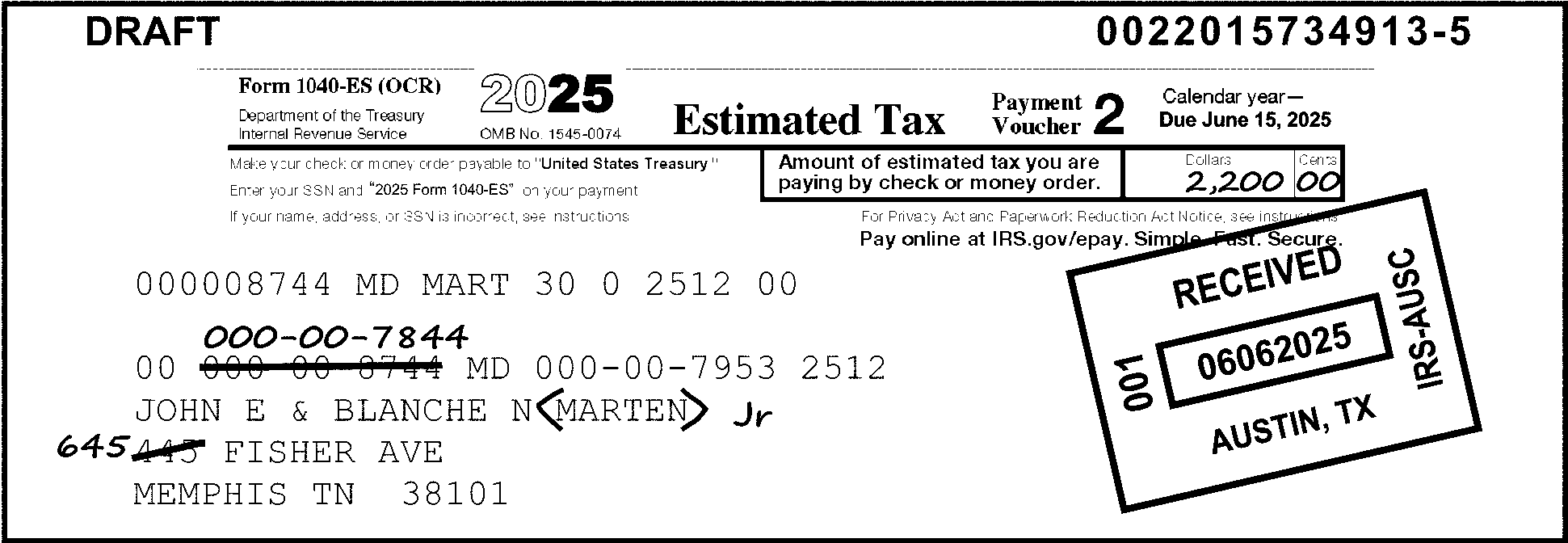
Pictured in Figure 3.11.10-31 is a Form 1040-ES (OCR) displaying an example of Long Entity Editing When a Suffix is Present.When a suffix is present, an open bracket (<) is entered before the last name (surname). Here, the picture shows the suffix, JR. is present. An open bracket (<) is entered before the last name, MARTEN, and a closed bracket (>) is edited after the last name and preceding the suffix JR.. The 1040-ES (OCR) shows the taxpayer has drawn a line through the street address number of 445, and the taxpayer wrote 645 directly to the left of the crossed-out number. The taxpayer has also lined through the Primary taxpayer's SSN of 000-00-8744 and wrote the correct SSN 000-00-7844 directly above it. The entity line displays JOHN E & BLANCH N. MARTEN, JR. with open and closed brackets drawn before and after the surname (last name) MARTEN, just before the suffix of JR. Data Conversion must enter these changes into the transcribed record. OTHER INFORMATION: At the top of Form 1040-ES are the following five (5) information blocks: Top line; First block: Form 1040-ES (OCR); Department of the Treasury - Internal Revenue Service. Top line; Second block: 2026 OMB No. 1545-0074. Top line; Third block: Estimated Tax. Top line, Fourth block: Payment Voucher 2. Top line, Fifth block: Calendar Year --- Due June 15, 2026. Directly above the fifth block (and the upper-right corner of the form is the typed DLN 0022015434913-6. Directly beneath the top (header) line are the following bullets of information (all flushed with the left margin of the form): Make your check or money order payable to United States Treasury. Enter SSN and 2026 Form 1040-ES on your payment. If your name, address or SSN is incorrect, see instructions. Directly to the right of the form (and across from the above three bullets is the following:Amount of Estimated tax you are paying by check or money order (followed by a box for entering the payment amount). Dollars and Cents box: $2,200.00 (Two thousand, two-hundred dollars and zero cents). Directly beneath the above-referenced lines and information is the following text: For Privacy and Paperwork Reduction Act Notice, see instructions. Directly beneath the above line is (in bold lettering): Pay online at IRS.gov/epay. Safe. Fast. Secure. The next line is the following string of alpha and numeric characters: 000008744 MD MART 30 0 2612 00 Two (2) lines beneath the above-described string are the taxpayer’s information: 00 000-00-8744 MD 000-00-7953 2612. Taxpayer drew a line through 000-00-8744 and wrote 000-00-7844 directly above it. CODE AND EDIT: Edited red open caret (<) before the surname MARTEN and a closed caret (>) after the surname and before the suffix, JR.JOHN E & BLANCHE N. MARTEN (Taxpayers’ name)645 FISHER AVENUE (Taxpayers’ NEW street address)MEMPHIS, TN 38101 (Taxpayers’ City, State and ZIP) IRS Received Date stamp reads as follows: RECEIVED 06052026; 001; KANSAS CITY, MO; IRS - KCSC No other information is on Figure 3.11.10-31.
Please click here for the text description of the image.
-
If the primary taxpayer name is crossed off the label, circle the primary name, SSN, and Check Digits. Edit for long entity using the secondary entity data. (See Figure 3.11.10-32.) If this situation occurs for the secondary taxpayer, delete the secondary name and SSN, and edit for partial entity. (See Figure 3.11.10-33.)
-
If the taxpayer is adding a spouse to the label and selects the addition is to be used as the primary SSN, circle out the Check Digits and edit for long entity.
Figure 3.11.10-32
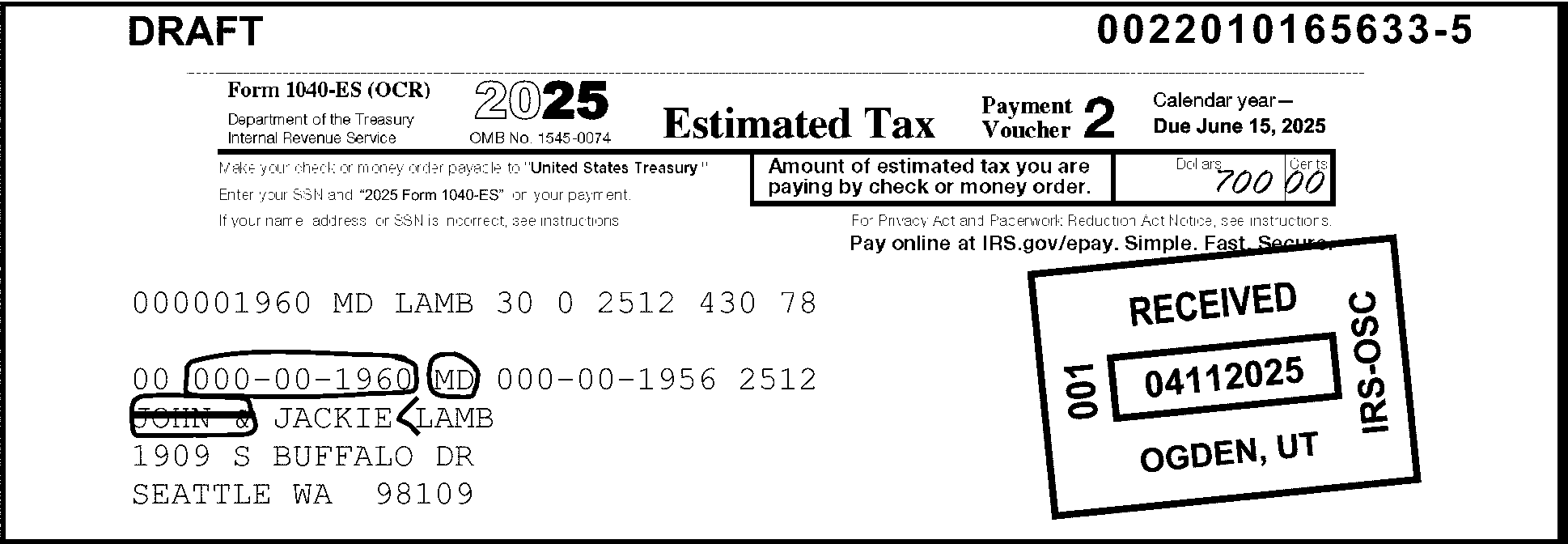
Pictured in Figure 3.11.10-32 is a Form 1040-ES (OCR) providing an example of Long Entity Editing when Primary Taxpayer is deleted.The Form 1040-ES (OCR) label was originally addressed to JOHN & JACKIE LAMB.The surviving (secondary) taxpayer drew a line through the Primary taxpayer’s name, JOHN. CODE AND EDIT:The Primary Taxpayer’s name, JOHN, his SSN, 000-00-1960, and the Check Digit, MD, are each circled (in red).on the label by tax examiners.Edited a caret (<) (in red) before the last name, LAMB, for long entity. Circled the primary taxpayer's SSN 000-00-1960 and the Check Digits MD following it.Circled the primary taxpayer's first name JOHN and the ampersand (&) before JACKIE (to show ISRP that his name is being deleted from the record)Tax examiner edited an open caret (<) before the last name LAMB on the label. When the primary taxpayer’s name is crossed off the label, Code and Edit examiners edit for Long Entity, using the secondary entity data and circle the primary name, SSN, and Check Digits.Data Conversion (ISRP) will transcribe the secondary taxpayer's name JACKIE LAMB, SSN and address information for this (Form 1040-ES (OCR)) record. OTHER INFORMATION: At the top of Form 1040-ES (OCR) are the following five (5) information blocks: Top line; First block: Form 1040-ES (OCR); Department of the Treasury - Internal Revenue Service. Top line; Second block: 2026 OMB No. 1545-0074. Top line; Third block: Estimated Tax. Top line, Fourth block: Payment Voucher 1. Top line, Fifth block: Calendar Year --- Due June 15, 2026. Directly above the fifth block (and the upper-right corner of the form is the typed DLN 0022015434913-6. Directly beneath the top (header) line are the following three (3) bullets of information (all flushed with the left margin of the form): Make your check or money order payable to United States Treasury. Enter SSN and 2026 Form 1040-ES on your payment. If your name, address or SSN is incorrect, see instructions. Directly to the right of the form (and across from the above-three bullets is the following:Amount of Estimated tax you are paying by check or money order (followed by a box for entering the payment amount). Dollars and Cents box: $2,200.00 (Two thousand two-hundred dollars and zero cents). Directly beneath the above-referenced lines and information is the following text: For Privacy and Paperwork Reduction Act Notice, see instructions. Directly beneath the above line is (in bold lettering): Pay online at IRS.gov/epay. Safe. Fast. Secure. The following line is the following string of alpha and numeric characters: 000001960 MD LAMB 30 0 2612 430 78 Two (2) lines beneath the above-described string are the taxpayer’s information: 00 000-00-1960 MD 000-00-1956 2612. Taxpayer drew a line through the Primary taxpayer’s name (and the ampersand (&) following it), JOHN &. CODE AND EDIT: Edited red open caret before the surname LAMB.JACKIE LAMB (Secondary Taxpayer’s name)1909 S. BUFFALO DRIVE (Secondary Taxpayer’s street address)SEATTLE, WA 98109 (Secondary Taxpayer’s City, State and ZIP) IRS Received Date stamp reads as follows: RECEIVED 04102026; 001; OGDEN, UT, IRS - OSC No other information is on Figure 3.11.10-32.
Please click here for the text description of the image.
Figure 3.11.10-33
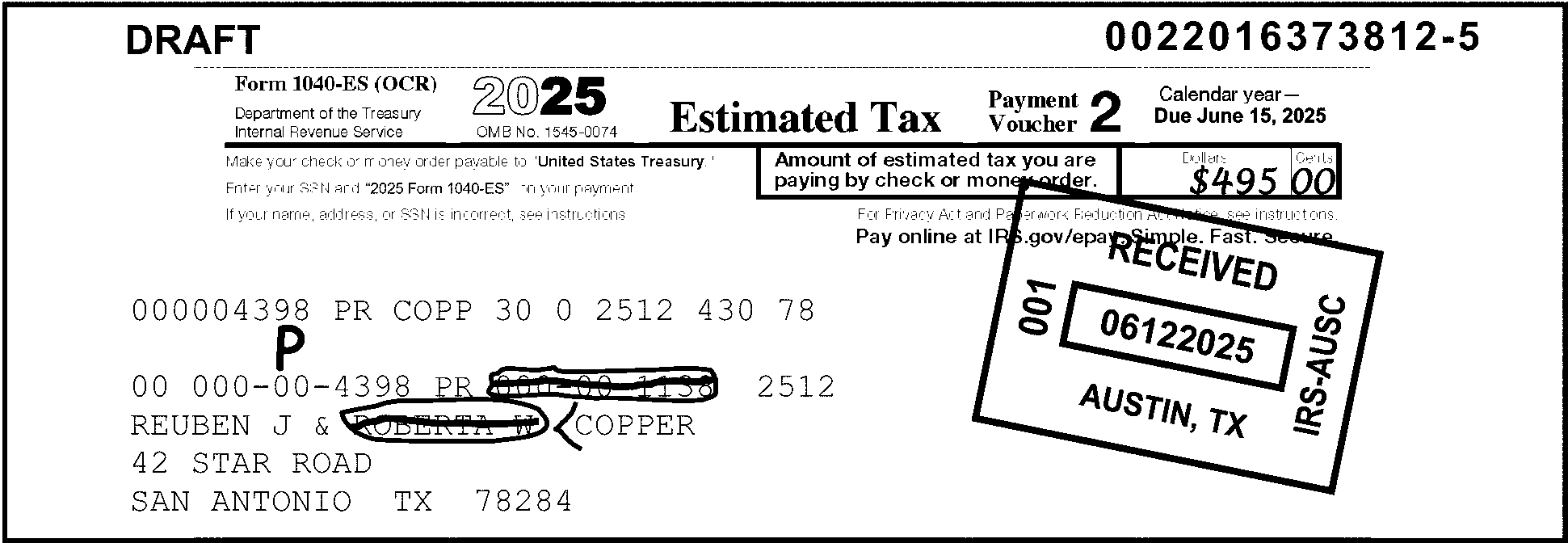
Pictured in Figure 3.11.10-33 is a Form 1040-ES (OCR) providing an example of Partial Entity Editing when the Secondary taxpayer is deleted. Form 1040-ES (OCR)submitted by Reuben J & Roberta W. Copper The surviving taxpayer drew lines through (i.e., crossing out) the Secondary taxpayer’s name, Roberta W. and her SSN (000-00-1138). Tax examiners circled the Secondary taxpayer’s name and her SSN, and bracketed the surname Copper with an open bracket (<) for partial entity (in red). Examiners also edited a red P above the Primary Taxpayer’s SSN: 000-00-4398. Data Conversion (ISRP) will transcribe the Primary taxpayer's name Reuben J. Copper, along with his SSN and address information for this (Form 1040-ES voucher) record. OTHER INFORMATION:At the top of Form 1040-ES (OCR) are the following five (5) information blocks:Top line; First block: Form 1040-ES (OCR); Department of the Treasury - Internal Revenue Service. Top line; Second block: 2026 OMB No. 1545-0074. Top line; Third block: Estimated Tax.Top line, Fourth block: Payment Voucher 2. Top line, Fifth block: Calendar Year --- Due June 15, 2026.Directly above the fifth block (and the upper-right corner of the form is the typed DLN 0022016373812-6. Directly beneath the top (header) line are the following three (3) bullets of information (all flushed with the left margin of the form): Make your check or money order payable to United States Treasury. Enter SSN and 2026 Form 1040-ES on your payment. If your name, address or SSN is incorrect, see instructions. Directly to the right of the form (and across from the above-three bullets is the following:Amount of Estimated tax you are paying by check or money order (followed by a box for entering the payment amount). Dollars and Cents box: $495.00 (Four hundred Ninety-five dollars and zero cents).Directly beneath the above-referenced lines and information is the following text: For Privacy and Paperwork Reduction Act Notice, see instructions. Directly beneath the above line is (in bold lettering): Pay online at IRS.gov/epay. Safe. Fast. Secure.The following line is the following string of alpha and numeric characters: 000004398 PR COPP 30 0 2612 430 78 Two (2) lines beneath the above-described string are the taxpayer’s information: 00 000-00-4398 PR 000-00-1138 2612. Primary taxpayer drew a line through the Secondary taxpayer’s name ROBERTA W. and SSN 000-00-1138 to read as REUBEN J. COPPER. CODE AND EDIT: Examiners edited a red P above the Primary Taxpayer’s SSN. 000-00-4398 and drew red circles around the Secondary Taxpayer’s Name and SSN (to let Data Conversion know the Secondary taxpayer’s name and SSN are to be deleted from the record). Examiners edited an open caret (<) in red before the surname COPPER.The taxpayer’s record is changed to read as follows:REUBEN J. COPPER (Primary Taxpayer’s name)42 STAR ROAD (Primary Taxpayer’s Street Address)SAN ANTONIO, TX 78284 (Primary Taxpayer’s City, State and ZIP) IRS Received Date stamp reads as follows: RECEIVED 06122026; 001; AUSTIN, TX, IRS - AUSC No other information is on Figure 3.11.10-33.
Please click here for the text description of the image.
3.11.10.10 (01-01-2016)
Editing of Form 1040-ES Without IRS Label
- When editing a Form 1040-ES document without an IRS label, changes may be required for various reasons, to either the name line, social security number, and or the address.
3.11.10.10.1 (01-01-2024)
Name Line
-
When editing the name line of a Form 1040-ES document without an IRS label, edit an open bracket before the taxpayer's last name (surname).
-
If the voucher is jointly filed and the last names are different, edit brackets around the primary taxpayer's surname. For example, John E. (Holly) & Mary J. Palm. (See Figure 3.11.10-34.)
Figure 3.11.10-34
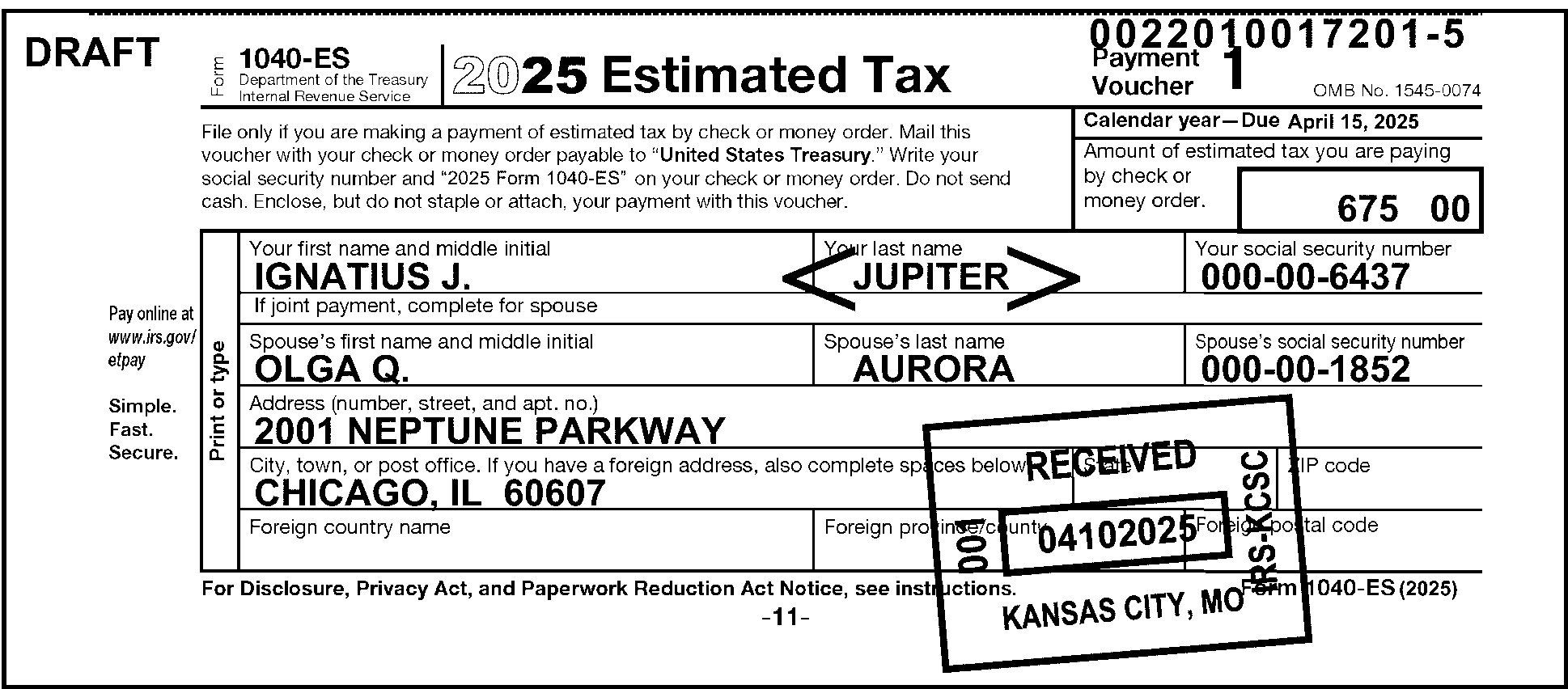
Pictured in Figure 3.11.10-34 is a Form 1040-ES providing an example of Name Line Editing when there is no IRS label.The taxpayers are Ignatius J. Jupiter. and Olga Q. Aurora.Please note here that the primary and secondary taxpayers do not share the same last name (surname). If the voucher is jointly filed and the last names are different, edit brackets around the primary taxpayer's surname.The primary taxpayer's name is Ignatius J. Jupiter., and his SSN is 000-00-6437.The secondary taxpayer's name is Olga Q. Aurora., and her SSN is 000-00-1852. CODE AND EDIT: Code and Edit examiners bracketed with open (<) and closed (>) brackets before and after the Primary Taxpayer’s last name . Data Conversion (ISRP) will transcribe the Primary taxpayer's name Ignatius J. Jupiter, along with his SSN and address information for this (Form 1040-ES voucher) record. The last name (surname) of the primary taxpayer (Jupiter) is bracketed with open (<) and closed (>) brackets before and after the Primary Taxpayer’s last name . Data Conversion (ISRP) will transcribe the Primary taxpayer's name Ignatius J. Jupiter, along with his SSN and address information for this (Form 1040-ES voucher) record. The Secondary taxpayer’s name and SSN are not edited nor transcribed for this record.The taxpayer’s record is changed to read as follows:IGNATIUS J. JUPITER (Primary Taxpayer’s name)2001 NEPTUNE PARKWAY (Primary Taxpayer’s Street Address)CHICAGO, IL 60607 (Primary Taxpayer’s City, State and ZIP) IRS Received Date stamp reads as follows: RECEIVED 04102026; 001; KANSAS CITY, MO, IRS - KCSC No other information is on Figure 3.11.10-34.
Please click here for the text description of the image.
-
If the taxpayer's last name is shown first, arrow it to appear last. (See Figure 3.11.10-35.)
Figure 3.11.10-35
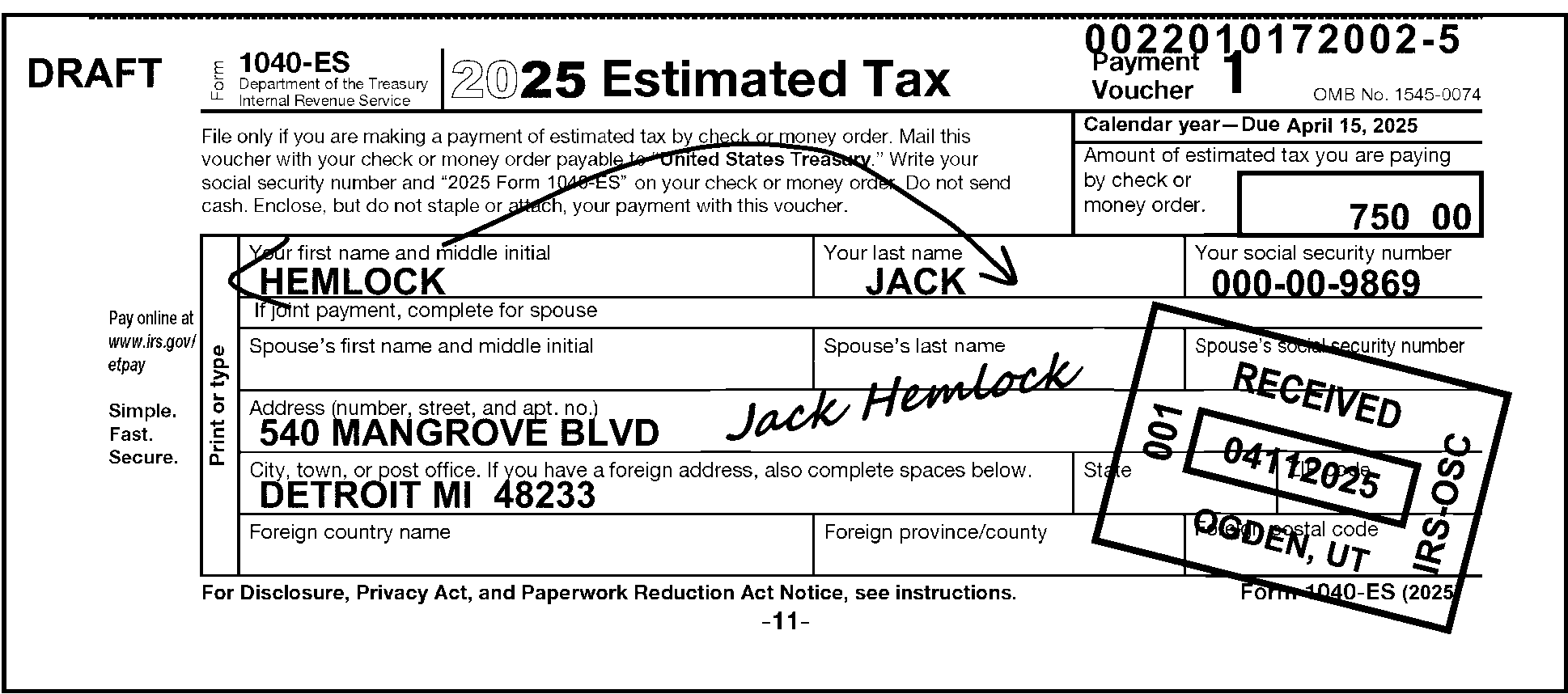
Pictured in Figure 3.11.10-35 is a Form 1040-ES displaying an example of Name Line Editing when the taxpayer’s last name is entered first. The picture displays the taxpayer's last name Hemlock before his first name Jack on the Form 1040-ES voucher. (The taxpayer wrote Hemlock in the First Name box and Jack in the Last Name box.) The tax examiner draws a red arrow from the taxpayer's last name Hemlock over to the end of the taxpayer's first name Jack. Jack Hemlock is written (in longhand/cursive possibly by the taxpayer to clarify what his name is The Document Locator Number (DLN) of this record is 0022010172022-6.CODE AND EDIT The tax examiner edits (in red) an open bracket (<) before Hemlock for the first four letters for the Name Control HEML. After the editing is completed, Data Conversion (ISRP) enters the taxpayer’s name, SSN and address in the voucher/record. CODE AND EDIT: Code and Edit examiners bracketed with an open (<) bracket before Taxpayer’s last name Hemlock. Data Conversion (ISRP) will transcribe the Primary taxpayer's name Jack Hemlock, along with his SSN and address information for this (Form 1040-ES voucher) record.The taxpayer’s record is changed to read as follows:JACK HEMLOCK (Taxpayer’s name)540 MANGROVE BLVD. (Taxpayer’s Street Address)DETROIT, MI 48233 (Taxpayer’s City, State and ZIP) IRS Received Date stamp reads as follows: RECEIVED 04102026; 001; OGDEN, UT, IRS - OSC No other information is on Figure 3.11.10-35.
Please click here for the text description of the image.
-
Edit the name line to 35 characters by using the initials for middle names, if necessary.
-
Always underline the second name line (AIL), i.e., c/o name. (See Figure 3.11.10-36.)
Note:
"AIL" stands for "Additional Information Line."
Figure 3.11.10-36
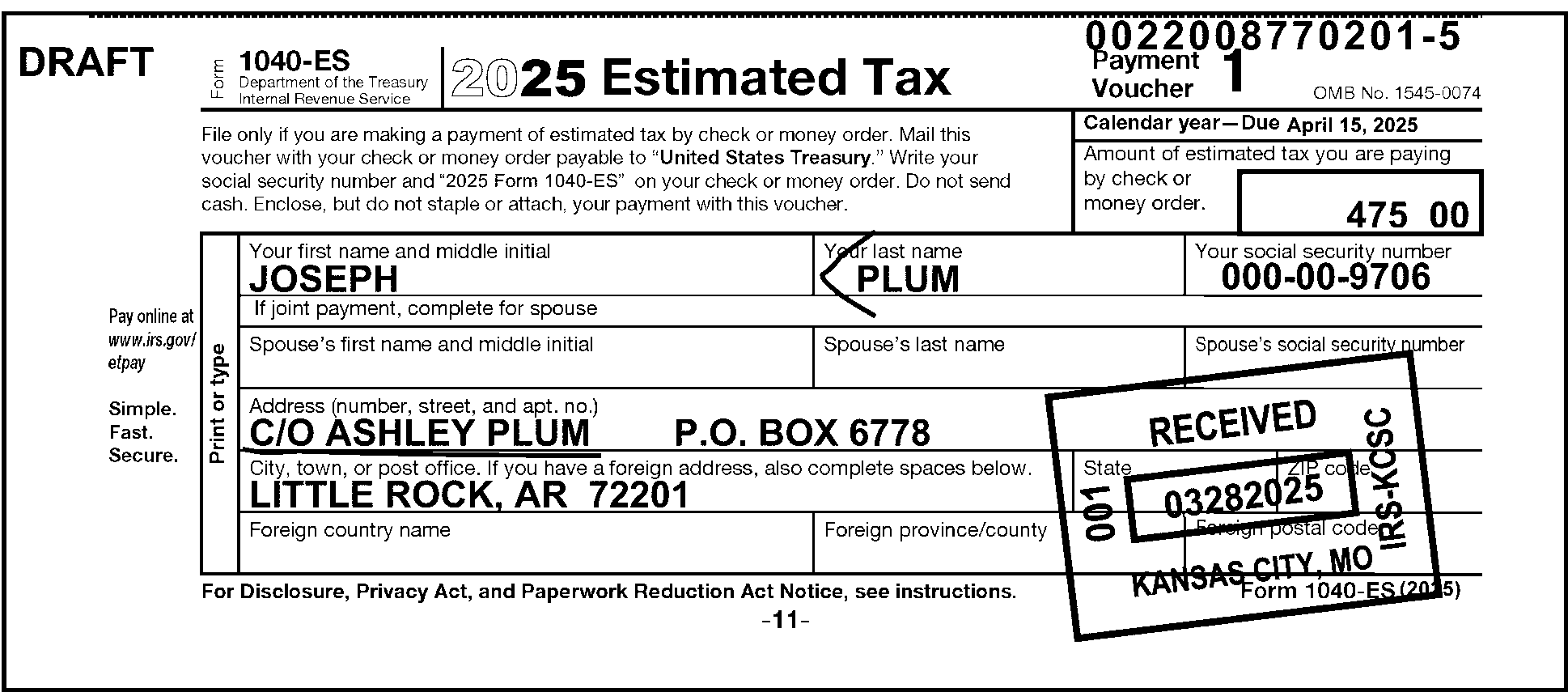
Pictured in Figure 3.11.10-36 is a Form 1040-ES providing an example of Second Name Line editing when there is no IRS label. The Form 1040-ES voucher is displayed as Joseph Plum c/o Ashley Plum. The first name line is displayed as Joseph Plum. The Document Locator Number (DLN) of this record is 00220087702010-6. CODE AND EDIT A tax examiner edits an open bracket (<) (in red) before PLUM (establishing the Name Control). The Spouse’s First Name Line, Last Name line, and Social Security Number (SSN) boxes are all blank.The Address (number, street and apt. number) line contains the following information: c/o Ashley Plum, P. O. Box 6778, Little Rock, AK 70221)(In Care of Name), is underlined in red, to read as c/o Ashley Plum is underlined on the address line of the Form 1040-ES. Data Conversion will enter Joseph Plum c/o Ashley Plum, his SSN, and her Post Office Box address, City, State, and ZIP Code (i.e., P. O. Box 6778, Little Rock, AK 70221).The taxpayer’s record is changed to read as follows:JOSEPH PLUM C/O ASHLEY PLUM (Taxpayer’s name)P. O. BOX 6778 (Taxpayer’s Address)LITTLE ROCK, AK 72201 (Taxpayer’s City, State and ZIP) IRS Received Date stamp reads as follows: RECEIVED 03272026; 001; KANSAS CITY, MO, IRS - KCSCc No other information is on Figure 3.11.10-36.
Please click here for the text description of the image.
-
If the taxpayer enters an EIN instead of an SSN, edit Action Code 320 (Entity Control) in the bottom margin of the voucher.
-
If Form 1040-ES is being used for an Estate, Trust or Corporation it must be rejected to be renumbered. Edit Action Code 611 (Remittance Renumber) in the bottom margin of the voucher. (See Figure 3.11.10-37.)
Figure 3.11.10-37
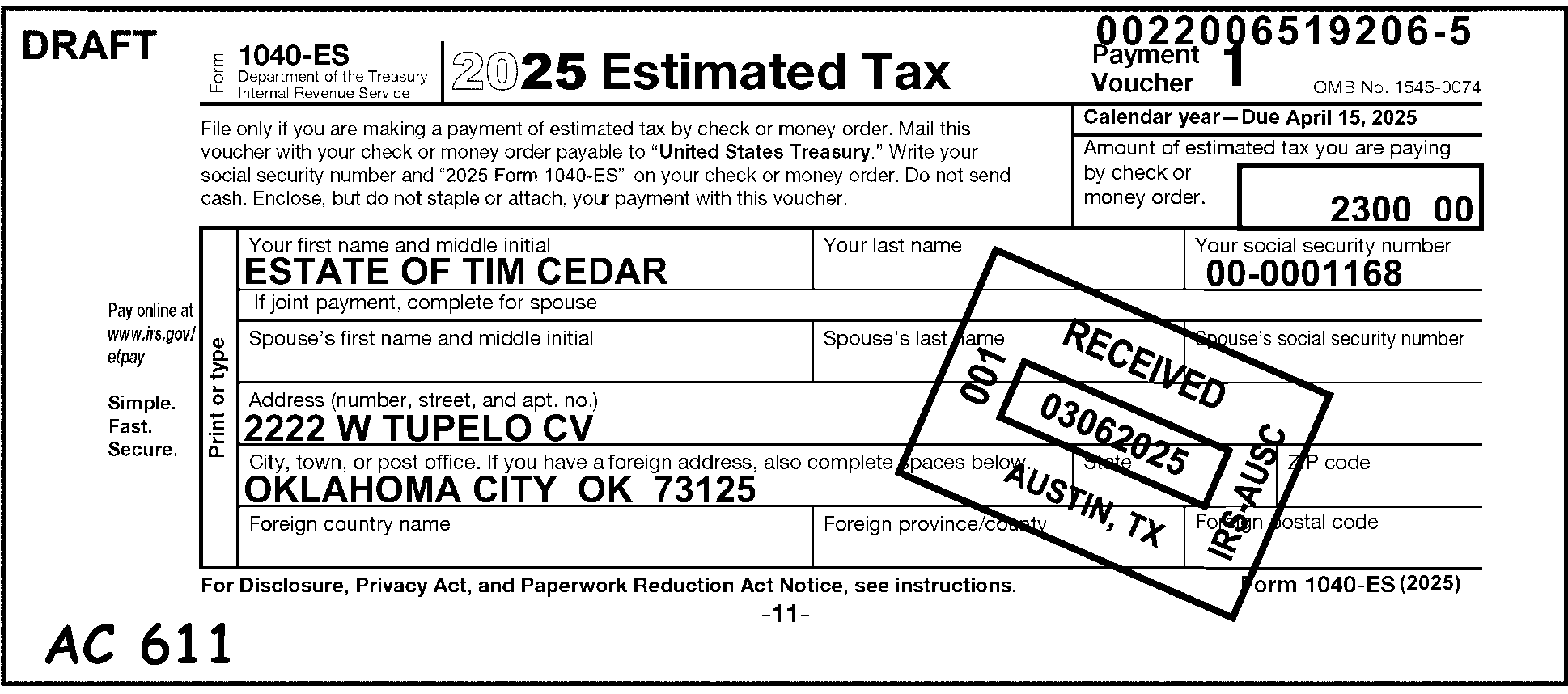
Pictured in Figure 3.11.10-37 is a Form 1040-ES providing procedures for what to do if the Form 1040-ES was being used for an Estate. This Form 1040-ES was submitted by THE ESTATE OF TIM CEDAR. If Form 1040-ES is being used for an Estate, Trust, or Corporation, it must be rejected to be renumbered. Edit Action Code 611 (Remittance Renumber) in the bottom margin of the voucher. This picture displays an Action Code (A/C) 611 edited (in red) by a tax examiner in the lower left margin of the Form 1040-ES. OTHER INFORMATION The Document Locator Number (DLN) of this record is 0022006519206-6.The taxpayer’s Employee Identification Number is 00-0001168.Data Conversion will transcribe the following information to the taxpayer’s record to read as follows:ESTATE OF TIM CEDAR (Taxpayer’s name)2222 W TUPELO CV (Taxpayer’s Address)OKLAHOMA CITY, OK 73125 (Taxpayer’s City, State and ZIP) IRS Received Date stamp reads as follows: RECEIVED 03-06-2026; 001; KANSAS CITY, MO, IRS - KCSC Figure 3.11.10-37 displays a Form 1040-ES with an A/C 611, to be renumbered for BMF Processing. No other information is on Figure 3.11.10-37.
Please click here for the text description of the image.
3.11.10.10.2 (01-01-2024)
Deceased Taxpayers
-
If there is an indication that either the primary taxpayer or spouse died during the current year, i.e., date of death given or "decd" written after the taxpayer's name on a IRS pre-printed label, edit "DECD" after the taxpayer's given name on a joint caption voucher or after the surname on a single caption voucher. Close bracket the last name on a single caption voucher. (See Figure 3.11.10-38.)
Figure 3.11.10-38
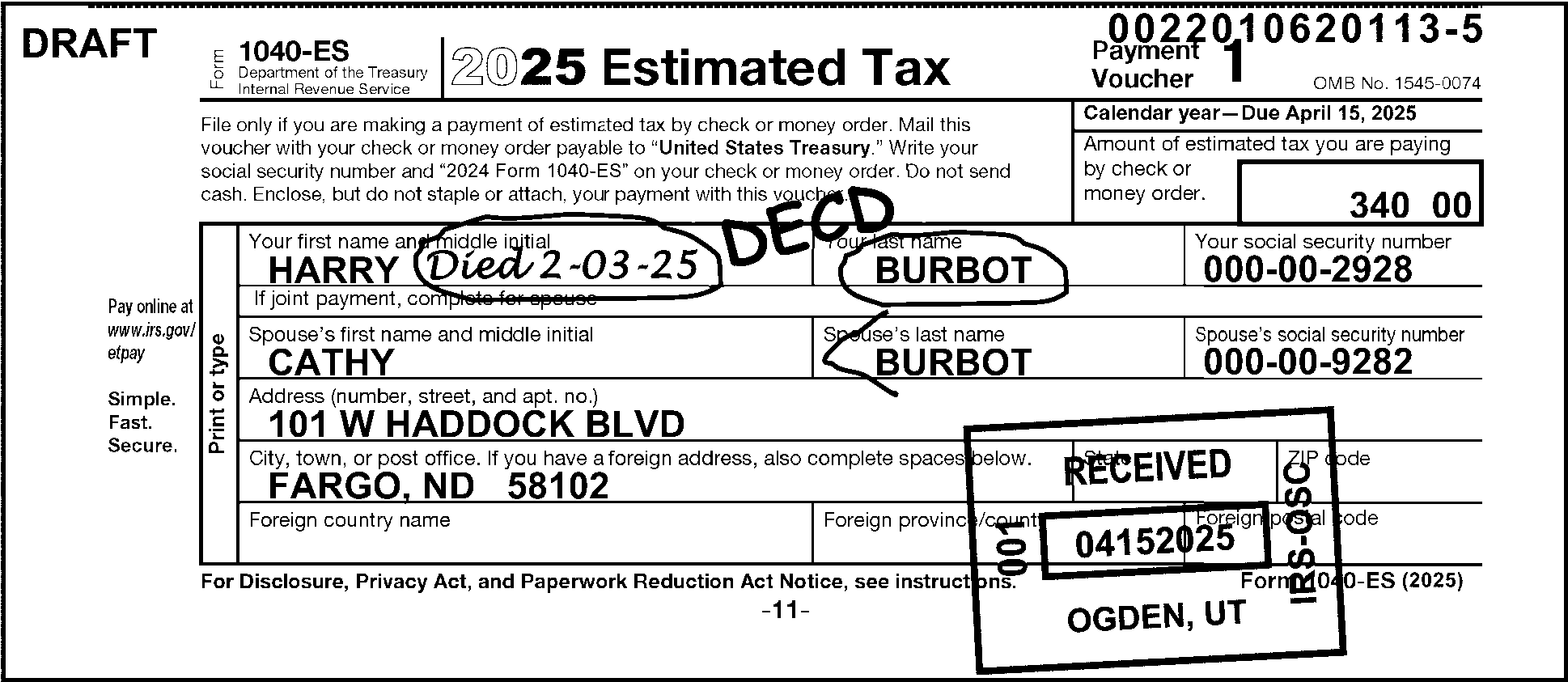
Pictured in Figure 3.11.10-38 is a Form 1040-ES providing an example of Deceased Taxpayer editing. Figure 3.11.10-38 displays a joint Form 1040-ES filed by Harry and Cathy Burbot. The first Name Line of the Form 1040-ES displays Harry Burbot’s name and his SSN (000-00-2928). The first Name Line also has an indication (after his first name) of Harry’s death (Died 2-03-2025). In this figure, an examiner edited the notation DECD in red, after the taxpayer's (i. e., Harry’s) first or given name. The examiner circled the decedent’s Date of Death (Died 2-03-2025) and the deceased taxpayer's (i. e., Harry’s) surname (i.e., last name). The Second Name Line of the Form 1040-ES displays Cathy Burbot’s (i.e., surviving spouse’s) name and her SSN (000-00-9282). In this example, the examiner edits an open bracket (<) before the surviving spouse’s last name.Data Conversion (ISRP) will remove references to Mr. Burbot (i.e., his name and SSN) from the taxpayers’ record and transcribe the voucher/record under the surviving spouse’s name (Cathy Burbot). OTHER INFORMATION The Document Locator Number (DLN) of this record is 0022010720113-6.The surviving taxpayer’s (Cathy Burbot’s) Social Security Number is 000-00-9282. Data Conversion will transcribe the following information to the taxpayer’s record to read as follows:CATHY BURBOT (Taxpayer’s name)101 W HADDOCK BLVD. (Taxpayer’s Address)FARGO, ND 58102 (Taxpayer’s City, State and ZIP) IRS Received Date stamp reads as follows: RECEIVED 04152026; 001; KANSAS CITY, MO, IRS - KCSC No other information is on Figure 3.11.10-38.’s)
Please click here for the text description of the image.
-
Edit any legal representative name if present to the second name line and underline it. (See Figure 3.11.10-39.)
Figure 3.11.10-39
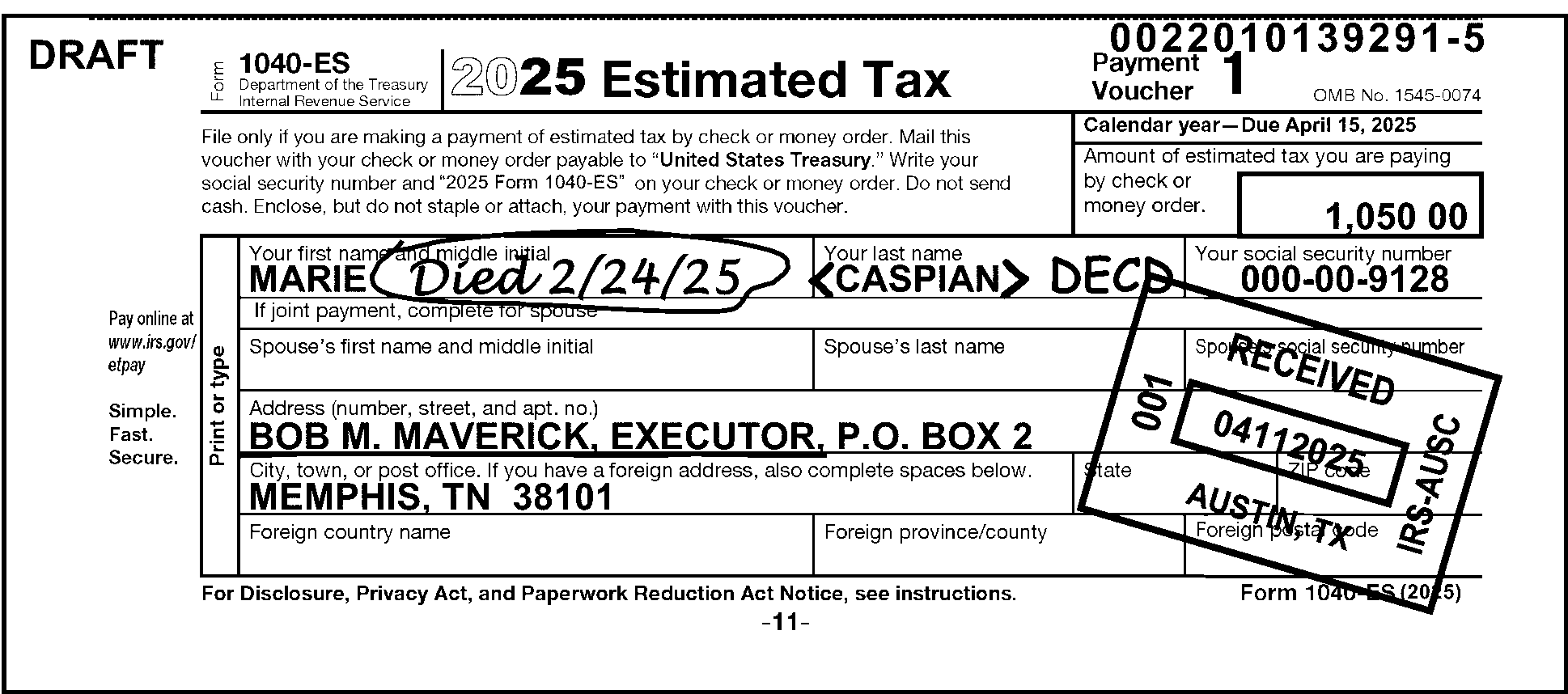
Pictured in Figure 3.11.10-39 is a Form 1040-ES providing an example of Deceased Taxpayer—Legal Representative Editing. The name line displays Marie Caspian and her Social Security Number (000-00-9128) The notation, Died 2/24/2026 is circled in red after Marie Her last name, Caspian, is bracketed with open (<) and closed (>) brackets in red The notation, DECD, is edited in red in the space between Marie’s surname, Caspian, and before her SSN, 000-00-9128 The secondary or spouse’s name line (i.e., Spouse’s First name, Spouses’s Last name and Spouse’s SSN) is blankBob M. Maverick, Executor, P. O. Box 2 is printed on the Address (number, street, and apt. no) lineBob M. Maverick, Executor, is underlined in redMemphis, TN 38101, is on the City, State and ZIP Code line IRM procedures state to Edit any legal representative name if present to the second name line and underline it. Data Conversion (ISRP) will transcribe Ms. Caspian’s Form 1040-ES and enter the changes (including the Executor’s information) into this voucher/record. OTHER INFORMATION: At the top of Form 1040-ES are the following five (5) information blocks:Top edge (Form 1040-ES), right corner: Document Locator Number (DLN): 0022010139291-6. First line; First block: Form 1040-ES; Department of the Treasury - Internal Revenue Service. First line, Second block: 2026 Estimated Taxc. First line, Third block: Payment Voucher 1 and 2026 OMB No. 1545-0074. Beneath the above-described line is the following paragraph: File only if you are making a payment of estimated tax by check or money order. Mail this voucher with your check or money order payable to “United States Treasury.” Write your Social Security Number and “2026 Form 1040 ES” on your check or money order. Do not send cash. Enclose, but do not staple or attach, your payment with this voucher. The following two (2) boxes are located to the right of the above-described paragraph.Calendar Year --- Due April 18, 2026, and,.An (inner) box labeled, Amount of estimated tax you are paying by check or money order: 1,050.00 (One Thousand Fifty Dollars and zero cents). Directly beneath the above-described lines are the following taxpayer information: In the left margin (and to the left of the taxpayer’s name, address and City, State and Zip Code lines are the following:Pay on line at www.irs.gov/elpay, (space) and Simple. Fast. Secure. On the left, bordering the Taxpayers’ Name, Address and City, State and Zip Code lines: Print or Type. The name line displays Marie Caspian Died 02/24/2026 Caspian DEC’D and her Social Security Number (000-00-9128) Code and Edit circles (in red) the notations, Died 2/24/2026 is circled in red after Marie in the Your name and middle initial box. Her last name, Caspian, is bracketed with open (<) and closed (>) brackets in red The notation, DECD, is edited in red in the space between Marie’s surname, Caspian, in the Your last name box and before her SSN, 000-00-9128 in the Your Social Security Number box. The secondary or spouse’s name line (i.e., Spouse’s First name, Spouses’s Last name and Spouse’s SSN) contains no entries and all items on that line are blank.Bob M. Maverick, Executor, P. O.. Box 2 is printed on the Address (number, street, and apt. no) line.Bob M. Maverick, Executor, is underlined in red.Memphis, TN 38101, is on the City, State and ZIP Code line. Beneath the City, State and ZIP Code line are the Foreign Country Name and Foreign Province/County line (2 boxes on that same line). In the bottom margin, beneath the Foreign information line are the notations For Privacy Act and Paperwork Reduction Act Notice, see instructions (flushed with the form’s left margin) and Form 1040-ES (2026) (flushed with the form’s fight margin). IRS Received Date stamp reads as follows: RECEIVED 04102026; 001; KANSAS CITY, MO, IRS - KCSC No other information is on Figure 3.11.10-39.
Please click here for the text description of the image.
-
If there is an indication that the primary taxpayer died prior to the current year or is crossed off an IRS pre-printed label by the taxpayer, delete the primary SSN, name, and Check Digits. Edit for long entity and edit the secondary SSN to the primary SSN block.
-
If there is an indication that the secondary taxpayer died prior to the current year or is crossed off the label, circle out the secondary SSN and name. Edit for partial entity.
-
If the date of death is not shown, treat the same as a current year death.
3.11.10.10.3 (01-01-2016)
Social Security Numbers (SSNs)
-
SSNs must be 9 numeric digits in an SSN format, XXX-XX-XXXX. The valid ranges for the first 3 digits of the SSN are 001–899.
-
If the primary SSN begins with a "9" (in an SSN format) this is an indication of a temporarily assigned identification number:
-
ITIN - the 4th and 5th digit for an ITIN will range between 50-65, 70-88, 90-92 or 94-99; or
-
IRS Number (IRSN) - the 4th and 5th digit for an IRSN will be 01, 02, 03, 04, 05, 06, 07, 08, 09, 10, 17, 18, 19, 28, 29, 37, 38, 39, 49, 66, or 89, depending on the campus which issued it.
Note:
For more information regarding IRSN, see IRM 3.13.5, Campus Document Services - Individual Master File (IMF) Account Numbers
-
-
If the primary SSN is invalid or missing, search the document and attachments for another valid SSN, and edit it in the proper position for transcription.
-
If a valid SSN is not present, request IDRS research using Command Code (CC) NAMEI/NAMES for the name and address on the voucher. If an SSN can't be found through research, edit Action Code 320 (Entity Control) in the bottom margin of the voucher.
3.11.10.10.4 (01-01-2016)
Address Editing
-
If an Air/Army Post Office (APO)/Fleet Post Office (FPO)/Diplomatic Post Office (DPO) address appears on the street address line, circle it and edit the 5-digit zip code into the zip code area.
-
Form 1040-ES vouchers due in January, with only an address change (street, city, state, ZIP) will be edited as short entity. The address change will be perfected when Form 1040 is filed.
-
If home address is missing, search attachments and edit if found.
-
The Postal Service established new address requirements for APO/FPO addresses. If the old address appears (i.e., APO New York, NY 091XX) it must be converted to the new state code abbreviation based on the Zip Code (i.e., the previous example would be converted to APO AE 091XX). "APO" or "FPO" only in the city name.
Designation State Code Geographic Location ZIP Code Range APO/FPO AA Americas 340XX APO/FPO AE Europe 090XX–098XX APO/FPO AP Pacific 962XX–966XX -
Foreign Address—If a foreign address is found on a document in any campus other than the Austin Campus, process as short entity.
-
Austin Campus only—Edit the foreign country in the city and state field with a slash (/) before and after the country, followed by a $.
-
Underline the Address as the AIL.
-
Edit the foreign country with a slash (/) before and after the country followed by a dollar sign ($).
Example:
/Country/$
-
-
See IRM 3.21.3, Individual Income Tax Returns, for more instructions on editing an AIL, foreign address and country abbreviation.
3.11.10.11 (01-01-2016)
Relationship Tables
-
See Exhibit 3.11.10-1, Valid Tax Class---BMF/IMF MFT Code Transaction Codes---Tax Period Tables, through Exhibit 3.11.10-3, Valid Transaction Codes (TCs) By MFT, to illustrate the valid relationships throughout Project 710--Revenue Receipts.
-
The Valid Tax Class-MFT Codes—Tax Period Table (see Exhibit 3.11.10-1, Valid Tax Class--BMF/IMF MFT Code---Tax Period Tables, illustrates the different taxes which are processed through Revenue Receipts. It also illustrates the valid tax class, tax return identification (number), MFT code, the tax period ending, format code and the earliest ending tax period.
-
The Valid Transaction Codes—Document Codes Table (see Exhibit 3.11.10-2, Valid Transaction Codes---Document Codes Table, lists all valid combinations of the transaction codes with document codes as they relate to Revenue Receipts.
-
The Valid Transaction Code—MFT Code Table (see Exhibit 3.11.10-3, Valid Transaction Codes (TCs) By MFT, lists all valid combinations of the transaction codes with MFT codes as they relate to Revenue Receipts.
-
The Julian Date Calendar, Perpetual and Leap Year (see Exhibit 3.11.10-4) lists the entire list of three-digit numbers assigned to the individual days of the year for the correct perpetual calendar. The numbers range from 001 to 365 for a 365-day Perpetual calendar year (or from 001 to 366, for the correct leap year calendar). This exhibit provides cross reference chart information by month and date to decide the Julian Date for the sixth, seventh, and eighth digits for in the processing document's DLN.
-
Exhibit 3.11.10-1
Valid Tax Class—BMF/IMF MFT Codes—Tax Period Tables
The following table shows the valid tax class, MFT code and tax period of the BMF Master File (BMF) forms information processed through Revenue Receipts. The table lists the following items: the BMF Master File Form Number; the MFT Code; the Tax Class; the Document Code; the Tax Period Ending Month (MM); the tax Year Format, such as YYYYMM; and the earliest Ending Tax Period.
VALID TAX CLASS--BMF MFT CODES--TAX PERIOD TABLE
| BMF FORM NUMBER | MFT CODE | TAX CLASS | DOC CODE | TAX PERIOD ENDING (MM) | TAX YEAR FORMAT CODE | EARLIEST ENDING TAX PERIOD |
|---|---|---|---|---|---|---|
| CT-1 | 09 | 7 | 11 | 03, 06, 09, 12 (Prior to 197601) | YYYYMM | 196203 |
| CT-1 | 09 | 7 | 11 | 12 (197612 and after) | YYYY12 | 197612 |
| 11 | 61 | 4 | 11 | 01 - 12 | YYYYMM | N/A |
| 11-B | 62\\ | 4 | N/A | 01 - 12 | YYYYMM | N/A |
| 11-C | 63\\\* | 4 | 03 | 01 - 12 | YYYYMM | 196101 |
| 706 | 52 | 5 | 06 | 00 | 000000 | 198212 |
| 706GS(D) | 78\* | 5 | 59 | 12 | YYYY12 | 198612 |
| 706GS(T) | 77 | 5 | 29 | 12 | YYYY12 | 198612 |
| 706NA | 52 | 5 | 05 | 00 | 000000 | N/A |
| 709 | 51 | 5 | 09 | 12 (Prior to 197101) | YYYY12 | 196112 |
| 709 | 51 | 5 | 09 | 03, 06, 09, 12 (After 197012 and Prior to 198201) | YYYYMM | 197103 |
| 709 | 51 | 5 | 09 | 12 (After 198112) | YYYY12 | 198212 |
| 709-NA | 51 | 5 | 08 | 12 (After 202312) | YYYYMM | 202412 |
| 720 | 03 | 4 | 20 | 03, 06, 09, 12 | YYYYMM | 196203 |
| 730 | 64\\\* | 4 | 13 | 01 - 12 | YYYYMM | 196101 |
| 940 | 10 | 8 | 39, 40 | 12 | YYYY12 | 196112 |
| 940-EZ | 10 | 8 | 38 | 12 | YYYY12 | 198912 |
| 940-EZ(V) | 10 | 8 | 70, 76 | 12 | YYYY12 | 199112 |
| 940PR | 10 | 8 | 40 | 12 | YYYY12 | 196112 |
| 940-V | 10 | 8 | 70, 76 | 12 | YYYY12 | 199112 |
| 941 | 01 | 1 | 41 | 03, 06, 09, 12 | YYYYMM | 196203 |
| 941 | 01 | 1 | 41 | 03, 06, 09, 12 | YYYYMM | 0000\\\* |
| 941 FEDTAX | 01\\\* | 1 | 19 | 03, 06, 09, 12 | YYYYMM | 199203 |
| 941PR | 01 | 1 | 41 | 03, 06, 09, 12 | YYYYMM | 196203 |
| 941SS | 01 | 1 | 41 | 03, 06, 09, 12 | YYYYMM | 196203 |
| 941V | 01 | 1 | 70 | 03, 06, 09, 12 | YYYYMM | 199103 |
| 943 | 11 | 1 | 43 | 12 | YYYY12 | 196112 |
| 943PR | 11 | 1 | 43 | 12 | YYYY12 | 196112 |
| 943-SS | 11 | 1 | 43 | 12 | YYYY12 | 196112 |
| 943-V | 11 | 1 | 70, 76 | 12 | YYYY12 | 199112 |
| 944 | 14 | 1 | 17, 19 | 12 | YYYY12 | 200612 |
| 945 | 16 | 1 | 44 | 12 | YYYY12 | 199412 |
| 945-V | 16 | 1 | 70, 76 | 12 | YYYY12 | 199412 |
The following table is a continuation showing the valid tax class, MFT code and tax period of the forms information processed through Revenue Receipts. The table lists the following items: the BMF Master File Form Number; the MFT Code; the Tax Class; the Document Code; the Tax Period Ending Month (MM); the Tax Year Format, such as YYYYMM; and the earliest Ending Tax Period.
VALID TAX CLASS--BMF MFT CODES--TAX PERIOD TABLE
| BMF FORM NUMBER | MFT CODE | TAX CLASS | DOC CODE | TAX PERIOD ENDING (MM) | TAX YEAR FORMAT CODE | EARLIEST ENDING TAX PERIOD |
|---|---|---|---|---|---|---|
| 990 | 67 | 4 | 90, 09 | 01 - 12 | YYYYMM | 197012 |
| 990-C | 02 | 3 | 92 | 01 - 12 | YYYYMM | 196112 |
| 990-EZ | 67 | 4 | 09 | 01 - 12 | YYYYMM | 197012 |
| 990-PF | 44 | 4 | 91 | 01 - 12 | YYYYMM | 197001 |
| 990-T | 34 | 3 | 93 | 01 - 12 | YYYYMM | 196112 |
| 1041 | 05 | 2 | 44 | 01 - 12 | YYYYMM | 196112 |
| 1041-ES | 05 | 2 | 17, 19 | 01 - 12 | YYYYMM | 198712 |
| 1041-A | 36 | 4 | 81 | 01 - 12 | YYYYMM | 197012 |
| 1042 | 12 | 1 | 25 | 12 | YYYY12 | 198512 |
| 1065 | 06 | 2 | 65 | 01 - 12 | YYYYMM | 196112 |
| 1066 | 07 | 3 | 60 | 12 | YYYY12 | 198712 |
| 1120 | 02 | 3 | 10, 11 | 01 - 12 | YYYYMM | 196112 |
| 1120-A | 02 | 3 | 09 | 01 - 12 | YYYYMM | 196112 |
| 1120-C | 02 | 3 | 92 | 01 - 12 | YYYYMM | 196112 |
| 1120-F | 02 | 3 | 66, 67 | 01 - 12 | YYYYMM | 196112 |
| 1120FSC | 02 | 3 | 07 | 01 - 12 | YYYYMM | 196112 |
| 1120-ND | 02 | 3 | 08 | 01 - 12 | YYYYMM | 196112 |
| 1120PC | 02 | 3 | 13 | 01 - 12 | YYYYMM | 198701 |
| 1120REIT | 02 | 3 | 12 | 01 - 12 | YYYYMM | 198701 |
| 1120RIC | 02 | 3 | 05 | 01 - 12 | YYYYMM | 198701 |
| 1120-S | 02 | 3 | 16 | 01 - 12 | YYYYMM | 196112 |
| 1120SF | 02 | 3 | 06 | 01 - 12 | YYYYMM | 198408 |
| 2290 | 60\\\* | 4 | 95 | 01 - 12 | YYYYMM | 196101 |
| 4638 | 58\* | 4 | N/A | 01 - 12 | YYYYMM | 197007 |
| 4720 | 50 | 4 | 71 | 01 - 12 | YYYYMM | 197001 |
| 5227 | 37 | 4 | 83 | 01 - 12 | YYYYMM | 197001 |
| 5330 | 76 | 4 | 35 | 01 - 12 | YYYYMM | 198412 |
| 5500 | 74 | 4 | 17, 19, 51 | 01 - 12 | YYYYMM | 199101 |
| 8038 | 46 | 3 | 61 | 01 - 12 | YYYYMM | 198412 |
| 8038-G | 46 | 3 | 62 | 01 - 12 | YYYYMM | 198412 |
| 8038-GC | 46 | 3 | 72 | 01 - 12 | YYYYMM | 198412 |
| 8038-T | 46 | 3 | 74 | 01 - 12 | YYYYMM | 198412 |
| 8038-CP | 46 | 3 | 88 | 01 - 12 | YYYYMM | 200902 |
| 8038-B | 85 | 3 | 85 | 01 - 12 | YYYYMM | 200902 |
| 8038-TC | 86 | 3 | 86 | 01 - 12 | YYYYMM | 200812 |
The following table is another continuation showing the valid tax class, MFT code and tax period of the forms information processed through Revenue Receipts. The table lists the following items: the BMF Master File Form Number; the MFT Code; the Tax Class; the Document Code; the Tax Period Ending Month (MM); the Tax Year Format, such as YYYYMM; and the earliest Ending Tax Period.
VALID TAX CLASS--BMF MFT CODES--TAX PERIOD TABLE
| BMF FORM NUMBER | MFT CODE | TAX CLASS | DOC CODE | TAX PERIOD ENDING (MM) | TAX YEAR FORMAT CODE | EARLIEST ENDING TAX PERIOD |
|---|---|---|---|---|---|---|
| 8278 | 13, 55 | 2, 3 | 17, 19 | 12 | YYYY12 | 198012 |
| 8288 | 17 | 1 | 17, 19, 70, 76 | 01 - 12 | YYYYMM | 200512 |
| 8328 | 46 | 3 | 75 | 01 - 12 | YYYYMM | 198701 |
| 8609 | 48 | 3 | 02 | 01 - 12 | YYYYMM | 198701 |
| 8610 | 48 | 3 | 02 | 01 - 12 | YYYYMM | 198701 |
| 8693 | 48 | 3 | 27 | 01 - 12 | YYYYMM | 198701 |
| 8752 | 15 | 2 | 23 | 12 | YYYY12 | 199012 |
| 8813 | 08 | 1 | 17, 19 | 01 - 12 | YYYYMM | 200412 |
| 8823 | 48 | 3 | 28 | 01 - 12 | YYYYMM | 198701 |
| 8849 | 40 | 4 | 17, 19 | 01 - 12 | YYYYMM | 200401 |
| 8872 | 49 | 4 | XX | 01 - 12 | YYYYMM | 200602 |
| 8955-SSA | 75 | 4 | 33 | 01 - 12 | YYYYMM | 201201 |
| 12857 | 43 | 4 | 45 | 12 | YYYYMM | 201512 |
The following table provides explanations of the items with asterisks (*) in the above tables.
TABLE EXPLAINING ASTERISKED (*) NOTES IN ABOVE TABLES:
| \* ITEM | FORM | LEGEND/EXPLANATION |
|---|---|---|
| 58\* | 4638 | Zero prefix if the Taxpayer Identification Number (TIN) is a Social Security Number (SSN). Not valid after 198009. |
| 78\* | 706GS(D) | Zero prefix if the Taxpayer Identification Number (TIN) is a Social Security Number (SSN). Not valid after 198009. |
| 62\\ | 11-B | Not valid after 198006 |
| 63\\\* | 11C | Transaction Code 652 (Correction of FTD (Federal Tax Deposit) Posted in Error) and Transaction Code 662 (Correction of 660 (Federal Tax Deposit) Processed in Error) |
| 64\\\* | 730 | Transaction Code 652 (Correction of FTD (Federal Tax Deposit) Posted in Error) and Transaction Code 662 (Correction of 660 (Federal Tax Deposit) Processed in Error) |
| 0000\\\* | 941 | Earliest Tax Period 0000 Transaction Code 652 (Correction of FTD (Federal Tax Deposit) Posted in Error) and Transaction Code 662 (Correction of 660 (Federal Tax Deposit) Processed in Error) |
| 01\\\* | 941FEDTAX | Transaction Code 652 (Correction of FTD (Federal Tax Deposit) Posted in Error) and Transaction Code 662 (Correction of 660 (Federal Tax Deposit) Processed in Error) |
| 60\\\* | 2290 | Transaction Code 652 (Correction of FTD (Federal Tax Deposit) Posted in Error) and Transaction Code 662 (Correction of 660 (Federal Tax Deposit) Processed in Error) |
| N/A | 8278 | Please note that Form 8278, Assessment and Abatement of Miscellaneous Civil Penalties, may be processed EITHER under IMF (MFT 55, Tax Class 2) or BMF (MFT 13, Tax Class 3). |
The following is an Individual Master File (IMF) table showing the valid tax class, MFT code and tax period of the IMF forms information processed through Revenue Receipts. The table lists the following items: the IMF Master File Form Number; the MFT Code; the Tax Class; the Document Code; the Tax Period Ending Month (MM); the Tax Year Format, such as YYYYMM; and the earliest Ending Tax Period.
VALID TAX CLASS--IMF MFT CODES--TAX PERIOD TABLE
| IMF FORM NUMBER | MFT CODE | TAX CLASS | DOC CODE | TAX PERIOD ENDING (MM) | TAX YEAR FORMAT CODE | EARLIEST ENDING TAX PERIOD |
|---|---|---|---|---|---|---|
| W-7 | 88 | 2 | 96 | 12 | YYYY12 | 199612 |
| 1040 | 30 | 2 | 11, 12, 21, 22 | 01 - 12 | YYYYMM | 196212 |
| 1040A | 30 | 2 | 09, 10 | 12 | YYYYMM | 196212 |
| 1040C | 30 | 2 | 18, 61 | 01 - 12 | YYYYMM | 196212 |
| 1040-ES | 30 | 2 | 20 | 01 - 12 | YYYYMM | 196212 |
| 1040EZ | 30 | 2 | 07, 08 | 12 | YYYYMM | 198212 |
| 1040EZ-T | 30 | 2 | 08 | 12 | YYYYMM | 200612 |
| 1040NR | 30 | 2 | 72, 73 | 01 - 12 | YYYYMM | 196212 |
| 1040PC | 30 | 2 | 05, 06 | 01 - 12 | YYYYMM | 199212 |
| 1040PR | 30 | 2 | 27 | 01 - 12 | YYYYMM | 196212 |
| 1040SS | 30 | 2 | 26 | 01 - 12 | YYYYMM | 197512 |
| 1040T | 30 | 2 | 05, 06 | 01 - 12 | YYYYMM | 199512 |
| 1040-V | 30 | 2 | 70 | 00 - 12 | YYYYMM | 199412 |
| 4868 | 30 | 2 | 17, 19 | 00 - 12 | YYYYMM | 199412 |
| 5329 | 29 | 0 | 11\. 12, 21, 22, 73 | 01 - 12 | YYYYMM | 197512 |
| 8278 | 55 | 2 | 17, 19 | 01 - 12 | YYYYMM | 197512 |
| 12857 | 35 | 2 | 51, 52 | 12 | YYYYMM | 201412 |
| 12857 | 65 | 2 | 51, 52 | 12 | YYYYMM | 201512 |
Exhibit 3.11.10-2
Valid Transaction Codes—Document Codes Table
Displayed below is a table showing the valid transaction codes and document codes used in revenue receipt processing. The table lists the following columns/items: the Transaction Code (TC); the Debit (DR) or Credit (CR) status; the description of the transaction code (as "Title Abbreviation" ); the Document Codes (Doc Codes 17 through 87); the Master Files, IMF or BMF; and the Primary (PRI), Secondary (SEC), or Tertiary (TE) Transaction Code status. The "X" shows the valid items under each category for each transaction code. An "N/A" shows this cell’s TC EITHER is not valid for use with this Doc. Code OR for use in this manner as a Primary, Secondary, or Tertiary Transaction Code.
Valid Transaction Codes TC-170 through TC-622 - Doc. Codes 17 through 87
| Trans Code | DR/CR | Title Abbreviation | 17 | 18 | 19 | 24 | 45 | 48 | 58 | 70 | 76 | 87 | IMF | BMF | PRI | SEC | TE |
|---|---|---|---|---|---|---|---|---|---|---|---|---|---|---|---|---|---|
| 170 | DR | ES PEN | X | X | X | X | N/A | N/A | N/A | N/A | N/A | N/A | X | X | N/A | X | N/A |
| 180 | DR | DEP PEN | X | X | X | X | N/A | X | X | N/A | N/A | N/A | N/A | X | N/A | X | N/A |
| 200 | DR | TIN PEN | X | X | X | X | N/A | N/A | X | N/A | N/A | N/A | X | N/A | N/A | X | N/A |
| 270 | DR | FTP TX PEN | X | X | X | X | N/A | X | N/A | N/A | N/A | N/A | X | X | X | X | N/A |
| 280 (a) | DR | BAD CHK PEN | N/A | N/A | N/A | X | X | N/A | X | N/A | N/A | X | X | X | X | X | N/A |
| 340 (b) | DR | RES INT AS | X | X | X | X | N/A | N/A | X | N/A | N/A | N/A | X | X | X | X | N/A |
| 360 | DR | FEES, COSTS | X | X | X | X | N/A | X | X | N/A | N/A | N/A | X | X | X | X | N/A |
| 400 | CR | ACCT TRANS OUT | N/A | N/A | N/A | N/A | N/A | N/A | N/A | N/A | N/A | N/A | X | X | X | N/A | N/A |
| 460 (c) | N/A | EXT FILNG | X | N/A | X | N/A | N/A | N/A | N/A | N/A | N/A | N/A | X | X | N/A | X | N/A |
| 472 | N/A | REV CL PEND | N/A | N/A | N/A | X | N/A | X | N/A | N/A | N/A | N/A | X | X | X | X | N/A |
| 570 | N/A | A LIAB PEND | X | X | X | X | N/A | X | X | N/A | N/A | N/A | X | X | X | X | N/A |
| 610 | CR | PAYT W RET | X | X | X | X | N/A | N/A | X | X | X | N/A | X | X | X | N/A | X |
| 611 | DR | BD CK RET | N/A | N/A | X | X | N/A | N/A | X | N/A | N/A | X | X | X | X | N/A | X |
| 612 | DR | ER PAYT RET | N/A | N/A | X | X | N/A | N/A | N/A | N/A | N/A | N/A | X | X | X | N/A | X |
| 620 | CR | PAYMT 7004 | X | X | X | X | N/A | N/A | X | N/A | N/A | N/A | N/A | X | X | N/A | X |
| 621 | DR | BD CK 7004 | N/A | N/A | X | X | N/A | N/A | X | N/A | N/A | X | N/A | X | X | N/A | X |
| 622 | DR | ER PA 7004 | N/A | N/A | X | X | N/A | N/A | X | N/A | N/A | N/A | N/A | X | X | N/A | X |
Displayed below is a continuation of the table showing the valid transaction codes and document codes used in revenue receipt processing. The table also lists the following columns/items: the Transaction Code (TC); the Debit (DR) or Credit (CR) status; the description of the transaction code (as "Title Abbreviation" ); the Document Codes (Doc Codes 17 through 87); the Master Files, IMF or BMF; and the Primary (PRI), Secondary (SEC), or Tertiary (TE) Transaction Code status. The "X" shows the valid items under each category for each transaction code. An "N/A" shows this cell’s TC EITHER is not valid for use with this Doc. Code OR for use in this manner as a Primary, Secondary, or Tertiary Transaction Code.
Valid Transaction Codes TC-640 through TC-702 - Doc. Codes 17 through 87
| Trans Code | DR/CR | Title Abbreviation | 17 | 18 | 19 | 24 | 45 | 48 | 58 | 70 | 76 | 87 | IMF | BMF | PRI | SEC | TE |
|---|---|---|---|---|---|---|---|---|---|---|---|---|---|---|---|---|---|
| 640 | CR | ADV PMT DEF | X | X | X | X | N/A | N/A | X | X | X | N/A | X | X | X | N/A | X |
| 641 | DR | BD CK ADVPMT | N/A | N/A | X | X | N/A | N/A | X | N/A | N/A | X | X | X | X | N/A | X |
| 642 | DR | ERR ADV PMT | N/A | N/A | X | X | N/A | N/A | N/A | N/A | N/A | N/A | X | X | X | N/A | X |
| 650 (d) | CR | FTD CR | N/A | N/A | X | X | N/A | N/A | X | N/A | N/A | N/A | N/A | X | X | N/A | X |
| 651 | DR | INVALID FTD | N/A | N/A | X | X | N/A | N/A | N/A | N/A | N/A | X | N/A | X | X | N/A | X |
| 652 | DR | ERR FTD CK/POST | N/A | N/A | X | X | N/A | N/A | N/A | N/A | N/A | N/A | N/A | X | X | N/A | X |
| 660 (e) | CR | ES TAX PYMT OR FTD\* | X | N/A | X | X | N/A | N/A | X | X | X | N/A | X | X | X | N/A | X |
| 661 | DR | FTD BAD CK/ES PYMT | N/A | N/A | X | X | N/A | N/A | X | N/A | N/A | X | X | X | X | N/A | X |
| 662 | DR | ERR ES OR FTD | N/A | N/A | X | X | N/A | N/A | X | N/A | N/A | X | X | X | X | N/A | X |
| 670 | CR | SBSQNT PYMT | X | X | X | X | N/A | N/A | X | X | X | N/A | X | X | X | X | X |
| 671 | DR | DSH SUB PYMT | N/A | N/A | X | X | N/A | N/A | X | N/A | N/A | X | X | X | X | N/A | X |
| 672 | DR | ERRS SBSQNT PYMT | N/A | N/A | X | X | N/A | N/A | N/A | N/A | N/A | N/A | X | X | X | N/A | X |
| 678 | CR | CR TRS BNDS | X | N/A | X | X | N/A | N/A | X | N/A | N/A | N/A | N/A | X | X | N/A | X |
| 679 | DR | RV CR TR BNDS | N/A | N/A | N/A | X | N/A | N/A | X | N/A | N/A | N/A | N/A | X | X | N/A | X |
| 680 | CR | DSGNTD PYMT/INT | X | X | X | X | N/A | N/A | N/A | N/A | N/A | N/A | X | X | X | N/A | X |
| 681 | DR | DSH DSGNTD INT PYMT | N/A | N/A | X | X | N/A | N/A | X | N/A | N/A | X | X | X | X | N/A | X |
| 682 | DR | 680 PRC IN ERR | N/A | N/A | X | X | N/A | N/A | X | N/A | N/A | X | X | X | X | N/A | X |
| 690 | CR | DSG PEN PYMT | X | X | X | X | N/A | N/A | X | N/A | N/A | N/A | X | X | X | N/A | X |
| 691 | DR | BD CK DSG PYMT | N/A | N/A | X | X | N/A | N/A | X | N/A | N/A | X | X | X | X | N/A | X |
| 692 | DR | 690 PRC IN ERR | N/A | N/A | X | X | N/A | N/A | N/A | N/A | N/A | N/A | X | X | X | N/A | X |
| 694 | CR | DSGNTD FEES, COLL COSTS | X | X | X | X | N/A | N/A | X | N/A | N/A | N/A | X | X | X | N/A | X |
| 695 | DR | REV FEES, COLL COSTS | N/A | N/A | X | X | N/A | N/A | N/A | N/A | N/A | X | X | X | X | N/A | X |
| 700 | CR | OP CR APPLIED | N/A | N/A | N/A | X | N/A | N/A | X | N/A | N/A | N/A | X | X | X | N/A | X |
| 701 | DR | RV GOP CR APPL | N/A | N/A | N/A | X | N/A | N/A | N/A | N/A | N/A | N/A | X | X | X | N/A | X |
| 702 | DR | ERR OP CR APPL | N/A | N/A | N/A | X | N/A | N/A | X | N/A | N/A | N/A | X | X | X | N/A | X |
Displayed below is another continuation of the table showing the valid transaction codes and document codes used in revenue receipt processing. This table also lists the following columns/items: the Transaction Code (TC); the Debit (DR) or Credit (CR) status; the description of the transaction code (as "Title Abbreviation" ); the Document Codes (Doc Codes 17 through 87); the Master Files, IMF or BMF; and the Primary (PRI), Secondary (SEC), or Tertiary (TE) Transaction Code status. The "X" shows the valid items under each category for each transaction code. An "N/A" shows this cell’s TC EITHER is not valid for use with this Doc. Code OR for use in this manner as a Primary, Secondary, or Tertiary Transaction Code.
Valid Transaction Codes TC-710 through TC-843 - Doc. Codes 17 through 87
| Trans Code | DR/CR | Title Abbreviation | 17 | 18 | 19 | 24 | 45 | 48 | 58 | 70 | 76 | 87 | IMF | BMF | PRI | SEC | TE |
|---|---|---|---|---|---|---|---|---|---|---|---|---|---|---|---|---|---|
| 710 | CR | OVPMT CR ELEC | N/A | N/A | N/A | N/A | N/A | X | X | N/A | N/A | N/A | X | X | X | N/A | X |
| 712 | DR | 710 PRC IN ERR | N/A | N/A | N/A | N/A | N/A | X | N/A | N/A | N/A | N/A | X | X | X | N/A | X |
| 720 | CR | RFND RPYMT | N/A | N/A | N/A | N/A | X | X | N/A | N/A | N/A | N/A | X | X | X | N/A | X |
| 721 | DR | DSH RFND RPYMT | N/A | N/A | N/A | N/A | X | N/A | N/A | N/A | N/A | N/A | X | X | X | N/A | N/A |
| 722 | DR | 720 PRC IN ERR | N/A | N/A | N/A | N/A | N/A | X | N/A | N/A | N/A | N/A | X | X | X | N/A | X |
| 730 | CR | OVPMT INT APPL | N/A | N/A | N/A | X | N/A | N/A | X | N/A | N/A | N/A | X | X | X | N/A | X |
| 732 | DR | 730 PRC IN ERR | N/A | N/A | N/A | X | N/A | N/A | X | N/A | N/A | N/A | X | X | X | N/A | X |
| 740 | CR | UNDLVRD RFN CK RDEP | N/A | N/A | N/A | N/A | X | N/A | N/A | N/A | N/A | N/A | X | X | X | N/A | N/A |
| 742 | DR | 740 PRC IN ERR | N/A | N/A | N/A | N/A | X | X | N/A | N/A | N/A | N/A | X | X | X | N/A | X |
| 760 | CR | SBSQNT CR PYMT ALLWNC | N/A | N/A | N/A | N/A | N/A | X | N/A | N/A | N/A | N/A | X | X | X | N/A | X |
| 762 | DR | 760 PRC IN ERR | N/A | N/A | N/A | N/A | N/A | X | N/A | N/A | N/A | N/A | X | X | X | N/A | X |
| 770 (f) | CR | CR INT DUE TP | N/A | N/A | N/A | N/A | X | X | N/A | N/A | N/A | N/A | X | X | X | X | N/A |
| 772 (g) | DR | 770 PRC IN ERR | N/A | N/A | N/A | N/A | X | X | N/A | N/A | N/A | N/A | X | X | X | X | N/A |
| 790 (h) | CR | MNL OP APPL FM IMF | N/A | N/A | N/A | X | N/A | N/A | N/A | N/A | N/A | N/A | X | X | X | N/A | X |
| 792 (i) | DR | 790 PRC IN ERR | N/A | N/A | N/A | X | N/A | N/A | N/A | N/A | N/A | N/A | X | X | X | N/A | X |
| 800 | CR | CR 4 W/H TAXES | N/A | N/A | N/A | N/A | N/A | X | N/A | N/A | N/A | N/A | X | X | X | N/A | X |
| 802 | DR | 800 PRC IN ERR | N/A | N/A | N/A | N/A | N/A | X | N/A | N/A | N/A | N/A | X | X | X | N/A | X |
| 820 | DR | CREDIT TRNSFD | N/A | N/A | N/A | X | N/A | N/A | X | N/A | N/A | N/A | X | X | X | N/A | X |
| 821 | CR | RV OVP CR TRNS | N/A | N/A | N/A | X | N/A | N/A | N/A | N/A | N/A | N/A | X | X | X | N/A | X |
| 822 | CR | 820 PRC IN ERR | N/A | N/A | N/A | X | N/A | N/A | X | N/A | N/A | N/A | X | X | X | N/A | X |
| 830 | DR | OPMT CR ELEC | N/A | N/A | N/A | N/A | N/A | X | N/A | N/A | N/A | N/A | X | X | X | N/A | X |
| 832 | CR | 830 PRC IN ERR | N/A | N/A | N/A | N/A | N/A | X | X | N/A | N/A | N/A | X | X | X | N/A | X |
| 840 | DR | MANUAL REFUND | N/A | N/A | N/A | N/A | X | N/A | N/A | N/A | N/A | N/A | X | X | X | N/A | N/A |
| 841 | CR | CANCEL/REF CH DPSTD | N/A | N/A | N/A | N/A | X | X | N/A | N/A | N/A | N/A | X | X | X | N/A | N/A |
| 843 | CR | CK CNCL RVRSL | N/A | N/A | N/A | N/A | X | N/A | N/A | N/A | N/A | N/A | X | X | X | N/A | N/A |
Displayed is another continuation of the table showing the valid transaction codes and document codes used in revenue receipt processing. This table also lists the following columns/items: the Transaction Code (TC); the Debit (DR) or Credit (CR) status; the description of the transaction code (as "Title Abbreviation" ); the Document Codes (Doc Codes 17 through 87); the Master Files, IMF or BMF; and the Primary (PRI), Secondary (SEC), or Tertiary (TE) Transaction Code status. The "X" shows the valid items under each category for each transaction code. An N/A shows this cell’s TC EITHER is not valid for use with this Doc. Code OR for use in this manner as a Primary, Secondary, or Tertiary Transaction Code.
Valid Transaction Codes TC-850 through TC-892 - Doc. Codes 17 through 87
| Trans Code | DR/CR | Title Abbreviation | 17 | 18 | 19 | 24 | 45 | 48 | 58 | 70 | 76 | 87 | IMF | BMF | PRI | SEC | TE |
|---|---|---|---|---|---|---|---|---|---|---|---|---|---|---|---|---|---|
| 850 | DR | OVPMT CR ELEC | N/A | N/A | N/A | X | N/A | N/A | X | N/A | N/A | N/A | X | X | X | N/A | X |
| 851 | CR | OP CR ELEC RV | N/A | N/A | N/A | X | N/A | N/A | N/A | N/A | N/A | N/A | X | X | X | N/A | X |
| 852 | CR | ERR ADV PA | N/A | N/A | N/A | X | N/A | N/A | X | N/A | N/A | N/A | X | X | X | N/A | X |
| 890 | DB | MANUAL TRNSFR CR TO BMF | N/A | N/A | N/A | X | N/A | N/A | N/A | N/A | N/A | N/A | X | N/A | X | N/A | X |
| 892 | CR | 890 PRC IN ERR | N/A | N/A | N/A | X | N/A | N/A | N/A | N/A | N/A | N/A | X | N/A | X | N/A | X |
Listed below is a footnote table explaining the items earmarked throughout Exhibit 3.11.10-2:
FOOTNOTE TABLE TO ITEMS LISTED IN EXHIBIT 3.11.10-2
| FOOTNOTE ITEM | DESCRIPTION |
|---|---|
| 280(a) | Secondary TC 280 is valid only with Primary Transaction Codes 611, 621, 641, 661, 671, 691, and 721 |
| 340(b) | Secondary TC 340 and TC 460 are valid only with Primary TC 670 |
| 460(c) | Secondary TC 340 and TC 460 are valid only with Primary TC 670 |
| 650(d) | Doc Code 19 is valid with Transaction Code 650 for Federal Tax only |
| 660 (e) | Not valid with Doc Code 17 on IMF |
| 770 (f) | Secondary Transaction Code (TC) 770 is valid only with Primary TCs 721, 722, 832, and 840 |
| 772 (g) | Secondary Transaction Code 772 is valid only with Primary TC 720 |
| 790 (h) | TC 790 is valid only for MFT 29 on IMF |
| 792 (i) | TC 790 is valid only for MFT 29 on IMF |
Exhibit 3.11.10-3
Valid Transaction Codes (TCs) By MFT
The following are valid MFT/transaction code tables used in Revenue Receipts processing. The tables list the following columns: Transaction Codes (TCs); their Debit (DR) or Credit (CR) status and Title Abbreviations, and columns listing each MFT code. An "X" in the column shows the TC is valid for that MFT. "N/A" shows the TC is NOT valid for that MFT. This is the first page of a ten-page table.
MFT 01 through MFT 11 - Transaction Codes (TCs) 170 through 682
| TRANS CODE | DR CR | Title Abbreviation | 01 | 02 | 03 | 04 | 05 | 06 | 07 | 08 | 09 | 10 | 11 |
|---|---|---|---|---|---|---|---|---|---|---|---|---|---|
| 170 | DR | ES PENALTY | N/A | X | N/A | N/A | X | X | N/A | X | N/A | N/A | N/A |
| 180 | DR | DEPOSIT PENALTY | X | N/A | X | N/A | N/A | N/A | N/A | N/A | X | X | X |
| 200 | DR | TIN PENALTY | N/A | N/A | N/A | N/A | N/A | N/A | N/A | N/A | N/A | N/A | N/A |
| 270 | DR | FTP TAX PENALTY | X | X | X | X | X | X | X | X | X | X | X |
| 280 | DR | BAD CHECK PENALTY | X | X | X | X | X | X | X | X | X | X | X |
| 340 | DR | RES INT AS | N/A | N/A | N/A | N/A | X | X | X | X | N/A | N/A | N/A |
| 360 | DR | FEES, COSTS | X | X | X | X | X | X | X | X | X | X | X |
| 400 | CR | ACCT TRNS OUT | X | X | X | X | X | X | X | X | X | X | X |
| 430 | CR | EST TX DCL | N/A | N/A | N/A | N/A | N/A | N/A | N/A | N/A | N/A | N/A | N/A |
| 460 | N/A | EST FILING | N/A | N/A | N/A | N/A | N/A | N/A | N/A | N/A | N/A | N/A | N/A |
| 472 | N/A | REV TP CL PEND | X | X | X | X | X | X | X | X | X | X | X |
| 570 | N/A | A LIAB PEND | X | X | X | X | X | X | X | X | X | X | X |
| 610 | CR | PAYT W RTN | X | X | X | X | X | X | X | X | X | X | X |
| 611 | DR | BAD CK RTN | X | X | X | X | X | X | X | X | X | X | X |
| 612 | DR | ERR PAYT RTN | X | X | X | X | X | X | X | X | X | X | X |
| 620 | CR | PAYMT 7004 | N/A | X | N/A | N/A | X | N/A | X | N/A | N/A | N/A | N/A |
| 621 | DR | BD CK 7004 | N/A | X | N/A | N/A | X | N/A | X | N/A | N/A | N/A | N/A |
| 622 | DR | ER PA 7004 | N/A | X | N/A | N/A | X | N/A | X | N/A | N/A | N/A | N/A |
| 640 | CR | ADV PA DEF | X | X | X | X | X | X | X | X | X | X | X |
| 641 | DR | BD CK ADVPAYT | X | X | X | X | X | X | X | X | X | X | X |
| 642 | DR | ERR ADV PAY | X | X | X | X | X | X | X | X | X | X | X |
| 650 | CR | FTD | X | N/A | X | N/A | N/A | N/A | N/A | N/A | X | X | X |
| 651 | DR | INVALID FTD | X | N/A | X | N/A | N/A | N/A | N/A | N/A | X | X | X |
| 652 | DR | ERR FTD CH | X | N/A | X | N/A | N/A | N/A | N/A | N/A | X | X | X |
| 660 | CR | ES TAX/FTD | N/A | X | N/A | N/A | X | X | N/A | N/A | N/A | N/A | N/A |
| 661 | DR | FTD BD CK/ES PAY | N/A | X | N/A | N/A | X | X | N/A | N/A | N/A | N/A | N/A |
| 662 | DR | ERR ES/FTD | X | X | N/A | N/A | X | X | N/A | N/A | N/A | N/A | N/A |
| 670 | CR | SUBS PAYT | X | X | X | X | X | X | X | X | X | X | X |
| 671 | DR | BD CK PAYT | X | X | X | X | X | X | X | X | X | X | X |
| 672 | DR | ERRS S PAYT | X | X | X | X | X | X | X | X | X | X | X |
| 678 | CR | CR TR BDS | N/A | N/A | N/A | N/A | N/A | N/A | N/A | N/A | N/A | N/A | N/A |
| 679 | DR | RV CR TR BDS | N/A | N/A | N/A | N/A | N/A | N/A | N/A | N/A | N/A | N/A | N/A |
| 680 | CR | DSG INT PD | X | X | X | X | X | X | X | X | X | X | X |
| 681 | DR | BD CK I PD | X | X | X | X | X | X | X | X | X | X | X |
| 682 | DR | ERR INT PD | X | X | X | X | X | X | X | X | X | X | X |
The following are valid MFT/transaction code tables used in Revenue Receipts processing. The tables list the following columns: Transaction Codes (TCs); their Debit (DR) or Credit (CR) status and Title Abbreviations, and columns listing each MFT code. An "X" in the column shows the TC is valid for that MFT. "N/A" shows the TC is NOT valid for that MFT. This is the second page of a ten-page table.
MFT 12 through MFT 34 - Transaction Codes (TCs) 170 through 682
| TRANS CODE | DR CR | Title Abbreviation | 12 | 13 | 14 | 15 | 16 | 17 | 29 | 30 | 31 | 33 | 34 |
|---|---|---|---|---|---|---|---|---|---|---|---|---|---|
| 170 | DR | ES PENALTY | N/A | N/A | N/A | N/A | N/A | X | N/A | X | X | X | X |
| 180 | DR | DEPOSIT PENALTY | X | N/A | X | N/A | X | N/A | N/A | N/A | N/A | N/A | N/A |
| 200 | DR | TIN PENALTY | N/A | N/A | N/A | N/A | N/A | N/A | X | X | X | N/A | N/A |
| 270 | DR | FTP TAX PENALTY | X | N/A | X | X | X | X | X | X | X | X | X |
| 280 | DR | BAD CHECK PENALTY | X | X | X | X | X | X | X | X | X | X | X |
| 340 | DR | RES INT AS | N/A | X | N/A | N/A | N/A | X | X | X | X | N/A | N/A |
| 360 | DR | FEES, COSTS | X | X | X | X | X | X | X | X | X | X | X |
| 400 | CR | ACCT TRNS OUT | X | X | X | X | X | X | X | X | X | X | X |
| 430 | CR | EST TX DCL | N/A | N/A | N/A | N/A | N/A | N/A | N/A | N/A | N/A | N/A | N/A |
| 460 | N/A | EST FILING | X | N/A | N/A | N/A | N/A | N/A | X | X | X | N/A | N/A |
| 472 | N/A | REV CL PEND | X | N/A | X | X | X | X | X | X | X | X | X |
| 570 | N/A | A LIAB PEND | X | X | X | X | X | X | X | X | X | X | X |
| 610 | CR | PAYT W RTN | X | N/A | X | X | X | X | N/A | X | X | X | X |
| 611 | DR | BAD CK RTN | X | N/A | X | X | X | X | N/A | X | X | X | X |
| 612 | DR | ER PAYT RTN | X | N/A | X | X | X | X | N/A | X | X | X | X |
| 620 | CR | PAYMT 7004 | N/A | N/A | N/A | N/A | N/A | N/A | N/A | N/A | N/A | X | X |
| 621 | DR | BD CK 7004 | N/A | N/A | N/A | N/A | N/A | N/A | N/A | N/A | N/A | X | X |
| 622 | DR | ER PA 7004 | N/A | N/A | N/A | N/A | N/A | N/A | N/A | N/A | N/A | X | X |
| 640 | CR | ADV PA DEF | X | X | X | X | X | X | X | X | X | X | X |
| 641 | DR | BD CK ADVPAYT | X | X | X | X | X | X | X | X | X | X | X |
| 642 | DR | ERR ADV PAY | X | X | X | X | X | X | X | X | X | X | X |
| 650 | CR | FTD | X | N/A | X | X | X | N/A | N/A | N/A | N/A | N/A | N/A |
| 651 | DR | INVALID FTD | X | N/A | X | X | X | N/A | N/A | N/A | N/A | N/A | N/A |
| 652 | DR | ERR FTD CH | X | N/A | X | X | X | N/A | N/A | N/A | N/A | N/A | N/A |
| 660 | CR | ES TAX/FTD | N/A | N/A | N/A | N/A | N/A | N/A | N/A | X | X | X | X |
| 661 | DR | FTD BD CK/ES PAY | N/A | N/A | N/A | N/A | N/A | N/A | N/A | X | X | X | X |
| 662 | DR | ERR ES/FTD | N/A | N/A | N/A | N/A | X | N/A | N/A | X | X | X | X |
| 670 | CR | SUBS PAYT | X | X | X | X | X | X | X | X | X | X | X |
| 671 | DR | BD CK PAYT | X | X | X | X | X | X | X | X | X | X | X |
| 672 | DR | ERRS S PAYT | X | X | X | X | X | X | X | X | X | X | X |
| 678 | CR | CR TR BDS | N/A | N/A | N/A | N/A | N/A | N/A | N/A | N/A | N/A | N/A | N/A |
| 679 | DR | RV CR TR BDS | N/A | N/A | N/A | N/A | N/A | N/A | N/A | N/A | N/A | N/A | N/A |
| 680 | CR | DSG INT PD | X | X | X | X | X | X | X | X | X | X | X |
| 681 | DR | BD CK I PD | X | X | X | X | X | X | X | X | X | X | X |
| 682 | DR | ERR INT PD | X | X | X | X | X | X | X | X | X | X | X |
The following are valid MFT/transaction code tables used in Revenue Receipts processing. The tables list the following columns: Transaction Codes (TCs); their Debit (DR) or Credit (CR) status and Title Abbreviations, and columns listing each MFT code. An "X" in the column shows the TC is valid for that MFT. "N/A" shows the TC is NOT valid for that MFT. This is the third page of a ten-page table.
MFT 35 through MFT 52 - Transaction Codes (TCs) 170 through 682
| TRANS CODE | DR CR | Title Abbreviation | 35 | 36 | 37 | 40 | 43 | 44 | 46 | 49 | 50 | 51 | 52 |
|---|---|---|---|---|---|---|---|---|---|---|---|---|---|
| 170 | DR | ES PENALTY | N/A | N/A | N/A | N/A | X | X | N/A | N/A | N/A | N/A | N/A |
| 180 | DR | DEPOSIT PENALTY | N/A | N/A | N/A | N/A | X | N/A | N/A | N/A | N/A | N/A | N/A |
| 200 | DR | TIN PENALTY | N/A | N/A | N/A | N/A | N/A | N/A | N/A | N/A | N/A | N/A | N/A |
| 270 | DR | FTP TAX PENALTY | N/A | N/A | X | X | N/A | X | X | N/A | X | X | X |
| 280 | DR | BAD CHECK PENALTY | X | X | X | X | X | X | X | N/A | X | X | X |
| 340 | DR | RES INT AS | X | N/A | N/A | X | X | N/A | N/A | X | N/A | N/A | X |
| 360 | DR | FEES, COSTS | X | X | X | X | X | X | X | N/A | X | X | X |
| 400 | CR | ACCT TRNS OUT | X | X | X | X | X | X | X | N/A | X | X | X |
| 430 | CR | EST TX DCL | N/A | N/A | N/A | N/A | N/A | N/A | N/A | N/A | N/A | N/A | N/A |
| 460 | N/A | EST FILING | N/A | N/A | N/A | N/A | X | N/A | N/A | N/A | N/A | X | N/A |
| 472 | N/A | REV CL PEND | X | X | X | X | X | X | N/A | N/A | X | X | X |
| 570 | N/A | A LIAB PEND | X | X | X | X | X | X | N/A | X | X | X | X |
| 610 | CR | PAYT W RTN | N/A | X | X | N/A | N/A | X | X | N/A | X | X | X |
| 611 | DR | BAD CK RTN | N/A | X | X | N/A | N/A | X | X | N/A | X | X | X |
| 612 | DR | ER PAYT RTN | N/A | X | X | N/A | N/A | X | X | N/A | X | X | X |
| 620 | CR | PAYMT 7004 | N/A | X | X | N/A | X | X | X | N/A | X | N/A | N/A |
| 621 | DR | BD CK 7004 | N/A | X | X | N/A | X | X | X | N/A | X | N/A | N/A |
| 622 | DR | ER PA 7004 | N/A | X | X | N/A | X | X | X | N/A | X | N/A | N/A |
| 640 | CR | ADV PA DEF | X | N/A | X | X | X | X | X | X | X | X | X |
| 641 | DR | BD CK ADVPAYT | X | N/A | X | X | X | X | X | X | X | X | X |
| 642 | DR | ERR ADV PAY | X | N/A | X | X | X | X | X | X | X | X | X |
| 650 | CR | FTD | N/A | N/A | N/A | N/A | X | N/A | N/A | N/A | N/A | N/A | N/A |
| 651 | DR | INVALID FTD | N/A | N/A | N/A | N/A | X | N/A | N/A | N/A | N/A | N/A | N/A |
| 652 | DR | ERR FTD CH | N/A | N/A | N/A | N/A | X | N/A | N/A | N/A | N/A | N/A | N/A |
| 660 | CR | ES TAX/FTD | N/A | N/A | N/A | N/A | X | X | N/A | N/A | N/A | N/A | X |
| 661 | DR | FTD BD CK/ES PAY | N/A | N/A | N/A | N/A | X | X | N/A | N/A | N/A | N/A | X |
| 662 | DR | ERR ES/FTD | X | N/A | N/A | N/A | X | X | N/A | N/A | N/A | N/A | X |
| 670 | CR | SUBS PAYT | X | X | X | X | X | X | X | X | X | X | X |
| 671 | DR | BD CK PAYT | X | X | X | X | X | X | X | X | X | X | X |
| 672 | DR | ERRS S PAYT | X | X | X | X | X | X | X | X | X | X | X |
| 678 | CR | CR TR BDS | N/A | N/A | N/A | N/A | N/A | N/A | X | N/A | N/A | N/A | X |
| 679 | DR | RV CR TR BDS | N/A | N/A | N/A | N/A | N/A | N/A | X | N/A | N/A | N/A | X |
| 680 | CR | DSG INT PD | X | X | X | X | X | X | X | X | X | X | X |
| 681 | DR | BD CK I PD | X | X | X | X | X | X | X | X | X | X | X |
| 682 | DR | ERR INT PD | X | X | X | X | X | X | X | X | X | X | X |
The following are valid MFT/transaction code tables used in Revenue Receipts processing. The tables list the following columns: Transaction Codes (TCs); their Debit (DR) or Credit (CR) status and Title Abbreviations, and columns listing each MFT code. An "X" in the column shows the TC is valid for that MFT. "N/A" shows the TC is NOT valid for that MFT. This is the fourth page of a ten-page table.
MFT 55 through MFT 75 - Transaction Codes (TCs) 170 through 682
| TRANS CODE | DR CR | Title Abbreviation | 55 | 58 | 60 | 61 | 62 | 63 | 64 | 65 | 67 | 74 | 75 |
|---|---|---|---|---|---|---|---|---|---|---|---|---|---|
| 170 | DR | ES PENALTY | N/A | N/A | N/A | N/A | N/A | N/A | N/A | N/A | N/A | N/A | N/A |
| 180 | DR | DEPOSIT PENALTY | N/A | N/A | N/A | N/A | N/A | N/A | N/A | N/A | N/A | N/A | N/A |
| 200 | DR | TIN PENALTY | N/A | N/A | N/A | N/A | N/A | N/A | N/A | N/A | N/A | N/A | N/A |
| 270 | DR | FTP TAX PENALTY | N/A | X | X | X | X | X | X | N/A | N/A | X | X |
| 280 | DR | BAD CHECK PENALTY | X | X | X | X | X | X | X | X | X | X | X |
| 340 | DR | RES INT AS | X | X | X | N/A | N/A | N/A | N/A | X | N/A | N/A | X |
| 360 | DR | FEES, COSTS | X | X | X | X | X | X | X | X | X | X | X |
| 400 | CR | ACCT TRNS OUT | X | X | X | X | X | X | X | X | X | X | X |
| 430 | CR | EST TX DCL | N/A | N/A | N/A | N/A | N/A | N/A | N/A | N/A | N/A | N/A | N/A |
| 460 | N/A | EST FILING | N/A | N/A | N/A | N/A | N/A | N/A | N/A | N/A | N/A | N/A | N/A |
| 472 | N/A | REV CL PEND | N/A | X | X | X | X | X | X | X | X | X | X |
| 570 | N/A | A LIAB PEND | X | X | X | X | X | X | X | X | X | X | X |
| 610 | CR | PAYT W RTN | N/A | X | X | X | X | X | X | N/A | X | X | X |
| 611 | DR | BAD CK RTN | N/A | X | X | X | X | X | X | N/A | X | X | X |
| 612 | DR | ER PAYT RTN | N/A | X | X | X | X | X | X | N/A | X | X | X |
| 620 | CR | PAYMT 7004 | N/A | N/A | N/A | N/A | N/A | N/A | N/A | X | X | X | X |
| 621 | DR | BD CK 7004 | N/A | N/A | N/A | N/A | N/A | N/A | N/A | X | X | X | X |
| 622 | DR | ER PA 7004 | N/A | N/A | N/A | N/A | N/A | N/A | N/A | X | X | X | X |
| 640 | CR | ADV PA DEF | X | X | X | X | X | X | X | X | N/A | X | X |
| 641 | DR | BD CK ADVPAYT | X | X | X | X | X | X | X | X | N/A | X | X |
| 642 | DR | ERR ADV PAY | X | X | X | X | X | X | X | X | N/A | X | X |
| 650 | CR | FTD | N/A | N/A | N/A | N/A | N/A | N/A | N/A | N/A | N/A | N/A | N/A |
| 651 | DR | INVALID FTD | N/A | N/A | N/A | N/A | N/A | N/A | N/A | N/A | N/A | N/A | N/A |
| 652 | DR | ERR FTD CH | N/A | N/A | N/A | N/A | N/A | N/A | N/A | N/A | N/A | N/A | N/A |
| 660 | CR | ES TAX/FTD | N/A | N/A | N/A | N/A | N/A | N/A | N/A | N/A | N/A | N/A | X |
| 661 | DR | FTD BD CK/ES PAY | N/A | N/A | N/A | N/A | N/A | N/A | N/A | N/A | N/A | N/A | X |
| 662 | DR | ERR ES/FTD | N/A | N/A | N/A | N/A | N/A | N/A | N/A | N/A | N/A | N/A | X |
| 670 | CR | SUBS PAYT | X | X | X | X | X | X | X | X | X | X | X |
| 671 | DR | BD CK PAYT | X | X | X | X | X | X | X | X | X | X | X |
| 672 | DR | ERRS S PAYT | X | X | X | X | X | X | X | X | X | X | X |
| 678 | CR | CR TR BDS | N/A | N/A | N/A | N/A | N/A | N/A | N/A | N/A | N/A | N/A | N/A |
| 679 | DR | RV CR TR BDS | N/A | N/A | N/A | N/A | N/A | N/A | N/A | N/A | N/A | N/A | N/A |
| 680 | CR | DSG INT PD | X | X | X | X | X | X | X | X | X | X | X |
| 681 | DR | BD CK I PD | X | X | X | X | X | X | X | X | X | X | X |
| 682 | DR | ERR INT PD | X | X | X | X | X | X | X | X | X | X | X |
The following are valid MFT/transaction code tables used in Revenue Receipts processing. The tables list the following columns: Transaction Codes (TCs); their Debit (DR) or Credit (CR) status and Title Abbreviations, and columns listing each MFT code. An "X" in the column shows the TC is valid for that MFT. "N/A" shows the TC is NOT valid for that MFT. This is the fifth page of a ten-page table.
MFT 76 through MFT 86 - Transaction Codes (TCs) 170 through 682
| TRANS CODE | DR CR | Title Abbreviation | 76 | 77 | 78 | 82 | 83 | 85 | 86 |
|---|---|---|---|---|---|---|---|---|---|
| 170 | DR | ES PENALTY | N/A | N/A | N/A | N/A | N/A | N/A | N/A |
| 180 | DR | DEPOSIT PENALTY | N/A | N/A | N/A | N/A | N/A | N/A | N/A |
| 200 | DR | TIN PENALTY | N/A | N/A | N/A | N/A | N/A | N/A | N/A |
| 270 | DR | FTP TAX PENALTY | X | X | X | X | X | X | X |
| 280 | DR | BAD CHECK PENALTY | X | X | X | X | X | X | X |
| 340 | DR | RES INT AS | X | X | X | X | X | N/A | N/A |
| 360 | DR | FEES, COSTS | X | X | X | X | X | X | X |
| 400 | CR | ACCT TRNS OUT | X | X | X | X | X | X | X |
| 430 | CR | EST TX DCL | N/A | N/A | N/A | N/A | N/A | N/A | N/A |
| 460 | N/A | EST FILING | X | X | X | N/A | N/A | N/A | N/A |
| 472 | N/A | REV CL PEND | X | X | X | X | X | N/A | X |
| 570 | N/A | A LIAB PEND | X | X | X | X | X | N/A | N/A |
| 610 | CR | PAYT W RTN | X | X | X | N/A | N/A | X | X |
| 611 | DR | BAD CK RTN | X | X | X | N/A | N/A | X | X |
| 612 | DR | ER PAYT RTN | X | X | X | N/A | N/A | X | X |
| 620 | CR | PAYMT 7004 | N/A | N/A | N/A | N/A | X | X | X |
| 621 | DR | BD CK 7004 | N/A | N/A | N/A | N/A | X | X | X |
| 622 | DR | ER PA 7004 | N/A | N/A | N/A | N/A | X | X | X |
| 640 | CR | ADV PA DEF | X | X | X | X | X | X | X |
| 641 | DR | BD CK ADVPAYT | X | X | X | X | X | X | X |
| 642 | DR | ERR ADV PAY | X | X | X | X | X | X | X |
| 650 | CR | FTD | N/A | N/A | N/A | N/A | N/A | N/A | N/A |
| 651 | DR | INVALID FTD | N/A | N/A | N/A | N/A | N/A | N/A | N/A |
| 652 | DR | ERR FTD CH | N/A | N/A | N/A | N/A | N/A | N/A | N/A |
| 660 | CR | ES TAX/FTD | N/A | N/A | N/A | N/A | N/A | N/A | N/A |
| 661 | DR | FTD BD CK/ES PAY | N/A | N/A | N/A | N/A | N/A | N/A | N/A |
| 662 | DR | ERR ES/FTD | N/A | N/A | N/A | N/A | N/A | N/A | N/A |
| 670 | CR | SUBS PAYT | X | X | X | X | X | X | X |
| 671 | DR | BD CK PAYT | X | X | X | X | X | X | X |
| 672 | DR | ERRS S PAYT | X | X | X | X | X | X | X |
| 678 | CR | CR TR BDS | N/A | N/A | N/A | N/A | N/A | X | X |
| 679 | DR | RV CR TR BDS | N/A | N/A | N/A | N/A | N/A | X | X |
| 680 | CR | DSG INT PD | X | X | X | X | X | X | X |
| 681 | DR | BD CK I PD | X | X | X | X | X | X | X |
| 682 | DR | ERR INT PD | X | X | X | X | X | X | X |
The following are valid MFT/transaction code tables used in Revenue Receipts processing. The tables list the following columns: Transaction Codes (TCs); their Debit (DR) or Credit (CR) status and Title Abbreviations, and columns listing each MFT code. An "X" in the column shows the TC is valid for that MFT. "N/A" shows the TC is NOT valid for that MFT. This is the sixth page of a ten-page table.
MFT 01 through MFT 11 - Transaction Codes (TCs) 690 through 892
| TRANS CODE | DR CR | Title Abbreviation | 01 | 02 | 03 | 04 | 05 | 06 | 07 | 08 | 09 | 10 | 11 |
|---|---|---|---|---|---|---|---|---|---|---|---|---|---|
| 690 | CR | DSN PEN PD | X | X | X | X | X | X | X | X | X | X | X |
| 691 | DR | BD CHK P PD | X | X | X | X | X | X | X | X | X | X | X |
| 692 | DR | ERR PEN PD | X | X | X | X | X | X | X | X | X | X | X |
| 694 | CR | COL FEE PD | X | X | X | X | X | X | X | X | X | X | X |
| 695 | DR | REV FEE PD | X | X | X | X | X | X | X | X | X | X | X |
| 700 | CR | OP CR APPL | X | X | X | X | X | X | X | X | X | X | X |
| 701 | DR | RV OP CR A | X | X | X | X | X | X | X | X | X | X | X |
| 702 | DR | ER OP CR A | X | X | X | X | X | X | X | X | X | X | X |
| 710 | CR | OP CR ELEC | X | X | X | X | X | X | N/A | X | X | X | X |
| 712 | DR | ERR OP CR ELEC | X | X | X | X | X | X | N/A | X | X | X | X |
| 720 | CR | RFND REPAY | X | X | X | X | X | X | X | X | X | X | X |
| 721 | DR | BD CK REF REPAY | X | X | X | X | X | X | N/A | X | X | X | X |
| 722 | DR | ERR REF R | X | X | X | X | X | X | X | X | X | X | X |
| 730 | CR | OP INT APL | X | X | X | X | X | X | X | X | X | X | X |
| 731 | DR | RV GOP IN A | X | X | X | X | X | X | X | X | X | X | X |
| 732 | DR | ERR OP IN A | X | X | X | X | X | X | X | X | X | X | X |
| 740 | CR | UNDL RFCK | X | X | X | X | X | X | X | X | X | X | X |
| 742 | DR | ERR UNDL R | X | X | X | X | X | X | N/A | X | X | X | X |
| 760 | CR | SUB CR ALL | X | X | X | X | X | X | X | X | X | X | X |
| 762 | DR | ERR SCR AL | X | X | X | X | X | X | X | X | X | X | X |
| 770 | CR | INT DUE TP | X | X | X | X | X | X | X | X | X | X | X |
| 772 | DR | ERR INT DUE | X | X | X | X | X | X | X | X | X | X | X |
| 790 | CR | MOP FR IMF | X | N/A | X | X | N/A | X | X | X | X | X | X |
| 792 | DR | ER MOP MBF | X | N/A | X | X | N/A | X | X | X | X | X | X |
| 800 | CR | CR WT&FICA | N/A | N/A | N/A | N/A | X | N/A | N/A | N/A | N/A | N/A | N/A |
| 802 | DR | ER WT&FICA | N/A | N/A | N/A | N/A | X | N/A | N/A | N/A | N/A | N/A | N/A |
| 820 | CR | CR TR FR | X | X | X | X | X | X | X | X | X | X | X |
| 821 | DR | RV GEN CRT | X | X | X | X | X | X | X | X | X | X | X |
| 822 | CR | ERR OP TRF | X | X | X | X | X | X | X | X | X | X | X |
| 824 | DR | NON-MF TRF | X | X | X | X | X | X | X | X | X | X | X |
| 830 | DR | CR ELEC TR | X | X | X | N/A | X | N/A | N/A | X | X | X | X |
| 832 | CR | ERR CRE TR | X | X | X | N/A | X | N/A | N/A | X | X | X | X |
| 840 | DR | MANL REF | X | X | X | X | X | X | X | X | X | X | X |
| 841 | CR | CREF CK DP | X | X | X | X | X | X | X | X | X | X | X |
| 843 | DR | CK CANC REV | X | X | X | X | X | X | X | X | X | X | X |
| 850 | DR | OP INT TRF | X | X | X | X | X | X | X | X | X | X | X |
| 851 | CR | REV GOP IT | X | X | X | X | X | X | X | X | X | X | X |
| 852 | CR | C 850 ERR | X | X | X | X | X | X | X | X | X | X | X |
| 890 | DR | MT OC BMF | N/A | N/A | N/A | N/A | N/A | N/A | N/A | N/A | N/A | N/A | N/A |
| 892 | CR | CORR 890 ER | N/A | N/A | N/A | N/A | N/A | N/A | N/A | N/A | N/A | N/A | N/A |
The following are valid MFT/transaction code tables used in Revenue Receipts processing. The tables list the following columns: Transaction Codes (TCs); their Debit (DR) or Credit (CR) status and Title Abbreviations, and columns listing each MFT code. An "X" in the column shows the TC is valid for that MFT. "N/A" shows the TC is NOT valid for that MFT. This is the seventh page of a ten-page table.
MFT 12 through MFT 34 - Transaction Codes (TCs) 690 through 892
| TRANS CODE | DR CR | Title Abbreviation | 12 | 13 | 14 | 15 | 16 | 17 | 29 | 30 | 31 | 33 | 34 |
|---|---|---|---|---|---|---|---|---|---|---|---|---|---|
| 690 | CR | DSN PEN PD | X | X | X | X | X | X | N/A | X | X | X | X |
| 691 | DR | BD CHK P PD | X | X | X | X | X | X | N/A | X | X | X | X |
| 692 | DR | ERR PEN PD | X | X | X | X | X | X | N/A | X | X | X | X |
| 694 | CR | COL FEE PD | X | X | X | X | X | X | X | X | X | X | X |
| 695 | DR | REV FEE PD | X | X | X | X | X | X | X | X | X | X | X |
| 700 | CR | OP CR APPL | X | X | X | X | X | X | X | X | X | X | X |
| 701 | DR | RV OP CR A | X | X | X | N/A | X | X | N/A | X | X | X | X |
| 702 | DR | ER OP CR A | X | X | X | X | X | X | X | X | X | X | X |
| 710 | CR | OP CR ELEC | X | N/A | X | N/A | X | X | N/A | X | X | X | X |
| 712 | DR | ERR OP CR ELEC | X | N/A | X | N/A | X | X | N/A | X | X | X | X |
| 720 | CR | RFND REPAY | X | X | X | X | X | X | X | X | X | X | X |
| 721 | DR | BD CK REF REPAY | X | X | X | X | X | X | X | X | X | X | X |
| 722 | DR | ERR REF R | X | X | X | X | X | X | X | X | X | X | X |
| 730 | CR | OP INT APL | X | X | X | N/A | X | X | X | X | X | X | X |
| 731 | DR | RV GOP IN A | X | X | X | N/A | X | X | N/A | X | X | X | X |
| 732 | DR | ERR OP IN A | X | X | X | N/A | X | X | X | X | X | X | X |
| 740 | CR | UNDL RFCK | X | X | X | X | X | X | X | X | X | X | X |
| 742 | DR | ERR UNDL R | X | X | X | X | X | X | X | X | X | X | X |
| 760 | CR | SUB CR ALL | X | X | X | X | X | X | X | X | X | X | X |
| 762 | DR | ERR SCR AL | X | X | X | X | X | X | X | X | X | X | X |
| 770 | CR | INT DUE TP | X | X | X | X | X | X | X | X | X | X | X |
| 772 | DR | ERR INT DUE | X | X | X | X | X | X | X | X | X | X | X |
| 790 | CR | MOP FR IMF | X | N/A | X | N/A | X | X | X | N/A | N/A | N/A | N/A |
| 792 | DR | ER MOP MBF | X | N/A | X | N/A | X | X | X | N/A | N/A | N/A | N/A |
| 800 | CR | CR WT&FICA | N/A | N/A | N/A | N/A | N/A | N/A | N/A | X | X | N/A | N/A |
| 802 | DR | ER WT&FICA | N/A | N/A | N/A | N/A | N/A | N/A | N/A | X | X | N/A | N/A |
| 820 | CR | CR TR FR | X | X | X | X | X | X | X | X | X | X | X |
| 821 | DR | RV GEN CRT | X | X | X | N/A | X | X | N/A | X | X | X | X |
| 822 | CR | ERR OP TRF | X | X | X | X | X | X | X | X | X | X | X |
| 824 | DR | NON-MF TRF | X | X | X | X | X | X | N/A | X | X | X | X |
| 830 | DR | CR ELEC TR | X | N/A | X | N/A | X | X | N/A | X | X | X | X |
| 832 | CR | ERR CRE TR | X | N/A | X | N/A | X | X | N/A | X | X | X | X |
| 840 | DR | MANL REF | X | X | X | X | X | X | X | X | X | X | X |
| 841 | CR | CREF CK DP | X | X | X | X | X | X | X | X | X | X | X |
| 843 | DR | CK CANC REV | X | X | X | X | X | X | X | X | X | X | X |
| 850 | DR | OP INT TRF | X | X | X | N/A | X | X | X | X | X | X | X |
| 851 | CR | REV GOP IT | X | X | X | N/A | X | X | N/A | X | X | X | X |
| 852 | CR | C 850 ERR | X | X | X | N/A | X | X | X | X | X | X | X |
| 890 | DR | MT OC BMF | N/A | N/A | N/A | N/A | N/A | N/A | N/A | X | X | N/A | N/A |
| 892 | CR | CORR 890 ER | N/A | N/A | N/A | N/A | N/A | N/A | N/A | X | X | N/A | N/A |
The following are valid MFT/transaction code tables used in Revenue Receipts processing. The tables list the following columns: Transaction Codes (TCs); their Debit (DR) or Credit (CR) status and Title Abbreviations, and columns listing each MFT code. An "X" in the column shows the TC is valid for that MFT. "N/A" shows the TC is NOT valid for that MFT. This is the eighth page of a ten-page table.
MFT 35 through MFT 52 - Transaction Codes (TCs) 690 through 892
| TRANS CODE | DR CR | Title Abbreviation | 35 | 36 | 37 | 40 | 43 | 44 | 46 | 49 | 50 | 51 | 52 |
|---|---|---|---|---|---|---|---|---|---|---|---|---|---|
| 690 | CR | DSN PEN PD | X | X | X | X | X | X | X | X | X | X | X |
| 691 | DR | BD CHK P PD | X | X | X | X | X | X | X | X | X | X | X |
| 692 | DR | ERR PEN PD | X | X | X | X | X | X | X | X | X | X | X |
| 694 | CR | COL FEE PD | X | X | X | X | X | X | X | X | X | X | X |
| 695 | DR | REV FEE PD | X | X | X | X | X | X | X | X | X | X | X |
| 700 | CR | OP CR APPL | X | X | X | X | X | X | X | X | X | X | X |
| 701 | DR | RV OP CR A | X | X | X | X | X | X | X | X | X | X | X |
| 702 | DR | ER OP CR A | X | X | X | X | X | X | X | X | X | X | X |
| 710 | CR | OP CR ELEC | N/A | N/A | N/A | X | X | X | N/A | N/A | N/A | N/A | N/A |
| 712 | DR | ERR OP CR ELEC | N/A | N/A | N/A | X | X | X | N/A | N/A | N/A | N/A | N/A |
| 720 | CR | RFND REPAY | X | X | X | X | X | X | X | X | X | X | X |
| 721 | DR | BD CK REF REPAY | X | X | X | X | X | X | X | X | X | X | X |
| 722 | DR | ERR REF R | X | X | X | X | X | X | X | X | X | X | X |
| 730 | CR | OP INT APL | X | X | X | X | X | X | X | X | X | X | X |
| 731 | DR | RV GOP IN A | X | X | X | X | X | X | X | X | X | X | X |
| 732 | DR | ERR OP IN A | X | X | X | X | X | X | X | X | X | X | X |
| 740 | CR | UNDL RFCK | X | X | X | X | X | X | X | X | X | X | X |
| 742 | DR | ERR UNDL R | X | X | X | X | X | X | X | X | X | X | X |
| 760 | CR | SUB CR ALL | X | X | X | X | X | X | X | N/A | X | X | X |
| 762 | DR | ERR SCR AL | X | X | X | X | X | X | X | N/A | X | X | X |
| 770 | CR | INT DUE TP | X | X | X | X | X | X | X | X | X | X | X |
| 772 | DR | ERR INT DUE | X | X | X | X | X | X | X | X | X | X | X |
| 790 | CR | MOP FR IMF | X | N/A | N/A | X | X | N/A | N/A | N/A | N/A | N/A | N/A |
| 792 | DR | ER MOP MBF | X | N/A | N/A | X | X | N/A | N/A | N/A | N/A | N/A | N/A |
| 800 | CR | CR WT&FICA | N/A | N/A | N/A | N/A | X | N/A | N/A | N/A | N/A | N/A | N/A |
| 802 | DR | ER WT&FICA | N/A | N/A | N/A | N/A | X | N/A | N/A | N/A | N/A | N/A | N/A |
| 820 | CR | CR TR FR | X | X | X | X | X | X | X | X | X | X | X |
| 821 | DR | RV GEN CRT | X | X | X | X | X | X | X | X | X | X | X |
| 822 | CR | ERR OP TRF | X | X | X | X | X | X | X | X | X | X | X |
| 824 | DR | NON-MF TRF | X | X | X | X | X | X | X | X | X | X | X |
| 830 | DR | CR ELEC TR | N/A | N/A | N/A | X | X | X | N/A | N/A | N/A | N/A | N/A |
| 832 | CR | ERR CRE TR | N/A | N/A | N/A | X | X | X | N/A | N/A | N/A | N/A | N/A |
| 840 | DR | MANL REF | X | X | X | X | X | X | X | X | X | X | X |
| 841 | CR | CREF CK DP | X | X | X | X | X | X | X | X | X | X | X |
| 843 | DR | CK CANC REV | X | X | X | X | X | X | X | X | X | X | X |
| 850 | DR | OP INT TRF | X | X | X | X | X | X | X | N/A | X | X | X |
| 851 | CR | REV GOP IT | X | X | X | X | X | X | X | N/A | X | X | X |
| 852 | CR | C 850 ERR | X | X | X | X | X | X | X | N/A | X | X | X |
| 890 | DR | MT OC BMF | X | N/A | N/A | N/A | N/A | N/A | N/A | N/A | N/A | N/A | N/A |
| 892 | CR | CORR 890 ER | X | N/A | N/A | N/A | N/A | N/A | N/A | N/A | N/A | N/A | N/A |
The following are valid MFT/transaction code tables used in Revenue Receipts processing. The tables list the following columns: Transaction Codes (TCs); their Debit (DR) or Credit (CR) status and Title Abbreviations, and columns listing each MFT code. An "X" in the column shows the TC is valid for that MFT. "N/A" shows the TC is NOT valid for that MFT. This is the ninth page of a ten-page table.
MFT 55 through MFT 75 - Transaction Codes (TCs) 690 through 892
| TRANS CODE | DR CR | Title Abbreviation | 55 | 58 | 60 | 61 | 62 | 63 | 64 | 65 | 67 | 74 | 75 |
|---|---|---|---|---|---|---|---|---|---|---|---|---|---|
| 690 | CR | DSN PEN PD | X | X | X | X | X | X | X | X | X | X | X |
| 691 | DR | BD CK P PD | X | X | X | X | X | X | X | X | X | X | X |
| 692 | DR | ERR PEN PD | X | X | X | X | X | X | X | X | X | X | X |
| 694 | CR | COL FEE PD | X | X | X | X | X | X | X | X | X | X | X |
| 695 | DR | REV FEE PD | X | X | X | X | X | X | X | X | X | X | X |
| 700 | CR | OP CR APPL | X | X | X | X | X | X | X | X | X | X | X |
| 701 | DR | RV OP CR A | X | X | X | X | X | X | X | X | X | X | X |
| 702 | DR | ER OP CR A | X | X | X | X | X | X | X | X | X | X | X |
| 710 | CR | OP CR ELEC | N/A | N/A | N/A | N/A | N/A | N/A | N/A | N/A | N/A | X | X |
| 712 | DR | ERR OP CR ELEC | N/A | N/A | N/A | N/A | N/A | N/A | N/A | N/A | N/A | X | X |
| 720 | CR | RFND REPAY | X | X | X | X | X | X | X | X | X | X | X |
| 721 | DR | BD CK REF REPAY | X | X | X | X | X | X | X | X | X | X | X |
| 722 | DR | CORR 720 PR IN ERR | X | X | X | X | X | X | X | X | X | X | X |
| 730 | CR | OP INT APPL | X | X | X | X | X | X | X | X | X | X | X |
| 731 | DR | RV GOP IN A | X | X | X | X | X | X | X | X | X | X | X |
| 732 | DR | CORR 730 PR IN ERR | X | X | X | X | X | X | X | X | X | X | X |
| 740 | CR | UNDL RFCK RDPOSITED | X | X | X | X | X | X | X | X | X | X | N/A |
| 742 | DR | CORR 740 PR N ERR | X | X | X | X | X | X | X | X | X | X | N/A |
| 760 | CR | SUB CR PMT ALL | X | X | X | X | X | X | X | X | X | X | X |
| 762 | DR | ERR SCR AL | X | X | X | X | X | X | X | X | X | X | X |
| 770 | CR | INT DUE TP | X | X | X | X | X | X | X | X | X | X | X |
| 772 | DR | ERR INT DUE | X | X | X | X | X | X | X | X | X | X | X |
| 790 | CR | MOP FR IMF | N/A | X | X | X | X | X | X | X | N/A | X | X |
| 792 | DR | ER MOP IMF | N/A | X | X | X | X | X | X | X | N/A | X | X |
| 800 | CR | CR WT&FICA | N/A | N/A | N/A | N/A | N/A | N/A | N/A | N/A | N/A | N/A | X |
| 802 | DR | ER WT&FICA | N/A | X | N/A | N/A | X | N/A | N/A | N/A | N/A | N/A | X |
| 820 | CR | CR TR FR | X | X | X | X | X | X | X | X | X | X | X |
| 821 | DR | RV GEN CRT | X | X | X | X | X | X | X | X | X | X | X |
| 822 | CR | ERR OP TRF | X | X | X | X | X | X | X | X | X | X | X |
| 824 | DR | NON-MF TRF | X | X | X | X | X | X | X | X | X | X | X |
| 830 | DR | CR ELEC TR | N/A | N/A | N/A | N/A | N/A | N/A | N/A | N/A | N/A | X | X |
| 832 | CR | ERR CRE TR | N/A | N/A | N/A | N/A | N/A | N/A | N/A | N/A | N/A | X | X |
| 840 | DR | MANL REF | X | X | X | X | X | X | X | X | X | X | X |
| 841 | CR | CREF CK DP | X | X | X | X | X | X | X | X | X | X | X |
| 843 | DR | CK CANC REV | X | X | X | X | X | X | X | X | X | X | X |
| 850 | DR | OP INT TRF | X | X | X | X | X | X | X | X | X | X | X |
| 851 | CR | REV GOP IT | X | X | X | X | X | X | X | X | X | X | X |
| 852 | CR | C 850 ERR | X | X | X | X | X | X | X | X | X | X | X |
| 890 | DR | MT OC BMF | N/A | N/A | N/A | N/A | N/A | N/A | N/A | X | N/A | N/A | N/A |
| 892 | CR | CORR 890 ER | N/A | N/A | N/A | N/A | N/A | N/A | N/A | X | N/A | N/A | N/A |
The following are valid MFT/transaction code tables used in Revenue Receipts processing. The tables list the following columns: Transaction Codes (TCs); their Debit (DR) or Credit (CR) status and Title Abbreviations, and columns listing each MFT code. An "X" in the column shows the TC is valid for that MFT. "N/A" shows the TC is NOT valid for that MFT. This is the tenth page of a ten-page table.
MFT 76 through MFT 86 - Transaction Codes (TCs) 690 through 892
| TRANS CODE | DR CR | Title Abbreviation | 76 | 77 | 78 | 82 | 83 | 85 | 86 |
|---|---|---|---|---|---|---|---|---|---|
| 690 | CR | DSN PEN PD | X | X | X | X | X | X | X |
| 691 | DR | BD CHK P PD | X | X | X | X | X | X | X |
| 692 | DR | ERR PEN PD | X | X | X | X | X | X | X |
| 694 | CR | COL FEE PD | X | X | X | X | X | X | X |
| 695 | DR | REV FEE PD | X | X | X | X | X | X | X |
| 700 | CR | OP CR APPL | X | X | X | X | X | X | X |
| 701 | DR | RV OP CR A | X | X | X | X | X | X | X |
| 702 | DR | ER OP CR A | X | X | X | X | X | X | X |
| 710 | CR | OP CR ELEC | X | N/A | N/A | X | X | N/A | N/A |
| 712 | DR | ERR OP CR ELEC | X | N/A | N/A | X | X | N/A | N/A |
| 720 | CR | RFND REPAY | X | X | X | X | X | X | X |
| 721 | DR | BD CK REF REPAY | X | X | X | X | X | X | X |
| 722 | DR | ERR REF R | X | X | X | X | X | X | X |
| 730 | CR | OP INT APL | X | X | X | X | X | X | X |
| 731 | DR | RV GOP IN A | X | X | X | X | X | X | X |
| 732 | DR | ERR OP IN A | X | X | X | X | X | X | X |
| 740 | CR | UNDL RFCK | X | X | X | X | X | X | X |
| 742 | DR | ERR UNDL R | X | X | X | X | X | X | X |
| 760 | CR | SUB CR ALL | X | X | X | X | X | X | X |
| 762 | DR | ERR SCR AL | X | X | X | X | X | X | X |
| 770 | CR | INT DUE TP | X | X | X | X | X | X | X |
| 772 | DR | ERR INT DUE | X | X | X | X | X | X | X |
| 790 | CR | MOP FR IMF | X | X | X | X | X | N/A | N/A |
| 792 | DR | ER MOP MBF | X | X | X | X | X | N/A | N/A |
| 800 | CR | CR WT&FICA | N/A | N/A | N/A | N/A | N/A | N/A | N/A |
| 802 | DR | ER WT&FICA | N/A | N/A | N/A | N/A | N/A | N/A | N/A |
| 820 | CR | CR TR FR | X | X | X | X | X | X | X |
| 821 | DR | RV GEN CRT | X | X | X | X | X | X | X |
| 822 | CR | ERR OP TRF | X | X | X | X | X | X | X |
| 824 | DR | NON-MF TRF | X | X | X | X | X | X | X |
| 830 | DR | CR ELEC TR | N/A | N/A | N/A | X | X | N/A | N/A |
| 832 | CR | ERR CRE TR | N/A | N/A | N/A | X | X | N/A | N/A |
| 840 | DR | MANL REF | X | X | N/A | X | X | X | X |
| 841 | CR | CREF CK DP | X | X | X | X | X | X | X |
| 843 | DR | CK CANC REV | X | X | X | X | X | X | X |
| 850 | DR | OP INT TRF | X | X | X | X | X | X | X |
| 851 | CR | REV GOP IT | X | X | X | X | X | X | X |
| 852 | CR | C 850 ERR | X | X | X | X | X | X | X |
| 890 | DR | MT OC BMF | N/A | N/A | N/A | X | N/A | N/A | N/A |
| 892 | CR | CORR 890 ER | N/A | N/A | N/A | X | N/A | N/A | N/A |
Exhibit 3.11.10-4
Julian Date Calendar, Perpetual and Leap Year
The Julian Date is the number of the day of the year (out of the total days in the year). For Example: 43 of 365 (366 if a leap year).
-
To decide the month and day given a DLN Julian Date of 043, follow the column up for the month (February), then follow the row with the number (043) for the day (12). Julian Date 043 = February 12.
-
To decide the Julian Date given for the month (February) and day (12), follow the month column down and the day across to where they intersect, February 12 = Julian Date 043.
JULIAN DATE CALENDAR-Perpetual, 365 Days (For use in 2017, 2018, 2019, 2021, 2022, 2023, 2025, 2026 and 2027)
| DAY | JAN | FEB | MAR | APR | MAY | JUN | JUL | AUG | SEP | OCT | NOV | DEC |
|---|---|---|---|---|---|---|---|---|---|---|---|---|
| 1 | 001 | 032 | 060 | 091 | 121 | 152 | 182 | 213 | 244 | 274 | 305 | 335 |
| 2 | 002 | 033 | 061 | 092 | 122 | 153 | 183 | 214 | 245 | 275 | 306 | 336 |
| 3 | 003 | 034 | 062 | 093 | 123 | 154 | 184 | 215 | 246 | 276 | 307 | 337 |
| 4 | 004 | 035 | 063 | 094 | 124 | 155 | 185 | 216 | 247 | 277 | 308 | 338 |
| 5 | 005 | 036 | 064 | 095 | 125 | 156 | 186 | 217 | 248 | 278 | 309 | 339 |
| 6 | 006 | 037 | 065 | 096 | 126 | 157 | 187 | 218 | 249 | 279 | 310 | 340 |
| 7 | 007 | 038 | 066 | 097 | 127 | 158 | 188 | 219 | 250 | 280 | 311 | 341 |
| 8 | 008 | 039 | 067 | 098 | 128 | 159 | 189 | 220 | 251 | 281 | 312 | 342 |
| 9 | 009 | 040 | 068 | 099 | 129 | 160 | 190 | 221 | 252 | 282 | 313 | 343 |
| 10 | 010 | 041 | 069 | 100 | 130 | 161 | 191 | 222 | 253 | 283 | 314 | 344 |
| 11 | 011 | 042 | 070 | 101 | 131 | 162 | 192 | 223 | 254 | 284 | 315 | 345 |
| 12 | 012 | 043 | 071 | 102 | 132 | 163 | 193 | 224 | 255 | 285 | 316 | 346 |
| 13 | 013 | 044 | 072 | 103 | 133 | 164 | 194 | 225 | 256 | 286 | 317 | 347 |
| 14 | 014 | 045 | 073 | 104 | 134 | 165 | 195 | 226 | 257 | 287 | 318 | 348 |
| 15 | 015 | 046 | 074 | 105 | 135 | 166 | 196 | 227 | 258 | 288 | 319 | 349 |
| 16 | 016 | 047 | 075 | 106 | 136 | 167 | 197 | 228 | 259 | 289 | 320 | 350 |
| 17 | 017 | 048 | 076 | 107 | 137 | 168 | 198 | 229 | 260 | 290 | 321 | 351 |
| 18 | 018 | 049 | 077 | 108 | 138 | 169 | 199 | 230 | 261 | 291 | 322 | 352 |
| 19 | 019 | 050 | 078 | 109 | 139 | 170 | 200 | 231 | 262 | 292 | 323 | 353 |
| 20 | 020 | 051 | 079 | 110 | 140 | 171 | 201 | 232 | 263 | 293 | 324 | 354 |
| 21 | 021 | 052 | 080 | 111 | 141 | 172 | 202 | 233 | 264 | 294 | 325 | 355 |
| 22 | 022 | 053 | 081 | 112 | 142 | 173 | 203 | 234 | 265 | 295 | 326 | 356 |
| 23 | 023 | 054 | 082 | 113 | 143 | 174 | 204 | 235 | 266 | 296 | 327 | 357 |
| 24 | 024 | 055 | 083 | 114 | 144 | 175 | 205 | 236 | 267 | 297 | 328 | 358 |
| 25 | 025 | 056 | 084 | 115 | 145 | 176 | 206 | 237 | 268 | 298 | 329 | 359 |
| 26 | 026 | 057 | 085 | 116 | 146 | 177 | 207 | 238 | 269 | 299 | 330 | 360 |
| 27 | 027 | 058 | 086 | 117 | 147 | 178 | 208 | 239 | 270 | 300 | 331 | 361 |
| 28 | 028 | 059 | 087 | 118 | 148 | 179 | 209 | 240 | 271 | 301 | 332 | 362 |
| 29 | 029 | 088 | 119 | 149 | 180 | 210 | 241 | 272 | 302 | 333 | 363 | |
| 30 | 030 | 089 | 120 | 150 | 181 | 211 | 242 | 273 | 303 | 334 | 364 | |
| 31 | 031 | 090 | 151 | 212 | 243 | 304 | 365 |
JULIAN DATE CALENDAR-Leap Year, 366 Days (For use in 2016, 2020, 2024, 2028, and 2032)
| DAY | JAN | FEB | MAR | APR | MAY | JUN | JUL | AUG | SEP | OCT | NOV | DEC |
|---|---|---|---|---|---|---|---|---|---|---|---|---|
| 1 | 001 | 032 | 061 | 092 | 122 | 153 | 183 | 214 | 245 | 275 | 306 | 336 |
| 2 | 002 | 033 | 062 | 093 | 123 | 154 | 184 | 215 | 246 | 276 | 307 | 337 |
| 3 | 003 | 034 | 063 | 094 | 124 | 155 | 185 | 216 | 247 | 277 | 308 | 338 |
| 4 | 004 | 035 | 064 | 095 | 125 | 156 | 186 | 217 | 248 | 278 | 309 | 339 |
| 5 | 005 | 036 | 065 | 096 | 126 | 157 | 187 | 218 | 249 | 279 | 310 | 340 |
| 6 | 006 | 037 | 066 | 097 | 127 | 158 | 188 | 219 | 250 | 280 | 311 | 341 |
| 7 | 007 | 038 | 067 | 098 | 128 | 159 | 189 | 220 | 251 | 281 | 312 | 342 |
| 8 | 008 | 039 | 068 | 099 | 129 | 160 | 190 | 221 | 252 | 282 | 313 | 343 |
| 9 | 009 | 040 | 069 | 100 | 130 | 161 | 191 | 222 | 253 | 283 | 314 | 344 |
| 10 | 010 | 041 | 070 | 101 | 131 | 162 | 192 | 223 | 254 | 284 | 315 | 345 |
| 11 | 011 | 042 | 071 | 102 | 132 | 163 | 193 | 224 | 255 | 285 | 316 | 346 |
| 12 | 012 | 043 | 072 | 103 | 133 | 164 | 194 | 225 | 256 | 286 | 317 | 347 |
| 13 | 013 | 044 | 073 | 104 | 134 | 165 | 195 | 226 | 257 | 287 | 318 | 348 |
| 14 | 014 | 045 | 074 | 105 | 135 | 166 | 196 | 227 | 258 | 288 | 319 | 349 |
| 15 | 015 | 046 | 075 | 106 | 136 | 167 | 197 | 228 | 259 | 289 | 320 | 350 |
| 16 | 016 | 047 | 076 | 107 | 137 | 168 | 198 | 229 | 260 | 290 | 321 | 351 |
| 17 | 017 | 048 | 077 | 108 | 138 | 169 | 199 | 230 | 261 | 291 | 322 | 352 |
| 18 | 018 | 049 | 078 | 109 | 139 | 170 | 200 | 231 | 262 | 292 | 323 | 353 |
| 19 | 019 | 050 | 079 | 110 | 140 | 171 | 201 | 232 | 263 | 293 | 324 | 354 |
| 20 | 020 | 051 | 080 | 111 | 141 | 172 | 202 | 233 | 264 | 294 | 325 | 355 |
| 21 | 021 | 052 | 081 | 112 | 142 | 173 | 203 | 234 | 265 | 295 | 326 | 356 |
| 22 | 022 | 053 | 082 | 113 | 143 | 174 | 204 | 235 | 266 | 296 | 327 | 357 |
| 23 | 023 | 054 | 083 | 114 | 144 | 175 | 205 | 236 | 267 | 297 | 328 | 358 |
| 24 | 024 | 055 | 084 | 115 | 145 | 176 | 206 | 237 | 268 | 298 | 329 | 359 |
| 25 | 025 | 056 | 085 | 116 | 146 | 177 | 207 | 238 | 269 | 299 | 330 | 360 |
| 26 | 026 | 057 | 086 | 117 | 147 | 178 | 208 | 239 | 270 | 300 | 331 | 361 |
| 27 | 027 | 058 | 087 | 118 | 148 | 179 | 209 | 240 | 271 | 301 | 332 | 362 |
| 28 | 028 | 059 | 088 | 119 | 149 | 180 | 210 | 241 | 272 | 302 | 333 | 363 |
| 29 | 029 | 060 | 089 | 120 | 150 | 181 | 211 | 242 | 273 | 303 | 334 | 364 |
| 30 | 030 | 090 | 121 | 151 | 182 | 212 | 243 | 274 | 304 | 335 | 365 | |
| 31 | 031 | 091 | 152 | 213 | 244 | 305 | 366 |
Exhibit 3.11.10-5
Form 514–B, Credit Transfer Schedule
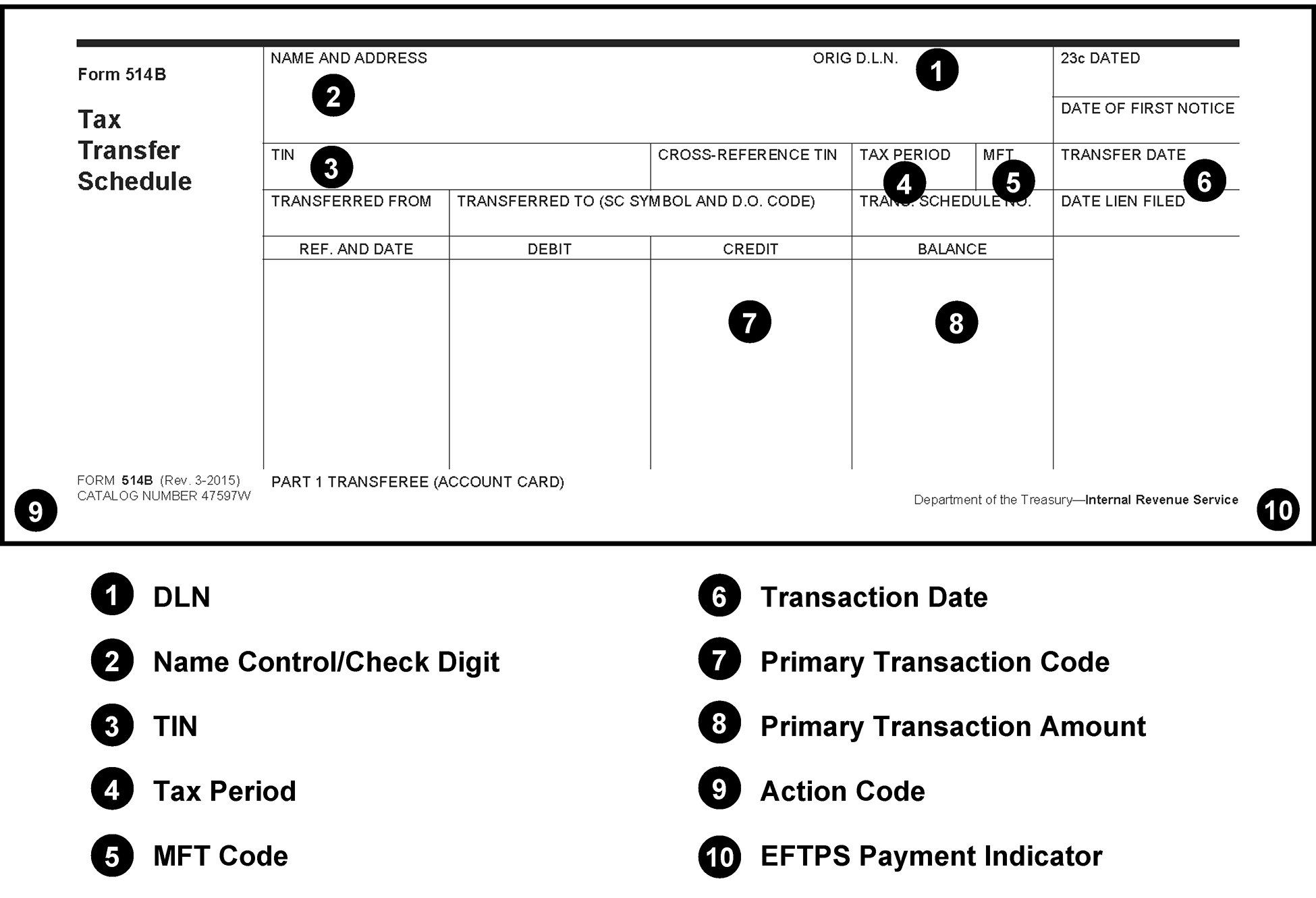
Pictured is an example of a blank Form 514–B, Credit Transfer Schedule. Added to the blank form are the line items which are used in the revenue receipt program to process this form. The line items are listed below the form.
Please click here for the text description of the image.
Exhibit 3.11.10-6
Form 809, Part 1 Posting Voucher
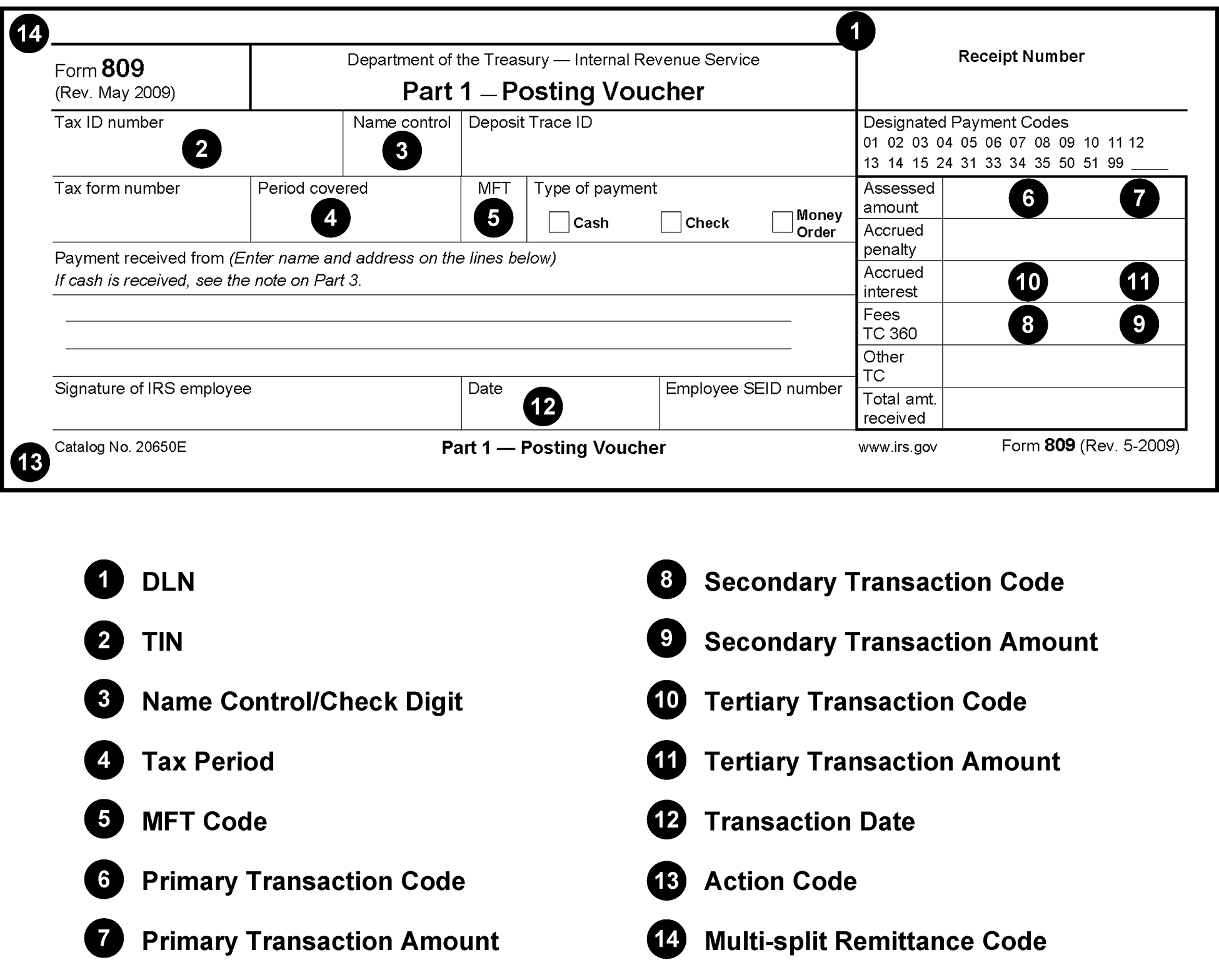
Pictured is an example of a blank Form 809, Posting Voucher, Part 1. Added to the blank form are the line items which are used in the revenue receipt program to process this form. The line items are listed below the form.
Please click here for the text description of the image.
Exhibit 3.11.10-7
Form 813, Document Register
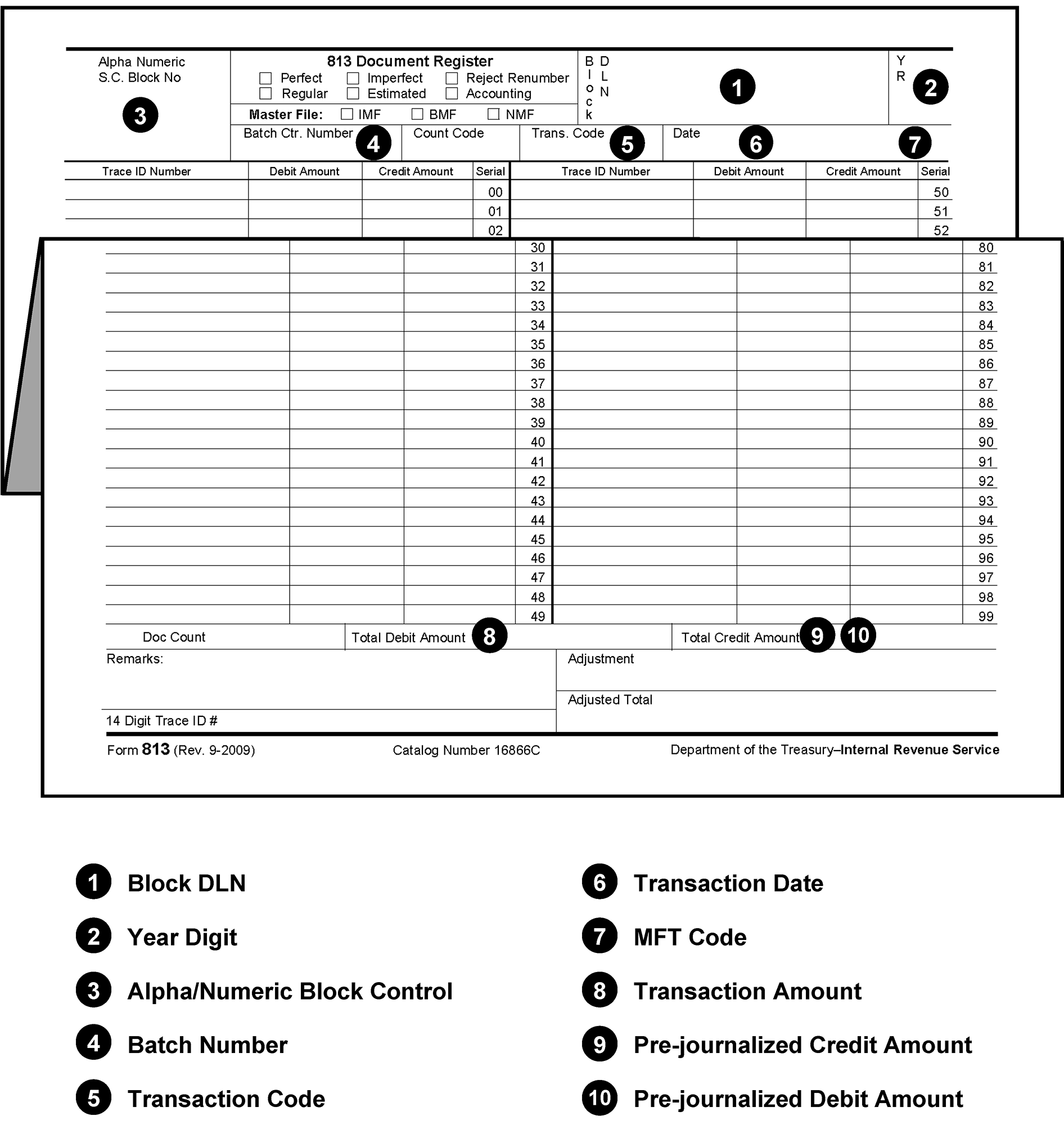
Pictured is an example of a blank Form 813, Document Register. Added to the blank form are the line items which are used in the revenue receipt program to process this form. The line items are listed below the form.
Please click here for the text description of the image.
Exhibit 3.11.10-8
Form 940-V, Payment Voucher
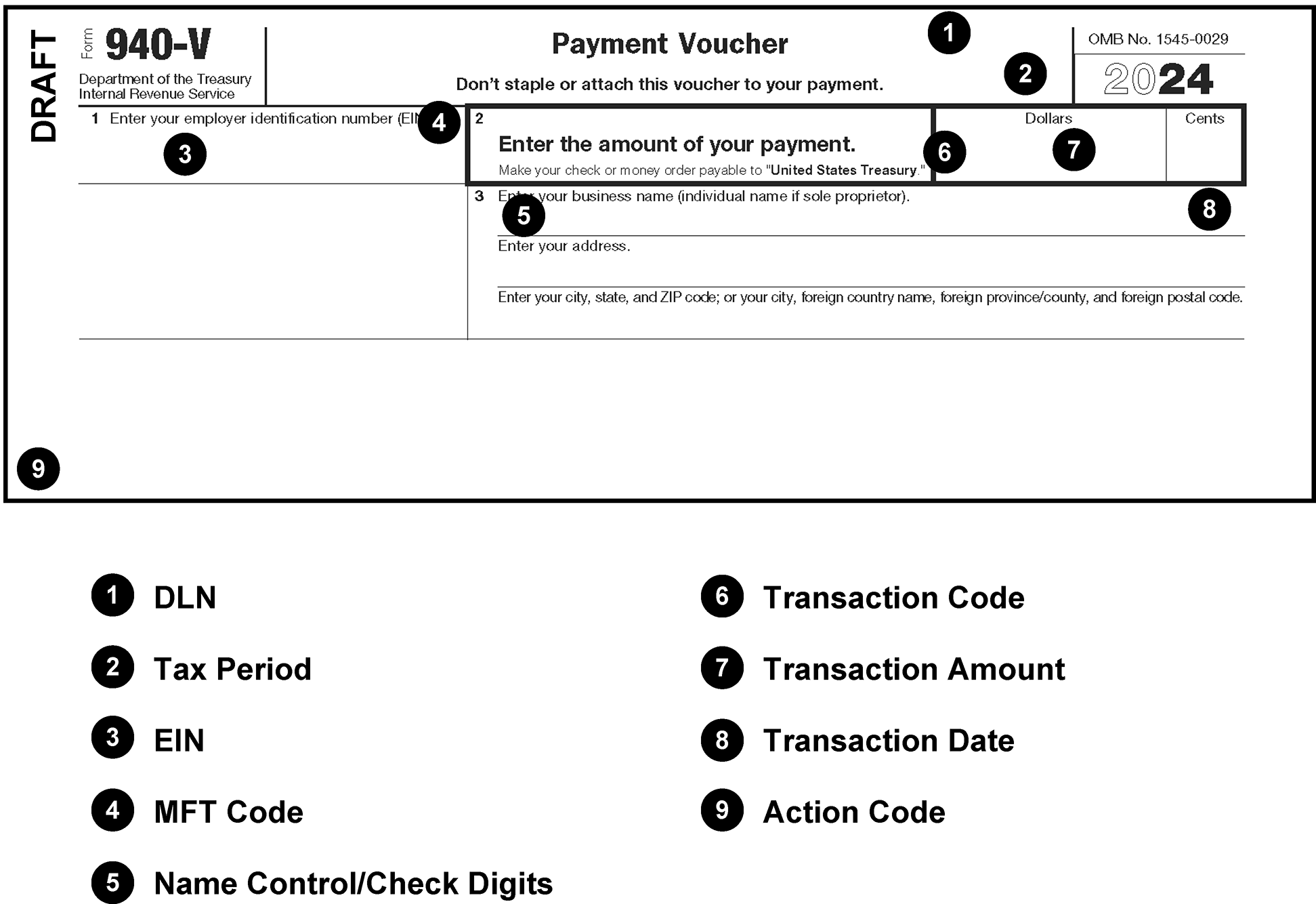
Pictured is an example of a blank Form 940-V, Payment Voucher. Added to the blank form are the line items which are used in the revenue receipt program to process this form. The line items are listed below the form.
Please click here for the text description of the image.
Exhibit 3.11.10-9
Form 941–V, Payment Voucher
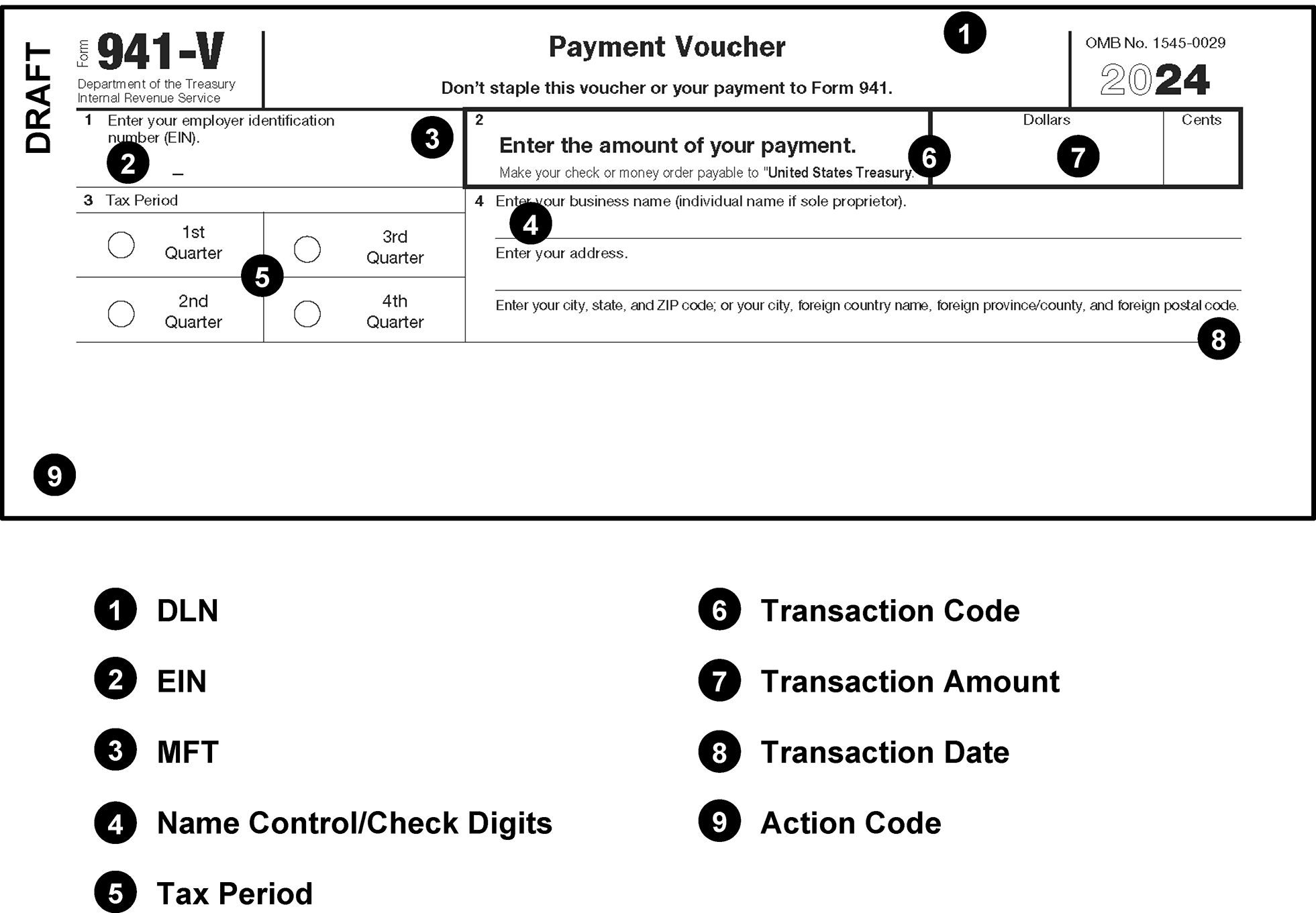
Pictured is an example of a blank Form 941-V, Payment Voucher. Added to the blank form are the line items which are used in the revenue receipt program to process this form. The line items are listed below the form.
Please click here for the text description of the image.
Exhibit 3.11.10-10
Form 943–V, Payment Voucher
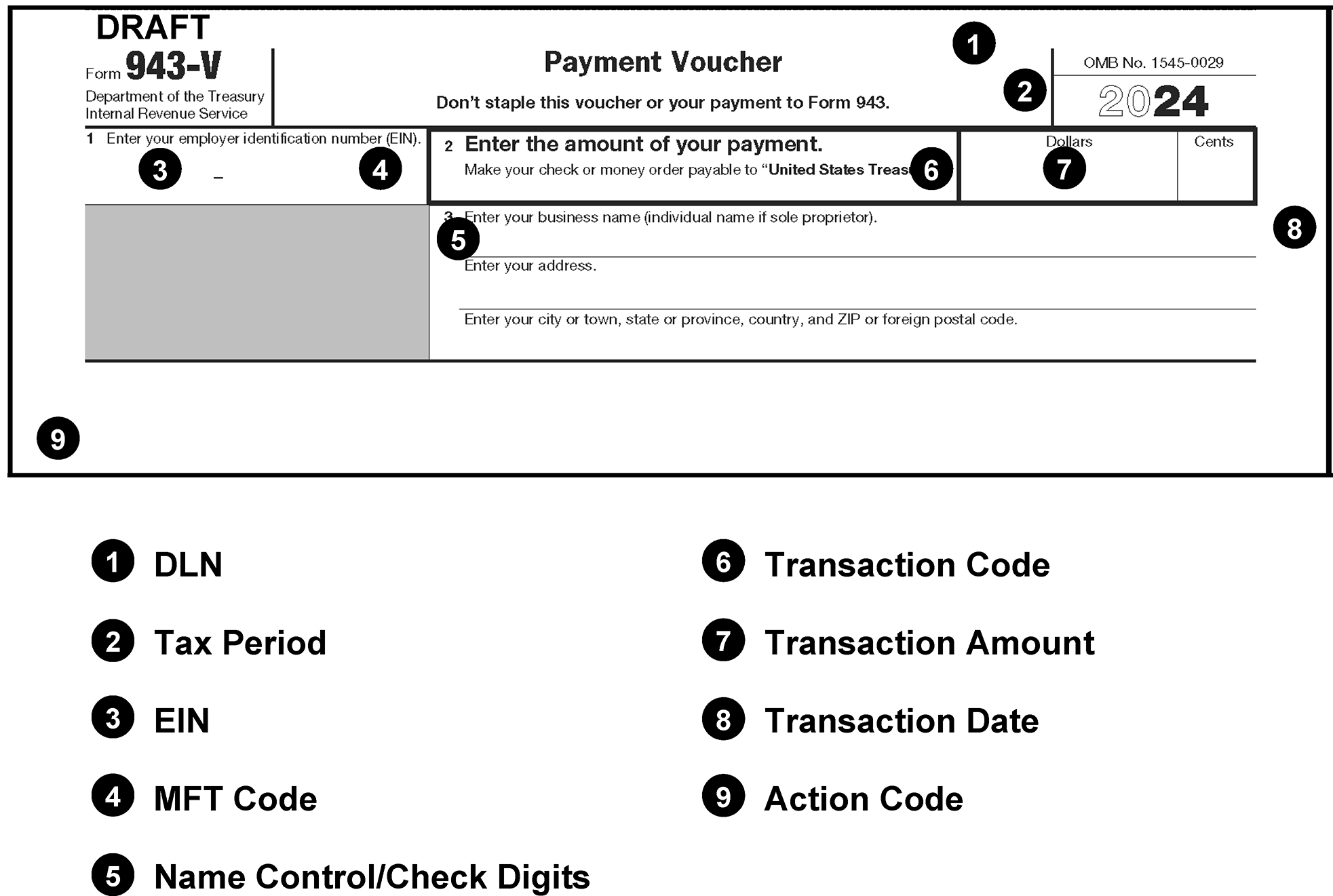
Pictured is an example of a blank Form 943-V, Payment Voucher. Added to the blank form are the line items which are used in the revenue receipt program to process this form. The line items are listed below the form.
Please click here for the text description of the image.
Exhibit 3.11.10-11
Form 945–V, Payment Voucher
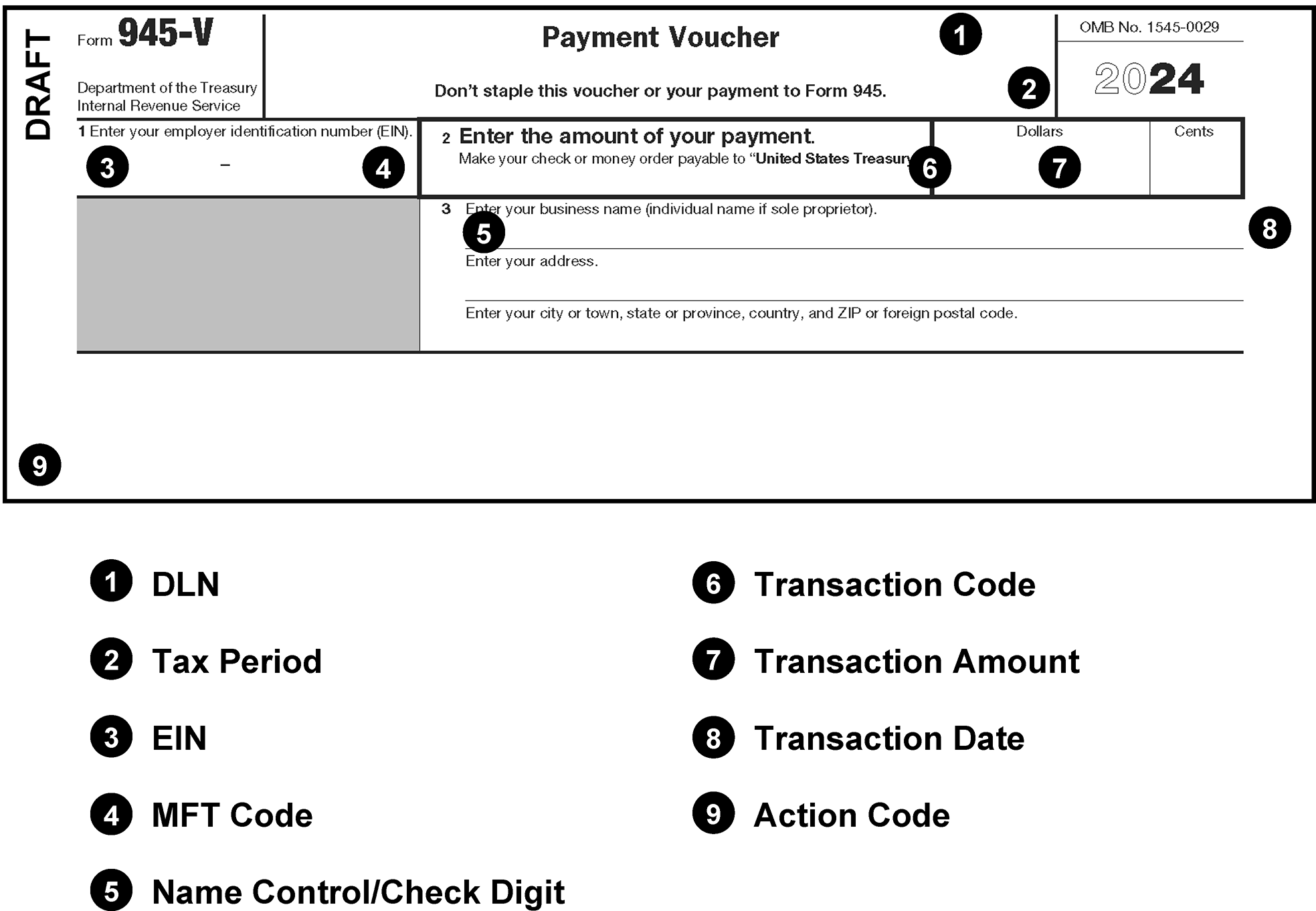
Pictured is an example of a blank Form 945-V, Payment Voucher. Added to the blank form are the line items which are used in the revenue receipt program to process this form. The line items are listed below the form.
Please click here for the text description of the image.
Exhibit 3.11.10-12
Form 1040-C, U. S. Departing Alien Income Tax Return
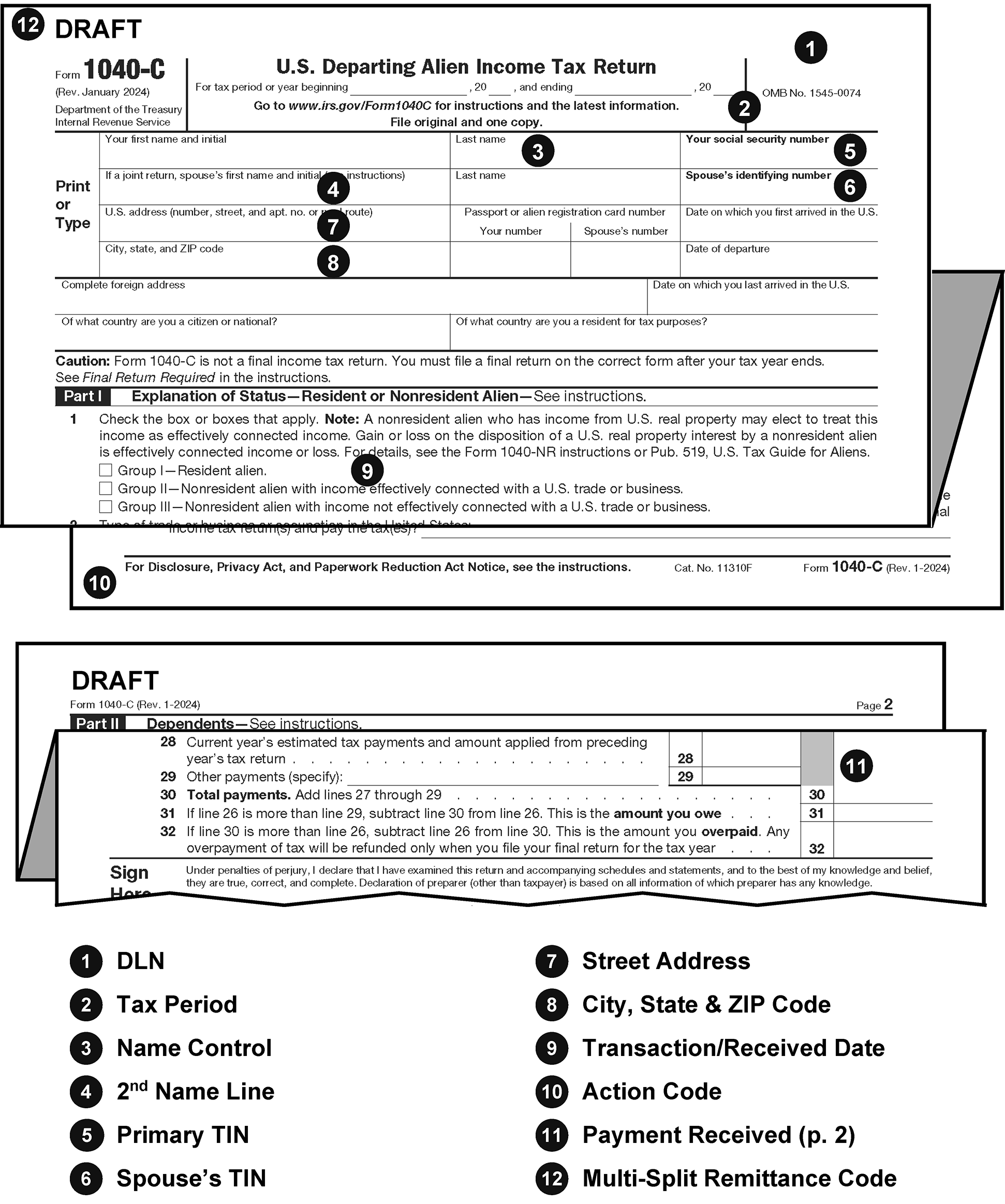
Pictured is an example of a blank Form 1040-C, U. S. Departing Alien Income Tax Return. Added to the blank form are the line items which are used in the revenue receipt program to process this form. The line items are listed below the form.
Please click here for the text description of the image.
Exhibit 3.11.10-13
Form 1040-ES, Payment Voucher 1
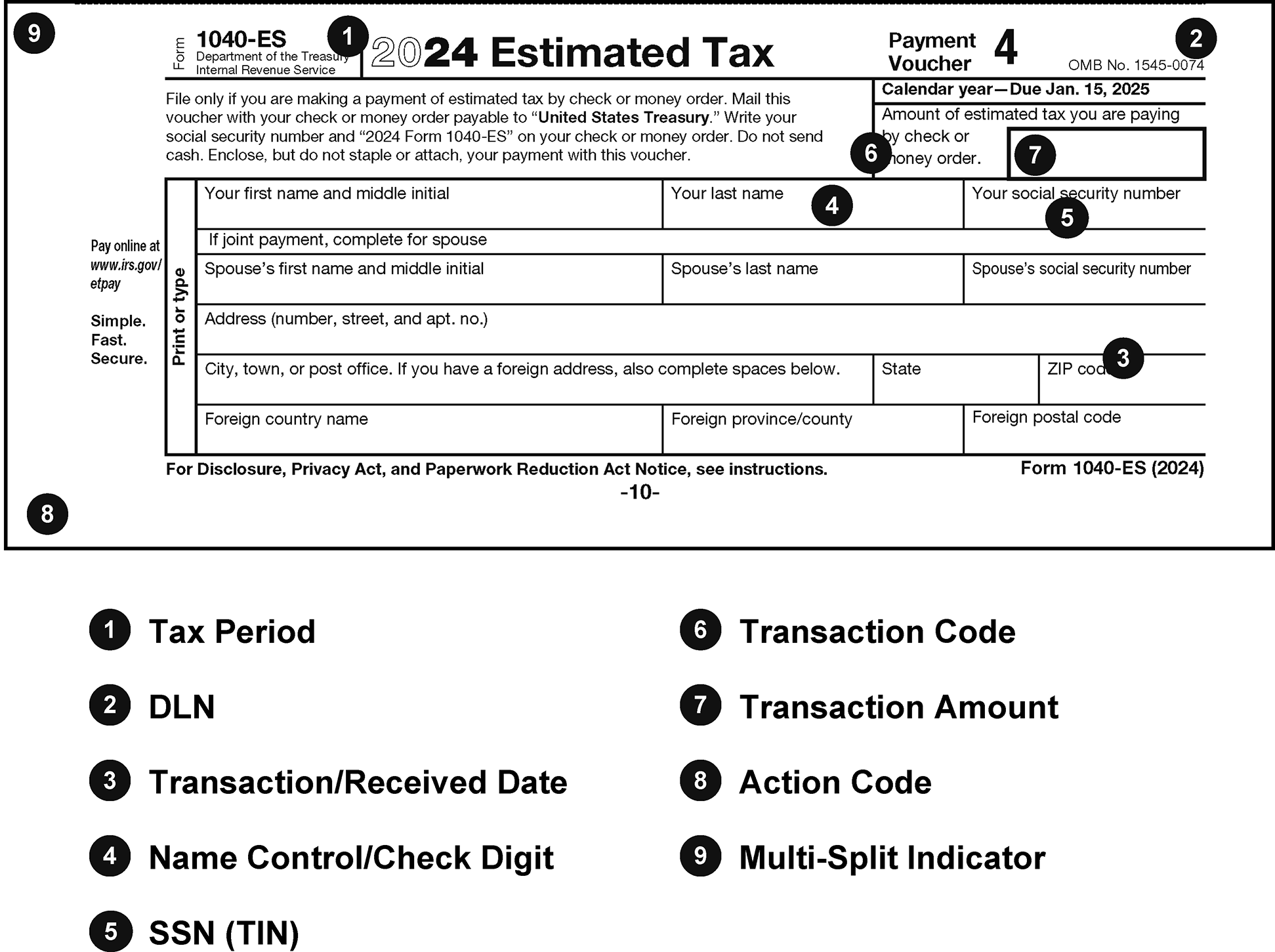
Pictured is an example of a blank Form 1040-ES, Payment Voucher 1. Added to the blank form are the line items which are used in the revenue receipt program to process this form. The line items are listed below the form.
Please click here for the text description of the image.
Exhibit 3.11.10-14
Form 1040–V, Payment Voucher
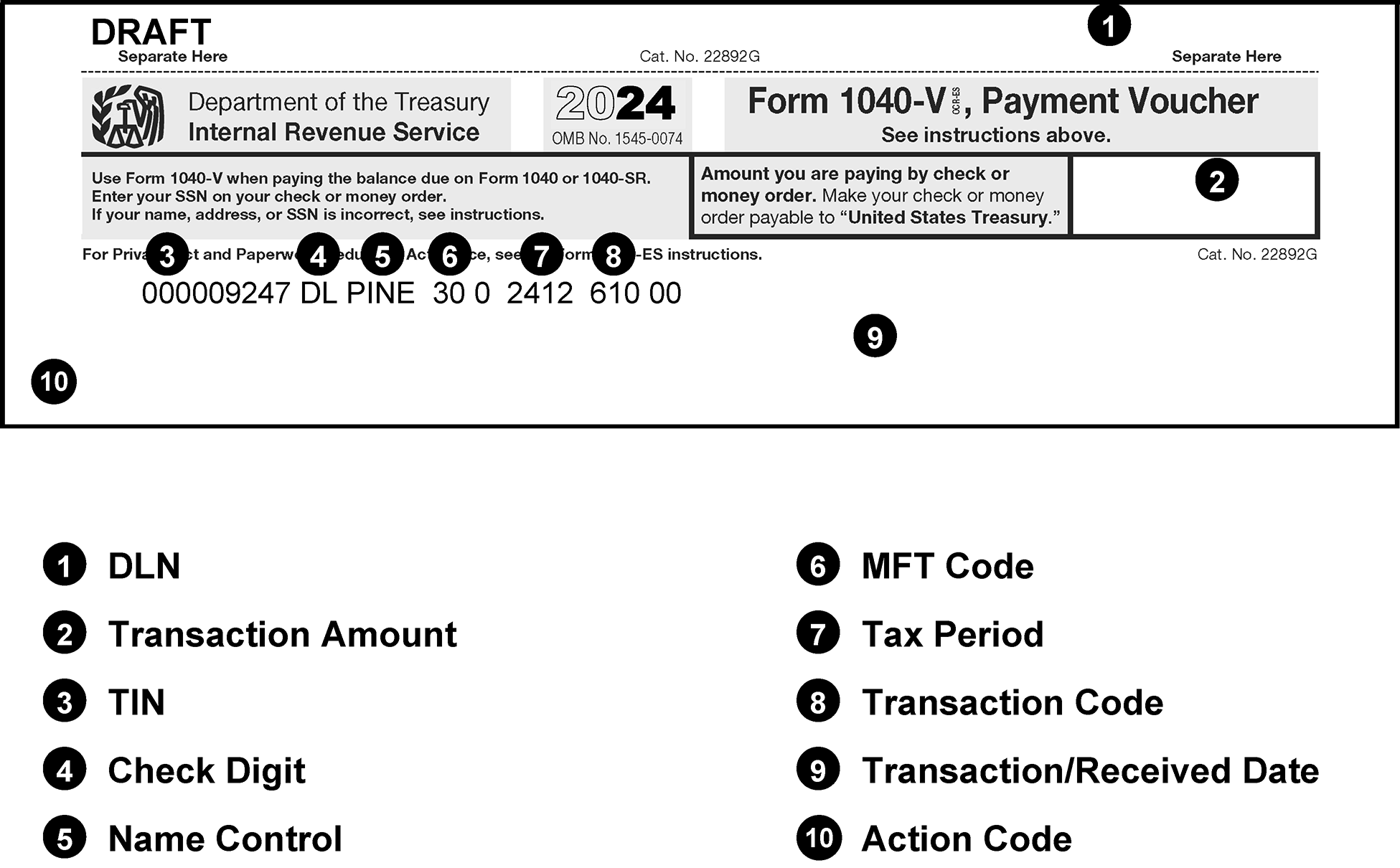
Pictured is an example of a blank Form 1040-V, Payment Voucher. Added to the blank form are the line items which are used in the revenue receipt program to process this form. The line items are listed below the form.
Please click here for the text description of the image.
Exhibit 3.11.10-15
Form 1041-ES, Payment Voucher 1
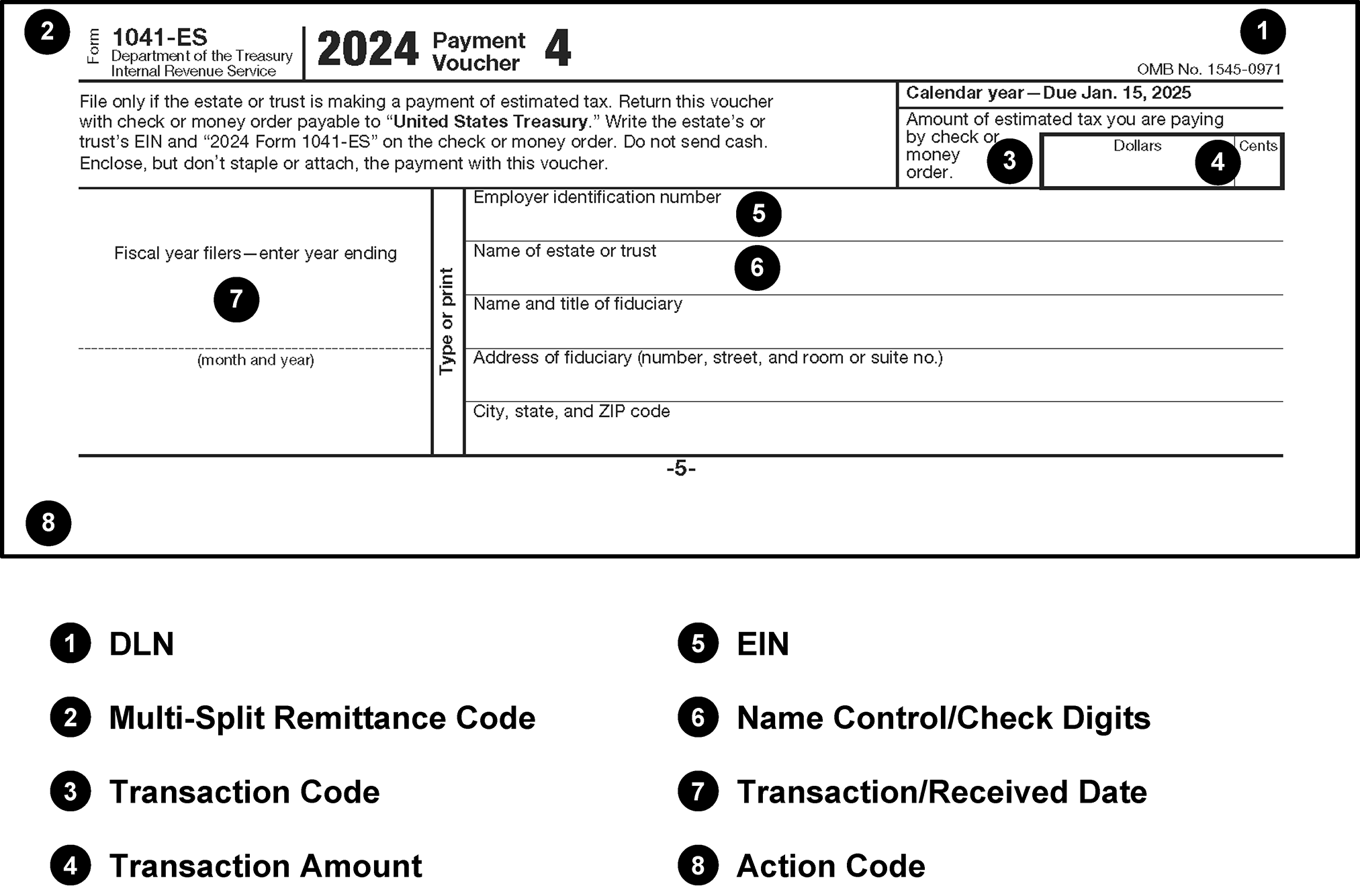
Pictured is an example of a blank Form 1041-ES, Payment Voucher 1. Added to the blank form are the line items which are used in the revenue receipt program to process this form. The line items are listed below the form.
Please click here for the text description of the image.
Exhibit 3.11.10-16
Form 2287, Check/Payment Not Accepted by Bank
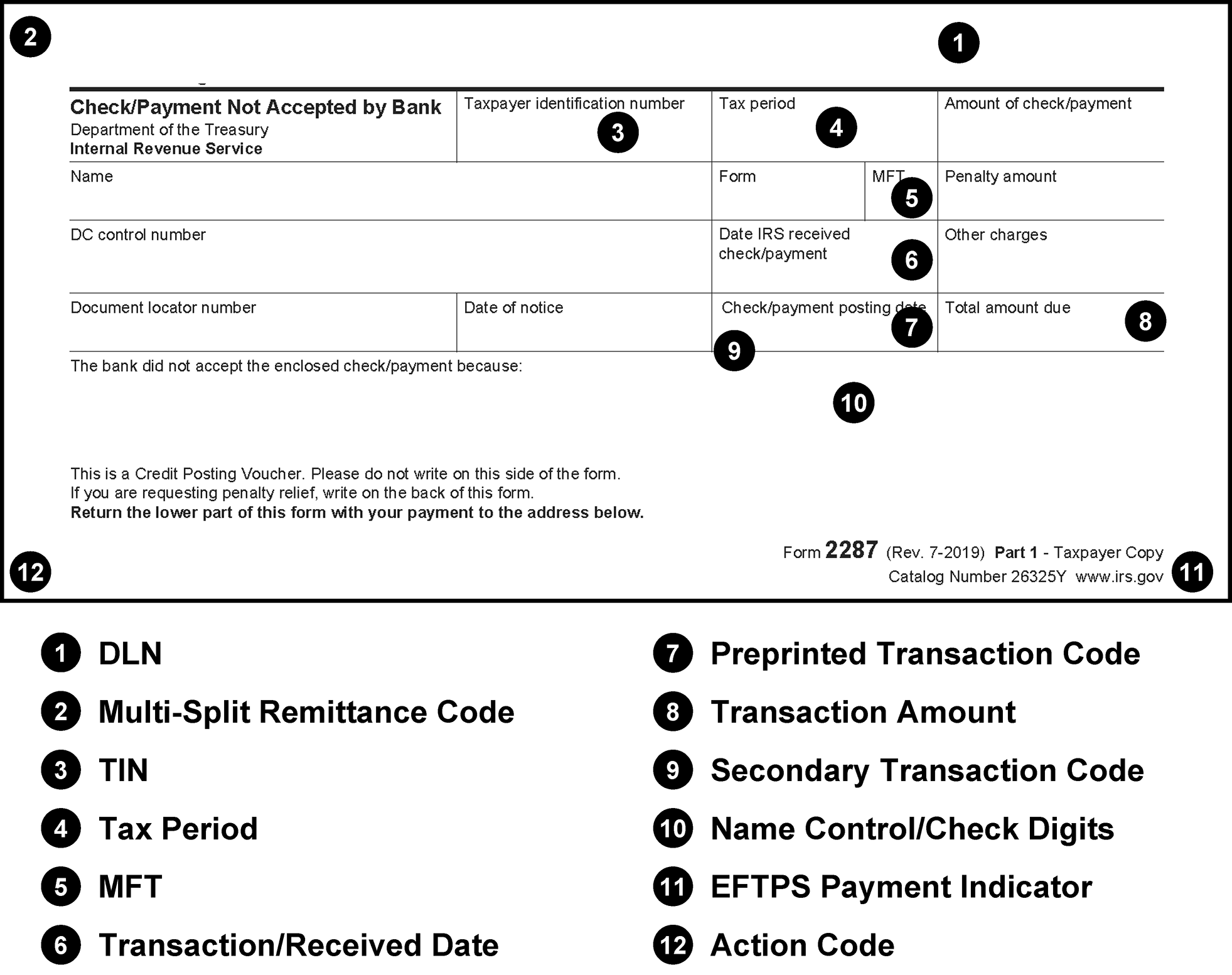
Pictured is an example of a blank Form 2287, Check/Payment Not Accepted by Bank. Added to the blank form are the line items which are used in the revenue receipt program to process this form. The line items are listed below the form.
Please click here for the text description of the image.
Exhibit 3.11.10-17
Form 2290–V, Payment Voucher 1
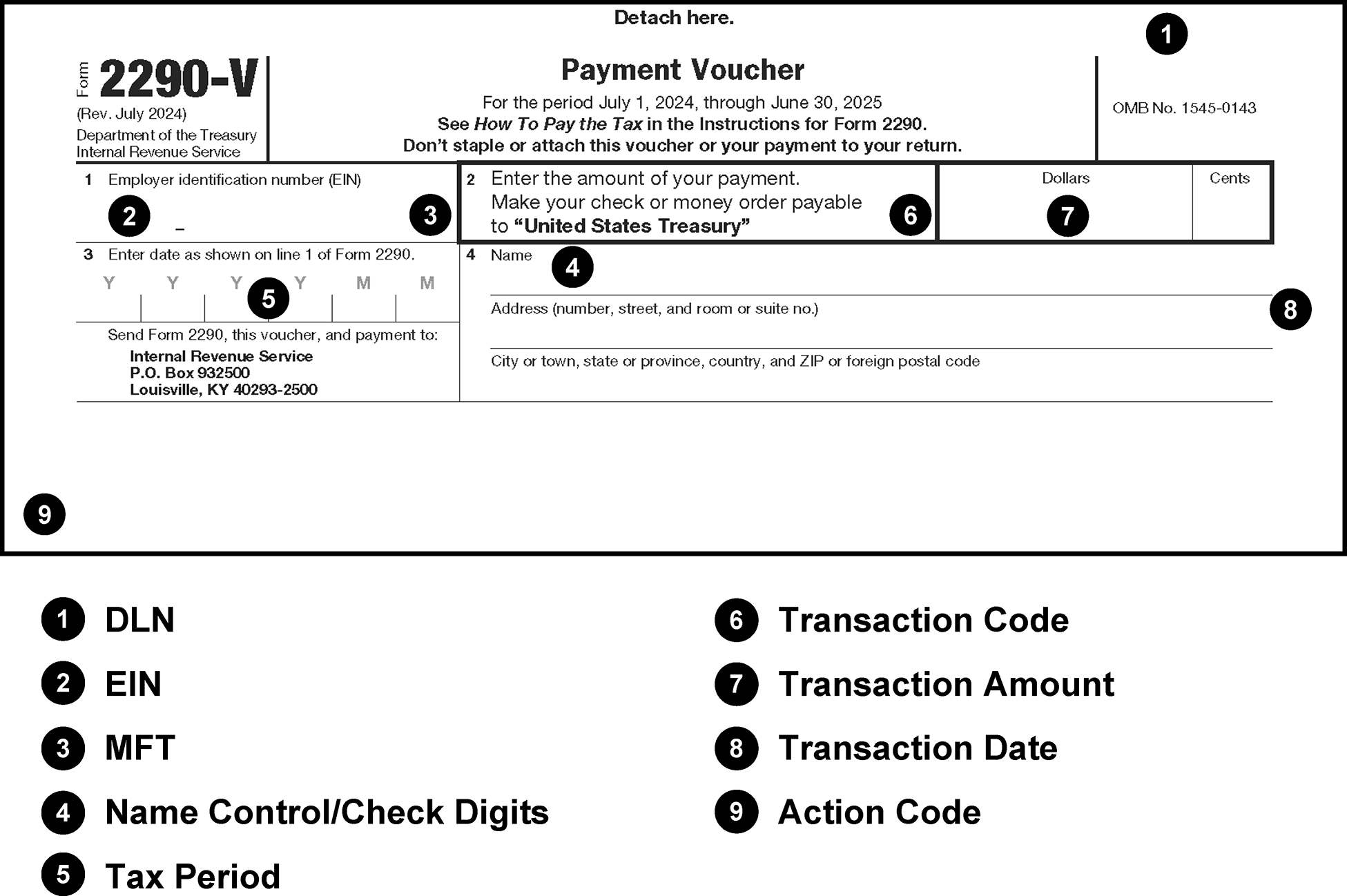
Pictured is an example of a blank Form 2290–V, Payment Voucher 1. Added to the blank form are the line items which that are used in the revenue receipt program to process this form. The line items are listed below the form.
Please click here for the text description of the image.
Exhibit 3.11.10-18
Form 2424, Account Adjustment Voucher
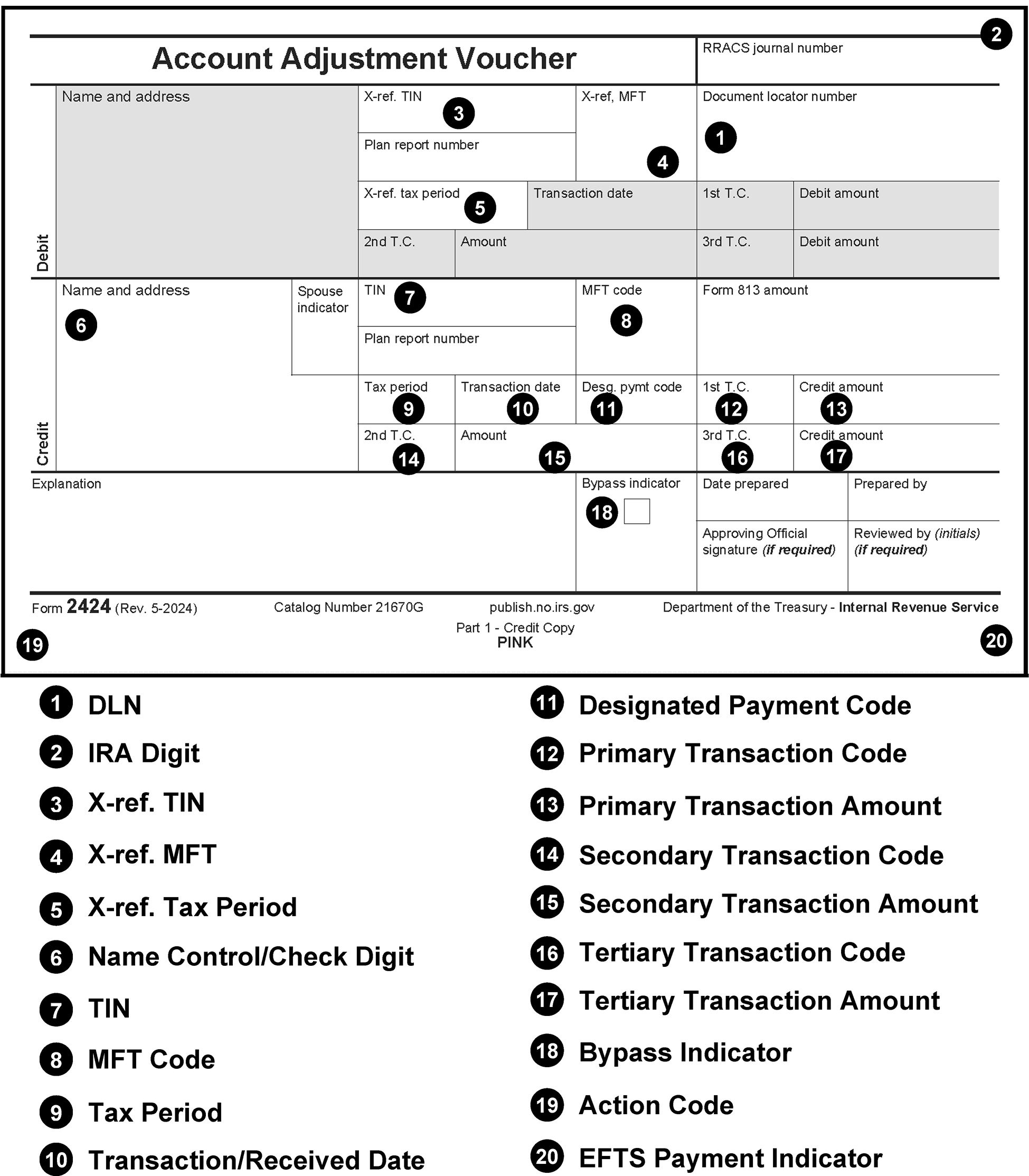
Pictured is an example of a blank Form 2424, Account Adjustment Voucher. Added to the blank form are the line items which are used in the revenue receipt program to process this form. The line items are listed below the form.
Please click here for the text description of the image.
Exhibit 3.11.10-19
Form 3244, Payment Posting Voucher (Not a Taxpayer Receipt)
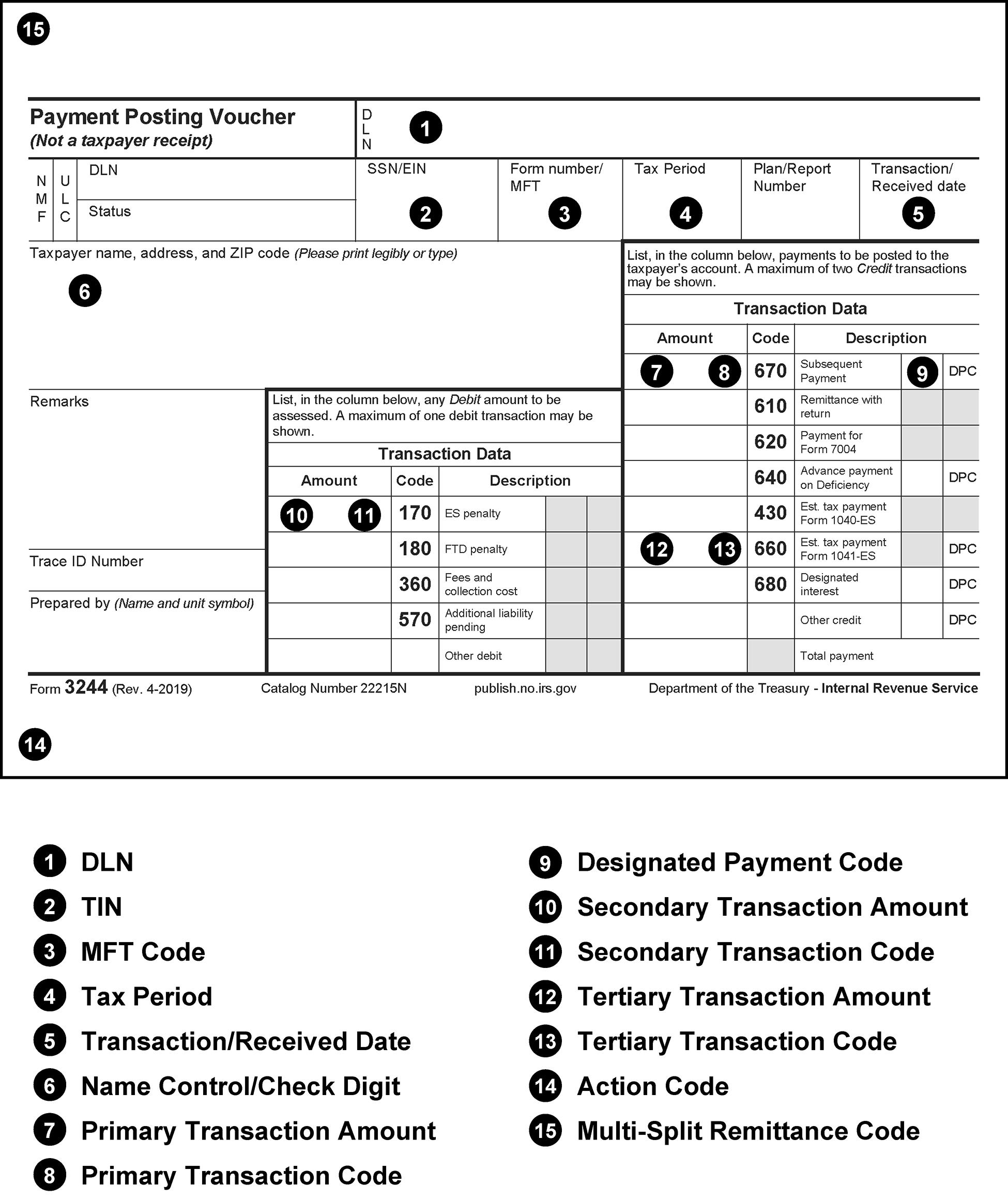
Pictured is an example of a blank Form 3244, Payment Posting Voucher (Not a Taxpayer Receipt). Added to the blank form are the line items which are used in the revenue receipt program to process this form. The line items are listed below the form. Please note (that) this exhibit covers two pages. The first page lists the fifteen items
Please click here for the text description of the image.
Exhibit 3.11.10-20
Form 3244–A, Payment Posting Voucher- Examination (Not a Taxpayer Receipt)
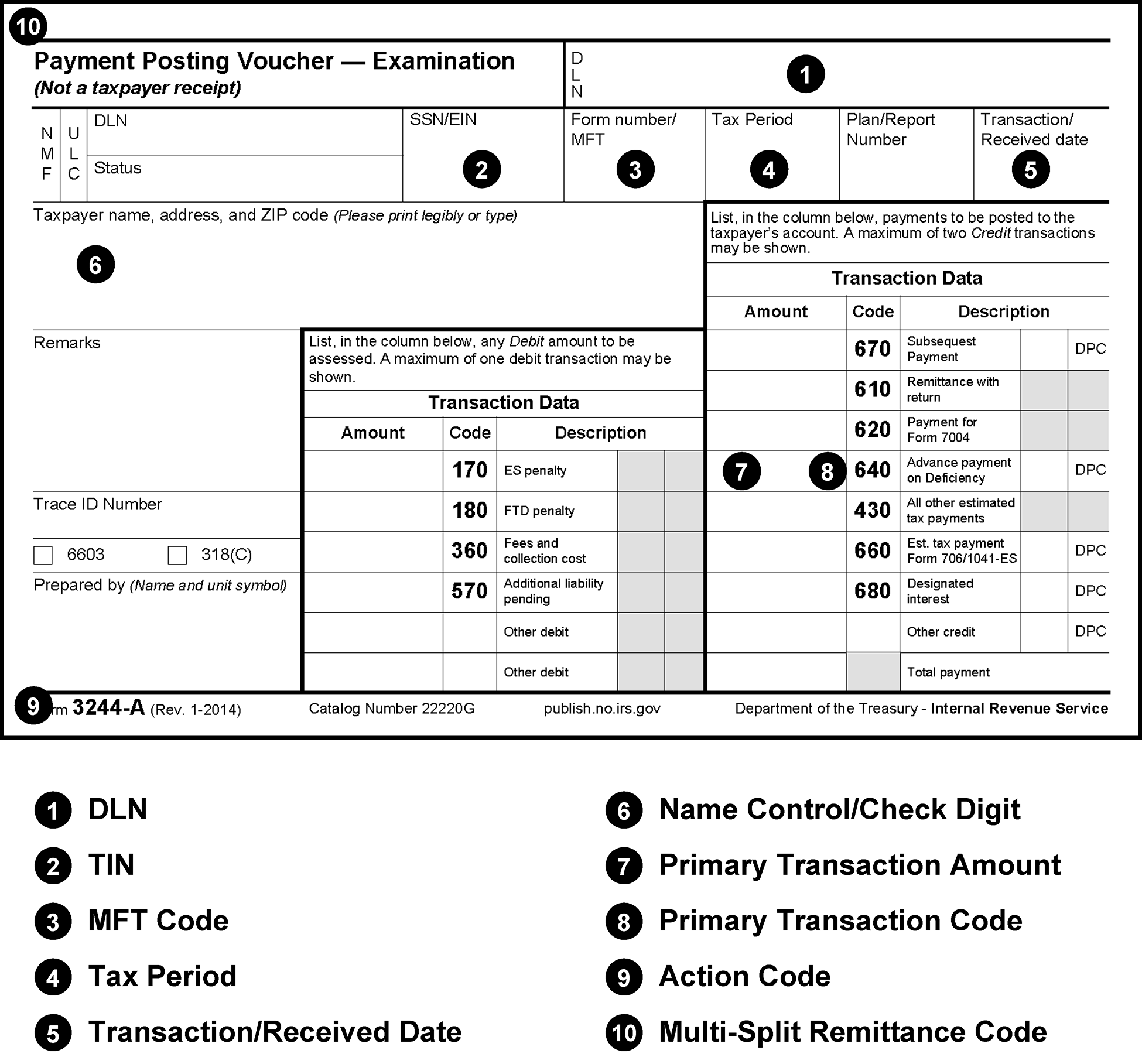
Pictured is an example of a blank Form 3244-A, Payment Posting Voucher -Examination (Not a Taxpayer Receipt). Added to the blank form are the line items which are used in the revenue receipt program to process this form. The line items are listed below the form.
Please click here for the text description of the image.
Exhibit 3.11.10-21
Form 3245, Posting Voucher—Refund Cancellation or Repayment
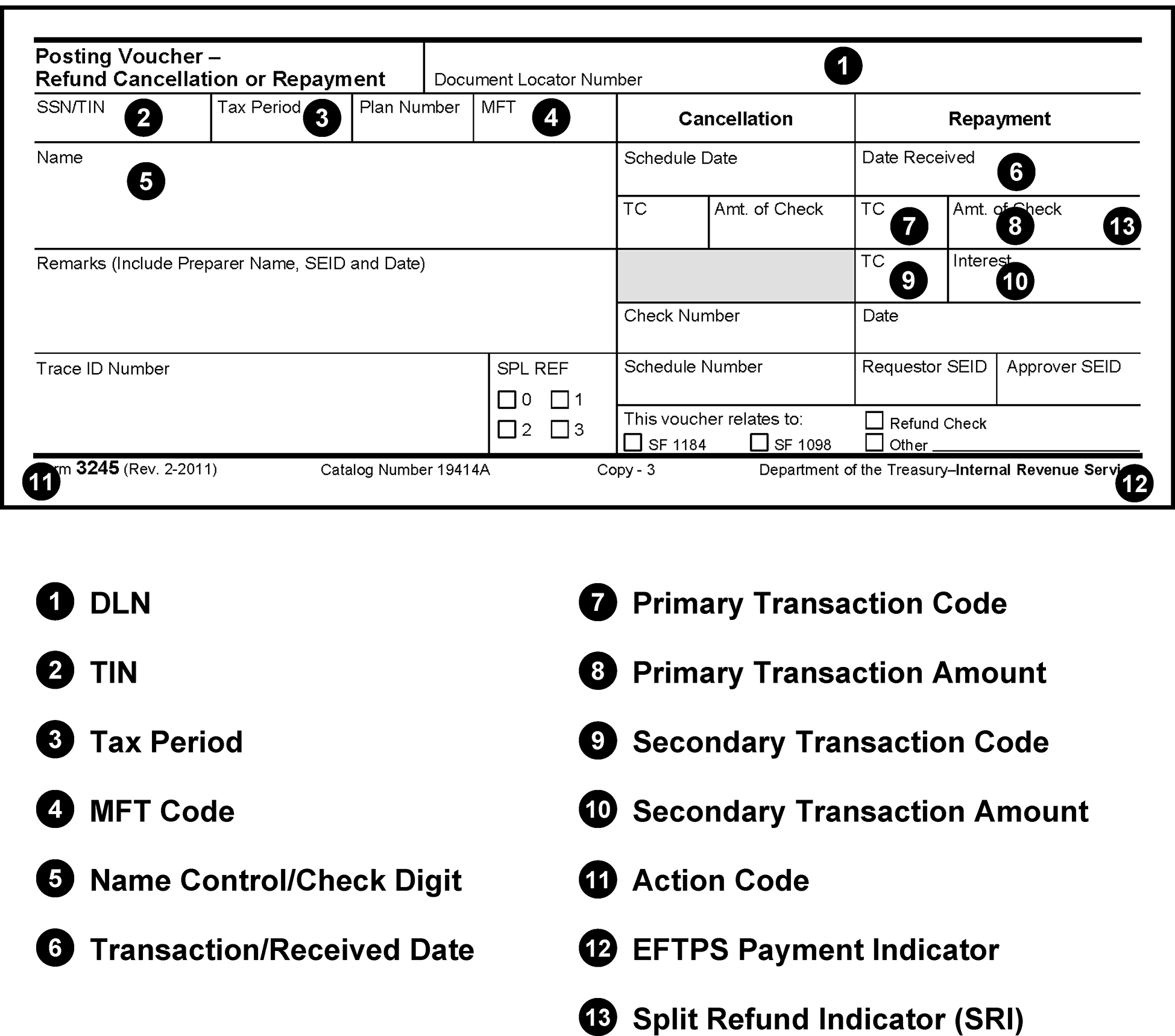
Pictured is an example of a blank Form 3245, Posting Voucher—Refund Cancellation or Repayment. Added to the blank form are the line items which are used in the revenue receipt program to process this form. The line items are listed below the form.
Please click here for the text description of the image.
Exhibit 3.11.10-22
Form 3552 (Part 3), Notice of Tax Due on Federal Tax Return
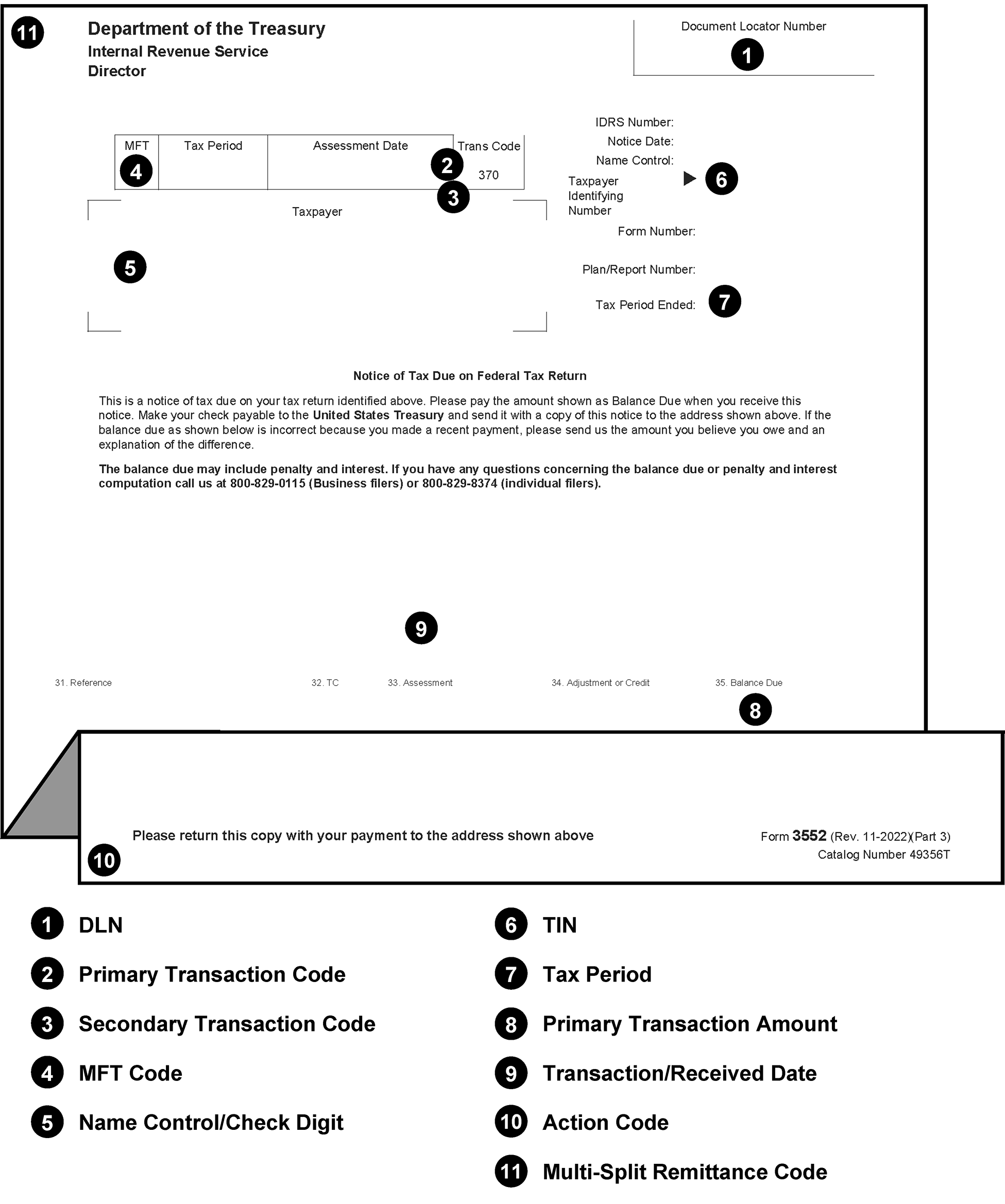
Pictured is an example of a blank Form 3552 (Part 3), Notice of Tax Due on Federal Tax Return. Added to the blank form are the line items which are used in the revenue receipt program to process this form. The line items are listed below the form.
Please click here for the text description of the image.
Exhibit 3.11.10-23
Form 3753, Manual Refund Posting Voucher
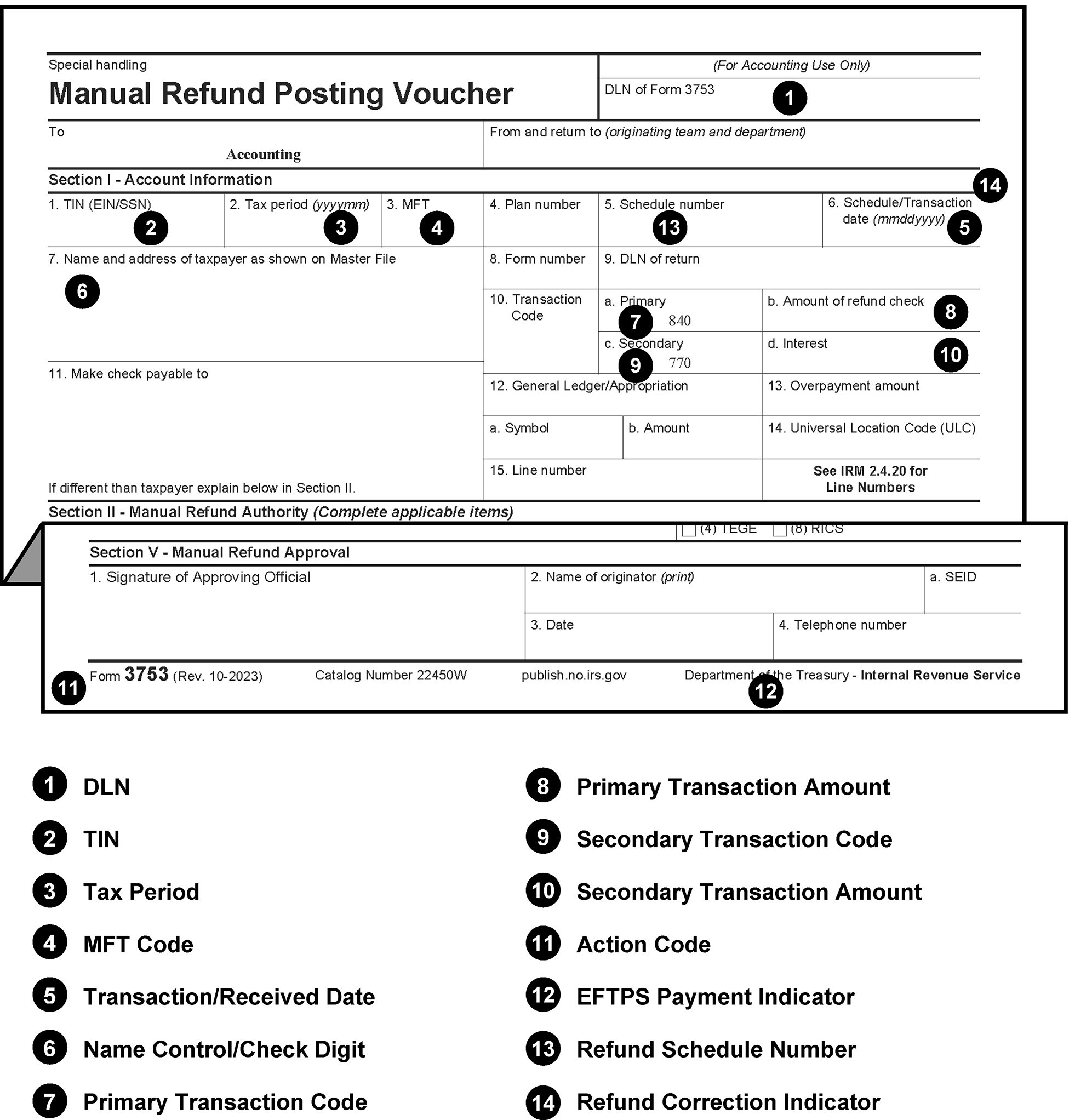
Pictured is an example of a blank Form 3753, Manual Refund Posting Voucher. Added to the blank form are the line items which are used in the revenue receipt program to process this form. The line items are listed below the form.
Please click here for the text description of the image.
Exhibit 3.11.10-24
Form 3809, Miscellaneous Adjustment Voucher
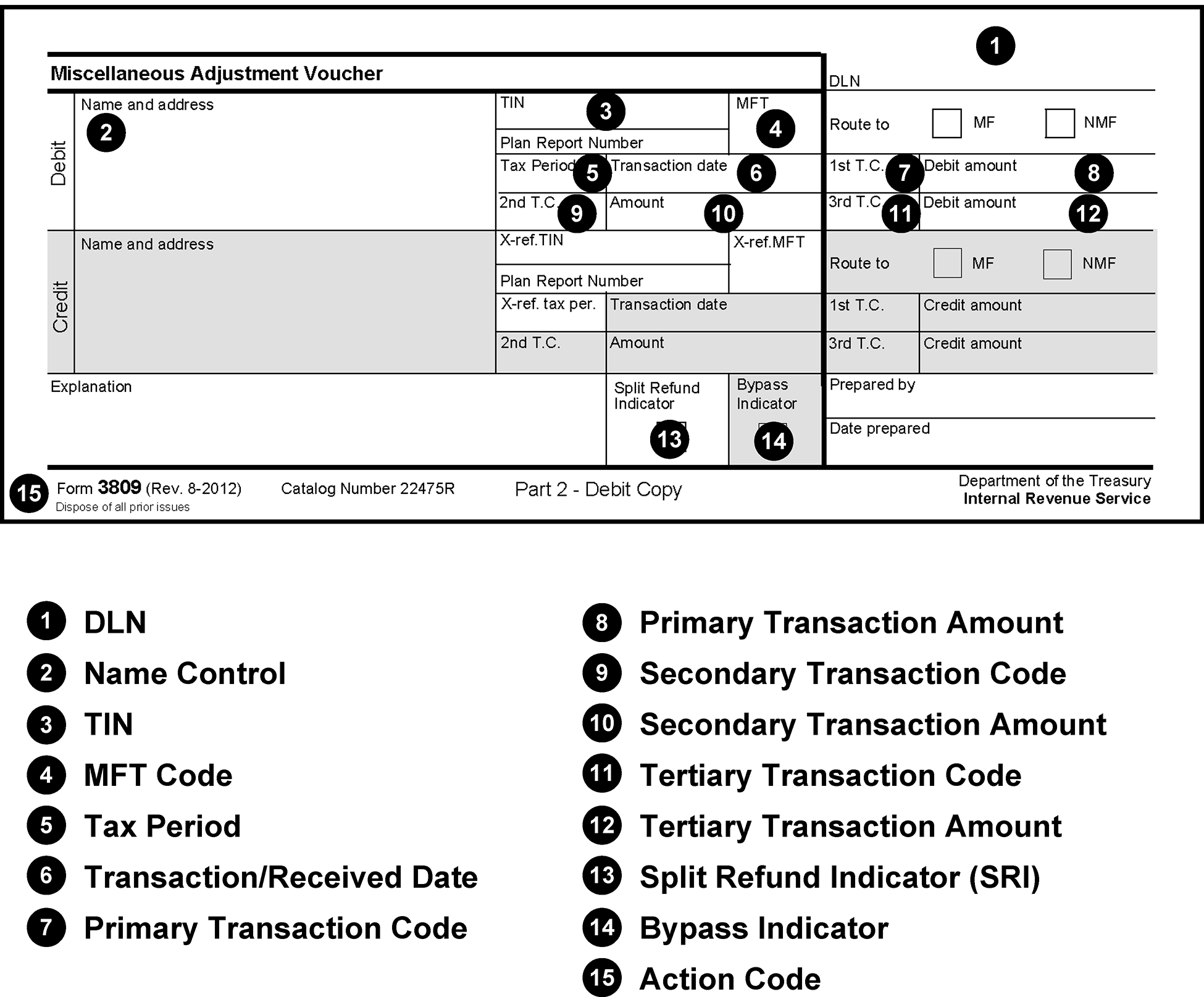
Pictured is an example of a blank Form 3809, Miscellaneous Adjustment Voucher. Added to the blank form are the line items which are used in the revenue receipt program to process this form. The line items are listed below the form.
Please click here for the text description of the image.
Exhibit 3.11.10-25
Form 3893, Re-Entry Document Control
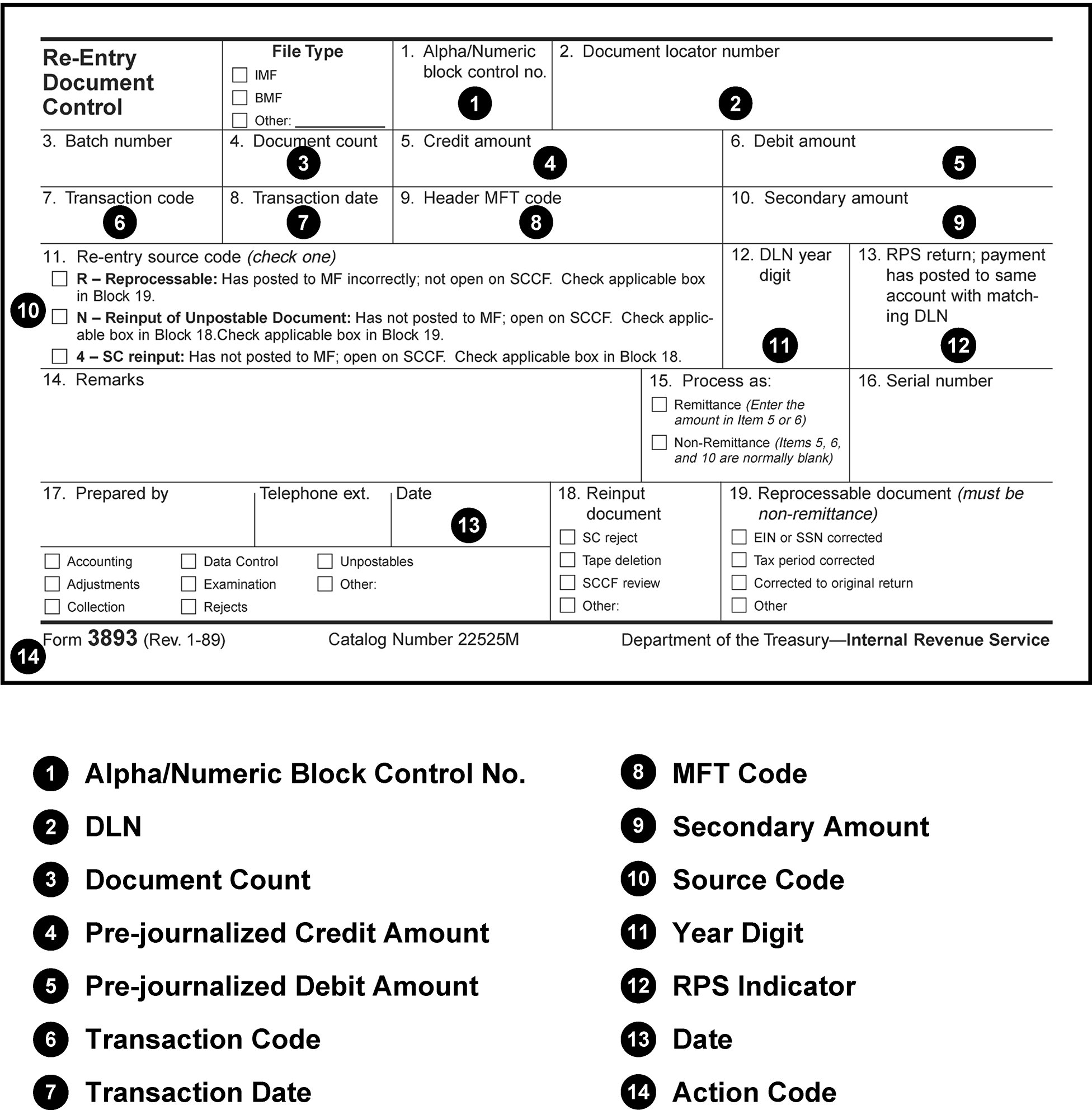
Pictured is an example of a blank Form 3893, Re-Entry Document Control. Added to the blank form are the line items which are used in the revenue receipt program to process this form. The line items are listed below the form.
Please click here for the text description of the image.
Exhibit 3.11.10-26
Form 4466, Corporation Application for Quick Refund of Overpayment of Estimated Tax
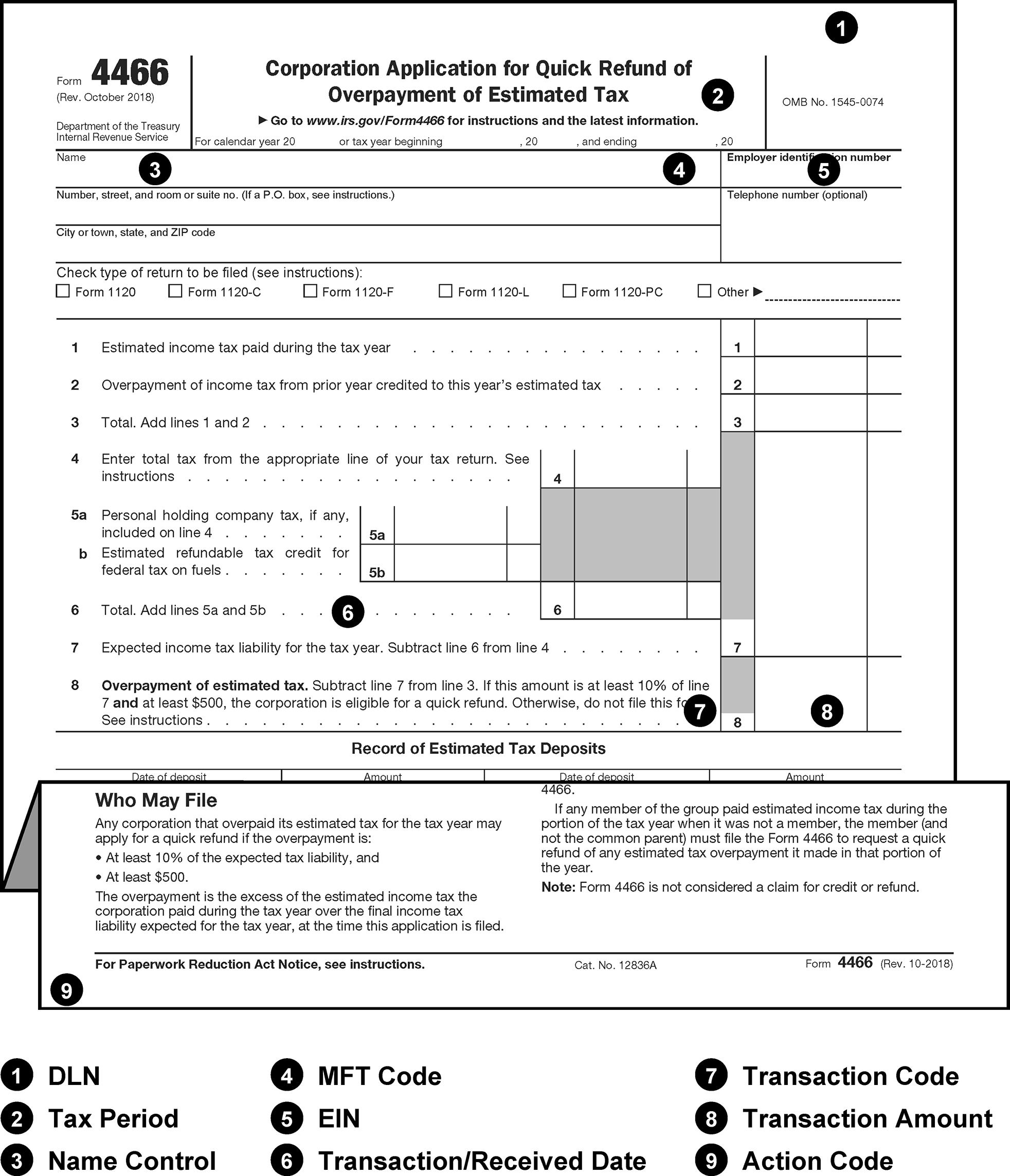
Pictured is an example of a blank Form 4466, Corporation Application for Quick Refund of Overpayment of Estimated Tax. Added to the blank form are the line items which are used in the revenue receipt program to process this form. The line items are listed below the form.
Please click here for the text description of the image.
Exhibit 3.11.10-27
Form 4907, Taxpayer Delinquent Account
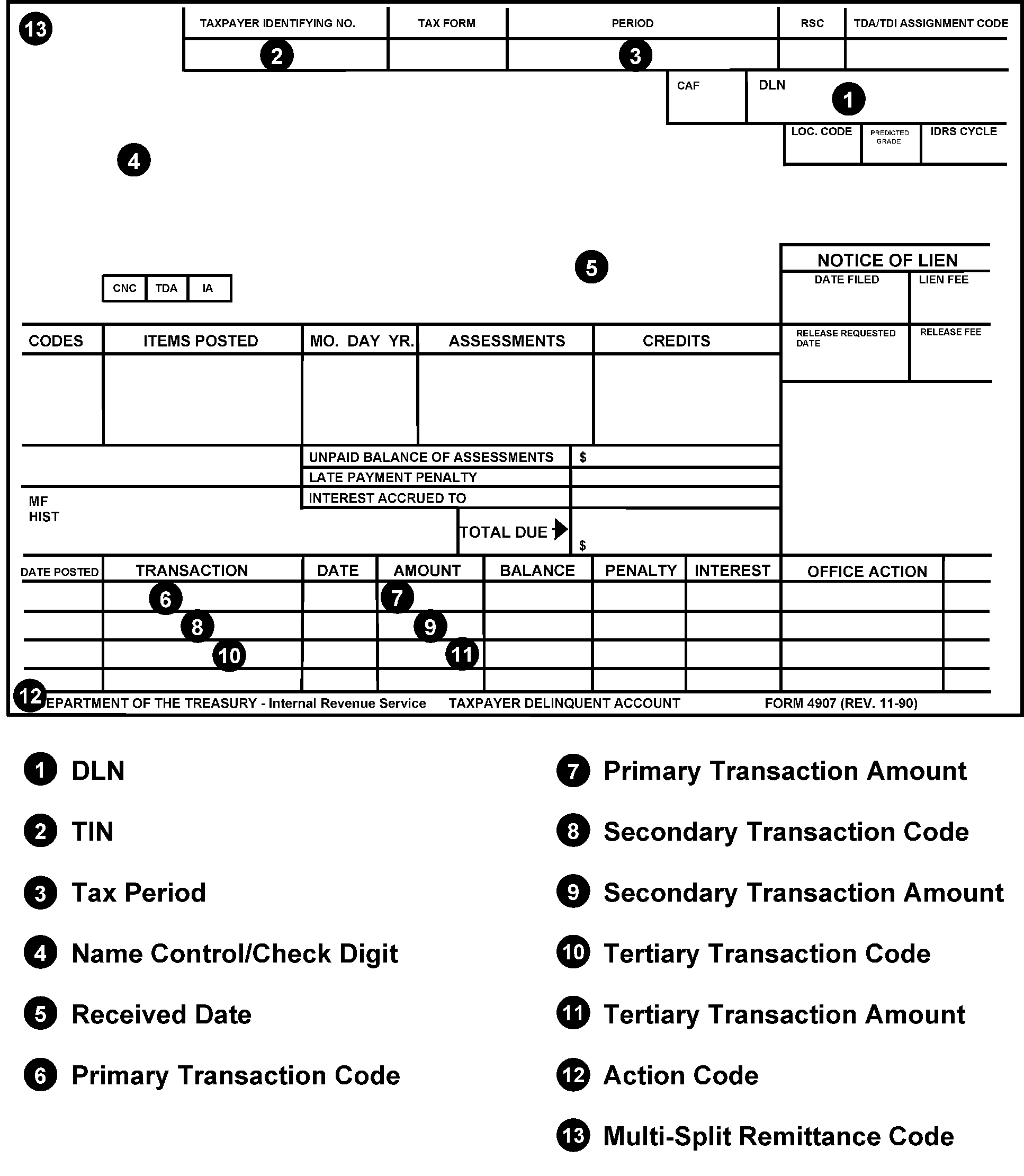
Pictured is an example of a blank Form 4907, Taxpayer Delinquent Account. Added to the blank form are the line items which are used in the revenue receipt program to process this form. The line items are listed below the form.
Please click here for the text description of the image.
Exhibit 3.11.10-28
Notice CP 521, Installment Agreement Reminder Notice
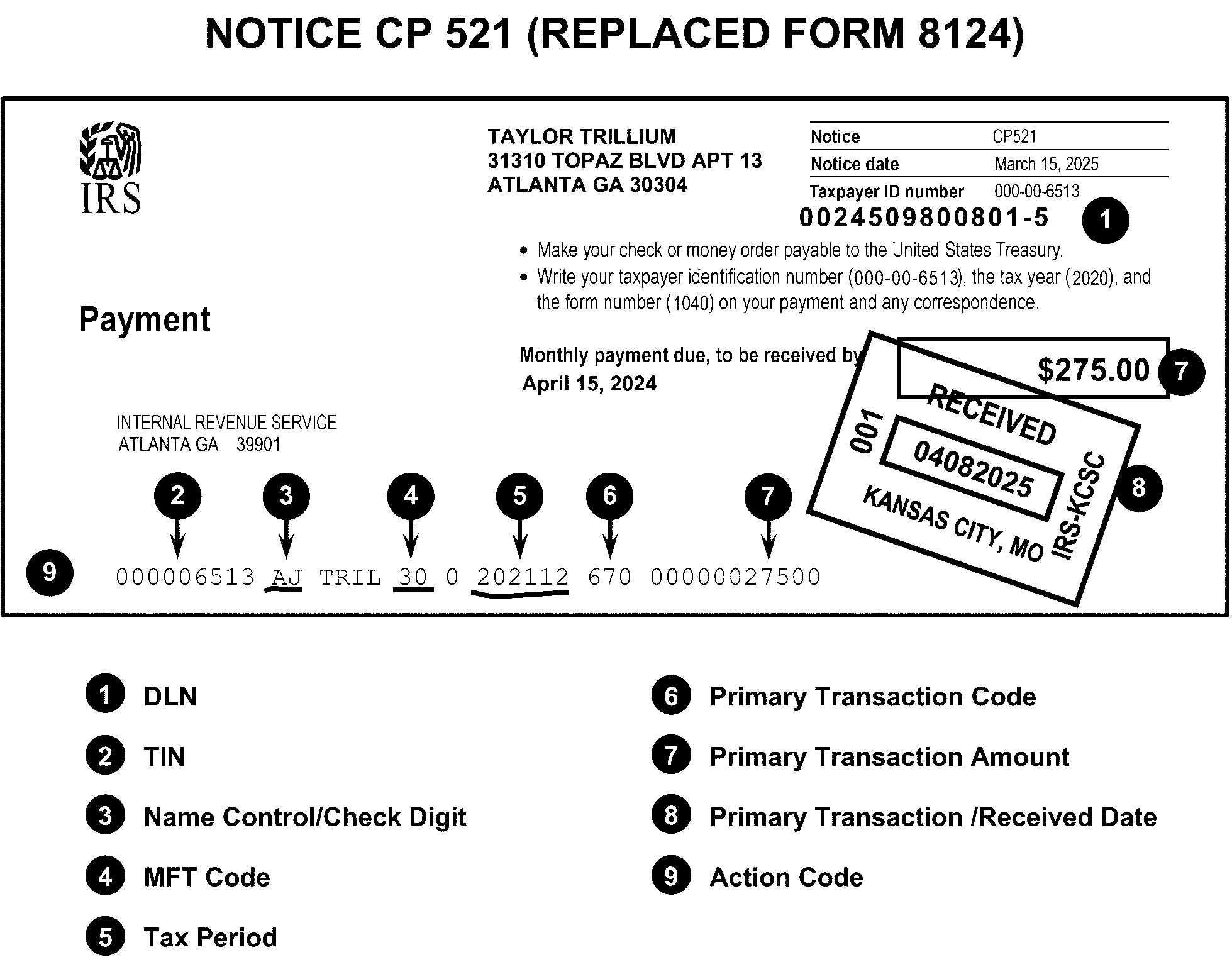
Pictured is an example of a Notice CP 521, Installment Agreement Reminder Notice. Added to the blank form are the line items which are used in the revenue receipt program to process this form. The line items are listed below the form.
Please click here for the text description of the image.
Exhibit 3.11.10-29
Notice CP 504, Final Balance Due Notice
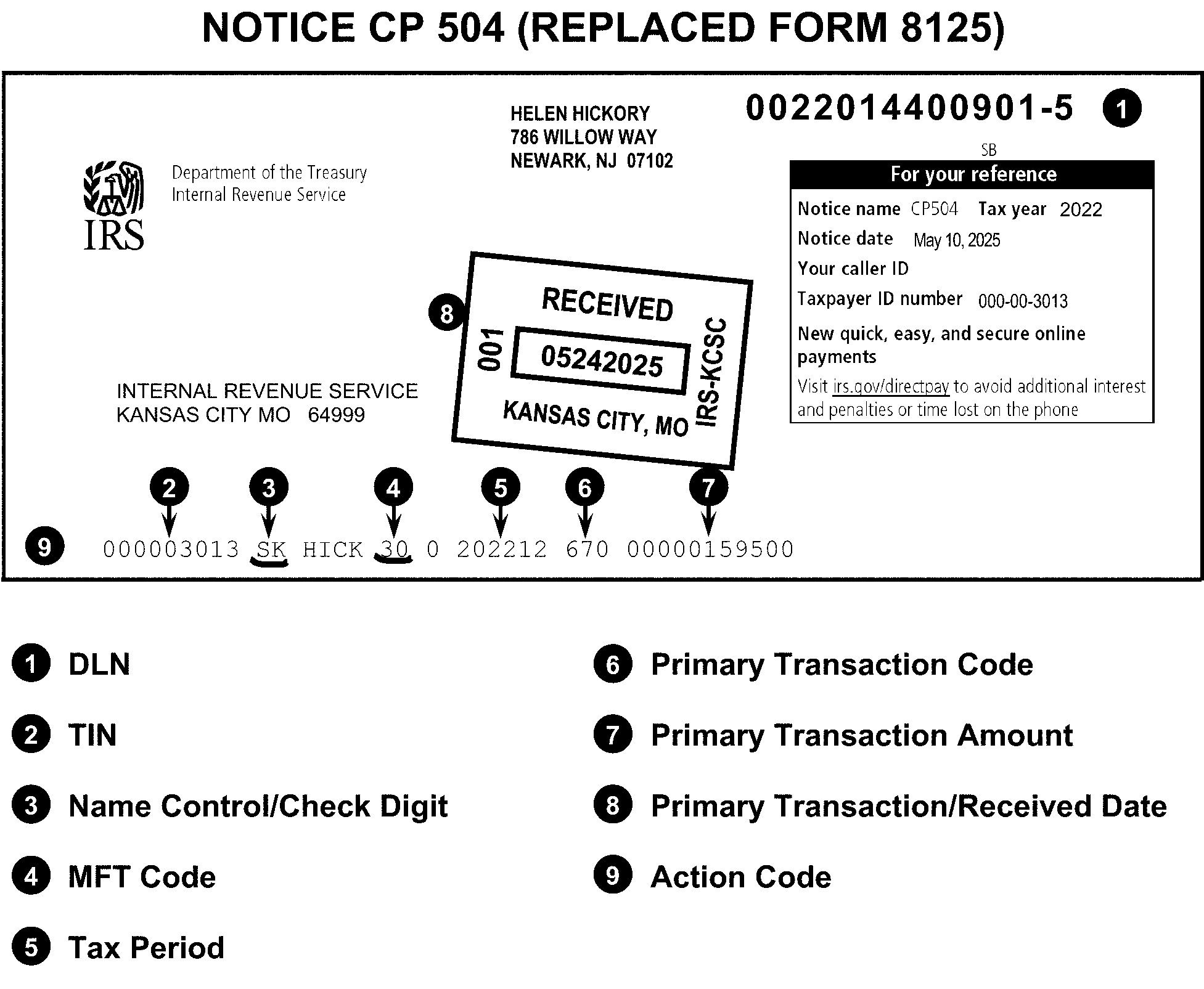
Pictured is an example of a blank Notice CP 504, Final Balance Due Notice. Added to the blank form are the line items which are used in the revenue receipt program to process this form. The line items are listed below the form.
Please click here for the text description of the image.
Exhibit 3.11.10-30
Notice CP 523, Installment Agreement Default Notice
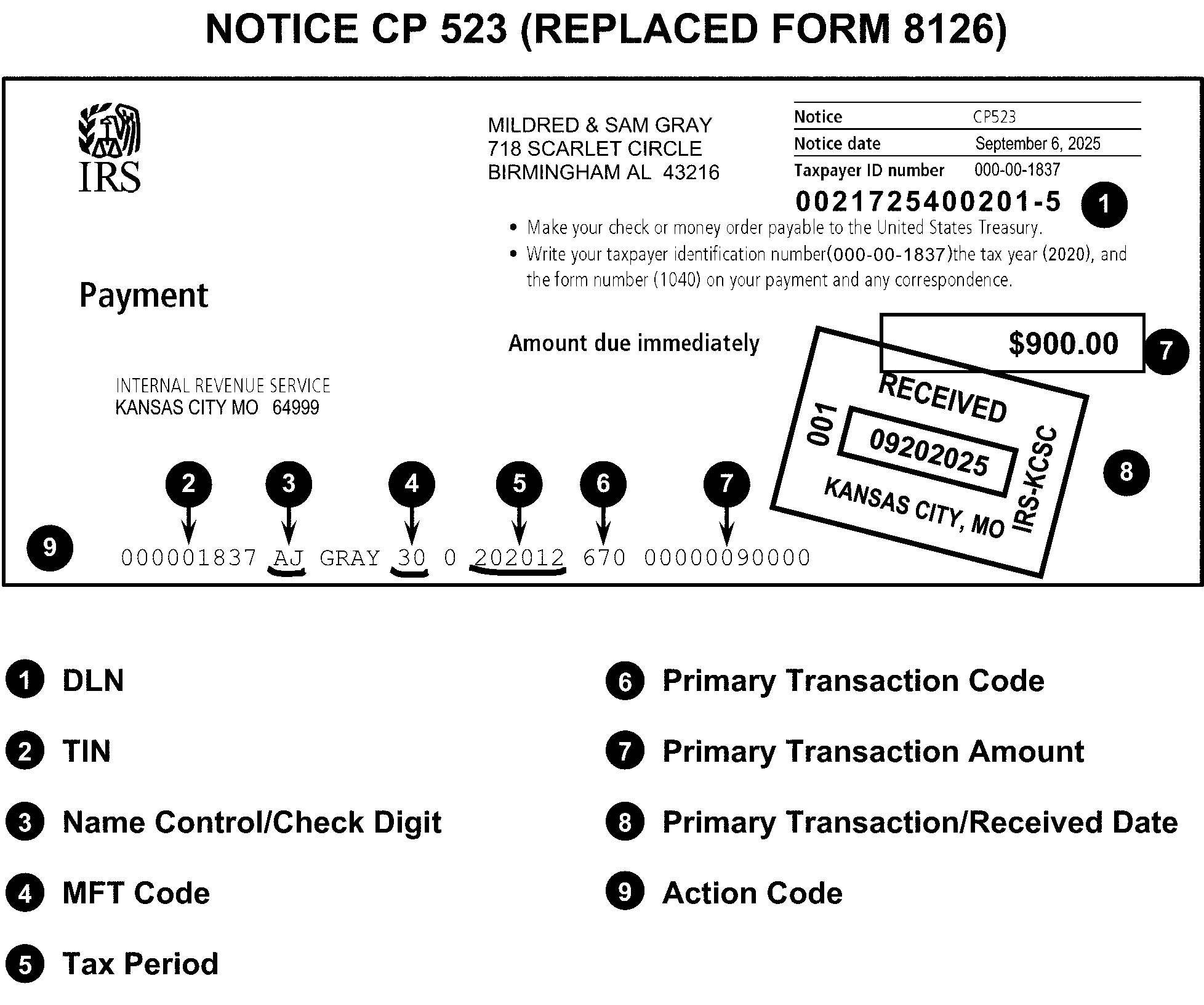
Pictured is an example of a Notice CP 523, Installment Agreement Default Notice. Added to the blank form are the line items which are used in the revenue receipt program to process this form. The line items are listed below the form.
Please click here for the text description of the image.
Exhibit 3.11.10-31
Form 8758, Excess Collections File Addition
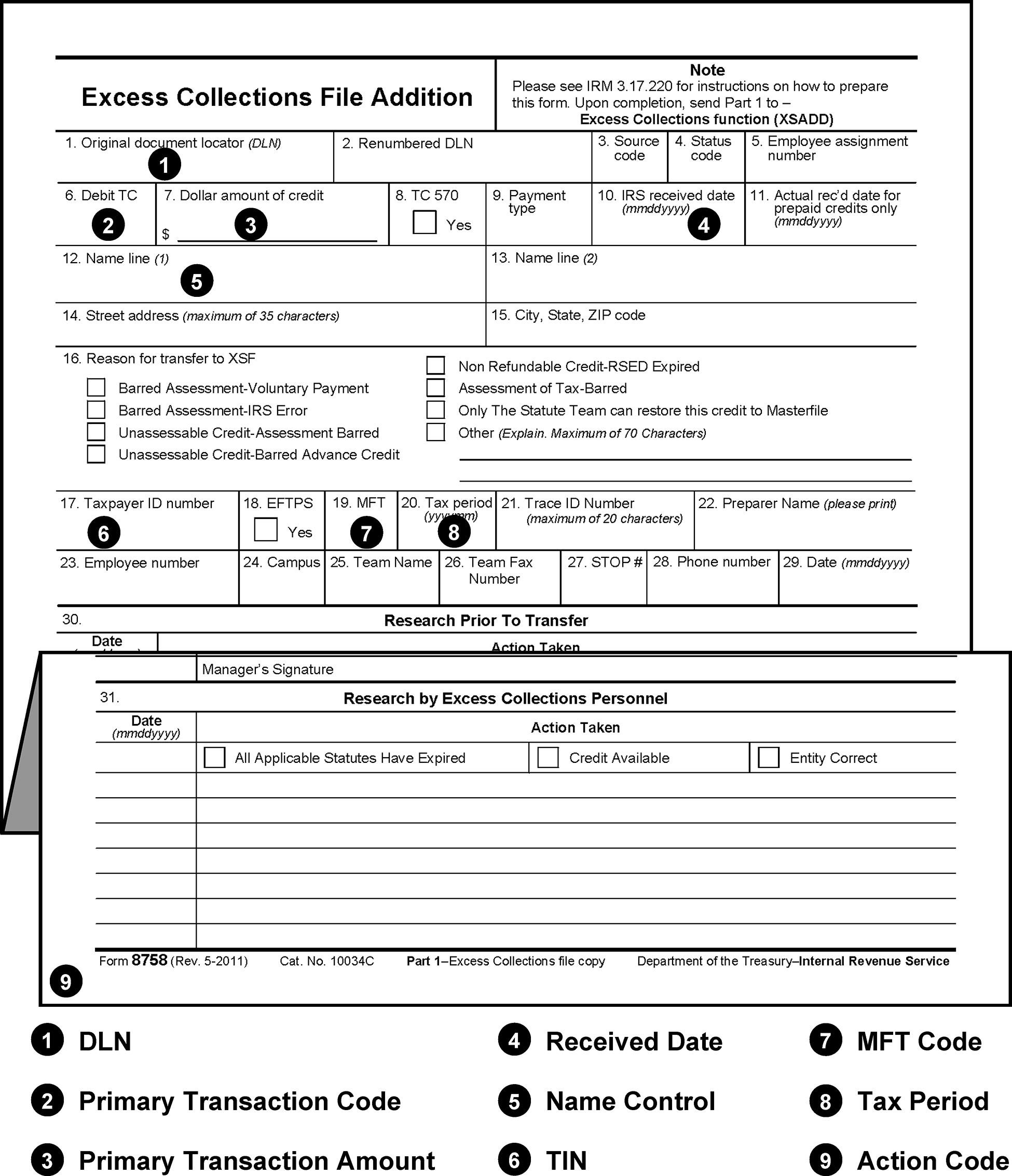
Pictured is an example of a blank Form 8758, Excess Collections File Addition. Added to the blank form are the line items which that are used in the revenue receipt program to process this form. The line items are listed below the form.
Please click here for the text description of the image.
Exhibit 3.11.10-32
Form 8813, Partnership Withholding Tax Payment Voucher (Section 1446)
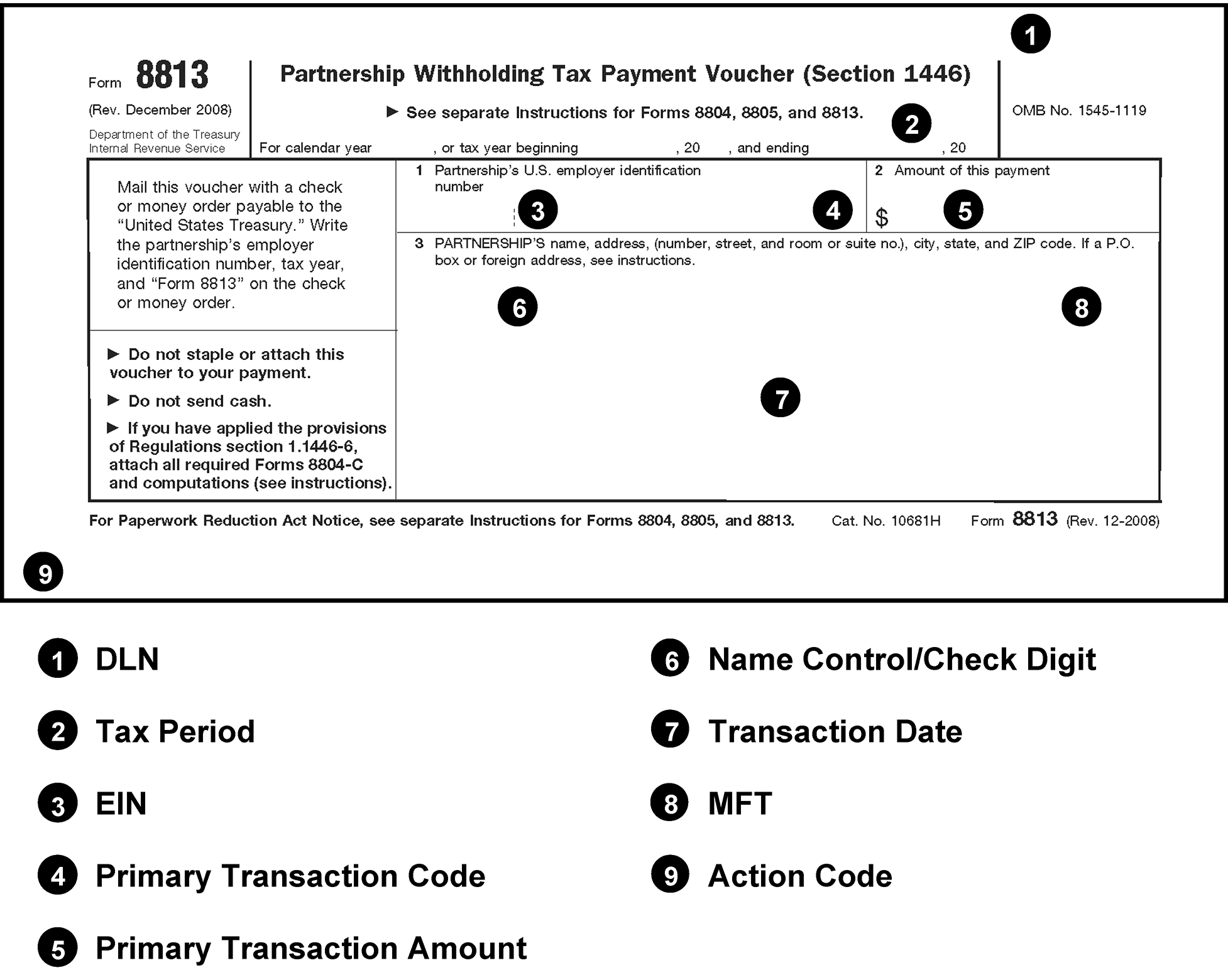
Pictured is an example of a blank Form 8813, Partnership Withholding Tax Payment Voucher (Section 1446). Added to the blank form are the line items which are used in the revenue receipt program to process this form. The line items are listed below the form.
Please click here for the text description of the image.
Exhibit 3.11.10-33
Form 12857, Refund Transfer Posting Voucher
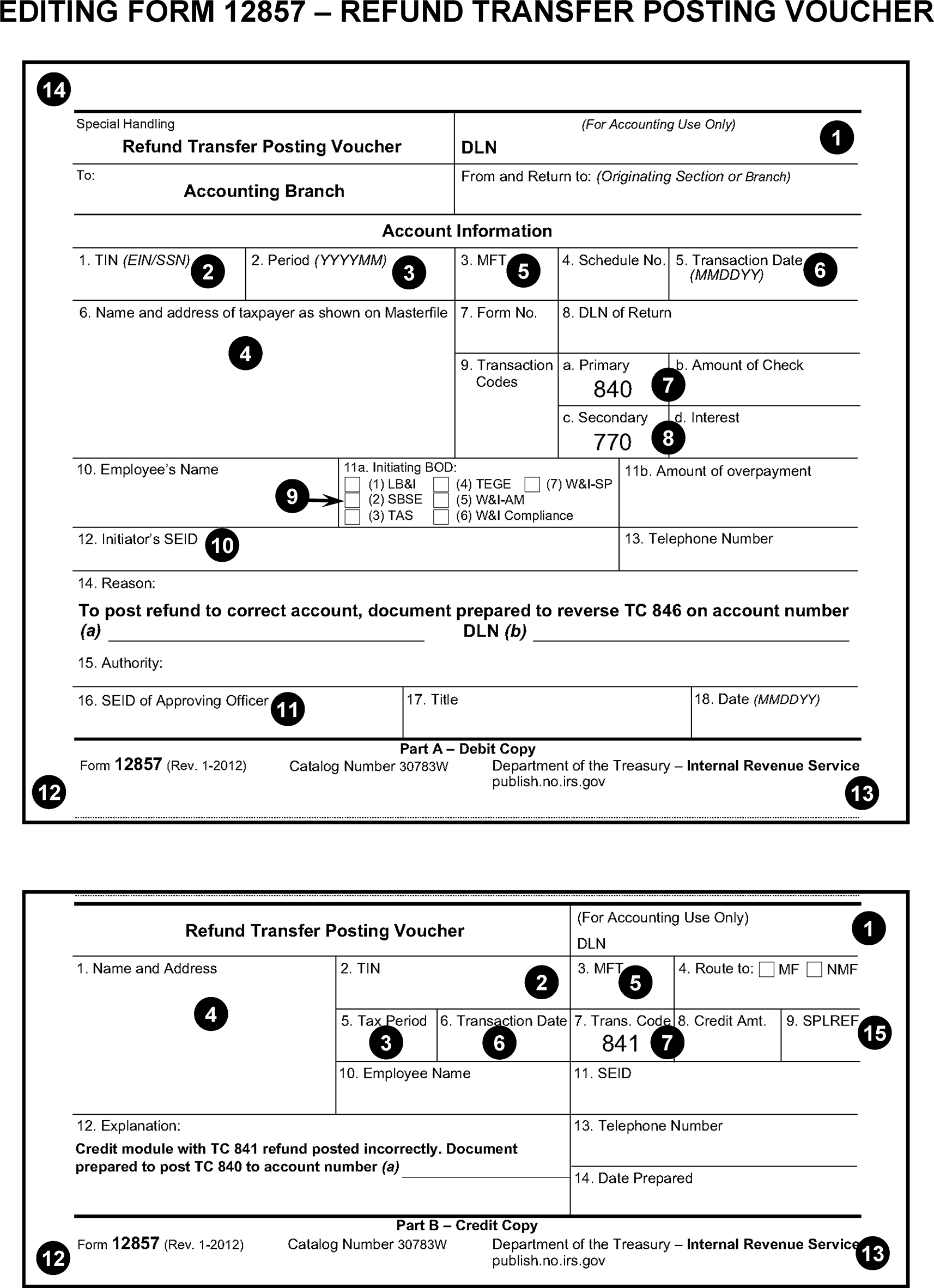
Pictured is an example of a blank Form 12857, Refund Transfer Posting Voucher. Added to the blank form are the line items which are used in the revenue receipt program to process this form. The line items are listed below the form.
Please click here for the text description of the image.
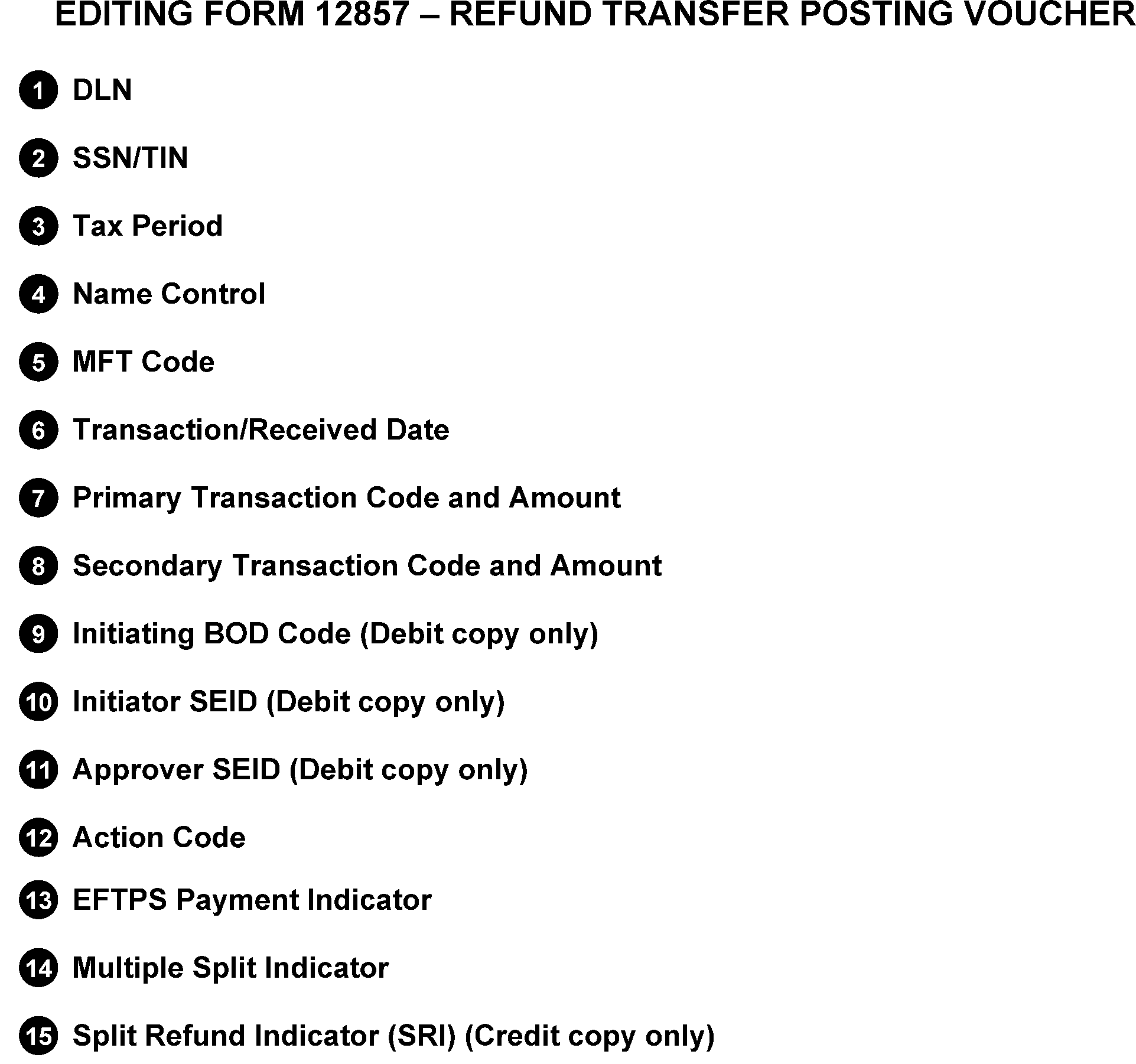
Form 12857, Refund Transfer Posting Voucher (Cont. 1)Pictured is an example of the second page of a blank Form 12857, Refund Transfer Posting Voucher. Added to the blank form are the line items which are used in the revenue receipt program to process this form. The line items are listed below the form.
Please click here for the text description of the image.