Internal Revenue Manual § 3.11.12 - Exempt Organization Returns
3.11.12 Exempt Organization Returns
Manual Transmittal
October 17, 2025
Purpose
(1) This transmits revised IRM, 3.11.12, Returns and Documents Analysis, Exempt Organization Returns.
Material Changes
(1) IRM 3.11.12.1(6) & (7) - Sections (6) and (7) were deleted as duplicative sections.
(2) IRM 3.11.12.1.3 IPU 25U3368 issued 06-04-2025 - Updated Title.
(3) IRM 3.11.12.1.6 IPU 25U3368 issued 06-04-2025 - Updated Title.
(4) IRM 3.11.112.1.6 - Added acronym definition and table.
(5) IRM 3.11.12.3.3(10) - Updated e-file date to 202311.
(6) IRM 3.11.12.3.7.2 - Updated IRM Reference and deleted sub section (v).
(7) IRM 3.11.12.3.8(4) - Updated language to clarify processing Forms 1041-A and 5227.
(8) IRM 3.11.12.3.9 IPU 25U0014 issued 01-03-2025 - Updated Instructions, General Perfecting of EO Returns.
(9) IRM 3.11.12.3.9(5) - Updated IRM References.
(10) IRM 3.11.12.3.11.2 - Updated IRM References.
(11) IRM 3.11.12.3.12.1(1) & (2) - Updated IRM References.
(12) IRM 3.11.12.3.12.2(4) & (5) - Updated IRM References.
(13) IRM 3.11.12.3.12.3(5) - Updated IRM References.
(14) IRM 3.11.12.3.12.4(8) - Updated IRM References.
(15) IRM 3.11.12.3.12.5(7) - Updated IRM References.
(16) IRM 3.11.12.3.12.6(2) - Added instructions in subsection (g).
(17) IRM 3.11.12.3.12.6(5) - Updated IRM References.
(18) IRM 3.11.12.3.12.8(2) - Updated IRM References.
(19) IRM 3.11.12.3.12.9(1) - Updated IRM References.
(20) IRM 3.11.12.3.12.10(1) - Updated IRM References.
(21) IRM 3.11.12.3.12.11(1) - Updated IRM References.
(22) IRM 3.11.12.3.12.12(5) - Updated IRM References.
(23) IRM 3.11.12.3.13(4) - Updated IRM References.
(24) IRM 3.11.12.3.13.1(4) IPU 25U0014 issued 01-03-2025 - Updated Instructions, Amended Returns, added note.
(25) IRM 3.11.12.3.13.1(5) - Added CCC R back in.
(26) IRM 3.11.12.3.13.1.1(1) - Updated IRM References.
(27) IRM 3.11.12.3.15.2(3)(f) IPU 25U0014 issued 01-03-2025 - Updated Instructions, Entity Perfection - Name Control.
(28) IRM 3.11.12.3.15.3(2) - Updated IRM References.
(29) IRM 3.11.12.3.15.5(2) IPU 25U0014 issued 01-03-2025 - Updated Instructions, Entity Perfection - Domestic Addresses.
(30) IRM 3.11.12.3.15.6(2) - Updated IRM References.
(31) IRM 3.11.12.3.15.7(2) - Updated IRM References.
(32) IRM 3.11.12.3.16(2) - Updated IRM References.
(33) IRM 3.11.12.3.19(1) & (2) - Updated IRM References.
(34) IRM 3.11.12.3.22(4) & (5) - Updated IRM References.
(35) IRM 3.11.12.3.23(8) - Updated IRM References.
(36) IRM 3.11.12.3.23.1 IPU 25U0014 issued 01-03-2025 - Updated Instructions, Early Filed Return.
(37) IRM 3.11.12.3.23.2(2) - Updated IRM References.
(38) IRM 3.11.12.3.23.2(4) - Updated IRM References.
(39) IRM 3.11.12.3.23.2.1 IPU 25U0014 issued 01-03-2025 - Updated Instructions, Short Tax Year Change of Accounting Period.
(40) IRM 3.11.12.4.3(2) & (3) - Updated IRM References.
(41) IRM 3.11.12.4.6(5) - Updated IRM References.
(42) IRM 3.11.12.4.11(2) - Updated IRM References.
(43) IRM 3.11.12.4.22(2) - Updated IRM References.
(44) IRM 3.11.12.4.23(2) - Updated IRM References.
(45) IRM 3.11.12.4.24(2) - Updated IRM References.
(46) IRM 3.11.12.4.256(5) - Deleted SS50, SS60, SS70, SS71, & SS 91.
(47) IRM 3.11.12.5.2(1) - Updated IRM References.
(48) IRM 3.11.12.5.4(2) - Updated IRM References.
(49) IRM 3.11.12.5.8 IPU 25U0014 issued 01-03-2025 - Updated Instructions, Form 990 Schedule B (2007) and Prior Revision).
(50) IRM 3.11.12.5.9(4) - Updated IRM References.
(51) IRM 3.11.12.5.24(2) - Deleted SS50, SS60, SS70, SS71, & SS91.
(52) IRM 3.11.12.7.2(1) - Updated IRM References.
(53) IRM 3.11.12.7.4(2) - Updated IRM References.
(54) IRM 3.11.12.7.4(3) - Updated IRM References.
(55) IRM 3.11.12.7.8 IPU 25U0014 issued 01-03-2025 - Updated Instructions, Form 990-EZ Schedule B.
(56) IRM 3.11.12.8.1(8) - Updated IRM References.
(57) IRM 3.11.2.8.2 - Added section and table for Form 990-PF - Correcting Error and Reject Conditions for variables 38 through 43.
(58) IRM 3.11.12.8.6(4) - Updated IRM References.
(59) IRM 3.11.12.8.11 IPU 25U0014 issued 01-03-2025 - Updated Instructions, Form 990-PF Schedule B Correspondence.
(60) IRM 3.11.12.8.14 - Added back Figure 3.11.12-10 with graphic for Form 990-PF, Part II Balance Sheet Perfection.
(61) IRM 3.11.12.8.29 - Added back Figure 3.11.12-11 with graphic for Form 990-PF, Part XIV Substitute.
(62) IRM 3.11.12.8.34 - Added Form 8050 Instructions.
(63) IRM 3.11.12.9.1 IPU 25U0014 issued 01-03-2025 - Updated Instructions, Form 990-T General Instructions.
(64) IRM 3.11.12.9.1(7) - Added Form 8050 sequence order, along with page numbers for all schedules.
(65) IRM 3.11.12.9.5(2) - Updated IRM References.
(66) IRM 3.11.12.9.7 IPU 25U0305 issued 03-04-2025 - Updated Form 990-T, Type of Organization Code.
(67) IRM 3.11.12.9.7.1 IPU 25U0014 issued 01-03-2025 - Updated Instructions, Form 990-R, Item K (2020 and Subsequent) (Entity Selection).
(68) IRM 3.11.12.9.10 IPU 25U0014 issued 01-03-2025 - Updated Instructions, Form 990-T Part II (2020 and Subsequent Revision) Correspondence.
(69) IRM 3.11.12.9.11 IPU 25U0014 issued 01-03-2025 - Updated Instructions, Form 990-T Part II (2020 and Subsequent Revision).
(70) IRM 3.11.12.9.11 - Added lines 5b and 6k.
(71) IRM 3.11.12.9.16 IPU 25U0014 issued 01-03-2025 - Updated Form 990-T, Form 3800, General Business Credit.
(72) IRM 3.11.12.9.16 - Added instructions.
(73) IRM 3.11.12.9.20 IPU 25U0014 issued 01-03-2025 - Updated Instructions, Form 8941.
(74) IRM 3.11.12.9.20 - Added Form 8050 Instructions.
(75) IRM 3.11.12.10.2(1) - Updated IRM References.
(76) IRM 3.11.12.11.1(3) - Added Form 8050 sequence order, along with page numbers for all schedules.
(77) IRM 3.11.12.11.2 IPU 25U0014 issued 01-03-2025 - Updated Instructions, Form 1120-POL, Perfection, Editing, and Correspondence.
(78) IRM 3.11.12.11.2(2) - Updated IRM References.
(79) IRM 3.11.12.11.6(7) - Updated IRM References.
(80) IRM 3.11.12.11.10 - Added Form 8050 Instructions.
(81) IRM 3.11.12.12.1(1) - Added Form 8050 sequence order, along with page numbers for all schedules.
(82) IRM 3.11.12.12.1(2) - Updated IRM References.
(83) IRM 3.11.12.12.1(4) - Updated IRM References.
(84) IRM 3.11.12.12.2(3) - Updated IRM References. IRM 3.11.12.12.12 - Added Form 8050 Instructions.
(85) IRM 3.11.12.13.1(1) - Updated IRM References.
(86) IRM 3.11.12.13.2(1) - Updated IRM References.
(87) IRM 3.11.12.14.1(1) - Updated IRM References.
(88) IRM 3.11.12.15.1(1) - Updated IRM References.
(89) IRM 3.11.12.17.2(1) - Updated IRM References.
(90) Exhibit 3.11.12-3 IPU 25U0014 issued 01-03-2025 - Exhibit Updated, Attachment Routing Guide.
(91) Exhibit 3.11.12-4 Updated dates on the Due Date Chart.
(92) Exhibit 3.11.12-12 IPU 25U0014 issued 01-03-2025 - Exhibit Updated Form 990-PF - Prior Year Conversion Chart.
(93) Editorial changes made throughout the IRM for clarity. Reviewed and updated grammar, formatting, punctuation, links, titles, tax years/dates, website addresses and IRM references if needed.
Effect on Other Documents
This supersedes IRM 3.11.12, dated December 2, 2024. This IRM incorporates IRM Procedural Updates (IPU’s) 25U0014 issued January 3, 2025, and 25U0305 issued March 3, 2025, and 25U3368 issued June 4, 2025.
Audience
Submission Processing Document Perfection
Taxpayer Services (TS)
Effective Date
(01-01-2026)
Virginia Puddister
Acting Director, Shared Services
Tax Exempt and Government Entities
3.11.12.1 (01-01-2025)
Program Scope and Objectives
-
Purpose: The Submission Processing Code and Edit (C&E) functions use this IRM. Other IRMs for processing BMF Exempt Organization (EO) returns may cite this IRM. The Ogden Campus is the central processing center for all EO returns (excluding non-Master File returns). Route unprocessed EO returns received in other Campuses or field offices to the Ogden Submission Processing Campus. See IRM 3.10.72, Campus Mail and Work Control - Receiving, Extracting, and Sorting.
-
Audience - Exempt Organization Code and Edit Tax Examining Clerk at the Ogden Campus is the primary audience for this IRM.
-
Policy Owner - The Director, Tax Exempt/Government Entities (TE/GE), Business Systems Planning (BSP).
-
Program Owner - Submission Processing Programs and Oversight (SPP&O).
-
Primary Stakeholders - Exempt Organization Headquarters who rely on review and editing of exempt organization returns.
3.11.12.1.1 (01-01-2025)
Background
-
Submission Processing employees process exempt organization returns.
-
IRM 3.11.12 provides instructions for processing exempt organization returns in the Ogden Submission Processing Campus Code and Edit function.
3.11.12.1.2 (01-01-2025)
Authority
- All Policy Statements for Submission Processing are contained in IRM 1.2.1, Servicewide Policies and Authorities, Servicewide Policy Statements.
3.11.12.1.3 (06-04-2025)
Roles and Responsibilities
-
The Director, Tax Exempt/Government Entities, Business Systems Planning (BSP), Submission Processing Program and Oversight (SPP&O) is the responsible for monitoring operational performance for the Exempt Organization Submission Processing campus.
-
The Operations Manager monitors operational performance for their operation.
-
The Team Manager/Lead monitors performance and ensures employees have the tools to perform their duties.
-
The Team Employees are responsible for following the instructions contained in this IRM and keep updated IRM procedures.
3.11.12.1.4 (01-01-2025)
Program Management and Review
-
Program Goals: Ensure documents are code and edit ready for transcription.
-
Program Effectiveness: The program goals are measured using the following methods:
-
Embedded Quality Submission processing (EQSP)
-
Balanced Measures
-
Managerial reviews
-
3.11.12.1.5 (01-01-2025)
Program Controls
- Quality Review conducts a statistically valid sample size review of completed work to ensure IRM guidelines are followed.
3.11.12.1.6 (01-01-2026)
Terms and Acronyms
-
The following is a list of acronyms used in this IRM section, this IRM uses prompts for data entry defined in this table.
Acronyms Definition ABC Alphanumeric Block Control BMF Business Master File BOY Beginning of Year CAF Centralized Authorization File BSP Business Systems Planning CCC Computer Condition Code CD Check Digit CI Criminal Investigation DLN Document Locator Number EIN Employer Identification Number EOY End of Year ERS Error Resolution System IDRS Integrated Data Retrieval System IRI Information Returns Intake IRM Internal Revenue Manual IRS Internal Revenue Service ISRP Integrated Submission and Remittance Processing System LB&I Large Business and International Division NC Name Control OAR Operation Assistance Request PTIN Preparer Taxpayer Identification Numbers RPC Return Processing Code SB/SE Small Business Self Employed Division SERP Servicewide Electronic Research Program SLAs Service Level Agreements SPP&O Submission Processing Programs and Oversight SSN Social Security Number TAS Taxpayer Advocate Service TE/GE Tax Exempt Government Entities Division TIN Taxpayer Identification Number TS Taxpayer Services
3.11.12.1.7 (01-01-2025)
Related Resources
-
The following is a list of related resources:
-
Servicewide Electronic Research Program (SERP)
-
Integrated Data Retrieval System (IDRS)
-
IRM 3.12.12 Error Resolution, Exempt Organization Returns
-
IRM 3.24.12 ISRP System, Exempt Organization Returns
-
3.11.12.1.8 (01-01-2025)
IRM Deviation Procedures
-
Program guidance doesn’t always apply to the work in all offices in all areas of the country. Sometimes, you may need to work in a way that doesn't comply with the official procedures in the IRM.
-
Guidance that deviates from the IRM or that establishes new practices (even if temporary) must be:
-
Approved by a first-line executive with program responsibility (or documented designee),
-
Communicated to employees in writing, and
-
Reviewed annually if the deviation is effective longer than one year.
-
-
When you prepare a request:
-
Summarize the circumstances that require deviation.
-
Identify the applicable IRM section.
-
Describe the reason for the deviation (explain what caused the situation to occur and what is being done to correct it).
-
Specify the time frame the deviation is effective (no longer than one year).
-
-
Guidance which deviates from the IRM may require disclosure on IRS.gov to adhere to FOIA laws. For information on the E-FOIA criteria and requirements, see IRM 1.11.1.3.1, Transparency of Instructions to Staff.
3.11.12.1.9 (01-01-2025)
Format of IRM 3.11.12
-
Numbers in parenthesis (e.g., (1), (2)), indicate paragraph numbers.
-
Indented numerical lists (e.g., 1., 2.), indicate steps you must take in order. Complete the procedure in step one before doing the procedure in step two, and consider all steps.
-
Indented alphabetical or bullet lists (e.g., a., b.), indicate procedures or informational items where order isn't important, however, you must consider all items.
3.11.12.2 (01-01-2025)
Taxpayer Advocate Service (TAS)
-
The Taxpayer Advocate Service (TAS) is an independent organization within the Internal Revenue Service (IRS), led by the National Taxpayer Advocate, that helps taxpayers and protects taxpayer rights. TAS offers free help to taxpayers when a tax problem is causing a financial difficulty, when they’ve tried and been unable to resolve their issues with the IRS, or when they believe an IRS system, process, or procedure just isn’t working as it should. TAS strives to ensure that every taxpayer is treated fairly and knows and understands their rights under the Taxpayer Bill of Rights. TAS has at least one taxpayer advocate office located in every state, the District of Columbia, and Puerto Rico.
-
TAS uses Form 12412, Operations Assistance Request (OAR), to start the OAR process of referring a case to the Taxpayer Services (TS) Division, to effect the resolution of the taxpayer’s problem. For more information, refer to IRM 13.1.19, TAS Operations Assistance Request (OAR) Process.
-
Refer taxpayers to TAS when the contact meets TAS criteria or when Form 911, Request for Taxpayer Advocate Service Assistance (and Application for Taxpayer Assistance Order), is attached and steps cannot be taken to resolve the taxpayer’s issue the same day. See IRM 21.1.3.18, Taxpayer Advocate Service (TAS) Guidelines.
-
The definition of “same day resolution” is within 24 hours. The following two situations meet the definition of “same day resolution”:
-
The issue can be resolved within 24 hours.
-
The IRS takes steps within 24 hours to resolve the taxpayer’s issue.
-
-
When making a TAS referral, use Form 911 and forward to TAS following your local procedures.
-
For more information see IRM 13.1.7, Taxpayer Advocate Service (TAS) Case Criteria, and IRM 13.1.7.4, Exceptions to Taxpayer Advocate Service Criteria, for information on cases that TAS will no longer accept.
3.11.12.2.1 (01-01-2025)
TAS Service Level Agreements (SLAs)
-
The National Taxpayer Advocate reached agreements with the Commissioners or Chiefs of Taxpayer Services (TS) Division, Small Business and Self Employed (SB/SE) Division, Tax Exemption Government Entities (TE/GE), Criminal Investigation (CI), Independent Office of Appeals, and Large Business and International (LB&I) that outline the procedures and responsibilities for the processing Taxpayer Advocate Service (TAS) casework when either the statutory or delegated authority to complete case transactions rests outside of TAS. These agreements are known as Service Level Agreements (SLAs).
-
SLAs are located in IRM 25.30.7, Service Level Agreements between the Tax Exempt & Government Entities Division and the Taxpayer Advocate Service.
3.11.12.2.2 (01-01-2025)
Operations Assistance Requests (OARs)
-
Taxpayer Advocate Service uses the Operation Assistance Request (OAR) process to refer cases when TAS lacks either the statutory or delegated authority to resolve a taxpayer's problem. The TAS uses Form 12412, Operations Assistance Request, to initiate the OAR process.
-
In cases requiring an OAR, TAS completes Form 12412 and sends the case to the Operating Division Liaison via Form 3210. The Operating Division Liaison reviews the case, assigns it to the appropriate area, and monitors the case through its conclusion. Refer to Document 12990, IRS Records Control Schedules (RCS) 29, Item 91 for the National Archives and Records Administration (NARA) approved Form 3210, Document Transmittal retention and disposition requirement.
-
The TS Submission Processing Liaison acknowledges receipt and gives the IRS employee’s name and phone number assigned to work the case within one workday of receipt of the OAR involving Expedite processing. The TS Submission Processing Liaison provides a relief/no relief decision within three workdays of acknowledging receipt of the Expedite OAR. The decision is by: telephone or in writing on Form 3210, Document Transmittal, via fax, secured email, or hand delivery to the TAS office that initiated the OAR.
-
For OARs that don't require expedite handling, the TS Submission Processing Liaison acknowledges receipt and gives the IRS employee’s name and phone number assigned to work the case within three workdays of receipt of the OAR. If necessary, the TS employee assigned to the case negotiates a reasonable timeframe to resolve the OAR with the TAS employee.
-
Complete OAR cases as soon as possible. The assigned area will complete the case on the time frames listed on Form 12412.
-
If a taxpayer's case can’t be resolved by the requested timeframe or by a negotiated extension date, the employee elevates the matter to the TS Business Unit Liaison.
-
The manager/employee works with the Taxpayer Advocate contact listed on Form 12412 to agree on follow-up timeframes based on the case’s facts and circumstances.
-
The manager/employee assigned the case discusses his or her findings and recommendations on the case’s final disposition with the appropriate TAS contact before communicating the final decision to the taxpayer or issuing any closing documents. The TAS contact is responsible for communicating the case’s final decision to the taxpayer however, this doesn't prohibit the manager/employee from also doing so.
-
If the TAS contact and the manager/employee assigned the case can’t agree on the resolution to the taxpayer's problem, the TAS employee elevates this disagreement to their manager who discusses it with the appropriate Operating Division manager. The manager/employee assigned the case also elevates any disagreement to their manager. If they can’t agree on the appropriate resolution within three workdays, the manager evaluates the issue through management channels for resolution or for the Local Taxpayer Advocate (LTA) to consider a Taxpayer Assistance Order.
-
When the case is resolved, the Business Operation Division (BOD)/Function employee assigned the OAR complete section VI of Form 12412, Operations Assistance Request, and returns it to the TAS Case Advocate assigned the case within three workdays of completing all actions and inputting transactions.
-
-
For more detailed information, please refer to: IRM 13.1.7, Taxpayer Advocate Service (TAS) Case Criteria, and IRM 13.1.7.4, Exceptions to Taxpayer Advocate Service Criteria, for information on cases that TAS will no longer accept.
3.11.12.2.3 (01-01-2025)
Form 911, Request for Taxpayer Advocate Service Assistance (Application for Taxpayer Assistance Order)
-
Refer to a TAS office if the IRS employee receives a taxpayer contact, and the employee can’t initiate action to resolve the taxpayer’s inquiry or provide the relief requested by the taxpayer. A taxpayer shouldn’t have to specifically request TAS assistance to be referred to TAS. IRS employees advise taxpayers of the option to seek TAS assistance when appropriate. TAS generally accepts the taxpayer’s problem at face value, and doesn’t require documentation from the taxpayer unless needed or required by the IRM to provide the requested relief.
-
A referral to a TAS office isn't necessary even if TAS Case Criteria are met if the IRS employee can resolve a taxpayer’s inquiry or provide the relief requested, per IRM 13.1.7.5, Same Day Resolution. The definition of Same Day Resolution is "within 24 hours" . However, even if you can’t completely resolve the issue within 24 hours, if you’ve taken steps within 24 hours to resolve the taxpayer’s issue, these cases also meet the definition of same day. Don't refer these cases to TAS unless the taxpayer asks to be transferred to TAS.
Note:
Handle potential TAS cases with the taxpayer’s best interest in mind.
-
See IRM 21.1.3.18, Taxpayer Advocate Service (TAS) Guidelines, for more information.
-
Don’t refer the following types of cases to TAS:
-
The taxpayer’s complaint or inquiry only questions the constitutionality of the tax system.
-
Cases where the focus of the taxpayer’s inquiry is solely to employ frivolous tax strategies to avoid or delay filing or paying federal taxes.
-
-
TAS Case Acceptance Criteria: TAS accepts cases in which the taxpayer:
-
Is experiencing economic harm or is about to suffer economic harm.
-
Is facing an immediate threat of adverse action.
-
Will incur significant costs if relief isn't granted (including fees for professional representation).
-
Will suffer irreparable injury or long-term adverse impact if relief isn't granted.
-
Has experienced a delay of more than 30 days to resolve a tax account problem.
-
Hasn’t received a response or resolution to their problem or inquiry by the date promised.
-
A system or procedure has either failed to operate as intended, or failed to resolve the taxpayer’s problem or dispute within the IRS.
-
The manner in which the tax laws are being administered raise considerations of equity, or have impaired or will impair the taxpayer’s rights.
-
The NTA determines compelling public policy warrants assistance to an individual or group of taxpayers.
-
-
Other TAS Case Acceptance Criteria:
-
A system or procedure has either failed to operate as intended, or failed to resolve the taxpayer’s problem or dispute within the IRS.
-
The manner in which the tax laws are being administered raise considerations of equity, or have impaired or will impair the taxpayer’s rights.
-
The NTA determines compelling public policy warrants assistance to an individual or group of taxpayers.
Note:
Case criteria are not meant to be all-inclusive; evaluate each taxpayer situation based on each case’s unique facts and circumstances.
-
3.11.12.2.4 (01-01-2025)
Tax Exempt/Government Entities (TE/GE) and Taxpayer Services (TS) Service Level Agreement
-
The TE/GE and TS SLA identifies a set of processing and customer service targets in which the TE/GE Division and the TS Division agree on an acceptable level of service for the term of the agreement.
-
Underlying this SLA are six key service needs:
-
Timely processing of submissions
-
Accurate processing of submissions
-
Striving for continuous improvement in processing of submissions (i.e., returns, correspondence, remittance, etc.)
-
Procedural changes
-
Workload
-
Resources
-
3.11.12.2.5 (01-01-2025)
BMF Identification (ID) Theft
- BMF Identification Theft is increasing. If a tax examiner in Submission Processing (SP) Code and Edit (C&E) finds a case with attachments or correspondence indicating the taxpayer is a victim of ID Theft, provide the entire case to your senior/lead. Your senior/lead expedites the case to the PA staff to refer to one of the SP BMF ID Theft liaisons. The taxpayer must clearly state that they are a victim of ID Theft: don’t send cases that are subject to Fraud review.
3.11.12.3 (01-01-2025)
General
-
IRM 3.11.12.3 through 3.11.12.3.24 provides general information and instructions for EO returns and return processing.
-
IRM 3.11.12.4 through 3.11.12.17.6 provides the following instructions for a specific EO return:
-
General instructions and a definition of the organization required to file.
-
Special instructions relating to the specific EO return.
-
Tips and reminders for editing, perfecting and corresponding.
-
Edit sheet T-lines, or coding T-lines.
-
Tax return and supporting form T-lines and correspondence.
-
-
Form 990 series (990, 990-EZ, 990-PF, and 990-T) returns are mandated to be electronically filed. Organizations can E-file returns for the current tax period and two prior tax periods. Example: 202512, 202412 and 202312. If a paper return is received for a ending tax period of 202312 or subsequent, pull the return from processing and send back to the filer to E-file. Paper returns received for tax periods ending between 202212 - 202311 and prior must be processed.
-
If a Form 990 series return is identified as incomplete, pull the return from processing and send the return back to the filer using the appropriate correspondence letter.
-
If the return is being sent back to the filer, "X" out the received date.
Note:
Once a correspondence issue has been identified, it is not necessary to continue editing the return; however, it is important to identify any additional items that require correspondence.
3.11.12.3.1 (01-01-2025)
Exempt Organization Filers Defined
-
The Internal Revenue Code (IRC) defines the activities of an EO.
-
The following returns are filed by Exempt Organizations:
-
Form 990, Return of Organization Exempt From Income Tax
-
Form 990-EZ, Short Form Return of Organization Exempt From Income Tax
-
Form 990-PF, Return of Private Foundation or Section 4947(a)(1) Trust Treated as Private Foundation
-
Form 990-T, Exempt Organization Business Income Tax Return
-
Form 1041-A, U.S. Information Return Trust Accumulation of Charitable Amounts
-
Form 1120-POL, U.S. Income Tax Return for Certain Political Organizations
-
Form 4720, Return of Certain Excise Taxes on Charities and Other Persons Under Chapters 41 and 42 of the Internal Revenue Code
-
Form 5227, Split-Interest Trust Information Return
-
Form 6069, Return of Certain Excise Taxes on Mine Operators, Black Lung Trusts, and Other Persons Under Sections 4951, 4952, and 4953
-
Form 8871, Political Organization Notice of Section 527 Status
-
Form 8872, Political Organization Report of Contributions and Expenditures
-
-
The Subsection Code (SS XX) defines the IRC subsection (IRC under which the organization is exempt.
-
The Foundation Code identifies whether an IRC 501(c)(3) organization is a private foundation required to file Form 990-PF, or a public charity required to file Form 990 or Form 990-EZ and Schedule A.
-
**EO Filers Defined:**Figure 3.11.12-1a and Figure 3.11.12-1b define Exempt Organizations in both Subsection/Foundation Code order and tax return number order.
-
You can determine the Subsection Code and Foundation Code from either the information on the return or attachment(s), or INOLES research.
Figure 3.11.12-1a
SSXX Foundation Code Annual Return Supplementary Return IRC Section SS01 None Required None Required. Form 990–T, IRC 501(c)(1) SS02 None Required * Form 990 * Form 990-EZ Form 990–T IRC 501 (c) (2) SS03 02 Form 990–PF * Form 990-T * Form 4720 IRC 501 (c) (3) SS03 03 Form 990–PF * Form 990-T * Form 4720 IRC 501 (c) (3) SS03 04 Form 990–PF * Form 990-T * Form 4720 IRC 501 (c) (3) SS03 10 * Form 990 * Form 990-EZ * Form 990-T * Form 4720 IRC 501 (c) (3) SS03 11 * Form 990 * Form 990-EZ * Form 990-T * Form 4720 IRC 501 (c) (3) SS03 12 * Form 990 * Form 990-EZ * Form 990-T * Form 4720 IRC 501 (c) (3) SS03 13 * Form 990 * Form 990-EZ * Form 990-T * Form 4720 IRC 501 (c) (3) SS03 14 * Form 990 * Form 990-EZ * Form 990-T * Form 4720 IRC 501 (c) (3) SS03 15 * Form 990 * Form 990-EZ * Form 990-T * Form 4720 IRC 501 (c) (3) SS03 16 * Form 990 * Form 990-EZ * Form 990-T * Form 4720 IRC 501 (c) (3) SS03 17 * Form 990 * Form 990-EZ * Form 990-T * Form 4720 IRC 501 (c) (3) SS03 18 * Form 990 * Form 990-EZ * Form 990-T * Form 4720 IRC 501 (c) (3) SS04 None Required * Form 990 * Form 990-EZ * Form 990-T * Form 4720 IRC 501(c) (4) SS05 through SS19 None Required * Form 990 * Form 990-EZ Form 990–T IRC 501(c)(5) through IRC 501(c)(19) SS21 None Required Form 990–BL, * Form 990-T * Form 6069 IRC 501(c) (21) SS22 through SS27 None Required * Form 990 * Form 990-EZ Form 990–T IRC 501(c)(22) through IRC 501(c)(27) SS28 None Required * Form 990 * Form 990-EZ Form 990-T IRC 501(c)(28) SS29 None Required * Form 990 * Form 990-EZ Form 990-T IRC 501(c)(29) SS40 None Required * Form 990 * Form 990-EZ Form 990–T IRC 501(d) SS50 None Required * Form 990 * Form 990-EZ Form 990–T IRC 501(e) SS60 None Required * Form 990 * Form 990-EZ Form 990–T IRC 501(f) SS70 None Required * Form 990 * Form 990-EZ Form 990–T IRC 501(k) SS71 None Required * Form 990 * Form 990-EZ Form 990–T IRC 501(n) SS81 09-18 * Form 990 * Form 990-EZ Form 990-T IRC 529 SS82 None Required * Form 990 * Form 990-EZ * Form 1120-POL * Form 8871 * Form 8872 IRC 527 SS90 None Required Form 5227 * Form 1041-A * Form 4720 IRC 4947(a) (2) SS91 00 * Form 990 * Form 990-EZ * Form 990-T * Form 4720 IRC 4947(a) (1) SS92 None Required Form 990–PF * Form 990-T * Form 4720 IRC 4947(a) (1) Figure 3.11.12-1b
Return SSXX Foundation Code IRC Section * Form 990 * Form 990-EZ 28 None Required IRC 501(c)(28) * Form 990 * Form 990-EZ 29 None Required IRC 501(c)(29) * Form 990 * Form 990-EZ 02 None Required IRC 501(c)(2) * Form 990 * Form 990-EZ 04 through 20 None Required IRC 501(c)(4) through IRC 501(c)(20) * Form 990 * Form 990-EZ 22 through 27 None Required IRC 501(c)(22) through IRC 501(c)(27) * Form 990 * Form 990-EZ 03 09 through 18 IRC 501(c)(3) * Form 990 * Form 990-EZ 50 None Required IRC 501(e) * Form 990 * Form 990-EZ 60 None Required IRC 501(f) * Form 990 * Form 990-EZ 70 None Required IRC 501(k) * Form 990 * Form 990-EZ 71 None Required IRC 501(n) * Form 990 * Form 990-EZ 81 09-18 IRC 529 * Form 990 * Form 990-EZ 82 None Required IRC 527 * Form 990 * Form 990-EZ 91 00 IRC 4947(a)(1) Form 990–BL 21 None Required IRC 501(c)(21) Form 990–PF 03 02 through 04 IRC 501(c)(3) Form 990-PF 92 None Required IRC 4947(a)(1) Form 990–T 01 through 29 Exception 401(a) Trust, Other Trust, State College/University and 6417(d)(1)(A) None Required IRC 501(c)(1) through IRC 501(c)(29), 401(a) Trust, Other Trust, State College/University and 6417(d)(1)(A) Form 1041–A None Required None Required IRC 6034 or 642(c) Form 1041-A 90 None Required IRC 4947(a)(2) Form 1120-POL 82 None Required IRC 527 Form 4720 03 None Required IRC 501(c)(3) Form 4720 04 None Required IRC 501(c)(4) Form 4720 90 None Required IRC 4947(a)(2) Form 4720 91 None Required IRC 4947(a)(1) Form 4720 92 None Required IRC 4947(a)(1) Form 5227 90 None Required IRC 4947(a)(2)
3.11.12.3.2 (01-01-2022)
♦BMF Consistency♦
-
The purpose of this initiative is to achieve consistency in the Business Master File (BMF) Code & Edit processing IRMs.
-
Cincinnati, Ogden, and Paper Processing Branch BMF Code & Edit/ERS coordinated an effort to identify and develop topics for BMF Consistency.
-
We identify BMF Consistency subsections by a "♦" (diamond) before and after the subsection title.
-
Text in normal print is the common process for BMF returns. The text in bold print is form-specific and applies to this IRM only.
3.11.12.3.3 (01-01-2026)
General Perfecting of EO Returns
-
Use the following general information when editing Exempt Organization returns. If the general instructions and the form specific instructions conflict, follow the form specific instructions.
-
Perfect for legibility. If perfecting a dollar or "total" line and an amount isn’t present, bring the amount to the line from attachment(s) or from the lines feeding into the "total" line.
-
"X" the T-line if the taxpayer crossed out the wording and replaced it with wording with a different meaning from the wording on the return.
-
"X" the line and edit or add the entry on the correct T-line if the taxpayer crossed out the wording and replaced it with wording that is on a T-line.
-
Recompute a "total" T-line if all of the lines above it are also T-lines, and one or more dollar entries were edited or deleted ("X" ed).
-
-
A dollar entry is a positive or negative dollar amount.
-
Document Perfection no longer requires editing dollars and cents.
-
Don’t edit brackets or parentheses around amounts clearly indicated to be negative with a bracket or a minus (-) sign. A true negative entry means that, through computation or perfection, the result or entry is actually negative.
Reminder:
Bracket negative amounts when editing negative entries on transcription lines (i.e., computing and entering a missing line entry, etc.).
-
-
If any of the transcribed data lines are missing, compute the correct entry from available figures on the return or attachments. If you can’t determine the entry, leave blank.
-
Arrow the misplaced entry to the correct line if there is no question where the entry belongs. Or, Edit the misplaced entry to the correct line and delete the entry on the incorrect line.
-
If the return is mis-batched:
-
Unnumbered - pull the return and re-batch under the correct program code.
-
Numbered - add action code 610 and leave in the batch.
-
-
If duplicate and/or multiple pages are received, process the first one and move all others to the end of the return.
-
If prior to tax period 202312 Form 990, Form 990-EZ, Form 990-PF or Form 990-T is determined to be incomplete and can’t be corrected from attachments, pull the return from processing and send the return back to the filer.
-
Any Form 990, Form 990-EZ, Form 990-PF, or Form 990-T for the 202312 tax period and subsequent must be filed electronically and not on paper.
Exception:
If a paper Form 990-T for 202212 and subsequent is received, it should be processed only if the filer indicates both 6417(d)(1)(A) Applicable entity in Item G and Elective payment amount from Form 3800 in Item H.
Note:
If the account is in Status 97 on a complete return, and “reinstatement of revocation” or similar language is written across the top of the form and/or on an attachment the return must be processed and not sent back to the filer. If return is incomplete send the return back to the filer requesting the incomplete items but do not include the Status 97 paragraph. IRM 3.11.12.3.8
Note:
If 501(c)(28) Railroad Trust or Religious Technology Conflict or similar language is written across the top of the form and/or on an attachment the return must be processed and not sent back to the filer. If the return is incomplete send the return back to the filer requesting the incomplete items. IRM 3.11.12.3.11
-
If a paper Form 990, Form 990-EZ, Form 990-PF, or Form 990-T for 202312 and subsequent is received, pull the return from processing and send back to the filer. All Form 990, Form 990-EZ, Form 990-PF, or Form 990-T filed for tax period 202312 and subsequent must be filed electronically.
Exception:
If a paper Form 990-T for 202212 and subsequent is received, it should be processed only if the filer indicates both 6417(d)(1)(A) Applicable entity in Item G and Elective payment amount from Form 3800 in Item H.
Note:
When corresponding to request an electronically filed return do not address any other correspondence issues.
Note:
Tax periods 202312 and subsequent that indicate a name change or accounting year change must be filed electronically. Form 990, Form 990-EZ, or Form 990-PF, if Entity has not seen the return for name change and/or change of accounting, route the return to Entity before initiating correspondence to E-file. Tax periods 202311 and prior, process the paper return using Exhibit 3.11.12-6 through Exhibit 3.11.12-13.
-
Any paper Form 8872 received after December 31, 2019 must be sent back to the filer. Form 8872 must be filed electronically.
3.11.12.3.4 (01-01-2022)
♦Edit Marks♦
-
Edit marks are edited on the return for transcription to the Automated Data Processing (ADP) System through ISRP. Code and Edit must edit in erasable red pencil/pen. Other areas can edit in brown, red, orange, purple or green pencil/pen.
-
The only items edited on the return are those for transcription except where specific instructions require editing of a non-transcribed item. Leave lines blank if the entry would be a zero amount unless otherwise instructed.
-
Never obliterate, alter or erase the original entry on a return when deleting or correcting an entry. Always exercise care to ensure that the original entry remains legible. Perfected entries provide a legible "edit trail" for anyone who may work with the return later.
-
For a description of specific edit marks, see the table below:
Edit Mark Description "X" Use the "X" to delete tax data or to indicate that an item isn't to be transcribed. "/" Use a / when deleting a form or schedule not being transcribed. "//$" Use the" //" **in the entity area** to identify the beginning and ending of a foreign country code. ### Example: Edit "/EI/" for "Ireland" and "/GM/$" for "Germany" . "%" or "c/o" Indicates an "in-care-of" name for transcription. Circle Indicates that an entry isn't to be transcribed. Also used to delete Entity data or a Received Date. ### Note: If the taxpayer circles an entry, edit the entry. Underline Indicates an entry for transcription (e.g., Name Control, Tax Period, etc.). Arrow Indicates the correct placement of a misplaced entry. Use an arrow if the misplaced item is close to the correct line and there is no question where the entry belongs. ### Note: Use a double arrow (<------->) if transcribing the same figure in two different places (along with any required transcription data between the two arrows). Check Mark Indicates a manually math verified and/or correct entry. Bracket/Parenthesis Indicates a negative numerical amount. ### Note: C&E no longer needs to bracket negative amounts when preprinted brackets are on the form or schedule, or when the taxpayer clearly indicates a negative amount with () brackets or \- minus sign. Bracket negative amounts when editing negative entries on transcription lines (i.e., computing and entering a line entry, entering a missing entry, etc.). Vertical Line or Decimal Point Indicates the separation of dollar and cents. 0 (zero), - (dash), None, or N/A "ZERO" , "DASH" , "NONE" , or "N/A" are considered valid entries except when specific instructions require editing of an entry. Edit Marks Made by Other IRS Functions Don’t re-edit marks entered by other areas, such as Compliance or Accounts Management, except to place the marks in the correct area. Photocopied Returns Re-edit or underline any valid, black edit marks. Rocker Indicates the amount paid when drawn under a remittance amount.
3.11.12.3.5 (01-01-2022)
Attachments to an EO Return
- See Exhibit 3.11.12-3 for attachment guidance.
3.11.12.3.6 (01-01-2022)
Researching an EO Return
-
Use Form 12837 to request research when so instructed.
-
Use the following IDRS Command Codes for research:
-
BMFOLE
-
BMFOLI
-
BMFOLO
-
BMFOLT
-
ENMOD
-
INOLES
-
NAMEE/NAMEB
-
-
You can identify MeF returns on IDRS by DLNs with a File Location Code of 92 or 93 (first two digits of the DLN).
-
You can view and/or print the return in its entirety by accessing the MeF Employee User Portal (EUP).
-
Procedures to access and use the EUP can be found in IRM 3.42.4.4.
3.11.12.3.7 (01-01-2024)
Routing to Other Functions
-
Use Form 4227 to route return, attachment, photocopy, or other document to another function by doing one of the following:
Exception:
Route NMF returns per local procedures.
If the document is Then Unnumbered 1. Pull the document from the batch. 2. Forward the document to the proper function following local procedures using Form 4227. Numbered 1. Perfect only the entity information. 2. Attach Form 4227. 3. Edit the appropriate Action Code for Form 990, Form 990–EZ, Form 990–PF, Form 990-T, Form 1120-POL, Form 4720, Form 5227, Form 5768 and Form 8872 or CCC "U" for all other Master File returns. 4. Leave the document in the batch. -
Some examples of reasons for routing and/or instructions to note on Form 4227 include:
-
Entity issues
-
Examination prepared unprocessable returns
-
IRC 6020(b) unsigned returns
-
Move $$ for Non-Master File Assessment
-
Multiple ERS Action Codes
-
Numbered returns with the wrong DLN (use Action Code 640 for documents batched as Form 990, Form 990–EZ, Form 990–PF, Form 990-T, Form 1120-POL, Form 4720, Form 5227, Form 5768, or Form 8872. Use CCC "U" for all others).
-
Prompt Determinations
-
Returns sent to Rejects
-
Re-entry returns
-
Returns sent to Imaging
-
Statute returns
-
Termination Code, Form 990-PF
-
IRC 4962 Abatement Requests, Form 4720
-
3.11.12.3.7.1 (01-01-2024)
Routing of Prompt Determination Request
-
Returns may be received requesting a prompt determination of any unpaid tax liability of a bankruptcy estate. The trustee or debtor-in-possession must file a written request for the determination with the IRS Area Office Director.
-
If wording similar to "Prompt Determination" , "Title 11, U.S.C. Section 505(b)" , "Rev. Proc. 2006-24" , or "Rapid Examination" is indicated on a return or attachment, or a letter to an Area Office Director requesting a prompt determination or a prompt audit is attached, review the return for an Area Office Received Date Stamp. If present, continue processing. If not present, do all of the following:
-
Photocopy the return and all attachments.
-
Route the photocopies to EP Classification, 9350 Flair Dr 4th Floor, EL Monte, CA, 91731. Notate on the Form 4227"Prompt Determination, U.S.C. Section 505(b)" .
-
Continue processing the original return.
-
3.11.12.3.7.2 (01-01-2026)
Routing to Entity
-
Route the following ENTITY ISSUES to Entity if there is no indication Entity worked the issue (e.g. TC 59X, Entity stamp). Follow the procedures in IRM 3.11.12.3.15.1 prior to routing EIN issues to Entity.
-
Mismatch, multiple, "applied for" , or no EIN.
-
Name change.
-
Name and EIN are not legible or not present.
-
Address changes for affiliates or credit unions.
-
"We aren’t required to file."
-
"We aren’t an exempt organization."
-
"We terminated our exempt status" or "We are no longer exempt."
-
We merged our assets with another organization. Don't route to Entity if CCC F was edited.
-
"We assumed, purchased, acquired, etc. the assets of another organization."
-
"We’re no longer a group or no longer an affiliate of this group."
-
"We no longer charter credit unions."
-
Undeliverable CPs 259A - 259H, 431.
-
Form 990, 990-EZ, or 990-PF "change of accounting" is included in return.
-
Form 8872 has the "change of address" box checked. Notate "Oracle update required" in the remarks area of Form 4227.
-
A CP4XX is attached to an unnumbered return, and Entity has not cleared the CP. Attach the CP to the front of the return and pull the return from the pack to be routed to Entity.
-
Form 990 or Form 990-EZ, "Initial return" box is checked and the subsection code is not 3, 4, 9, or 17.
-
Form 990-PF has Item G "Initial Return of a Former Public Charity" checked or "Notice 2008–6" or similar wording on the top of the form.
-
Form 990 or 990-EZ have "Announcement 2012-12" or similar wording on the top of the form.
-
Form 990 or 990-EZ have the form number crossed through and the filer has changed the form number to 990-N.
-
Form 990-T has "reinsurance entity" or similar wording on the top of the form.
-
An organization stating they are a U. S. Government instrumentality.
Note:
If a determination letter is attached indicating the organization must file a return, enter ERS Action Code 320.
-
Undelivered 269X letters.
-
3.11.12.3.7.3 (01-01-2022)
Preparing Form 4227
-
Include on Form 4227 all of the following information:
-
Your name or C&E stamp
-
Where you are routing the document(s)
-
The reason for routing the document(s) and/or any instructions for the receiving area
-
-
Attach a completed Form 4227 under the entity section of the original or photocopied document(s).
3.11.12.3.8 (01-01-2026)
♦Action Codes (ERS)♦
-
Correspondence Action Codes will not be used for Forms 990, 990-EZ, 990-PF, 990-T and 4720.
-
If a Form 990 series return or Form 4720 is determined to be incomplete, pull the return from processing and send back to the filer using the appropriate letter.
-
We use Action Codes to indicate whether we need correspondence, research, or some other action. The Action Code sets the suspense period assigned to the return and places the return in the workable or unworkable suspense inventory.
-
When necessary, assign a three-digit Action Code. Action Codes are valid for Forms 990, 990-EZ, 990-PF, 990-T, 1120-POL, 4720, 5227, 5768 and 8872. Process Forms 1041-A and 5227 through a manual correction process. Use Computer Condition Code "U" on these returns when needing actions such as correspondence.
-
Edit the Action Code in the bottom left margin of the return.
-
Assign Action Codes in the following priority:
-
Action Code 310 (Statute Control)
-
Action Code 320 (Entity Control)
-
Action Code 4XX
-
Action Code 6XX
-
Action Code 3XX
-
Action Code 2XX (Correspondence)
Exception:
Use Action Code 211, 215, 225, or 226 before Action Code 341 to ensure the return is complete before a manual refund is issued.
Exception:
Use Action 2XX before Action Code 480 to ensure we write to the taxpayer for completeness before suspending the return as early filed.
-
-
All returns for correspondence must be researched to determine if the account is in Status 97. If the account is in Status 97, pull the return from processing and send back to the filer unless “reinstatement of revocation” or similar language is written across the top of the form and/or on an attachment. If “reinstatement of revocation is written across the top and/or on an attachment and the return is complete, these returns must be processed and not sent back to the filer. If return is incomplete send the return back to the filer requesting the incomplete items but do not include the Status 97 paragraph.
-
If IRC 501(c)(28) Railroad Trust or Religious Technology Conflict or similar language is written across the top of the form and/or on an attachment the return must be processed and not sent back to the filer. If the return is incomplete send the return back to the filer requesting the incomplete items
-
Attach Form 4227 when needing more than one Action Code. Edit the second Action Code on Form 4227.
-
If requiring more than one Action Code of the same priority (e.g., 310 and 341), edit the Action Code with the shortest suspense period and attach Form 4227 to indicate the second unprocessable condition, see Exhibit 3.11.12-1.
-
Edit the following Action Codes when you can’t perfect a return from the information present:
Action Code Description Return Type 211 - Domestic 215 - International * Return is so illegible, incomplete or contradictory that we can’t accept it for computer processing. * The taxpayer notates on the return or attachment that they are reporting tax for more than one Tax Period or for more than one type of tax. All returns except Form 990, 990-EZ, 990-PF, 990-T and 4720 225 (Missing Signature, Domestic - Correspondence) * Unsigned returns (only issue for correspondence). All returns except Form 990, 990-EZ, 990-PF, 990-T and 4720 226 (Missing Signature, International Correspondence) * Unsigned foreign return (only issue for correspondence). All returns except Form 990, 990-EZ, 990-PF, 990-T and 4720 310 (Statute) * Route return to have Statute cleared. All returns 320 (Entity) * Route return to have Entity issue worked. All returns 331 (Frivolous Review) * Route return to have Exam review. All returns 341 (Ten Million Dollar/Manual Refund) * Route return to have refund verified/issued. All returns 420 (Imaging) * Route return to have return Imaged. All returns 450 (Any Other Area) * Route return to any other area. All returns 480 (Early Filed - Suspense) * The return is an early-filed return. All returns 610 (Renumbered Non Remittance) or 611 (Renumbered with Remittance) * A return is mis-blocked (e.g., Form 990 is found in a Form 4720 batch of work). All returns 640 (Void) * To delete the assigned DLN on the return (e.g., Re-entry Returns). All returns 650 (International) * The return is an International return. Forward to OSPC. All returns -
Continue perfecting the return after editing the Action Code(s).
-
For a list of valid Action Codes, see Exhibit 3.11.12-1.
3.11.12.3.9 (01-01-2026)
Computer Condition Codes
-
Computer Condition Codes (CCC) identify special conditions or computations to post to the Master file.
-
Edit CCCs in the center portion of the return below the entity section or per specific form instructions.
-
Edit one or more CCCs when so instructed.
Note:
If another area entered a CCC in the incorrect area of a return circle the CCC and edit the CCC to the appropriate area of the return.
-
Don’t re-edit marks entered by other areas, such as Compliance or Accounts Management, except to place the marks in the correct area.
-
Don’t edit CCC R or V if you are corresponding or sending the return back because it is not complete. The only exception would be Field Secured/Prepared returns when a Revenue Officer notates penalties should not be assessed. See IRM 3.11.12.3.12 through IRM 3.11.12.3.12.12.
Figure 3.11.12-2
CCC Meaning Use If For Form(s) A No Estimated Tax Penalty * Form 2220, Part IV (Lines 37 & 38 are zero or blank) or acceptable substitute statement is attached which shows no liability for the Estimated Tax Penalty. * Form 990-T is for a tax period starting January 201801 and subsequent with Notice 2018-XX written across the top of the return. * Form 990-PF * Form 990-T * Form 1120-POL B Termination of Installment Sale Form 6252, Computation of Installment Sale Income, is attached and there is an indication on the return or attachment that the organization is opting out of the installment plan (e.g., "final lump sum payment" written across the top of Form 6252). Form 990–T C Sequestration Form 990–T is filed claiming 45R (Small Business Health Care Credit), an amount is present on Part III, Line 6(f) or Form 8941 is attached. Form 990-T D Reasonable Cause for Failure to Pay Taxes Timely * The return is an untimely paid return and reasonable cause is established. * The return is stamped "DON’T ASSESS FAILURE TO PAY PENALTY" . * The return is a "Final" , Balance Due return and the Received Date is after the short period due date but before the regular Tax Period due date≡ ≡ ≡ ≡ ≡ ≡ ≡ ≡ ≡ ≡ ≡ ≡ ≡ ≡ ≡ ≡ ### Note: Don't edit CCC D when pre-computed penalty is shown on the return. * Form 990-PF * Form 990-T * Form 1120-POL * Form 4720 F Final Return The "Final" or "Termination" box is checked, or a note such as "Final," "Out of Business," "Termination," etc. is on the return or attachments. IRM 3.11.12.4.7 for Form 990 and Form 990-EZ. * Form 990 * Form 990-EZ * Form 990-PF * Form 990-T * Form 1041-A * Form 1120-POL * Form 4720 * Form 5227 * Form 8872 G Amended Return "Amended" box is checked or any other indication the taxpayer has filed previously. * Form 990 * Form 990-EZ * Form 990-PF * Form 990-T * Form 1041-A * Form 1120-POL * Form 4720 * Form 5227 * Form 8872 I Future Contracts and Tax Straddles Form 6781 is attached identifying income or loss from futures, contracts, and tax straddles. Form 990–T J Form 965 Tax Form 965 is attached * Form 990-PF * Form 990-T * Form 1120-POL L Treaty-Based Return Position Disclosure Form 8833 is attached and/or "Section 6114 Election" on face of return. * Form 990 * Form 990-EZ * Form 990-T M Tax Cuts and Jobs Act Form 8949 is attached. * Enter CCC M when: Tax period ending is 201712 and later, and Form 8949, column (f) contains a code Z or Y. * Form 990-T * Form 1120-POL (Tax periods 201712 and later) O Module Freeze * Form 4466, Corporation Application for Quick Refund of Overpayment of Estimated Tax is attached. * Or for a TAS refund return * Form 990-PF * Form 990-T * Form 1120-POL R Reasonable Cause for Failure to File Return Timely * The filer has attached reasonable cause for failure to file timely. * The filer indicates filing for retroactive reinstatement, similar language or Rev. Proc. 2014-11 is written across the top of the return or if it’s notated on the return or attachments. (990, 990-EZ or 990-PF filer only). * Zero filer - Form 990, 990-EZ2007 and prior only. * Field Secured return that has been notated "Don't assess failure to file penalty" . * FTP not applicable. See Figure 3.11.12-3. * Form 990 * Form 990-EZ * Form 990-PF * Form 990-T * Form 1041-A * Form 1120-POL * Form 4720 * Form 5227 T Investor Reporting of Tax Shelter Registration Form 8271, Investor Reporting of Tax Shelter Registration, is attached. * Form 990 * Form 990-EZ * Form 990-PF * Form 990-T U Unprocessable Document You cannot perfect a numbered or unnumbered document from information present. * Form 1041-A * Form 5578 V Suppress Daily Delinquency Penalty * The filer has attached reasonable cause for filing a delinquent return. * The filer indicates filing for retroactive reinstatement, similar language or Rev. Proc. 2014-11 is written across the top of the return or if it’s notated on the return or attachments. (990, 990-EZ or 990-PF filer only). * Zero filer - Form 990, 990-EZ2007 and prior only. * Field Secured return that has been notated "don't assess penalties" . See Figure 3.11.12-3. * Form 990 * Form 990-EZ * Form 990-PF * Form 1041-A * Form 5227 V Therapeutic Discovery Credit Form 3800, Part III, Line 1a, has a significant entry (greater than zero) and Form 3468, Line 9\* contains an entry. \*(Not applicable for 2009 and prior year revisions of Form 3468.) Form 990-T W Return Cleared by Statute Statute has cleared the return and it is a true statute return. IRM 3.11.12.3.12.6 * Form 990 * Form 990-EZ * Form 990-PF * Form 990-T * Form 1041-A * Form 1120-POL * Form 4720 * Form 5227 X Module Credit Freeze The filer wants the overpayment to be applied to another account (e.g., information for two tax years on the same return). * Form 990-PF * Form 990-T * Form 4720 * Form 1120-POL Y Short Period for Change of Accounting Period The return has a short year because of a change in accounting period. Don't edit on an initial or final/termination return. IRM 3.11.12.3.23.2 * Form 990 * Form 990-EZ * Form 990-PF * Form 990-T * Form 1120-POL 3 No Reply to Correspondence The filer fails to respond to correspondence or the correspondence is returned undeliverable. All 7 Reasonable Cause was Considered and Denied The Reasonable Cause statement was not acceptable, see Figure 3.11.12-3. * Form 990 * Form 990-EZ * Form 990-PF * Form 990-T * Form 1041-A * Form 1120-POL * Form 4720 * Form 5227 8 Waiver of Estimated Tax Penalty Form 2220, Part II, "annualized income" installment method box is checked, or Form 990–T, Part II, Line 3 (2020 and Subsequent Revision) or Form 990-T, Line 42 (2019 and Prior) contains an amount. * Form 990-T * Form 990-PF * Form 1120-POL 9 Low Income Housing One or more of the following Form(s) is attached: Form 8611, 8693, 8609 /Schedule A, 8586 with a credit on line 3. (Exception: If credit is shown only on Line 4 of Form 8586, DON’T edit CCC "9" ) Form 990–T
3.11.12.3.10 (02-02-2024)
Return Processing Codes - Forms 990-T and 1120-POL
-
A Return Processing Codes (RPC) is an alpha or numeric character used to alert the computer to a special condition.
-
The RPC is edited on Page 1, in the right margin next to line 1 on Form 990-T and Form 1120-POL, see table below.
-
Return Processing Codes:
Return Processing Code Meaning Use If For Form(s) E Gain deferral method Form 8865, Schedule G is attached Form 1120-POL F Transactions Between Controlled Foreign Partnership and Partners or Other Related persons Form 8865, Schedule H is attached Form 1120-POL J Elective Payment Election (EPE) Form 3800 or Form 8936 is attached * Form 990-T * Form 1120-POL 2 U.S. Shareholder Calculation of Global Intangible Low-Taxed Income (GILTI) Form 8992 is attached Form 990-T 3 Section 250 Deduction for Foreign-Derived Intangible Income (FDII) and Global Intangible Low-Taxed Income (GILTI) Form 8993 is attached Form 990-T 4 Employer Credit for Paid Family and Medical Leave Form 8994 is attached * Form 990-T * Form 1120-POL 7 Limitation on Business Interest Expense IRC 163(j) Form 8990 is attached * Form 990-T * Form 1120-POL 8 Limitation on Business Losses Form 461 is attached Form 990-T
3.11.12.3.11 (01-01-2025)
Correspondence
-
Issue correspondence to send the Form 990, 990-EZ, 990-PF, 990-T, and Form 4720 returns back to the filer if there are any conditions causing the return to be unworkable or unprocessable. If the return is being sent back to the filer, X out all received dates, including any already deleted with a circle. Detach internal IRS forms (4227, 3893, 13596, etc.) from returns that are being sent back to the filer.
Note:
Once a correspondence issue has been identified, it is not necessary to continue editing the return; however, it is important to identify any additional items that require correspondence. Exception: When corresponding to request an electronically filed return do not address any other correspondence issues.
-
Don’t correspond or contact the taxpayer on the following type of returns:
-
Returns prepared by Compliance (Collections or Examination), IRC 6020(b) or for SFR returns.
-
Form 11249, Taxpayer Advocate Expedite, is attached without contacting the Taxpayer Advocate Office (TAO) for instruction. If Form 11249 is attached, notify your manager. IRM 3.11.12.2.1.
-
-
Examine the return so that all of the conditions can be included in the same correspondence.
-
All returns for correspondence must be researched to determine if the account is in Status 97, 99 or filing the incorrect return (MF has 990-PF filing requirement and filer is filing the 990/990EZ).
-
If the account is in Status 97 or 99 pull the return from processing and send back to the filer using appropriate paragraphs for Status 97 or 99. When corresponding for Status 97 or 99, do not address any other correspondence issues.
-
If the account is in Status 97 on a complete return, and “reinstatement of revocation” or similar language is written across the top of the form and/or on an attachment the return must be processed and not sent back to the filer.
-
If the account is in Status 97, the return is incomplete, and “reinstatement of revocation” or similar language is written across the top of the form and/or on an attachment, then send the return back to the filer requesting the incomplete items but do not include the Status 97 paragraph.
-
Filing the incorrect return (MF has 990-PF filing requirement and filer is filing the 990/990-EZ or when MF has 990/990-EZ filing requirement and filer is filing 990-PF) pull the return from processing and send back to the filer using appropriate paragraphs.
-
-
If IRC 501(c)(28) Railroad Trust or Religious Technology Conflict or similar language is written across the top of the form and/or on an attachment the return must be processed and not sent back to the filer. If the return is incomplete send the return back to the filer requesting the incomplete items.
-
If a paper Form 990-T for 202312 and subsequent is received, it should only be processed if the filer indicates both 6417(d)(1)(A) Applicable entry in item G and Elective payment amount from Form 3800 in item H. All other paper Form 990-T received for 202312 and subsequent should be pulled from processing and sent back to the filer to E-file.
-
If corresponding for a signature only:
-
Forms 990, 990-EZ, 990-PF, 990-T and 4720: Pull the return from processing and send back to the filer.
-
Forms 1120-POL, 5227, 5768 and 8872: Edit ERS Action Code 225 or 226 on the bottom left margin of page one of the return.
-
Forms 1041-A and 5578 Edit Computer Condition Code "U" . Attach correspondence action sheet.
-
-
Do the following when instructed to correspond with the organization with the exception of (4) above:
-
Attach a completed Correspondence Action Sheet below the entity area for all forms except Form 990, 990-EZ, 990-PF, 990-T and 4720.
-
Edit ERS Action Code 211, or 215 (see Exhibit 3.11.12–1) for Forms 1120-POL, 5227, 5768 and 8872. For Forms 990, 990-EZ, 990-PF, 990-T and 4720 pull the return from processing and send the return back to the filer.
-
Edit Computer Condition Code "U" for Forms 1041-A and 5578.
-
-
Complete the Correspondence Action Sheet using the following letter(s):
-
Letter 854-C is used for an invalid reasonable cause for late filing or late payment.
-
Letter 2694-C is used for Form 990 to send the return back due to missing items.
-
Letter 2695-C is used for Form 990–EZ to send the return back due to missing items.
-
Letter 2696-C is a multiple use form, depending on the return involved.
-
Letter 2697-C is used for Form 990–PF to send the return back due to missing items.
-
Letter 2698-C is used for Form 8872 to send back due to missing items,
-
Letter 3064-C is used for all Forms to send back when specific is required.
-
-
If letters are received as undeliverable, send to Entity to research for a better address.
-
Destroy the correspondence and return per local procedures if:
-
Filers response states they filed the return electronically.
-
Filer states they filed a 990-N in lieu of the incomplete return.
-
The return is unsigned and a TC 150 has posted to the same tax period.
-
-
If the filer responds with a complete return that was originally sent to Covington or Cincinnati and CCC R and V were edited on the return, edit CCC R and V on the new complete return.
-
Effective January 2018, incomplete or incorrect Forms 990, 990-EZ, 990-PF or 990-T will be sent back to the filer.
-
Correspondence is generally issued after research when the required information can’t be obtained.
-
In most cases, correspondence will be issued to the address on the return. If the address is incomplete or illegible, and can’t be perfected, send the return to the address on IDRS.
-
Use the appropriate letter for the form being sent back.
-
The letter must include:
-
The current date.
-
The name and address on the return.
-
The return number or title.
-
Tax year.
-
All paragraphs that relate to the missing or incorrect information.
-
Response time frames.
-
Instructions for faxing information if applicable.
-
The name, phone number and hours may call if they have questions.
-
3.11.12.3.11.1 (01-01-2025)
Replies to Correspondence
-
If correspondence issues are found on a return that should be routed elsewhere, route the return first. Don’t initiate correspondence.
-
Edit an" R" and "V" on Form 990, 990-EZ, 990-PF and 990-T if Letter 2694-C, 2695-C, 2696-C or 2697-C is attached and the received date of the return was within ten days of the date on the letter or if any other circumstances throughout the IRM apply.
-
When replies are received (or a return has a Letter 2694-C, 2695-C, 2696-C or 2697-C attached), use the following table:
If Then Filer states information is not required based on not required due to their status or exempt determination route to Entity. Filer states that they will not be providing the information and research indicates the information is required. send the return back to the filer. Filer sends return back without correction send the return back to the filer. Filer states they no longer are connected to the organization and no other address is available on the return route to Entity Filer sends only certain pages and schedules and there are indications this is in response to correspondence. send the return back to the filer requesting a complete return. Filer responds with an Exempt Organization Return and determination letter, or refers to completing Form 1023 and return is incomplete, and still shows Status 97. route to Entity for research. Filer is confused by prior correspondence send the return back to the filer using the appropriate paragraphs. Envelope is attached showing the correspondence was returned as undeliverable and envelope shows the same address as the return. route to Entity. Filer states they are aware the return is incomplete and intends to send a complete return at a later date and the attached return is incomplete. send the return back to the filer. Filer states they can’t file electronically for a tax period that's mandated to be filed electronically and submits a paper return. send the return back to the filer. Electronic filing is mandated by law. Note:
If necessary to route to other areas for resolution, place the reply on top of the return. Notate on Form 4227 the action required.
-
Edit an "R" and "V " on Form 990, 990-EZ, 990-PF and 990-T if Letter 2694-C, 2695-C, 2696-C or 2697-C is attached and the received date of the return was within ten days of the date on the letter or if any other circumstances throughout the IRM apply.
3.11.12.3.11.2 (01-01-2026)
Correspondence Imaging Inventory (CII)
-
Correspondence Imaging Inventory (CII) is an inventory system for scanning all Accounts Management (AM) receipts into digital images and working the cases from those images. TE/GE CIS returns are to be processed no differently than any other paper return that is filed.
Note:
IRM 3.11.12.3.22 for signature requirements.
3.11.12.3.11.3 (01-01-2022)
Incomplete Return Item (IRI) Program
-
The Incomplete Return Item (IRI) program computes penalties when a return is incomplete.
-
Incomplete returns will not be processed but will be returned to filers requesting a complete and accurate return.
3.11.12.3.11.4 (01-01-2022)
♦Use of Fax for Taxpayer Submissions♦
-
Tax return information can be received via fax as part of return perfection even if a taxpayer's signature is required. In circumstances where contact with the taxpayer has been made and documented, fax signatures are acceptable.
-
Contact with the taxpayer may be by telephone or correspondence. Follow local procedures to determine which method of contact will be used.
-
Code & Edit tax examiners will indicate the fax paragraph on the approved Correspondence Action Sheet to advise taxpayers of the option to fax their response.
Caution:
Before disclosing tax information by telephone, you must be sure you are speaking to the taxpayer or authorized representative. See the Taxpayer Authentication guidelines in IRM 21.1.3.2.3, Required Taxpayer Authentication and IRM 21.1.3.2.4, Additional Taxpayer Authentication. Fax procedures contained in IRM 21.1.3.9, Facsimile Transmission of Tax Information, must be reviewed prior to faxing confidential information to the taxpayer.
3.11.12.3.12 (01-01-2022)
Special Returns
- Follow the instructions in this portion of the IRM 3.11.12 in addition to the regular editing requirements unless otherwise instructed.
3.11.12.3.12.1 (01-01-2026)
♦Frivolous Argument♦
-
A frivolous argument is used for the purpose of expressing dissatisfaction with the substance, form, or administration of the tax laws by attempting to illegally avoid or reduce tax liabilities. Recognized frivolous arguments made by businesses include, but are not limited to, the examples in IRM 25.25.10, Frivolous Return Program, shown in Exhibit 3.11.12-20
-
Review the return to determine whether it appears to be a frivolous return.
If Then The return meets any of the conditions shown in Exhibit 3.11.12-20. ### Caution: If the return shows Action Code "331" and has a Form 4227 attached with the remarks "Refer to Exam FRP for audit after processing" , continue to next procedure. Remove return from the batch and place the return in the locally designated basket for Examination, Frivolous Return Processing (FRP) for review. ### Note: IRM 25.25.10.1.3(2), Campus FRP Coordinators, requires Examination to expedite the return and make a determination whether it qualifies as a frivolous return within two (2) business days. If a determination isn’t made within the allowed time frame, the Examination examiner will edit Action Code 331 in the lower left margin of the return. Examination has selected the return as frivolous (e.g. indicated by an Action Code "331" (OSPC), and a Form 4227 with remarks, "Refer to Exam FRP for audit after processing" ), but sends the return for processing. Continue processing the return using procedures in IRM 3.11.12. However, don’t circle or void the Action Code indicating a frivolous return. Note:
≡ ≡ ≡ ≡ ≡ ≡ ≡ ≡ ≡ ≡ ≡ ≡ ≡ ≡ ≡ ≡ ≡ ≡ ≡ ≡ ≡ ≡ ≡ ≡ ≡ ≡ ≡ ≡ ≡ ≡ ≡ ≡ ≡"≡ ≡ ≡" ≡ ≡ ≡ ≡"≡ ≡ ≡ ≡ ≡ ≡ ≡ ≡" ≡ ≡ ≡ ≡ ≡ ≡ ≡ ≡ ≡ ≡ ≡ ≡ ≡ ≡ ≡ ≡ ≡ ≡ ≡ ≡ ≡ ≡ ≡ ≡ ≡ ≡ ≡ ≡ ≡ ≡ ≡ ≡ ≡ ≡ ≡ ≡ ≡ ≡ ≡ ≡ ≡ ≡ ≡ ≡ ≡ ≡ ≡ ≡ ≡
3.11.12.3.12.2 (01-01-2026)
Amended Returns
-
Amended returns for the Form 990 series must be electronically filed. Organizations can E-file Amended returns for the current tax period and two prior tax periods. Example: 202512, 202412 and 202312. If a paper return is received for a ending tax period of 202312 or subsequent, pull the return from processing and send back to the filer to E-file. Paper returns received for tax period ending between 202212 through 202311 and prior must be processed.
-
An Amended return may be identified by the "Amended" box being checked and/or by such words as "SUPPLEMENTAL" , "ADDITIONAL." Filing a "Copy" of a return isn’t sufficient reason to label a return "Amended" unless accompanied by a positive statement from the taxpayer.
Caution:
Process a "copy" or duplicate return as an original unless a statement is attached indicating it is an amendment.
-
Examine the return for attachments. Don’t separate any related attachments from the return that the taxpayer has submitted to explain the reason for the amended return, as this information will be used by Accounts Management. Detach any unrelated documents and route them to the appropriate function using Form 4227. Edit Action Trail on the return.
-
If there is an indication the return is amended and:
If Then TC59X or ICS was entered on the return by Compliance Services Don’t edit CCC "G" . Process as original. The return is stamped "Delinquent Original Cleared for Processing" by Statutes Don’t edit CCC "G" . Process as original. Form 3893 or 13596 is attached Don’t edit CCC "G" . IRM 3.11.12.3.12.4 and IRM 3.11.12.3.12.5 The return is received in response to an incomplete return letter Circle out any notation that suggest the return was previously filed. Process as original. None of the above are present Edit CCC "G" or follow local procedures. No other codes may be used with a CCC "G" except "W" , "3" , "U" , and/or ERS Action Codes. -
Edit the following data on all amended returns:
-
Name Control
-
EIN
-
Tax Period
-
CCC "G"
-
Received Date
-
Signature See IRM 3.11.12.3.22 (signature only correspondence) after signature as reminder to use appropriate action to correspond for signature.
Note:
No other Editing is needed.
-
3.11.12.3.12.3 (01-01-2026)
♦Re-Entry Document♦
-
A return posted to the wrong account or module, or attempting to post must be reprocessed to post to the proper account or module.
-
Each re-entry return must have a Form 3893, Re-entry Document Control or Form 13596, Reprocessing Returns, attached.
-
Form 3893 is used to re-input documents that have not posted to an account or module.
-
Form 13596 is used to reprocess documents to correct the account or module that had previously posted to the wrong account or module.
-
-
Always leave the Form 3893 or Form 13596 on the front of the return. It must remain as a permanent part of the document. Exception: If sending the Form 990, 990-EZ, 990-PF and 990-T back to the filer, remove the Form 13596.
-
Some re-entry returns may have originally been filed and accepted electronically ("E-File" ). Returns may be identified by the presence of Mod E-File printouts in lieu of an actual return. Don't correspond for missing signatures on these documents. Mod E-File printouts may include a web address of https://eup.eps.irs.gov/mef.rrdprd/sdi/proxy printed on the bottom of the return. Also, the signature line may contain ****** (asterisks) along with a date. Don’t correspond for missing signatures on returns printed from the CII system, or returns with "This is a live return from SNIP" printed across the top of the return.
-
Examine Form 3893 and/or Form 13596 to determine the action needed to make the return processable.
Caution:
If the Received Date is 2 years and 9 months or more after the Return Due Date, refer to Statute procedures before re-entering or reprocessing the return. See Statute Return, IRM 3.11.12.3.12.6.
3.11.12.3.12.4 (01-01-2026)
♦Form 3893♦ Re-Entry Document Control
-
Form 3893, Re-entry Document Control, is used to reinput a return that has not posted to an account or module.
-
If more than one return is in the batch and only the top Form 3893 has an entry in Box 1 (Alpha/Numeric block control number), edit all returns using current processing instructions and keep all returns clipped together.
-
Circle CCC "G" if present.
-
Don’t edit CCC "G" on amended returns.
-
If the return was not edited according to current processing instructions, circle any Action Codes, Computer Condition Codes and any other edit marks that are no longer applicable. Re-edit according to current processing instructions.
-
If the return was edited according to current processing instructions, ensure that the information from Form 3893 is edited to the return.
Form 3893 Action Taken Box 14 (Remarks) Ensure that the information is edited to the return. Box 15 (Process as) 1. Circle out any green rocker and edit marks that may indicate a receipt of remittance. 2. Don’t change any tax due amounts. -
Examine returns that have any color other than red editing in the tax data section to determine if the corrections are the result of improper perfection or taxpayer error.
If Then Improper perfection Edit the same correction in red to the appropriate area. Taxpayer error Leave the entries as shown on the document. -
A Received Date must be present on all Re-Entry returns.
If Then Received Date isn’t present Edit a Received Date to the middle of the return. IRM 3.11.12.3.13.1. Multiple Received Dates are present Circle out all but the earliest date. -
When additional information is still needed to make the return processable, prepare Form 4227 for the appropriate action (e.g. correspondence, research, etc.).
Exception:
Forms 990, 990-EZ, 990-PF, 990-T and 4720 are sent back to the filer if additional information is required so ERS Action Code is not applicable. If there is an indication that correspondence has already been issued for Form 1120-POL, 5227, 5768 and 8872, edit ERS Action Code 450 or CCC "U" for all other returns. Leave in pack.
-
When perfection isn't possible, edit Action Code "640" on the return and attach Form 4227 noting "Perfection not possible" and leave in batch.
3.11.12.3.12.5 (01-01-2026)
♦Form 13596♦ Reprocessing Returns
-
Form 13596, Reprocessing Returns, is used to reprocess a return to the correct account or module.
-
Circle CCC "G" if present.
-
Don’t edit CCC "G" on amended returns.
-
If the return was not edited according to current processing instruction, circle any Action Codes, CCCs and any other edit marks that are no longer applicable. Re-edit according to current processing instructions.
Exception:
Forms 990, 990-EZ, 990-PF, 990-T and 4720 are sent back to the filer if additional information is required so Action Code 450 is not applicable. If there is an indication that correspondence has already been issued for Form 1120-POL, 5227, 5768 and 8872, edit ERS Action Code 450 or CCC "U" for all other returns. Leave in pack. For Forms 990, 990-EZ, 990-PF and 990-T remove the Form 13596 before sending the return back to the filer.
-
If the return was not edited according to current processing instructions, ensure that the information from Form 13596 is edited on the return.
Form 13596 Action Taken Taxpayer Identification Number (TIN) correction Edit the correct TIN on tax return. Tax period correction Edit the correct Tax Period ended on the tax return. Reasonable cause Edit the appropriate CCC: 1. Edit CCC "R" if the "FTF" box is checked. 2. Edit CCC "D" if the "FTP" box is checked. 3. Edit CCC "V" if the "DDP" box is checked for Forms 990, 990-EZ, 990-PF, 1041-A, and 5227. -
Examine returns that have any color other than red editing in the tax data section to determine if the corrections are the result of improper perfection or taxpayer error.
If Then Improper perfection Edit the same correction in red to the appropriate area. Taxpayer error Leave the entries as shown on the document. -
A Received Date must be present on all reprocessed returns.
If Then Received Date isn’t present Edit a Received Date to the middle of the return. IRM 3.11.12.3.13.1 Multiple Received Dates are present Circle out all but the earliest date. -
Circle any green rocker and edit marks or "received with remit" portion of the received date stamp that may indicate a receipt of remittance.
3.11.12.3.12.6 (01-01-2026)
♦Statute Return♦
-
Any return with a Received Date that is 2 years and 9 months or more after the Return Due Date is a potential Statute Control return.
-
Statute returns (per (1) above) must be routed to the Statute Control Unit daily or more often if needed.
Exception:
Don’t route to the Statute Control Unit for clearance, edit CCC "W" and continue processing if the following conditions are present:
Note:
Return is a 2021 or prior year original. Due to the COVID-19 pandemic and subsequent Submission Processing (SP) and Accounts Management (AM) site closures, SP and AM developed procedures to bypass AM statute clearance and be processed. In addition, any 2021 or prior year returns previously cleared by AM statute will not be returned by SP to AM to be cleared again if the 90-calendar day statute stamp has expired.
-
Compliance IRC (6020(b)) returns.
-
A return with "TC59X" or "ICS" is notated on the face of the return.
-
Returns that are substitute returns prepared by Examination (SFR notated in top margin).
-
Returns with a stamp indicating a previous clearance by the Statute Control unit within the last ninety days.
-
CCC "W" isn't valid for Form 8872. Don’t edit CCC "W" on this form.
-
Return is for a "zero" filer with no transcribed lines on the following IRM 3.11.12.3.24 :
-
Return is a 2022 or prior year original. Due to the COVID-19 pandemic and subsequent Submission Processing (SP) and Accounts Management (AM) site closures, SP and AM developed procedures to bypass AM statute clearance and be processed. In addition, any 2022 or prior year returns previously cleared by AM statute will not be returned by SP to AM to be cleared again if the 90-calendar day statute stamp has expired."
Form Part Form 990 (2007 and prior revisions) Parts I-XI Form 990-EZ (2007 and prior revisions) Parts I-V
-
-
Statute returns are unprocessable until they are cleared by Statute Control.
If Then The return is numbered 1. Edit Action Code 310 for Form 990, 990-EZ, 990-PF, 990-T, 1120-POL, 5227, and 5768 or CCC "U" for all other forms on the return. 2. Attach Form 4227 and check the box for Statute Control. 3. Continue editing and leave in batch. The return is unnumbered 1. Don’t continue processing. 2. Pull the return from the batch. 3. Attach Form 4227 and route to Statute Control Unit. -
Edit CCC “W” if the return has been cleared by Statute Control Unit. Statutes will stamp or indicate clearance on the front of the return.
-
Statute may stamp a return as “No Statute Issue”, “Statute N/A”, or similar statement indicating there is no statute issue. See IRM 3.11.12.3.9 (CCCs) to allow for complete instruction. Follow the chart below to determine if a CCC “W” is needed:
If And Then The return received date is 2 years and 9 months or more after the Return Due Date, The return is stamped, “No Statute issue”, “Statute N/A”, or similar statement indicating there isn’t statute issue, Edit a CCC W The return received date is less than 2 years and 9 months from the Return Due Date, The return is stamped, “No Statute issue”, “Statute N/A”, or similar statement indicating there isn’t statute issue, Don’t edit a CCC W.
3.11.12.3.12.7 (01-01-2022)
♦Secured/Prepared Returns - Compliance♦
-
Compliance functions (Collections and Examination) secure returns from the taxpayer and also prepare returns if the taxpayer doesn’t provide them.
Note:
Form 3198, Form 3198-A, or Form 13133 may be attached.
-
Prepared tax returns are notated with "6020(b)" or SFR (Substitute for Return) if prepared by Compliance.
-
Secured tax returns are notated "TC59X" or "ICS" (Integrated Collections System) or notated "Process as Original" or "Delinquent Return Secured by TE/GE or Secured by EOCU" with an attached Form 3198, Form 3198-A, or Form 13133, Expedite Processing Request. The "Delinquent Return" box on Form 3198, Form 3198-A orForm 13133 may be checked.
-
3.11.12.3.12.8 (01-01-2026)
♦IRC 6020(b) Prepared by Compliance♦
-
When the taxpayer fails to file a required return, IRC 6020(b) is the authority for IRS to prepare the return.
-
These returns are identified by the notation "PREPARED AND SIGNED UNDER THE AUTHORITY OF 6020(b) OF THE INTERNAL REVENUE CODE" .
-
Returns must have a Received Date. If no Received Date is present per the Compliance Function, follow the normal procedures for editing the Received Date.
-
Returns must be signed by a Compliance Function representative. If not signed, route to Compliance using Form 4227.
-
Edit CCC "D" , "R" , "V" and/or "8" if the Revenue Officer notates penalties should not be assessed per IRM 3.11.12.3.9 and IRM 3.11.12.3.13.1.1.
Note:
CCC "V" is only valid for Form 990–T if Therapeutic Discovery Credit is claimed. IRM 3.11.12.3.9.
-
Don’t correspond with the taxpayer for unprocessable conditions. If an unprocessable condition exists, route the return back to the Area Office using Form 4227.
-
Edit CCC "W" if the Received Date is more than 2 years and 9 months after the return due date. Don’t send the return to Statute Control. IRM 3.11.12.3.12.6.
-
3.11.12.3.12.9 (01-01-2026)
♦Compliance Secured Returns♦
-
These returns are identified by the notations "TC59X" or "ICS" .
-
Don’t edit CCC "G" .
-
Correspond for conditions that cannot be processed (e.g., missing signature, missing schedules, etc.).
-
On the attached Form 3198, Form 3198-A, or Form 13133, review the "Freeze from Refunding" (Form 3198 and Form 3198-A), "Hold Credit on Module-Generate TC570" (Form 13133) box to determine if the return should be edited with CCC "X" .
-
Edit CCC "W" if the Received Date is more than 2 years 9 months after the Return Due Date. Don’t send the return to Statute Control. IRM 3.11.12.3.12.6.
-
Edit CCC "D" , "R" , "V" and/or "8" if a Revenue Officer notates penalties should not be assessed per IRM 3.11.12.3.9 and IRM 3.11.12.3.13.1.1.
Note:
CCC "V" is only valid for Form 990-T if Therapeutic Discovery Credit is claimed. IRM 3.11.12.3.9.
-
3.11.12.3.12.10 (01-01-2026)
♦Examination Prepared♦
-
These returns are identified by the notation "SFR" or "SUBSTITUTE RETURN" on Page 1.
-
Return must have a Received Date. If no Received Date is present, follow the normal procedures for editing the Received Date.
-
Don’t correspond with the taxpayer for unprocessable conditions. If an unprocessable condition exists, route back to Examination using Form 4227.
-
If Form 3198, Form 3198-A, or Form 13133 is attached, edit the CCCs that are indicated on the form.
-
Edit CCC "W" if the Received Date is more than 2 years 9 months after the Return Due Date. Don’t send the return to Statute Control. IRM 3.11.12.3.12.6.
-
Edit CCC "D" , "R" , "V" and/or "8" if a Revenue Officer notates penalties should not be assessed per IRM 3.11.12.3.9 and IRM 3.11.12.3.13.1.1.
Note:
CCC "V" is only valid for Form 990-T if Therapeutic Discovery Credit is claimed. See IRM 3.11.12.3.9.
-
3.11.12.3.12.11 (01-01-2026)
♦Examination Secured♦
-
These returns are identified by the notation "Process as Original" or "Delinquent Return Secured by TE/GE" on page 1 of the return and a Form 3198, Form 3198-A or Form 13133 is attached with the "Delinquent Return" box checked.
-
Don’t edit CCC "G" on these returns.
-
Correspond for conditions that cannot be processed (e.g., missing signatures, missing schedule, etc.).
-
On the attached Form 3198, Form 3198–A or Form 13133, review the "Freeze from Refunding" (Form 3198 and Form 3198–A), "Hold Credit on Module - Generate TC570" (Form 13133) box to determine if the return should be edited with CCC "X" .
-
Edit CCC "W" if the Received Date is more than 2 years 9 months after the Return Due Date. Don't send to Statute Control. IRM 3.11.12.3.12.6
-
Edit CCC "D" , "R" , "V" and/or "8" if an examiner notates penalties should not be assessed per IRM 3.11.12.3.9 and IRM 3.11.12.3.13.1.1.
Note:
CCC "V" is only valid for Form 990-T if Therapeutic Discovery Credit is claimed. IRM 3.11.12.3.9.
-
3.11.12.3.12.12 (01-01-2026)
Unprocessable Return
-
If a return can be perfected, e.g., Form 990, page 1 is missing, but the entity information can be obtained in an attachment, insert a dummy page 1, edit the entity information on the inserted page, and continue to process the return. If the return cannot be perfected, follow (2)-(5) below.
-
An unprocessable EO return is when the return cannot be perfected from the return or attachments and either of the following:
-
A return with completely illegible entries.
-
A return with completely contradictory and unperfectable entries.
-
-
Send an unprocessable Form 990, 990-EZ, 990-PF, 990-T or 4720 return back to the filer and request a processable return if both of the following apply:
-
The name, address, and EIN are perfectible.
-
The return is unnumbered.
For all others edit 211, 215 or CCC U if both of the above apply.
-
-
Give the return to your manager to destroy if the name and EIN cannot be perfected on an unnumbered, unprocessable return.
-
Route a numbered, unprocessable return to Rejects per IRM 3.11.12.3.7.
3.11.12.3.13 (01-01-2026)
Due Date of Return
-
The return is timely filed if it is postmarked by the next business day after the due date, and the due date falls on a Saturday, Sunday, or federal holiday.
-
≡ ≡ ≡ ≡ ≡ ≡ ≡ ≡ ≡ ≡ ≡ ≡ ≡ ≡ ≡ ≡≡ ≡ ≡ ≡ ≡ ≡ ≡≡ ≡ ≡ ≡ ≡ ≡ ≡ between the due date and received date. ≡ ≡ ≡ ≡ ≡ ≡ ≡ ≡ ≡ ≡ ≡ ≡≡ ≡ ≡ ≡≡ ≡ ≡ ≡ ≡ ≡ ≡ ≡ ≡ ≡ ≡ ≡ ≡ ≡ ≡ ≡ ≡ ≡ ≡ ≡ ≡ ≡ ≡ ≡ ≡ ≡ ≡ ≡ ≡ ≡ ≡ ≡
-
See Exhibit 3.11.12-4 for a list of return due dates.
-
Refer to the following references for delinquent return topics:
Topic: IRM Section CCCs for late payment IRM 3.11.12.3.9 CCCs Daily Delinquency IRM 3.11.12.3.9 Penalty for late filing IRM 3.11.12.3.13.1.2 Reasonable cause statement IRM 3.11.12.3.13.1.1
3.11.12.3.13.1 (01-03-2025)
Received Date
-
A Received Date is required on all TE/GE returns unless otherwise stated.
If Then The return is received within ≡ ≡ ≡ ≡ ≡ ≡ ≡ ≡ ≡ ≡ ≡ ≡ ≡ ≡ ≡ ≡ ≡ ≡ ≡ ≡ ≡ ≡ ≡ ≡ ≡ ≡ ≡ ≡ ≡ ≡ ≡ ≡ ≡ ≡ The return is considered timely. The due date falls on a weekend or legal holiday The return is timely if postmarked by the first business day following the weekend or legal holiday. The IRS received date stamp is ≡ ≡ ≡ ≡ ≡ ≡ ≡ ≡ ≡ ≡ ≡ ≡ ≡ ≡ ≡ or the legal or extended due date and the postmark or shipment date is on or before the legal or extended due date Edit the received date to agree with the postmark or shipment date. ### Note: For certified mail only If a postmark isn't present, look for a “"USPS.com Track & Confirm" record that has been attached to the return (should be before the envelope). Use the "Acceptance " date on the record to determine timeliness and follow normal editing procedures." USPS.com Track & Confirm" record isn't attached, no action is required. -
A Received Date is required on the face of all EO returns with the exception of Form 5578.
-
If the Received Date stamp isn't present or the date is illegible or invalid, edit the Received Date in "MMDDYY" format in the middle of Page 1 of the return. Edit the Received Date according to the following priority:
-
The earliest legible Postmark Date (U.S. Postal Service, Foreign Postmark, or Private Delivery Service) on the envelope. Rules for using the U.S. Postal Service Postmark (USPS) or Foreign Postmark date are as follows:
If Then An envelope isn't attached Use the postmark date stamped on the face of the return. An envelope has a USPS and private metered postmark Always use the USPS postmark. An envelope has foreign and private metered postmark Always use the foreign postmark. An envelope has two private metered postmarks Always use the latest private postmark. An envelope has only one private metered postmark Use the private metered postmark. -
Service Center Automated Mail Processing System (SCAMPS) digital date.
-
Revenue Officer/Agent signature date.
-
Signature date (only if within current year).
-
Julian control date minus 10 days.
-
Current date minus 10 days.
-
-
Edit the IRS received date as follows:
If Then A timely Received Date is the only Received Date stamped on the return No editing is required. The stamped IRS Received Date is ≡ ≡ ≡ ≡ ≡ ≡ ≡ ≡ ≡ ≡ ≡ ≡ ≡ and the postmark date shows a legal timely mailing without regard to ≡ ≡ ≡ ≡ ≡ ≡ ≡ ≡ ≡ ≡ ≡ but with regard to a due date falling on Saturday, Sunday or holiday Edit the received date to agree with the postmark date. Two or more dates are stamped on the return 1. Use the earliest IRS stamped Received Date. 2. Circle out all other dates. A Federal return is addressed to the IRS and Delivered to a State agency Use the Postmark Date as the Received Date. A Federal return is addressed to a State agency Use the IRS date stamp as the Received Date. -
If Form 990, 990-EZ, 990-PF, 990-T, 1120-POL or 5227 is delinquent and the taxpayer explains the return is late due to the REJECTION of a TIMELY FILED ELECTRONIC RETURN, edit as follows:
Note:
Taxpayers are instructed to annotate in red in the top margin of the return "REJECTED ELECTRONIC RETURN" to indicate the timely filed return cannot be filed electronically. Taxpayers must also attach a copy of the rejection notification to the return.
If Then The postmark date is 10 calendar days or less of the notification from the IRS that the electronic return has been rejected or cannot be accepted for processing and a copy of the rejection notification is attached 1. For Form 990, 990-EZ 990-PF, or 990\_T edit CCC "R" andV. 2. For Form 1120-POL or 5227, edit CCC "R" . A copy of the rejection notification isn't attached No action required. The postmark date is more than 10 calendar days of the notification from the IRS that the electronic return has been rejected or cannot be accepted for processing No action required. Note:
If an extension form is attached (or an indication that an extension was filed), the Return Due Date will be the approved extension date**≡ ≡ ≡ ≡ ≡ ≡ ≡ ≡ ≡ ≡ ≡ ≡ ≡ ≡ ≡ ≡ ≡ ≡ ≡ ≡**≡ ≡ ≡ ≡ ≡ ≡ ≡ ≡ ≡ ≡ ≡ ≡ ≡ ≡ ≡ ≡ ≡ ≡ ≡ ≡ ≡ ≡ ≡ ≡ ≡ ≡ ≡ ≡ ≡ ≡ ≡ ≡ ≡ ≡ ≡ ≡ ≡ ≡ ≡ ≡ ≡ ≡ ≡ ≡ ≡ ≡ ≡ ≡ ≡ ≡ ≡ ≡ ≡ ≡ ≡ ≡ ≡ ≡ ≡ ≡ ≡ ≡ ≡ ≡ ≡ ≡ ≡ ≡ ≡ ≡ ≡ ≡ ≡ ≡ ≡ ≡ ≡ ≡ ≡ ≡ ≡ ≡ ≡ ≡ ≡ ≡ ≡ ≡ ≡ ≡ ≡ ≡****.
3.11.12.3.13.1.1 (01-01-2026)
Reasonable Cause
-
Figure 3.11.12-3, Reasonable Cause Guidelines, states the valid definitions of reasonable cause for late filing or late payment. See IRM 20.1.1.1.3 for additional information of employee responsibilities when determining penalty relief.
-
Zero filer with transcription lines in any parts of Form 990, or Form 990-EZ. (2007 and prior revisions). IRM 3.11.12.3.24.1.
-
Field Secured/Prepared returns when a Revenue Officer notates penalties should not be assessed. IRM 3.11.12.3.12.9 through IRM 3.11.12.3.12.11.
-
Form 990, 990-EZ or 990-PF filers who write "filing for retroactive reinstatement " (or similar language) or Rev. Proc. 2014-11 across the top of the return or if it’s notated on the return or attachments.
-
-
Do either of the following if a reasonable cause statement for late filing is attached:
-
Edit CCC "R" for all EO Master File returns, and edit CCC "V" for Forms 990, 990-EZ, 990-PF, 1041-A, or 5227 if the reason is valid. Continue perfecting the return.
-
Edit CCC "7" and send Letter 854C for all EO Master File returns if the reason isn't valid. Continue perfecting the return.
-
-
Do either of the following if a reasonable cause statement for late payment is attached:
-
Edit CCC "D" for Forms 990-PF, 990-T, 1120-POL, or 4720 if the reason is valid. Continue perfecting the return.
-
Edit CCC "7" and send Letter 854-C if the reason isn't valid; and continue perfecting the return.
Figure 3.11.12-3
Reasonable Cause The return was mailed in time but was returned to sender. The return was filed in time but sent or deposited to the wrong IRS office. Delay or failure to file was due to erroneous information given to the taxpayer by an IRS employee. Delay was caused by death or serious illness of the taxpayer, or a death or serious illness in his/her immediate family (see Note below). Delay was caused by unavoidable absence of the taxpayer. ### Note: In case of a corporation, estate, trust, etc., the death, illness or absence must have been of an individual (or a member of the individual’s immediate family) having sole authority to execute the return. Delinquency was caused by destruction, by fire, or other casualty of the taxpayer’s place of business or business records. Taxpayer requested the proper forms in a timely fashion, but the forms were not furnished in sufficient time to permit the timely filing of the return. Taxpayer provides proof that they personally visited an IRS office on or before the due date of the return for the purpose of securing the information or advice and was unable to meet with an IRS representative. Considering all the facts and circumstances, it is concluded that the taxpayer has reasonable cause for the failure to timely file a return. If the organization is a PRIVATE FOUNDATION: The organization has 90 days to file and pay after it receives a determination letter from the Service. If the organization isn't A PRIVATE FOUNDATION with UBIT or NOT A TAXABLE ORGANIZATION (not a Form 990–PF or Form 990–T filer), is a membership organization (PTA, Boy Scout Troop, Garden Club, Homeowners Assn. etc.), and has no full-time employee responsible for administering the organization’s finances, reasonable cause may be granted if the organization: 1. Clearly shows it exercised normal care and prudence, but was unable to file the return timely due to little continuity or understanding of duties due to frequent officer changes, or 2. Has no prior history of late filing and claims ignorance of the law (new organizations or those not previously required to file). Note:
Source: Internal Revenue Manual Exhibit 4.70.13-4, EO Reasonable Cause Criteria, Revenue Procedure (Rev. Proc.) 79–8, Policy Statement 3-2, and Law Enforcement Manual (LEM) (31)20. See IRM 20.1.8 for additional discussion of penalty relief.
-
3.11.12.3.13.1.2 (01-01-2022)
Daily Delinquency Penalty and Payment
-
A Daily Delinquency Penalty (DDP) is assessed on an organization if Form 990, 990-EZ, 990-PF, 1041-A, or 5227 is late and/or incomplete.
-
Edit the dollar amount of the DDP paid as indicated by an Area Office, TE/GE, Compliance, or Exam, to Box 7 of the Edit Sheet), or to the right of Part II for Form 1041–A if the received date is ≡ ≡ ≡ ≡ ≡ ≡ ≡ ≡ ≡ ≡ ≡ ≡ ≡ ≡.
Note:
If the DDP contains both dollars and cents other than ".00" , edit both the dollars and cents to the edit sheet, such as "20.25" . Otherwise, edit the DDP in dollars only such as "20.00" would be edited as "20" .
3.11.12.3.13.1.3 (01-01-2022)
Penalty and Interest Code
-
Do both of the following if the received date is ≡ ≡ ≡ ≡ ≡ ≡ ≡ ≡ ≡ ≡ ≡ ≡ ≡ ≡ ≡ ≡ ≡ ≡ ≡ ≡ ≡ ≡ ≡ ≡ ≡ ≡ ≡ ≡ ≡ ≡ ≡ ≡ ≡ and Form 990-PF, 990-T, 1120-POL, 4720 or 5227 has a pre-computed late filing penalty or interest:
-
Edit a Penalty and Interest Code 1 to Box 6 of the edit sheet or to the dotted portion of Line 3 for Form 4720.
-
"X" the entry for tax due and edit the recomputed tax due if the entry for tax due includes a pre-computed penalty and/or interest.
-
3.11.12.3.14 (01-01-2022)
Edit Sheet
-
Form 5800, Exempt Organization Return Edit Sheet, is used for Form 990, 900-EZ, 990-PF, 990-T, 5227, and 1120-POL.
-
The Edit Sheet, contains additional items needed for transcription to the Master File.
-
Attach a Form 5800, Exempt Organization Return Forms Edit Sheet, if necessary, under the entity section of the following EO returns:
Form Daily Delinquency Penalty paid Penalty and Interest Code (if required) 990 YES NO 990–EZ YES NO 990–PF YES YES 990–T NO YES 1120-POL NO YES 5227 YES YES -
Each form procedures lists the required edit sheet T-lines for the return.
-
Use the remarks section to note any additional action taken or needed to process the return.
3.11.12.3.15 (01-01-2022)
♦Entity Perfection - General♦
-
The entity area of a tax return identifies the taxpayer on the Business Master File. The entity of the return contains the following:
-
Employer Identification Number (EIN)
-
Name
-
"In-care-of" Name
-
Address
Note:
Some forms have IRS labels printed under the National Change of Address (NCOA) program. These returns can be identified by either a solid black line or by pound signs above and to the left of the entity area. These returns don't contain Check Digits and are not considered to be pre-addressed.
-
3.11.12.3.15.1 (01-01-2022)
♦Entity Perfection - Employer Identification Number (EIN)♦
-
The EIN is a nine-digit number (XX-XXXXXXX) assigned to identify the taxpayer.
-
The EIN is located in the upper right of the Form ("Employer Identification Number" box).
-
Perfect the EIN as follows:
-
Non-pre-addressed Returns (the entity is handwritten or typed):
If And Then EIN is missing You can determine the correct EIN from the attachments and/or schedules Edit the EIN to the proper location. The EIN is either a PTIN or ITIN Unnumbered 1. Remove return from batch. 2. Route to Entity for EIN assignment. The EIN is either a PTIN or ITIN Numbered 1. Edit Action Code "320" . 2. Attach Form 4227 for routing to Entity Control. 3. Leave document in batch. Multiple EINs are present Unnumbered 1. Remove return from batch. 2. Route to Entity for EIN assignment. Multiple EINs are present Numbered 1. Edit Action Code "320" . 2. Attach Form 4227 for routing to Entity Control. 3. Leave document in batch. The EIN contains any of the following conditions and cannot be determined from attachments and/or schedules: * Illegible * Missing * Other than 9-digits * All zeroes * All nines Unnumbered 1. Research IDRS. 2. If found, edit to the proper location. 3. If not found, route to Entity for EIN assignment. The EIN contains any of the following conditions and cannot be determined from attachments and/or schedules: * Illegible * Missing * Other than 9-digits * All zeroes * All nines Numbered 1. Circle out all illegible EINs, zeroes, or nines. 2. Edit Action Code "320" . 3. Attach Form 4227 for routing to Entity Control. 4. Leave document in batch. "Pending" , "applied for" , etc., is indicated in the EIN area. Unnumbered 1. Research IDRS. 2. If found, edit to proper location. 3. If not found, route to Entity for EIN assignment. "Pending" , "applied for" , etc., is indicated in the EIN area. Numbered 1. Edit Action Code "320" . 2. Attach Form 4227 for routing to Entity Control. 3. Leave document in batch.
-
3.11.12.3.15.2 (01-03-2025)
Entity Perfection - Name Control
-
The Name Control consists of four characters or less.
-
Valid characters are alpha, numeric, ampersand (&), hyphen (-), and blank. However, blanks are only valid in the last two positions.
-
Perfect the name control by underlining or editing the first four characters of the name per (1)d)-(6) below.
-
Disregard the word "The" in the Name Control only when more than one word follows. For example:
Name: The Adder Aspen
Name Control: ADDE -
Include the word "The" when it is only followed by one word. For example:
Name: The Hawk
Name Control: THEH
-
-
For Forms 5227 and 1041-A, trust name control rules apply even if "Fund" or "Foundation" is in the organization's name.
-
CORPORATION Name Control: For the name control of a corporation, use the first four characters of the corporation's name. A corporate name may include "Corporation" , "Inc." , "Foundation" , "Fund" . Use corporate name control rules if:
-
The organization's name contains the name of a "corporation" , "Inc" , "Foundation" , or "Fund and" the word "Trust" . For example:
Name: Amber Dove Corporation Trust
Name Control: AMBE -
The organization's name contains the word "Fund" or "Foundation" . For example:
Name: Amber Dove Memorial Foundation
Name Control: AMBE -
An individual name contains the abbreviations PC (Professional Corporation), SC (Small Corporation), PA (Professional Association), or PS (Professional Service). For example:
Name: Amber Dove PA
Name Control: AMBE -
The organization is a scholarship, and doesn't contain other indicators such as "Corporation" , "Foundation" , "Trust" , etc., treat it like a Foundation or Fund and apply corporate name control rules. For example:
Name: Amber Dove Scholarship
Name Control: AMBE -
The organization is a corporation and contains the words "Friends of" . For example:
Name: Friends of Amber Dove Corporation
Name Control: FRIE -
Local, Chapter, or Post— Edit the first four characters of the name of the national organization if the words “Local”, “Chapter”, or “Post” are contained in the name AND “Corporation”, “Inc.”, “Foundation”, or “Fund” are not present.
-
For further name control guidance. see Job Aid Document 7071-A, Name Control Job Aid.
-
-
TRUST or ESTATE Name Control: For the name control of a trust or estate, use the first four characters of the last name of the individual, trustee or beneficiary. For example:
-
If the name contains "Trust" :
Name: Amber Dove Trust
Name Control: DOVEName: Amber Dove IRA
Name Control: DOVE -
If the name contains "Estate" :
Name: Amber Dove Estate
Name Control: DOVE -
If the name contains "FBO"
Name: FBO Amber Dove
Name control: DOVE -
If the name contains Corporation and Trust, apply corporate name control (see (3)(a) above).
-
ForForm 5227 and Form 1041-A, trust name control rules apply even if "Fund" or "Foundation" is in the organization's name. For example:
Name: Amber Dove Fund
Name Control: DOVE
-
-
POLITICAL ORGANIZATION Name Control: For the name control of a political organization, use the first four characters of the individual's first name. If an individual's first name isn't present, use the first four characters of the organization's name. For example:
-
Name: Friends of Amber Dove
Name Control: AMBE -
Name: Committee to Elect Amber Dove
Name Control: AMBE -
Name: DOVE for State Representative
Name Control: DOVE
-
-
If unable to determine the name control by following (2)-(5) above, apply corporate name control rules and edit the first four characters of the name line.
-
For further name control guidance, see Job Aid Document 7071-A, Name Control Job Aid.
3.11.12.3.15.3 (01-01-2026)
Entity Perfection - Name Change
-
Continue perfecting the return if the name change has been worked by Entity (e.g. TC 59X, Entity stamp).
-
Route the return to Entity per IRM 3.11.12.3.7.2, if a name change is indicated on the return (e.g., "name change" box checked) or on attachments, and the return has not been worked by Entity.
3.11.12.3.15.4 (01-01-2022)
♦Entity Perfection - "In-Care-Of" Name♦
-
An "in-care-of" name can be identified by words "in care of" or symbols "c/o" or "%" (percent).
-
Ensure the "in-care-of" name is located in the proper location.
If Then The "in-care-of" name is located on the street address line preceding the street address No editing required. The "in-care-of" name is located above the first name line or below the street address 1. Arrow the "in-care-of" name so it appears below the first name line and above the street address. 2. Continue editing the return. The "in-care-of" name is shown on an attachment 1. Edit the "in-care-of" name above the street address beginning with the "%" or "c/o" in the first position. 2. Continue editing the return. The street address for the "in-care-of" name is different from the street address of the organization 1. Arrow the "in-care-of" street address below the "in-care-of" name or edit the "in-care-of" street address below the "in-care-of" name if located on an attachment. 2. Circle the organization's street address and notate "TC 014" in the upper left margin of the return. 3. Input "TC 014" . 4. Continue editing the return. Note:
Always circle out the "in-care-of" symbol (% or c/o) if it is present with an address. Don't use the ampersand (&) and the percent sign (%) when editing address information.
-
A change to the "in-care-of" name can be determined by any of the following:
-
A check mark in the "Name change" box, or
-
A check mark in the "Address change" box, or
-
An indication that the "in-care-of" name is changed (i.e., the taxpayer crossed out the original "in-care-of" name and added the new name or has entered a new "in-care-of" name in brackets).
If Then An "in-care-of" name is changed but there is no indication of an address change 1. Edit the "in-care-of" name as shown in (2) above. 2. Continue editing the return. An "in-care-of" name is present and the "Address change" box is checked (or there is an indication of an address change) 1. Edit the "in-care-of" name as shown in (2) above. 2. Correct the address. 3. Continue editing the return. -
3.11.12.3.15.5 (01-03-2025)
♦Entity Perfection - Domestic Addresses♦
-
Perfection of the address is necessary when the mailing address (Street or P.O. Box) isn't easily identified.
Exception:
Forms 1041-A, 4720, 5578 and 5768 don't require address perfection.
Exception:
Address perfection is not required on amended returns (CCC "G" ).
-
See table below for procedures to perfect an address for pre-addressed returns indicating an address change and non-pre-addressed returns:
If Then The address contains information other than a street address or a P.O. Box No perfection is necessary. ISRP will enter the complete address. There is an indication on an attachment that the address has been changed Edit the new address in the Entity section of the return. Form 8822, or Form 8822-B Part II (Address Change Requested) is attached and the information is the same Take no action. Form 8822, or Form 8822-B Part II (Address Change Requested) is attached and the information is different Detach Form 8822 and route to Entity. Both a P.O. Box and a street address are shown 1. Notate TC014 in the upper left margin of the return. 2. Input TC014. Two street addresses are shown 1. Underline the second street address. 2. Notate TC014 in the upper left margin of the return. 3. Input TC014. One street address is shown and the taxpayer changed the address to a P.O. Box 1. Notate TC014 in the upper left margin of the return. 2. Input TC014. The city and state are not shown on the return, but are shown on an attachment Edit the city and state on the form in the Entity section of the return. No address is shown on the return or attachment Leave blank and allow to fallout to ERS. The ZIP Code is missing or illegible and isn’t available from the return or attachments Determine ZIP Code by using Document 7475. Only the first three digits of the ZIP Code can be determined Edit "01" for the fourth and fifth digits. The "Address Change" box is checked and an in-care-of name is present 1. Edit the "%" (percent) or "c/o" to the left of the "in-care-of" name (in the first position) followed by the appropriate name. 2. Correct the address. 3. Continue editing the return. The National Change of Address (NCOA) label is present Underline the Name Control. Note:
Always circle out the in-care-of symbol ("c/o" or "%" ) if it is present with an address.
-
The U.S. Postal Service established new address requirements for APO/FPO addresses. If the old address appears (i.e., APO New York, NY 091XX), convert to the new state abbreviation based on the zip code (i.e., the previous example would be converted to APO AE 091XX). APO/FPO addresses are considered domestic addresses. Refer to Conversion Chart below:
ZIP Code Address Country APO/FPO Address 34000–34049 APO Americas APO AA 34050–34099 FPO Americas FPO AA * 090XX-094XX * 096XX-098XX APO Europe APO AE 095XX FPO Europe FPO AE * 962XX-965XX * 98700–98759 APO Pacific APO AP * 966XX * 98760–98799 FPO Pacific FPO AP
3.11.12.3.15.6 (01-01-2026)
♦Entity Perfection - Foreign Address♦
-
A foreign (international) address is any address that isn't in the 50 states or the District of Columbia.
Note:
If a foreign return is discovered in a batch of domestic returns, pull the return and follow local procedures.
-
Returns with APO or FPO addresses are considered domestic addresses. IRM 3.11.12.3.15.5.
-
Route returns with a foreign address to Ogden Submission Processing Center (OSPC) for processing. Prepare 86C to inform the taxpayer that the return has been sent to Ogden.
-
Returns with addresses in the following U.S. Possessions/Territories are considered to be a foreign address for processing purposes but are edited in the same way as domestic addresses.
-
A two-character alpha code must be edited for the possession/territory name.
U.S. Possessions/Territories Abbreviation American Samoa AS Federated States of Micronesia FM Guam GU Marshall Islands MH Northern Mariana Islands MP Palau PW Puerto Rico PR Virgin Islands (U.S.) VI -
A ZIP code must be present for U.S. Possessions/Territories. Edit the appropriate ZIP code if one isn't provided, see Document 7475 .
-
-
All other foreign addresses are edited the same as a domestic address with the following exceptions:
-
The foreign country must be the last entry in the address.
-
Circle out the foreign country and edit the country code preceded by a "/" and followed by "/" is edited for Ireland.** See Document 7475, State and Address Abbreviations, Major City Codes (MCCs), ZIP Codes and Countries for official foreign country codes.
Note:
Submission Processing BMF Foreign Address Job Aid (Number 2324–002) provides examples for editing foreign addresses.
-
A unique country code is edited for returns filed with an address in Canada. See "Country Code - Canada" . IRM 3.11.12.3.15.7.
-
If the foreign address is from Australia, Brazil, Canada, Cuba, Italy, Mexico or The Netherlands, check if the address contains a province, state or territory name.
If Then A province, state or territory name is present 1. Circle out the province, state or territory name. 2. Enter appropriate abbreviation, see Document 7475. A province, state or territory name isn't present Continue editing the return. Province, state or territory is shown in abbreviated format, Continue editing the return. -
A ZIP code isn't required on a foreign address. Foreign addresses use a postal code that is entered before the city or foreign country and is part of the address.
-
3.11.12.3.15.7 (01-01-2026)
♦Country Code - Canada♦
-
Edit returns with a Canadian address using a unique country code based on province/territory.
If Then The foreign address contains a Canadian Province/Territory name or abbreviation shown in the table below 1. Circle the country name. 2. Edit the appropriate Country Code based on the Province/Territory proceeded by a "/" and followed by a "/$" as the last entry in the address. The foreign address doesn't contain a Canadian Province/Territory name or abbreviation shown in the table below 1. Circle the country name. 2. Edit the Country Code "/CA/$" as the last entry in the address. Canadian Province/Territory Province Abbreviation Country Code Alberta AB XA British Columbia BC XB Manitoba MB XM New Brunswick NB XN Newfoundland and Labrador NL XL Northwest Territories NT XT Nova Scotia NS XS Nunavut NU XV Ontario ON XO Prince Edward Island PE XP Quebec QC XQ Saskatchewan SK XW Yukon YT XY -
The rest of the foreign address is edited using procedures in IRM 3.11.12.3.15.6.
3.11.12.3.16 (01-01-2026)
Final/Termination or Initial Return
-
Identify a return as initial if the return or attachment indicates this is the initial (or first) EO return the organization has filed under the EIN.
-
For Final/Termination or Initial Return procedures for Form 990 and Form 990-EZ, refer to the following tridocs:
-
Form 990 (2008 and subsequent revisions), IRM 3.11.12.4.7.
-
Form 990 (2007 and prior revisions), IRM 3.11.12.5.10.
-
Form 990-EZ (all revisions), IRM 3.11.12.7.10.
-
-
All other returns: Edit a CCC "F" (Final/Termination) if ANY of the following apply:
-
The return or an attachment indicates this is the last EO return the organization will ever file under the EIN.
-
The organization has indicated it is out of business or closed,.
-
The return or an attachment is marked "Final/Termination" .
-
3.11.12.3.17 (01-01-2022)
♦Foreign Currency♦
- For tax returns completed in other than U.S. currency, process as filed. However, if corresponding for missing/incomplete item(s), include in the letter to resubmit in U.S. currency.
3.11.12.3.18 (01-01-2022)
Imaging Process
- All Form 990, Form 990-EZ, Form 990-PF, Form 990-T, Form 4720, Form 5227, Form 8872 and related schedules will be scanned through the imaging process following ERS processing.
3.11.12.3.19 (01-01-2026)
Prior Year Return
-
If a current/prior year return is filed on a tax form for other than the current processing year, convert the transcription lines to the current year format by using the Prior Year Conversion Charts, Exhibit 3.11.12-5 through Exhibit 3.11.12-18.
-
For Form 990:
-
If a 2008 through 2015 revision Schedule A is attached to a 2016 or subsequent revision Form 990, convert to current year format.
-
If a 2008 through 2013 revision Schedule A is attached to a 2014 through 2015 Form 990, convert to the 2015 format.
-
If a 2008 through 2013 revision Schedule A is attached to a 2008 through 2013 revision Form 990, don’t convert.
-
If a 2008 through 2013 revision Schedule H is attached to a 2014 and subsequent revision Form 990, see IRM 3.11.12.4.34
-
-
For Form 990-EZ:
-
If a 2008 through 2015 revision of Schedule A is attached to a 2016 or subsequent revision Form 990-EZ, convert to current year format.
-
If a 2008 through 2013 revision of Schedule A is attached to a 2014 or 2015 revision Form 990-EZ, convert to a 2015 format.
-
If a 2008 through 2013 revision Schedule A is attached to a 2008 through 2013 revision Form 990-EZ, don’t convert.
-
-
Form 990-PF:
- Revisions 2004 through 2020, see Exhibit 3.11.12-12, Prior Year Conversion Chart, for prior year line changes.
3.11.12.3.20 (01-01-2022)
♦Refund Returns 45-Day Jeopardy 10 Million Dollar Refunds♦
-
Document Perfection is responsible for identifying refunds and for initiating requests for manual refunds. TAS will provide the TS SP Liaison written approval (upon request) to issue a manual refund on TAS returns.
Note:
Expeditious processing of refund returns is critical if the 45–day period is about to expire.
If Then A Refund Return is batched in a non-refund batch 1. Completely edit the return. 2. Pull the return from the non-refund batch and merge into a refund batch using local procedures. ### Note: Follow the instructions below when the processing date is more than 20 days after the received date or the return due date OR the refund is ≡ ≡ ≡ ≡ ≡ ≡ or more. The processing date is more than 20 days after received date or the return due date (whichever is later) and the refund amount is ≡ ≡ ≡ ≡ ≡ or more Note: "Refund" in this instruction means only the amount requested to be refunded to the taxpayer, not overpayments transferred to other periods. 1. Edit Action Code "341" . 2. Give the return to the manager. The refund is ≡ ≡ ≡ ≡ ≡ ≡ ≡ or more Note:"Refund" in this instruction means only the amount requested to be refunded to the taxpayer, not overpayments transferred to other periods. 1. Don’t leave the return in the pack. 2. Edit Action Code "341" for numbered and unnumbered returns on Form 990-PF, 990-T, 4720 and 1120-POL 3. Give the return to the manager. The TS Submission Processing TAS Liaison walks a return through Code & Edit In addition to normal editing, perform the actions below: 1. Edit CCC "O" to freeze the refund and provide TAS with the validated credit amount. 2. Edit CCC "Y" to send the return to ERS.
3.11.12.3.21 (01-01-2022)
Remittance
-
A with remit (i.e.,. numbered) return is identified in one of the following ways:
-
Batch ID on the transmittal.
-
Manual Deposit blue or green rocker is on the return.
-
A "W/R" or $ is written on the top left margin of the return.
-
Field Office date stamped "Received with remit" .
-
-
If any return (numbered or unnumbered) is discovered with an unprocessed remittance, give the return and remittance to your manager for action.
3.11.12.3.22 (01-01-2026)
♦Signature♦
-
A signature of an individual and jurat are required on all returns except the following:
-
Returns prepared under IRC 6020(b). These returns must be signed by a Compliance Function representative.
-
Returns prepared by Examination, for example "SFR" (Substitution for Return) or SUBSTITUTE RETURN.
Reminder:
Returns prepared by Examination don't require a signature and jurat.
-
Dummy returns prepared by IRS.
-
Returns filed under IRC 501(d) (Religious or Apostolic Organization).
-
Correspondence is attached showing that the taxpayer is responding to an IRS letter or notice with the exception of a CP 259-A - 259-H and CP 425 - 431(see (i) below). If the taxpayer is responding to a letter because they were informed they must file a 990 instead of a 990-EZ, don't correspond for a signature on the Form 990 if the Form 990-EZ is signed.
-
Returns that were originally filed and accepted electronically ("E-file" ). These returns may be identified by the presence of Mod E-file printouts in lieu of an actual return and wording similar to "efile GRAPHIC print - DON’T PROCESS" printed at the top of the return.
-
Returns printed from the CII system if a Form 13596 is attached.
Note:
If a return is printed from the CII system but a Form 13596 isn't attached, correspond for the missing signature.
-
Returns with "this is a live return from SNIP" printed at the top of the return.
-
CP 259-A - 259-H, if the declaration on the CP is signed. If neither the CP declaration, attached correspondence or the return isn't signed, you must correspond.
-
-
A signature can consist of either an original signature (including printed signature), rubber stamped, mechanical device or signed by a software program.
-
If a signature is missing, and return is a Form 990, 990-EZ, 990-PF, 990-T or 4720 remove from processing and send the return back to the filer (all other returns correspond, 225, 226, or CCC U) when:
-
The return isn't signed on the area designated for the taxpayer's signature, or
-
The jurat isn't present on the line designated for the taxpayer's signature (a non-standard return).
Note:
Paper returns sent in by the filer that states their return was rejected through the E-file system require a signature. Form 8879-EO isn't an acceptable signature substitute for a paper return.
If Then Signature is missing * Pull the return from processing and send the return back to the filer for Forms 990, 990-EZ, 990-PF, 990-T and 4720. * Action Code 225 or 226 (Correspondence for Signature only) on Forms 1120-POL, 5227, 5768 and 8872. * CCC U for all other returns not listed above. Only the Entity information is present and there are no attachments containing tax data * Pull from processing and send the return back to the filer on Forms 990, 990-EZ, 990-PF, 990-T and 4720. * Action Code 225 or 226 (Correspondence for Signature only) on Forms 1120-POL, 5227, 5768 and 8872. * CCC U for all other returns not listed above. -
-
If the jurat is altered or stricken (crossed-out), see IRM 3.11.12.3.12.1 for frivolous return instructions.
-
Accept a "signature declaration" (a signature with jurat obtained through IRS correspondence) if attached to a return.
-
If the signature declaration is altered or stricken, IRM 3.11.12.3.12.1 for frivolous return instructions.
-
If the taxpayer responds with a self prepared "signature declaration" , it must contain the same language as the jurat on the tax return, e.g.,
"UNDER PENALTIES OF PERJURY, I DECLARE THAT I HAVE EXAMINED THIS RETURN INCLUDING ACCOMPANYING SCHEDULES AND STATEMENTS, AND TO THE BEST OF MY KNOWLEDGE AND BELIEF, IT IS TRUE, CORRECT AND COMPLETE. "
-
-
Since tax examiners are not expected to be handwriting experts, 26 CFR 301.6064-1 allows the IRS to presume that the signature on a return, statement or other document is the true signature of the person who actually signed the document.
Note:
A check mark or "X" used to designate where the return should be signed isn't considered a valid signature.
3.11.12.3.23 (02-02-2026)
Tax Period
-
An organization may have only one accounting period.
-
The tax period is the year and last month of the approved accounting period of the organization.
Note:
A tax period should always end on the last day of the month except as otherwise specified. Ignore a minor discrepancy such as October 30 instead of October 31.
-
Edit the Tax Period to the right of the form title in YYMM format if the tax year ending is other than current processing year (e.g., 1312).
Exception:
Edit a Tax Period on all Form 8872. If Form 8872 doesn't have a period ending date, and you are corresponding for Line 8, don't edit the tax period.
-
Identify the tax period and edit as follows:
If Then The return is for current calendar year No editing is required. The return is for a prior year Edit the Tax Period. The taxpayer has notated a Tax Period other than the preprinted year on the return Edit the Tax Period based on the taxpayers indication. The Tax Period is missing, incomplete, or illegible Review the return and attachments (e.g. Form 1128) for the correct Tax Period. 1. If found, edit the Tax Period. 2. If unable to determine, process using current calendar year. Caution:
If a Form 5578 has a tax period of 18 months or more in the future, IRM 3.11.12.3.12.2 (4).
-
The accounting period must meet the "52/53" week rule defined in (a) and (b) below:
-
If the tax period ending date isn't more than 3 days after the beginning of the month, edit the previous month. (i.e., October 3, use the designation for September YY09).
-
If the tax period ending date isn't more than 6 days before the end of the month, edit the month shown on the return. (i.e., October 25, use the numeric designation for October, YY10).
-
-
If the tax period is for more than 12 months or 53 weeks, research for the correct tax period.
-
Correspond if the accounting period is more than 12 months or the accounting period doesn't meet the "52/53" week rule. For Forms 990, 990-EZ. 990-PF, 990-T send back to the filer. All others Action Code 211 or CCC U.
-
Request INOLES, ENMOD, and BMFOLI research if the accounting period is less than 12 months. IRM 3.11.12.3.16, IRM 3.11.12.3.23 and IRM 3.11.12.3.23.2.
3.11.12.3.23.1 (01-03-2025)
Early Filed Return
-
An early filed return is defined as a return whose received date is prior to its Tax Period ending date.
-
Do one of the following for an early filed EO return:
If Then Return isn't "final/termination" 1. Edit Action Code 480 for Forms 990, 990–EZ, 990-T, 990-PF, 1120-POL, 5227, 5768 and 8872 and CCC U for Form 1041-A and Form 5578. 2. If editing AC 480, Form 4227 isn't necessary. Leave the return in the pack you are working. 3. If editing a CCC U, attach Form 4227, note early filed in the remarks area, check the Rejects box, and leave the return in the pack you are working. Return is "final/termination" Edit the tax period to the month preceding the received date Return is final/termination and criteria isn’t met (Form 990 and 990-EZ only) Edit the tax period according to the taxpayer indication. -
If sending back to the taxpayer for correspondence issues, don’t edit Action Code 480.
3.11.12.3.23.2 (01-01-2025)
Short Tax Year Defined
-
A short tax year is a return with a tax period less than 12 months or 52 weeks.
Note:
A tax period should always end on the last day of the month except as otherwise specified. Ignore a minor discrepancy such as October 30 instead of October 31.
-
If a short tax year has an explanation, IRM 3.11.12.3.16 and IRM 3.11.12.3.23.2.1.
-
If a short tax year has no explanation, research ENMOD, INOLES, and BMFOLI to determine the Master File tax year.
-
If the short tax year isn't explained from research, do one of the following:
-
If the short tax year is the same as INOLES or ENMOD, continue to process. Don't edit CCC "Y" .
-
If the short tax year is different from INOLES or ENMOD, and the organization has not changed its tax period in the last 10 years, edit CCC "Y" and continue to process (Unless it is Form 990, Form 990-EZ, or Form 990-PF then also route to Entity for Change of Accounting See IRM 3.11.12.3.7.2 m).
Note:
BMFOLI may indicate less than ten years but if Fiscal Year Month (FYM) has not been changed, then edit CCC "Y." and continue to process (Unless it is Form 990, Form 990-EZ, or Form 990_PF then also route the return to Entity for Change of Accounting. See IRM 3.11.12.3.9.2 m) . The organization is allowed to change their FYM every 10 years without an explanation.
-
If the short tax year is different from INOLES or ENMOD, and the organization has changed its tax period in the last 10 years, remove from processing and send back to the filer requesting an explanation for a short tax year.
-
3.11.12.3.23.2.1 (01-03-2025)
Short Tax Year Change of Accounting Period
-
Edit CCC "Y" if one of the following applies:
-
Change of Accounting Period indicated on the return or attachment.
-
Rev. Proc. 85-58 indicated on a Form 990, 990-EZ, 990-PF, 990-T or an attachment.
-
Rev. Proc. 76-10 indicated on a Form 990 or attachment.
-
An approved Form 1128, Change of Accounting Period (CP284a) is attached.
Note:
A CP 284a is generated on an approved Form 1128. A CP 285 is generated on a disapproved Form 1128.
-
BMFOLI shows the organization has not changed its tax period in ten years.
Note:
BMFOLI may indicate less than ten years.
Note:
For Form 990, Form 990-EZ, or Form 990-PF then also route to Entity for "Change of Accounting" .
-
-
If Form 1128 is attached with no indication of approval (CP284a or IRS letter) to a numbered or unnumbered return research INOLES, ENMOD and BMFOLI. Do one of the following if Form 1128 is attached:
If Then If the tax period matches INOLES or ENMOD Continue to process. Do not Edit CCC "Y" . BMFOLI shows the organization has not changed its tax period in 10 years Edit CCC Y and Route to Entity. Leave Form 1128 attached. BMFOLI shows the organization has changed its tax period within the last 10 years, or you are unable to determine Route entire return to Entity. Attach Form 4227, notate"Form 1128" . -
Don’t edit CCC "Y" for an initial or final/termination return.
3.11.12.3.24 (01-01-2023)
Zero Filer Defined For 2007 and Prior Revisions (Forms 990, 990-EZ)
-
A zero filer is defined as a U.S. or foreign organization or an organization formed in a U. S. Possession/Territory (Rev. Proc. 2003-21), with gross receipts from sources within the United States less than the filing requirement and that have no significant activity in the United States.
Note:
These instructions don't apply to 2008 and subsequent revisions.
-
Form 990 (2007 and prior revisions): Process the return as a zero filer by adding the positive version of Part I, Line 6b, Line 8b Columns(A) and (B), Lines 9b, and 10b to Line 12 if any of the following apply:
-
The computation in (2) above is $25,000 or less.
-
The computation in (2) above is $37,500 or less, Box K is checked, and the organization states this is their initial year of operation.
-
The return has no amounts more than $0 and the entity section is complete enough to perfect or research.
-
-
Form 990-EZ (2007 and prior revisions): Process the return as a zero filer by adding the positive version of Part I, Lines 5b, 6b and 7b to Line 9 if any of the following apply:
-
The computation in (3) above is $25,000 or less.
-
The computation in (3) above is $37,500 or less, Box K is checked, and the organization states this is their initial year of operation.
-
The return has no amounts more than $0 and the entity section is complete enough to perfect or research.
-
3.11.12.3.24.1 (01-01-2025)
Zero Filer Perfection (Forms 990, 990-EZ) 2007 and Prior Year Revisions
-
Do the following to completely perfect a zero filer return with NO transcribed lines in any of Form 990, or Form 990-EZ:
-
Perfect the name control, address, EIN, tax period, and received date.
-
Attach an edit sheet and edit the DDP amount paid in box 7 if the organization paid a DDP and the return was received within the grace period. IRM 3.11.12.3.13.1.2.
-
Edit the received date in the center portion of the return. Circle unnecessary received dates.
-
Edit CCCs "R" and "V" in the center portion of the return below the entity section. Edit CCC's "F" , "W" , or "Y" as appropriate.
-
Edit Organization Code 9.
-
Edit a two-digit SS Code if no transcription lines are present and the SS is present. If the SS is missing, edit "00" .
-
Edit a Preparation Code of "1" next to the Preparer's PTIN if data is present in the Paid Preparer area of the return. The Paid Preparer’s name may be the same as the individual signing the return.
-
Remove from processing and send the return back to the filer for a missing signature.
-
If identified as "final/termination" See IRM 3.11.12.4.10(2) and 3.11.12.6.10(2) for criteria. Do Not correspond for the missing information.
-
-
Do the following to completely perfect a zero filer return with transcribed lines in any of Form 990, or Form 990-EZ:
-
Perfect the name control, address, EIN, tax period, and received date.
-
Attach an edit sheet and edit the DDP amount paid in box 7 if the organization paid a DDP and the return was received within the grace period. IRM 3.11.12.3.13.1.2.
-
Edit the received date in the center portion of the return. Circle unnecessary received dates.
-
Edit CCCs "R" and "V" in the center portion of the return below the entity section. Edit CCCs "F" , "W" , or "Y" , as appropriate.
-
Edit and underline Organization Code 9.
-
Perfect the remaining form in the same manner as a non-zero filer return regardless of the organization's "Total Revenue" .
-
Remove from processing and send the return back to the filer for a completed Form 990/990-EZ and required schedule(s) if required information is missing.
-
Remove from processing and send the return back to the filer if the signature is missing.
-
Don’t consider a 0 (zero), - (dash), none, or N/A as a transcribed entry.
-
3.11.12.4 (01-01-2022)
Form 990 (2008 and Subsequent Revisions)
-
Most organizations exempt from income tax under IRC 501(a) must file an annual information return (Form 990 or Form 990-EZ) or an annual electronic notice (Form 990-N), depending upon the organization’s gross receipts and total assets.
-
Form 990 must be filed by an organization exempt from income tax under IRC 501(a) if it has either the following:
Must file Form 990 if the Tax Period is If gross receipts are And total assets are 201012 and subsequent Equal to or greater than $200,000 Equal to or greater than $500,000 200912 – 201011 Equal to or greater than $500,000 Equal to or great than $1,250,000 200812 – 200911 Equal to or greater than $1,000,000 Equal to or great than $2,500,000 200811 and prior Equal to or greater than $100,000 Equal to or greater than $250,000
3.11.12.4.1 (01-01-2025)
Form 990 General Instructions (2008 and Subsequent Revisions)
-
Beginning 2022, all Form 990 filed for tax period ending 202312 or subsequent must be filed electronically. If a paper return is received for a ending tax period of 202312 or subsequent, pull the return from processing and send back to the filer.
-
The following instructions are for returns with tax periods prior to tax period ending 202312 or for any tax periods that we process on which "reinstatement of revocation" or similar language is written across the top of the form and/or on an attachment.
-
Convert prior year return revisions, to current revision. Exhibit 3.11.12-6.
-
Follow the instructions for a "special return" .
-
Perfect as follows:
-
Perfect for legibility.
-
Perfect from attachments, if available.
-
Follow the stated instruction for the line.
-
Leave a "T" line blank only if it cannot be perfected in the steps above.
-
-
Put Form 990 in the following order:
-
Form 990, pages 1 -12, followed by
-
Schedule A, (2014 and subsequent revision), pages 1-8.
-
Schedule A, (2008 - 2013 revision) pages 1 - 4.
-
Schedule C, page 1 (if Part I-A has an entry)
-
Schedule D, page 1 (if Part I has an entry (Sch Ind Code "D1" is edited and underlined))
-
Schedule H, (2016 and subsequent revision) pages 1-2, Part V, section order A, C, D, B (pages 3, 8, 9, 4, 5, 6, 7) for the first five facilities shown in Part V.
-
Schedule H, (2014 and 2015 revision) pages 1-2, Part V, section order of A, C, D, B (pages 3, 7, 8, 4, 5, 6) for the first five facilities shown in Part V.
-
Schedule H, (2013 revision) pages 1-2, Part V, section order of A, D, B (pages 3, 8, 4, 5, 6) for the first five facilities shown in Part V.
-
Schedule H (2010 - 2012) pages must be put in order 1- 3, 7, 4, 5, 6. Delete the double unused pages.
-
Schedule L, page 1 (if Parts I or II have entries).
-
Schedule R, page 3 (if Part V has an entry).
-
3.11.12.4.2 (01-01-2022)
Form 990 Forms LM-2, LM-3, 5500 (2008 and Subsequent Revisions)
-
Labor organizations are NOT allowed to substitute information from Form LM-2 or LM-3 to the 2008 and subsequent revisions of Form 990. If correspondence items on Form 990 are missing, and Form LM-2 or LM-3 is attached, correspond for the missing information.
-
Employee benefit plans are NOT allowed to substitute information from Form 5500 to the 2008 and subsequent revisions of Form 990. If correspondence items on Form 990 are missing, and Form 5500 is attached, remove from processing and send back to the filer for missing information.
3.11.12.4.3 (01-01-2026)
Perfection, Editing, and Correspondence (2008 and Subsequent Revisions)
-
Attach Form 5800, Exempt Organization Return Edit Sheet, if required.
-
If a Form 990 is received with "Announcement 2012-12" or similar wording on the top of the form, edit CCC "R" & "V" . If there is no indication Entity has seen the return, route the return to Entity per IRM 3.11.12.3.7.2.
-
Refer to the following instructions to perfect the generic items:
-
Action Codes (ERS), IRM 3.11.12.3.8
-
Computer Condition Codes, (F, G, L, R, T, V, W, Y, 3, 7), IRM 3.11.12.3.9. Edit the CCC in the general area of Part I, Lines 2-7b.
-
Daily Delinquency Penalty, IRM 3.11.12.3.13.1.2
-
Entity Perfection, IRM 3.11.12.3.15.1 through IRM 3.11.12.3.15.6
-
Final Returns, IRM 3.11.12.3.16
-
Imaging, IRM 3.11.12.3.18
-
Incomplete Return Item (IRI) Program, IRM 3.11.12.3.11.3
-
Received Date, IRM 3.11.12.3.13.1
-
Signature,IRM 3.11.12.3.22
-
Tax Period, IRM 3.11.12.3.23
-
3.11.12.4.4 (01-01-2022)
Subsection Code (2008 and Subsequent Revisions)
-
Edit a two-digit Subsection Code (SSXX) in the blank space of Item I of the entity portion if the Subsection is present, see Figure 3.11.12-1a.
-
Determine the Subsection Code from the list below:
-
Item I of the entity section. Perfect as follows:
Code Section Entry 501(c)(3) 03 501(c) XX (subsection taxpayer entered) 4947(a)(1) 91 527 82 -
INOLES research
-
If you are unable to determine the Subsection Code, edit "00" .
-
-
If the Subsection Codes conflict (e.g., INOLES shows SS03, but the taxpayer indicates otherwise in Item I), always use the Subsection on INOLES.
-
If Subsection 28 or the return is for the National Railroad Retirement Investment Trust:
-
Part VII, Section A must be complete. If blank or missing, ALWAYS remove from processing and send the return back to the filer.
-
Don’t correspond for any other issues e.g., missing Part VIII, Part IX, Part X, Schedule A, Schedule B, etc.
-
3.11.12.4.5 (01-01-2022)
Type of Organization Code (2008 and Subsequent Revisions)
-
Edit the Type of Organization Code on Form 990, page 1, blank space of Item K. Edit a Type of Organization Code as follows:
Type of Organization Code Description 1 SS 00, 02-20, 22-29, 50, 60, 70, 71, or 81. 3 4947(a)(1) box is checked in Item I of the entity section (SS91). 4 527 box is checked in Item I of the entity section (SS82). 1 All others.
3.11.12.4.6 (01-01-2026)
Group Return (2008 and Subsequent Revisions)
-
Identify a group return if Item H(a) is checked "yes" and Item H(c) contains a GEN. GEN numbers 0000 and 9999 are not valid.
-
If Item H(a) is checked yes and Item H(c) is blank, 0000 or 9999, request INOLES research for the GEN. If found, edit to line H(c). A group return on INOLES must have 990-03 filing requirements. If 990-03 filing requirements are not present, circle out entries on H(a) and H(b).
-
Circle out the yes/no entry on Item H(b) if an entry is present and the return isn't a group return.
-
Don’t consider a group return indicating "final/termination" as a final/termination return. Don't CODE CCC "F" .
-
Route the return to Entity, IRM 3.11.12.3.7.2 if any of the following apply:
-
The group or an affiliate doesn't have an EIN.
-
The group or an affiliate has two or more EINs.
-
New affiliates have been added to the group.
-
There are one or more entity issues, IRM 3.11.12.3.7.2.
-
An affiliate has changed its name or address, and Entity has not worked the change (e.g. TC 59X or Entity stamp).
-
-
Request NAMEE/NAMEB research if the parent and group return are received in the same batch using the same EIN.
3.11.12.4.6.1 (01-01-2022)
Group Return Perfection and Correspondence (2008 and Subsequent Revisions)
-
Circle out the yes/no entry on Item H(b) if an entry is present and the return isn't a group return.
-
Use the following table for Form 990 (2008 and Subsequent Revisions):
If And Then H (a) is checked yes H(b) is checked yes and GEN number is present Continue editing. H (a) is checked yes H(b) is blank and the return or attachment states that all affiliates are included on the group return Check the yes box on Item H (b). H (a) is checked yes H(b) is blank and the return or attachment doesn't state all affiliates are included in the group return Check the no box on Item H(b) and request a TC 590/014 input for the attached affiliates. H (a) is checked yes H(b) is no or blank and a list of affiliates is attached Request a TC 590/014 input for attached affiliates. H (a) is checked yes H(b) is no or blank and a list of affiliates isn't attached Circle out the yes/no box and process the return. GEN ≡ ≡ ≡ is present list of affiliates is present Check the no box on Item H(b) (if not checked). If the yes box is checked circle out the Yes entry and request a TC 590–014 input for the attached affiliates. GEN ≡ ≡ ≡ is present a list of affiliates isn't present. Circle out the yes/no box on item H(b) and process the return. -
If a return is identified as a group return and a GEN can’t be determined, remove from processing and send the return back.
3.11.12.4.7 (02-02-2024)
Final/Termination or Initial Return (2008 and Subsequent Revisions)
-
Identify a return as initial if the return or attachment indicates this is the initial (or first) EO return the organization has filed under the EIN.
-
Form 990 and 990-EZ (2008 and subsequent revisions): Edit CCC "F" (Final/Termination) if the return is marked Final/Termination or there are other indications the organization is out of business or closed and Schedule N, Part I has data and is attached.
Note:
Don’t edit CCC F on a group return if item H(a)-(b) is yes and Item H(c) contains an entry. See IRM 3.11.12.4.7 .
-
If Schedule N is not attached do not edit CCC F. Do Not correspond for the missing information.
3.11.12.4.8 (01-01-2022)
♦Paid Preparer Section♦ (2008 and Subsequent Revisions)
- The Paid Preparer section is located below the Signature area at the bottom of page 1, Form 990. The Paid Preparer’s name may be the same as the individual signing the return.
3.11.12.4.8.1 (01-01-2025)
♦Paid Preparer PTIN♦ (2008 and Subsequent Revisions)
-
The Preparer's Social Security Number (SSN) or Preparer's Tax Identification Number (PTIN) is located to the right of the Preparer's Signature in the PTIN box at the bottom-right corner of Page 1, Form 990.
-
No action is required on amended returns.
-
A valid PTIN begins with the alpha "P" followed by an eight digit number (e.g., PXXXXXXXX). Circle the SSN/PTIN if it is invalid, all zeros or all nines.
3.11.12.4.8.2 (01-01-2025)
♦Firm's EIN♦ (2008 and Subsequent Revisions)
-
The Firm's EIN is located below the Preparer's PTIN at the bottom-right corner of Page 1, Form 990.
-
No action is required on amended returns.
-
The Firm's EIN must be a nine-digit numeric number. Circle the EIN if all zeroes, all nines or invalid.
3.11.12.4.8.3 (01-01-2025)
♦Paid Preparer Telephone Number♦ (2008 and Subsequent Revisions)
-
The Paid Preparer's Phone Number is located below the Paid Preparer's EIN at the bottom right hand corner of Page 1, Form 990.
-
No action is required on Amended returns.
-
If a complete Paid Preparer's Telephone Number is on the Preparer Telephone Number line, no editing of this line is necessary.
-
If the return is for a tax period prior to 2001, circle the telephone number.
-
If the Paid Preparer's Phone Number is incomplete, illegible, or less than 10 digits, review the return and all attachments.
Note:
If more than 10 digits are present continue processing. ISRP will input the first 10 digits only.
If Then A complete Paid Preparer's Phone Number is located Edit to the "Phone No" line. A complete Paid Preparer's Telephone Number isn't located or the number is illegible Circle the incomplete or illegible phone number.
3.11.12.4.8.4 (01-01-2022)
Preparation Code (2008 and Subsequent Revisions)
-
No action is required on amended returns.
-
Edit a Preparation Code of "1" next to the Preparer's PTIN if data is present which indicates the return was prepared by a Paid Preparer in the Paid Preparer area of the return. The Paid Preparer’s name may be the same as the individual signing the return.
Note:
Data such as N/A or self prepared doesn't indicate the return was prepared by a Paid Preparer and should not be edited with a "1" .
3.11.12.4.9 (01-01-2022)
Form 990 Part III Correspondence (2008 and Subsequent Revisions)
- Part III is missing or blank, remove from processing and send the return back to the filer.
3.11.12.4.10 (01-01-2025)
Form 990 Part IV Perfection (Schedule Indicator Code (SIC)) (2008 and Subsequent Revisions)
-
Edit a SIC on the top right margin of page 3 for each schedule that is attached and has information present other than the organization's name and/or EIN. If editing a SIC is required and page 3 is missing, insert a blank page 3 and edit the SIC on inserted page.
-
Substitute schedules are not acceptable. For example, if a filer writes "see attached" on a Schedule L, a SIC of "L" must NOT be edited and the return must be removed from processing and sent back to the filer for a complete return including Schedule L. IRM 3.11.12.4.11 for Schedules that are required.
-
If Schedule D is attached and not blank, edit a "D" . If an entry is present in Part I of Schedule D, edit and underline a "D1" . If editing a "D1" , don't edit a "D" .
-
The indicator codes are as follows:
Schedule Code Schedule A Schedule A - Public Charity Status and Public Support B Schedule B - Schedule of Contributors C Schedule C - Political Campaign and Lobbying Activities D Schedule D - Supplemental Financial Statements D1 Schedule D, Part I - Supplemental Financial Statements E Schedule E - Schools F Schedule F - Statement of Activities Outside the United States G Schedule G - Supplemental Information Regarding Fundraising or Gaming Activities H Schedule H - Hospitals I Schedule I - Grants and Other Assistance to Organizations, Governments and Individuals in the U.S. J Schedule J - Compensation Information K Schedule K - Supplemental Information on Tax Exempt Bonds L Schedule L - Transactions with Interested Persons M Schedule M - Non-Cash Contributions N Schedule N - Liquidation, Termination, Dissolution or Significant Disposition of Assets O Schedule O - Supplemental Information to Form 990 or 990-EZ R Schedule R - Related Organizations and Unrelated Partnerships -
Part IV, Line 1: If checked "yes" , and the organization isn't a SS03, 50, 60, 70, 71 or 91, edit a "2" to the right of Line 1.
3.11.12.4.11 (01-01-2026)
Form 990 Part IV Correspondence (2008 and Subsequent Revisions)
-
If a Schedule O is not attached or one is attached but only contains the organization’s name and/or EIN remove the return from processing and send back to the filer. All organizations are required to attach a Schedule O when filing Form 990.
-
Pull from processing and send the return back to the filer if any of the following related schedules are missing, blank, or a substitute schedule is attached. and the line is marked "yes" .
Line Number(s) Missing/Blank Schedule 1 Schedule A entirely missing or blank or a 2007 & prior Schedule A revision IRM 3.11.12.4.25 1 Schedule A, Part I is blank. 1 Schedule A, Part I, Line 5, 6 or 7 is checked and Schedule A, Part II is blank. 1 Schedule A, Part I, Line 10 (Line 9 for Schedule A revisions 2008-2015) is checked and Schedule A, Part III is blank. 2 Schedule B ### Caution: At least one name and amount must be present. See (4) below. 3 - 5 Schedule C 6 Schedule D, Part I 13 Schedule E 20a Schedule H 20b Schedule H, Audited Financial Statements 23 Schedule J 25a - 28c Schedule L 33 - 37 Schedule R -
Don’t correspond for a Schedule A if Part IV, Line 1 is checked "yes" , and the organization isn't a SS 03, 50, 60, 70, 71 or 91.
-
For tax periods beginning after December 31, 2017, organizations no longer will be required to report the names and addresses of their substantial contributors on the Schedule B of their Forms 990 or 990-EZ with the exception of 501(c)(3) and Section 527 political organizations. Other portions of the Schedule B are still required if applicable.
-
If the organization indicates in Item J they are a 501(c)(3), 527 organization, or the first box under Special Rules on Schedule B is checked, follow the procedures in IRM 3.11.12.4.10 and IRM 3.11.12.4.11
-
Remove from processing and send back to the filer if a Schedule B Part IV, Line 2 is checked "yes" and is missing or Schedule B is Present but doesn't contain contributor information (name(s) / amount(s)), or anonymous, various 0 (zero), - (dash), none, or N/A on Page 1 or in any of Parts I - III and the third box under Special Rules, page 1 isn't checked; or is checked, but an amount or 0 (zero), - (dash), none, or N/A isn't present on that line.
Note:
If a statement is attached indicating contributions from any one contributor did NOT exceed ≡ ≡ ≡ ≡ ≡, or more during the year, a Schedule B isn't required.
Note:
Contributor information means at least one name and amount for the same contributor is present. A contributor may also be listed as a sponsor or shown as a function. For example, the contribution may be shown as bake sale or car wash or another type of activity or function.
3.11.12.4.12 (01-01-2022)
Form 990 Part V Correspondence (2008 and Subsequent Revisions)
- Remove from processing and send the return back to the filer if Part V if Lines 1a - 16 are missing or blank.
3.11.12.4.13 (01-01-2022)
Form 990 Part VI Correspondence (2008 and Subsequent Revisions)
- Remove from processing and send back to the filer if Part VI, lines 1a - 20 are missing or blank.
3.11.12.4.14 (01-01-2025)
Form 990 Part VII Perfection (2008 and Subsequent Revisions)
-
Section A, Line 1d, Column (D), Total Line: If blank, add 1b and 1c, Column (D). If 1b and 1c, Column (D) are blank add rows above and edit amount in Line 1d, Column (D), Total Line.
-
Section A, Line 1d, Column (E), Total Line: If blank, add 1b and 1c, Column (E). If 1b and 1c, Column (E) are blank add rows above and edit amount in Line 1d, Column (E), Total Line.
-
Section A, Line 1d, Column (F), Total Line: If blank, add 1b and 1c, Column (F). If 1b and 1c, Column (F) are blank add rows above and edit amount in Line 1d, Column (F), Total Line.
-
If dollar total amounts are on Part VII, page 7 and can be totaled to page 8, edit the amounts to Lines 1d, Columns (D), (E) or (F) to Line 1d for the correct column the amounts are in. (Insert a blank page 8 if missing and can be perfected).
-
Section A, Line 2: Perfect.
-
Section B, Line 2: Perfect.
3.11.12.4.15 (01-01-2022)
Form 990 Part VII Correspondence (2008 and Subsequent Revisions)
-
Perfect from attachments.
-
If unable to perfect from attachments, remove from processing and send the return back to the filer if all of the following apply:
-
The box in Part VII, Section A, Line 1a, "Check this box if neither the organization nor any." isn't checked.
-
Part IX, Line 5, Column (A) is more than ≡ ≡ ≡ ≡ ≡.
-
Part VII is missing, blank, or name(s) are present in Column (A), but Line 1d, Columns (D), (E), or (F) are blank and cannot be perfected.
Note:
Do not send back to the filer if return is for a short period. Continue processing.
-
3.11.12.4.16 (01-01-2022)
Form 990 Part VIII Perfection (2008 and Subsequent Revisions)
-
Line 1h, Column (A): If blank, add Lines 1a-1f. Don't bring forward any amounts from Schedule B.
-
Lines 2a - 2f, Column (A): If lines 2a-2f column (A) are blank, and an entry is present on line 2g(A), arrow any dollar amounts on lines 2a-2f columns (B), (C), or (D) or in the "Business Code" section to the corresponding lines in column (A).
-
Line 2g, Column (A): If blank, add Lines 2a - 2f, Column (A).
-
Lines 3 - 5, Column (A): Perfect.
-
Line 6a, Columns (i) and (ii): If blank, do one of the following:
-
Line "b" plus Line "c" .
-
Edit from Line "c" .
-
-
Line 6b, Columns (i) and (ii): If a negative symbol is present ( -, <, etc.), circle out the negative symbol. If blank, do one of the following (for each line):
-
Line "a" minus Line "c" if both Line "a" and Line "c" have an amount.
-
If Line "a" is the only line with an amount, Leave Line "b" blank and edit the amount from Line "a" to Line "c" .
-
-
Line 6c, Columns (i) and (ii): If blank (for each column), Line "a" minus Line "b" .
-
Lines 6a - 6c, Column (ii): If blank, and unable to perfect per (5) - (7) above, edit from Line 6d to Line 6a, Column (ii) and Line 6c, Column (ii).
-
Line 6d, Column (A): If blank, add Line "c" , Columns (i) and (ii).
-
Line 7a, Columns (i) and (ii): If blank, do one of the following:
-
Line "b" plus Line "c" .
-
Edit from Line "c" .
-
-
Line 7b, Columns (i) and (ii): If a negative symbol is present ( -, <, etc.), circle out the negative symbol. If blank, do one of the following (for each line):
-
Line "a" minus Line "c" if both Line "a" and Line "c" have an amount.
-
If Line "a" is the only line with an amount, Leave Line "b" blank and edit the amount from Line "a" to Line "c" .
-
-
Line 7c, Columns (i) and (ii): If blank (for each column), Line "a" minus Line "b" .
-
Lines 7a - 7c, Column (ii): If blank, and unable to perfect per (10) - (12) above, edit from Line 7d to Line 7a, Column (ii) and edit to Line 7c, Column (ii).
-
Line 7d, Column (A): If blank, add Line "c" , Columns (i) and (ii).
-
Line 8a: If blank, do one of the following:
-
Line "b" plus Line "c" .
-
Edit from Line "c" .
-
-
Line 8b: If a negative symbol is present ( -, <, etc.), circle out the negative symbol. If blank, do one of the following:
-
Line "a" minus Line "c" if both Line "a" and Line "c" have an amount.
-
If Line "a" is the only line with an amount, Leave Line "b" blank and edit the amount from Line "a" to Line "c" .
-
-
Line 8c: If blank, Line "a" minus Line "b" .
-
Line 9a: If blank, do one of the following:
-
Line "b" plus Line "c" .
-
Edit from Line "c" .
-
-
Line 9b: If a negative symbol is present ( -, <, etc.), circle out the negative symbol. If blank, do one of the following:
-
Line "a" minus Line "c" if both Line "a" and Line "c" have an amount.
-
If Line "a" is the only line with an amount, Leave Line "b" blank and edit the amount from Line "a" to Line "c" .
-
-
Line 9c: If blank, Line "a" minus Line "b" .
-
Line 10a: If blank, do one of the following:
-
Line "b" plus Line "c" .
-
Edit from Line "c" .
-
-
Line 10b: If a negative symbol is present ( -, <, etc.), circle out the negative symbol. If blank, do one of the following:
-
Line "a" minus Line "c" if both Line "a" and Line "c" have an amount.
-
If Line "a" is the only line with an amount, Leave Line "b" blank and edit the amount from Line "a" to Line "c" .
-
-
Line 10c: If blank, Line "a" minus Line "b" .
Figure 3.11.12-4
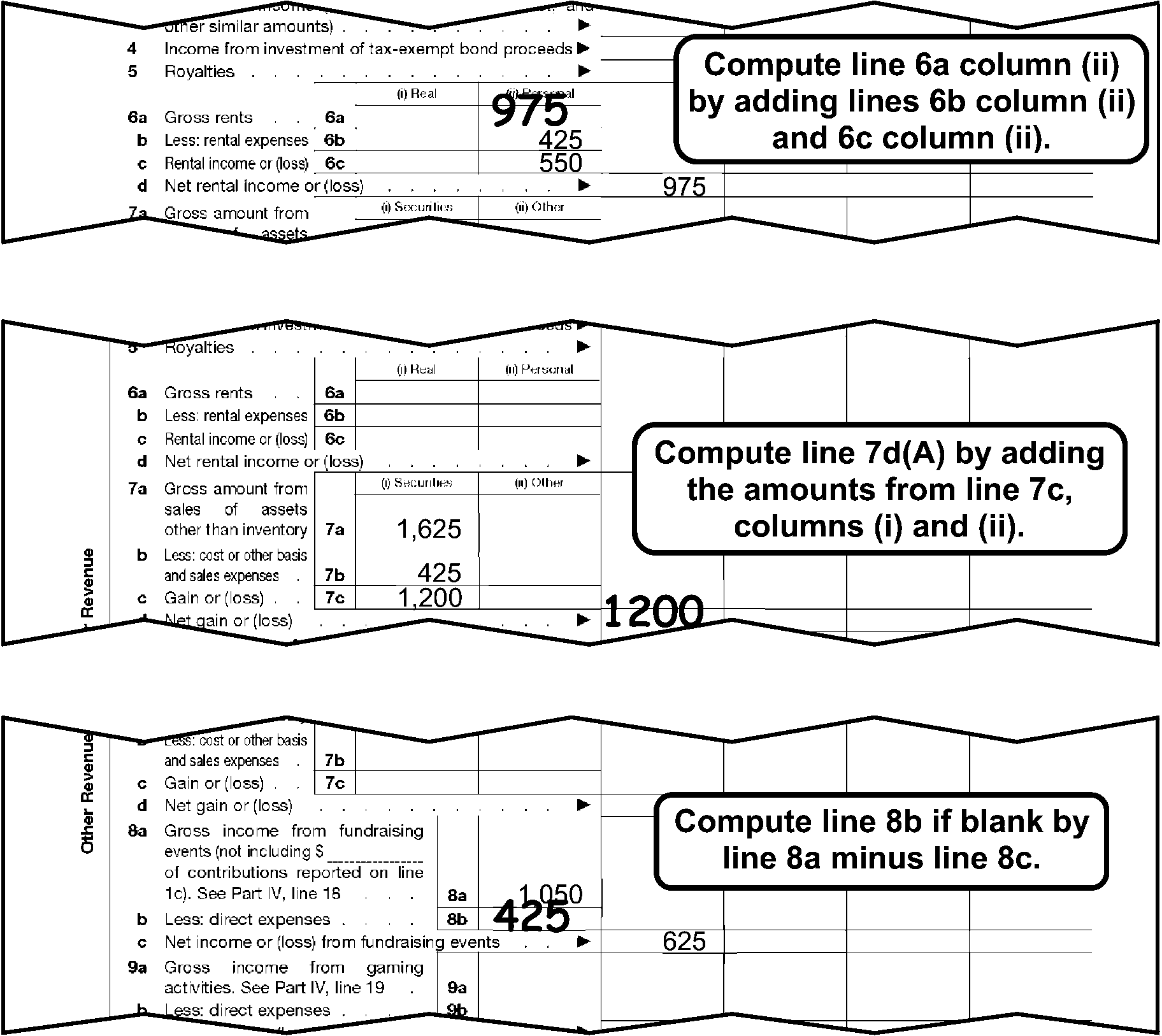
Form 990 (2008 & sub) Part VIII, abc Line PerfectionThis shows three examples of a portion of Form 990 (2008 & sub) Part VIII, abc perfection.The first example shows:Line 6a Column (ii), Gross Rents, shows an edited amount of 975.Line 6b Column (ii), Less: rental expenses, shows 425.Line 6c Column (ii), Rental income or (loss), shows 550.Line 6d Column (A), Net rental income or (loss), shows 975.Text box states Compute Line 6a Column (ii) by adding Lines 6b Column (ii) and 6c Column (ii).The second example shows:Line 7a Column (i), Gross amount from sale of assets other than inventory, shows 1625.Line 7b Column (i), Less: cost or other basis and sales expenses, shows 425.Line 7c Column (i), Gain or (loss), shows 1200.Line 7d Column (A), Net gain or (loss) shows an edited amount of 1200.Text box states Compute Line 7d(A) by adding the amounts from Line 7c, columns (i) and (ii).The third example shows:Line 8a, Gross income from fundraising events, shows 1050.Line 8b, Less: direct expenses shows, an edited amount of 425.Line 8c, Net income or (loss) from fundraising events, shows 625.Text box states Compute Line 8b if blank by Line 8a minus Line 8c.
Please click here for the text description of the image.
-
Lines 11a - 11d, Column (A): If lines 11a-11d column (A) are blank, and an entry is present on line 11e(A), arrow any dollar amounts on line 11a-11d columns (B), (C), (D) or in the "Business Code" section to corresponding lines in column (A).
-
Line 11e, Column (A): If blank:
-
Add Lines 11a - 11d, Column (A).
-
Edit from Line 12, if Line 12 is the first dollar entry on Part VIII.
-
-
Line 12, Column (A): If blank, add Lines 1h, 2g, 3, 4, 5, 6d, 7d, 8c, 9c, 10c, and 11e.
3.11.12.4.17 (01-01-2022)
Form 990 Part VIII Correspondence (2008 and Subsequent Revisions)
- Remove from processing and send the return back to the filer if Part VIII Lines 1a - 12, are blank or Part VIII is missing.
3.11.12.4.18 (01-01-2022)
Form 990 Part IX Perfection (2008 and Subsequent Revisions)
-
Lines 1 - 4, Column (A): If blank, edit the amount from Column (B) to Column (A) for each line.
-
Lines 5 - 24e, Column (A): If blank, add Columns (B) - (D) for each line.
-
Line 25: If blank, add Lines 1 - 24e, Column (A).
3.11.12.4.19 (01-01-2022)
Form 990 Part IX Correspondence (2008 and Subsequent Revisions)
-
Remove from processing and send back to the filer if Column (A), Part IX Lines 1 — 25 are blank and Part I, Line 18 has a dollar entry or Part IX is missing.
Note:
A 0 (zero), - (dash), none, or N/A are acceptable entries.
3.11.12.4.20 (01-01-2022)
Form 990 Part X Perfection (2019 and Subsequent Revisions)
-
Lines 1 - 15, Column (B): Perfect.
-
Line 16, Column (A): If blank, do one of the following:
-
Add Lines 1 - 15.
-
Add Lines 26 and 32.
-
Edit from Line 33 Column (a).
-
-
Line 16, Column (B): If blank, 0 (zero), - (dash), none, or N/A, do one of the following:
-
Add Lines 1 - 15.
-
Add Lines 26 and 32.
-
Edit from Line 3 3 Column (b).
-
If unable to perfect per 1 - 3 above, and you are not corresponding for Part X, Column (B), edit "1" .
-
-
Lines 17 - 25, Column (B): Perfect.
-
**Line 26, Column (A) and (B):**If a negative symbol is present ( -, <, etc). circle out the negative symbol. If blank, do one of the following for each column:
-
Add Lines 17-25. If blank, 0 (zero), - (dash), none or N/A are the only entries present, don’t edit line 26.
-
Line 16 minus Line 32 if both Line 16 and Line 32 have an amount.
-
If Line 16 is the only line with an amount, leave Line 26 blank and edit the amount from Line 16 to Line 32.
-
-
Lines 27 - 31, Column (B): Perfect.
-
Line 32, Columns (A) and (B): If blank, do one of the following for each column:
-
Line 16 minus Line 26.
-
Add Lines 27 - 28.
-
Add Lines 29 - 31.
-
-
Line 33, Column (B): If blank, add Line 26, Column (B) and Line 32, Column (B).
Figure 3.11.12-5
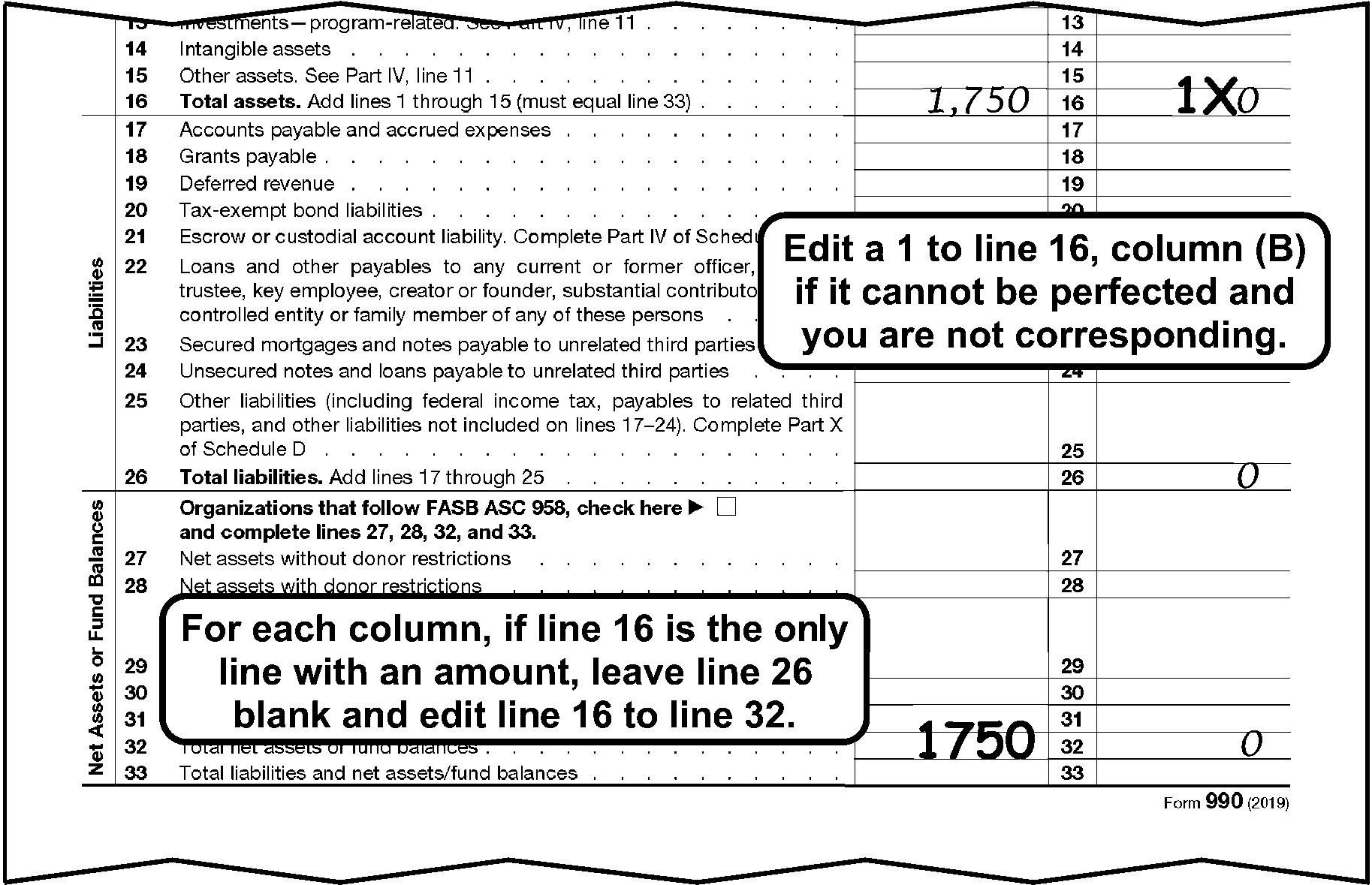
Form 990 (2019 & sub) Part X, Balance Sheet PerfectionThis example shows a portion of Form 990 (2019 & sub) pg.11, part X, Balance Sheet Perfection.Line 16, Total assets column (A) (Beginning of year), shows an entry of 1,750.Line 16, Total assets column (B) (End of year), shows an X to the left of the 0 and 1 edited to the left of “XText Box located under line 16 states Edit a 1 to line 16, Column (B) if it cannot be perfected and you are not corresponding.Line 26, Total liabilities column (B) (End of year), shows an entry of 0. Text Box located above and to the right of line 32 column A states For each column, if line 16 is the only line with an amount, leave line 16 blank and edit line 16 to line 33.Line 32, Total net assets column (A) (Beginning of year), shows edited amount of 1,750.Line 32, Total net assets column (B),shows an entry of 0.
Please click here for the text description of the image.
3.11.12.4.21 (01-01-2022)
Form 990 Part X Perfection (2008 - 2018 Revisions)
-
Lines 1 - 15, Column (B): Perfect.
-
Line 16, Column (A): If blank, do one of the following:
-
Add Lines 1 - 15.
-
Add Lines 26 and 33.
-
Edit from Line 34.
-
-
Line 16, Column (B): If blank, 0 (zero), - (dash), none, or N/A, do one of the following:
-
Add Lines 1 - 15.
-
Add Lines 26 and 33.
-
Edit from Line 34.
-
If unable to perfect per 1 - 3 above, and you are not corresponding for Part X, Column (B), edit "1" .
-
-
Lines 17 - 25, Column (B): Perfect.
-
**Line 26, Column (A) and (B):**If a negative symbol is present ( -, <, etc). circle out the negative symbol. If blank, do one of the following for each column:
-
Add Lines 17-25. If blank, 0 (zero), - (dash), none or N/A are the only entries present, don’t edit line 26.
-
Line 16 minus Line 33 if both Line 16 and Line 33 have an amount.
-
If Line 16 is the only line with an amount, leave Line 26 blank and edit the amount from Line 16 to Line 33.
-
-
Lines 27 - 32, Column (B): Perfect.
-
Line 33, Columns (A) and (B): If blank, do one of the following for each column:
-
Line 16 minus Line 26.
-
Add Lines 28 - 29.
-
Add Lines 30 - 32.
-
-
Line 34, Column (B): If blank, add Line 26, Column (B) and Line 33, Column (B).
3.11.12.4.22 (01-01-2026)
Form 990 Part X Correspondence (2019 and Subsequent Revisions)
-
Remove from processing and send back to the filer if Part X, Column (B), lines 1 - 33 are blank and cannot be perfected from attachments or Part X is missing. Don't remove from processing if 0 (zero), - (dash), none, or N/A is present in Part X, Column (B).
-
Don’t remove from processing if the final/termination criteria is met. IRM 3.11.12.4.7
3.11.12.4.23 (01-01-2026)
Form 990 Part X Correspondence (2008 - 2018 Revisions)
-
Remove from processing and send back to the filer if Part X, Column (B), lines 1 - 34 are blank and cannot be perfected from attachments or Part X is missing. Don't remove from processing if 0 (zero), - (dash), none, or N/A is present in Part X, Column (B).
-
Don’t remove from processing if the final/termination criteria is met. IRM 3.11.12.4.7
3.11.12.4.24 (01-01-2026)
Form 990/990-EZ Schedule A (2008 and Subsequent Revisions)
-
Schedule A must be filed by an organization if they indicate they are one of the following (See Figures 3.11.12-1a and 3.11.12-1b, EO Filers Defined).
-
SS03: IRC 501(c)(3)
-
SS91: IRC 4947(a)(1)
-
-
If required to file per (1) above do the following:
-
If attached put Schedule A (2014 and subsequent) in order, pages 1 - 8 and perfect per IRM 3.11.12.4.25 - IRM 3.11.12.4.32.
-
If attached put Schedule A (2008–2013) in order, pages 1 - 4 and perfect per IRM 3.11.12.4.25 - IRM 3.11.12.4.32.
-
If missing or blank, research INOLES for the Foundation Code and do the following:
If And Then Schedule A is missing the foundation code is 02, 03 or 04 * Insert a blank Part I and edit a NPFRC "11" . * Don’t edit a SIC "A" . * Schedule O is not required. Schedule A is present with no boxes checked on Part I or multiple boxes checked in Part I The foundation code is 02, 03 or 04 * Edit NPFRC "11" . * Delete Part II and III. * Don’t edit SIC of "A" . * Schedule O is not required. Schedule A is missing The foundation code is other than 02, 03 or 04 Remove the return from processing and send back to the filer. Schedule A is present with no boxes checked on Part I or multiple boxes checked in Part I The foundation code is other than 02, 03 or 04 Perfect following IRM 3.11.12.4.26. Schedule A is missing or Schedule A is present with no boxes checked on Part I or multiple boxes checked in Part I The subsection is 03 and the foundation code is 00 or 09 Route to Entity for correction of foundation code. Foundation code 00 and 09 are not valid. -
-
If the organization isn't required to file a Schedule A per (1) above, "X" page 1, and staple the remaining pages of Schedule A together.
3.11.12.4.25 (01-01-2026)
Form 990/990-EZ Schedule A Correspondence (2008 and Subsequent Revisions)
-
Remove the return from processing and send back to the filer if a Schedule A is missing, and research confirms that the organization is one of the following:
-
SS03: IRC 501(c)(3) - Foundation Code other than 02, 03 or 04 (If 02, 03 or 04 don't remove from processing).
-
SS91: IRC 4947(a)(1)
-
3.11.12.4.26 (01-01-2026)
Form 990/990-EZ Schedule A Part I Perfection (Non-PF Reason Code) (2008 and Subsequent Revisions)
-
The Non-Private Foundation Reason Code (NPFRC) is determined from:
-
Schedule A, Part I, or
-
INOLES (if no box is checked, or multiple boxes are checked and it's not a Group Return research is required).
Note:
If a Group Return with multiple boxes checked, see (8) below.
-
-
Edit the NPFRC in the right margin of Schedule A, Part I to the right of Lines 1-2.
-
If Part I is missing or blank, and Part II and/or Part III is present, and after research the organization is required to file a Schedule A per IRM 3.11.12.4.24, insert Sch A, page 1 (if missing) and edit the NPFRC on Sch A, Page 1, If the required Part II or III that’s needed is present and complete. Otherwise, don’t edit NPFRC and correspond for Schedule A, Part I. (See IRM 3.11.12.5.27 for 2008 - 2015 revision Sch A) and (IRM 3.11.12.4.25) for 2016 and Subsequent revision Sch A.
-
If the Foundation Code on INOLES differs from the box the taxpayer checked, edit the NPFRC using the taxpayer's entry.
-
For SS 91, edit the following NPFRC's regardless of what box the taxpayer has checked:
- SS 91 (4947(a)(1) = NPFRC 10. X Parts II and III.
-
For SS 03, 2008 - 2015 edit the NPFRC which agrees with the "following Foundation Codes" . (See IRM 3.11.12.4.5 and IRM 3.11.12.7.5 for a blank subsection or a subsection other than those listed in (5) above).
Foundation Code Box Number NPFRC 10 1 01 11 2 02 12 3 or the organization's name includes hospital, clinic, etc. 03 12 4 or the organization's name includes research, laboratory, etc., or the name of a hospital is entered on Line 4. 05 13 5 06 14 6 04 15 7 07 15 8 or the organization's name includes trust. 08 16 9 09 18 10 11 21 11a 12 22 11b 13 23 11c 14 24 11d 15 -
For SS 03, 2016 and subsequent edit the NPFRC which agrees with the "following Foundation Codes " . (See IRM 3.11.12.4.5 and IRM 3.11.12.5.22 for a blank subsection or a subsection other than those listed in (5) above).
Foundation Code Box Number NPFRC 10 1 01 11 2 02 12 3 or the organization's name includes "hospital" , "clinic" , etc. 03 12 4 or the organization's name includes "research" , "laboratory" , etc., or the name of a hospital is entered on Line 4. 05 13 5 06 14 6 04 15 7 07 15 8 or the organization's name includes "trust" . 08 16 10 09 18 11 11 21 12a 12 22 12b 13 23 12c 14 24 12d 15 25 9 16 -
If a Group Return and a SS03 with multiple boxes checked, and one of those boxes is 12-12d, edit the NPFRC corresponding to the box above line 12–12d that is checked.
Example:
Box 7 and 12d are checked. Edit a NPFRC of 07.
-
2016 and subsequent revision - If the taxpayer checked box 12 and/or has entered name(s) of supported organization(s) in the table for Line 12g, Column (i), but has not checked a Type of organization in 12a-12d, don't edit a NPFRC. IRM 3.11.12.4.27 (1).
-
2016 and subsequent revision - If any of the boxes in 1 - 12 are checked and the taxpayer has also entered information in the table for Line 12g, edit the NPFRC for the box marked in Line 1 -11 and perfect the table on Line 12g per (11), (16) and (17) below.
-
2016 and subsequent - Line 12g, Column (i), Total: If blank, edit the number of organizations listed in 12g, Column (i).
-
2014 and 2015 revision - If the taxpayer checked box 11 and/or has entered name(s) of supported organization(s) in the table for Line 11g, Column (i), but has not checked a "Type" of organization in 11a-11d, don't edit a NPFRC. IRM 3.11.12.4.27 (1).
-
2014 and 2015 revision - If any of the boxes in 1 - 11 are checked and the taxpayer has also entered information in the table for Line 11g, edit the NPFRC for the box marked in Line 1 -10 and perfect the table on Line 11g per (14), (15) and (18) below.
-
2014 and 2015 - Line 11g, Column (i), Total: If blank, edit the number of organizations listed in 11g, Column (i).
-
2014 and 2015 - Line 11g Column (iii) A, B, C, D, E, Type of Organization: If other than a single numeric 1 - 9 only is present circle out the information present and edit based on the following:
If Description or information found on Line 11g Column (iii) is Then edit on Line 11g, Column (iii) A, B, C, D, E Church, convention of churches or 170(b)(1)(A)(i) 1 School or 170(b)(1)(A)(ii) 2 Hospital or 170(b)(1)(A)(iii) 3 Medical Research 4 Operated for the benefit of a college, university or governmental unit or 170(b)(1)(A)(iv) 5 Federal, state or local governmental unit or 170(b)(1)(A)(v) 6 Support from a governmental unit or public or 170(b)(1)(A)(vi) 7 Community trust 8 More than 33% support or 509(a)(2) 9 None of the above or unable to determine Circle out information. -
2016 and subsequent - Line 12g Column (iii) A, B, C, D, E, Type of Organization: If other than a numeric 1 - 10 only is present circle out the information present and edit based on the following:
If Description or information found on Line 12g Column (iii) is Then edit on Line 12g, Column (iii) A, B, C, D, E Church, convention of churches or 170(b)(1)(A)(i) 1 School or 170(b)(1)(A)(ii) 2 Hospital or 170(b)(1)(A)(iii) 3 Medical Research 4 Operated for the benefit of a college, university or governmental unit or 170(b)(1)(A)(iv) 5 Federal, state or local governmental unit or 170(b)(1)(A)(v) 6 Support from a governmental unit or public or 170(b)(1)(A)(vi) 7 Community trust 8 Agriculture research 9 More than 33% support or 509(a)(2) 10 None of the above or unable to determine Circle out information. -
2016 and subsequent revision - Line 12g, Column (v), Total: If blank, add the dollar amounts in Column (v) for each organization listed in Column (i) and edit to the Total Line of Column (v). If a percentage is present, leave blank. Don't include percentages. If both dollar amounts and percentages are present, edit the total of the dollar amounts only.
-
2014 and 2015 revision - Line 11g, Column (v), Total: If blank, add the dollar amounts in Column (v) for each organization listed in Column (i) and edit to the Total Line of Column (v). If a percentage is present, leave blank. Don't include percentages. If both dollar amounts and percentages are present, edit the total of the dollar amounts only.
-
2008 - 2013 revisions, perfect per paragraph 20 - 24 below.
-
If the taxpayer checked box 11 and/or has entered name(s) of supported organization(s) in the table for Line 11h, Column (i), but has not checked a "Type" of organization in 11a-11d, don't edit a NPFRC. See IRM 3.11.12.4.24.
-
If any of the boxes in 1 - 10 are checked and the taxpayer has also entered information in the table for Line 11h, edit the NPFRC for the box marked in Line 1 -10 and perfect the table on Line 11h per (22) and (23) below.
-
Line 11h, Column (i), Total: If blank, edit the number of organizations listed in Column (i).
-
Line 11h, Column (vii), Total: If blank, add the dollar amounts in Column (vii) for each organization listed in Column (i) and edit to the Total Line of Column (vii). If a percentage is present, leave blank. Don't include percentages. If both dollar amounts and percentages are present, edit the total of the dollar amounts only.
-
Only convert 2008 - 2013 Schedule A if attached to a 2014 or subsequent revision Form 990/990EZ . See Exhibit 3.11.12-11.
3.11.12.4.27 (01-01-2025)
Form 990/990-EZ Schedule A Part I Correspondence (Non-PF Reason Code) (2008 - 2015 Revisions)
-
Remove from processing and send the return back to the filer for Schedule A, Part I, if any of the following apply:
-
Lines 1 - 11 are blank or multiple boxes are checked and after research it is determined Part II or III is required, and the required Part II or III is missing or blank.
-
Lines 1 - 11 are blank or multiple boxes are checked and research indicates the Foundation Code is 17.
-
Schedule A line 11 is checked and lines 11a - 11d are blank.
-
Name(s) or money is entered in the table for line 11h (2008 - 2013) and lines 11a - 11d are blank.
-
Name(s) or money is entered in the table for line 11g (2014 and 2015) and lines 11a - 11d are blank.
Note:
Before corresponding for Schedule A, Part I, research INOLES to verify it is required.
-
3.11.12.4.28 (01-01-2025)
Form 990/990-EZ Schedule A Part I Correspondence (Non-PF Reason Code) (2016 and Subsequent Revisions)
-
Remove from processing and send the return back to the filer for Schedule A, Part I, if any of the following apply:
-
Lines 1 - 12 are blank or multiple boxes are checked and after research it is determined Part II or III is required, and the required Part II or III is missing or blank.
-
Lines 1 - 12 are blank or multiple boxes are checked and research indicates the Foundation Code is 17.
-
Schedule A line 12 is checked and lines 12a - 12d are blank.
-
Name(s) or money is entered in the table for line 12g and lines 12a - 12d are blank.
Note:
Before corresponding for Schedule A, Part I, research INOLES to verify it is required.
-
3.11.12.4.29 (01-01-2022)
Form 990/990-EZ Schedule A Part II Perfection (2008 and Subsequent Revisions)
-
Perfect Part II and "X" Part III if a NPFRC of 06, 07 or 08 is edited. "X" Part II if other than a NPFRC 06, 07, or 08 is edited.
-
Lines 1-3, Column (f): If blank, add Columns (a)-(e) for each line.
-
Line 4, Column (f): If blank, do one of the following:
-
Add Line 4, Columns (a)-(e).
-
Add Lines 1-3, Column (f).
-
-
Line 5, Column (f): Perfect.
-
Line 6, Column (f): If blank, Line 4 minus Line 5.
-
Line 7, Column (f): If blank, do one of the following:
-
Add Line 7, Columns (a)-(e).
-
Edit from Line 4, Column (f).
-
-
Lines 8-10, Column (f): If blank, add Columns (a)-(e) for each line.
-
Line 11, Column (f): If blank, add Lines 7-10, Column (f).
3.11.12.4.30 (01-01-2022)
Form 990/990-EZ Schedule A Part II Correspondence (2008 and Subsequent Revisions)
-
Remove from processing and send the return back to the filer for Part II if a single box is checked in Part I of Schedule A and all of the following apply:
-
NPFRC 06, 07 or 08 is edited.
-
Lines 1-11, Column (a)-(f) are blank and doesn't contain a 0 (zero), - (dash), none, or N/A on any part of Part II, Lines 1-11.
-
The return isn't an initial return.
-
3.11.12.4.31 (01-01-2022)
Form 990/990-EZ Schedule A Part III Perfection (2008 and Subsequent Revisions)
-
Perfect Part III and "X" Part II if a NPFRC 09 is edited. "X" Part III if other than a NPFRC 09 is edited.
-
Lines 1-5, Column (f): If blank, add Columns (a)-(e) for each line.
-
Line 6, Column (f): If blank, do one of the following:
-
Add Line 6, Columns (a)-(e).
-
Add Lines 1-5, Column (f).
-
-
Line 7a-7b, Column (f): If blank, add Columns (a)-(e) for each line.
-
Line 7c, Column (f): If blank, do one of the following:
-
Add Line 7c, Columns (a)-(e).
-
Add Line 7a and 7b, Column (f).
-
-
Line 8, Column (f): If blank, Line 6, minus Line 7c, Column (f).
-
Line 9, Column (f): If blank, do one of the following:
-
Add Line 9, Columns (a)-(e).
-
Edit from Line 6, Column (f).
-
-
Lines 10a-10b, Column (f): If blank, add Columns (a)-(e) for each line.
-
Line 10c, Column (f): If blank, do one of the following:
-
Add Line 10c, Columns (a)-(e).
-
Add Line 10a and 10b, Column (f).
-
-
Lines 11-12, Column (f): If blank, add Columns (a)-(e) for each line.
-
Line 13, Column (f): If blank, add Lines 9, 10c, 11 and 12, Column (f).
3.11.12.4.32 (01-01-2022)
Form 990/990-EZ Schedule A Part III Correspondence (2008 and Subsequent Revisions)
-
Remove from processing and send the return back to the filer for Part III, if a single box is checked in Part I of Schedule A and if all of the following apply:
-
NPFRC 09 is edited.
-
Lines 1-13, Columns (a)-(f) are blank and doesn't contain a 0 (zero), - (dash), none, or N/A on any part of Part III, Lines 1-13.
-
The return isn't an initial return.
-
3.11.12.4.33 (01-01-2022)
Form 990 Schedule C Part II-A Lines 2a(a) - 2f(e)
-
If Line 2c(e) is greater than Line 2b(e), or Line 2f(e) is greater than Line 2e(e) take the following actions:
-
Photocopy Form 990, page 1 and Schedule C Part II A.
-
Route photocopies (clearly marked as photocopies) via Form 4227 to Mail Stop 1112. In remarks indicate "≡ ≡ ≡ ≡ ≡ ≡ ≡ ≡ ≡ ≡ ≡ ≡ ≡ ≡ ≡ ≡ ≡ ≡ ≡ ≡ ≡ ≡ ≡ ≡ ≡ ≡" .
-
Edit an action trail "photocopy sent" .
-
3.11.12.4.34 (01-01-2025)
Form 990 Schedule H Parts I, III & V (Section B) Perfection (2016 and Subsequent Revisions)
-
Put Schedule H, (2016 and subsequent revision) pages 1-2, Part V, section order of A, C, D, B (pages 3, 8, 9, 4, 5, 6, 7) order.
-
Part I: Perfect as follows
-
Line 7d, Column (e): If blank, add Lines 7a - 7c, Column (e).
-
Line 7d, Column (f): If blank, add Lines 7a - 7c, Column (f).
-
Line 7j, Column (e): If blank, add Lines 7e - 7i, Column (e).
-
Line 7j, Column (f): If blank, add Lines 7e - 7i, Column (f).
-
Line 7k, Column (e): If blank, add Lines 7d and 7j, Column (e).
-
Line 7k, Column (f): If blank, add Lines 7d and 7j, Column (f).
-
-
Part III, Line 8: Edit a code of 1 - 3 to the right of the check boxes based on the box that is checked. If no box is checked, leave blank.
-
Code 1 - Cost accounting system
-
Code 2 - Cost to charge ratio
-
Code 3 - Other
-
-
Part IV, Edit code "1" or "2" on the return in the right margin of the Management Companies and Joint Ventures If data present Edit code "1" for Yes or "2" for No.
-
Part V, Section C: Edit code "1" or "2" on the top portion of the return to right of the Facility Information If data present Edit code "1" for Yes or "2" for No.
-
Part V, Section D: Edit code "1" or "2" on the top portion of the return to right of the Facility Information If data present Edit code "1" for Yes or "2" for No.
-
Part V, Section B: Edit a code of 1 - 5 on the top portion of the return to right of the Name of Hospital Facility. The number represents the first five facilities submitted in Section B. For example, if a Form 990 has a completed Schedule H attached, and Part V has three Sections B's present, number the first Section B 1, and the second Section B 2, and the third Section B 3.
3.11.12.4.35 (01-01-2025)
Form 990 Schedule H Parts I, III & V (Section B) Perfection (2014 and 2015)
-
Put Schedule H, (2014 and subsequent revision) pages 1-2, Part V, section order of A, C, D, B (pages 3, 7, 8, 4, 5, 6) order.
-
Part I: Perfect as follows
-
Line 7d, Column (e): If blank, add Lines 7a - 7c, Column (e).
-
Line 7d, Column (f): If blank, add Lines 7a - 7c, Column (f).
-
Line 7j, Column (e): If blank, add Lines 7e - 7i, Column (e).
-
Line 7j, Column (f): If blank, add Lines 7e - 7i, Column (f).
-
Line 7k, Column (e): If blank, add Lines 7d and 7j, Column (e).
-
Line 7k, Column (f): If blank, add Lines 7d and 7j, Column (f).
-
-
Part III, Line 8: Edit a code of 1 - 3 to the right of the check boxes based on the box that is checked. If no box is checked, leave blank.
-
Code 1 - Cost accounting system
-
Code 2 - Cost to charge ratio
-
Code 3 - Other
-
-
Part IV, Edit code "1" or "2" on the return in the right margin of the Management Companies and Joint Ventures If data present Edit code "1" for Yes or "2" for No.
-
Part V, Section C: Edit code "1" or "2" on the top portion of the return to right of the Facility Information If data present Edit code "1" for Yes or "2" for No.
-
Part V, Section D: Edit code "1" or "2" on the top portion of the return to right of the Facility Information If data present Edit code "1" for Yes or "2" for No.
-
Part V, Section B: Edit a code of 1 - 5 on the top portion of the return to right of the Name of Hospital Facility. The number represents the first five facilities submitted in Section B. For example, if a Form 990 has a completed Schedule H attached, and Part V has three Sections B's present, number the first Section B "1" , and the second Section B "2" , and the third Section B "3" .
-
Only convert a 2014 - 2015 revision Schedule H if attached to a 2016 or subsequent revision for Form 990. See Exhibit 3.11.12-7.
3.11.12.4.36 (01-01-2025)
Form 990 Schedule H Parts I, III & V (Section B) Perfection (2010 - 2013)
-
Put Schedule H (2013 revision) in pages 1-2, Part V, section order of A, D, B (pages 3, 8, 4, 5, 6) for the first five facilities in Part V. Put Schedule H (201012 - 201212) in page 1, 2, 3, 7, 4, 5, 6 order.
-
Part I: Perfect as follows:
-
Line 7d, Column (e): If blank, add Lines 7a - 7c, Column (e).
-
Line 7d, Column (f): If blank, add Lines 7a - 7c, Column (f).
-
Line 7j, Column (e): If blank, add Lines 7e - 7i, Column (e).
-
Line 7j, Column (f): If blank, add Lines 7e - 7i, Column (f).
-
Line 7k, Column (e): If blank, add Lines 7d and 7j, Column (e).
-
Line 7k, Column (f): If blank, add Lines 7d and 7j, Column (f).
-
-
Part III, Line 8: Edit a code of 1 - 3 to the right of the check boxes based on the box that is checked. If no box is checked, leave blank.
-
Code 1 - Cost accounting system
-
Code 2 - Cost to charge ratio
-
Code 3 - Other
-
-
Part IV, Edit code "1" or "2" on the return in the right margin of the Management Companies and Joint Ventures If data present Edit code "1" for Yes or "2" for No.
-
Part V, Section C: Edit code "1" or "2" on the top portion of the return to right of the Facility Information If data present Edit code "1" for Yes or "2" for No.
-
Part V, Section D: Edit code "1" or "2" on the top portion of the return to right of the Facility Information If data present Edit code "1" for Yes or "2" for No.
-
Part V, Section B: Edit a code of 1 - 5 on the top portion of the return to right of the Name of Hospital Facility. The number represents the first five facilities submitted in Section B. For example, if a Form 990 has a completed Schedule H attached, and Part V has three Sections B's present, number the first Section B "1" , and the second Section B "2" , and the third Section B "3" .
-
Only convert a 2010 - 2013 Schedule H if attached to a 2014 or subsequent revision of a Form 990. See Exhibit 3.11.12 -7
3.11.12.4.37 (01-01-2025)
Form 990 Schedule H Parts I, III & V (Section B) Correspondence (2010 and Subsequent Revisions)
-
Remove from processing and send the return back to the filer for Schedule H. Part IV, if Line 20a of Form 990, Part IV is checked "yes" and either of the following apply:
-
Schedule H is missing or
-
Sch H, Part V, Section B all yes/no questions are not answered for tax periods 201104 and subsequent.
Lines 4-11 can be skipped if Line 3 is answered no.
If questions 10b and/or 12b (2014 and subsequent revision) is the only question not answered, continue processing.
If question 8b (2010 - 2013 revision) is the only question not answered, continue processing.
-
-
Remove from processing and send the return back to the filer for Schedule H if all of the following apply:
-
Tax period is 201104 and subsequent.
-
Form 990, Part IV, line 20b is checked yes.
-
Either a Schedule H or an Audited Financial Statement is missing (both must be present.
-
3.11.12.4.38 (01-01-2022)
Form 990 Schedule L Parts I & II Perfection (2008 and Subsequent Revisions)
-
Edit a "1" in the right margin of Schedule L, Part I if data is present (including 0 - N/A or none) in Part I.
-
Edit a "1" in the right margin of Schedule L, Part II if data is present (including 0 - N/A or none) in Part II.
3.11.12.5 (01-01-2025)
Form 990 (2007 and Prior Revisions)
- Form 990 (2007 and prior revisions) is an information return required of organizations whose annual gross receipts are normally more than $50,000 who are exempt under IRC 501(a) and described in IRC 501(c), or organizations that have notified IRS they are operating as IRC 527 political organizations.
3.11.12.5.1 (01-01-2022)
Form 990 (2007 and Prior Revisions)
-
Always convert prior year return revisions, see Exhibit 3.11.12–5.
-
Always follow the instructions for a "special return" .
-
Perfect as follows:
-
Always perfect for legibility.
-
Always perfect from attachments, if available.
-
Correspond if the conditions are met.
-
Follow the stated instruction for the line.
-
Leave a "T" line blank only if it cannot be perfected in the steps above.
-
-
Put Form 990 in the following order:
-
Form 990, pages 1 - 9, followed by
-
Schedule A, pages 1 - 7.
-
-
Form 990 zero filers with no transcribed lines present on any of Parts I-XI, it isn't necessary to put pages in order after page 1.
-
Form 990 zero filers with transcribed lines present on any of Parts I-XI, put form in order as shown in (4) above.
3.11.12.5.2 (01-01-2026)
Form 990 Special Returns (2007 and Prior Revisions)
-
Form 990 special returns are:
Special Return: IRM Section: LM–2 and LM–3 IRM 3.11.12.5.3 Zero Filer IRM 3.11.12.3.24 and IRM 3.11.12.3.24.1
3.11.12.5.3 (01-01-2022)
Forms LM–2, LM–3, 5500 (2007 and Prior Revisions)
-
Labor organizations are allowed to substitute some information from Form LM–2 or LM–3. Edit the corresponding information from LM-2 or LM-3 on the following lines, if blank, and Form LM-2 or LM-3 is attached:
-
Form 990, Part I, Lines 13, 15 (but the organization must complete Lines 16-21).
-
Form 990, all of Part II. If Part II is blank, leave blank.
-
Form 990, Part IV (but the organization must complete Lines 59, 66, and 73, Columns (A) and (B).
-
-
If unable to perfect from the LM-2 or LM-3, perfect the entries outlined in (1)a)-c) above using the perfection procedures for that Part (i.e., if Part II is blank and you cannot perfect from the LM-2 or LM-3, perfect using Part II Perfection procedures in IRM 3.11.12.5.13).
-
Remove the return from processing and send the return back to the filer for the LM-2 or LM-3 reconciliation sheet if any of (1) above isn't present. Use the LM–2/LM–3 paragraph of the appropriate letter.
-
An employee benefit plan may substitute Form 5500 for part of Form 990 as follows:
-
Form 990, Part I, Line 21: The organization may substitute Form 5500, Schedule H, Col (A), Line 1(b)(1), or Schedule I, Col (a), Line 1(c).
-
**Form 990, Part IV, Line 59 Col. (A):**Form 5500, Schedule B, Line 1(b)(1).
-
**Form 990, Part IV, Line 59 Col. (B):**Form 5500, Schedule B, Line 1(b)(1).
-
3.11.12.5.4 (01-01-2026)
Form 990 Perfection, Editing, and Correspondence (2007 and Prior Revisions)
-
Attach Form 5800, Exempt Organization Return Edit Sheet, if required.
-
Refer to the following instructions to perfect the generic items:
-
Action Codes (ERS), IRM 3.11.12.3.8
-
Computer Condition Codes (F, G, L, R, T, V, W, Y, 3, 7), IRM 3.11.12.3.9
-
Daily Delinquency Penalty, IRM 3.11.12.3.13.1.2
-
Entity Perfection, IRM 3.11.12.3.15 through IRM 3.11.12.3.15.6
-
Final Returns, IRM 3.11.12.5.10
-
Imaging, IRM 3.11.12.3.18
-
Incomplete Return Item (IRI) Program, IRM 3.11.12.3.11.3
-
Received Date, IRM 3.11.12.3.13.1
-
Signature, IRM 3.11.12.3.22
-
Tax Period, IRM 3.11.12.3.23
-
Zero Filers, IRM 3.11.12.3.24 and IRM 3.11.12.3.24.1
-
3.11.12.5.5 (01-01-2022)
Form 990 Subsection Code (2007 and Prior Revisions)
-
Edit a two-digit Subsection Code (SSXX) in the lower right corner of the entity portion if transcription lines are present in Parts I-XI, see Figures 3.11.12-1a and 3.11.12-1b.
-
Edit a two-digit Subsection Code (SSXX) in the lower right corner of the entity portion if no transcription lines are present in Parts I-XI and the Subsection is present. If the Subsection is missing, edit a "00" .
-
Determine the Subsection Code from the list below:
-
Item J of the entity section. Perfect as follows:
Box Checked Subsection 501(c) XX (subsection taxpayer entered) 4947(a)(1) 91 527 82 -
INOLES research.
-
-
If the Subsection Codes conflict (e.g., INOLES shows SS03, but the taxpayer indicates otherwise in Item J), always use the Subsection on INOLES.
-
If you are unable to determine the Subsection Code, edit "00" .
-
If Subsection 28 or the return is for the National Railroad Retirement Investment Trust:
- Part V-A (Form 990) must be complete. If blank or missing, ALWAYS remove from processing and send back to the filer.
3.11.12.5.6 (01-01-2022)
Form 990 Type of Organization Code (2007 and Prior Revisions)
-
Edit the Type of Organization Code in the right margin of Form 990, page 1, next to Box F. Edit the Type of Organization Code as follows:
Type of Organization Code Description 1 SS 00, 02-20, 22-29, 50, 60, 70, 71, or 81. 3 4947(a)(1) box is checked in Item J of the entity section (SS91). 4 527 box is checked in Item J of the entity section (SS82). 9 Non-group zero filer with no transcribed lines in any of Parts I-XI. Don't underline code 9. 9 Underline code 9 if a non-group zero filer with transcribed lines are present in any of Parts I-XI. 1 All others.
3.11.12.5.7 (01-01-2022)
Form 990 Schedule B Indicator (2007 and Prior Revisions)
-
For tax periods 200012 – 200712, all organizations must file Schedule B if the amount on Line 1e is ≡ ≡ ≡ ≡ ≡ or more. Organizations not required to file a Schedule B must certify they are not required by checking the box in Item M of Form 990 or by checking the third box on the Schedule B, under "Special Rules" and entering an amount or 0 (zero), - (dash), none, N/A on that line or 0 (zero), - (dash), none, N/A or various on Page 1 or in any of Part I.
Exception:
If a statement is attached indicating contributions from any one contributor did NOT exceed ≡ ≡ ≡ ≡ ≡ or more during the year, a Schedule B isn't required.
-
Edit a Schedule B Indicator to the right of Part I, Line 1 for tax periods 200012 through 200811 as shown below:
If And Then Item M in the entity section is checked or is blank * A Schedule B is attached, containing contributor information (name(s) / amount(s)), or * The word "anonymous" , "various" , 0 (zero), - (dash), none, or N/A on Page 1 or in Parts I - III, or * The third box under "Special Rules" , page 1 is checked and/or an amount is present or 0 (zero), - (dash), none, or N/A on the line Edit a Schedule B Indicator of "1" . Item M in the entity section is checked or is blank, and Part I, Line 1e is ≡ ≡ ≡ ≡ or less, or There is a statement indicating contributions from any one contributor did not exceed ≡ ≡ ≡ ≡ ≡ ≡ A Schedule B isn't attached 1. Don't edit a Schedule B Indicator. 2. Continue processing return. Item M in the entity section is checked and Part I, Line 1e is ≡ ≡ ≡ ≡ ≡ ≡ or more A Schedule B isn't attached, or Is attached, but doesn’t contain: * contributor information (name(s) / amount(s)), or * The word "anonymous" , various, 0 (zero), - (dash), none, or N/A on Page 1 or in Parts I - III, or * The third box under "Special Rules" , page 1 isn't checked 1. Edit a Schedule B indicator of "2" . 2. Continue processing return. Item M in the entity section is blank, and Part I, Line 1e is ≡ ≡ ≡ ≡ or more A Schedule B isn't attached, or Is attached, but doesn’t contain: * contributor information (name(s) / amount(s)), or * The word "anonymous" , various, 0 (zero), - (dash), none, or N/A on Page 1 or in Parts I - III, or * The third box under "Special Rules" , page 1 isn't checked 1. Pull from processing and send the return back to the filer. 2. Don't edit a Schedule B Indicator. Note:
Contributor information means at least one name and amount for the same contributor is present. A "contributor" may also be listed as a "sponsor" or shown as a function. For example, the contribution may be shown as "bake sale" or "car wash" or another type of activity or function.
3.11.12.5.8 (01-03-2025)
Form 990 Schedule B Correspondence (2007 and Prior Revisions)
-
Pull the return from processing and send the return back to the filer for a Schedule B if all of the following apply:
-
Line 1e is ≡ ≡ ≡ ≡ or more.
-
The box in Item M isn't checked.
-
The tax period is 200012 or subsequent.
-
Schedule B is missing or is Present but doesn't contain contributor information (name(s) / amount(s)), or anonymous, various, 0 (zero) - (dash), none, or N/A on Page 1 or in Parts I - III and the third box under Special Rules, page 1 isn't checked; or is checked, but an amount or 0 (zero), - (dash), none, or N/A isn't present on that line.
Note:
Contributor information means at least one name and amount for the same contributor is present. A "contributor" may also be listed as a "sponsor" or shown as a function. For example, the contribution may be shown as "bake sale" or "car wash" or another type of activity or function.
-
3.11.12.5.9 (01-01-2026)
Form 990 Group Return (2007 and Prior Revisions)
-
Form 990 (2007 and prior revisions): Identify a group return if Item H(a) is checked "yes" The following may also be present and used to identify a group return:
-
Item I contains a GEN. A GEN consists of 4 numeric digits. GEN numbers 0000 and 9999 are not valid.
-
Group Return is on the return or an attachment.
-
There is a list of subordinates attached.
-
There is a statement on the return or attachment that all affiliates are included on the group return.
-
Form 851, Affiliations Schedule, is attached identifying the subordinates.
-
-
Don’t consider a group return stating zero filer as a "zero filer" , and don't correspond for any information except as required in IRM 3.11.12.5.9.1 (8) below. DON’T EDIT ORGANIZATION CODE "9" .
-
DON’T consider a group return indicating "final/termination" as a final/termination return. DON’T CODE CCC "F" .
-
Route the return to Entity, IRM 3.11.12.3.7.2 if any of the following apply:
-
The group or an affiliate doesn't have an EIN.
-
The group or an affiliate has two or more EINs.
-
New affiliates have been added to the group.
-
There are one or more entity issues, IRM 3.11.12.3.7.2.
-
An affiliate has changed its name or address, and Entity has not worked the change (e.g. TC 59X or Entity stamp).
-
-
Request NAMEE/NAMEB research if the parent and group return are received in the same batch using the same EIN.
-
Request INOLES research for the GEN if you have identified the return as a group and the GEN isn't present. If found, edit to Line H(c).
3.11.12.5.9.1 (01-01-2022)
Form 990 Group Return Perfection and Correspondence (2007 and Prior Revisions)
-
Form 990 (2007 and Prior Revisions):
-
H(c) - yes: If Item H(c) is "yes" , edit Code 7 to the right of boxes H(a)-(b).
-
H(c) - blank: If Item H(c) is blank: If Item H(c) is blank and the return or an attachment states that all affiliates are included on the group return, Edit Code 7 to the right of boxes H(a)-(b) if H(c).
-
H(c) - blank: If Item H(c) is blank and the return or attachments doesn't state all affiliates are included in the group return, edit Code 8 to the right of boxes H(a)-(b), and request a TC 590/014 input for the attached affiliates.
-
H(c) - no: If Item H(c) is "no" or blank and a list of affiliates is attached, request a TC 590/014 input for the attached affiliates.
-
If Item H(c) is checked "no" and a list of affiliates isn't attached, don't edit a group code and correspond per 8) below.
-
If ≡ ≡ ≡ ≡ ≡ ≡ ≡ is present, a list of affiliates is required. If missing, circle out the yes/no and process the return.
-
Don’t edit the group code if you are routing the group return to Entity.
-
3.11.12.5.10 (01-01-2022)
Form 990 Final/Termination or Initial Return (2007 and Prior Revisions)
-
Identify a return as initial if the return or attachment indicates this is the initial (or first) EO return the organization has filed under the EIN.
-
Form 990 (2007 and prior revisions): Edit CCC "F" (Final/Termination) if the return is marked Final/Termination or there are other indications the organization is out of business or closed and ALL of the following apply:
-
The return or an attachment is marked "Final/Termination" or there are other indications the organization is out of business, closed.
-
Part IV, Line 59(B) is 0 (zero), - (dash), blank, none, or N/A or contains a negative amount.
-
Part VI, Line 79 is checked "yes" .
-
Not a group return - Item H(a)-(d) is "no" or blank and Item I is blank. IRM 3.11.12.5.9.1.
-
-
If the taxpayer is attempting to file a "Final/Termination" Form 990 and (2)(a)-(d) are not met, remove from processing and send the return back to the filer.
3.11.12.5.11 (01-01-2022)
Form 990 Part I Lines 1–21 Perfection (2007 and Prior Revisions)
-
Line 1e: If blank, add Lines 1a-1d. Don't bring forward any amounts from Schedule B.
-
Lines 2-5 and Line 7: Perfect.
-
Line 6a If blank, do one of the following:
-
Line "b" plus Line "c" .
-
Edit from Line "c" .
-
-
Line 6b:If a negative symbol ( -, <, etc.) is present, circle out the negative symbol. If blank, do one of the following:
-
Line "a" minus Line "c" if both Line "a" and Line "c" have an amount.
-
If Line "a" is the only line with an amount, leave Line "b" blank and edit the amount from Line "a" to Line "c" .
-
-
Line 6c,:If blank, Line "a" minus Line "b" .
-
Line 8a, Columns (A) and (B): If blank, do one of the following (for each line):
-
Line "b" plus Line "c" .
-
Edit from Line "c" .
-
-
Line 8b Columns (A) and (B): If a negative symbol ( -, <, etc.) is present, circle out the negative symbol. If blank, do one of the following (for each line):
-
Line "a" minus Line "c" if both Line "a" and Line "c" have an amount.
-
If Line "a" is the only line with an amount, leave Line "b" blank and edit the amount from Line "a" to Line "c" .
-
-
Line 8c Columns (A) and (B): If blank (for each line), Line "a" minus Line "b" .
-
Lines 8a - 8c, Column (B): If blank, and unable to perfect per (6) - (8) above (do one of the following for each line):
-
Edit Line 8d to Line 8a, Column (B).
-
Edit Line 8a, Column (B) to Line 8c, Column (B).
-
-
Line 9a: If blank, do one of the following (for each line):
-
Line "b" plus Line "c" .
-
Edit from Line "c" .
-
-
Line 9b: If a negative symbol ( -, <, etc.) is present, circle out the negative symbol. If blank, do one of the following (for each line):
-
Line "a" minus Line "c" if both Line "a" and Line "c" have an amount.
-
If Line "a" is the only line with an amount, leave Line "b" blank and edit the amount from Line "a" to Line "c" .
-
-
Line 9c: If blank (for each line), Line "a" minus Line "b" .
-
Line 10a: If blank, do one of the following (for each line):
-
Line "b" plus Line "c" .
-
Edit from Line "c" .
-
-
Line 10b: If a negative symbol ( -, <, etc.) is present, circle out the negative symbol. If blank, do one of the following (for each line):
-
Line "a" minus Line "c" if both Line "a" and Line "c" have an amount.
-
If Line "a" is the only line with an amount, leave Line "b" blank and edit the amount from Line "a" to Line "c" .
-
-
Line 10c: If blank (for each line), Line "a" minus Line "b" .
Figure 3.11.12-6
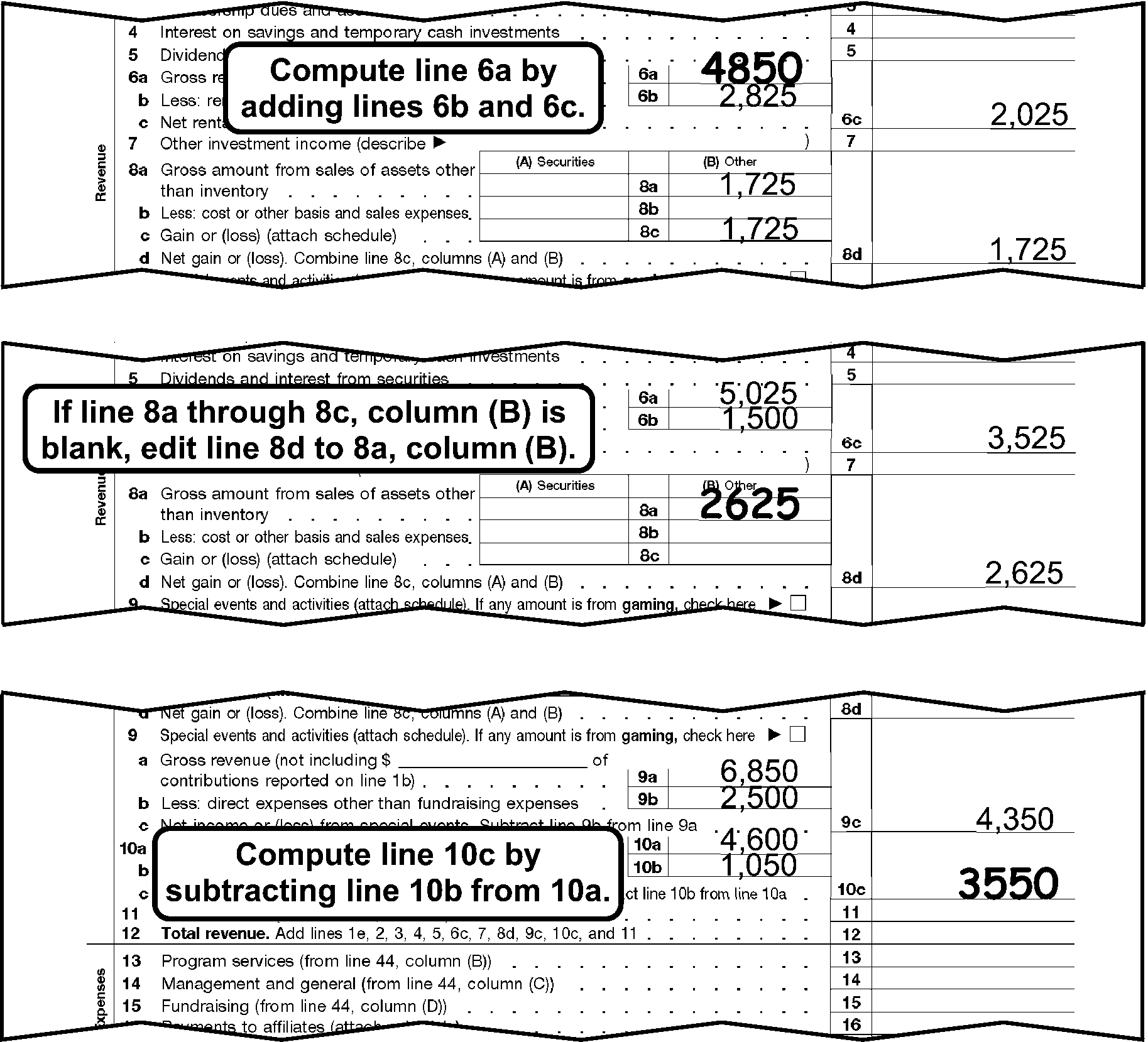
Form 990 (2007 & prior) Part I, abc Line PerfectionThis shows three examples, portions of Form 990 (2007 revision) Part I abc line perfection.The first example shows:Line 6a, Gross rents, with an edited amount of 4,850.Line 6b, Less rental expenses, shows 2,825.Line 6c, Net rental income or (loss), shows 2,025.Line 8a, Gross amount from sales of assets other than inventory, Column (B) shows 1,725.Line 8c, Gain or (loss), Column (B) shows 1,725.Line 8d, Net gain or (loss), shows 1,725.The box states Compute Line 6a by adding Lines 6b and 6cThe second example shows:Line 6a, Gross rents, shows 5,025.Line 6b, Less rental expenses, shows 1,500.Line 6c, Net rental income or (loss), shows 3,525.Line 8a, Gross amount from sales of assets other than inventory, Column (B) shows an edited amount of 2,625.Line 8d, Net gain or (loss), shows 2,625.The box states, If Line 8a through 8c, Column (B) is blank, edit Line 8d to 8a Column (B)The third example shows:Line 9a, Gross revenue, shows 6,850.Line 9b, Less direct expenses other than fundraising, shows 2,500.Line 9c, Net income or (loss) from special events, shows 4,350.Line 10a, Gross sales of inventory, shows 4,600.Line 10b, Less: cost of goods sold, shows 1,050.Line 10c, Gross profit or (loss) from sales of inventory, shows an edited amount of 3,550.The box states Compute Line 10c by subtracting Line 10b from 10a.
Please click here for the text description of the image.
-
Line 11: If blank, edit from Line 12, if Line 12 is the first dollar entry on Part I.
-
Line 12: If blank, add Lines 1e, 2, 3, 4, 5, 6c, 7, 8d, 9c, 10c, and 11. If Line 8d is blank and Line 8c, Columns (A) and/or (B) have an amount, add Line 8c, Columns (A) and/or (B).
-
Line 13: If blank, do one of the following:
-
Edit from Part II, Line 44, Column (B).
-
Add Part II, Lines 22-43e, Column (B).
-
-
Line 15: If blank, do one of the following:
-
Edit from Part II, Line 44, Column (D).
-
Add Part II, Lines 25-43e, Column (D).
-
-
Line 16: Perfect.
-
Line 17: If blank, Line 16 plus Part II, Line 44, Column (A).
-
Line 18: If blank, Line 12 minus Line 17.
-
Line 20: Perfect.
-
Line 21: If blank, add Lines 18-20. If Line 19 is blank, use the amount from Part IV, Line 73, Column (A) for Line 19.
3.11.12.5.12 (01-01-2022)
Form 990 Part I Correspondence (2007 and Prior Revisions)
-
If the tax period ends December 2008 (200812) or subsequent, a 2008 or subsequent Form 990 revision and a 2008 or subsequent revision of Schedule A must be filed.
-
Remove from processing and send the return back to the filer requesting a 2008 or subsequent revision of Form 990 and a 2008 or subsequent revision of Schedule A if the taxpayer files a 2007 or prior Form 990 revision with a tax period ending in December 2008 or subsequent.
3.11.12.5.13 (01-01-2022)
Form 990 Part II Perfection (2007 and Prior Revisions)
-
Lines 22a-24, Column (A): If blank, edit the amount from Column (B) to Column (A).
-
Line 25a-25b, Column (A): If blank, do one of the following for each line:
-
Add Columns (B)-(D).
-
Line 25a - Add any easily totaled dollar entries in Part V-A, Column (C). Don't include any amounts from attachments.
-
Line 25b - Add any easily totaled dollar entries in Part V-B, Column (C). Don't include any amounts from attachments.
-
-
Lines 25c-29, Column (A): If blank, add Columns (B)-(D) for each line.
-
Line 30, Column (A): If blank, total amounts from Columns (B), (C), and (D). Leave blank if the only amount on Line 30 is in Column (D).
-
Line 30, Column (D): Bracket if negative and the form doesn't reflect the line as a negative amount (-) or <, and there are no amounts in Line 30, Columns (A), (B), or (C).
-
Lines 31-43e, Column (A): If blank, add Columns (B)-(D) for each line.
-
Line 44, Column (A): If blank, add Lines 22a-43e, Column (A).
3.11.12.5.14 (01-01-2022)
Form 990 Part II Correspondence (2007 and Prior Revisions)
-
Remove from processing and send the return back to the filer for Column (A) if all of Part II is blank and Part I, Line 17 has a dollar entry.
Note:
A 0 (zero), - (dash), none, or N/A are acceptable entries.
-
Remove from processing and send the return back to the filer for Columns (B), (C), or (D) if missing or blank and both (a) & (b) apply:
-
Part I, Lines 13, 14, or 15 have dollar entries.
-
The organization is exempt under SS(03), SS(04), SS(91).
Note:
A 0 (zero), - (dash), none, and N/A are acceptable entries.
-
-
Don’t correspond if Part I, Lines 16 and 17 are the only entries and they are equal.
3.11.12.5.15 (01-01-2022)
Form 990 Part IV Perfection (2007 and Prior Revisions)
-
Lines 45 - 58, Columns (A) and (B): Perfect.
-
Line 59, Column (A): If blank, do one of the following:
-
Add Lines 45-58.
-
Add Lines 66 and 73.
-
Edit from Line 74.
-
-
Line 59, Column (B): If blank, 0 (zero), - (dash), none, or N/A, do one of the following:
-
Add Lines 45 - 58.
-
Add Lines 66 and 73.
-
Edit from Line 74.
-
If unable to perfect per 1 - 3 above, and you are not corresponding for Part IV, Column (B), edit "1" .
-
-
Lines 60 - 65, Columns (A) and (B): Perfect.
-
Line 66, Column (A) and (B): If a negative symbol is present ( -, <, etc.), circle out the negative symbol. If blank, do one of the following for each column:
-
Add Lines 60-65.
-
Line 59 minus Line 73 if both Line 59 and Line 73 have an amount.
-
If Line 59 is the only line with an amount, leave Line 66 blank and edit the amount from Line 59 to Line 73.
-
-
Line 72, Columns (A) and**(B)**: Perfect.
-
Line 73, Columns (A) and (B): If blank, do one of the following for each column:
-
Line 59 minus Line 66.
-
Add Lines 67 - 69.
-
Add Lines 70 - 72.
Figure 3.11.12-7
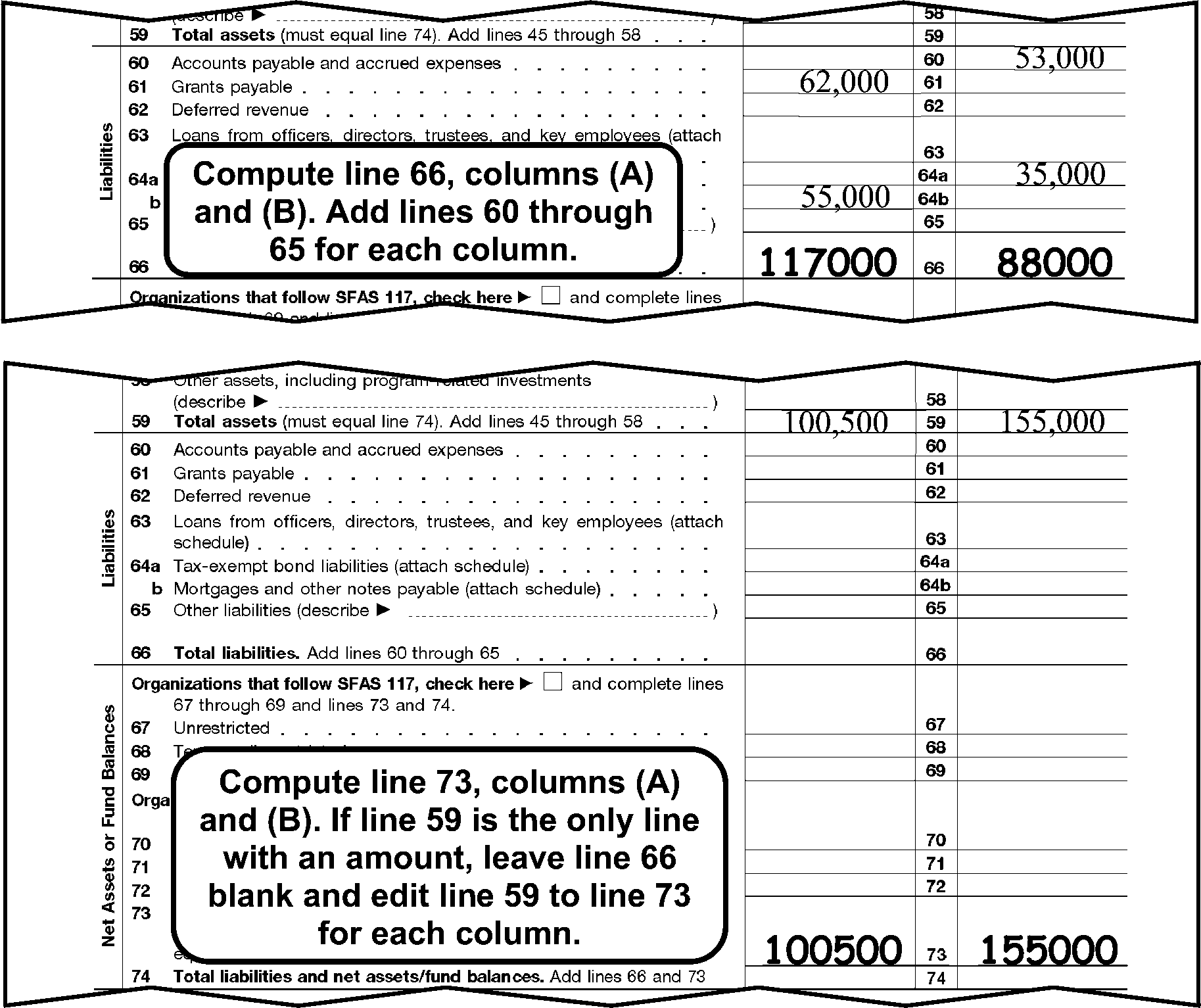
Form 990 (2007 & prior) Part IV, Balance Sheet PerfectionThis shows two examples of a portion of Form 990 (2007 & prior) Part IV, balance sheet perfection.The first example shows:Line 60 Column (B), Accounts payable and accrued expenses, shows 53,000.Line 61 Column (A), Grants payable, shows 62,000.Line 64a Column (B), Tax-exempt bond liabilities, shows 35,000.Line 64b Column (A), Mortgages and other notes payable, shows 55,000.Line 66 Column (A), Total liabilities, shows an edited amount 117,000.Line 66 Column (B), Total liabilities, shows an edited amount 88,000.Text box states Compute Line 66, Columns (A) and (B). Add Lines 60 through 65 for each column.The second example shows:Line 59 Column (A) Total assets, shows 100,500.Line 59 Column (B) Total assets, shows 155,000.Line 73 Column (A) Total net assets or fund balances, shows an edited 100,500.Line 73 Column (B) Total net assets or fund balances, shows an edited 155,000.Text box states Compute Line 73 columns (A) and (B). If line 59 is the only line with an amount, leave Line 66 blank and edit line 59 to line 73 for each column.
Please click here for the text description of the image.
-
3.11.12.5.16 (01-01-2022)
Form 990 Part IV Correspondence (2007 and Prior Revisions)
-
Remove from processing and send the return back to the filer for Part IV, Column B if Lines 45-73, Column (B) are blank and cannot be perfected from attachments. Continue processing if 0 (zero), - (dash), none, or N/A is present in Part IV, Column B.
Note:
Continue processing if this is a "zero" filer with no transcription lines present in any of Parts I-XI.
3.11.12.5.17 (01-01-2022)
Form 990 Part V-A (Part V (prior years) Correspondence (2007 and Prior Revisions)
-
Remove from processing and send the return back to the filer if Part V-A (excluding Lines 75a-75d) (Part V prior revisions) if both of the following apply:
-
Part II, Line 25a, Column (A), is more than ≡ ≡ ≡ ≡ ≡ ≡.
-
Part V-A (Part V prior revisions) is missing, blank, or name(s) are present in Column (A), but Column (C) is blank.
-
3.11.12.5.18 (01-01-2022)
Form 990 Part V-B Perfection (2007 and Prior Revisions)
- For a 2005 – 2007 form revisions, edit a "1" in the right margin of Part V-B if an Officer's, Director's, etc. information is present in this section.
3.11.12.5.19 (01-01-2022)
Form 990 Part VI Perfection (2007 and Prior Revisions)
-
Line 80a: Edit Code "1" in the right margin to the right of the "No" box if both of the following apply:
-
Line 80a is "no" , blank or both boxes are checked.
-
There is a name of an organization on Line 80b or the exempt or non-exempt box on Line 80b is checked.
-
-
Lines 81a, 85c, 85d, and 85e: Perfect.
-
Line 85f: If blank, do one of the following:
-
If Line 85c is greater than Line 85d, then subtract Line 85d from Line 85e.
-
If Line 85c is less than Line 85d, then subtract Line 85c from Line 85e.
-
-
Lines 86a, 86b, 87a, and 87b: Perfect.
-
Line 92: Edit Code "1" in the right margin to the right of the box if both of the following apply:
-
Type of Organization Code is 3 (Item I shows a 4947(a)(1) filer).
-
The Line 92 box is checked or there is a dollar entry on Line 92.
-
3.11.12.5.20 (01-01-2022)
Form 990 Part VII Perfection (2007 and Prior Revisions)
- Lines 93a-102, Column (D) and (E): Perfect.
3.11.12.5.21 (01-01-2022)
Form 990 Part XI Perfection (2007 and Prior Revisions)
- For a 2006 and 2007 form revision, Lines 106 & 107:Edit Code "1" to the right of the yes/no box if neither box is checked and there is information present in Columns (A)-(D).
3.11.12.5.22 (01-01-2022)
Form 990 Part XI Correspondence (2007 and Prior Revisions)
-
For a 2006 and 2007 form revision, remove from processing and send back to the filer for Part XI, if any of the following apply:
-
Line 106: Yes box is marked and Columns (A)-(D) are blank.
-
Line 107: Yes box is marked and Columns (A)-(D) are blank.
-
3.11.12.5.23 (01-01-2022)
♦Paid Preparer Section♦ (2007 and Prior Revisions)
- The Paid Preparer section is located below the Signature area at the bottom of Form 990. The Paid Preparer’s name may be the same as the individual signing the return.
3.11.12.5.23.1 (01-01-2025)
♦Paid Preparer PTIN♦ (2007 and Prior Revisions)
-
The Preparer's SSN or PTIN is located to the right of the Preparer's Signature in the PTIN box (Preparer's SSN or PTIN box for 2009 and prior form revisions) at the bottom-right corner of Page 9.
-
No action is required on amended returns.
-
The Preparer's SSN must be a nine-digit number. Circle the SSN if all zeroes, all nines or invalid.
-
A PTIN begins with the alpha "P" followed by an eight digit number (e.g., PXXXXXXXX) Circle the PTIN if invalid.
3.11.12.5.23.2 (01-01-2025)
♦Firm's EIN♦ (2007 and Prior Revisions)
-
The Firm's EIN is located below the Preparer's SSN/PTIN at the bottom-right corner of Page 9.
-
No action is required on amended returns.
-
The Firm's EIN must be a nine-digit numeric number. Circle the EIN if all zeroes, all nines or invalid.
3.11.12.5.23.3 (01-01-2022)
Preparation Code (2007 and Prior Revisions)
-
No action is required on amended returns.
-
Edit a Preparation Code of "1" next to the Preparer's PTIN if data is present in the Paid Preparer area of the return. The Paid Preparer’s name may be the same as the individual signing the return.
Note:
Data such as N/A or self prepared doesn't indicate the return was prepared by a Paid Preparer and should not be edited with a "1" .
-
Zero filer returns: If (2) above applies, edit a preparation code.
3.11.12.5.24 (01-01-2026)
Form 990 Schedule A (Form 990 or 990-EZ) (2007 and Prior Revisions)
-
Always convert prior year revisions, see Exhibit 3.11.12-10.
-
Schedule A (Form 990 or 990-EZ) must be filed by an organization if they indicate they are one of the following (See Figures 3.11.12-1a and 3.11.12-1b, EO Filers Defined):
-
SS 03: IRC 501(c)(3)
-
SS 91; IRC 4947(a)(1)
-
-
If required to file per (2) above use the following table to determine required action:
-
If attached, put Schedule A in order, pages 1-7 and perfect per IRM 3.11.12.5.4 - IRM 3.11.12.7.4.
-
If missing or blank, research INOLES for the Foundation Code and do the following:
If And Then Schedule A is missing the foundation code is 02, 03 or 04 1. Insert a blank Part IV, edit a NPFRC "11" . 2. No additional perfection of Schedule A is required. Schedule A is present with no boxes checked on Part IV or multiple boxes checked in Part IV The foundation code is 02, 03 or 04 * Edit NPFRC 11. * Delete Parts IV-A and V. * Don’t edit SIC of A. * Schedule O is not required. Schedule A is missing The foundation code is other than 02, 03 or 04 Remove from processing and send back to the filer. Schedule A is present with no boxes checked on Part IV or multiple boxes checked in Part IV The foundation code is other than 02, 03 or 04 Perfect IRM 3.11.12.5.26. Schedule A is missing or Schedule A is present with no boxes checked on Part IV The subsection is 03 and the foundation code is 00 or 09 Route to Entity for correction of foundation code. Foundation code 00 and 09 are not a valid foundation code.
-
-
If the organization isn't required to file a Schedule A per (2) above, "X" page 1, and staple pages 1–7 of Schedule A together.
3.11.12.5.25 (01-01-2026)
Form 990 Schedule A Correspondence (2007 and Prior Revisions)
-
Remove from processing and send the return back to the filer if Schedule A is missing, and it has been determined that the organization is one of the following:
-
SS03; IRC 501(c)(3) - Foundation Code other than 02, 03 or 04 (If 02, 03 or 04, don't correspond. IRM 3.11.12.5.24 (3)(b)).
-
SS91; IRC 4947(a)(1)
-
-
Remove from processing and send the return back to the filer requesting a 2007 and prior revision of Schedule A if all of the following apply:
-
A 2007 or prior Form 990 or 990-EZ was filed.
-
The tax period is November 2008 or prior.
-
3.11.12.5.26 (01-01-2022)
Form 990 Schedule A Part I Correspondence (2007 and Prior Revisions)
-
Remove from processing and send the return back to the filer for Part I if a name is present and Part I, Column (c) is blank or not on an attachment, and either a) or b) apply:
-
Form 990, Part II, Line 26, Column (A), is more than ≡ ≡ ≡ ≡ ≡, or
-
Form 990–EZ, Part I, Line 12 is more than ≡ ≡ ≡ ≡ ≡.
Note:
A 0 (zero), - (dash), none, or N/A is an acceptable entry.
-
3.11.12.5.27 (01-01-2022)
Form 990 Schedule A Part II-A Correspondence (2007 and Prior Revisions)
-
Remove from processing and send the return back to the filer for Part II-A if a name is present and Part II-A, Column (c) is blank or not on an attachment, and either a) or b) apply:
-
Form 990, Part II, Column (A), total of Lines 30-32 are more than ≡ ≡ ≡ ≡ ≡ ≡ ≡, or
-
Form 990–EZ, Part I, Line 13, is more than ≡ ≡ ≡ ≡ ≡.
Note:
A 0 (zero), - (dash), none, or N/A is an acceptable entry.
-
3.11.12.5.28 (01-01-2022)
Form 990 Schedule A Part III Perfection (2007 and Prior Revisions)
-
Always perfect Schedule A, Part VI-A or Part VI-B before perfecting Part III.
-
Question 1 dollar line: If blank, edit from either Part VI–A, Line 38, Column (b), or Part VI–B, Line i.
-
Line 1: Edit Code 1 to the right of the "yes/no" boxes if Question 1 is "no" or blank, and there is a dollar entry in the Question 1 dollar line.
3.11.12.5.29 (01-01-2022)
Form 990 Schedule A Part III Correspondence (2007 and Prior Revisions)
-
Remove from processing and send the return back to the filer for Part III if all of the following apply:
-
Part III, Question 1 is "yes" .
-
Part III, Question 1 dollar line is blank.
-
Part VI–A is blank.
-
Part VI–B is blank.
Note:
A 0 (zero), - (dash), none, or N/A is an acceptable entry.
-
3.11.12.5.30 (01-01-2022)
Form 990 Schedule A Part IV Perfection (Non-PF Reason Code) (2007 and Prior Revisions)
-
The Non-Private Foundation Reason Code (NPFRC) is determined from:
-
Schedule A, Part IV, or
-
INOLES (if no box is checked, or multiple boxes are checked and it's not a Group Return, research is required).
Note:
If a Group Return with multiple boxes checked, see (7) below.
-
-
Edit the NPFRC in the right margin of Schedule A, Part IV, to the right of lines 5-6.
-
If Part IV is missing or blank and the organization is required to file a Schedule A IRM 3.11.12.5.24 and you are not corresponding for other parts of Schedule A, insert and edit the NPFRC on the inserted page.
-
If the Foundation Code on INOLES differs from the box the taxpayer checked, edit the NPFRC using the taxpayer's entry.
-
For SS 91, edit the following NPFRC's regardless of what box the taxpayer has checked:
- SS 91 (4947(a)(1) = NPFRC 10 (box 13)
-
If SS 03, edit the NPFRC which agrees with the following Foundation Codes (IRM 3.11.12.5.5 and IRM 3.11.12.5.24 for a blank subsection or a subsection other than those listed in (5) above:
Foundation Code Box Number NPFRC 10 5 01 11 6 02 12 7 or the organization's name includes "hospital" , "clinic" , etc. 03 14 8 04 12 9 or the organization's name includes "research" , "laboratory" , etc., or the name of a hospital is entered on Line 9. 05 13 10 06 15 11a 07 15 11b or the organization's name includes "trust" . 08 16 12 09 21 13, Type I 12 22 13, Type II 13 23 13, Type III - Functionally Integrated 14 24 13, Type III - Other 15 18 14 11 -
If a Group Return and a SS 03 with multiple boxes checked, and one of those boxes are any of the boxes on Line 13, edit the NPFRC corresponding to the box above Line 13 that is checked.
Example:
Box 11a and box 13 Type III-Other is checked. Edit a NPFRC of 07.
-
If the taxpayer checked box 13 and/or has entered name(s) of supported organization(s) in the table for Line 13, Column (a), but has not checked a "Type" of Organization in box 13 Type I through Type III-Other, don't edit a NPFRC. Correspond for the "Type" of organization on Schedule A, Part IV.
-
If any of the boxes in 5 - 12 are checked and the taxpayer has also entered information in the table for Line 13, edit the NPFRC for the box marked in Line 5 - 12 and perfect the table on Line 13 per (10) below.
-
Line 13, Column (e) Total Line: If box 13 is checked and the table "Total" line is blank, add rows above in Column (e) and edit to the "Total" line.
3.11.12.5.31 (01-01-2022)
Form 990 Schedule A Part IV Correspondence (Non-PF Reason Code) (2007 and Prior Revisions)
-
Remove from processing and send the return back to the filer for a Schedule A, Part IV, if Lines 5-13 are blank and after research it is determined that Schedule A is required.
-
Form 2006 and 2007 revisions, remove from processing and send the return back to the filer for Schedule A, Part IV, Line 13 if any of the following apply:
-
Box 13 is checked, but the "Type" of supporting organization (I, II, III - functionally integrated, III - other) box isn't checked or more than one box is checked.
-
Schedule A, Part IV is blank, but the taxpayer has entered name(s) of supporting organization(s) on Line 13, Column (a) and the "Type" of supporting organization (I, II, III - functionally integrated, III - other) box isn't marked or more than one box is marked.
Note:
Don’t remove from processing per (2) above if a 2005 or prior year revision.
-
3.11.12.5.32 (01-01-2022)
Form 990 Schedule A Part IV–A Perfection (2007 and Prior Revisions)
-
Perfect Part IV-A and "X" Part V if a NPFRC 06, 07, 08, or 09 is edited. "X" Part IV-A when a NPFRC 01-05, or 10-15 is edited.
-
Lines 15-18, 20, 21, Column (e): If blank add, Columns (a)-(d) for each line.
-
Line 23, Column (e): If blank, add Lines 15-22.
-
Line 24, Column (e): If blank, Line 23 minus Line 17.
3.11.12.5.33 (01-01-2022)
Form 990 Schedule A Part IV–A Correspondence (2007 and Prior Revisions)
-
Remove from processing and send the return back to the filer for Part IV–A if all of the following apply:
-
NPFRC 06, 07, 08, or 09 is edited.
-
Lines 15-24, Columns (a)-(e) are blank and doesn't contain a 0 (zero), - (dash), none, or N/A on any part of Part IV-A (Lines 15-27h).
-
The return isn't an initial return.
-
3.11.12.5.34 (01-01-2022)
Form 990 Schedule A Part V Perfection (2007 and Prior Revisions)
-
Perfect Part V and "X" Part IV-A if a NPFRC 02 is edited. "X" Part V when a NPFRC 01, 03-15 is edited.
-
If the NPFRC is 02, a Signature Code must be edited.
Exception:
Don't edit a Signature Code if you are corresponding for a missing signature.
-
Edit the following Signature Codes in the bottom right margin of Schedule A, Part V, below line 35.
-
Code "1" if the person signing the return has entered "officer" (president, vice-president, CEO, treasurer, or secretary), "director" , or "trustee" in the "name and title" area of the jurat.
-
Code "2" for all others.
-
3.11.12.5.35 (01-01-2022)
Form 990 Schedule A Part V Correspondence (2007 and Prior Revisions)
-
Remove from processing and send the return back to the filer for Part V if all of the following apply:
-
NPFRC 02 (Foundation Code 11) is edited.
-
Any question (except 34a and 34b) is blank and doesn't contain a 0 (zero), - (dash), none, or N/A.
-
The return isn't an initial return.
-
-
Remove from processing and send the return back to the filer for Part V, Question 35, if NPFRC 02 is edited and Question 35 is the only question unanswered, unless Part V is "N/A" .
3.11.12.5.36 (01-01-2022)
Form 990 Schedule A Part VI–A Perfection (2007 and Prior Revisions)
-
Edit all T-lines from Part VI–A, Column (a) to (b) if the corresponding entry in Column (b) is blank.
-
Lines 36, 37, 39, 41, 42, 43, and 44: Perfect.
3.11.12.5.37 (01-01-2022)
Form 990 Schedule A Part VI–A Correspondence (2007 and Prior Revisions)
-
Remove from processing and send the return back to the filer for Part VI–A or VI–B if all of the following apply:
-
Part III, Question 1 is "yes" .
-
Part III, Question 1 dollar line is blank.
-
Parts VI–A and VI-B are blank.
-
3.11.12.5.38 (01-01-2022)
Form 990 Schedule A Part VI-B Perfection (2007 and Prior Revisions)
- Line i: If blank, add Lines c-h.
3.11.12.5.39 (01-01-2022)
Form 990 Schedule A Part VI-B Correspondence (2007 and Prior Revisions)
-
Remove from processing and send the return back to the filer for Part VI–A or VI–B if all of the following apply:
-
Part III, Question 1 is "yes" .
-
Part III, Question 1 dollar line is blank.
-
Parts VI–A and VI-B are blank.
-
3.11.12.5.40 (01-01-2022)
Form 990 Schedule A Part VII Correspondence (2007 and Prior Revisions)
-
Remove from processing and send the return back to the filer for Line 51d, Columns (a)-(d), if they are blank and any of Lines 51a through 51c are "yes" .
-
Remove from processing and send the return back to the filer for Line 52b, Columns (a)-(c), if they are blank and Line 52a is "yes" .
3.11.12.6 (01-01-2022)
Form 990–BL 2019 and Prior (Kansas City Only)
-
Route all Forms 990-BL to Kansas City for NMF processing.
-
Form 990-BL is an information and excise tax return for Black Lung Benefit Trusts and Certain Related Persons.
-
Form 990-BL is subject to:
-
The Daily Delinquency Penalty on a black lung benefit trust using only Parts I, II, III, and IV for their annual information return.
-
IRC 4951 and IRC 4952 excise tax "penalties" on the trust and its trustees, self-dealers and disqualified persons using Schedule A.
-
Failure to file penalty.
-
Estimated tax penalty.
-
3.11.12.6.1 (01-01-2022)
Form 990-BL 2019 and prior Instructions
-
Perfect Form 990-BL as follows:
-
Perfect for dollar entries only.
-
Always perfect for legibility.
-
Always perfect from attachments if available.
-
Follow the stated instruction for the line.
-
Leave the line blank only if it cannot be perfected.
-
-
Put Form 990-BL in the following order:
-
Form 990-BL, pages 1 and 2.
-
Schedule A.
-
3.11.12.6.2 (01-01-2022)
Form 990-BL 2019 and prior Perfection
-
Place a check next to the "Name of the Trust" and the "Trust" box if the "Name of the Trust" line and any Part I - Part IV are complete.
-
Place a check next to the "Name of Other Person Filing Return" line and the "Trustee" box if the "Name of Other Person Filing Return" line and Schedule A, Part I, Column (h) is complete.
-
Place a check next to the "Name of Other Person Filing Return" line and the "Disqualified Person" box if Schedule A, Part I, Column (g) is complete.
-
Math verify Form 990-BL, Part I, Lines 3 and 12, and Part II, Lines 18 and 21 (both BOY and EOY columns). Place a check mark to the right of the line if your amount agrees with the taxpayer's entry. Place an "X" to the right of the taxpayer's entry if your amount doesn't agree with the taxpayer's entry, and edit the correct amount to the left of the line being verified. Don't continue to math verify the remaining lines. Flag the return to notify non-Master File of a math error.
-
Perfect Form 990-BL, Schedule A, Part II, Lines 1-5 from corresponding lines in Schedule A, Part I.
-
Math Verify Form Form 990-BL, Schedule A, Part II, Lines 1-5. Place a check mark to the right of the line if your amount agrees with the taxpayer's entry. If your amount doesn't agree with the taxpayer's entry, place an "X" to the right of the taxpayer's entry and edit the correct amount to the left of the line being verified. Flag the return to notify non-Master File of a math error.
3.11.12.7 (01-01-2022)
Form 990–EZ (All Form Revisions)
-
Form 990–EZ is a short form used by exempt organizations and IRC 527 political organizations and may be filed as follows:
File Form 990-EZ for Tax Periods If gross receipts are less than And total assets are****less than 201012 and subsequent $200,000 $500,000 200912 – 201011 $500,000 $1,250,000 200812 – 200911 $1,000,000 $2,500,000 200811 and prior $100,000 $250,000 -
Always convert prior year revisions. See Exhibit 3.11.12-9.
3.11.12.7.1 (01-01-2025)
Form 990-EZ General Instructions (All Form Revisions)
-
Beginning 2022, all Form 990-EZ filed for tax period ending 202312 and subsequent must be filed electronically. If a paper return is received for a ending tax period of 202312 or subsequent, pull the return from processing and send back to the filer.
-
The following instructions are for returns with tax periods ending prior to tax period ending 202312 or for any tax periods that we process on which "reinstatement of revocation" or similar language is written across the top of the form and/or on an attachment.
-
Unless the tridoc is specified as 2008 and Subsequent Revisions or 2007 and Prior Revisions, the procedure applies to both 2008 (and subsequent) and 2007 (and prior) year returns.
-
Always follow the instructions for a "special return" .
-
Perfect as follows:
-
Always perfect for legibility.
-
Always perfect from attachments, if available.
-
Correspond if the conditions are met.
-
Follow the stated instruction for the line.
-
Leave the T-line blank only if it cannot be perfected in the steps above.
-
-
Put Form 990–EZ in the following order (2014 and subsequent)
-
Form 990-EZ, (2014 and subsequent) pages 1 - 4
-
Schedule A, (2014 and subsequent) pages 1 - 8
-
Schedule C, page 1 (if Part I - A has an entry)
-
Schedule L, page 1 (if Parts I or II have entries).
-
-
Put Form 990–EZ in the following order (2008 - 2013):
-
Form 990-EZ, (2008 - 2013) pages 1 - 4
-
Schedule A, pages 1 - 4
-
Schedule C, page 1 (if Part I - A has an entry)
-
Schedule L, page 1 (if Parts I or II have entries).
-
-
Put Form 990-EZ in the following order (2007 and prior revisions):
-
Form 990-EZ, pages 1 -3
-
Schedule A, pages 1 - 7.
-
-
Form 990-EZ 2007 and prior revisions zero filers with no transcription lines present on Parts I - V it isn't necessary to put pages in order after page 1.
-
Form 990-EZ zero filers 2007 and prior revisions with transcription lines present on Parts I - V put the form in order as shown in (8) above.
3.11.12.7.2 (01-01-2026)
Form 990-EZ Special Returns
-
Form 990–EZ special returns are:
Special Return: IRM Section: LM–2 and LM–3 IRM 3.11.12.7.3 Zero Filer IRM 3.11.12.3.24 and IRM 3.11.12.3.24.1 (2007 and prior revisions only).
3.11.12.7.3 (01-01-2022)
Form 990-EZ Forms LM–2, LM–3, 5500 (All Form Revisions)
-
2008 and Subsequent revisions: Labor organizations are NOT allowed to substitute information from Form LM-2 or LM-3 to the 2008 and subsequent revisions of Form 990-EZ. If correspondence items on Form 990-EZ are missing, and Form LM-2 or LM-3 is attached, correspond for the missing information.
-
2008 and Subsequent revisions: Employee benefit plans are NOT allowed to substitute information from Form 5500 to the 2008 and subsequent revisions of Form 990–EZ. If correspondence items on Form 990–EZ are missing, and Form 5500 is attached, correspond for the missing information.
-
2007 and Prior revisions: Labor organizations are allowed to substitute some information from Form LM–2 or Form LM–3. Edit the corresponding information from Form LM-2 or LM-3 on the following lines, if blank, and Form LM-2 or LM-3 is attached:
-
Form 990–EZ, Part 1, Lines 10-12 (but the organization must complete Lines 17-21).
-
Form 990–EZ, Part II, (but the organization must complete Lines 25-27, Columns (A) and (B).
-
-
2007 and Prior Revisions: If unable to perfect from the Form LM-2 or LM-3, perfect the entries outlined in (1) above using the perfection procedures for that part (i.e., if Part II is blank and you cannot perfect from the Form LM-2 or LM-3, perfect using Part II Perfection procedures in IRM 3.11.12.7.3).
-
2007 and Prior Revisions: Correspond for the Form LM-2 or LM-3 reconciliation sheet if any of (3 a - b) above isn't present. Use the LM–2/LM–3 paragraph of the Letter 2699C.
-
2007 and Prior Revisions: An employee benefit plan may substitute Form 5500 for part of Form 990–EZ as follows:
-
Form 990–EZ, Part I, Line 21: The organization may substitute Form 5500, Schedule H, Col (A), Line 1(1), or Schedule I, Col(A), Line 1(c), but must complete Lines 16-20.
-
**Form 990–EZ, Part II, Line 25 Col. (A):**Form 5500, Schedule B, Line 1(b)(1).
-
**Form 990–EZ, Part II, Line 25 Col. (B):**Form 5500, Schedule B, Line 1(b)(1).
-
3.11.12.7.4 (01-01-2026)
Form 990-EZ Perfection, Editing, and Correspondence (All Form Revisions)
-
Attach an edit sheet to Form 990-EZ, if required.
-
If a Form 990-EZ is received with "Announcement 2012-12" or similar wording on the top of the form, edit CCC "R" & "V" . If there is no indication Entity has seen the return, route the return to Entity per IRM 3.11.12.3.7.
-
Refer to the following instructions to perfect the generic items:
-
Action Codes (ERS), IRM 3.11.12.3.8
-
Computer Condition Codes, (F, G, L, R, T, V, W, Y, 3, 7), IRM 3.11.12.3.9
-
Daily Delinquency Penalty, IRM 3.11.12.3.13.1.2
-
Entity Perfection, IRM 3.11.12.3.15 through IRM 3.11.12.3.15.6
-
Final/Termination or Initial Return, IRM 3.11.12.3.16
-
Imaging Process, IRM 3.11.12.3.18
-
Incomplete Return Item (IRI) Program, IRM 3.11.12.3.11.3
-
Received Date, IRM 3.11.12.3.13.1
-
Signature, IRM 3.11.12.3.22
-
Tax Period, IRM 3.11.12.3.23
-
Zero Filers, 2007 and prior only, IRM 3.11.12.3.24 and IRM 3.11.12.3.24.1
-
3.11.12.7.5 (01-01-2022)
Form 990-EZ Subsection Code (All Form Revisions)
-
Edit a two-digit Subsection Code (SSXX) in the lower right corner of the entity portion.
-
Determine the Subsection Code from the list below:
-
Item J of the entity section. Perfect as follows:
Box Checked Subsection 501(c)(3) 03 501(c) XX (subsection taxpayer entered) 4947(a)(1) 91 527 82 -
INOLES research.
-
If you are unable to determine the Subsection Code, edit "00" .
-
-
If the Subsection Codes conflict (e.g., INOLES shows SS03, but the taxpayer indicates otherwise in Item J), always use the Subsection on INOLES.
3.11.12.7.6 (01-01-2022)
Form 990-EZ Type of Organization Code (All Form Revisions)
-
Edit the Type of Organization Code in the right margin of Form 990-EZ, page 1, next to Box F. Edit a Type of Organization Code as follows:
Type of Organization Code Description 1 SS 00, 02-20, 22-29, 50, 60, 70, 71, or 81. 3 4947(a)(1) box is checked in Item J of the entity section (SS91). 4 527 box is checked in Item J of the entity section (SS82). 9 Non-group zero filer with no transcribed lines in any Parts I-V (2007 and prior revisions). Don't underline code 9. 9 Underline code 9 if a non-group zero filer with transcribed lines are present in any of Parts I-V (2007 and prior revisions). 1 All others.
3.11.12.7.7 (01-01-2024)
Form 990-EZ Schedule B Indicator (All Form Revisions)
-
All organizations must file Schedule B if the amount on Part I, Line 1 is $5,000 or more. Organizations not required to file a Schedule B must certify they are not required by checking the box in Item H or by checking the third box on the Schedule B under "Special Rules" and entering an amount or 0 (zero), - (dash), none, N/A on that line or 0 (zero), - (dash), none, or N/A on Page 1 or in any of Parts I - III.
Exception:
If a statement is attached indicating contributions from any one contributor did NOT exceed ≡ ≡ ≡ ≡ ≡ or more during the year, a Schedule B isn't required.
-
Organizations other than a 501(c)(3) or Section 527 are not required to provide names and addresses of contributors in Part I, column (b) but are required to provide other required information on Schedule B.
-
Edit a Schedule B Indicator to the right of Part I, Line 1 as shown below:
If And Then Item H in the entity section is checked or is blank * A Schedule B is attached, containing contributor information (name(s) / amount(s)), or * The word "anonymous" , "various" , 0 (zero), - (dash), none, or N/A on Page 1 or in Parts I - III, or * The third box under "Special Rules" , page 1is checked and /or an amount is present or 0 (zero), - (dash), none, N/A on the line Edit a Schedule B Indicator of "1" . Item H in the entity section is checked or is blank, and Part I, Line 1 is ≡ ≡ ≡ ≡ or less, or There is a statement indicating contributions from any one contributor did not exceed ≡ ≡ ≡ ≡ A Schedule B isn't attached 1. Don't edit a Schedule B Indicator. 2. Continue processing return. Item H in the entity section is checked and Part I, Line 1 is ≡ ≡ ≡ ≡ or more A Schedule B isn't attached, or Is attached, but doesn’t contain: * contributor in formation (name(s) and amount(s)), or * The word "anonymous" , "various" , 0 (zero), - (dash), none, or N/A on Page 1 or in Parts I - III, or * The third box under "Special Rules" , page isn't checked 1. Edit a Schedule B Indicator of "2" . 2. Continue processing return. Item H in the entity section is blank, and Part I, Line 1 is ≡ ≡ ≡ ≡ or more A Schedule B isn't attached, or Is attached, but doesn’t contain: * contributor information (name(s) and amount(s)), or * The word "anonymous" , "various" , 0 (zero), - (dash), none, or N/A on Page 1 or in Parts I - III, or * The third box under "Special Rules" , page 1isn't checked 1. Remove from processing and send the return back to the filer. 2. Don't edit a Schedule B Indicator. Note:
Contributor information means at least one name and amount for the same contributor is present. A "contributor" may also be listed as a "sponsor" or shown as a function. For example, the contribution may be shown as "bake sale" or "car wash" or another type of activity or function.
3.11.12.7.8 (01-03-2025)
Form 990-EZ Schedule B Correspondence (2017 and Prior and 501(c)(3) Section 527 Political Organizations)
-
Remove from processing and send the return back to the filer for a Schedule B, if all of the following apply:
-
Line 1 is ≡ ≡ ≡ ≡ ≡ ≡ or more.
-
The box in Item H isn't checked.
-
The tax period is 200012 or subsequent.
-
Schedule B is missing or is present but doesn't contain contributor information (name(s) / amount(s)), or anonymous, various, 0 (zero) - (dash), none, or N/A on Page 1 or in Parts I - III and the third box under Special Rules, page 1 isn't checked; or is checked, but an amount or 0 (zero), - (dash), none, or N/A isn't present on that line.
-
Note:
Contributor information means at least one name and amount for the same contributor is present. A "contributor" may also be listed as a "sponsor" or shown as a function. For example, the contribution may be shown as "bake sale" or "car wash" or another type of activity or function.
-
3.11.12.7.9 (01-01-2022)
Form 990-EZ Schedule B Special Instructions (2018 and Subsequent Revisions)
-
For tax periods beginning after December 31, 2017, organizations no longer will be required to report the names and addresses of their substantial contributors on the Schedule B of their Forms 990 or 990-EZ with the exception of 501(c)(3) and Section 527 political organizations. Other portions of the Schedule B are still required if applicable.
-
If the organization indicates in Item J they are a 501(c)(3), 527 organization, or the first box under Special Rules on Schedule B is checked, follow the procedures in IRM 3.11.12.7.8 and IRM 3.11.12.7.8 .
-
If the organization is other than a 501(c)(3) or 527 organization, and Part I, column (b) has names/addresses, blank or N/A is present, edit a Schedule B Indicator to the right of Part I, Line 1, Form 990-EZ and continue processing if other required fields are complete.
3.11.12.7.10 (01-01-2024)
Final/Termination or Initial Return (All Form Revisions)
-
Identify a return as initial if the return or attachment indicates this is the initial (or first) EO return the organization has filed under the EIN.
-
Form 990-EZ (2007 and prior revisions): Edit CCC "F" (Final/Termination) if the return is marked Final/Termination or there are other indications the organization is out of business or closed and ALL of the following apply:
-
The return or an attachment is marked "Final/Termination" or there are other indications the organization is out of business, closed.
-
Part II, Line 27(B) is 0 (zero), - (dash), blank, none, or N/A or contains a negative amount.
-
Part V, Line 36 is checked "yes" .
-
-
If the taxpayer is attempting to file a "Final/Termination" Form 990-EZ and (2)(a)-(c) are not met, remove from processing and send the return back to the filer.
-
Form 990-EZ (2008 and Subsequent Revisions): Edit CCC F (Final/Termination) if the return is marked Final/Termination or there are other indications the organization is out of business or closed and Schedule N, Part I has data and is attached.
-
If Schedule N is not attached do not edit CCC F. Do Not correspond for the missing information.
3.11.12.7.11 (01-01-2025)
Form 990-EZ Part I Lines 1–21 Perfection (All Form Revisions)
-
Lines 1-4: If blank, leave blank. Don't bring forward any amounts from Schedule B to Line 1.
-
Line 5a: If blank, do one of the following:
-
Line "b" plus Line "c" .
-
Edit from Line "c" .
-
-
Line 5b: If a negative symbol is present ( -, <, etc.), circle out the negative symbol. If blank, do one of the following:
-
Line "a" minus Line "c" if both Line "a" and Line "c" have an amount.
-
If Line "a" is the only line with an amount, leave Line "b" blank and edit the amount from Line "a" to Line "c" .
-
-
Line 5c: If blank, Line "a" minus Line "b" .
-
Line 6a: (2010 & subsequent revisions): If blank, do one of the following:
-
If Line "b" has an entry, leave blank.
-
Line "c" plus Line "d" .
-
If Lines "a" and "b" are blank, edit from Line "d" .
-
-
Line 6b: If blank, do one of the following:
-
If Line "a" has an entry, leave blank.
-
Line "c" plus Line "d" .
-
-
Line 6c: If a negative symbol is present ( -, <, etc.), circle out the negative symbol. If blank, do one of the following:
-
Lines "a" and "b" minus Line "d" if Lines "a" , and/or "b" and Line "d" have an amount.
-
If Lines "a" and/or "b" is the only line with an amount, leave Line "c" blank and edit the amount from Lines "a" and "b" to Line "d" .
-
-
Line 6d: If blank, Lines "a" and "b" minus Line "c" .
-
For 2010 and subsequent revisions, perfect per (10) - (12) below.
-
Line 5a, 6a, 7a: If blank, do one of the following (for each line):
-
Line "b" plus Line "c" .
-
Edit from Line "c" .
-
-
Line 5b, 6b, 7b: If a negative symbol is present ( -, <, etc.), circle out the negative symbol. If blank, do one of the following (for each line):
-
Line "a" minus Line "c" if both Line "a" and Line "c" have an amount.
-
If Line "a" is the only line with an amount, leave Line "b" blank and edit the amount from Line "a" to Line "c" .
-
-
Line 5c, 6c, 7c: If blank (for each line): Line "a" minus Line "b" .
Figure 3.11.12-8
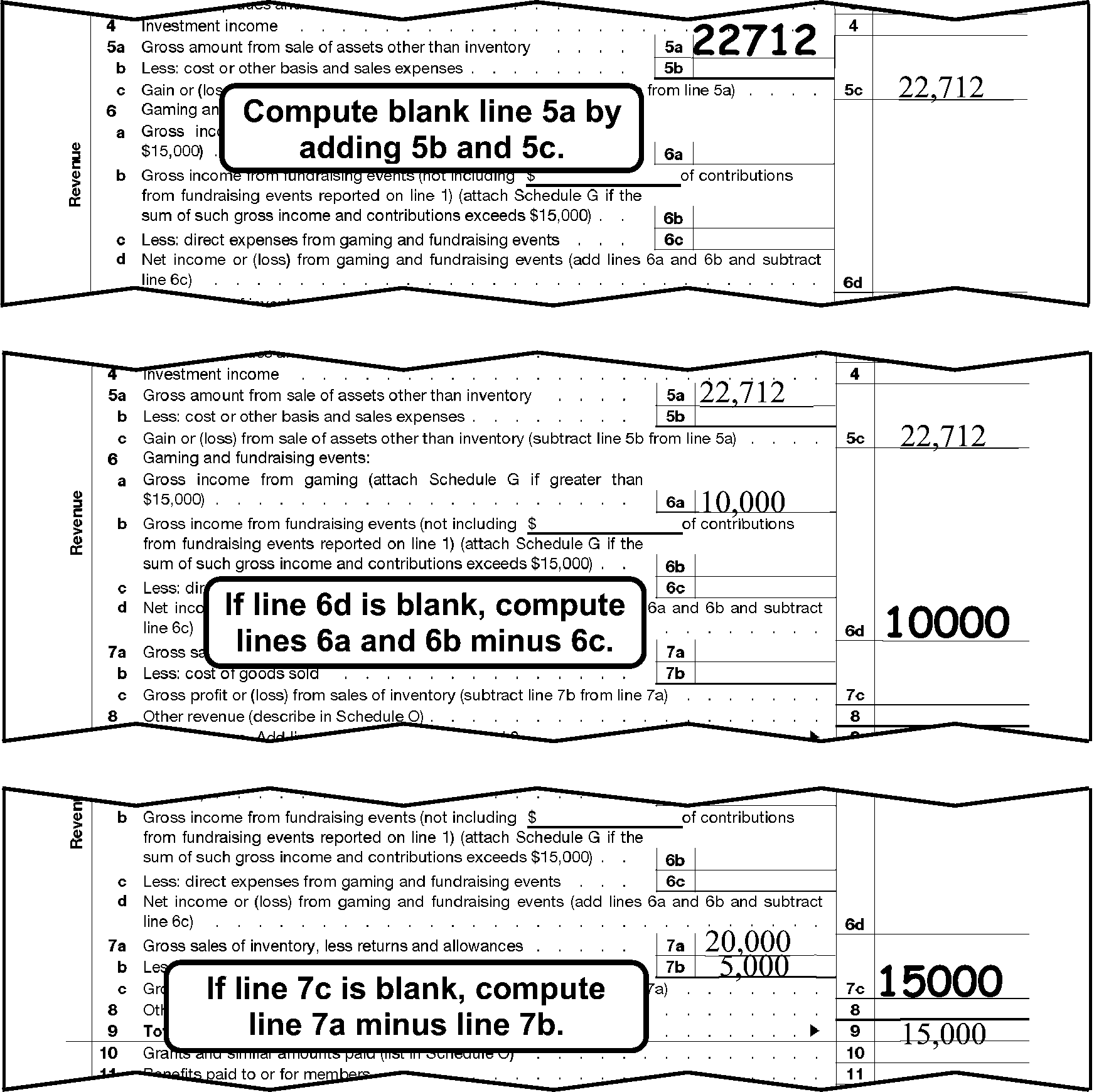
990-EZ (2014 Revision) Part I, abc Line PerfectionThis shows three examples of a portion of the 990-EZ (2014 Revision) Part I, abc line perfection. The first example shows:Line 5a, Gross amount from sale of assets other than inventory, shows edited amount of 22,712.Line 5c, Gain or (loss) from sale of assets other than inventory, shows an entry of 22,712.Text Box located below and to the left of line 5c states Compute blank line 5a by adding 5b and 5c.The second example shows:Line 5a, Gross amount from sale of assets other than inventory, shows an amount of 22,712.Line 5c, Gain or (loss) from sale of assets other than inventory, shows an amount of 22,712.Line 6a, Gross income from gaming and fundraising events, shows an amount of 10,000.Text Box located to the right of line 6a states If line 6d is blank, compute lines 6a and 6b minus 6c.Line 6d, Net income or (loss) from gaming and fundraising events, shows edited amount of 10,000.The third example shows:Line 7a, Gross sales of inventory less returns and allowances, shows an amount of 20,000.Line 7b, Less cost of goods sold, shows an amount of 5,000.Text Box located to the right of line 7b and 7c states If line 7c is blank, compute line 7a minus line 7b.Line 7c, Gross profit or (loss) from sales of inventory, shows an edited amount of 15,000.Line 9, Total revenue, has an amount of 15,000.
Please click here for the text description of the image.
-
Line 8: If blank, edit from Line 9, if Line 9 is the first dollar entry on Part I.
-
Line 9: If blank, add Lines 1, 2, 3, 4, 5c, 6d, 7c, and 8 (2008 and subsequent revisions) or Lines 1, 2, 3, 4, 5c, 6c, 7c, and 8 (2007 and prior revisions).
-
Lines 10-12: Perfect.
-
Line 17: If blank, add Lines 10-16.
-
Line 18: If blank, Line 9 minus Line 17.
-
Line 20: Perfect.
-
Line 21: If blank and line 19 is blank use the amount from Part II Line 27 Column A for Line 19. Add lines 18-20.
3.11.12.7.12 (01-01-2022)
Form 990-EZ Part I Correspondence (All Form Revisions)
-
See IRM 3.11.12.7.7 and IRM 3.11.12.7.9 for Schedule B requirements.
-
Remove from processing and send back to the filer for Form 990 if a Group Return is filed on Form 990-EZ.
Caution:
A GEN on Item "F" of Form 990-EZ isn't an indication of a group return.
-
Remove from processing and send back to the filer for Form 990 if any of the following apply:
Must file Form 990 if the Tax Period is If gross receipts are sum of Form 990-EZ, Line 9 and Lines 5b, 6c and 7b (2008 and subsequent revisions) or the sum of Line 9 and Lines 5b, 6b and 7b (2007 and prior revisions) 201012 and subsequent Equal to or greater than ≡ ≡ ≡ ≡ ≡ 200912 – 201011 Equal to or greater than ≡ ≡ ≡ ≡ ≡ ≡ 200812 – 200911 Equal to or greater than ≡ ≡ ≡ ≡ ≡ ≡ ≡ 200811 and prior Equal to or greater than ≡ ≡ ≡ ≡ ≡ ≡
3.11.12.7.13 (01-01-2022)
Form 990-EZ Part II Perfection (All Form Revisions)
-
Line 25, Column (A): If blank, do one of the following:
-
Add Lines 22 - 24.
-
If Line 26 is the only entry, leave blank.
-
If Lines 26 and 27 contain the same dollar amount, leave blank.
-
Add Lines 26 and 27.
-
-
Line 25, Column (B): If blank, 0 (zero), - (dash), none, or N/A, do one of the following:
-
Add Lines 22 - 24.
-
If Line 26 is the only entry, edit a "1" on Line 25, Column (B).
-
If Lines 26 and 27 contain the same dollar amount, edit a "1" on Line 25, Column (B).
-
Add Lines 26 and 27.
-
If unable to perfect per 1) - 4) above, and you are not corresponding for Part II, Column (B), edit a "1" , on Line 25, Column (B).
-
-
Line 26, Column (A)****and (B):If a negative symbol is present ( -, <, etc.), circle out the negative symbol. If blank, do one of the following for each column:
-
If Line 26 is the only taxpayer entry, edit Line 26 to Line 27 as a negative amount.
-
Line 25 minus Line 27 if both Line 25 and Line 27 have an amount.
-
If Line 25 is the only line with an amount, leave Line 26 blank and edit the amount from Line 25 to Line 27.
-
-
Line 27, Column (A) and (B): If blank, Line 25 minus Line 26 for each column.
Figure 3.11.12-9
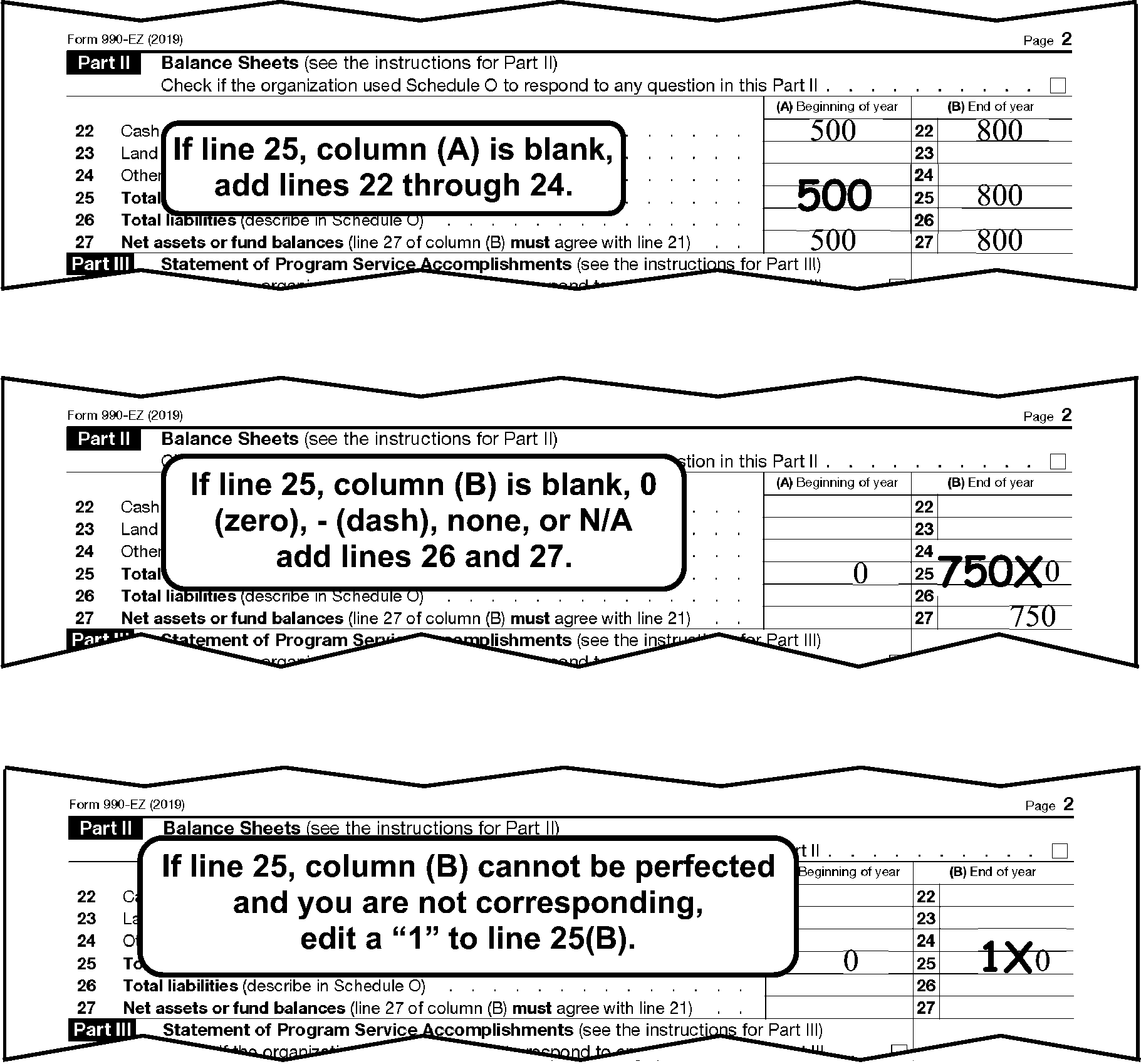
Form 990-EZ, Part II, Balance SheetThis shows three examples, portion of Form 990-EZ (2014 revision) Part II balance sheet perfection.The first example shows:Line 22, Cash, savings, and investments, Column (A) shows 500.Line 22, Cash, savings, and investments, Column (B) shows 800.Line 25, Total assets, Column (A) shows an edited amount of 500.Line 25, Total assets, Column (B) shows 800.Line 27, Net assets or fund balance, Column (A) shows 500.Line 27, Net assets or fund balance, Column (B) shows 800.Text box states if line 25, Column (A) is blank, add Lines 22 through 24.The second example shows: Line 25, Total assets, Column (A) shows 0.Line 25, Total assets, Column (B) shows an X to the left of the 0 and 750 edited to the left of X.Line 27, Net assets or fund balance, Column (B) shows 750 Text box states If Line 25, Column (B) is blank, 0 (zero), - (dash), none, or N/A add Lines 26 and 27.The third example shows: Line 25, Total assets, Column (A) shows 0.Line 25, Total assets, Column (B) shows an X to the left of the 0 and 1 edited to the left of X.Text box states If Line 25, Column (B) cannot be perfected and you are not corresponding, edit a 1 to Line 25(B).
Please click here for the text description of the image.
3.11.12.7.14 (01-01-2022)
Form 990-EZ Part II Correspondence (All Form Revisions)
-
Remove from processing and send the return back to the filer for Form 990 if Line 25, Column (B) is equal to or greater than the following amount:
Tax Year: Amount: 990-EZ (201012 and subsequent tax period) ≡ ≡ ≡ ≡ ≡ ≡ 990-EZ (200912 – 201011 tax period) ≡ ≡ ≡ ≡ ≡ ≡ 990-EZ (200812 – 200911 tax period) ≡ ≡ ≡ ≡ ≡ ≡ 990-EZ (200811 and prior) ≡ ≡ ≡ ≡ ≡ -
Remove from processing and send back to the filer for Part II, Column (B), if Lines 22-27, Column (B) are blank. Don't remove from processing and send back to the filer if 0 (zero), - (dash), none, or N/A is present in Part II, Column (B).
Exception:
Don't send back to the filer per (2) above if this is a 2007 and prior revision "zero" filer with no transcription lines in Parts I - V. Continue processing.
-
Don’t remove from processing and send back to the filer if the final/termination criteria is met. IRM 3.11.12.7.10
3.11.12.7.15 (01-01-2022)
Form 990-EZ Part IV Correspondence (All Form Revisions)
-
Remove from processing and send the return back to the filer for Part IV, if both of the following apply:
-
Part I, Line 12 is more than ≡ ≡ ≡ ≡.
-
No names are present in Part IV, Column (a) or on an attachment.
-
3.11.12.7.16 (01-01-2022)
Form 990-EZ Part V
Schedule Indicator Code (SIC)
(2008 and Subsequent Revisions)
-
Edit a SIC on the top right margin of page 3 for each schedule shown below that is attached and has information present other than the organizations name and/or EIN. If editing a SIC is required and page 3 is missing, insert a blank page 3 and edit the SIC on the inserted page.
-
The indicator codes are as follows:
Schedule Code Schedule A Schedule A - Public Charity Status and Public Support B Schedule B - Schedule of Contributors C Schedule C - Political Campaign and Lobbying Activities E Schedule E - Schools G Schedule G - Supplemental Information Regarding Fundraising or Gaming Activities L Schedule L - Transactions with Interested Persons N Schedule N - Liquidation, Termination, Dissolution or Significant Disposition of Assets O Schedule O - Supplemental Information -
Substitute schedules are not acceptable. If the filer writes "see attached" for a schedule don't edit a SIC. Remove from processing and send the return back to the filer for the required schedule.
3.11.12.7.17 (01-01-2022)
Form 990-EZ Part V Perfection (All Form Revisions)
-
Lines 37a, 39a, and 39b: Perfect.
-
Line 43: Edit Code 1 to the right of the box if both of the following apply:
-
Type of Organization code is 3 (Item J shows a 4947(a)(1) filer).
-
The Line 43 box is checked, or there is a dollar entry on Line 43.
-
3.11.12.7.18 (01-01-2022)
Form 990-EZ Part V Correspondence (2008 and Subsequent Revisions)
-
Remove from processing and send the return back to the filer for the following schedules if the line is marked "yes" , and the related schedule for that line is missing or blank or a substitute Schedule L or substitute Schedule C is attached:
Line numbers Missing/Blank Schedule 38a or 40b Schedule L 46 Schedule C
3.11.12.7.19 (01-01-2022)
Form 990-EZ Part VI Correspondence (2008 and Subsequent Revisions)
-
501(c)(3) organizations only: Remove from processing and send the return back to the filer for the following schedules if the line is marked "yes" , and the related schedule for that line is missing or blank or a substitute Schedule C or substitute Schedule E is attached:
Line Number(s) Missing/Blank Schedule 47 Schedule C 48 Schedule E
3.11.12.7.20 (01-01-2025)
♦Paid Preparer Section♦ (All Form Revisions)
- The Paid Preparer section is located below the Signature area at the bottom of Page 4, Form 990-EZ (2008 and subsequent revisions) or Page 3, Form 990-EZ (2007 and prior revisions). The Paid Preparer’s name may be the same as the individual signing the return.
3.11.12.7.20.1 (01-01-2025)
♦Paid Preparer PTIN♦ (All Form Revisions)
-
The Preparer's SSN or PTIN is located to the right of the Preparer's Signature in the PTIN box at the bottom-right corner of Page 4 (2008 & subsequent revisions, or Page 3 of 2007 & prior revisions).
-
No action is required on amended returns.
-
The Preparer's SSN is a nine-digit number. Circle the SSN if all zeroes, all nines or invalid.
-
A PTIN begins with the alpha "P" followed by an eight-digit number (e.g., PXXXXXXXX). Circle the PTIN if invalid.
3.11.12.7.20.2 (01-01-2025)
♦Firm's EIN♦ (All Form Revisions)
-
The Firm's EIN is located below the Preparer's SSN/PTIN at the bottom-right corner of Page 4 (2008 & subsequent revisions) or, Page 3 (2007 & prior revisions).
-
No action is required on amended returns.
-
The Firm's EIN must be a nine-digit numeric number. Circle the EIN if all zeroes, all nines or invalid.
3.11.12.7.20.3 (01-01-2022)
♦Paid Preparer Telephone Number♦ (All Form Revisions)
-
The Paid Preparer's Phone Number is located below the Paid Preparer's EIN at the bottom right hand corner of Page 4 (2008 & subsequent revisions) or, Page 3 (2007 & prior revisions).
-
No action is required on Amended returns.
-
If a complete Paid Preparer's Telephone Number is on the Preparer Telephone Number line, no editing of this line is necessary.
-
If the return is for a tax period prior to 2001, circle the telephone number.
-
If the Paid Preparer's Phone Number is incomplete, illegible, or less than 10 digits, review the return and all attachments.
Note:
If more than 10 digits are present continue processing. ISRP will input the first 10 digits only.
If Then A complete Paid Preparer's Phone Number is located Edit to the "Phone No" line. A complete Paid Preparer's Telephone Number isn't located or the number is illegible Circle the incomplete or illegible phone number.
3.11.12.7.20.4 (01-01-2022)
Preparation Code (All Form Revisions)
-
No action is required on amended returns.
-
Edit a Preparation Code of "1" next to the Preparer's PTIN if data is present in the Paid Preparer area of the return. The Paid Preparer’s name may be the same as the individual signing the return.
Note:
Data such as N/A or self prepared doesn't indicate the return was prepared by a Paid Preparer and should not be edited with a "1" .
-
Zero filer returns: (2007 and prior revisions) If (2) above applies, edit a preparation code.
3.11.12.7.21 (01-01-2022)
Form 990-EZ, Schedule C (2008 and Subsequent Revisions) Part II-A, Lines 2a(a) - 2f(e)
-
If line 2c(e) is greater than Line 2b(e) or Line 2f(e) is greater than Line 2e(e), take the following actions:
-
Photocopy Form 990-EZ page 1 and Schedule C Part II-A.
-
Route photocopies (clearly marked as photocopies) via Form 4227 to Mail Stop 1112. In remarks indicate "≡ ≡ ≡ ≡ ≡ ≡ ≡ ≡ ≡ ≡ ≡ ≡ ≡ ≡ ≡ ≡ ≡ ≡ ≡ ≡ ≡ ≡ ≡ ≡" ≡ ≡ ≡
-
Edit an action trail "photocopy sent" .
-
3.11.12.7.22 (01-01-2022)
Form 990–EZ Schedule L Parts I & II Perfection (2008 and Subsequent Revisions)
-
Edit a "1" in the right margin of Schedule L, Part I if data is present in Part I (including 0 - N/A or none).
-
Edit a "1" in the right margin of Schedule L, Part II if data is present in Part II (including 0 - N/A or none).
3.11.12.8 (01-01-2022)
Form 990–PF
-
Form 990–PF is the primary annual information and taxable return filed by a foundation or trust to comply with the filing requirements of IRC 6033.
-
A foundation or trust is required to file each year regardless of the amount of its gross receipts or assets.
-
If a Form 990-PF is filed using only the front page, or indication the form is filed for payment purposes, give to the lead. Don't process. Lead will research and destroy if needed.
3.11.12.8.1 (01-01-2026)
Form 990-PF General Instructions
-
Beginning 2022, all Form 990-PF filed for tax period ending 202312 or subsequent must be filed electronically. If a paper return is received for a ending tax period of 202312 or subsequent, pull the return from processing and send back to the filer.
-
The following instructions are for returns with tax periods prior to tax period ending 202312 or for any tax periods that we process on which "reinstatement of revocation" or similar language is written across the top of the form and/or on an attachment.
-
Always convert prior year return revisions to current year, see Exhibit 3.11.12-12.
-
Request and follow INOLES research when editing all Form 990–PFs.
-
Always follow the instructions for a " special return" .
-
Perfect as follows:
-
Always perfect for legibility.
-
Always perfect from attachments, if available.
-
Follow the stated instruction for the line.
-
Leave the T-line blank only if it cannot be perfected in the steps above.
-
-
Route any correspondence stating a reasonable cause for failing to deposit along with a photocopy of the first page of the return to OAMC, EO Accounts, M/S 6552.
-
Put the Form 990–PF in the following order:
-
Pages 1 - 13 in order
Note:
Insert and edit page 4 if missing.
-
Form 965
-
Form 8050
-
3.11.12.8.2 (01-01-2026)
Form 990-PF - Correcting Error and Reject Conditions
-
This section provides instructions for correcting error and reject conditions to Form 990–PF, Return of Private Foundation.
-
Use the following table to complete the variables 38 through 43 inLetter 2697-C based on the tax year field:
Tax Year Field Variable 38 Variable 39 Variable 40 and 43 Variable 41 Variable 42 2008 $10,000 $1,000,000 2008 $100 $50,000 2009 $10,000 $1,000,000 2009 $100 $50,000 2010 $10,000 $1,000,000 2010 $100 $50,000 2011 $10,000 $1,000,000 2011 $100 $50,000 2012 $10,000 $1,000,000 2012 $100 $50,000 2013 $10,000 $1,000,000 2013 $100 $50,000 2014 $10,000 $1,000,000 2014 $100 $50,000 2015 $10,000 $1,000,000 2015 $100 $50,000 2016 $10,000 $1,000,000 2016 $100 $50,000 2017 $10,000 $1,028,500 2017 $100 $51,000 2018 $10,000 $1,046,500 2018 $100 $52,000 2019 $10,500 $1,067,000 2019 $105 $53,000 2020 $10,500 $1,067,000 2020 $105 $53,000 2021 $10,500 $1,094,500 2021 $105 $54,500 2022 $11,000 $1,129,000 2022 $110 $56,000 2023 $12,000 $1,208,500 2023 $120 $60,000 2024 $12,500 $1,274,000 2024 $125 $63,500 2025 $12,500 $1,274,000 2025 $125 $63,500
3.11.12.8.3 (01-01-2022)
Form 990-PF Special Returns
-
Form 990–PF special returns are:
Special Return: IRM Section: Foreign Return IRM 3.11.12.8.4 Inactive 990–PF IRM 3.11.12.8.5 and IRM 3.11.12.8.6
3.11.12.8.4 (01-01-2024)
Form 990-PF Foreign Return
-
Remove from processing and send the return back to the filer for clarification as to whether the organization is foreign or domestic if Box D2 is checked, Part I, line 26, column (b) has a dollar entry, and the address isn't foreign.
-
If Box D2 is checked, "X" Parts IX, X, XII, and XIV.
3.11.12.8.5 (01-01-2025)
Form 990-PF Inactive Perfection
-
An organization is inactive if either of the following apply:
-
The return is annotated INACTIVE.
-
Part I - Part XVI have no dollar entries.
-
-
Completely perfect an inactive Form 990-PF by perfecting the entity information (name control, address, EIN, tax period, and received date), Organization Code, Foundation Code and all of the following:
-
Put Form 990-PF, pages 1-13 in order. Note: Edit and insert page 4 if missing.
-
Part I, Column (a), Line 12: Edit "1" .
-
Part II: Edit "1" on Line 16, Column (b) and (c)
Note:
Don't edit the amount from Item I of the entity section, if present.
-
Part VI-A: Code Line 9 per IRM 3.11.12.8.20.
-
Part XIII: Edit as follows:
If the Foundation Code is Then An "02" or "03" , and there are no dollar entries in Part XIII 1. Edit a 1 on Line 2a, Columns (a) and (e). 2. Edit a 1 on Line 3a(1), Columns (a) and (e). 3. X Parts X and XII. Other than an "02" or "03" , and Part VII-A, Line 9 is 2 "X" Part XIII.
-
3.11.12.8.6 (01-01-2022)
Form 990-PF Inactive Correspondence
-
Remove from processing and send back to the filer for a signature, if missing.
-
Don’t remove from processing for any other issues.
3.11.12.8.7 (01-01-2026)
Form 990-PF Perfection, Editing and Correspondence
-
Attach an edit sheet to Form 990–PF if required.
-
Item G of the entity section: If checked "Initial Return of a Former Public Charity" or "Notice 2008–6" or similar wording on the top of the form, and there is no indication Entity has seen the return, route the return to Entity IRM 3.11.12.3.7.2.
-
Item I of the entity section: If blank, edit from Part II, Line 16, Column (c).
-
Refer to the following instructions to perfect the generic items:
-
Action Codes (ERS), IRM 3.11.12.3.8
-
Computer Condition Codes, (A, D, F, G, O, R, T, V, W, X, Y, 3, 7, 8), IRM 3.11.12.3.9. Edit the CCC in Part I.
-
Daily Delinquency Penalty, IRM 3.11.12.3.13.1.2
-
Entity Perfection, IRM 3.11.12.3.15 through IRM 3.11.12.3.15.6
-
Imaging, IRM 3.11.12.3.18
-
Incomplete Return Item (IRI) Program, IRM 3.11.12.3.11.3
-
Penalty and Interest Code, IRM 3.11.12.3.13.1.3
-
Received Date, IRM 3.11.12.3.13.1
-
Signature, IRM 3.11.12.3.22
-
Tax Period, IRM 3.11.12.3.23
-
3.11.12.8.8 (01-01-2022)
Form 990-PF Foundation Code
-
Edit the two–digit Foundation Code in the white space of Item H (below the entity section). This is obtained through IDRS research (INOLES).
Example:
If the Foundation Code on INOLES is "02" , edit "02" .
-
If IDRS doesn't have a Foundation Code present, leave blank.
3.11.12.8.9 (01-01-2022)
Form 990-PF Type of Organization Code
-
Edit the Type of Organization Code in the right margin next to Item C in the entity section.
-
Determine the Type of Organization Code from the box(es) checked in Item H and/or D1 or D2 of the entity section.
-
Edit the type of organization code in the right margin next to item C in the entity from the tables below:
Type of Organization Code Only 4947(a)(1) box checked with: Multiple or no boxes checked 3 U.S. Address Trust with a U.S. address and the subsection is 92. 4 Foreign address * Trust with a foreign address and the subsection is 92 or * Trust with Box D1 or D2 in the entity section is checked. 5 Canadian address * Trust with Canadian address and the subsection is 92 or * Trust with Box D1 or D2 in the entity section is checked. Type of Organization Code Either 501(c)(3) exempt private foundation box or Other taxable private foundation is checked Multiple or no boxes checked 6 U.S. Address Foundation with a U.S. address and the subsection is other than 92. 7 Foreign Address * Foundation with a foreign address and a subsection other than 92 or * Foundation with Box D1 or D2 in the entity section is checked. 8 Canadian Address * Foundation with a foreign address and a subsection other than 92 or * Foundation with Box D1 or D2 in the entity section is checked.
3.11.12.8.10 (01-01-2024)
Form 990-PF Termination Code
-
If Box "F" of the entity section is checked do all of the following:
-
Edit Termination Code"1" in the right margin of page 1, Form 990-PF, next to Item F.
-
Edit ERS Action Code 320.
-
Prepare Form 4227, route to Entity stating "status 25" .
-
Leave the return in the batch.
-
-
The organization is allowed to start a 60-month period to end (terminate) their private foundation status and become a public charity only when they receive permission from the Area Office to begin an IRC 507(b)(1)(B) termination.
-
The Part V taxes owed over the 60-month period are abated if at the end of the 60-month termination period, the Area Office determines that the organization had a "successful" termination.
3.11.12.8.11 (01-01-2022)
Form 990-PF Schedule B Indicator
-
For tax periods 200112 and subsequent, all Form 990–PF filers must file Schedule B if the amount on Form 990–PF, Part I, Line 1, is ≡ ≡ ≡ ≡ or more. Organizations not required to file a Schedule B must certify they are not required by checking the box on Part I, Line 2, of Form 990–PF, or by checking the third box on the Schedule B, under "Special Rules and entering an amount or 0 (zero), - (dash), none or N/A on that line" or 0 (zero), - (dash), none or N/A on Page 1 or in any of Parts I - III.
Exception:
If a statement is attached indicating contributions from any one contributor did NOT exceed ≡ ≡ ≡ ≡ ≡ or more during the year, a Schedule B isn't required.
-
Edit a Schedule B Indicator to the right of Part I, Line 1, if the tax period is 200112 or subsequent as shown below:
If And Then The box in Part I, Line 2 is checked or is blank * A Schedule B is attached, containing contributor information (name(s) and amount(s)), or * The word "anonymous" , "various" , 0 (zero), - (dash), none, or N/A on Page 1 or in Parts I - III, or * The third box under "Special Rules" , page 1 is checked and/or an amount is present or 0 (zero), - (dash), none, or N/A on the line, Edit a Schedule B Indicator of "1" . The box in Part I, Line 2 is checked or is blank, and Part I, Line 1 is ≡ ≡ ≡ or less, or There is a statement indicating contributions from any one contributor did not exceed $5000 A Schedule B isn't attached 1. Don't edit a Schedule B Indicator. 2. Continue processing return. Part I, Line 2 is checked and Part I, Line 1 is ≡ ≡ ≡ ≡ or more A Schedule B isn't attached, or Is attached, but doesn’t contain: * contributor information (name(s) and amount(s)), or * The word "anonymous" , "various," 0 (zero), - (dash), none, or N/A on Page 1 or in Parts I - III, or * The third box under "Special Rules" , page 1isn't checked, 1. Edit a Schedule B Indicator of "2" . 2. Continue processing return. The box in Part I, Line 2 is blank and Part I, Line 1 is ≡ ≡ ≡ ≡ ≡ or more A Schedule B isn't attached, or Is attached, but doesn’t contain: * contributor information (name(s) and amount(s)), or * The word "anonymous" , "various" , 0 (zero), - (dash), none, or N/A on Page 1 or in Parts I - III, or * The third box under "Special Rules" , page 1isn't checked, 1. Remove from processing and send the return back to the filer. 2. Don't edit a Schedule B Indicator. Note:
Contributor information means at least one name and amount for the same contributor is present. A "contributor" may also be listed as a "sponsor" or shown as a function. For example, the contribution may be shown as "bake sale" or "car wash" or another type of activity or function.
3.11.12.8.12 (01-03-2025)
Form 990-PF Schedule B Correspondence
-
Remove from processing and send the return back to the filer for Schedule B (Form 990–PF) if all of the following apply:
-
Part I, Line 1, Form 990–PF, is ≡ ≡ ≡ ≡ ≡ ≡ or more.
-
The box in Part I, Line 2 isn't checked.
-
The tax period is 200112 or subsequent.
-
Schedule B is missing or is present but doesn't contain contributor information (name(s) / amount(s)), or anonymous, various, 0 (zero), - (dash), none, or N/A on Page 1 or in Parts I - III and The third box under Special Rules, page 1 isn't checked; or is checked, but an amount or 0 (zero), - (dash), none or N/A isn't present on that line.
Note:
Contributor information means at least one name and amount for the same contributor is present. A "contributor" may also be listed as a "sponsor" or shown as a function. For example, the contribution may be shown as "bake sale" or "car wash" or another type of activity or function.
-
3.11.12.8.13 (01-01-2024)
Form 990-PF Part I Perfection
-
Lines 6b and 10b: Perfect.
-
Column (a): Perfect as follows:
-
Lines 1–10c: Perfect. Don't bring forward any amounts from Schedule B to Line 1.
-
Line 11: If blank, edit Line 12 to Line 11 if Line 12 is the first dollar entry in Part I.
-
Line 12: If blank, 0 (zero), - (dash), none, or N/A, add Lines 1 - 11.
Note:
Edit "1" on Line 12, Column (a) if Column (a) has no dollar entries and you are not corresponding. Don't edit per 2) above.
-
Line 13: If blank, edit from Part VII, Line 1, Column (c).
-
Lines 15, 16a, 16b, 17, 19, 20, 21, 22: Perfect.
-
Line 24: If blank, add Lines 13-23.
-
Line 25: If blank, edit from Part XIV, Line 3a total line, or a total of the items in 3a if the total line is blank.
-
Line 26: If blank, add Lines 24 and 25.
-
Line 27a: If blank, subtract Line 26 from Line 12.
-
-
Column (b), perfect as follows:
-
Line 12: If blank, add Lines 3-11.
-
Line 24: If blank, add Lines 13-23.
-
Line 26: If blank, bring down Line 24.
-
Line 27b: If blank, Line 12 minus Line 26. If Line 26 is blank, edit Line 12 amount to Line 27b. If Type of Organization Code is "4" or "7" , and the address is foreign, "X" Lines 24, 26, and 27.
-
"X" Line 27b if negative.
-
-
Column (c), perfect as follows:
-
Line 12: If blank, add Lines 2-11.
-
Line 26: If blank, add Lines 13-23.
-
Line 27c: If blank, Line 12 minus Line 26. Note: "X" Line 27c if negative.
-
-
Column (d), perfect as follows:
-
Line 24: If blank, add Lines 13-23.
-
Line 26: If blank, add Lines 24 and 25.
-
3.11.12.8.14 (01-01-2025)
Form 990-PF Part I Correspondence
-
Remove from processing and send the return back to the filer for Column (a) if Lines 1-27 are blank and cannot be perfected.
-
Remove from processing and send the return back to the filer for clarification as to whether the organization is foreign or domestic if Box D2 is checked, Part I, Line 26, Column (b) has a dollar entry, and the address isn't foreign.
3.11.12.8.15 (01-01-2026)
Form 990-PF Part II Perfection
-
Lines 1, 3 - 10c, 12 - 15, Columns (a) and (b): Perfect.
-
Line 16, Column (b): If blank, 0 (zero), - (dash), none, or N/A, do one of the following:
-
Add Lines 1-15.
-
Add Lines 23 and 29.
-
Edit from Line 29.
-
Edit from Part III, Line 6.
-
If unable to perfect per 1) - 4) above, and you are not corresponding for Part II, Column (b), edit a "1" .
-
-
Line 16, Column (c): If blank, 0 (zero), - (dash), none, or N/A, do one of the following:
-
Add Lines 1 - 15. If the entity section, Item I is missing, also edit the total to Item I.
-
Edit from Item I of the entity section.
-
If unable to perfect per 1) - 2) above, and you are not corresponding for Part II, Column (c), edit a "1" .
-
-
Lines 17 and 18 Columns (a) and (b): Perfect for legibility.
-
Line 21, Column (b): Perfect for legibility.
-
Line 22, Column (a) and Column (b): Perfect for legibility.
-
Line 23, Column (b): If a negative symbol is present ( -, <, etc.), circle out the negative symbol. If blank, do one of the following:
-
Add Lines 17-22.
-
Line 16 minus Line 29, if both Line 16 and Line 29 have an amount.
-
If Line 16 is the only line with an amount, leave Line 23 blank and edit the amount from Line 16 to Line 29.
-
-
Line 29, Column (b): If blank, do one of the following see Figure 3.11.12-10 , 990-PF Part II, Balance Sheet Perfection:
-
Line 16 minus Line 23.
-
Add Lines 24 - 25.
-
Add Lines 26 - 28.
Figure 3.11.12-10
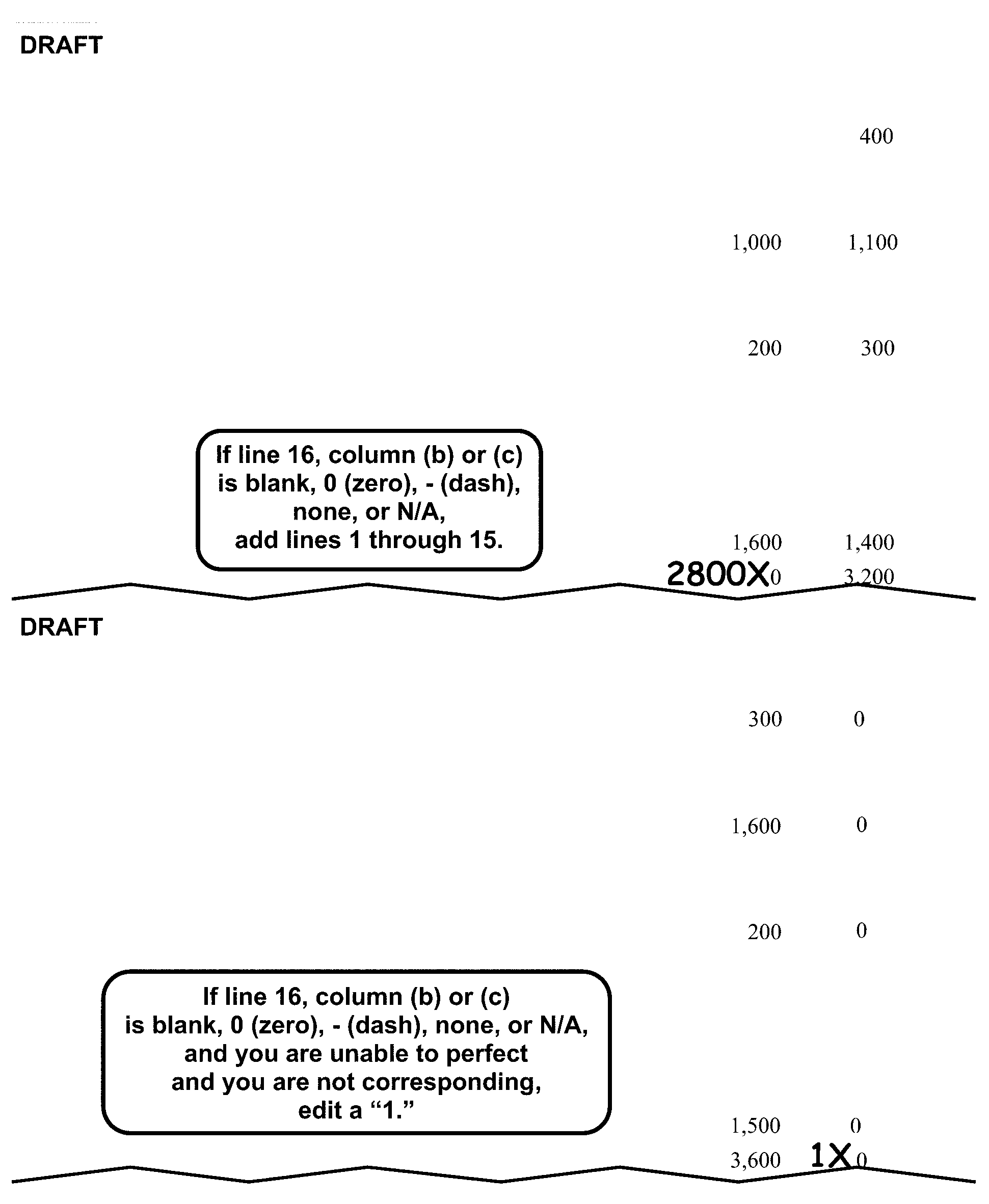
990-PF Part II, Balance Sheet PerfectionThis shows two examples of a portion of Form 990-PF, Part II Balance Sheet Perfection.The first example shows:Line 1 Column (c), Cash-non-interest-bearing, shows 400.Line 5 Column (b), Grants receivable, shows 1,000.Line 5 Column (c), Grants receivable, shows 1,100.Line 9 Column (b), Prepaid expenses and deferred charges, shows 200.Line 9 Column (c), Prepaid expenses and deferred charges, shows 300.Line 15 Column (b), Other assets, shows 1,600.Line 15 Column (c), Other assets, shows 1,400.Line 16 Column (b), Total Assets, shows an X to the left of the 0 and 2,800 edited to the left of the X.Line 16(c) Total Assets, shows 3,200Text box states If line 16, columns (b) or (c) is blank, 0 (zero), - (dash), none, or N/A, add lines 1 through 15.The second example shows:Line 1 Column (b), Cash-non-interest-bearing, shows 300.Line 1 Column (c), Cash-non-interest-bearing, shows 0.Line 5 Column (b), Grants receivable, shows 1,600.Line 5 Column (c), Grants receivable, shows 0.Line 9 Column (b), Prepaid expenses and deferred, charges shows 200.Line 9 Column (c), Prepaid expenses and deferred, charges shows 0.Line 15 Column (b), Other assets, shows 1,500.Line 15 Column (c), Other assets, shows 0.Line 16 Column (b), Total Assets, shows 3,600.Line 16 Column (c), Total Assets, shows an X to the left of the 0 and 1 edited to the left of the X.Text box states If line 16 column (b) or (c) is blank, 0 (zero), - (dash), none, or N/A, and you are unable to perfect and you are not corresponding, edit a 1.
Please click here for the text description of the image.
-
3.11.12.8.16 (01-01-2024)
Form 990-PF Part II Correspondence
-
Remove from processing and send the return back to the filer for Column (b) if Lines 1-30 are blank.
-
Remove from processing and send the return back to the filer for Column (c) if all of the following apply:
-
Column (c) is blank.
-
Item I of the entity section is blank.
-
Part VI–A, Line 7 is "yes" , or Part II, Line 16, Column (b) is ≡ ≡ ≡ ≡ ≡ or more.
Note:
Don't remove from processing if inactive. IRM 3.11.12.8.5.
-
3.11.12.8.17 (02-02-2024)
Form 990-PF 4940 Code
-
Edit the 4940 Code in the middle of the top margin of page 4.
-
Edit 4940 Code 2 if all of the following apply:
-
The Type of Organization Code is 3 or 6.
-
Organization is a SS 03 with Foundation Code 02.
-
Part I, Line 27b is more than $0.
-
Part V, Line 1 is blank, 0 (zero), - (dash), none, or N/A.
-
3.11.12.8.18 (10-31-2023)
Form 990-PF Part V Perfection
-
Line 1: If blank, 0 (zero), - (dash), none, or N/A, and Line 2 has an amount, "X" these entries and edit Line 2 amount to Line 1.
-
Line 2: Perfect.
-
Line 4: Perfect.
-
Line 5: If blank, add Line 1 and Line 2 and subtract Line 4.
-
Line 6a-6d: Perfect. If credit is from either Form 1116 or Form 1118, "X" the amount. If blank and Line 7 has an amount ≡ ≡ ≡ ≡ ≡ ≡ ≡ ≡ ≡ ≡ ≡ ≡ ≡ ≡ ≡.
Note:
If Type of Organization is "3" or "6" , and an amount is on Line 6b, edit the amount to Line 6d.
-
Line 8: If blank, and a Form 2220 is attached, do the following:
-
Edit the dollar amount on Form 2220, from the following line number to Form 990-PF, Part V, Line 8:
2004 2005– 2007 2008 - Current Line 38 Line 34 Line 38 -
If the line shown in (a) above is blank, and there is an amount on the following line, compute the total amount and enter on Form 990-PF, Part V, Line 8:
2004 2005 - 2007 2008 - Current Line 37, Column a-e Line 33, Column a-d Line 37, Column a-d -
If Form 2220, page 2 is missing, leave Form 990-PF, Part V, Line 8 blank.
-
Don't include any penalty or interest other than estimated tax penalty on Form 990-PF, Part V, Line 8.
-
-
Line 9 and 10: If blank, do the following in order:
-
Line 5 minus Line 7, plus Line 8.
-
Edit the positive result on Line 9 or the negative result on Line 10.
-
If Line 9 contains a penalty or interest other than ES Penalty, subtract the penalty or interest and recompute Line 9.
Note:
If pre-computed penalty, interest, or other additional charge is evident, ensure that it has not been included on Line 5 or 9, or reduced Line 10.
-
-
Line 11: Perfect the amount to the left of Line 11 (Credit Elect). Don't edit CCC "F" if Line 11 credit elect amount is present.
Note:
If either Line 10 or Line 11 is ≡ ≡ ≡ ≡ ≡ ≡ or more, See IRM 3.11.12.3.20.
3.11.12.8.19 (10-31-2023)
Form 990-PF Part V Correspondence
- Remove from processing and send the return back to the filer for Part V, Lines 6a - 6d if Part V, Line 7 has an entry of ≡ ≡ ≡ ≡ ≡ ≡ ≡ ≡ ≡ and Part V, Lines 6a - 6d are blank and cannot be perfected.
3.11.12.8.20 (10-31-2023)
Form 990-PF Part VI–A Perfection
-
Always Code Line 9 to the right of the yes/no box on Line 9, as follows:
-
Code 1 — Edit a "1" and perfect Part XIII if the Foundation Code is 02 or 03 including Inactive returns. "X" Parts X and XII.
-
Code 2 — Edit a "2" and perfect Parts X and XII if the Foundation Code is other than 02 or 03. "X" Part XIII.
-
-
Line 15: Place a check in the Line 15 box if all of the following apply:
-
The box on Line 15 is blank,
-
There is a dollar amount on Line 15,
-
The Organization Code is "3" , "4" , or "5" .
-
3.11.12.8.21 (10-31-2023)
Form 990-PF Part VI-A Correspondence
-
Remove from processing and send the return back to the filer for Part VI-A if (2) or (3) below apply.
-
Line 11, if either of the following apply:
-
Neither box is checked, both boxes are checked,.
-
"Yes" is checked, but the attached schedule of controlled entities is missing.
-
-
Line 12, if the following applies:
- Neither box is checked, both boxes are checked.
-
If filer enters N/A or similar wording for either Line 11 or Line 12, don’t pull from processing.
3.11.12.8.22 (10-31-2023)
Form 990-PF Part VII Correspondence
-
Remove from processing and send the return back to the filer for Part VII, Line 1 if it cannot be perfected and both of the following apply:
-
Part I, Line 13, Column (a), is more than ≡ ≡ ≡ ≡.
-
No names are present in Part VII, Line 1, Column (a) or on an attachment.
Note:
A 0 (zero), - (dash), none, or N/A is an acceptable entry.
-
-
Remove from processing and send back to the filer for Part VII, Line 2 if it cannot be perfected and both of the following apply:
-
Part I, Line 14, Column (a) is more than ≡ ≡ ≡ ≡ ≡.
-
A name is present in Part VII, Line 2 and Column (c) is blank and not on an attachment.
Note:
A 0 (zero), - (dash), none, or N/A is an acceptable entry.
-
-
Remove from processing and send the return back to the filer for Part VII, Line 3 if it cannot be perfected and both of the following apply:
-
Part I, Lines 16a-16c, Column (a) are more than ≡ ≡ ≡ ≡ ≡.
-
A name is present in Part VII, Line 3 and Column (c) is blank and not on an attachment.
Note:
A 0 (zero), - (dash), none, or N/A is an acceptable entry.
-
3.11.12.8.23 (01-01-2025)
Form 990-PF Part IX Perfection
-
Perfect Part IX if Box D2 is not checked in the entity section, “X” Part IX if Box D2 is checked in the entity section.
-
Line 1d: If blank, add Lines 1a-1c.
-
Line 5: If blank, do one of the following:
-
Edit from Part V, Line 4.
-
Line 3 minus Line 4.
-
If unable to perfect per 1) or 2) above, leave blank.
-
-
Line 6: If blank, multiply Line 5 by .05.
3.11.12.8.24 (01-01-2025)
Form 990-PF Part IX Correspondence
-
Remove from processing and send the return back to the filer if Part IX is blank and all of the following apply:
-
Box D2 isn’t checked in the entity section.
-
The Type of Organization Code is "3" or "6" , or the Type of Organization Code is "7" with Foundation Code 02 or 03.
-
Part II, Line 16, Column (b) is more than ≡ ≡ ≡ ≡ or Part VI–A, Line 7 is "yes" .
-
Part I, Line 27b, Column (b) is more than ≡ ≡ ≡ ≡ ≡.
-
-
Don't remove from processing if the taxpayer states on the return or an attachment wording similar to the following:
-
"No assets are held for investment purposes."
-
"No assets are held for non-charitable purposes"
-
"Assets are held only for charitable purposes."
-
3.11.12.8.25 (10-31-2023)
Form 990-PF Part X Perfection
-
Perfect Part X if the Foundation Code is other than 02 or 03. "X" Part X if the Foundation Code is 02 or 03 or Box D2 is checked in the entity section.
-
Line 7: If blank, do one of the following:
-
Edit from Part XII, Line 1, Column (d).
-
Line 5 minus Line 6.
-
If unable to perfect per 1) or 2) above, leave blank.
-
3.11.12.8.26 (10-31-2023)
Form 990-PF Part X Correspondence
-
Remove from processing and send the return back to the filer for Part X if Part X is blank and all of the following apply:
-
Foundation Code is 04 or SS92.
-
Box D2 isn't checked in the entity section.
-
The 4942(j)(3) and (j)(5) box in Part X isn't checked.
Note:
A 0 (zero), - (dash), none, or N/A is an acceptable entry.
-
3.11.12.8.27 (10-31-2023)
Form 990-PF Part XII Perfection
-
Perfect Part XII if the Foundation Code is other than 02 or 03. "X" Part XII if the Foundation Code is 02 or 03 or Box D2 is checked in the entity section.
-
Line 6f, Column (d) — If blank, do one of the following:
-
Line 1(d), minus Lines 4(d) and 5(d).
-
If Part XII is blank, edit from Part X, Line 7.
-
3.11.12.8.28 (10-31-2023)
Form 990-PF Part XII Correspondence
-
Remove from processing and send the return back to the filer for Part XII if all of the following apply:
-
Foundation Code is 04 or SS 92.
-
Box D2 isn't checked in the entity section.
-
Part XII is blank and you are also corresponding for Part IX.
-
3.11.12.8.29 (01-01-2026)
Form 990-PF Part XIII Perfection
-
Perfect Part XIII if the Foundation Code is 02 or 03 including Inactive returns. "X" Part XIII if the Foundation Code is other than 02 or 03.
-
Lines 2a, 2e, 3a(1), 3a(2), 3b, 3c(1), 3c(2) and 3c(4), Columns (a)-(d): Perfect.
-
Column (e): If blank, add Columns (a)-(d) for each Line in (2) above.
-
Line 2a, Columns (a) and (e):
-
If Line 2a columns (a) and/or (e) are 0 (zero), - (dash), none or N/A, delete the entry and edit "1" .
-
If blank, edit the lesser amount from Part I, Line 27(c) or Part IX, Line 6. Do not bring over negative amounts.
-
If either Part I, Line 27(c) or Part IX, Line 6 is 0 (zero), - (dash), none, N/A or a negative amount, edit a "1" on Line 2a Columns (a) and (e).
-
If unable to perfect per (a) and (c) above, edit a "1" on Line 2a Columns (a) and (e).
-
-
Line 3a(1), Columns (a) and (e):
-
If 0 (zero), - (dash), none, or N/A, delete the entry and edit a "1" .
-
If blank and Line 2a, Columns (a) and (e) has a dollar entry or has been edited with a "1" per (4) above, edit a "1" .
Figure 3.11.12-11

Form 990-PF, Part XIV, Line 2 SubstituteThis shows an example of a Form 990-PF, Part XIV, Line 2 Substitute.Title shows: Form 990-PF, Part XIV, Line 2, Information Regarding Contribution, Grant, Gift, Loan, Scholarship, etc., Programs.Name line, shows: Amber Dove.Address line, shows: 17 Sparrow Lane.City, St, Zip, Phone line shows: Omaha, NE 63108.The form in which applications should be submitted and information and materials they should include, shows: A written request detailing the purpose for which funds are to used.Any submission deadlines, shows: None.Any restrictions or limitations on awards, such as by geographical areas, charitable fields, kinds of institutions, or other factors, shows: None.
Please click here for the text description of the image.
-
3.11.12.8.30 (10-31-2023)
Form 990-PF Part XIV Perfection
-
Perfect Part XIV if Box D2 is not checked in the entity section. "X" Part XIV, Lines 1a-3b if Box D2 is checked in the entity section.
-
Line 3b: If blank, total the amounts in Part XIV, Line 3b, and any amounts included in attachment(s) identified as "Future Grants" or "Grants Approved for Future Payment" and edit the total to Line 3b.
Note:
Don't perfect Line 3b if "X" ing Part XIV.
3.11.12.8.31 (01-01-2025)
Form 990-PF Part XIV Correspondence
-
Remove from processing and send the return back to the filer for Line 2a, b, c and d if Type of Organization Code is "3" or "6" and all of the following apply:
-
Part XIV, Lines 2a-d are blank. A 0 (zero), - (dash), none, or N/A is an acceptable entry.
-
Box D2 isn't checked in the entity section.
-
Part I, Line 25, Column (a), is ≡ ≡ ≡ ≡ or more.
-
Part II, Line 16, Column (b) is ≡ ≡ ≡ ≡ ≡ ≡ or more, or Part VI–A, Line 7 is "yes" .
-
Part XIV, Line 2 box isn't checked.
Exception:
Don't remove from processing if the return or an attachment has wording similar to the following:
-
"We only contribute to pre-selected charities."
-
"We don't accept unsolicited applications" .
Figure 3.11.12-12
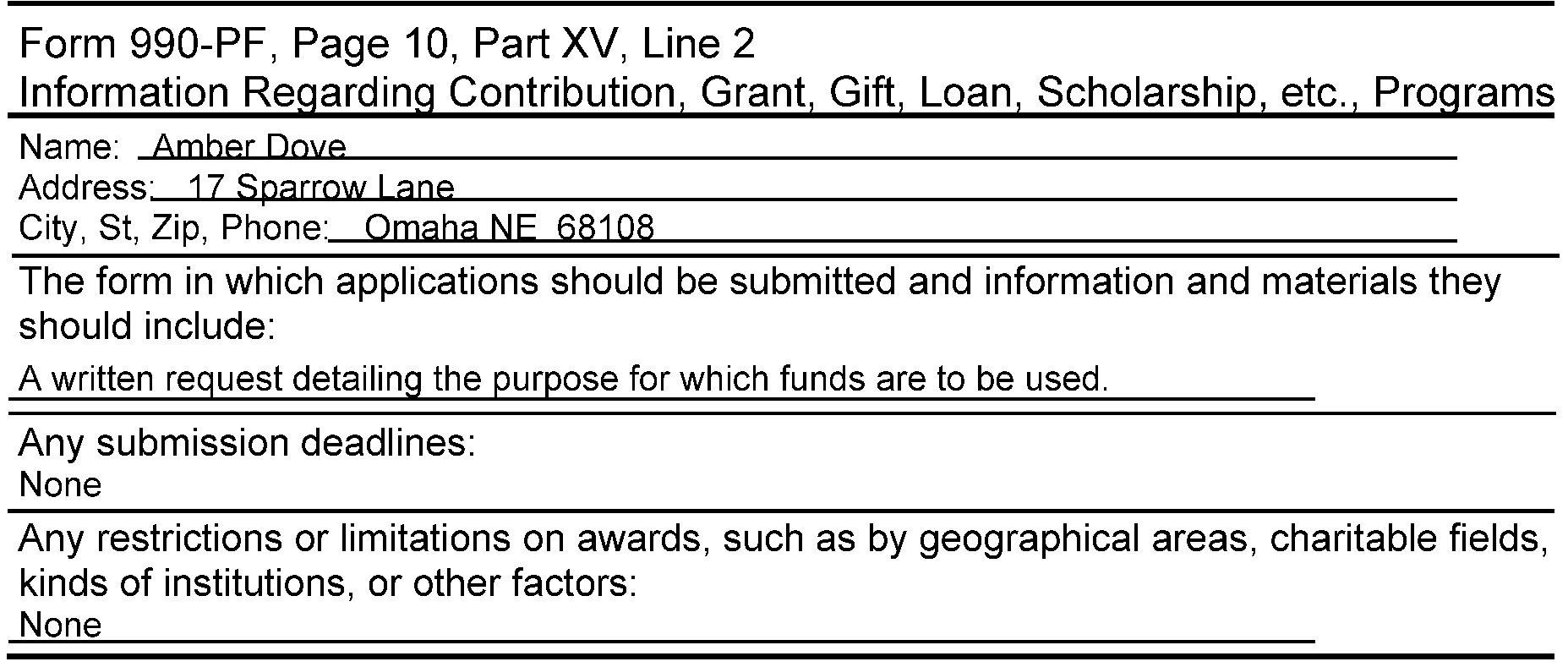
Substitute Schedule Form 990-PF, Part XIV, Line 3This shows an example of a substitute schedule for Form 990-PF, Page 10.Title shows: Form 990-PF, Page 10, Part XIV, Line 2, Contributions, Gifts, Grants Paid.Name line, shows: Amber Dove.Address line, shows: 211 Gull Valley.City, St, Zip, Phone line shows: Louisville, KY 40201.The Relationship of Purpose, shows: None.The Purpose of Grant, shows: Scholarship.The Amount of Grant Paid, shows: $5,000.
Please click here for the text description of the image.
-
-
Remove from processing and send the return back to the filer for Line 3a if Type of Organization is "3" or "6" and all of the following apply:
-
Part XIV, Lines 2a-2d has entries other than 0 (zero), - (dash), none, or N/A.
-
Box D2 isn't checked in the entity section.
-
Part I, Line 25, Column (a) is ≡ ≡ ≡ ≡ ≡ or more.
-
Part II, Line 16, Column (b) is ≡ ≡ ≡ ≡ ≡ ≡ or more, or Part VI–A, Line 7 is "yes" .
-
Part XIV, Line 2 box isn't checked.
-
Line 3(a) doesn't contain at least one name, purpose and amount. If more than one recipient is listed, a description of the purpose of the grant or contribution isn't needed for each recipient. A description of the purpose of the grant or contribution (such as scholarship, fellowship, indigent assistance, nursing service, etc.) must be present for at least one recipient if Items (a)-(e) apply. The words grants, purpose, or contribution are not acceptable.
Note:
Don’t remove from processing if the purpose and amount can be found on an attachment.
-
3.11.12.8.32 (10-31-2023)
Form 990-PF Part XV-A Perfection
- Lines 1a-5a, 6-10, Column (d) and Column (e): Perfect.
3.11.12.8.33 (10-31-2023)
Form 990-PF Part XVI Correspondence
-
Remove from processing and send the return back to the filer for Line 1d, Columns (a)-(d), if they are blank and any of Lines 1a through 1c are "yes" .
-
Remove from processing and send the return back to the filer for Line 2b, Columns (a)-(c), if they are blank and Line 2a is "yes" .
3.11.12.8.34 (01-01-2025)
♦Paid Preparer Section♦
- The Paid Preparer Checkbox is located next to the signature area at the bottom of Form 990–PF, Page 13.
3.11.12.8.34.1 (01-01-2025)
♦Paid Preparer PTIN♦
-
The Preparer's SSN or PTIN is located to the right of the Preparer's Signature in the PTIN box at the bottom-right corner of Form 990-PF,Page 13.
-
No action is required on amended returns.
-
The Preparer's SSN must be a nine-digit number. Circle the SSN if all zeroes, all nines or invalid.
-
A PTIN begins with the alpha "P" followed by an eight-digit number (e.g., PXXXXXXXX) Circle out PTIN if invalid.
3.11.12.8.34.2 (01-01-2025)
♦Firm's EIN♦
-
The Firm's EIN is located below the Preparer's SSN/PTIN at the bottom-right corner of Form 990-PF, Page 13.
-
No action is required on amended returns.
-
The Firm's EIN must be a nine-digit number. Circle the EIN if all zeroes, all nines or invalid.
3.11.12.8.35 (01-01-2026)
Form 990-PF Form 8050 - Direct Deposit
-
Take the following actions to perfect lines 1, 2, and 3.
If Then * Routing number present * Account number present * Neither checking nor savings box marked Edit a checkmark in the checking box (or to the left of the word checking if no box is present). * Routing number present * Account number present * Both checking and savings box marked Circle the box that represents savings. * Routing number present and Account number NOT present or * Routing number NOT present and Account number present Edit an "X" in the first position of the blank line. * Routing number blank * Account number blank * Checking or savings is present Circle the checked box(es) for both the checking and savings. * Routing number altered and/or Account number altered or * If either or both have been lined through by another area Edit a single "X" over Routing and Account number lines. If either checking or savings box is already indicated, circle them. * Pre-printed X’s are Present in Routing number and Account number * Routing and Account numbers are also present and neither checking nor savings box(es) marked Arrow the Routing and Account numbers to line 1 and line 2, and check the checking box. * Pre-printed X’s are Present in Routing number and Account number * Routing and Account numbers are also present and neither checking nor savings box(es) marked Arrow the Routing and Account numbers to line 1 and line 2, and circle the box that represents savings. * Pre-printed X’s are Present in Routing number, Account number, and Checking and/or savings Edit a single "X" over Routing and Account number lines and circle checking and/or savings box(es). * Pre-printed X’s are Present in Routing number and Account number; Checking and savings is blank Edit a single "X" over Routing and Account number lines.
3.11.12.9 (01-01-2023)
Form 990–T
-
Form 990–T is filed by the following organizations:
-
Most organizations exempt under IRC 501(a) (such as organizations described in sections 501(c), 501(e), 501(f), and 501(k), and trusts described in section 401(a)), if they have gross income of 1,000 or more from a regularly conducted unrelated trade or business.
-
IRC 408 IRA Trusts.
-
Organizations described in IRC 529(a).
-
Organizations described in IRC 529A(a).
-
Colleges and universities of states and other governmental units, and subsidiary corporations wholly owned by such colleges and universities.
-
Applicable reinsurance entities under the Affordable Care Act of 2010, section 1341(c)(1)
-
Trustees for certain education and medical savings trusts.
-
-
Form 990–T is subject to:
-
Corporate income tax
-
Alternative Minimum Tax
-
Failure to file penalty
-
Failure to pay penalty
-
Estimated tax penalty
-
Failure to Deposit (FTD) Penalty
-
3.11.12.9.1 (01-01-2026)
Form 990-T General Instructions
-
Most Form 990-T returns filed for tax period 202312 and subsequent must be filed electronically. If a paper Form 990-T for 202312 and subsequent is received, it should be processed only if the filer indicates both 6417(d)(1)(A) Applicable entity in Item G and Elective payment amount from Form 3800 in Item H. All other paper Form 990-T received for 202312 and subsequent should be pulled from processing and sent back to the filer to E-file.
-
The following instructions are for all 990-T returns unless specifically indicated within the tridoc.
-
The general instructions are for 2020 through current revisions.
-
Always convert prior year return revisions to current, see Exhibit 3.11.12-13.
-
Always follow the instructions for a "special return" .
-
Perfect as follows:
-
Always perfect for legibility.
-
Always perfect from attachments, if available.
-
Correspond if the conditions are met.
-
Follow the stated instruction for the line.
-
Leave the T-line blank only if it cannot be perfected in the steps above.
-
-
Put Form 990-T in the following order:
-
Form 990-T. pages 1-2
-
Form 990-T Schedule A, Unrelated Business Taxable Income From an Unrelated Trade or Business. Put in sequential order pages 1 - 4.
-
Schedule I (Form 1041), Alternative Minimum Tax. Put in sequential order pages 1 - 3.
-
Schedule D (Form 1041), Capital Gains and Losses. Put in sequential order pages 1 - 2.
-
Form 3800, General Business Credit. Put in sequential order pages 1 - 9.
-
Form 4952, Investment Interest Expense Deduction.
-
Form 4136, Credit for Federal Tax Paid on Fuels. Put in sequential order pages 1 - 4.
-
Form 8283, Noncash Charitable Contributions. Put in sequential order pages 1 - 2.
-
Form 8936, Clean Vehicle Credits.
-
Form 8941, Credit for Small Employer Health Insurance Premiums.
-
Form 8050, Direct Deposit
-
3.11.12.9.2 (01-01-2022)
Form 990-T Special Returns
-
Form 990–T special returns are:
-
Consolidated Returns, IRM 3.11.12.9.3
-
Form 8941 only, IRM 3.11.12.9.4
-
3.11.12.9.3 (01-01-2025)
Form 990-T Consolidated Return
-
A consolidatedForm 990–T combines the tax information of an exempt organization and its title holding corporation(s).
-
Identify a consolidated return by one or more of the following:
-
The return is notated "Consolidated" .
-
Form 851, "Affiliations Schedule," is attached with the name, address, EIN, and prepaid credits of each organization included on Form 851.
-
One or more Form 1122, " Authorization and Consent of Subsidiary Corporation Income Tax in a Consolidated Return, " are attached.
-
A list of title holding corporations is attached.
-
-
Do both of the following if Form 851 or a list is attached:
-
Request NAMEE/NAMEB research for the affiliate's EIN if it is missing.
-
Request TC 590–014 input for the corporations included on the numbered or unnumbered consolidated return.
-
-
Remove from processing and send back to the filer for Form 851 if Form 851 or a list isn't attached to the return.
3.11.12.9.4 (01-01-2025)
Form 990-T - Form 8941 Only - Credit For Small Employer Health Insurance Premiums Tax Return 2010 and Subsequent Form 990-T Revisions
-
Taxpayers not liable to file Form 990-T, may file to claim the Credit for Small Employer Health Insurance Premiums (8941 Only). These returns can be identified by having no significant entries (greater than zero) present and Form 8941 is attached for the following revisions.
-
Part I - Part III, Line 6f (2020 - Subsequent Revisions)
-
Part I - Part V, Line 51f (2019 Revision)
-
Part I - Part V, Line 50f (2018 Revision)
-
Part I - Part IV, Line 45f (2017 - 2016 Revisions)
-
Part I - Part IV, Line 44f (2015 and prior Revisions)
The taxpayer may also write "Request for 45R Credit Only" across the top of Form 990-T or check box in Item H box to claim, Credit from Form 8941.
Exception:
If Part I, Line 8 has an entry of ≡ ≡ ≡ ≡ ≡ ≡, and no other significant entries (greater than zero) are present on Part I - Part III, Line 6f (2020 and subsequent Revisions), X the entry on Part I, Line 8 if a Form 8941 is attached or the taxpayer has written "Request for 45R Credit Only" across the top. Process as a 8941 credit only return.
-
-
The following data must be edited on all "8941 Only" returns:
-
Name Control
-
EIN
-
Tax Period
-
Subsection Code
-
Type of Organization Code
-
Edit CCC "C"
-
IRS Received Date
-
Signature
-
Paid Preparer Information (if present)
-
Form 8941
-
-
If Form 8941, Line 2 and/or 14 is 25 or greater, "X" Form 8941.
-
If Form 8941, Line 1 and/or 13 is 100 or more, X the entry and edit "99" next to Line 1 and/or 13.
-
If multiple 8941's are present:
-
If the amount on Line 6f is ≡ ≡ ≡ ≡ or less, allow the credit.
-
If the amount on Line 6f is ≡ ≡ ≡ ≡ or more, "X" all Form 8941. Don't recompute Line 6f. Pull the return from processing and send back to the filer for a consolidated Form 8941.
-
-
Don’t remove from processing for missing information other than:
-
Missing signature.
-
Missing "Form 8941" when a 2010 and subsequent revision of Form 990-T, Part III, Line 6f (2020 and Subsequent) Line 51f, (2010 -2019 revision) is ≡ ≡ ≡ ≡ ≡ ≡ ≡.
-
3.11.12.9.5 (10-31-2026)
Form 990-T Perfection, Editing, and Correspondence
-
Attach edit sheet to Form 990–T if necessary.
-
Refer to the following instructions to perfect the generic items:
-
Action Codes (ERS), IRM 3.11.12.3.8
-
Computer Condition Codes, (A, B, C, D, F, G, I, J, L, M, O, Q, R, T, V, W, X, Y, 3, 7, 8, and 9), IRM 3.11.12.3.9
Note:
CCC "V" is only valid for Form 990-T if Therapeutic Discovery Credit is claimed. IRM 3.11.12.3.9.
Note:
Computer Condition Code "C" should always be edited on Form 990-T if an amount is present greater than zero on Part III, Line 6f, Form 8941 is attached or any indication the return is being filed for the Small Business Healthcare Credit.
Note:
If the Form 990-T is for a tax period starting January 201801 and subsequent with Notice 2018-XX written across the top of the return, edit CCC A.
-
Entity Perfection, IRM 3.11.12.3.15 through IRM 3.11.12.3.15.6
-
Imaging, IRM 3.11.12.3.18
-
Penalty and Interest Code, IRM 3.11.12.3.13.1.3
-
Received Date, IRM 3.11.12.3.13.1
-
Signature, IRM 3.11.12.3.22
-
Tax Period, IRM 3.11.12.3.23
-
-
If a Form 990-T is received with "Reinsurance Entity" or similar wording on the top of the form, route the return to Entity IRM 3.11.12.3.7.2.
3.11.12.9.6 (01-01-2022)
Form 990-T Subsection Code
-
Edit a two-digit Subsection Code in Item B of the entity section.
-
Determine the Subsection Code from the list below:
-
Item B of the entity section. Perfect as follows:
Box Checked Subsection 501()() XX (subsection taxpayer entered) 408(e), 408A, 529(a), 220(e), 530(a) 00 -
INOLES research
-
-
If the taxpayer has entered a two digit subsection in the 501()() box, underline the taxpayer's numeric entry.
Example:
If the taxpayer entered "(03)" in the Item B 501()() area, underline "03" .
-
If the taxpayer entered a one-digit subsection in the Item B, 501()() box, edit the number to a two-digit entry.
Example:
If the taxpayer entered "(c)" "3" , edit to "03" .
-
If the Subsection Codes conflict (e.g., INOLES shows SS03, but the taxpayer indicates otherwise in Item B), always use the Subsection on INOLES.
-
If you are unable to determine the Subsection Code, edit "00" as the Subsection Code.
3.11.12.9.7 (03-04-2025)
Form 990-T Type of Organization Code
-
Edit the Type of Organization Code in the right margin of Form 990-T, page 1, next to items F and G of the entity section.
-
The Type of Organization Code is determined from the boxes checked in Items B and G of the entity section.
-
Edit a Type of Organization Code as follows:
Type of Organization Code Description 1 * 501(c) trust box checked with a U.S. address, or * Trust with a U.S. address and SS 90 - 92. OR * Filed for EPE (Elective Payment Election) Credit. ### Note: To determine if filed for EPE credit, Item G, 501(c) corporation box or 6417(d)(1)(A) Applicable entity box is checked and item H, Elective payment amount from Form 3800 is checked. 2 * 501(c) trust box checked with a foreign address, or * Trust with a foreign address and SS 90-SS 92. 3 * 401(a), 408A, 408(e), 220(e), 530(a), 529(a), or the "other trust" box is checked, or * Trust with no Subsection Code. The organization name may contain words similar to "pension" , "welfare" , "benefit" , "profit sharing" , "IRA" , or "retirement" . 4 * 501(c) corporation box checked with a U. S. address, or * Corporation with a U.S. address and SS 02-27, 50, 60, 70 5 * 501(c) corporation box checked with a foreign address, or * Corporation with a foreign address and SS 02-27, 50, 60, or 70. 3 * If after research, the filing requirement is 990–T-02, or * If unable to determine the Type of Organization Code (e.g., INOLES is SS 00).
3.11.12.9.7.1 (01-03-2025)
Form 990-T Item K (2020 and Subsequent) (Entity Section)
-
Perfect Item K of the Entity Section as follows:
If And Then 2020 and Subsequent revision: If Item K is checked Yes or both the Yes and No boxes are checked The name and EIN is the same as the return name and/or EIN 1. Circle out the name and EIN. 2. Check the attachments for another name control and/or EIN. 3. Edit (from attachments) the Name Control on Item K. If unable to locate a Name Control, edit "XXXX" . 4. Edit (from attachments) the EIN on Item I. If unable to locate the EIN edit 12-9999999 2020 and Subsequent revision: Item K is checked yes or both the yes and No boxes are checked, The name and/or EIN is different from the return name and/or EIN Underline the Name Control and EIN on Item K. 2020 and Subsequent revision: Item K is checked yes or both the yes and no boxes are checked There is no name and/or EIN present on Item K * Check attachments for name control and/or EIN. * Edit from attachments the name control on Item K. If unable to locate a name control, edit "XXXX" . * Edit from attachments the EIN on Item K. If unable to locate the EIN, edit "12-9999999" . 2020 and Subsequent revision: Item K is checked no or neither box is checked a corporation name and/or EIN is present (must be different than that on the return) * Underline the Name Control on Item K. * Underline the EIN on Item K. 2020 and Subsequent revision: Item K is checked no or neither box is checked a corporation name and EIN are not present No editing is necessary.
3.11.12.9.8 (01-01-2025)
Form 990-T Part I (2020 and Subsequent Revision)Correspondence
- Part I - Line 8: If the amount on Line 8 ≡ ≡ ≡ ≡ ≡ ≡ ≡ ≡ ≡ ≡, a detailed schedule must be attached in support of Line 8. If the information isn't attached, remove from processing and send the return back to the filer.
3.11.12.9.9 (01-01-2025)
Form 990-T Part II Lines 1 - 7 (2020 and Subsequent Revision)Perfection
-
Line 1: Perfect for legibility.
-
Line 3: Edit CCC 8 if a dollar entry is present. IRM 3.11.12.9.10 paragraph (2).
-
Line 5: If blank:
If the Type of Organization Code is a Then "1" , "2" , or "3" edit from Schedule I (Form 1041) Line 56. -
Line 7: If blank, add Line 3, Line 5 and Line 6 to Line 1 or 2 whichever is applicable.
3.11.12.9.10 (01-03-2025)
Form 990-T Part II Correspondence (2020 and Subsequent Revision)
-
Line 2: If an amount is present and the Schedule D, Form 1041 box is checked, a Schedule D, Form 1041 must be attached. If missing, remove from processing and send the return back to the filer.
-
Line 3: If an amount is present, a schedule showing the Line 3computation must be attached. If missing, remove from processing and send the return back to the filer.
Exception:
Don't remove from processing and send back to the filer if the Subsection is 03.
-
Line 5: If an amount of ≡ ≡ ≡ ≡ ≡ ≡ ≡ ≡ is present, and the Organization Code is:
- 1, 2, or 3, Schedule I, Form 1041 must be attached. If missing, remove from processing and send back to the filer.
3.11.12.9.11 (01-03-2025)
Form 990-T Part III Perfection (2020 and Subsequent Revision)
-
Part III, Lines 1a - 1d - If the organization has no taxable income or there is an indication the organization is electing to carry forward an allowable credit, don't perfect or edit the credit amount to the credit line on the return or the edit sheet.
-
Perfect for legibility. Never bracket. If the dollar entries can be determined to be misplaced entries, "X" the entry and edit to the correct T-line. Recompute Line 4.
Example:
If the filer has entered an amount on Part III, Line 1c, (2020 and subsequent revision), Line 46c (2010 - 2019 revision) for Form 4136, subtract the Form 4136 amount from Part III, Line 1c, (2020 and subsequent revision), Line 46c (2010 - 2019 Revision) and recompute Part III, Line 4, (2020 and subsequent), Line 49, (2010 - 2019 Revision).
-
If the credit claimed on a line is ≡ ≡ ≡ or more and the supporting schedule for that line is missing, remove from processing and send the return back to the filer.
-
Line 1a: Perfect for legibility.
-
Line 1b - Move the credit amount from Form 5735 Possessions Cr/American Samoa Economic Cr Part III, Line 17 (2003 revision) or Part II, Line 12 (2007 revision) to Box 10 of the edit sheet. Edit in dollars only.
-
Line 1c (Corporations (Org 1, 2, 4 and 5):
-
If Form 3800, Part III, Line 1a has an entry and Form 3468, Line 9 contains an entry (not applicable for 2009 and prior revision of Form 3468) edit CCC "V" .
-
If the credit is claimed, check to see if a credit of ≡ ≡ ≡ or more is claimed on Form 3800, Part III, Line 4h. Subtract the amount of the credit shown on Form 3800, Part III line 4h from Form 990-T Line 1c and edit total to line 1c. Don't recompute Form 990-T line 4.
-
-
Line 1c (Trusts Org 3) - Move the credit amount from Form 8586, Section A, Line 12, or Section B, Line 38, to Box 11 of the edit sheet. If both line have amounts, total the amounts and edit the total to Box 11 of the edit sheet. Edit in dollars only.
-
Line 1d perfect for legibility.
-
Line 1e - If blank, add Lines 1a - 1d.
-
Part III, Line 3a - 3e, (2020 and subsequent), Line 48, (2010 - 2019 revision): If blank, and Form 4255, 8611, 8697, 8866 or 8902 is attached, edit from:
-
Form(s) 4255, Line 13.
-
Form(s) 8611, Line 14. If Line 14 has an amount, edit CCC "9" .
-
Form(s) 8697, Part I, Line 10 or Part II, Line 11.
-
Form(s) 8866, Line 10.
-
Form(s) 8902, Line 30.
-
-
Line 4: If blank, add Lines 2 and 3f. If Lines 2 and 3f are blank, edit Part II, Line 7 minus Line 1e.
-
Line 5b: If blank and there is an entry on Line 6k, send back to filer as an incomplete return.
-
Lines 6a, 6b, and 6c: Perfect. Don't bracket.
-
Line 6d: If blank, edit from Form 1042–S, Line 7 or similar statement.
-
Line 6e: Perfect for legibility.
-
Line 6f: If blank and a Form 8941 is attached, edit From Form 8941, Line 20. A Form 8941 must be attached if the amount of the credit is ≡ ≡ ≡ or more. Edit CCC "C" if an amount is present on Form 990-T, Part III, Line 6f or Form 8941 is attached. See IRM 3.11.12.2.11(4).
-
Line 6g: If amount present greater than zero Form 3800 must be attached.
-
Line 6h:"X" any credit claimed on Line 6h if the credit is from Form 2439.Form 2439. must be attached if amount present is ≡ ≡ ≡ or more.
-
Line 6i:"X" any credit claimed on Line 6i if the credit is from Form 4136. Form 4136,must be attaached if amount present is greater than zero.
-
Line 6j: Perfect for legibility.
-
Line 6k: If blank and there is an entry on Line 5b, send back to filer as an incomplete return.
-
Line 7: If Line 7 is the only entry for Lines 6a – 6j, edit the amount from Line 7 to Line 6j and correspond if ≡ ≡ ≡ ≡ ≡ ≡ ≡ ≡ ≡ ≡
-
Line 8: If blank, and a Form 2220 is attached, do the following:
-
Edit the dollar amount on Form 2220, from the following line number to Form 990-T, Part III, Line 8:
2004 2005 - 2007 2008 - Current Line 38 Line 34 Line 38 -
If the line shown in (a) above is blank, and there is an amount on the following line, compute the total amount and enter on Form 990-T, Part III.
2004 2005 - 2007 2008 - Current Line 37, Column a-e Line 33, Column a-d Line 37, Column a-d -
If Form 2220, page 2 is missing, leave Form 990-T, Part III, Line 8 blank.
-
-
Line 9:"X" (or subtract) any penalty or interest other than the estimated tax penalty from Line 8.
-
Lines 9 and 10: If blank, do both of the following:
-
Add Lines 4 and 7 and subtract Lines 6a - 6j.
-
Edit the positive result on Line 9, or the negative result on Line 10.
Caution:
For refunds of ≡ ≡ ≡ ≡ ≡ ≡ ≡ or more, edit Action Code 341 per IRM 3.11.12.3.8.
Note:
If pre-computed penalty, interest or other additional charge is evident, ensure that it has not been included on Line 4 or 9, or reduced Line 10.
-
-
Line 11: Don't edit CCC "F" if Line 11 credit elect amount is present.
3.11.12.9.12 (01-01-2025)
Form 990-T Part III Correspondence (2020 and Subsequent Revision)
-
Lines 1a - 1d and 6d - 6e: Remove from processing and send back to the filer if the, credit claimed is ≡ ≡ ≡ ≡ ≡ or more and the required supporting form(s) or supporting schedules are missing.
-
Line 6f - 6j:
If Then Credit claimed is for Form 8941 and Form 8941 is missing Remove from processing and send back to the filer for Form 8941 if credit claimed is ≡ ≡ ≡ or more. Credit claimed is for Form 3800 and Form 3800 is missing Remove from processing and send back to the filer for Form 3800. Credit claimed is for Form 2439 and Form 2439 is missing Remove from processing and send back to the filer for Form 2439 if the credit claimed is ≡ ≡ ≡ ≡ ≡ or more. Credit claimed is for Form 4136 and Form 4136 is missing Remove from processing and send back to the filer for Form 4136. Credit claimed is for any other credit and the form to substantiate the credit is missing Remove from processing and send back to the filer if credit claimed is ≡ ≡ ≡ ≡ or more.
3.11.12.9.13 (01-01-2022)
♦Paid Preparer Section♦ All Revisions
- The Paid Preparer section is located below the Signature area at the bottom of Form Form 990-T.
3.11.12.9.13.1 (01-01-2022)
♦Paid Preparer Checkbox Indicator♦ All Revisions
-
The Paid Preparer Checkbox is located next to the taxpayer signature area. It indicates whether the taxpayer has elected, or not elected, to allow the Paid Preparer to represent them in order to answer questions about the return as it is processed.
-
No action is required on amended returns.
-
Take the following actions when an entry is present in the Paid Preparer Checkbox:
If Then Only the "Yes" box is checked Take no action. * The "No" box is checked, * Neither of the boxes are checked, "or" * Both boxes are checked Circle the Paid Preparer's Telephone Number, if present.
3.11.12.9.13.2 (01-01-2025)
♦Paid Preparer PTIN♦ All Revisions
-
The Preparer's SSN or PTIN is located to the right of the Preparer's Signature in the PTIN box (Preparer's SSN or PTIN box for 2009 and prior form revisions) at the bottom-right corner of Page 2.
-
No action is required on amended returns.
-
The Preparer's SSN is a nine-digit number. Circle the SSN if all zeroes, all nines or invalid.
-
A PTIN begins with the alpha "P" followed by an eight-digit number (e.g., PXXXXXXXX). Circle the PTIN if invalid.
3.11.12.9.13.3 (01-01-2022)
♦Firm's EIN♦ All Revisions
-
The Firm's EIN is located below the Preparer's SSN/PTIN at the bottom-right corner of Page 2.
-
No action is required on amended returns.
-
The Firm's EIN must be a nine-digit numeric number. Circle the EIN if all zeroes, all nines or invalid.
3.11.12.9.13.4 (01-01-2022)
♦Paid Preparer Telephone Number♦ All Revisions
-
The Paid Preparer's Phone Number is located below the Paid Preparer's EIN at the bottom right hand corner of Page 2.
-
No action is required on Amended returns.
-
If a complete Paid Preparer's Telephone Number is on the Preparer Telephone Number line, no editing of this line is necessary.
-
If the return is for a tax period prior to 2001, circle the telephone number.
-
If the Paid Preparer's Phone Number is incomplete, illegible, or less than 10 - digits, review the return and all attachments.
Note:
If more than 10 digits are present continue processing. ISRP will input the first 10 digits only.
If Then A complete Paid Preparer's Phone Number is located Edit to the "Phone No" line. A complete Paid Preparer's Telephone Number isn't located or the number is illegible Circle the incomplete or illegible phone number.
3.11.12.9.14 (01-01-2023)
Form 990-T - Schedule I Form 1041 Alternative Minimum Tax
-
Always convert prior year return revisions, see Exhibit 3.11.12-15
-
"X" Schedule I, Form 1041, if the Organization Code is "4" or "5" .
-
Lines 22 and 23: Perfect. Bracket only Line 22 if negative and the form doesn't reflect the line as a negative amount (-) or <.
3.11.12.9.15 (01-01-2025)
Form 990-T - Schedule D (1041) Capital Gains and Losses
-
Always convert prior year return revisions, see Exhibit 3.11.12-14.
-
Part III, Lines 17–18c, Column (2): Perfect.
-
Part III, Line 19: Perfect.
-
Part V, Line 45: If blank, edit the smaller of Line 43 or 44. Don't bracket if negative.
-
If "Alternative Minimum Tax" is indicated in the margin of Schedule D (1041), "X" Schedule D.
3.11.12.9.16 (01-01-2026)
Form 990-T - Form 3800 General Business Credit
-
Form 3800, is valid for tax periods 202301 and later. Part III, which may be attached to Form 990-T, is transcribed to support the Elective Payment Election (EPE) in Part III, Line 6g. See IRM 3.24.12-240 for lines transcribed from Form 3800, Part III.
-
Place in sequence order if significant entries are present.
-
If more than one, Part V, Form 3800 is present edit a “1” on page 1 in the top right hand margin of Form 3800. Convert 2023 and prior revisions of Form 3800. See exhibit 3.11.12-17.
3.11.12.9.17 (01-01-2022)
Form 990-T - Form 4952 Perfection
-
Perfect Part II, Net Investment Income, as follows:
-
Line 4e: Perfect. Don't bracket if negative.
-
Line 4g: Perfect. Don't bracket if negative.
-
3.11.12.9.18 (01-01-2025)
Form 990-T - Form 4136 Perfection
-
If Fuel Tax Credit is claimed on Form 990-T, Line 6i, Form 4136 must be attached.
-
No editing is required for Form 4136 for TY2001 and subsequent.
3.11.12.9.19 (01-01-2022)
Form 990-T - Form 6252 Installment Sale Indicator Edit Sheet, Box 7
-
An Installment Sale Indicator is used to report the sale of property on the installment plan.
-
Codes are based solely on taxpayer response to Question 3 of Form 6252.
-
Edit the Installment Sale Indicator code which corresponds with the answer to Form 6252, Question 3 in Box 7 of the edit sheet:
-
Code 1 —****"yes"
-
Code 2 —****"no"
-
Code 3 — other than " yes" or "no"
-
-
Edit CCC "B" if there is an indication on the return or attachment that the organization is opting out of the installment plan (e.g., "final lump sum payment" written across the top of Form 6252).
3.11.12.9.20 (01-01-2026)
Form 990-T - Form 8050 Direct Deposit
-
Take the following actions to perfect lines 1, 2, and 3.
If Then * Routing number present * Account number present * Neither checking nor savings box marked Edit a checkmark in the checking box (or to the left of the word checking if no box is present). * Routing number present * Account number present * Both checking and savings box marked Circle the box that represents savings. * Routing number present and Account number NOT present or * Routing number NOT present and Account number present Edit an "X" in the first position of the blank line. * Routing number blank * Account number blank * Checking or savings is present Circle the checked box(es) for both the checking and savings. * Routing number altered and/or Account number altered or * If either or both have been lined through by another area Edit a single "X" over Routing and Account number lines. If either checking or savings box is already indicated, circle them. * Pre-printed X’s are Present in Routing number and Account number * Routing and Account numbers are also present and neither checking nor savings box(es) marked Arrow the Routing and Account numbers to line 1 and line 2, and check the checking box. * Pre-printed X’s are Present in Routing number and Account number * Routing and Account numbers are also present and both checking and savings box(es) marked Arrow the Routing and Account numbers to line 1 and line 2, and circle the box that represents savings. * Pre-printed X’s are Present in Routing number, Account number, and Checking and/or savings Edit a single "X" over Routing and Account number lines and circle checking and/or savings box(es). * Pre-printed X’s are Present in Routing number and Account number; Checking and savings is blank Edit a single "X" over Routing and Account number lines.
3.11.12.9.21 (01-01-2026)
Form 990-T, Form 8283
-
Section B, Part I, Lines 2a - 2l:
If Then More than one box is selected Return is identified as incomplete, pull the return from processing and send the return back to the filer using the appropriate correspondence letter. No box is checked Return is identified as incomplete, pull the return from processing and send the return back to the filer using the appropriate correspondence letter. -
If Section B, Part I, Columns 3c, 3d, and 3f, Lines A through C are all blank, return is identified as incomplete, pull the return from processing and send the return back to the filer using the appropriate correspondence letter.
-
If Part IV Identifying Number is blank, return is identified as incomplete, pull the return from processing and send the return back to the filer using the appropriate correspondence letter.
-
Part V, first line should be in YYYYMMDD format. If not in this format, edit to the correct format. If the first line is blank, return is identified as incomplete, pull the return from processing and send the return back to the filer using the appropriate correspondence letter.
-
If Part V, EIN is blank, return is identified as incomplete, pull the return from processing and send the return back to the filer using the appropriate correspondence letter.
3.11.12.9.22 (01-03-2025)
Form 8941
-
Form 8941 must be attached If an amount of ≡ ≡ ≡ ≡ ≡ or more is present on:
-
Form 990-T, Part V, Line 51f (2019 Revision)
-
Form 990-T, Part V, Line 51f (2019 Revision)
See IRM 3.11.12.9.4.
-
-
If multiple 8941's are attached, and the amount of ≡ ≡ ≡ ≡ ≡ or less is present on:
-
Form 990-T, Part III, line 6f (2020 and Subsequent Revisions)
-
Form 990-T, Part V, Line 51f (2019 Revision)
Then, allow the credit.
-
-
If multiple 8941's are attached and the amount of ≡ ≡ ≡ ≡ ≡ or more is present on
-
Form 990-T, Part III, Line 6f (2020 and subsequent revision)
-
Form 990-T, Part V, Line 51f (2019 Revision)
Then, "X" all Form 8941. Don't recompute Form 990-T, Line 6f or Line 51f. Remove from processing and send back to the filer for a consolidated Form 8941.
-
-
If Form 8941, Line 2 and/or 14 is 25 or greater, "X" Form 8941.
-
If Form 8941, Line 1 and/or 13 is 100 or more, circle the number and edit "99" next to Line 1 and/or 13.
3.11.12.10 (01-01-2022)
Form 1041–A
- Form 1041–A is an information return filed by a trust claiming a contribution deduction under Section 642 of the IRC or Trust described in Section 4947(a).
3.11.12.10.1 (01-01-2022)
Form 1041-A General Instructions
-
Perfect as follows:
-
Always perfect for legibility.
-
Always perfect from attachments, if available.
-
Follow the stated instruction for the line.
-
-
Put Form 1041-A in the following order: Pages 1 and 2.
3.11.12.10.2 (01-01-2026)
Form 1041-A Perfection, Editing, and Correspondence
-
Refer to the following instructions to edit the following generic items on the return:
-
Computer Condition Codes, (F, G, R, U, V, W, 3, and 7) IRM 3.11.12.3.9. Edit the CCC below the OMB number.
-
Daily Delinquency Penalty,IRM 3.11.12.3.13.1.2. Edit the DDP amount paid to the right of Part II, Title, if the return was received within the ≡ ≡ ≡ ≡ ≡ ≡ ≡ ≡ ≡ ≡
-
Entity Perfection,IRM 3.11.12.3.15 through IRM 3.11.12.3.15.6
Note:
Perfect the name and EIN. Address perfection isn't required on this form.
-
Received Date,IRM 3.11.12.3.13.1
-
Signature, IRM 3.11.12.3.22
-
Tax Period,IRM 3.11.12.3.23
Note:
If tax period month is other than 12, CCC U and correspond for a calendar year return using a Letter 2696-C.
Exception: Don’t remove from processing on "Final" returns.
-
3.11.12.10.3 (01-01-2022)
Form 1041- A Part I Perfection
- Line 9: If blank, add lines 1-8.
3.11.12.10.4 (01-01-2022)
Form 1041-A Part IV Perfection
-
Line 38, Columns (a) and (b): If blank, do one of the following for each column:
-
Add Lines 25 - 37.
-
Add Lines 42 and 45.
-
Edit from Line 45.
Figure 3.11.12-13
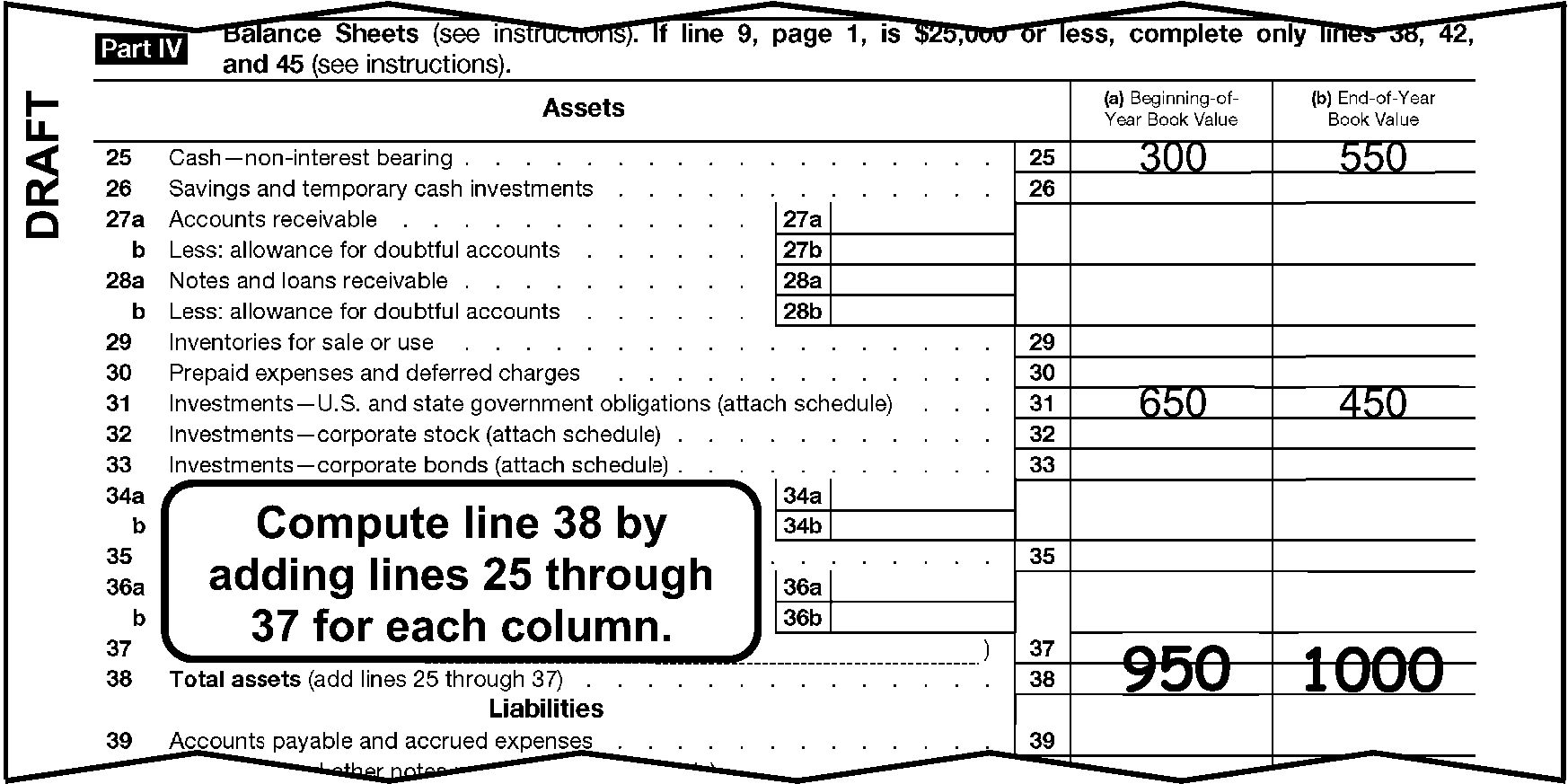
Part IV, Line 38 PerfectionThis shows a portion of Form 1041-A, (current revision) Part IV Line 38 perfection.Line 25, Cash-non-interest bearing, column A (Beginning of the year book value) shows 300Line 25, Cash-non-interest bearing, column B (End of the year book value) shows of 550Line 31, Investments - U.S. and state government obligations, column A (Beginning of the year book value) shows 650Line 31, Investments - U.S. and state government obligations, column B (End of the year book value) shows 450Text Box located below and to the left of line 31 states “Compute line 38 by adding lines 25 through 37 for each column”Line 38, Total assets, column A (Beginning of the year book value) shows edited amount of 950Line 38, Total assets, column B (End of the year book value) shows edited amount of 1,000
Please click here for the text description of the image.
-
-
Line 42, Columns (a) and (b): If a negative symbol is present ( -, <, etc.), circle out the negative symbol. If blank, do one of the following for each column:
-
Add Lines 39 - 41.
-
Line 38 minus Line 45 if both Line 38 and Line 45 have an amount.
-
If Line 38 is the only line with an amount, leave Line 42 blank and edit the amount from Line 38 to Line 45.
Figure 3.11.12-14
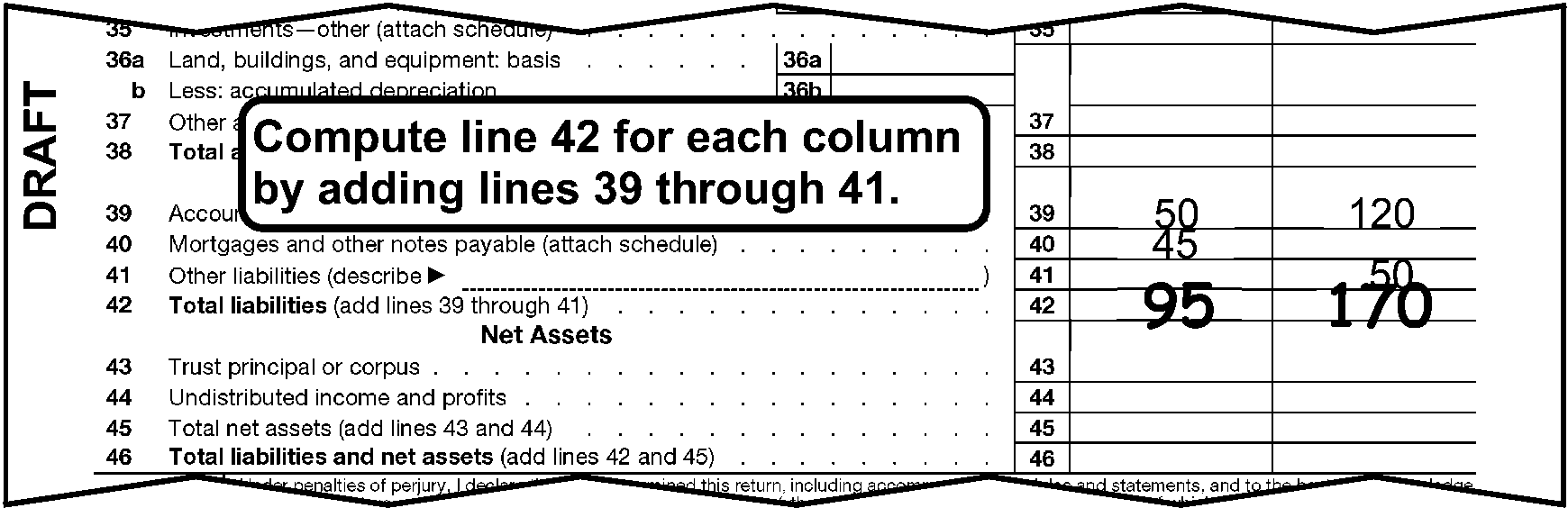
Form 1041-A Part IV Line 42 Perfection.This shows a portion of Form 1041-A Part IV for line 42 perfection.Text box states “Compute line 42 for each column by adding lines 39 through 41.”Line 39, Accounts payable and accrued expenses, Column (A) shows 50Line 39, Accounts payable and accrued expenses, Column (B) shows 120Line 40, Mortgages and other notes payable, Column (A) shows 45Line 41, Other liabilities, Column (B) shows 50Line 42, Total liabilities, Column (B) shows an edited amount of 95Line 42, Total liabilities, Column (B) shows an edited amount of 170
Please click here for the text description of the image.
-
-
Line 45, Columns (a) and (b): If blank, do one of the following for each column:
-
Line 38 minus Line 42.
-
Add Lines 43 and 44.
Figure 3.11.12-15
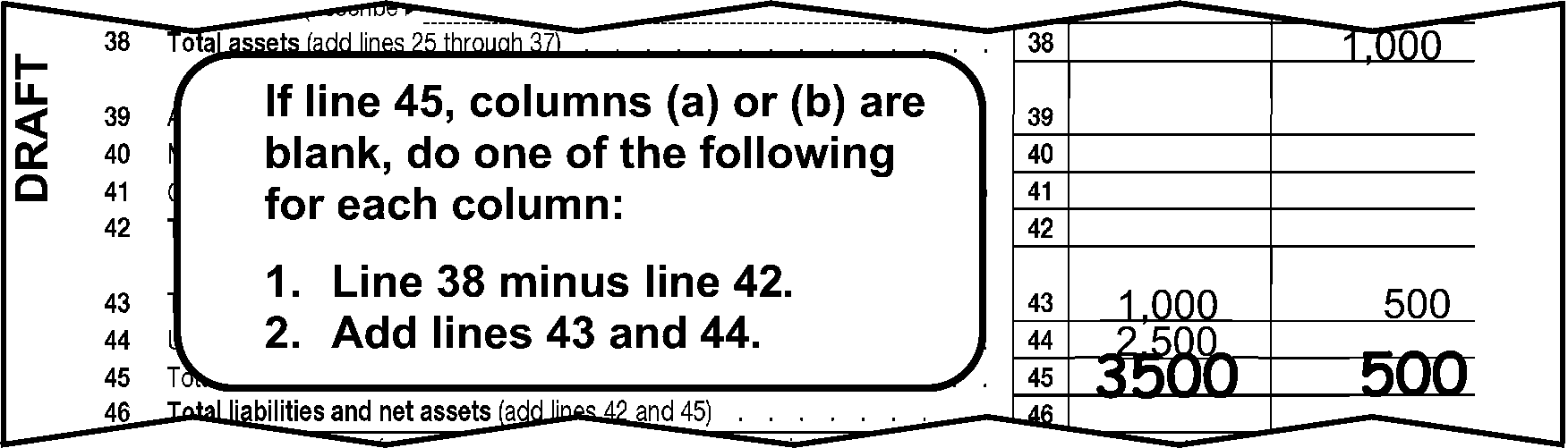
This shows a portion of Form 1041-A, Part IV Line 45The example shows:Line 38 Column (b), Total assets, shows an edited amount 1,000Line 43 Column (a), Trust principal or corpus, shows 1,000Line 43 Column (b), Trust principal or corpus, shows 500Line 44 Column (a), Undistributed income and profits, shows 2,500Line 45 Column (a), Total net assets, shows an edited amount 3,500Line 45 Column (b), Total net assets, shows an edited amount 500Text box states “If line 45 columns (a) or (b) are blank, do one of the following for each column: Line 38 minus 42. Add lines 43 and 44.”
Please click here for the text description of the image.
-
-
Line 46, Columns (a) and (b): If blank, add lines 42 and 45 for each column.
3.11.12.10.5 (01-01-2022)
Paid Preparer Section
- The Paid Preparer section is located below the signature on Form 1041-A. The Paid Preparer’s name may be the same as the individual signing the return.
3.11.12.10.6 (01-01-2025)
Paid Preparer PTIN
-
The Preparer's Tax Identification Number is located to the right of the Preparer's Signature in the PTIN box at the bottom right of page 2.
-
No action is required on amended returns.
-
The Preparer's PTIN must be a nine-digit number. Circle the PTIN if all zeroes, all nines or invalid.
-
A PTIN begins with the alpha "P" followed by an eight digit number (e.g. PXXXXXXXX). Circle the PTIN if invalid.
3.11.12.10.7 (01-01-2025)
Firm's EIN
-
The Firm's EIN is located below the Preparer's PTIN at the bottom right corner of Page 2.
-
No action is required on amended returns.
-
The Firm's EIN must be a nine-digit numeric number. Circle the EIN if all zeroes, all nines or invalid.
3.11.12.10.8 (01-01-2022)
Paid Preparer Telephone Number
-
The Paid Preparer's Phone Number is located below the Paid Preparer's EIN at the bottom right hand corner of Page 2.
-
No action is required on amended returns.
-
If a complete Paid Preparer's telephone number is on the Preparer Telephone Number line, no editing of this line is necessary.
-
If the return is for a tax period prior to 2001, circle the telephone number.
-
If the Paid Preparer's phone number is incomplete, illegible or less than 10 digits, review the return and all attachments.
Note:
If more than 10 digits are present continue processing. ISRP will input the first 10 digits only.
If Then A complete Paid Preparer's phone number is located Edit to the "Phone No" line. A complete Paid Preparer's telephone number isn't located or the number is illegible Circle the incomplete or illegible phone number.
3.11.12.10.9 (01-01-2022)
Preparation Code
-
No action is required on amended returns.
-
Edit a Preparation code of "1" next to the Preparer's PTIN if data is present which indicates the return was prepared by a Paid Preparer in the Paid Preparer area of the return. The Paid Preparer’s name may be the same as the individual signing the return.
Note:
Data such as N/A or self prepared doesn't indicate the return was prepared by a Paid Preparer and should not be edited with a "1" .
3.11.12.11 (01-01-2022)
Form 1120-POL
-
Form 1120-POL is filed by the following organizations:
-
A political organization, whether or not it is tax exempt, must file Form 1120-POL if it has any political organization taxable income.
-
An exempt organization that isn't a political organization must file Form 1120-POL if it is treated as having political organization taxable income under section 527(f)(1).
-
-
Form 1120-POL is subject to:
-
Corporate income tax
-
Failure to file penalty
-
Failure to pay penalty
-
Failure to Deposit (FTD) Penalty
-
3.11.12.11.1 (01-01-2026)
Form 1120-POL General Instructions
-
Always convert prior year return revisions, see Exhibit 3.11.12-16.
-
Perfect as follows:
-
Always perfect for legibility.
-
Always perfect from attachments, if available.
-
Correspond if the conditions are met.
-
Follow the stated instruction for the line.
-
Leave the T-line blank only if it cannot be perfected in the steps above.
-
-
Put Form 1120-POL in the following order:
-
Form 1120-POL
-
Form 3800, General Business Credit
-
Form 4136, Computation of Credit for Federal Tax Paid on Fuels
-
Form 8050, Direct Deposit of Corporate Tax Refund
-
3.11.12.11.2 (01-01-2026)
Form 1120-POL Perfection, Editing, and Correspondence
-
Attach Form 5800, Exempt Organization Return Forms Edit Sheet, to Form 1120-POL, if necessary. Edit Form 1120-POL data on the right side of the edit sheet.
-
Refer to the following instructions to perfect the generic items:
-
Action Codes (ERS), IRM 3.11.12.3.8
-
Computer Condition Codes, (A, D, F, G, J, M, O,, R, W, X, Y, 3, 7, or 8), IRM 3.11.12.3.9,
-
Entity Perfection, IRM 3.11.12.3.15 through IRM 3.11.12.3.15.6
-
Penalty and Interest Code, IRM 3.11.12.3.13.1.3
-
Received Date, IRM 3.11.12.3.13.1
-
Signature, IRM 3.11.12.3.22
-
Tax Period, IRM 3.11.12.3.23
Note:
Route any correspondence stating a valid reasonable cause for failing to deposit along with a photocopy of the first page of the return to OAMC, EO Accounts.
-
3.11.12.11.3 (01-01-2025)
Form 1120-POL Audit Code Edit Sheet, Line 2
-
Edit Audit Code 2 on Line 2 of the Edit sheet if:
-
Form 8621, Return by a Shareholder of a Passive Foreign Investment Company or Qualifying Electing Fund, is attached and Part IV, Line 10a has an entry of ≡ ≡ ≡ ≡ ≡ ≡ ≡ ≡ ≡ ≡.
-
Form 5713, International Boycott Report, is attached and both Questions on Line 7(f) are answered "yes" .
-
Forms 926, Form 5735, or Form 8873 is attached.
-
Form 1118 reflects more than ≡ ≡ ≡ ≡ ≡ in foreign tax credit.
-
3.11.12.11.4 (01-01-2022)
Form 1120-POL Exempt Organization Master File (EOMF) Code
- Edit EOMF Code "1" in the right top margin of Form 1120-POL to the right of the 501(c) box if the organization has indicated it is a section 501(c) by checking the box below the tax year ending line.
3.11.12.11.5 (01-01-2022)
Form 1120-POL Lines 1-18 Perfection
-
Lines 1-7: Perfect. If Lines 1-7 are blank, and Line 8 has an entry, edit the amount from Line 8 to Line 7. Circle brackets if present.
-
Line 8: If blank, add Lines 1-7. Circle brackets if present.
-
Lines 9-15: Perfect. If Lines 9-15 are blank, and Line 16 has an entry, edit the amount from Line 16 to Line 15. Circle brackets if present.
-
Line 16: If blank, add Lines 9-15. Circle brackets if present.
-
Line 18: Perfect. Circle brackets if present.
3.11.12.11.6 (01-01-2026)
Form 1120-POL Lines 21-25 Perfection and Correspondence
-
Line 21d: Perfect. Circle brackets if present. If credit claimed is from Form 8941, remove the credit and recompute Line 21d. Delete the Form 8941 and don't recompute Line 24. Correspond if Line 21d is ≡ ≡ ≡ ≡ ≡ ≡ ≡ ≡ and the required supporting form(s) are missing:
-
Edit a MSC of 43 (Form 3800) on the Edit Sheet, Line 8, if not corresponding for other item(s).
-
Edit an Action Code if corresponding for other item(s).
-
-
Line 22: If blank, subtract Line 21d from Line 20. Circle brackets if present.
-
Line 23a: Perfect from attachments if necessary. Circle brackets if present.
-
Line 23b: If an amount of ≡ ≡ ≡ ≡ or more is present, Form 2439must be attached. Circle brackets if present. Correspond for Form 2439 if missing and the credit claimed is ≡ ≡ ≡ ≡ ≡ ≡ ≡ ≡
-
200811 and prior tax periods only Line 23c: If an amount is present, Form 4136must be attached. Correspond for Form 4136 if missing.
-
Line 23d: If an amount is present, Form 3800must be attached.
-
Line 24 or 25: If blank, do the following:
-
Line 22 minus Line 23e.
-
Edit the positive result on Line 24, or the negative result on Line 25.
Caution:
For refunds of ≡ ≡ ≡ ≡ ≡ ≡ ≡ or more, edit ERS Action Code "341" per IRM 3.11.12.3.8.
-
If Line 24 contains a penalty or interest other than ES Penalty, subtract the penalty or interest and recompute Line 24.
-
-
"X" any credit claimed from Form 4136. Recompute Line 23c to include amounts for other credits claimed on Line 23c.
3.11.12.11.7 (01-01-2022)
♦Paid Preparer Section♦
- The Paid Preparer section is located below the Signature area at the bottom of Form 1120-POL. The Paid Preparer’s name may be the same as the individual signing the return.
3.11.12.11.7.1 (01-01-2022)
♦Paid Preparer Checkbox Indicator♦
-
The Paid Preparer Checkbox is located next to the taxpayer signature area. It indicates whether the taxpayer has elected, or not elected, to allow the Paid Preparer to represent them in order to answer questions about the return as it is processed.
-
No action is required on amended returns.
-
Take the following actions when an entry is present in the Paid Preparer Checkbox:
If Then Only the "Yes" box is checked Take no action. * The "No" box is checked, * Neither of the boxes are checked, "or" * Both boxes are checked Circle the Paid Preparer's Telephone Number.
3.11.12.11.7.2 (01-01-2025)
♦Paid Preparer PTIN♦
-
The Paid Preparer's SSN or PTIN is located to the right of the Preparer's Signature in the PTIN box (Preparer's SSN or PTIN box for 2009 and prior form revisions) at the bottom-right corner of Page 1.
-
No action is required on amended returns.
-
The Preparer's SSN is a nine-digit number. Circle the SSN if all zeroes, all nines or invalid.
-
A PTIN begins with the alpha "P" followed by an eight-digit number (e.g., PXXXXXXXX). Circle the PTIN If invalid.
-
Circle the Preparer's SSN or PTIN if it is an invalid number.
3.11.12.11.7.3 (01-01-2025)
♦Firm's EIN♦
-
The Firm's EIN is located below the Preparer's SSN/PTIN at the bottom-right corner of Page 1.
-
No action is required on amended returns.
-
The Firm's EIN must be a nine-digit number. Circle the EIN if all zeroes, all nines or invalid.
3.11.12.11.7.4 (01-01-2022)
♦Paid Preparer Telephone Number♦
-
The Paid Preparer's Phone Number is located below the Paid Preparer's EIN at the bottom right hand corner of Page 1.
-
No action is required on Amended returns.
-
If a complete Paid Preparer's Telephone Number is on the Preparer Telephone Number line, no editing of this line is necessary.
-
If the return is for a tax period prior to 2001, circle the telephone number.
-
If the Paid Preparer's Phone Number is incomplete, illegible, or less than 10 - digits, review the return and all attachments.
Note:
If more than 10 - digits are present continue processing. ISRP will input the first 10 - digits only.
If Then A complete Paid Preparer's Phone Number is located Edit to the "Phone No." line. A complete Paid Preparer's Telephone Number isn't located or the number is illegible Circle the incomplete or illegible phone number.
3.11.12.11.8 (01-01-2024)
Form 1120-POL Form 3800 General Business Credit
-
Form 3800, is valid for tax periods 202301 and later. Part III, which may be attached to Form 1120-POL, is transcribed to support the Elective Payment Election (EPE) on Line 23d. See Form 3.24.12-262 for lines transcribed from Form 3800, Part III.
-
Place in sequence order if significant entries are present.
-
If more than one, Part V, Form 3800 is present edit a “1” in the top right hand column of Form 3800.
3.11.12.11.9 (01-01-2022)
Form 1120-POL Form 4136 Perfection
-
If Fuel Tax Credit is claimed on Form 1120–POL, Line 23c, Form 4136 must be attached.
-
No editing is required for Form 4136 for TY2001 and subsequent.
3.11.12.11.10 (01-01-2026)
Form 1120-POL Form 8050 - Direct Deposit
-
Take the following actions to perfect lines 1, 2, and 3.
If Then * Routing number present * Account number present * Neither checking nor savings box marked Edit a checkmark in the checking box (or to the left of the word checking if no box is present). * Routing number present * Account number present * Both checking and savings box marked Circle the box that represents savings. * Routing number present and Account number NOT present or * Routing number NOT present and Account number present Edit an "X" in the first position of the blank line. * Routing number blank * Account number blank * Checking or savings is present Circle the checked box(es) for both the checking and savings. * Routing number altered and/or Account number altered or * If either or both have been lined through by another area Edit a single "X" over Routing and Account number lines. If either checking or savings box is already indicated, circle them. * Pre-printed X’s are Present in Routing number and Account number * Routing and Account numbers are also present and neither checking nor savings box(es) marked Arrow the Routing and Account numbers to line 1 and line 2, and check the checking box. * Pre-printed X’s are Present in Routing number and Account number * Routing and Account numbers are also present and both checking and savings box(es) marked Arrow the Routing and Account numbers to line 1 and line 2, and circle the box that represents savings. * Pre-printed X’s are Present in Routing number, Account number, and Checking and/or savings Edit a single "X" over Routing and Account number lines and circle checking and/or savings box(es). * Pre-printed X’s are Present in Routing number and Account number; Checking and savings is blank Edit a single "X" over Routing and Account number lines.
3.11.12.12 (02-02-2024)
Form 4720
-
Form 4720 is best defined as an excise tax "penalty" form. This form is a supplementary annual taxable return used to compute and pay certain excise taxes which may be due under IRC chapter 41 or 42.
-
Form 4720 was revised to include both parts and is processed via GMF. We will no longer have a Form 4720-A process. If a Form 4720-A is received from another area convert and process as Form 4720
3.11.12.12.1 (01-11-2026)
Form 4720 General Instructions
-
Put Form 4720 in order pages 1 - 10 and then Form 8050, Direct Deposit of Corporate Tax Refund, if attached. IRM 3.11.12.3.18 for editing instructions.
-
Always convert prior year return revisions, see Exhibit 3.11.12–18.
-
Perfect as follows:
-
Always perfect for legibility.
-
Always perfect from attachments, if available.
-
Correspond if the conditions are met.
-
Follow the stated instruction for the line.
-
Leave the T-line blank only if it cannot be perfected.
-
-
Refer to the following instructions to perfect the generic items on the return:
-
Imaging IRM 3.11.12.3.18.
-
Penalty and Interest Code IRM 3.11.12.3.13.1.3.
-
Received date IRM 3.11.12.3.13.1.
-
Signature IRM 3.11.12.3.22.
-
Tax period IRM 3.11.12.3.23.
-
-
If the organization has not reported a dollar amount greater than zero in any of the following: Part I, Part II, or Schedules A, I, or L, pull the return from processing and send the return back to the organization using Letter 3064C.
Exception:
Do not pull the return from processing if the filer reports a dollar amount of zero in Part I, no amount in Part II, and has completed a schedule for one or more of the self-dealing tax under section 4941 (Schedule A of Form 4720); excess benefit transaction under 4958 (Schedule I of Form 4720); or a prohibited benefit distributed from donor advised funds (Schedule L of Form 4720).
3.11.12.12.2 (01-01-2026)
Form 4720 Perfection, Editing
-
Perfect the Name Control and EIN. Address perfection isn't required on this form.
-
Edit a TIN Type next to the EIN or SSN in the right margin of the return. Edit a 2 if filed using an EIN or a 0 if filed using an SSN to the right of the EIN.
-
Edit Computer Condition Codes to the right of the preprinted year. Valid Computer Condition Codes are D, F, G, R, W, X, 3 and 7. See IRM 3.11.12.3.9.
-
Edit Audit Code 4 on the dotted portion of Line A, entity section, if the following applies:
- ≡ ≡ ≡ ≡ ≡ ≡ ≡ ≡ ≡ ≡ ≡ ≡ ≡ ≡ ≡ ≡ ≡ ≡ ≡ ≡ ≡ ≡ ≡ ≡ ≡
Note:
Don’t correspond for a missing signature if audit code 4 is edited on an SFR return.
-
Edit Audit Code 5 on the dotted portion of Line A, entity section, if ≡ ≡ ≡ ≡ ≡ ≡ ≡ ≡ ≡ ≡ ≡ ≡ ≡ ≡ ≡ ≡"≡ ≡" following the preprinted "Form 4720" in the upper left corner of page 1.
-
If both Audit Code conditions 4 and 5 are present, edit Audit Code 4.
3.11.12.12.3 (01-01-2026)
Form 4720 Signature
-
If the signature is missing pull the return from processing and send back to the filer using 3064C with approved paragraphs.
-
If a signature is present process the return.
3.11.12.12.4 (01-01-2022)
Form 4720 Remittance
-
Returns received with remittance are batched in a "with remit" batch. Returns received without remittance are batched in a "non-remit" batch.
-
If Form 4720 is batched in a "with remit" batch, Parts I, II or III contains an amount, process as a Form 4720.
3.11.12.12.5 (01-01-2023)
Form 4720 Abatement Requests under IRC 4962
-
Do all of the following on Form 4720 when "Request for Abatement under IRC 4962" is being requested and Form 843 is attached.
Note:
If Form 843 is not attached, do not send to EO Accounts.
-
Photocopy all pages of the numbered or unnumbered return and all attachments.
-
Write "Photocopy sent to EO Accounts" in the left margin of the Form 4720.
-
Route the photocopies to the Ogden IRS Campus, Attn: EO Accounts, via Form 4227 annotating "4962 abatement request."
-
Process the original Form 4720.
-
3.11.12.12.6 (01-01-2024)
Form 4720 Type of Organization Code (Form 4720)
-
Edit the Type of Organization Code in the space on the bottom of the Type of Annual Return box.
-
Don’t edit a Type of Organization Code if you edited Audit Code "4" .
-
If SSN is reported edit Type of Organization Code as “4”.
-
Edit a Type of Organization Code as follows:
Type of Organization Code Description 1 Form 990-PF box is checked. 2 Forms 990/990–EZ box is checked. 3 Form 5227 box is checked. 4 Other box is checked. -
If no box is checked or more than one box is checked, request INOLES research for the EO filing requirements. If the Type of Organization Code cannot be determined, route to Entity.
3.11.12.12.7 (01-01-2025)
Form 4720 Part I Perfection (Form 4720)
-
Part I applies to an organization which allowed a disqualified expenditure or act.
-
Compute the total for any of the schedule lines listed below if the line has not been totaled.
-
Line 1: If blank, edit from Schedule B, Line 4.
-
Line 2: If blank, edit from Schedule C, Line 7.
-
Line 3: If blank, edit from Schedule D, Part I, Column (f). 2020 and prior revisions if blank, edit from Schedule D, Part I, Column (e).
-
Line 4: If blank, edit from Schedule E, Part I, Column (h). 2020 and prior revisions if blank, edit from Schedule E, Part I, Column (g).
-
Line 5: If blank, edit from Schedule F, Part I, Column (f). 2020 and prior revision if blank, edit from Schedule F, Part I, Column (e).
-
Line 6: If blank, edit from Schedule G, Line 4.
-
Line 7: If blank, edit from Schedule H, Part I, Column (e).
-
Line 8 (2000 and subsequent form revisions): Perfect.
-
Line 9: If blank, edit from the "total line" of Schedule J, Part I, Column (h).
-
Line 10: If blank, edit from Schedule K, Part I, Column (f).
-
Line 11: Perfect.
-
Line 12: If blank, edit from Part II, Schedule M, Part II, line 2.
-
Line 13 If blank, edit from Schedule N, tax line.
-
Line 14 If blank, edit from Schedule O, Excise tax on net investment line 7.
-
Line 15, If blank, add lines 1 - 14.
3.11.12.12.8 (01-01-2023)
Form 4720 Part II Perfection
-
Part II applies to taxes on a manager, self-dealer, disqualified person, donor, donor advisor or related person
-
Compute the total for any of the schedule lines listed below if the line has not been totaled.
-
Line 1: If blank, edit from Schedule A, Part II, column (d); or Part III, column (d).
-
Line 2: If blank, edit from Schedule D, Part II, column (d).
-
Line 3: If blank, edit from Schedule E, Part II, column (d).
-
Line 4: If blank, edit from Schedule F, Part II, column (d).
-
Line 5: If blank, edit from Schedule H, Part II, column (d).
-
Line 6: If blank, edit from Schedule I, Part II, column (d) or Part III, column (d).
-
Line 7: If blank, edit from Schedule J, Part II, column (d).
-
Line 8: If blank, edit from Schedule K, Part II, column (d).
-
Line 9: If blank, edit from Schedule L, Part II, column (d) or Part III, column (d).
-
Line 10: If blank, add lines 1 - 9.
3.11.12.12.9 (01-01-2023)
Form 4720 Part III Perfection
-
Part III applies to the tax payments.
-
Compute the total for any lines listed below if the line has not been totaled.
-
Line 1: If blank, edit from Part I, line 15 or Part II, line 10.
-
Line 3: If blank and line 1 is larger than line 2, edit by subtracting line 2 from line 1.
-
Line 4: If blank and line 2 is greater than line 1, edit by subtracting line 1 from line 2.
3.11.12.12.10 (01-01-2023)
Form 4720 Schedule G Perfection
-
Lines 1 and 2: If both lines are blank, and there is a Schedule A- (2007 or prior revision), or a Schedule C (2008 or subsequent revision of Form 990/990-EZ) is attached:
-
Enter on Line 1 the amount from Schedule A (2007 or prior revision), Part VI-A, Column (b), Line 43, or Schedule C (2008 or subsequent revision), Part II-A, Column (a), Line 1h.
-
Enter on Line 2 the amount from Schedule A (2007 or prior revision), Part VI-A, Column (b), Line 44 or Schedule C (2008 or subsequent revision), Part II-A, Column (a), Line 1i.
-
-
Line 4: If blank, edit the larger of one of the following:
-
Line 1 or 2, multiplied by 0.25., or
-
The amount from page 1, Part I, Line 6.
-
-
Edit Line 4 amount to blank Part I, Line 6.
3.11.12.12.11 (01-01-2023)
♦Form 4720 Paid Preparer Section♦
- The Paid Preparer section is located below the Signature area of Form 4720. The Paid Preparer’s name may be the same as the individual signing the return.
3.11.12.12.11.1 (01-01-2025)
♦Paid Preparer PTIN♦
-
The Preparer's SSN or PTIN is located to the right of the Preparer's Signature at the bottom-right corner of Page 10.
-
No action is required on amended returns.
-
The Preparer's SSN must be a nine-digit number. Circle the SSN if all zeroes, all nines or invalid.
-
A PTIN begins with the alpha "P" followed by an eight-digit number (e.g., PXXXXXXXX). Circle the PTIN if invalid.
3.11.12.12.11.2 (01-01-2025)
♦Firm's EIN♦
-
The Firm's EIN is located below the Preparer's SSN/PTIN at the bottom-right corner of Page 10.
-
No action is required on amended returns.
-
The Firm's EIN must be a nine-digit number. Circle the EIN if all zeroes, all nines or invalid.
3.11.12.12.11.3 (01-01-2023)
♦Paid Preparer Telephone Number♦
-
The Paid Preparer's Phone Number is located below the Paid Preparer's EIN at the bottom right hand corner of Page 10.
-
No action is required on Amended returns.
-
If a complete Paid Preparer's Telephone Number is on the Preparer Telephone Number line, no editing of this line is necessary.
-
If the return is for a tax period prior to 2001, circle the telephone number.
-
If the Paid Preparer's Phone Number is incomplete, illegible, or less than 10 - digits, review the return and all attachments.
Note:
If more than 10 - digits are present continue processing. ISRP will input the first 10 - digits only.
If Then A complete Paid Preparer's Phone Number is located Edit to the "Phone No." line. A complete Paid Preparer's Telephone Number isn't located or the number is illegible Circle the incomplete or illegible phone number.
3.11.12.12.12 (01-01-2026)
Form 4720, Form 8050 - Direct Deposit
-
Take the following actions to perfect lines 1, 2, and 3.
If Then * Routing number present * Account number present * Neither checking nor savings box marked Edit a checkmark in the checking box (or to the left of the word checking if no box is present). * Routing number present * Account number present * Both checking and savings box marked Circle the box that represents savings. * Routing number present and Account number NOT present or * Routing number NOT present and Account number present Edit an "X" in the first position of the blank line. * Routing number blank * Account number blank * Checking or savings is present Circle the checked box(es) for both the checking and savings. * Routing number altered and/or Account number altered or * If either or both have been lined through by another area Edit a single "X" over Routing and Account number lines. If either checking or savings box is already indicated, circle them. * Pre-printed X’s are Present in Routing number and Account number * Routing and Account numbers are also present and neither checking nor savings box(es) marked Arrow the Routing and Account numbers to line 1 and line 2, and check the checking box. * Pre-printed X’s are Present in Routing number and Account number * Routing and Account numbers are also present and both checking and savings box(es) marked Arrow the Routing and Account numbers to line 1 and line 2, and circle the box that represents savings. * Pre-printed X’s are Present in Routing number, Account number, and Checking and/or savings Edit a single "X" over Routing and Account number lines and circle checking and/or savings box(es). * Pre-printed X’s are Present in Routing number and Account number; Checking and savings is blank Edit a single "X" over Routing and Account number lines.
3.11.12.13 (01-01-2022)
Form 5227
- Form 5227 is the Split-Interest Trust Information Return used by trusts described in Section 4947(a)(2) that are subject in part to Section 508 and several of the Chapter 42 private foundation excise taxes.
3.11.12.13.1 (01-01-2026)
Form 5227 General Instructions
-
Always convert prior year return revisions, see Exhibit 3.11.12-19.
-
Perfect as follows:
-
Always perfect for legibility.
-
Always perfect from attachments, if available.
-
Correspond if the conditions are met.
-
Follow the stated instruction for the line.
-
Leave the T-line blank only if it cannot be perfected in the steps above.
-
-
Put Form 5227 in the following order: Pages 1-7.
3.11.12.13.2 (01-01-2026)
Form 5227 Perfection, Editing, and Correspondence
-
Refer to the following instructions to perfect the generic items:
-
Action Codes (ERS), IRM 3.11.12.3.8
-
Computer Condition Codes, (F, G, R, V, W, 3, and 7), IRM 3.11.12.3.9
-
Daily Delinquency Penalty, IRM 3.11.12.3.13.1.2
-
Entity Perfection, IRM 3.11.12.3.15 through IRM 3.11.12.3.15.6
-
Imaging, IRM 3.11.12.3.18
-
Penalty and Interest Code, IRM 3.11.12.3.13.1.3
-
Received Date, IRM 3.11.12.3.13.1
-
Signature, IRM 3.11.12.3.22
-
Tax Period, IRM 3.11.12.3.23
Note:
If tax period month is other than 12, correspond for a calendar year return using a 2696C letter. Exception: Don't correspond on "Final" returns.
-
3.11.12.13.3 (01-01-2022)
Form 5227 Type of Entity
-
Item C of the Entity section: Check box two (2) if:
-
No box is checked; or
-
More than one box is checked. Circle out the other boxes that are checked.
-
3.11.12.13.4 (01-01-2025)
Form 5227 Part I Perfection
-
Item D of the Entity Section: If blank, edit from Part IV, Line 13, Column (c).
-
Item E of the Entity Section: If blank, add Part I, Lines 8 and 13. For 2006 and prior revisions, circle out the date in Item D and enter the total of Part I, Lines 8 and 13.
-
Line 8: If blank, do one of the following:
-
Add Lines 1, 2a, and 3 through 7, excluding 2b.
-
Edit the amount from Item E to Line 8 if Line 13 is also blank and Line 13 cannot be perfected per (4) below.
-
-
Line 13: If blank, add Lines 9 and 10.
-
Line 22: If blank, add Lines 17 through 21.
3.11.12.13.5 (01-01-2022)
Form 5227 Part III Perfection
-
Line 4: If blank, add Lines 1 through 3c.
-
Line 9: if blank, add Lines 7a through 8.
3.11.12.13.6 (01-01-2022)
Form 5227 Part IV Perfection
-
Line 13, Column (b): If blank, 0 (zero), - (dash), none, or N/A, do one of the following:
-
Add Lines 1 - 12.
-
Add Lines 19 and 22.
-
Edit from Line 22.
-
If unable to perfect per 1) - 3) above, and you are not corresponding for Part IV, edit a "1" .
Note:
Zero isn't considered a dollar entry for this line.
-
-
Line 13, Column (c): If blank, do one of the following:
-
Add Lines 1 - 12.
-
Edit from item D of the entity section.
-
If unable to perfect per 1) and 2) above, leave blank.
-
-
Line 19, Column (b):. If a negative symbol is present ( -, <, etc.), circle out the negative symbol. If blank, do one of the following:
-
Add Lines 14 - 18.
-
Line 13 minus Line 22 if both Line 13 and Line 22 have an amount.
-
If Line 13 is the only line with an amount, leave Line 19 blank.
Figure 3.11.12-16
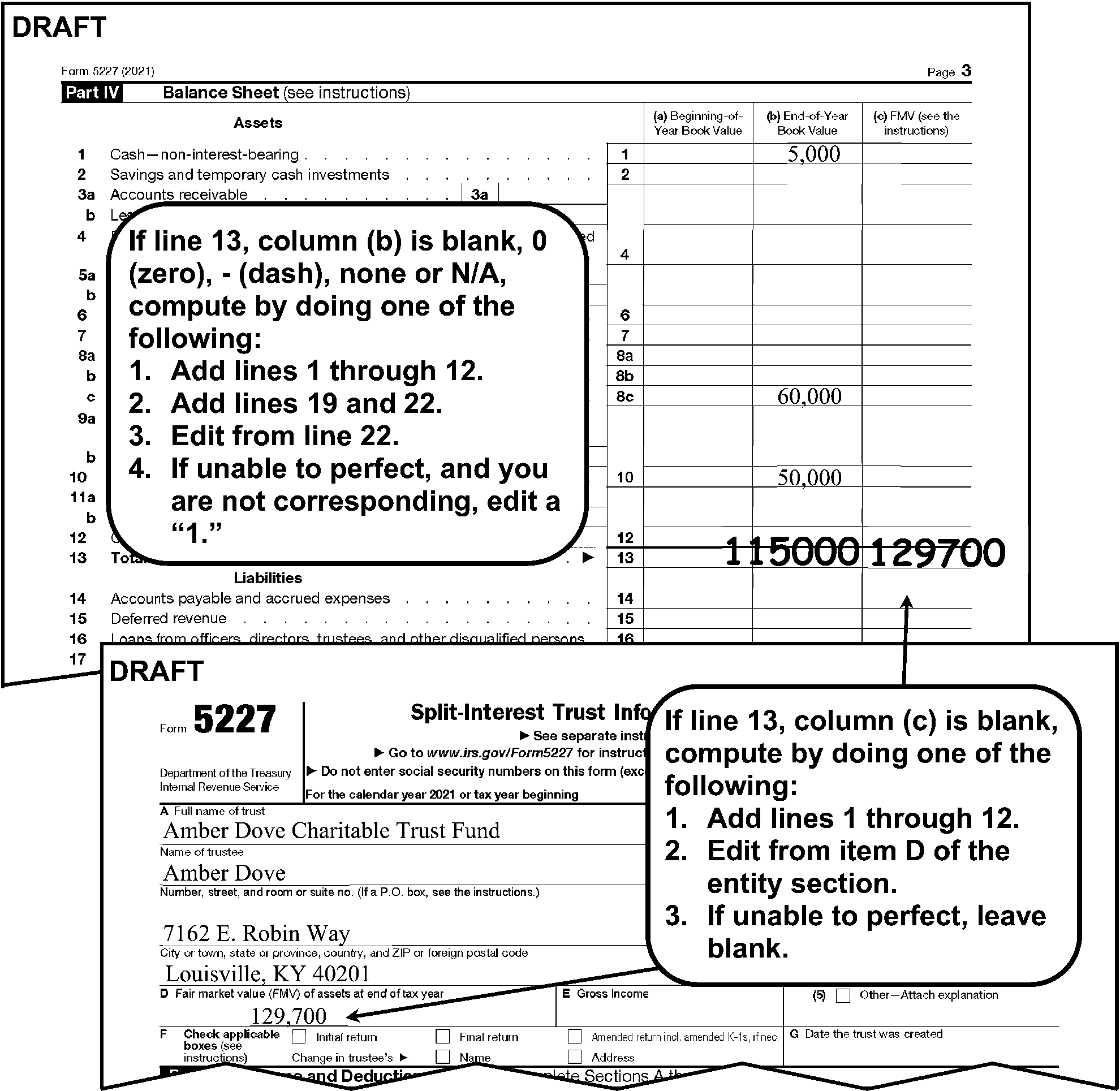
Part IV perfectionThis shows a portion of page 3 Part IV and a portion of Page 1 that is used to perfect Part IV if needed.Part IV Shows:Line 1, Cash-non-interest- bearing column B (End of year book value) shows 5,000Text Box located to the left of lines 4 through 12 states “If Line 13, column (b) is blank, 0 (zero), - (dash), none or N/A, compute by doing one of the following:1. Add Lines 1 through 12.2. Add Lines 19 and Line 22.3. Edit from Line 22.4. If unable to perfect, and you are not corresponding, edit a “1”Line 8b, Investments – corporate stocks, column B (End of year book value) shows 60,000Line 10, - Shows 50,000Line 13, Total assets, column B (End of year book value) shows edited 115,000Line 13, Total assets, column c (FMV) shows edited amount of 129,7000Portion of page 1, entity section, shows:Name of Trust: Amber Dove Charitable Trust Fund Name of Trustee: Amber Dove Number, street, and room or suite no: 7162 E. Robin WayCity or Town, State or Province, Country, and zip or foreign postal codeLouisville, KY 40201Box C, Fair market value (FMV) of assets at end of tax year shows 129,700Text Box located to the right of the entity section of page 1 and below page 3 part IV states, “If Line 13, column (c) is blank, compute by doing one of the following:1. Add Lines 1 through 122. Edit from item D of the entity section.3. If unable to perfect, leave blank”.Text box shows arrows pointing to page 3 line 13 column c and page 1 box c.
Please click here for the text description of the image.
-
3.11.12.13.7 (01-01-2022)
Form 5227 Part IV Correspondence
-
Correspond for Part IV if column (b) is blank and Part I has dollar entries.
Note:
Don't correspond if the return is blank or has all zeroes throughout.
3.11.12.13.8 (01-01-2022)
Form 5227 Part V Perfection
- Line 1b: Perfect
3.11.12.13.9 (01-01-2023)
Form 5227 Part VI Perfection
- Line 4b: Perfect.
3.11.12.13.10 (01-01-2022)
Form 5227 Paid Preparer Section
- The Paid Preparer section is located below the signature line on page 6 of Form 5227. The Paid Preparer’s name may be the same as the individual signing the return.
3.11.12.13.11 (01-01-2025)
Paid Preparer PTIN
-
The Preparer's Tax Identification Number (PTIN) is located to the right of the Preparer's signature in the PTIN box at the bottom right corner of page 6.
-
No action is required on amended returns.
-
A PTIN begins with the alpha "P" followed by an eight digit number (e.g. PXXXXXXXX). Circle the PTIN if invalid
3.11.12.13.12 (01-01-2025)
Firm's EIN
-
The Firm's EIN is located below the Preparer's PTIN at the bottom right corner of Page 6.
-
No action is required on amended returns.
-
The Firm's EIN must be a nine digit numeric number. Circle EIN if all zeroes, all nines or invalid.
3.11.12.13.13 (01-01-2022)
Paid Preparer Telephone Number
-
The Paid Preparer's phone number is located below the Paid Preparer's PTIN at the bottom right hand corner of Page 6.
-
No action is required on amended returns.
-
If a complete Paid Preparer's telephone number is on the Preparer telephone number line, no editing of this line is necessary.
-
If the return is for a tax period prior to 2001, circle the telephone number.
-
If the Paid Preparer's phone number is incomplete, illegible or less than 10 digits, review the return and all attachments.
Note:
If more than 10 digits are present continue processing. ISRP will input the first 10 digits only.
If Then A complete Paid Preparer's phone number is located Edit to the Phone No line. A complete Paid Preparer's telephone number isn't located or the number is illegible Circle the incomplete or illegible phone number.
3.11.12.13.14 (01-01-2022)
Preparation Code
-
No action is required on amended returns.
-
Edit a preparation code of "1" next to the Preparer's PTIN if data is present which indicates the return was prepared by a Paid Preparer in the Paid Preparer area of the return. The Paid Preparer’s name may be the same as the individual signing the return.
Note:
Data such as N/A or self prepared doesn't indicate the return was prepared by a Paid Preparer and should not be edited with a "1" .
3.11.12.13.15 (01-01-2023)
Form 5227 Schedule A Part I Perfection
-
Perfect Schedule A, if Form 5227, page 1, Item C, box 2 or 3 is checked.
-
Line 2b, Columns (a) and (b): Perfect.
-
Line 3, Column (a) Excluded Income::
-
If blank, 0 (zero), - (dash), none, or N/A, Line 1, Column (a) Excluded Income minus Line 2(b) Excluded Income, Column (a).
-
If Line 1, Column (a) Excluded Income is blank, 0 (zero), - (dash), none, or N/A, edit the amount from Form 5227, Part II Line 3, Column (a) excluded income to Line 3, Column (a). Do not compute if blank.
-
If unable to perfect per steps above, edit a "1" .
-
-
Line 3, Column (b) Excluded Income: If blank, 0 (zero), - (dash), none, or N/A, Line 1, Column (b) Excluded Income minus Line 2b Excluded Income, Column (b). If Line 1, Column (b) Excluded income is blank, edit the amount from Form 5227, Part II, Line 3, Column (b) Excluded Income to Line 3 Column (b) Excluded Income.
Figure 3.11.12-17
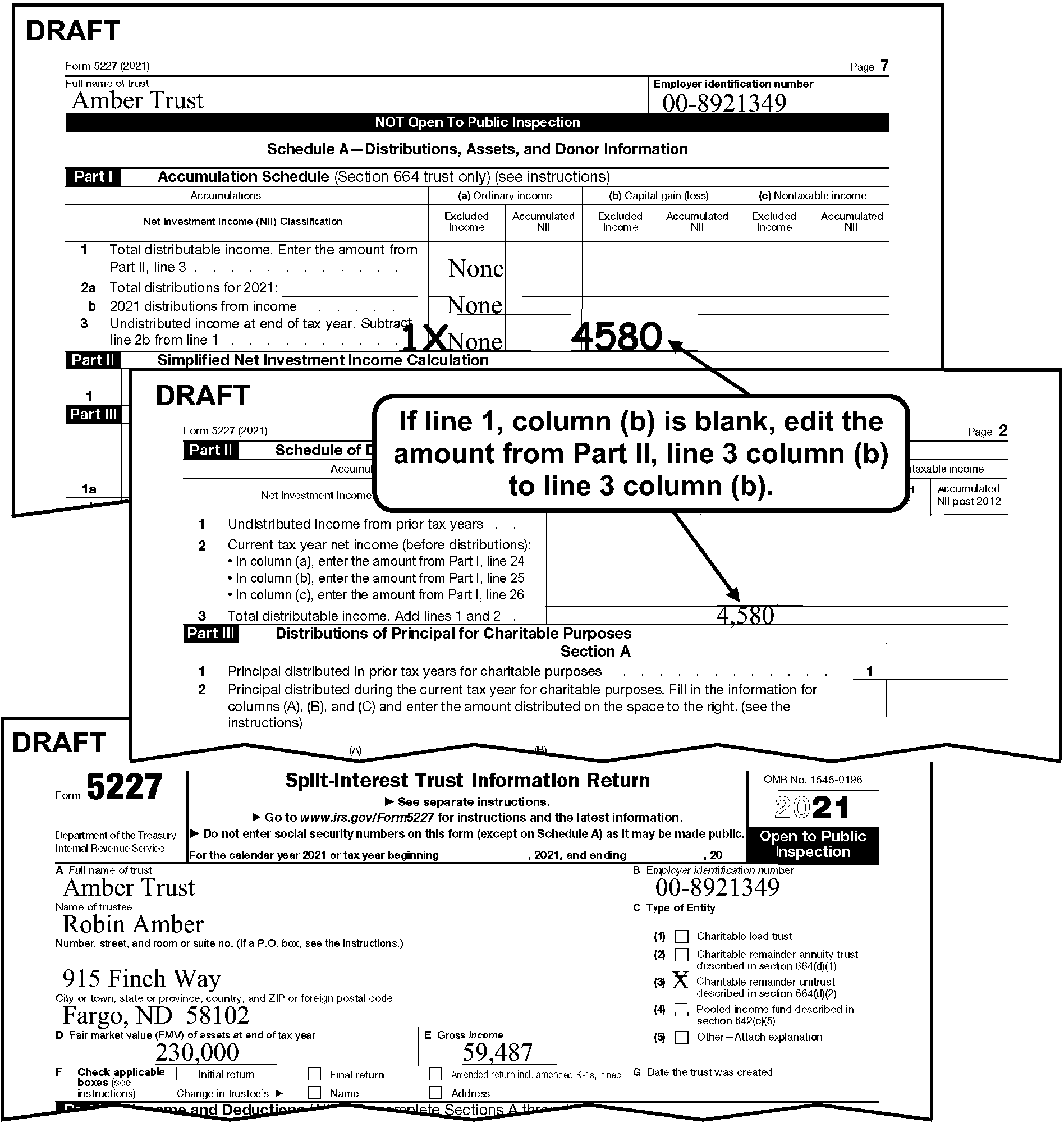
Form 5227 Schedule A perfection, pages 1, 2 and 7Page 7 shows:Full name of trust box with an entry of Amber TrustEIN box shows an entry of 00-8921349Part I-A, line 1, Total distributable income, Column (a), Excluded income shows 827Part I-A, line 2b, 2014 distributions from income, Column (a), Excluded income shows an entry of NonePart I-A, line 3, Undistributed income at the end of tax year, Column (a), Excluded income shows an entry of NonePart I-A, line 3, Undistributed income at the end of tax year, Column (b), Excluded income shows an edited amount of 4,580Text box states “If Line 1 Column (b) is blank, edit the amount from Part II, Line 3 Column (b) to line 3 Column (b).” and shows arrows pointing to Schedule A Part I-A line 3, and Page 2, Part II, Column (b), Excluded incomePage 2 shows:Part II, line 3, Total distributable income, Column (b), Excluded income, shows 4,580Page 1 shows:Full name of trust box shows an entry of Amber TrustBox A shows an entry of 00-8921349Name of trustee box shows an entry of Robin Amber.Address shows 915 Gecko Fargo, ND 58102Box C shows Charitable remainder unitrust box (3) checkedBox D, FMV of assets at end of tax year, shows 230,000Box E, Gross income, shows 59,487
Please click here for the text description of the image.
3.11.12.13.16 (01-01-2022)
Form 5227 Schedule A Part V Perfection
- Line 4, Column (c): If blank, add Lines 2a-2c, Column (c).
3.11.12.14 (01-01-2022)
Form 5578
- Form 5578, Annual Certification of Racial Nondiscrimination for a Private School Exempt from Federal Income Tax. Every 501(c)(3) organization which operates, supervises, or controls a private school must file a certification of racial nondiscrimination.
3.11.12.14.1 (01-01-2026)
Form 5578 Perfection, Editing, and Correspondence
-
Refer to the following instructions to perfect the generic items:
-
Computer Condition Codes, (U, 3), IRM 3.11.12.3.9. Edit the CCC in the upper right corner of the return.
-
Entity Perfection,IRM 3.11.12.3.15 through IRM 3.11.12.3.15.6
Note:
Perfect the name and EIN. Address perfection isn't required on this form.
-
Tax Period,IRM 3.11.12.3.23.
-
3.11.12.14.2 (01-01-2022)
Form 5578 Instructions
-
A 501(c)(3) organization which operates, supervises, or controls a private school must file a certification of nondiscrimination on Form 990/990–EZ, Schedule E, or Form 5578 if the school is a zero filer.
-
Perfect Form 5578 as follows:
-
Underline the name control on Line 1a.
-
Perfect the EIN on Line 1b.
-
If Line 1a is blank, perfect the name control and EIN on Line 3a and 3b.
-
If Line 3a is blank, perfect the name control and EIN on Line 2a and 2b.
-
Edit the tax period as shown unless current year. This includes future tax periods.
-
A received date isn't required on this form.
-
-
Edit CCC "U" in the upper right corner of Form 5578 to correspond for a missing signature.
-
If the tax period is 18 months or more from today's date, edit CCC "U" and correspond for a future tax period.
3.11.12.15 (01-01-2022)
Form 5768
-
Form 5768 is an Election/Revocation of election by an eligible Section 501(c)(3) Organization to Make Expenditures to Influence Legislation.
-
Section 501(c)(3) provides that an organization exempt under that section will lose its tax-exempt status and its qualification to receive deductible charitable contributions if a substantial part of its activities are carried on to influence legislation.
3.11.12.15.1 (01-01-2026)
Form 5768 Perfection, Editing, and Correspondence
-
Refer to the following instructions to perfect the generic items:
-
Action Codes (ERS),IRM 3.11.12.3.8
-
Entity Perfection, IRM 3.11.12.3.15 through IRM 3.11.12.3.15.6.
Note:
Perfect the name and EIN. Address perfection isn't required on this form.
-
Received Date,IRM 3.11.12.3.13.1
Note:
A tax period isn't required on this form.
-
3.11.12.15.2 (01-01-2022)
Form 5768 Instructions
-
IRC 501(h) allows a 501(c)(3) organization (SS03) to elect or revoke an election to make limited expenditures to influence legislation.
-
Perfect Form 5768 as follows:
-
Underline the name control.
-
Perfect the EIN.
-
Edit the earliest received date.
-
Line 1: Edit a "024" to the left of Line 1 and underline the YY if an election date is entered.
-
Line 2: Edit a "023" to the left of Line 2 and underline the YY if a revocation date is entered.
-
-
Edit an ERS Action Code in the bottom left margin of the return and correspond if any of the following apply:
-
Lines 1 and 2 have no date.
-
Lines 1 and 2 both have a date.
-
Signature is missing.
-
3.11.12.16 (01-01-2022)
Form 6069 (Kansas City Only)
-
All non-Master File forms are processed at Kansas City. Form 6069 is a non-Master File return.
-
Form 6069 is filed by coal mine operators to compute the IRC 192 deduction and the IRC 4953 taxes on excess contributions made to a Black Lung Benefit Trust (IRC 502(c)(21) trust).
-
Form 6069 is subject to delinquency penalties unless the filer submits a valid reasonable cause for delinquency.
3.11.12.16.1 (01-01-2022)
Form 6069 Perfection
-
Perfect Form 6069 as follows:
-
Perfect the name, address, and EIN of the mine operator.
-
Math verify Form 6069, Schedules A and B. Place a check mark to the right of the amount if it agrees with the taxpayer's entry. Place an "X" to the right of the taxpayer's entry if the amount doesn't agree, and edit the correct amount to the left of the line being verified. Don't continue to math verify the remaining lines.
-
-
Perfect Schedule A as follows:
-
Line 1d: The smaller of Line 1a or 1b.
-
Line 1e: The larger of Line 1c or 1d.
-
Line 2c: Line 2a minus Line 2b.
Note:
Line 2c cannot be negative.
-
Line 3: The larger of Line 1e or 2c.
-
-
Perfect Schedule B as follows:
-
Line 1b: Schedule A, Line 3.
-
Line 1c: Line 1a minus Line 1b.
Note:
Line 1c cannot be negative.
-
Line 3: Line 1c plus Line 2.
-
Line 4: Line 1b minus Line 1a.
Note:
Line 4 cannot be negative.
-
Line 6: Line 4 plus Line 5.
-
Line 7: Line 3 minus Line 6.
Note:
Line 7 cannot be negative.
-
Line 8: Line 7 multiplied by 0.05. Place an "X" to the right of the taxpayer's entry if your amount doesn't agree with the taxpayer's entry and edit the correct amount to the left of Schedule B, Line 8. Flag the return to notify non-Master File of a math error.
-
-
Route all perfected Forms 6069 to Kansas City for processing.
3.11.12.17 (01-01-2023)
Form 8872
-
Form 8872 received after December 31, 2019, must be filed electronically. If a paper return is received for tax period 201912 or subsequent, send back to the filer.
Note:
Do not edit Action Code 211.
-
The following instructions are for 2001 and prior year filings.
-
Form 8872 is an information return that is filed by tax-exempt section 527 political organizations (unless exception applies) to report certain contributions received and expenditures made.
-
Every section 527 tax-exempt political organization that accepts a contribution or makes an expenditure for a tax-exempt function during a calendar year must file Form 8872, except:
-
a political organization that isn't required to file a Form 8871,
-
a political organization that is subject to tax on its income because it did not file or amend a Form 8871, or
-
a qualified state or local political organization (QSLPO).
-
3.11.12.17.1 (01-01-2022)
Form 8872 General Instructions
-
Perfect as follows:
-
Always perfect for legibility.
-
Always perfect from attachments, if available.
-
Correspond if the conditions are met.
-
Follow the stated instruction for the line.
-
Leave a "T" line blank only if it cannot be perfected in the steps above.
-
3.11.12.17.2 (01-01-2026)
Form 8872 Perfection, Editing, and Corresponding
-
Refer to the following instructions to perfect the generic items:
-
Action Codes (ERS), IRM 3.11.12.3.8
-
Computer Condition Codes (F, G), IRM 3.11.12.3.9;Edit the CCC to the right of Line B.
-
Entity Perfection, IRM 3.11.12.3.15 through IRM 3.11.12.3.15.6
Note:
If the "Change of Address" box is marked, route to Entity IRM 3.11.12.3.7.2 (1)(n).
-
Imaging, IRM 3.11.12.3.18
-
Received Date, IRM 3.11.12.3.13.1
-
Signature,IRM 3.11.12.3.22
-
Tax Period, IRM 3.11.12.3.23
-
-
A tax period must be edited on all 8872 returns unless the period ending date is missing and you are corresponding for Line 8. In this instance, leave the tax period blank.
-
If the tax period ending date is missing, perfect as follows in YYMM format:
-
Line 8a - 8e: If checked, edit the "due by" pre-printed month as the month for the tax period and the year the return was received as the year for the tax period.
Example:
If Line 8b is checked the "due by" pre-printed month is (July), and the return was received in August 2019, the tax period would be edited as 1907.
-
Line 8f: If checked and a month is present edit using the month that is written as the month for the tax period and the year the return was received as the year for the tax period.
Example:
If Line 8f is checked, and April is notated, and the return was received in July 2019, the tax period would be 1904.
-
Line 8g: If checked and a month and year are present on 8g(2), edit the month and year as the tax period.
Example:
If 8g(2) has a date of August 24, 2019, the tax period would be 1908.
-
Line 8h: If checked and a month and year are present on 8h(1), edit the month and year as the tax period.
Example:
If 8h(1) has a date of May 9, 2019, the tax period would be 1905.
-
3.11.12.17.3 (01-01-2022)
Form 8872 Page 1 Perfection
-
Line 8: Edit a "1" through "8" representing the box that is checked for "a" - "h" in the right margin of Line 8 by editing one of the following:
-
8a = 1
-
8b = 2
-
8c = 3
-
8d = 4
-
8e = 5
-
8f = 6
-
8g = 7
-
8h = 8
-
-
If Line 8 has no box checked, but there is a date on Line 8(f)-8(h), edit a "6" , "7" or "8" representing the line a date is present per (1) above.
-
If Line 8 is blank or has more than one box checked, don't code Line 8. Edit ERS Action Code 211 and correspond for the correct box.
-
Line 9: If blank, perfect as follows:
-
Edit the total from Schedule A.
-
If the subtotal from Schedule A is blank, compute by adding the "Amount of Contribution" lines above the subtotal line and edit to Line 9.
-
-
Line 9: If ≡ ≡ ≡ ≡ ≡ ≡ ≡ ≡
-
If the organization indicates they could not file electronically because they did not have a user ID or password, continue processing the return.
-
If the organization did not provide a reason for NOT filing electronically, attach Form 4227, notate "≡ ≡ ≡ ≡ ≡ ≡ ≡ ≡ ≡ ≡ ≡ ≡" , and route to Entity.
-
-
Line 10: If blank, perfect as follows:
-
Edit the total amount from Schedule B.
-
If the subtotal line from Schedule B is blank, compute by adding the "Amount of Expenditure" lines above the subtotal lines and edit to Line 10.
-
3.11.12.17.4 (01-01-2022)
Form 8872 Page 1 Correspondence
-
Correspond with the organization if they have filed a Form 8872 for the wrong year (odd or even) based on the box marked on Line 8.
If the box checked is Then the tax period must be the following type of year 8a-8c Even 8d Even or Odd 8e Odd 8f Even or Odd 8g & 8h Even -
Correspond if Line 8 is blank or has more than one box checked. Leave the tax period blank.
3.11.12.17.5 (01-01-2022)
Form 8872 Schedule A Correspondence
- If an amount of ≡ ≡ ≡ ≡ ≡ or greater is present on Line 9, a Schedule A must be attached. If missing, edit ERS Action Code 211 and correspond for the missing Schedule.
3.11.12.17.6 (01-01-2022)
Form 8872 Schedule B Correspondence
- If an amount of ≡ ≡ ≡ or greater is present on Line 10, a Schedule B must be attached. If missing, edit ERS Action Code 211 and correspond for the missing Schedule.
Exhibit 3.11.12-1
Action Codes (ERS)
Acronyms used in this charts:
-
CE = Code and Edit
-
EC = Error Correction
-
S = Suspense
-
GEN = Computer Generated
| Action Code | Description | Workday Suspense Period | Function Used In |
|---|---|---|---|
| 001 | Input Document | 0 | GEN |
| 211 | \* First Correspondence (Domestic) \* Signature (Forms 990, 990-EZ, and 990-PF) | 40 | CE, EC, S |
| 212 | Second Correspondence | 25 | CE, EC, S |
| 213 | To other than Taxpayer | 40 | CE, EC, S |
| 215 | \* First Correspondence (International) (ACI) Correspondence \* Signature (Forms 990, 990-EZ, and 990-PF) | 45 | CE, EC, S |
| 225 | Signature - Domestic (except Forms 990, 990-EZ, and 990-PF) | 40 | CE, EC, S |
| 226 | Signature - International (except Forms 990, 990-EZ, and 990-PF) | 45 | CE, EC, S |
| 300 | Examination (Fuel Tax Credit) | 10 | CE, EC, S |
| 310 | Statute Control | 10 | CE, EC, S |
| 320 | Entity Control | 10 | CE, EC, S |
| 331 | Frivolous Review | 3 | CE, EC |
| 332 | QRDT Review | 3 | CE, EC |
| 333 | Prompt Audit | 10 | CE, EC, S |
| 334 | Joint Committee | 10 | CE, EC, S |
| 335 | Frivolous Case | 10 | CE, EC, S |
| 336 | QRDT Case | 10 | CE, EC, S |
| 337 | Other CID | 10 | CE, EC, S |
| 341 | Manual Refund | 10 | CE, EC, S |
| 342 | Credit Verification | 10 | CE, EC, S |
| 343 | Other Accounting | 10 | CE, EC, S |
| 344 | Manual Refund-ERS | 0 | EC |
| 351 | TIN Research | 0 | EC, S |
| 352 | Name Research | 3 | CE, EC, S |
| 353 | Address Research | 3 | CE, EC, S |
| 354 | Filing Requirements Research | 3 | CE, EC, S |
| 355 | Other MFTRA Research | 5 | CE, EC, S |
| 360 | Other In-House Research | 10 | CE, EC, S |
| 370 | Examination | 10 | CE, EC, S |
| 410 | Technical Assistance | 0 | EC |
| 420 | Management Suspense A | 5 | CE, EC, S |
| 430 | Management Suspense B | 10 | CE, EC, S |
| 440 | Management Suspense C | 15 | CE, EC, S |
| 450 | Management Suspense D | 20 | CE, EC, S |
| 460 | Management Suspense E | 25 | CE, EC, S |
| 470 | Complex Error Codes | 0 | EC |
| 480 | Early Filed Suspense | 150 | CE, EC, S |
| 490 | System Problem | 5 | CE, EC, S |
| 510 | Missing Document | 0 | CE |
| 511 | Missing Document - 1st Suspense | 25 | EC, S |
| 512 | Missing Document - 2nd Suspense | 20 | S |
| 513 | Missing Document - 3rd Suspense | 20 | S |
| 515 | Missing Document - Short Term | 5 | EC, S |
| 550 | Magnetic Tape Return - Check for Attachments | 0 | CE |
| 551 | Magnetic Tape - Inconsistent Data | 0 | CE |
| 610 | Renumber - Non-Remit | 0 | CE, EC |
| 611 | Renumber - Remittance | 0 | CE, CE |
| 620 | NMF / Non-ADP | 0 | CE, EC, S |
| 630 | Reinput | 0 | ES, C |
| 640 | Void | 0 | CE, EC, S |
| 650 | Assistant Commissioner (International) Document (ACI) | 0 | CE, EC, S |
| 660 | Data Control Delete (TEP Delete) | 0 | S |
| 670 | Rejected Missing Document | 0 | S |
| 700 | Duplicate Block DLN | 0 | GEN |
| 711 | Duplicate Doc DLN from Code and Edit | 0 | GEN |
| 712 | Duplicate Doc DLN from Error Correction | 0 | GEN |
| 713 | Duplicate Doc DLN from Unpostables | 0 | GEN |
| 714 | Duplicate DLN from Unworkable Suspense | 0 | GEN |
| 715 | Duplicate Doc DLN from Workable Suspense | 0 | GEN |
| 800 | NAP Linkage Problem | 2 | EC, S |
| 900 | Unpostable Record (Computer Generated Code) | 0 | GEN |
Exhibit 3.11.12-2
Area Offices (EO) - Codes and States of Jurisdiction
| Area Offices (EO) | States |
|---|---|
| 01— Northeast Area IRS GPO Box 029162 625 Fulton Street Brooklyn, NY 11201 | * Connecticut * Maine * Massachusetts * New Hampshire * New Jersey * New York * Rhode Island * Vermont |
| 02 — Mid-Atlantic Area IRS 200 Sheffield St 3rd Floor Mountainside, NJ 07092-2314 | * Delaware * District of Columbia (Washington DC) * Maryland * New Jersey * North Carolina * Ohio * Pennsylvania * South Carolina * Virginia * West Virginia * Military * Foreign |
| 03 — Great Lakes Area IRS 230 S. Dearborn St M/S 4900 CHI Chicago, IL 60604 | * Illinois * Indiana * Iowa * Kentucky * Michigan * Minnesota * Nebraska * North Dakota * South Dakota * Wisconsin |
| 04— Gulf Coast Area IRS 401 W. Peachtree Street Suite 1665 Atlanta, GA 30308 | * Alabama * Arkansas * Florida * Georgia * Kansas * Louisiana * Mississippi * Missouri * Oklahoma * Tennessee * Texas |
| 05— Central Mountain Area: Effective June 26, 2005, Area 05 ceased operations. All states previously assigned to this area was realigned to one of the other 4 areas. | See applicable other areas. |
| 06 — Pacific Coast Area IRS 1228 Willow Creek Rd Prescott, AZ 86301-1429 | * Alaska * Arizona * California * Colorado * Hawaii * Idaho * Montana * Nevada * New Mexico * Oregon * Utah * Washington * Wyoming |
Exhibit 3.11.12-3
Attachment Routing Guide
All attachments to the return must be reviewed before the return can be considered processable.
Attachments should only be detached when specifically instructed.
Detach documents with an original signature. See IRM 3.11.12.2.22. Don't detach documents used to supplement or support the return to which it is attached to (e.g., Form 3800 is attached to a Form 990-T).
Edit Action Trail(s) (e.g., "2848 DETACHED" ) in the lower left corner going vertically up the side of the return.
Note:
When a document is detached and routed for processing, edit the name, address and EIN if not present. Also edit the Return Received Date (e.g., "Rec'd MMDDYY" ), and edit a postmark (e.g., postmark MMDDYY) to the upper left margin if a postmark is present, onto the detached document before forwarding.
Caution:
The Attachment Routing Guide is included as an exhibit only for use in assisting in the identification of possible forms or conditions that may require action or routing to other functions. The guide should not be used in place of the IRM governing those conditions, since space limitations don't always allow for full instructions in the Attachment Guide.
| Form/Document | Applicable Forms | Detach | Action |
|---|---|---|---|
| Acknowledgement Requests | All | No | No action is required. |
| Adjustment to Another Document | All | Yes | Route to appropriate function. Attachment must contain Name, Address, EIN and Received Date. Enter if missing. |
| CP 140 or 144, Delinquency Notice | All | No | Route the notice and return to Entity. |
| CP 141C, 141I, or 141L, Notice of Balance Due, due to late and/or incomplete filing | * 990 * 990-EZ * 990-PF | No | Move to the front of the return, and route the notice and return to OAMC, EO Accounts. |
| CP 161, Notice of Balance Due | All | No | Move to the front of the return, and route the notice and return to OAMC, EO Accounts. |
| CP 162, Notification that an additional penalty has been assessed | All | No | Move to the front of the return, and route the notice and return to OAMC, EO Accounts. |
| CP 169, Notification that the return filed is missing and requesting Copy | All | No | Move CP169 to the back of the return and process the return. |
| CP 211A, Approved first/second extension CP 211B, Denied second extension (missing signature) CP 211C, Denied first/second extension (not timely) CP 211D, Denied second extension (reason unacceptable) CP 211E, Denied second extension (other reasons) | All | No | If attached to a return, leave attached. |
| CP 259/959 (Spanish Version), Notices to Taxpayers | All | No | Correspondence is attached or taxpayer’s response indicates any of the following: * Taxpayer disagrees that they are required to file the return. * Only page one of the return is attached. * EIN on notice does not match EIN on return. * Return requested on notice not the same as return submitted. * Taxpayer asking question(s) or requesting IRS take action(s) on their account. * Case involves any other IRS action(s) C&E not trained to complete. Then, Route to Compliance Services Collection Operations (CSCO). Use return address on CP notice; * Brookhaven - Stop #662 * Memphis - Stop #81 * Philadelphia - 4-N31.142 If none of the above apply, correspondence or written response to the notice is not attached and/or, "599" is notated: 1. Move the notice to the back of the return. 2. Continue processing the return. ### Note: If the return is unsigned, but the taxpayer has signed the CP notice under the jurat, it is not necessary to correspond for the signature. |
| CP 259A–259H, Delinquency Notice | All | No | * If the form has been cleared by Entity, leave attached to return, and process the return. * If the form has not been cleared by Entity, move to the front of the return, and route the notice and return to Entity. |
| CP 284a and CP 285 | All | No | Refer to IRM 3.11.12.3.23.2. |
| CP 299, How Does an Organization File an Annual Electronic Notice | * 990 * 990-EZ | No | 1. If the form has been cleared by Entity, leave attached to return, and process the return. 2. If the form has not been cleared by Entity, move to the front of the return, and route the notice and return to Entity. |
| CP 4XX, EO Taxpayer Delinquency Notices | * 990 * 990-EZ | No | 1. If the form has been cleared by Entity, leave attached to return, and process the return. 2. If the form has not been cleared by Entity, move to the front of the return, and route the notice and return to Entity. |
| CP 501–504, Balance Due Notices | All | No | Move to the front of the return and route the notice and return to OAMC, EO Accounts. |
| CP 515–518, Notices to Taxpayers | All | No | Move to the front of the return, and route the notice and return to the Collection Function. ### Exception: Don't route to Collections if "TC599" is notated. |
| CP 575, Notice of EIN Assignment | All | No | * If the taxpayer has written correspondence on the form, move it to the front of the return, and route the notice and return to Entity. * If nothing has been noted on the form, leave attached and process the return. |
| CP 2000, Unreported Income | All | No | * If the form is for the same year, leave attached to the return and process the return. * If the form is for a different year, move to the front of the return and route the notice and return to Underreporter. |
| CP 2501, Requesting Payer Information from Taxpayer | All | No | * If the form is for the same year, leave attached to the return and process the return. * If the form is for a different year, move to the front of the return and route the notice and return to Underreporter. |
| Extension Reconsiderations | All | Yes | Route to OAMC, EO Accounts. Attachment must contain Name, Address, EIN and Received Date. Edit if missing. |
| Form 56 and Form 56–F, Notice Concerning Relationship and Notice Concerning Fiduciary Relationship of Financial Institution | All | Yes | Route to Entity. Also route with Form 56 any of the following if attached to the return: * Certified will or codicil * Certified copy of court order appointing a fiduciary * Copy of valid trust instrument and attachments * Any other evidence of creation of fiduciary relationship. * Edit received date. |
| FinCEN Form 114, Report of Foreign Bank and Financial Accounts (formerly TD F 90-22.1) | All | Yes | Route to Detroit Data Center |
| Form 461, Limitation on Business Losses | 990-T | No | Edit RPC 8 See IRM 3.11.12.3.10 |
| Form 843, Claim | All | Yes | Route to OAMC, EO Accounts if there is no indication OAMC, EO Accounts has worked the claim. ### Note: Be sure that the name and EIN are legible. If Form 2439 is also attached, copy and route original with Form 843. Leave copy with return. |
| Form 851, Affiliations Schedule | 990–T | No | Supports: * Form 990-T, Consolidated Return. See IRM 3.11.12.9.3 * Form 990, Group Return See IRM 3.11.12.4.6.1 |
| Form 872, Form 872-B, Form 872–C, Consent to Extend Statute of Limitations | 990-PF | No | Supports: Form 990-PF, IRC 507 (b)(1)(B) Termination. See IRM 3.11.12.7.10. |
| Form 872, Form 872-B, Form 872–C, , Consent to Extend Statute of Limitations | All Others | Yes | If Form 872, 872-B or 872-C appears to be an original and isn't signed by the District Director, detach and route to EOAM, M/S 6552. |
| Form 872, Form 872-B, Form 872–C, Consent to Extend Statute of Limitations | All Others | No | If Form 872, 872–B or 872–C is a copy, don't detach. In either case, continue to edit and process the return. |
| Form 911, Application for Taxpayer Assistance Order (ATAO) | All | Unnumbered - No Numbered - Yes | 1. Unnumbered - Forward entire return to TAS. 2. Numbered - Photocopy the return, mark the copy "COPY" , attach the copy to Form 911 and forward to TAS. |
| Form 926, Transfer of Stock or Securities to a Foreign Operation | All | No | Leave attached and continue processing. ≡ ≡ ≡ ≡ ≡ ≡ ≡ ≡ ≡ ≡ ≡ ≡ ≡ ≡ ≡ ≡ ≡"≡ ≡ ≡" ≡ ≡ |
| Form 965, Inclusion of Deferred Foreign Income Upon Transition to Participation Exemption System | * 990-PF * 990-T * 1120-POL | No | Leave attached and continue processing. Edit CCC J. |
| Form 990 Series | All | Yes | If an original return, detach and process. |
| Form 1023, 1024, or 1028, Applications for Exemption | All | Yes | Route to CAMCSD |
| Form 1041–A, U.S. Information Return | All | Yes | If an original return, detach and process. ### Note: If an original Form 5227 is attached, detach and process. |
| Form 1042, Return of Income Tax to be Paid at Source, and Form 1042–S (Copy A only), Income Subject to Withholding Under Chapter 3 of IRC | All | Yes | 1. Write the received date of the return on Form 1042 or Form 1042–S (Copy A). 2. Photocopy Form 1042/1042-S (Copy A) and attach the copy to the return. 3. Route the original Form 1042/1042-S (Copy A) to Receipt and Control. |
| Form 1042–S (All other copies) Income Subject to Withholding Under Chapter 3 of IRC | * 990-PF * 990-T | No | Supports: * Form 990-PF, Part VI, Line 6b, and * Form 990-T, Part III, Line 6d. |
| Form 1096 | * 990-PF * 990-T | No | Supports: * Form 990-PF, Part VI, Line 6d * Form 990-T, Part III, Line 6e |
| Form 1096 | All Others | Yes | Route to Receipt and Control |
| Form 1099 (Copy A Only), Information Return of Income and Payments | * 990-PF * 990-T | No | Supports: * Form 990-PF, Part VI, Line 6d * Form 990-T, Part III, Line 6e, (2020 and subsequent), Line 51e (2010-2019) |
| Form 1099 (Copy A Only), Information Return of Income and Payments | All Others | Yes | Route to Receipt and Control |
| Form 1099 (Copy A Only), Information Return of Income and Payments | 990–T | No | Supports: Form 990-T, Part III, Line 1a (2020 and subsequent), Line 46a (2010-2019). |
| Form 1118, Foreign Tax Credit | * 990-T * 1120-POL | No | Supports: * Form 990-T, Part III, Line 1a, (2020 and subsequent), Line 46a (2010-2019) and * Form 1120-POL, Line 21a (2024) Line 21 (2023 and prior), ≡ ≡ ≡ ≡ ≡ ≡ ≡ ≡ ≡"≡ ≡ ≡" ≡ ≡ |
| Form 1120-POL, 501(c) U.S. Income Tax Return for Certain Political Organizations | * 990 * 990-EZ * 990-T | Yes | If an original return, detach and process. |
| Form 1122, Affiliations Schedule | 990–T | No | Supports: Form 990-T, Consolidated Return. See IRM 3.11.12.9.3. |
| Form 1128, Application For Change in Accounting Period | All | No | See IRM 3.11.12.3.23. |
| Form 1138, Extension of Time for Payment of Taxes by Corporation Expecting a Net Operating Loss Carryback | All | No | Route return to OAMC, EO Accounts. |
| Form 1139, Corporation Application for Tentative Refund from Carryback of Net Operating Loss, etc. | All | No | Route entire return to OAMC, EO Accounts. |
| Form 2220, Estimated Tax Penalty | * 990-PF * 990-T * 1120-POL | No | If Part II, "annualized income" installment method box is checked, CCC 8. If no estimated tax penalty is shown, CCC A. See Figure 3.11.12–2. |
| Form 2363-A, Request for IDRS Input for BMF-EO Entity Change | All | Yes | Route to EO Entity. |
| Form 2439, Notice to Shareholder of Undistributed Long Term Capital Gains | * 990-T * 1120-POL | No | Supports: * Form 990-T, Part III, Line 6g, and * Form 1120-POL, Line 23b. * If attached to Form 843, route to OAMC, EO Accounts. |
| Form 2439, Notice to Shareholder of Undistributed Long Term Capital Gains | All Other Forms | No | If attached to return other than 990–T or 1120-POL, "X" the amount if the filer attempted to claim this as a credit on the return. Recompute the balance due/overpayment line. Photocopy page 1 of the return and any additional pages containing lines where 2439 Credit is claimed. Attach Form(s) 2439 and copies and route to OAMC, EO Accounts. |
| Form 2848, Power of Attorney and Declaration of Representatives | All | Yes | 1. Edit the taxpayer's name and EIN on Form 2848, if missing. 2. Edit the received date on Form 2848. 3. Route Form 2848 to the CAF unit. 4. Edit the action trail on the left of the tax return (e.g., "Form 2848 detached" ). |
| Form 3115, Application for Change in Accounting Method | All | No | Leave attached and continue processing. |
| Form 3198, Special Handling Notice/Examination Case Processing | All | No | Follow field instructions. |
| Form 3198–A, TE/GE Special Handling Notice | All | No | Follow field instructions. |
| Form 3468, Investment Credit | * 990-T * 1120-POL | No | Supports: * Form 990-T, Part III, Line 1c, (2020 and subsequent), Line 46c (2010-2019) * Edit CCC V if line 9 contains an entry and Form 3800, Line 1a contains an entry. * Form 1120-POL, Line 21b (2024) Line 21 (2023 and prior). * See IRM 3.11.12.3.9 |
| Form 3552, Prompt Assessment Billing Assembly | All | No | Refer to supervisor to contact Accounting for further instructions. |
| Form 3753, Manual Refund Posting Voucher | 990–PF | No | Leave attached and continue processing. |
| Form 3800, General Business Credit | * 990-T * 1120-POL | No | Supports: * Form 990-T, Part III, Line 1c, (2020 and subsequent), Line 46c (2010-2019) and * Form 1120-POL, Line 21c (2024) Line 21 (2023 and prior). * Edit RPC J |
| Form 4136, Credit for Tax Paid on Fuels | * 990-T * 1120-POL | No | Supports: * Form 990-T, Part III, Line 6f, (2020 and subsequent), Line 51f (2010-2019) and * Form 1120-POL, Line 23c. |
| Form 4255, Recapture of Investment Credit | * 990-T * 1120-POL | No | Supports: * Form 990-T, Part III, Line 6f, (2020 and subsequent), Line 48 (2010-2019) and * Form 1120-POL, Line 21b (2024) Line 21 (2023 and prior). |
| Form 4466, Corporation Application for Quick Refund of Overpayment of Estimated Tax | * 990-PF * 990-T * 1120-POL | No | Edit CCC "O" . See Figure 3.11.12-2. |
| Form 4506 and 4506A, Request for copy | All | Yes | Route to RAIVS Unit. |
| Form 4562, Depreciation Schedule | 1120-POL | No | Supports: Form 1120-POL, Line 14. |
| Form 4571, Explanation for Filing/Paying Late | All | No | * Secured Returns: Follow Field Instructions. * Non-secured Returns: Consider for Reasonable Cause. |
| Form 4720, Return of Certain Excise Taxes and other Persons under Chapters 41 and 42 of the IRC | All | Yes | If Form 4720 has both an original signature and amounts, detach and process. CAUTION: When detaching Form 4720 from any other form, make sure you also detach any applicable statements or attachments relating to Form 4720. |
| Form 4720, Return of Certain Excise Taxes and other Persons under Chapters 41 and 42 of the IRC | All | No | If Form 4720 doesn't have both an original signature and amounts, X and leave attached. |
| Form 4797, Sale of Business Property | * 990-T * 1120-POL | No | Supports: * Form 990-T, Line 4b (2019 and prior), and * Form 1120-POL, Line 6. |
| Form 4810 | All | No | Forward to Examination |
| Form 4844, Request for Terminal Action | All | Yes | Route to OSPC Collections/Compliance, M/S 5300. |
| Form 4952, Investment Interest Expense Deduction | 990-T | No | See IRM 3.11.12.9.17. |
| Form 5227, Split Interest Trust Information Return | All | Yes | If original return, detach and process. ### Note: If an original Form 1041-A is attached, detach and process. |
| Form 5471, Information Return of U.S. Person with Respect to Certain Foreign Corporations | All | No | Leave attached and continue processing. |
| Form 5472, Information Return of a Return of a Foreign Owned Corporation | All | No | Leave attached and continue processing. |
| Form 5500 and Form 5500-SF | All | Yes | Route to Receipt and Control if original. If used as a substitute for areas on 990/990-EZ returns, leave attached. See IRM 3.11.12.4.2 and IRM 3.11.12.7.3. |
| Form 5578, Annual Certification of Racial Nondiscrimination for a Private School Exempt from Federal Income Tax | * 990 * 990-EZ | No | If attached to a 990/990-EZ and Schedule A is also attached, X Form 5578. |
| Form 5578, Annual Certification of Racial Nondiscrimination for a Private School Exempt from Federal Income Tax | All Others | Yes | Detach and process. |
| Form 5597, EO IMF/BMF Request | All | Yes | Photocopy page 1 of the return and any routing instructions (e.g., Form 13133) and route photocopies and Form 5597 to M/S 1110, Attn: Code and Edit Analyst. |
| Form 5713, International Boycott Report | * 1120-POL | No | * Leave attached and continue processing. * If both questions on Form 5713, Line 7(f) are answered "yes" , edit Audit Code 2. |
| Form 5734, Non Master File Assessment Voucher | All | Yes | Route completed form to the Numbering Unit. |
| Form 5735, Possessions Tax Credit | * 990-T * 1120-POL | No | Supports: * Form 990-T, Part III, Line 1b, (2020 and subsequent), Line 46b (2010-2019) and * Form 1120-POL, Line 21b (2024) Line 21 (2023 and prior), ≡ ≡ ≡ ≡ ≡ ≡ ≡ ≡ ≡"≡ ≡" . |
| Form 5768, Election/Revocation of Election by an Eligible Section 501(c)(3) Organization to make Expenditures to Influence Legislation | All | Yes | If original return, detach and process. |
| Form 5792, Request for IDRS Generated Refund | * 990-T * 990-PF | No | Leave attached and continue processing. |
| Form 5884-A, Hurricane Katrina Employee Retention Credit | 1120-POL | No | Supports: Form 1120-POL, Line 21b (2024) Line 21 (2023 and prior). |
| Form 6069, Return of Excise Tax on Excess Contributions to Black Lung Benefit Trust | All | Yes | Route to Kansas City for non-Master File processing. |
| Form 6252, Installment Sale Income | 990–T | No | Potential CCC "B" . See Figure 3.11.12-2 Installment sales indicator, See IRM 3.11.12.9.19. |
| Form 6478, Credit for Alcohol and Cellulosic Biofuel Used as Fuel | * 990-T * 1120-POL | No | Supports: * Form 990-T, Part III, Line 1c, (2020 and subsequent), Line 46c (2010-2019) and * Form 1120-POL, Line 21b (2024) Line 21 (2023 and prior). |
| Form 6765, Credit for Increasing Research Activities | * 990-T * 1120-POL | No | Supports: * Form 990-T, Part III, Line 1c, (2020 and subsequent), Line 46c (2010-2019) and * Form 1120-POL, Line 21b (2024) Line 21 (2023 and prior). |
| Form 6781, Future Contracts and Tax Straddles | 990–T | No | Edit CCC "I" . See Figure 3.11.12-2. |
| Form 6793, Safe Harbor Leasing Information Return | 990–T | No | Leave attached and continue processing. |
| Form 8109, Federal Tax Deposit Coupon | * 990-PF * 990-T | No | No action required. |
| Form 8109–A, Reorder Federal Tax Deposit Coupon | All | No | No action required. |
| Form 8109–C, Federal Tax Deposit Coupon Address Change | All | No | No action required. |
| Form 8271, Tax Shelter Registration | * 990 * 990-EZ * 990-PF * 990-T | No | Edit CCC "T" . See Figure 3.11.12-2. |
| Form 8275, Disclosure Statement | All | No | Leave attached. |
| Form 8282, Donee Information Return | All | Original — Yes | Route to Exam Classification, Mail Stop 4140. |
| Form 8329, Lender's Information Return for Mortgage Credit Certificates (MCCs) | All | Original — Yes | If able to determine return is a copy, leave attached. Route original to Batching. |
| Form 8330, Issuer's Quarterly Information Return for Mortgage Credit Certificates (MCCs) | All | Original — Yes | If able to determine return is a copy, leave attached. Route original to Batching. |
| Form 8404, Computation of Interest, Charge of DISC Related Deferred Tax Liability | All | Yes | Route to Kansas City for non-Master File processing. |
| Form 8453-TE, Signature document for an electronically filed return | All | No | Indicates filer may have attempted to file electronically. |
| Form 8453-X, Political Organization Declaration for Electronic Filing of Notice 527 Status | All | Yes | Route to Entity. |
| Form 8586, Low Income Housing Credit | * 990-T * 1120-POL | No | Supports: * Form 990-T, Part III, Line 1c, (2020 and subsequent), Line 46c (2010-2019) and * Form 1120-POL, Line 21b (2024) Line 21 (2023 and prior). Potential CCC "9" . See Figure 3.11.12-2. |
| Form 8611, 8693, 8609 or 8609-A, Low Income Housing Credit | 990–T | No | Potential CCC "9" . See Figure 3.11.12-2. |
| Form 8612, Return of Excise Tax on Undistributed Income of Real Estate Investment Companies | All | Yes | Route to Kansas City for non-Master File processing. |
| Form 8613, Return of Excise Tax on Undistributed Income of Regulated Investment Companies | All | Yes | Route to Kansas City for non-Master File processing. |
| Form 8621, Return of a Shareholder Passive Foreign Investment | 1120–POL | No | ≡ ≡ ≡ ≡ ≡ ≡ ≡ ≡ ≡ ≡ ≡ ≡"≡ ≡ ≡" ≡ ≡ ≡ ≡ ≡ ≡ ≡ ≡ ≡ ≡ ≡ ≡ ≡ ≡ ≡ ≡ ≡ ≡ ≡ ≡ ≡ ≡ ≡ ≡ ≡ ≡ ≡ ≡ ≡ ≡ ≡ ≡ ≡ ≡ ≡ ≡ ≡See IRM 3.11.12.11.3. |
| Form 8697, Interest Computation under Look Back Method | All | Yes | Refer to supervisor for Non-Master File processing. |
| Form 8703, Annual Certification of a Residential Rental Project | All | Original — Yes | If able to determine return is a copy, leave attached. Route original to Batching. |
| Form 8718, User Fee for Exempt Organization Determination Letter Request | All | Yes | Route to CAMCSD. If attached to Form 1023, 1024, or 1028 route both forms to CSPC. |
| Form 8734, Support Schedule for Advance Ruling Period | All | Yes | Route to CAMCSD. |
| Form 8752, Required Payment or Refund Under Section 7519 | All | Yes | Route to Receipt and Control. |
| Form 8801, Prior Year Minimum Tax | 990-T | No | Supports: Form 990-T, Part III, Line 1d (2020 and subsequent), Line 46d (2010-2019). |
| Form 8809, Extension for form W-2 | All | Yes | Route to MCC. |
| Form 8820, Orphan Drug Credit | * 990-T * 1120-POL | No | Supports: * Form 990-T, Part III, Line 1c (2020 and subsequent), Line 46c (2010-2019) and * Form 1120-POL, Line 21b (2024) Line 21 (2023 and prior). |
| Form 8821, Tax Information Authorization and Declaration of Representatives | All | Yes | 1. Edit the taxpayer's name and EIN on Form 8821, if missing. 2. Edit the received date on Form 8821. 3. Route Form 8821 to the CAF unit. 4. Edit the action trail on the left of the tax return (e.g., "Form 8821 detached" ). |
| Form 8822, Part II, Change of Address | All | Yes | If the address is different, detach and route to Entity. |
| Form 8822, Part II, Change of Address | All | No | If the address is the same, leave attached. |
| Form 8822, Part II, Change of Address (not attached to a TE/GE return) | All | Yes | Route to Entity Control. |
| Form 8826, Disabled Access Credit | * 990-T * 1120-POL | No | Supports: * Form 990-T, Part III, Line 1c, (2020 and subsequent), Line 46c (2010-2019) and * Form 1120-POL, Line 21b (2024), Line 21 (2023 and prior). |
| Form 8827, Credit for Prior Year minimum Tax | 990–T | No | Supports: Form 990-T, Part III, Line 1d (2020 and subsequent), Line 46d (2010-2019). |
| Form 8830, Enhanced Oil Recovery Credit | 1120-POL | No | Supports: Form 1120-POL, Line 21b (2024), Line 21 (2023 and prior). |
| Form 8833, Treaty-Based Return Position Disclosure | * 990 * 990-EZ * 990-T | No | Edit CCC "L" . See Figure 3.11.12-2. |
| Form 8834, Qualified Electric Vehicle Credit | * 990-T * 1120-POL | No | Supports: * Form 990-T, Part III, Line 1b, (2020 and subsequent), Line 46b (2010-2019) and * Form 1120-POL, Line 21b (2024), Line 21 (2023 and prior). |
| Form 8835, Renewable Electricity Production Credit | * 990-T * 1120-POL | No | Supports: * Form 990-T, Part III, Line 1c, (2020 and subsequent), Line 46c (2010-2019) and * Form 1120-POL, Line 21b (2024), Line 21 (2023 and prior). |
| Form 8846, Credit for Employer Social Security Taxes Paid on Certain Employee Cash Tips | 1120-POL | No | Supports: Form 1120-POL, Line 21b (2024), Line 21 (2023 and prior). |
| Form 8847, Credit for Contributions to Certain community Development Corporations | * 990-T * 1120-POL | No | Supports: * Form 990-T, Part III, Line 1c, (2020 and subsequent), Line 46c (2010-2019) and * Form 1120-POL, Line 21 (2024), Line 21 (2023 and prior). |
| Form 8864, Biodiesel Fuels Credit | * 990-T * 1120-POL | No | Supports: * Form 990-T, Part III, Line 1c, (2020 and subsequent), Line 46c (2010-2019) and * Form 1120-POL, Line 21b (2024), Line 21 (2023 and prior). |
| Form 8865, Return of U.S. Persons With Respect to Certain Foreign Partnerships | All | No | Leave attached and continue processing. |
| Form 8865, Return of U.S. Persons With Respect to Certain Foreign Partnerships, Schedule G | 1120-POL | No | Edit RPC E. See IRM 3.11.12.3.10 |
| Form 8865, Return of U.S. Persons With Respect to Certain Foreign Partnerships, Schedule H | 1120-POL | No | Edit RPC F. See IRM 3.11.12.3.10 |
| Form 8868, Application for Extension of Time to File an Exempt Organization Return or Excise Taxes Related to Employee Benefit Plans. | All | Original | 1. If the type of return or tax period shown on Form 8868 is the same as the return is it attached to, Leave attached 2. If the type of return or tax period shown on Form 8868 is different than the return it is attached to, detach and process ### Exception: If a Form 8868 is attached to a Form 990 or 990-EZ and the extension is for either a 990 or 990-EZ for the same tax period, leave attached to the return. |
| Form 8868, Application for Extension of Time to File an Exempt Organization Return | All | Copy | Leave attached. |
| Form 8870, Information Return for Transfers Associated with Certain Personal Benefit Contracts | All | Yes | Route to EO Entity, Ogden IRS Center, Mail Stop 6273. |
| Form 8871, Political Organization Notice of Section 527 Status | All | Original — Yes | If a copy, leave attached. If original, detach and route to Entity. |
| Form 8872, Report of Contributions and Expenditures | All | Original — Yes | If a copy, leave attached. If original, detach and route to Receipt and Control. |
| Form 8873, Extraterritorial Income Exclusion | * 1120-POL | No | Supports: * Form 1120-POL, Line 15, ≡ ≡ ≡ ≡ ≡ ≡ ≡ ≡ ≡ ≡"≡ ≡ ≡" ≡ ≡ ≡ ≡ |
| Form 8879-TE, IRS e-file Signature Authorization for an Exempt Organization | * 990 * 990-EZ * 990-PF * 1120-POL * 8868 | No | Indicates the organization officer used a PIN to electronically sign the organization's electronic return. |
| Form 8881, Credit for Small Employer Pension Plan Startup Costs | * 990-T * 1120-POL | No | Supports: * Form 990-T, Part III, Line 1c, (2020 and subsequent), Line 46c (2010-2019) and * Form 1120-POL, Line 21b (2024), Line 21 (2023 and prior). |
| Form 8882, Credit for Employer-Provided Child Care Facilities and Services | * 990-T * 1120-POL | No | Supports: * Form 990-T, Line 46c, (2020 and subsequent), Line 46c (2010-2019) and * Form 1120-POL, Line 21b (2024), Line 21 (2023 and prior). |
| Form 8884, NY Lib. Zone Credit | 1120–POL | No | Supports: Form 1120-POL, Line 21b, Line 21 (2023 and prior). |
| Form 8886, Reportable Trans Discl. Statement | All | 1. If attached to a return, leave attached and continue processing. 2. If received separately, route to OTSA M/S 4915. | |
| Form 8886–T, Disclosure by Tax-Exempt Entity Regarding Prohibited Tax Shelter Transaction | All | Yes | Route to Entity. |
| Form 8896, Low Sulfur Diesel Fuel Production Credit | * 990-T * 1120-POL | No | Supports: * Form 990-T, Part III, Line 1c, (2020 and subsequent), Line 46c (2010-2019) and * Form 1120-POL, Line 21b (2024), Line 21 (2023 and prior). |
| Form 8899, Information Return of Income of Donated Intellectual Property | All | No | Leave attached. |
| Form 8900, Qualified Railroad Track Maintenance Credit | * 990-T * 1120-POL | No | Supports: * Form 990-T, Part III, Line 1c, (2020 and subsequent), Line 46c (2010-2019) and * Form 1120-POL, Line 21b (2024), Line 21 (2023 and prior). |
| Form 8902, Qualifying Shipping Activities | 990-T | No | Supports: Form 990-T, Part III, Lines 3a - 3e. |
| Form 8903, Domestic Production Activities | 990-T | No | Supports: Form 990-T, Line 8. |
| Form 8906, Distilled Spirits Credit | * 990-T * 1120-POL | No | Supports: * Form 990-T, Part III, Line 1c, (2020 and subsequent), Line 46c (2010-2019) and * Form 1120-POL, Line 21b (2024), Line 21 (2023 and prior). |
| Form 8907, Non-Conventional Source Fuel Credit | * 990-T * 1120-POL | No | Supports: * Form 990-T, Part III, Line 1c, (2020 and subsequent), Line 46c (2010-2019) and * Form 1120-POL, Line 21b (2024), Line 21 (2023 and prior). |
| Form 8908, Energy Efficient Home Credit | * 990-T * 1120-POL | No | Supports: * Form 990-T, Part III, Line 1c, (2020 and subsequent), Line 46c (2010 - 2019), and * Form 1120-POL, Line 21b (2024), Line 21 (2023 and prior). |
| Form 8909, Energy Efficient Appliance Credit | * 990-T * 1120-POL | No | Supports: * Form 990-T, Part III, Line 1c, (2020 and subsequent), Line 46c (2010 - 2019),and * Form 1120-POL, Line 21b, Line 21 (2023 and prior). |
| Form 8910, Alternative Motor Vehicle Credit | * 990-T * 1120-POL | No | Supports: * Form 990-T, Part III, Line 1c, (2020 and subsequent), Line 46c (2010 - 2019),and * Form 1120-POL, Line 21b (2024), Line 21 (2023 and prior). |
| Form 8911, Alternative Fuel Vehicle Refueling Credit | * 990-T * 1120-POL | No | Supports: * Form 990-T, Part III, Line 1c, (2020 and subsequent), Line 46c (2010 - 2019), and * Form 1120-POL, Line 21b (2024), Line 21 (2023 and prior). |
| Form 8912, Clean Renewable Energy and Gulf Tax Bond Credit | 990-T | No | Supports: Form 990-T, Part III, Line 1b. |
| Form 8913, Credit for Federal Telephone Excise Tax Paid | * 990-T * 1120-POL | No | Supports: * Form 990-T, Line 44f (2006 revision), and * Form, 1120-POL, Line 23d (2006 revision). |
| Form 8913, Credit for Federal Telephone Excise Tax Paid | All Others | Yes | If received separately or attached to another EO return, detach and route to OAMC, EO Accounts. |
| Form 8921, Applicable Insurance Contracts Information Return | All | Yes | Route to Entity. |
| Form 8925, Report of Employer-Owned Life Insurance Contracts | 990 | No | Supports: Form 990 |
| Form 8931, Agricultural Chemicals Security Credit | * 990-T * 1120-POL | No | Supports: * Form 990-T, Part III, Line 1c (2020 and subsequent), Line 46c (2010 - 2019), and * Form 1120-POL, Line 21b (2024), Line 21 (2023 and prior). |
| Form 8932, Credit for Employer Differential Wage Payments | * 990-T * 1120-POL | No | Supports: * Form 990-T, Part III, Line 1c, (2020 and subsequent), Line 46c (2010 - 2019), and * Form 1120-POL, Line 21b (2024), Line 21 (2023 and prior). |
| Form 8936, Qualified Plug-in Electric Drive Motor Vehicle Credit | * 990-T * 1120-POL | No | Supports: * Form 990-T, Part III, Line 1c, (2020 and subsequent), Line 46c (2010 - 2019) and * Form 1120-POL, Line 21b (2024), Line 21 (2023 and prior). |
| Form 8941, Credit for Small Employer Health Insurance Premiums | 990-T | No | Supports: Form 990-T, Line 6f (2020 and subsequent revisions), Line 51f (2010 - 2019 revisions). |
| Form 8941, Credit for Small Employer Health Insurance Premiums | All Others | Yes | If received separately or attached to another EO return, detach and route to OAMC, EO Accounts. |
| Form 8948, Preparer Explanation for Not Filing Electronically | * 990 * 990-EZ * 990-PF * 990-T * 8872 | No | ### Note: Do not detach. These Forms are Mandated to be filed electronically. |
| Form 8949, Sales and Other Dispositions of Capital Assets | * 990-T * 1120-POL | No | Edit CCC M. See Figure 3.11.12-2. |
| Form 8990, Limitation on Business Interest Expense Under Section 163(j) | * 990-T * 1120-POL | No | Edit RPC 7. See IRM 3.11.12.3.10 |
| Form 8992, U.S. Shareholder Calculation of Global Intangible Low Taxed Income | 990-T | No | Edit RPC 2. See IRM 3.11.12.3.10 |
| Form 8993, Section 250 Deduction for Foreign Derived Intangible Income and Global Intangible Low-Taxed Income | 990-T | No | Edit RPC 3. See IRM 3.11.12.3.10 |
| Form 8994, Employer Credit for Paid Family and Medical Leave | * 990-T * 1120-POL | No | Edit RPC 4. See IRM 3.11.12.3.10 |
| Form 8995, Qualified Business Income Deduction | 990-T | No | Supports: * Form 990-T, Line 38 (2019 revision). * Form 990-T, Part I, Line 8 (2020 and subsequent) |
| Form 9465, Installment Agreement Request | * 990-PF * 990-T * 4720 | Yes | Route to Collections. |
| Form 11249, Taxpayer Advocate Expedite | All | No | Don't correspond or contact the taxpayer. Notify your manager. See IRM 3.11.12.3.11 |
| Form 13133, Expedite Processing Cycle | All | No | Follow field instructions. |
| Form T (Timber), Forest Industry Schedule | All | No | Leave attached and continue processing. |
| Letters 2694C, 2695C, 2696C, 2697C, 2698C, 2699C, 3875C | Misc. | No | Leave attached and continue processing. See IRM 3.11.12.3.11 |
| LM–2, Labor Organization Financial Report, LM–3, Short Form Labor Organization Financial Report | * 990 * 990-EZ | No | A substitute for areas on Form 990 and Form 990–EZ returns, see IRM 3.11.12.4.2 and IRM 3.11.12.7.3. |
| Other Tax Returns (Original Signature) | All | Yes | 1. Edit the Received Date to the detached return, also edit a postmark (e.g., "Postmark MMDDYY" ) to the upper left margin of the detached return if a postmark is present. 2. Route to appropriate function unless specifically directed otherwise. ### Exception: Returns attached to a consolidated return will NOT be detached. |
| Protective Claims, Protective Refund, Protective Claims for Refund | All | No | Route to EO Accounts Management. |
| Remittance Found | All | No | Immediately hand carry return and remittance to supervisor. |
| Request for Blank Forms or Schedules | All | Yes | If requesting current year forms and you are not corresponding for the requested blank form or schedule: 1. Prepare Form 4190. 2. Forward to National Distribution Center (NDC) for processing. If requesting prior year forms and you are not corresponding for the requested blank form or schedule: 1. Prepare Form 6112. 2. Forward to National Distribution Center (NDC) for processing. ### Note: Form 4190 and Form 6112 are generally used for IMF requests. Therefore, enter the requested forms and/or schedules in the "WRITE-IN" portions of the forms. |
| Request for Copies of Previously Filed Returns | All | Yes | Route to RAIVS. |
| Request for e-File Waiver | * 990 * 990-EZ * 990-PF * 990-T * 4720 | Yes | Route to OSPC, E-File Help Desk at Mail Stop 1057. |
| Request for Information or Inquiries | All | Yes | 1. Photocopy any data necessary to process the return. 2. Attach the photocopy to the return. 3. Route original attachment to the proper office for necessary action. |
| Request for Money Transfer | All | No | If the organization notates transfer of money "TO" the return you are processing: 1. Prepare Form 3465 and: a) Indicate in the "Routing" box "Rejects" . b) Notate "See attached money transfer request" in the box. 2. Edit Action Code 450 or CCC U to route the request to Rejects. |
| Request for Money Transfer | All | Yes | If the organization notates transfer of money "FROM" the return you are working: 1. Edit CCC "X" to freeze the overpayment. 2. Prepare Form 3465 and : Indicate in the "Routing" box "Adjustments" . b) Notate the requested action in the"Remarks" box. 3. Attach Form 3465 to the request and route to EOAM. 4. Continue editing the return. |
| Schedule I, Form 1041 | 990–T | No | See IRM 3.11.12.9.14 |
| Schedule O, Form 1120 | 990-T | No | Supports: Form 990-T, Part III Lines 1a and 1b. |
| SS–4, Application for Employer Identification Number | All | No | * If attached to Form 1023, 1024, 1024-A, 1028, or 8718, leave attached and route the return to CAMCSD. * In all other cases, route the return to Entity Control. |
| State Tax Returns, original or copy, with an original signature | All | Yes | Route to Receipt and Control. |
| State Tax Returns, photocopy, facsimile or no signature | All | No | Leave attached. |
| 90–22.1, Report of Foreign Bank & Financial Accounts User Fees | All | Yes | Route to Detroit Data Center. |
Exhibit 3.11.12-4
Due Date Chart - 990, 990-BL, 990-EZ, 990-PF, 990-T (Org 1, 2, 4 and 5) Corp, 4720 (Org 1 and 2), 6069
The return due date is on the 15th day of the fifth month.
Note:
When the return due date or extension date falls on the weekend, holiday or both, the return due date and extension date will be the next business day.
| Tax Period | Return Due Date (weekends and holidays considered) | Delinquent Date | Extended Due Date - 6 mo. (weekends and holidays considered) |
|---|---|---|---|
| 202501 | 06-16-2025 | ≡ ≡ ≡ ≡ ≡ ≡ ≡ ≡ | 12-15-2025 |
| 202502 | 07-15-2025 | ≡ ≡ ≡ ≡ ≡ ≡ | 01-15-2026 |
| 202503 | 08-15-2025 | ≡ ≡ ≡ ≡ ≡ ≡ | 02-17-2026 |
| 202504 | 09-15-2025 | ≡ ≡ ≡ ≡ ≡ ≡ ≡ ≡ | 03-16-2026 |
| 202505 | 10-15-2025 | ≡ ≡ ≡ ≡ ≡ ≡ ≡ | 04-15-2026 |
| 202506 | 11-17-2025 | ≡ ≡ ≡ ≡ ≡ ≡ ≡ | 05-15-2026 |
| 202507 | 12-15-2025 | ≡ ≡ ≡ ≡ ≡ ≡ ≡ ≡ | 06-15-2026 |
| 202508 | 01-15-2026 | ≡ ≡ ≡ ≡ ≡ ≡ | 07-15-2026 |
| 202509 | 02-17-2026 | ≡ ≡ ≡ ≡ ≡ ≡ | 08-17-2026 |
| 202510 | 03-16-2026 | ≡ ≡ ≡ ≡ ≡ ≡ | 09-15-2026 |
| 202511 | 04-15-2026 | ≡ ≡ ≡ ≡ ≡ ≡ | 10-15-2026 |
| 202512 | 05-15-2026 | ≡ ≡ ≡ ≡ ≡ ≡ ≡ ≡ | 11-16-2026 |
| 202601 | 06-15-2026 | ≡ ≡ ≡ ≡ ≡ ≡ ≡ | 12-15-2026 |
| 202602 | 07-15-2026 | ≡ ≡ ≡ ≡ ≡ ≡ | 01-15-2027 |
| 202603 | 08-17-2026 | ≡ ≡ ≡ ≡ ≡ ≡ | 02-16-2027 |
| 202604 | 09-15-2026 | ≡ ≡ ≡ ≡ ≡ ≡ ≡ ≡ | 03-15-2027 |
| 202605 | 10-15-2026 | ≡ ≡ ≡ ≡ ≡ ≡ | 04-15-2027 |
| 202606 | 11-16-2026 | ≡ ≡ ≡ ≡ ≡ ≡ | 05-17-2027 |
| 202607 | 12-15-2026 | ≡ ≡ ≡ ≡ ≡ ≡ ≡ ≡ | 06-15-2027 |
| 202608 | 01-15-2027 | ≡ ≡ ≡ ≡ ≡ ≡ ≡ ≡ | 07-15-2027 |
| 202609 | 02-16-2027 | ≡ ≡ ≡ ≡ ≡ ≡ ≡ | 08-16-2027 |
DUE DATES - 990-T (Org Code 3) Trust, 4720 (Org 3), 5227, 1041-A, 1120-POL
The return due date is on the 15th day of the fifth month.
Note:
When the return due date or extension date falls on the weekend, holiday or both, the return due date and extension date will be the next business day.
| Tax Period | Return Due Date (weekends and holidays considered) | Delinquent Date | Extended Due Date - 6 mo. (weekends and holidays considered) |
|---|---|---|---|
| 202501 | 05-15-2025 | ≡ ≡ ≡ ≡ ≡ ≡ ≡ ≡ | 11-17-2025 |
| 202502 | 06-16-2025 | ≡ ≡ ≡ ≡ ≡ ≡ | 12-15-2025 |
| 202503 | 07-15-2025 | ≡ ≡ ≡ ≡ ≡ ≡ ≡ ≡ | 01-15-2026 |
| 202504 | 08-15-2025 | ≡ ≡ ≡ ≡ ≡ ≡ | 02-17-2026 |
| 202505 | 09-15-2025 | ≡ ≡ ≡ ≡ ≡ ≡ ≡ ≡ | 03-16-2026 |
| 202506 | 10-15-2025 | ≡ ≡ ≡ ≡ ≡ ≡ ≡ | 04-15-2026 |
| 202507 | 11-17-2025 | ≡ ≡ ≡ ≡ ≡ ≡ | 05-15-2026 |
| 202508 | 12-15-2025 | ≡ ≡ ≡ ≡ ≡ ≡ ≡ | 06-15-2026 |
| 202509 | 01-15-2026 | ≡ ≡ ≡ ≡ ≡ ≡ ≡ ≡ | 07-15-2026 |
| 202510 | 02-17-2026 | ≡ ≡ ≡ ≡ ≡ ≡ | 08-17-2026 |
| 202511 | 03-16-2026 | ≡ ≡ ≡ ≡ ≡ ≡ | 09-15-2026 |
| 202512 | 04-15-2026 | ≡ ≡ ≡ ≡ ≡ ≡ ≡ ≡ | 10-15-2026 |
| 202601 | 05-15-2026 | ≡ ≡ ≡ ≡ ≡ ≡ ≡ | 11-16-2026 |
| 202602 | 06-15-2026 | ≡ ≡ ≡ ≡ ≡ ≡ | 12-15-2026 |
| 202603 | 07-15-2026 | ≡ ≡ ≡ ≡ ≡ ≡ ≡ | 01-15-2027 |
| 202604 | 08-17-2026 | ≡ ≡ ≡ ≡ ≡ ≡ ≡ ≡ | 02-16-2027 |
| 202605 | 09-15-2026 | ≡ ≡ ≡ ≡ ≡ ≡ ≡ | 03-15-2027 |
| 202606 | 10-15-2026 | ≡ ≡ ≡ ≡ ≡ ≡ ≡ | 04-15-2027 |
| 202607 | 11-16-2026 | ≡ ≡ ≡ ≡ ≡ ≡ ≡ ≡ | 05-17-2027 |
| 202608 | 12-15-2026 | ≡ ≡ ≡ ≡ ≡ ≡ | 06-15-2027 |
| 202609 | 01-15-2027 | ≡ ≡ ≡ ≡ ≡ ≡ ≡ ≡ | 07-15-2027 |
Exhibit 3.11.12-5
Form 990 (2007 & Prior) - Prior Year Conversion Chart
| Part | 2004 | 2005 | 2006 – 2007 Convert to Line # shown in this column |
|---|---|---|---|
| I | "X" Line 1a | "X" Line 1a | N/A |
| I | 1d | 1d | 1e |
| II | 22 | 22 | 22b, Col (A) |
| II | n/a | 22 ck box | 22b ck box |
| II | 25 | 25 | 25a, Col (A) |
| IV | 50, Col (A) | 50, Col (A) | 50a, Col (A) |
| Part IV | 50, Col (B) | 50, Col (B) | 50a, Col (B) |
| Part IV | 54, Col (A) | 54, Col (A) | 54a, Col (A) |
| Part IV | 54, Col (B) | 54, Col (B) | 54a, Col (B) |
| VI | 88 | 88 | 88a |
Exhibit 3.11.12-6
Form 990 (2008 & Subsequent) - Prior Year Conversion Chart
| 2008 | 2009 | 2010 | 2011 - 2018 |
|---|---|---|---|
| Part IV line 11 | Part IV line 11 | N/A | N/A |
| N/A | Part IV line 11 bullets | 11a - 11f | 11a - 11f |
| Part IV line 12 | Part IV line 12 | 12a | 12a |
| N/A | Part IV line 12A | 12b | 12b |
| Part IV line 20 | Part IV line 20 | 20a | 20a |
| Part IV line 35 | Part IV line 35 | Part IV line 35 | Part IV line 35a |
| Part VII line 1b | Part VII line 1b | 1d | 1d |
| Part X line 29 | Part X line 29 | Part X line 29 | Part X line 29 |
| Part X line 30 | Part X line 30 | Part X line 30 | Part X line 30 |
| Part X line 31 | Part X line 31 | Part X line 31 | Part X line 31 |
| Part X line 32 | Part X line 32 | Part X line 32 | Part X line 32 |
| Part X line 33 | Part X line 33 | Part X line 33 | Part X line 33 |
| Part X line 34 | Part X line 34 | Part X line 34 | Part X line 34 |
Exhibit 3.11.12-7
Schedule H - Prior Year Conversion Chart
Only covert 2010 - 2013 Schedule H if attached to 2014 and subsequent revision of Form 990.
| 2010 - 2011 | 2012 - 2013 | 2014-2015 | Current |
|---|---|---|---|
| Part V, Line 1a - 1j | Part V, Line 1a- 1j | Part V, Line 3a - 3j | Part V, Line 3a - 3j |
| Part V, Line 2 | Part V, Line 2 | Part V, Line 4 | Part V, Line 4 |
| Part V, Line 3 | Part V, Line 3 | Part V, Line 5 | Part V, Line 5 |
| Part V, Line 4 | Part V, Line 4 | Part V, Line 6a | Part V, Line 6a |
| Part V, Line 5 a-c | Part V, Line 5a - 5d | Part V, Line 7a - 7d | Part V, Line 7a - 7d |
| N/A | Part V, Line 8a - 8c | Part V Line 12a - 12c | Part V Line 12a - 12c |
| Part V, Line 8 | Part V, Line 9 | N/A | N/A |
| Part V, Line 9 | Part V, Line 10 | N/A | N/A |
| Part V, Line 10 | Part V, Line 11 | N/A | N/A |
| Part V, Line 11a - 11h | Part V, Line 12a - 12h | N/A | N/A |
| Part V, Line 12 | Part V, Line 13 | N/A | N/A |
| Part V, Line 13a - 13g | Part V, Line 14a - 14g | N/A | N/A |
| Part V, Line 14 | Part V, Line 15 | 17 | 17 |
| Part V, Line 15a - 15e | Part V, Line 16a - 16e | N/A | N/A |
| Part V, Line 16a - 16e | Part V, Line 17a - 17e | N/A | N/A |
| N/A | N/A | Part V, Line 16 I | Part V, Line 16j |
| N/A | N/A | Part V, Line 18c | Part V, Line 18d |
| N/A | N/A | Part V, Line 18d | Part V, Line 18e |
| N/A | N/A | Part V, Line 18e | Part V, Line 18f |
| N/A | N/A | Part V, Line 19c | Part V, Line 19d |
| N/A | N/A | Part V, Line 19d | Part V, Line 19e |
| N/A | N/A | Part V, Line 19e | Part V, Line 19f |
| Part V, Line 17a - 17e | Part V, Line 18a - 18e | Part V, Line 20a - 20e | Part V, Line 20a - 20e |
| Part V, Line 18a - 18d | Part V, Line 19a - 19d | Part V, Line 21a - 21d | Part V, Line 21a - 21d |
| Part V, Line 19a - 19d | Part V, Line 20a - 20d | Part V, Line 22a - 22d | Part V, Line 22a - 22d |
| Part V, Line 20 | Part V, Line 21 | Part V, Line 23 | Part V, Line 23 |
| Part V, Line 21 | Part V, Line 22 | Part V, Line 24 | Part V, Line 24 |
Exhibit 3.11.12-8
Form 8941 - Conversion Chart
| 2010 | 2011 | 2012 - 2013 | 2014-2019 |
|---|---|---|---|
| Line 1 | Line 1 | Line 1a | Line 1 |
| N/A | N/A | Line 1b | B |
| Line 17 | N/A | N/A | N/A |
| Line 18 | N/A | N/A | N/A |
| Line 19 | N/A | N/A | N/A |
| Line 20 | N/A | N/A | N/A |
| Line 21 | Line 16 | Line 16 | Line 16 |
| Line 22 | Line 17 | Line 17 | Line 17 |
| Line 23 | Line 18 | Line 18 | Line 18 |
| Line 24 | Line 19 | Line 19 | Line 19 |
| Line 25 | Line 20 | Line 20 | Line 20 |
Exhibit 3.11.12-9
Form 990-EZ (2008 & Subsequent) - Prior Year Conversion Chart
| 2008 - 2009 | 2010 | 2011 - Current |
|---|---|---|
| Part 1 Line 6a | Part 1 Line 6b | Part 1 Line 6b |
| Part 1 Line 6b | Part 1 Line 6c | Part 1 Line 6c |
| Part 1 Line 6c | Part 1 Line 6d | Part 1 Line 6d |
| Part V Line 44 | Part V Line 44a | Part V Line 44a |
| Part V Line 45 | Part V Line 45 | Part V Line 45a |
| N/A | Part V Line 45a | Part V Line 45b |
Exhibit 3.11.12-10
Form 990/990-EZ, Schedule A (2007 & Prior) - Prior Year Conversion Chart
| Part | 2004 | 2005 | 2006 – 2007 Convert to Line # shown in this column |
|---|---|---|---|
| III | 4b | 4b | 3d |
| IV | 13 (NPFRC 10) | N/A | N/A |
| IV | N/A | 13, Type 1 (NPFRC 12) | 13, Type 1 (NPFRC 12) |
| IV | N/A | 13, Type 2 (NPFRC 13) | 13, Type 2 (NPFRC 13) |
| IV | N/A | N/A | 13, Type 3 FI (NPFRC 14) |
| IV | N/A | 13, Type 3 (NPFRC 15) | 13, Type 3 Other (NPFRC 15) |
| IV | N/A | N/A | 13, Col (e) |
Exhibit 3.11.12-11
Form 990/990-EZ, Schedule A 2008 - Current Conversion Chart
If a 2016 or subsequent revision Schedule A is attached to a 2015 or prior revision Form 990/990EZ, convert to the 2015 format.
| 2008 - 2013 | 2014 - 2015 | 2016 - Current |
|---|---|---|
| N/A | N/A | Part I, Line 9 |
| Part I, Line 9 | Part I, Line 9 | Part I, Line 10 |
| Part, Line 10 | Part I, Line 10 | Part I, Line 11 |
| Part I, Line 11f | Part I, Line 11e | Part I, Line 12e |
| Part I, Line 11h | Part I, Line 11g | Part I, Line 12g |
| Part I, Line 11h, Column (vii) | Part I, Line 11g all Column (v) | Part I, Line 12g, Column (v) |
| Part I, Line 11h, Columns (A-E) | Part I, Line 11g Columns (A-E) | Part I, Line 12g Columns (A-E) |
| Part I, Line 11h, Column (i) | Part I, Line 11g, Column (i) | Part I, Line 12g, Column (i) |
| Part I, Line 11h, Column (vi) | Part I, Line 11g, Column (vi) | Part I, Line 12g, Column (vi) |
Exhibit 3.11.12-12
Form 990-PF - Prior Year Conversion Chart
| PART | 2004 – 2005 | 2006 – 2007 | 2008 - 2018 Convert to Line # shown in this column | 2019 - 2020 Convert to Line # shown in this column | 2021 - Current Convert to Line # shown in this column |
|---|---|---|---|---|---|
| II (Total net assets/fund balances) | Line 30, Column (b) | Line 30, Column (b) | Line 30, Column (b) | Line 29, Column (b) | Line 29, Column (b) |
| V (Excise Tax) | Part VI | Part VI | Part VI | Part VI | Part V (All Lines remain the same.) |
| VI-A (Statements Regarding Activities) | Part VII-A | Part VII-A | Part VII-A | Part VII-A | Part VI-A |
| VI-A (Statements Regarding Activities) | N/A | Part VII-A, Line 11a | Part VII-A, Line 11 | Part VII-A, Line 11 | Part VI-A, Line 11 |
| VI-A (Statements Regarding Activities) | Part VII-A, Line 11 | Part VII-A, Line 13 | Part VII-A, Line 13 | Part VII-A, Line 13 | Part VI-A, Line 13 |
| VI-A (Statements Regarding Activities) | Part VII-A, Line 13 | Part VII-A, Line 15 | Part VII-A, Line 15 | Part VII-A, Line 15 | Part VI-A, Line 15 |
| VI-B (Statement Regarding Activities 4720) | Part VII-B | Part VII-B | Part VII-B | Part VII-B | Part VI-B |
| VI-B (Statement Regarding Activities 4720) | Part VII-B, Line 1c | Part VII-B, Line 1c | Part VII-B, Line 1c | Part VII-B, Line 1c | Part VI-B, Line 1d |
| VII (Information About Officers) | Part VIII | Part VIII | Part VIII | Part VIII | Part VII (All Lines remain the same.) |
| IX (Minimum Investment Return) | Part X | Part X | Part X | Part X | Part IX (All Lines remain the same.) |
| X (Distributable Amount) | Part XI | Part XI | Part XI | Part XI | Part X (All Lines remain the same.) |
| XII (Undistributed Income) | Part XIII | Part XIII | Part XIII | Part XIII | Part XII (All Lines remain the same.) |
| XIII Private Operating Foundations) | Part XIV | Part XIV | Part XIV | Part XIV | Part XIII (All Lines remain the same.) |
| XIV (Supplementary Information) | Part XV | Part XV | Part XV | Part XV | Part XIV (All lines remain the same.) |
| XVI-A (Analysis of Income) | Part XVI-A | Part XVI-A | Part XVI-A | Part XVI-A | Part XV-A (All Lines remain the same.) |
| XVI (Information Regarding Transfers) | Part XVII | Part XVII | Part XVII | Part XVII | Part XVI (All Lines remain the same.) |
Exhibit 3.11.12-13
Form 990-T - Prior Year Conversion Chart
| 2000 – 2005 | 2006 | 2007 - 2009 | 2010 - 2015 | 2016 - 2017 | 2018 Convert to Line # shown in this column | 2019 Convert to Line # shown in this column | 2020-2022 Convert to Line # shown in this column | 2023 Convert to Line # shown in this column | 2024Convert to Line # shown in this column | ||
|---|---|---|---|---|---|---|---|---|---|---|---|
| Item I | Item I | Item I | Item I | Item I | Item I | Item I | Item K | Item K | Item K | ||
| Item H | Item H | Item H | Item H | Item H | Item H | Item H | N/A | N/A | N/A | ||
| 29 | 29 | 29 | 29 | 29 | 29 | 28 | Part I, Line 10 | Part I, Line 10 | Part I, Line 10 | ||
| N/A | N/A | N/A | N/A | N/A | 31 | 30 | Part I, Line 6 | Part I, Line 6 | Part I, Line 6 | ||
| 32 | 32 | 32 | 32 | 32 | 36 | 37 | Part I, Line 7 | Part 1, Line 7 | Part 1, Line 7 | ||
| N/A | N/A | N/A | N/A | N/A | N/A | 33 | N/A | N/A | N/A | ||
| N/A | N/A | N/A | N/A | N/A | N/A | 34 | Part I, Line 4 | Part 1, Line 4 | Part 1, Line 4 | ||
| N/A | N/A | N/A | N/A | N/A | N/A | 35 | Part I, Line 5 | Part I, Line 5 | Part I, Line 5 | ||
| N/A | N/A | N/A | N/A | N/A | N/A | 36 | Part I, Line 6 | Part I, Line 6 | Part I, Line 6 | ||
| N/A | N/A | N/A | N/A | N/A | N/A | 37 | Part I, Line 7 | Part I, Line 7 | Part I, Line 7 | ||
| 33 | 33 | 33 | 33 | 33 | 37 | 38 | Part I, Line 8 | Part I, Line 8 | Part I, Line 8 | ||
| N/A | N/A | N/A | N/A | N/A | N/A | N/A | Part I, Line 9 | Part I, Line 9 | Part I, Line 9 | ||
| N/A | N/A | N/A | N/A | N/A | N/A | N/A | Part I, Line 10 | Part I, Line 10 | Part I, Line 10 | ||
| 34 | 34 | 34 | 34 | 34 | 38 | 39 | Part I, Line 11 | Part I, Line 11 | Part I, Line 11 | ||
| 35 | 35 | 35 | 35 | 35 | N/A | N/A | N/A | N/A | N/A | ||
| N/A | N/A | N/A | N/A | N/A | 39 | 40 | Part II, Line 1 | Part II, Line 1 | Part II, Line 1 | ||
| 36 | 36 | 36 | 36 | 36 | 40 | 41 | Part II, Line 2 | Part II, Line 2 | Part II, Line 2 | ||
| 37 | 37 | 37 | 37 | 37 | 41 | 42 | Part II, Line 3 | Part II, Line 3 | Part II, Line 3 | ||
| N/A | N/A | N/A | N/A | N/A | N/A | N/A | Part II, Line 4 | Part II, Line 4 | Part II, Line 4b | ||
| 38 | 38 | 38 | 38 | 38 | 42 | 43 | Part II, Line 5 | Part II, Line 5 | Part II, Line 5 | ||
| N/A | N/A | N/A | N/A | 39 | 43 | 44 | Part II, Line 6 | Part II, Line 6 | Part II, Line 6 | ||
| 39 | 39 | 39 | 39 | 40 | 44 | 45 | Part II, Line 7 | Part II, Line 7 | Part II, Line 7 | ||
| 40 a, b, c, d and e | 40 a, b, c, d and e | 40 a, b, c, d and e | 40 a, b, c, d and e | 41 a, b, c, d and e | 45 a, b, c, d and e | 46 a, b, c, d and e | Part III, Line 1 a, b, c, d and e | Part III, Line 1 a, b, c, d and e | Part III, Line 1 a, b, c, d and e | ||
| 42 | 42 | 42 | 42 | 43 | 47 | 48 | Part III, Line 3 | Part III, Line, 3e | Part III, Line, 3e | ||
| 43 | 43 | 43 | 43 | 44 | 48 | 49 | Part III, Line 4 | Part III, Line, 3f | Part III, Line, 3f | ||
| N/A | N/A | N/A | N/A | N/A | 49 | 50 | Part III, Line 5 | Part III, Line 5 | Part III, Line 5 | ||
| 44 a, b, c, d, e, | 44 a, b, c, d, e | 44 a, b, c, d, e | 44 a, b, c, d, e | 44 a, b, c, d, e | 50 a, b, c, d, e | 51 a, b, c, d, e, f, g | Part III, Line 6 a, b, c, d, e, f, g | Part III, Line 6 a, b, c, d, e, f, g, h, i, j | Part III, Line 6 a, b, c, d, e, f, g, h, i, j | ||
| 46 | 46 | 46 | 46 | 47 | 52 | 53 | Part III, Line 8 | Part III, Line 8 | Part III, Line 8 | ||
| 47 | 47 | 47 | 47 | 48 | 53 | 54 | Part III, Line 9 | Part III, Line 9 | Part III, Line 9 | ||
| 48 | 48 | 48 | 48 | 49 | 54 | 55 | Part III, Line 10 | Part III, Line 10 | Part III, Line 10 | ||
| 49 | 49 | 49 | 49 | 50 | 55 | 56 | Part III, Line 11 | Part III, Line 11 | Part III, Line 11 |
Exhibit 3.11.12-14
Form 1041, Schedule D - Prior Year Conversion Chart
| PART | 2003 | 2004 – 2007 | 2008 - 2012 | 2013 - Current Convert to Line # shown in this column |
|---|---|---|---|---|
| III | 14a | 13 | 13 | 17 |
| III | 15a | 14a | 14a | 18a |
| III | 15d | 14b | 14b | 18b |
| III | 15e | 14c | 14c | 18c |
| III | 16a | 15 | 15 | 19 |
| III | 20 | 19 | 19 | 23 |
| V | 50 | 35 | 34 | 45 |
Exhibit 3.11.12-15
Form 1041, Schedule I- Prior Year Conversion Chart
| 2018 and prior | 2019 and Current |
|---|---|
| Part I, Line 24 | Part I, Line 22 |
| Part I, Line 25 | Part I, Line 23 |
Exhibit 3.11.12-16
Form 1120-POL - Prior Year Conversion Chart
| 2000 – 2005 | 2006 | 2007 - 2022 Convert to Line # shown in this column | 2023 | 2024 Current Convert to Line # shown in this column |
|---|---|---|---|---|
| N/A | 23d | N/A | N/A | N/A |
| 21 | 21 | 21 | 21 | 21d |
| 23d | 23e | 23d | 23e | 23e |
Exhibit 3.11.12-17
Form 3800 - Prior Year Conversion Chart
If prior to 2024 revision change Part III Column G to F, J to G, and I to J.
Exhibit 3.11.12-18
Form 4720 - Prior Year Conversion Chart
| PART | 2000 – 2005 | 2006 | 2007 - 2011 | 2012 - 2017 Convert to Line # shown in this column | 2018 - 2019 Convert to Line # shown in this column | 2020 - Current Convert to Line # shown in this column |
|---|---|---|---|---|---|---|
| I | 9 | 11 | 12 | 13 | 15 | 15 |
| II-A | Column (c) Total | Column (c) Total | Column (c) Total | Column (c) Total | Column (c) Total | Part II, Line 1 |
| II-A | Column (d) Total | Column (d) Total | Column (d) Total | Column (d) Total | Column (d) Total | Part II, Line 2 |
| II-A | Column (e) Total | Column (e) Total | Column (e) Total | Column (e) Total | Column (e) Total | Part II, Line 3 |
| II-A | Column (f) Total | Column (f) Total | Column (f) Total | Column (f) Total | Column (f) Total | Part II, Line 4 |
| II-A | Column (g) Total | Column (g) Total | Column (g) Total | Column (g) Total | Column (g) Total | Part II, Line 5 |
| II-A | Column (h) Total | Column (h) Total | Column (h) Total | Column (h) Total | Column (h) Total | Part II, Line 6 |
| II-A | Column (i) Total | Column (i) Total | Column (i) Total | Column (i) Total | Column (i) Total | Part II, Line 7 |
| II-A | Column (j) Total | Column (j) Total | Column (j) Total | Column (j) Total | Column (j) Total | Part II, Line 8 |
| II-A | Column (k) Total | Column (k) Total | Column (k) Total | Column (k) Total | Column (k) Total | Part II, Line 9 |
| II-A | i, total | l, total | I, total | I, total | I, Total | Part II, Line 10 |
| II-B | Line 2 | Line 2 | Line 2 | Line 2 | Line 2 | Part III, Line 1 |
| II-B | Line 3 | Line 3 | Line 3 | Line 3 | Line 3 | Part III, Line 2 |
| II-B | Line 4 | Line 4 | Line 4 | Line 4 | Line 4 | Part III, Line 3 |
| II-B | Line 5 | Line 5 | Line 5 | Line 5 | Line 5 | Part III, Line 4 |
Exhibit 3.11.12-19
Form 5227 - Prior Year Conversion Chart
| PART | 2000 – 2006 | 2007 - 2012 | 2013 - 2020 convert to Line # shown in this column | 2021 - Current convert to Line # shown in this column |
|---|---|---|---|---|
| Entity Box | Box B | Box B | Box B | Box C |
| Entity Box | Box C | Box C | Box C | Box D |
| I | 14 plus 17a | 13 | 13 | 13 |
| III-A | Part III-A, Line 32 | Part III-A, Line 32 | Part III-A, Line 32 | Part III, Line 4 |
| III-B | N/A | Part III-A, Line 36 | Part III-A, Line 36 | Part III, Line 9 |
| IV | 37 col (b) | 50 col (b) | 50 col (b) | 13 col (b) |
| IV | 37 col (c) | 50 col (c) | 50 col (c) | 13 col (c) |
| IV | 43 col (b) | 56 col (b) | 56 col (b) | 19 col (b) |
| V-A | 48b | 61b | 61b | Part V, 1b |
| V-B | N/A | 62 | 62 | Part VI, Line 1 |
| V-B | N/A | 63 | 63 | Part VI, Line 2 |
| V-B | 49b | 65b | 65b | Part VI, 4b |
| V-B | 50b – "X" Line 50b of the 2000 - 2006 form revisions. | N/A | N/A | N/A |
| VI-B | 1a(1) | 75a(1) | 75a(1) | Part VIII, 1a(1) |
| VI-B | 1a(2) | 75a(2) | 75a(2) | Part VIII, 1a(2) |
| VI-B | 1a(3) | 75a(3) | 75a(3) | Part VIII, 1a(3) |
| VI-B | 1a(4) | 75a(4) | 75a(4) | Part VIII, 1a(4) |
| VI-B | 1a(5) | 75a(5) | 75a(5) | Part VIII, 1a(5) |
| VI-B | 1a(6) | 75a(6) | 75a(6) | Part VIII, 1a(6) |
| VI-B | 1b | 75b | 75b | Part VIII, 1b |
| VI-B | 1c | 75c | 75c | Part VIII, 1d |
| VII | Section C, Line 3 | 81 | 81 | Part IX, Section A, Line 1 |
| VII | N/A | 91 | 92 | Part IX, Section D, Line 12 |
| VII | N/A | 92 | 93 | Part IX, Section D, Line 13 |
| VII | N/A | 93 | 94 | Part IX, Section D, Line 14 |
| VII | N/A | 94a | 95a | Part IX, Section D, Line 15a |
| VII | N/A | 95 | 96 | Part IX, Section D, Line 16 |
| Schedule A, Part I | N/A | 2b, col (a) | Part 1-A, Line 2b, col (a) excluded income | Part I, Line 2b, col (a) excluded income |
| Schedule A, Part I | N/A | 2b col (b) | Part 1-A, Line 2b, col (b) excluded income | Part I, Line 2b, col (b) excluded income |
| Schedule A, Part I | 23, col (a) | 3, col (a) | Part 1-A, Line 3,col(a) excluded income | Part I, Line 3, col (a) excluded income |
| Schedule A, Part I | 23, col (b) plus (c) | 3, col (b) | Part 1-A, Line 3,col(b) excluded income | Part I, Line 3, col (b) excluded income |
| Schedule A, Part II | N/A | N/A | Part 1-B, Line 4 | Part II, Line 1 |
| Schedule A, Part III | N/A | N/A | Line 6 | Part V, Line 1 |
| Schedule A, Part III | N/A | N/A | Line 7d, Col (c) | Part V, Line 4, Col (c) |
| Schedule A, Part III | N/A | N/A | Line 8 | Part V, Line 5 |
Exhibit 3.11.12-20
Frivolous Arguments Criteria
| Frivolous Return for Examination Review | Definition |
|---|---|
| Alleged Churches/First Amendment | Income from non-religious sources and may claim a vow of poverty. |
| Altered Form | Altering any or all line items with the intent of facilitating non-compliance with the tax laws. |
| Altered Jurat/UCC1-207 | Return contains income and deductions but the jurat has been altered or stricken. May include reference to UCC 1-207 or a statement that the return was not signed under penalties of perjury. |
| Amended Returns/Forms 843 Claims | Amended return or a Form 843 filed to obtain a total refund of all taxes paid in prior years, based on a tax avoidance argument. |
| C-Filings | This frivolous position includes the following four categories: 1. Files a return claiming various types of deductions, credits, or overpayments/refunds that have no relation to reality and because of their outrageous character, qualify as frivolous returns. 2. Files a return containing the filer's identifying information but doesn't request a refund, often lacking sufficient information to determine a tax liability. 3. Files a return with various types of rambling dialogue and/or crazy arguments that no one could reasonably view as a good faith attempt to comply with the law. 4. Files a return that attempts to send some type of message or protest to the IRS, but fails to include sufficient identifying information for the Service to either determine the identity of the taxpayer or correspondent or return address. |
| Challenges to Authority/Due Process | Questions various administrative authorities such as delegation orders, summons authority, privacy act, etc. Argues that they must be afforded a hearing or a trial before taxes can be assessed or before property can be seized. |
| Challenged to Authority/Title 26 "law" in Other Documents | Argues that Title 26 of the United States Code isn't law because it was never enacted as named. |
| Collections Issues | Files frivolous documents contending that various collections issues are invalid (e.g., Offers in Compromise, Collection Due Process Requests, Installment Agreements, Appeals Requests, etc.) because they are not filed and/or signed by someone with delegated authority. They may also have no certificate of assessment attached, don't comply in form or content with a State or Local law, are not in a certain format or lack a valid OMB (Office of Management and Budget) number or other frivolous positions. |
| Disclaimer | Submits a disclaimer stating "disclaims the liability for the tax due" , making the liability on the return zero. |
| Fifth Amendment | Assertion of the Fifth Amendment right against self-incrimination as a basis for not providing any financial information. |
| Foreign Income | Argues that United States citizens and residents are not subject to tax on their wages or other income derived from sources within the United States, as only foreign-based income or income received by nonresident aliens and foreign S Corporations from sources within the United States is taxable. |
| Form 1099-OID (Original Issue Discount) | An individual files a return reporting false amounts of income (generally "Other" or "Miscellaneous" income) and all of them claim a false amount of income tax withholding approximately equal to the amount of falsely reported income. Although the returns report income, they don't calculate any tax due. Some of the returns have Form 1099–OID (Original Issue Discount) attached and some have Forms 1096. Other false financial instruments may be filed in the place or in addition to the Forms 1099–OID such as Form 2439, promissory notes, bonds, sight drafts, etc. |
| IRC 861 Business Employment Tax (BMF 861) | Argument targets employers and advises them that wages are exempt from withholding. Based on 26 CFR Section 1.861-1, promoters of this scheme advise employers to stop withholding and paying payroll taxes on their employee's wages. In addition, some employers file amended payroll tax returns and request refunds of previously paid payroll taxes. |
| IRS is a Private Organization/Collects Tribute, Not Taxes | Argues that the IRS is an entity named the Internal Revenue and Tax Service, Inc., which was incorporated in Delaware in 1933, it is a collection agency for the Federal Reserve Bank, or is part of the United Nations and is clandestinely leading the tax-paying public into a "new world order" . |
| Not a Person | Argues that a taxpayer isn't a "person" within the meaning of section 7701(a)(14) of the Internal Revenue Code. |
| Obscene, Vulgar, Harassing | Submits documents or other materials indicating that non-filing is due to dissatisfaction with tax policies or taxation in general. Often, this argument is expressed with obscene, vulgar, or crude language and characters in an extremely demeaning manner. |
| Protest Against Government Action/Inaction | Argues that refusal to file or pay is justified because they disagree with government policies or spending plans. |
| Sixteenth Amendment | Argues the Sixteenth Amendment was not properly ratified and therefore the federal government doesn't have the legal authority to collect an income tax without apportionment. |
| Straw Man | Argues the government has created an entity separate and distinct from the taxpayer - a "straw man" and any tax obligations are exclusively those of the "straw man" . |
| Taxes are Voluntary/Law doesn't Require | Submits a return, amended return, or correspondence that argues income taxes are voluntary. |
| U.S. vs. Long | Submits a return with zero money amounts much the same as the "Zero Return" category and "U.S. vs. Long" is referenced. See "note" in "zero returns" below. |
| Unsigned Returns | The individual completes a return but fails to sign. A statement indicating disagreement with the tax system is attached or added to the return. |
| Valuation | Income isn't taxable because of the declining fair market value of the dollar, because the dollar isn't backed by gold/silver. Because the value of services is offset by the value of the labor (barter income), etc. |
| Zero Returns | Submits a return with zero money amounts. A statement is attached claiming there is no section of the Internal Revenue Code that established an income tax liability. The statement may also contain arguments regarding the definition of income. ### Note: Returns having only zeroes, no entries, are blank, or indicate "none" , "not liable" , etc. with no evidence of frivolous arguments are not to be considered as frivolous returns. |
| Other | All others. This category includes non-filer accounts resulting from initial compliance check such as cross-reference TINs. ### Note: Frivolous arguments citing "Collection Due Process" (CDP) should be reviewed by Collections for possible referral to Appeals. Refer to IRM 5.19.8, Collection Appeal Rights Procedures, for additional information. |